30 Bad Website Design Examples: Case Studies to Learn From
Discover 30 bad website design examples and the key lessons behind each. Avoid design pitfalls and create better user experiences by learning from real cases.
Today’s internet age sees a website doing more than only introducing a brand; it reflects a business’s image, attracts users, and impacts its achievements. Higher user expectations mean that website design has a direct impact on experience, brand image and how easily a site can be found online. This article aims to provide a professional, SEO-centric examination of what constitutes bad website design, illustrate common deficiencies through real-world bad-looking website design examples, and articulate the fundamental principles for constructing a fun website. A thorough understanding of these elements is crucial for any entity aspiring to digital success, as a bad-looking website design not only alienates potential customers but also negatively impacts search engine rankings.
What Defines Bad Website Design?
In this part, I will meticulously analyse the core characteristics that collectively define bad web design. Bad-looking website design often manifests across multiple dimensions, from visual presentation and technical performance to every facet of user interaction, leading to a diminished user experience and the failure to achieve website objectives.
Usability and Navigation Challenges
How well a website works for users is based on usability. When a website exhibits structural and guidance issues, the user experience rapidly deteriorates, which is a quintessential hallmark of bad website UX design.
-
Cluttered and Confusing Layouts: If you have too many elements on your site, such as an overflow of buttons, text, images and advertisements, it’ll look unorganised and provide too much information. It becomes tricky for people to read and tell apart important details when so much information is presented on one page. When interface designers pack too much information into a page or use a lot of design elements, the result looks uncoordinated. This immediate user attrition is one of the most direct negative consequences of bad website design, directly affecting bounce rates and conversion rates.
-
Unintelligible Navigation and Structure: A complex, unintuitive menu structure or difficulty in locating key pages is another prominent characteristic of a bad-looking website design. Users feel lost and frustrated when searching for information, unable to move seamlessly within the website. For example, if navigation is chaotic, users will struggle to find information quickly and subsequently leave the site. Disorganised menus or hidden calls-to-action can leave users feeling lost and frustrated. Even with a high-quality product, a terrible website design and confusing navigation can deter new customers and exacerbate existing issues. An unusable website design with navigation issues not only impacts usability but, more profoundly, undermines user confidence in the brand, as users directly associate their website experience with the brand's professionalism.
-
Lack of Clarity and Intuitiveness: A bad-looking website design often fails to clearly articulate the website's purpose, the products or services offered, or obscures vital information. Upon visiting the website, users cannot immediately grasp its core value. For example, "vague messaging" refers to the failure to effectively communicate product or service content. Research emphasises that designs that confuse users, make navigation difficult, or hide important information impede usability. Certain bad UX design examples, such as the "Pacific Northwest" website, commit a fundamental error by failing to clearly explain their services.
Technical and Performance Deficiencies
How well a website is built and how quickly it loads are major aspects that determine the design’s quality. Issues in execution often ruin the user experience and can quickly harm a business.
-
Slow Loading Speed: Excessive page loading time, causing users to wait too long, is a common problem with an unusable website design. This can be attributed to unoptimized images, bloated code, or low-quality hosting services. Data indicates that 47% of users will not wait longer than 2 seconds, and users generally expect pages to load within two seconds. If a website takes more than 3 seconds to load, visitors will leave. Slow loading speed is a direct and quantifiable factor contributing to the negative impact of bad website design on SEO rankings.
-
Lack of Mobile Responsiveness: If a website doesn’t respond to different screen settings, it may become hard to read or move around on mobile devices. This is another major issue with bad ux design. If a website lacks responsive design, it cannot provide a good experience for mobile users. Research indicates that 85% of adults expect a website to look as good on mobile as on desktop. In a mobile-first world, a lack of responsiveness is a fatal flaw in an unusable website design, directly impacting market reach and competitiveness. This is a common characteristic of a terrible website design.
-
Broken Links and Malfunctions: Broken internal or external links (manifesting as 500 error pages) or the malfunction of certain features (such as form submissions, shopping carts) are common technical failures in unusable website design. Broken links create dead ends, disrupting the user experience."Malfunctioning features" are also listed as a common problem in bad UX design examples. A bad web design with technical malfunctions is like a crack in trust; even minor issues can instantly erode user confidence in the entire brand.
Visual and Content Deficiencies
Having attractive visuals and well-written content is necessary to draw and hold a website’s users. When these aspects are problematic, even if functionality is adequate, the website may still be considered an unusable website design.
-
Poor Colour Choices and Brand Inconsistency: Having a website with a mixture of colour themes and style choices makes it hard to remember the brand and can make the site difficult to browse. Bad-looking website design in terms of user interface (UI) will exhibit inconsistencies in layouts, colour palettes, typography, and other visual elements. Visual elements are the silent language of a website; visual flaws in a bad web design immediately convey negative messages, damaging brand image.
-
Hard-to-Read Typography and Font Issues: Fonts that are too small or too large, the use of difficult-to-read decorative fonts, or the use of too many fonts on a single page all contribute to content that is challenging to read. Common unusable website design errors include fonts that are too small/large, hard-to-read fonts, and using too many fonts. Large blocks of text with small spacing are also difficult to read and skim.
-
Irrelevant, Poorly Written, or Excessive Content: Website content that does not align with user needs, contains spelling and grammatical errors, or is a dense wall of text lacking structure and focus, is a common manifestation of bad-looking website design. Irrelevant information, outdated content, or poorly written blogs can make a website appear old-fashioned and suspicious. A bad website design is often accompanied by content quality issues, which not only impact user experience but also directly undermine the brand's authority and trustworthiness in the user's mind.
-
Missing or Unclear Calls to Action (CTAs): If the CTAs are invisible or are unable to clearly tell visitors what to do next, the website will likely be less effective. Not using CTAs, using alternative ones, making them small and unclear, not standing out from the rest or failing to indicate that they may be clicked are the main concerns.
Neglecting Accessibility and User-Centricity
Top-quality website design takes into account what all users, including those with disabilities, require. Neglecting accessibility or failing to design with the user at the centre are deeper issues with bad UX website design.
-
Poor Accessibility: A website design that fails to consider the needs of all users, including those with disabilities, such as lacking alternative text for images, having low colour contrast, or not supporting keyboard navigation, is a hallmark of bad website design. A design that does not consider all users is a sign of a bad website. Non-compliance with accessibility standards can alienate a significant portion of users. The accessibility flaws in a bad-looking website design are not just ethical concerns but also business missteps that result in missed market opportunities and damage to brand image.
-
Disregarding User Needs and Feedback: Website design that misses the point of knowing what the target audience is looking for or continues to ignore their input about errors and necessary traits. User-Centred Design (UCD) is a fundamental principle for preventing a website from becoming the "worst website." A popular website lacking UCD is a root cause of failure. Because it fails to solve actual user problems, instead of creating new ones.
30 Bad UX Website Design Examples
I will show and analyse specific instances of unappealing website design, detailing their flaws to help readers more intuitively grasp the various issues described in what defines a bad website. These cases span from visual clutter to technical malfunctions and poor user experience, each serving as a prime example of the worst website or bad UX design examples. Through these illustrations, we can observe how bad-looking website design directly influences user perception and business objectives.
Penny Juice

Penny Juice's bad website design presents a chaotic and garish rainbow colour scheme, lacks clear navigation (requiring users to scroll through entire pages to find other sections), and fails to achieve intuitive navigation or an appealing design.
CNN
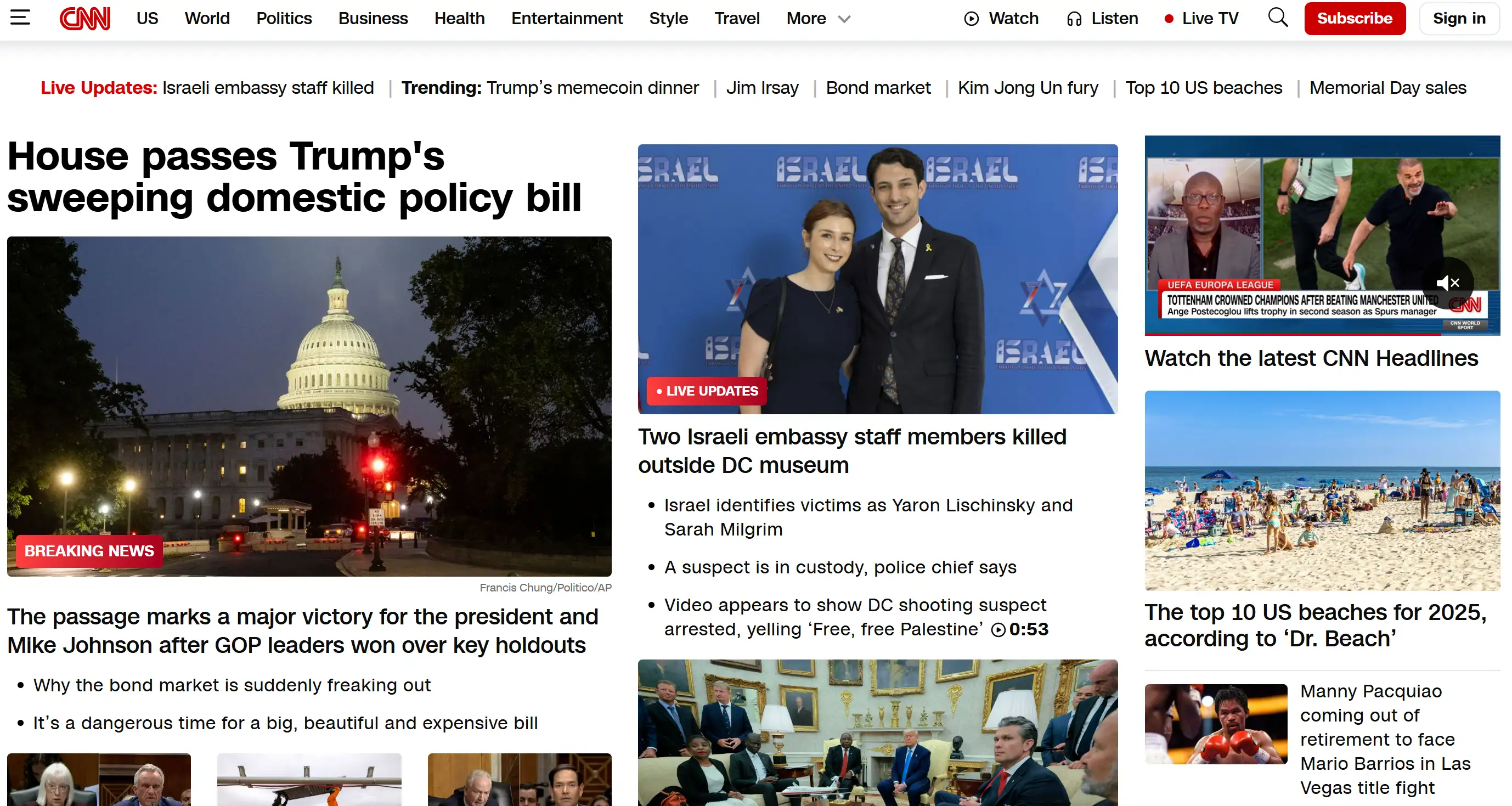
As a news giant, CNN's bad web design is characterised by slow loading speeds, content-heavy pages, and an overly crowded layout. Those wide text containers make it harder to read and use the site.
Ford

Ford's bad website design is evident in its poor messaging and outdated layout. Its homepage lacks clear information, and the page is so narrow that it makes the website seem like it’s not working. Having many lines closely together makes reading and studying the text tiring and slow.
Yale School Of Art
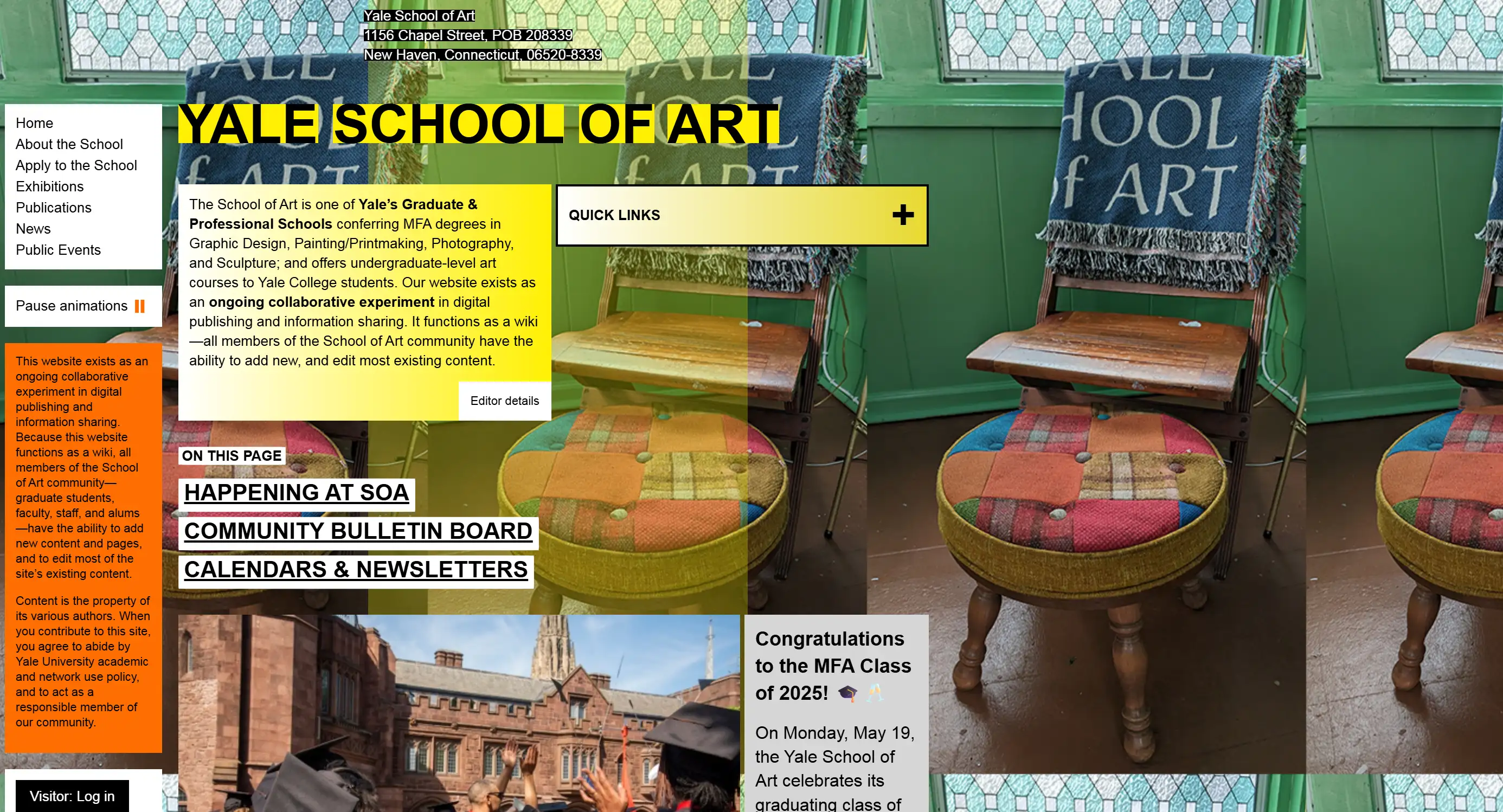
This website's unusable website design sacrifices user experience for a perceived "artistic" feel, resulting in inconsistent branding, poor readability, excessively small and hard-to-read fonts, and inconsistent application of colours, gradients, borders, and font styles, leading to visual distraction and an outdated aesthetic.
Blinkee
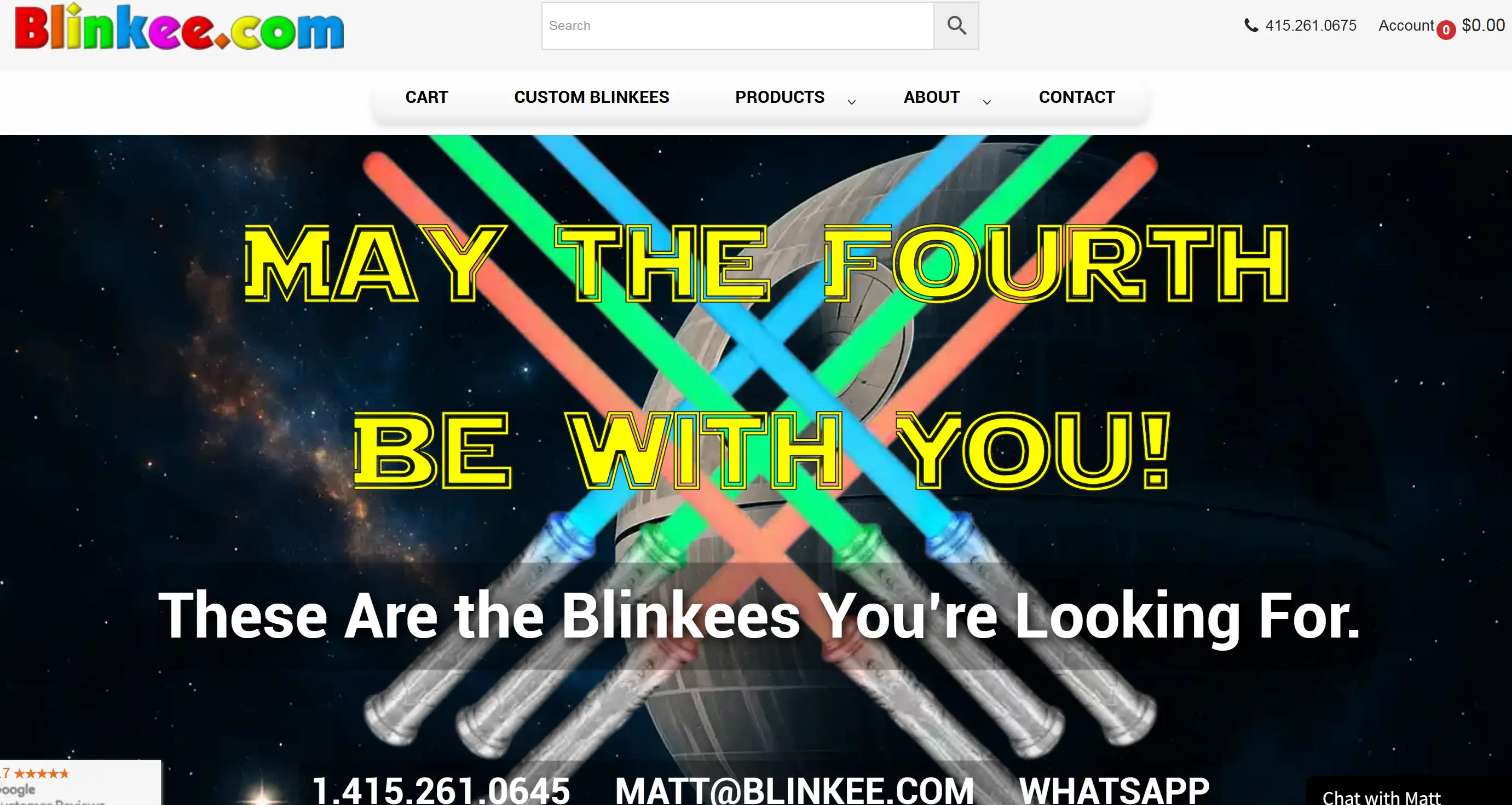
Blinkee's website execution is extremely classic, unusable website design and one of the typical bad UX design examples, featuring annoying flashing animations, excessively small product images, text with poor contrast against a black background, unbalanced page frames, and inconsistent, user-unfriendly navigation.
Pacific Northwest X-Ray Inc.
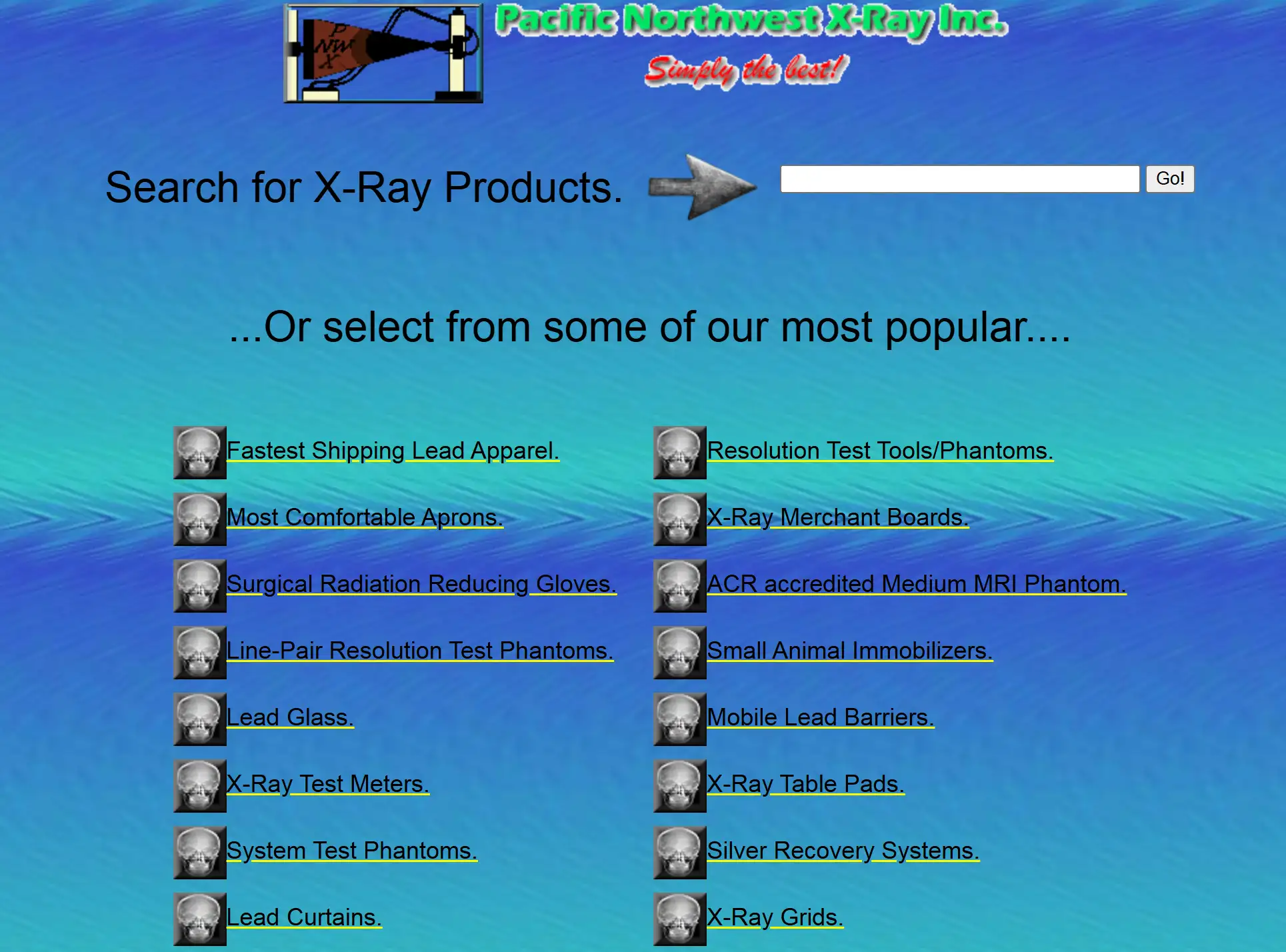
This website's bad website design fails to clearly explain its services, has conflicting text and background colours, lacks anti-aliasing, has no padding or appropriate white space for text, lacks clear calls-to-action (CTA), and relies on outdated Flash technology. This is a terrible website design.
Discount Beds Belfast
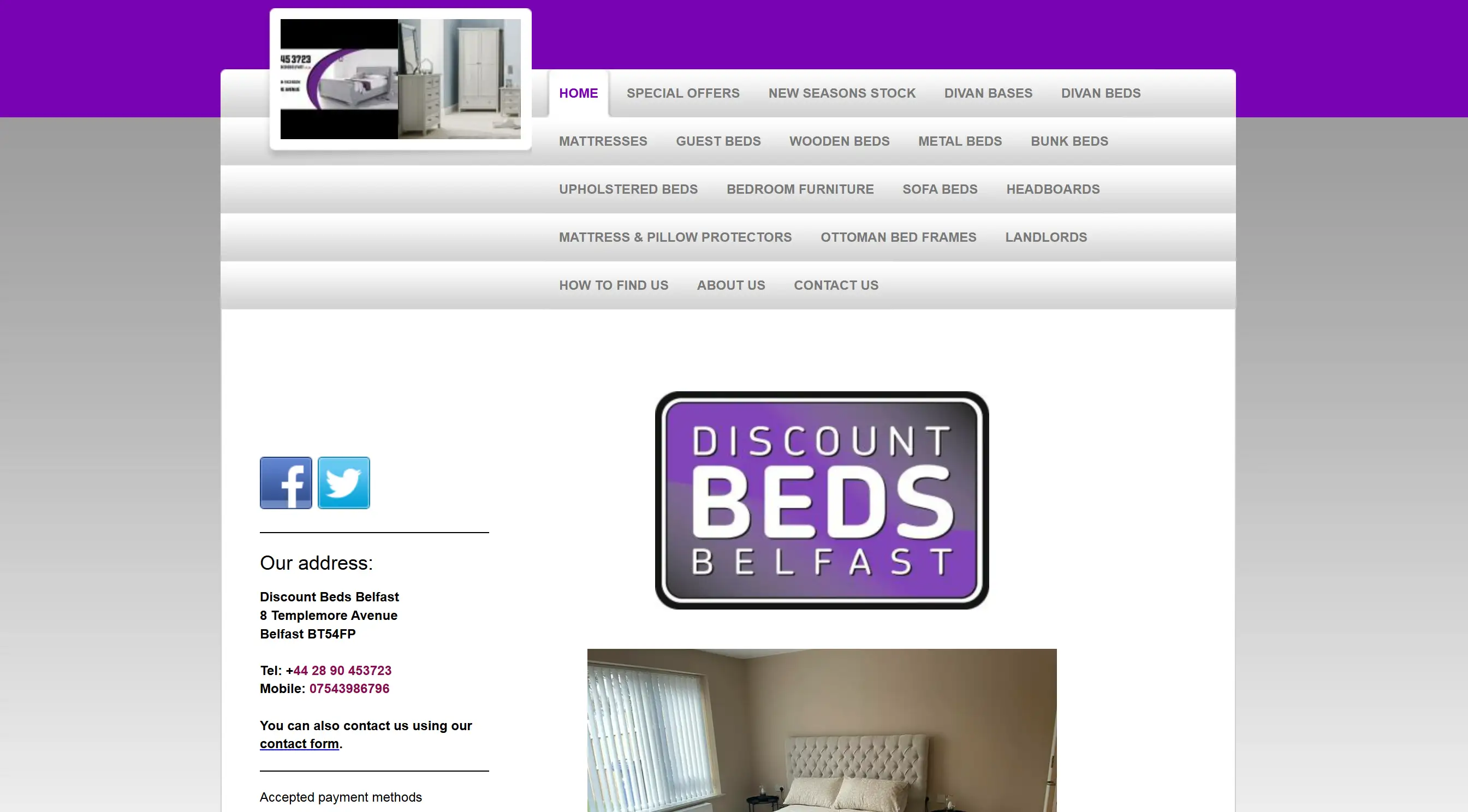
Discount Beds Belfast's bad web design features an outdated design, lacking visual appeal and professionalism. The design looks crowded, various colour schemes are used, there is no mobile compatibility, and there aren’t many obvious prompts for site visitors.
Suzanne Collins’ books
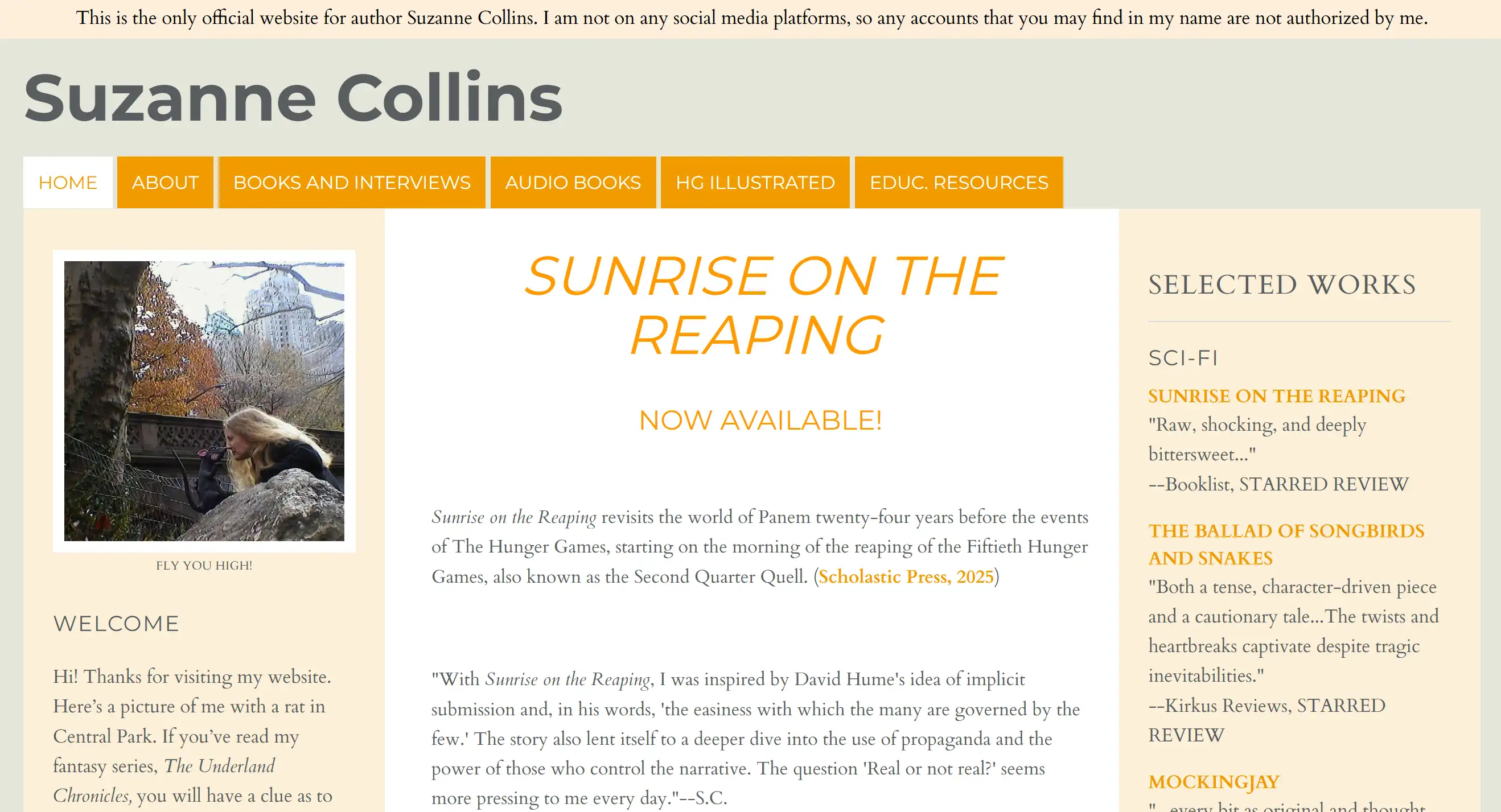
Even a renowned author's website can exhibit bad website design, failing to provide a satisfactory reading and browsing experience. It makes text too small to read smoothly (you need to zoom in by 200%), uses white space poorly so writing moves close to the edges when zoomed out, contains non-functional book pictures and connects links to store beginning pages, not to the books themselves.
The Property Investors Network

This website's bad-looking website design presents a cluttered and outdated style, visually overwhelming users. Getting around is tough, the site isn’t set up for mobile, and the colour and fonts are not uniform.
The Daily Mail
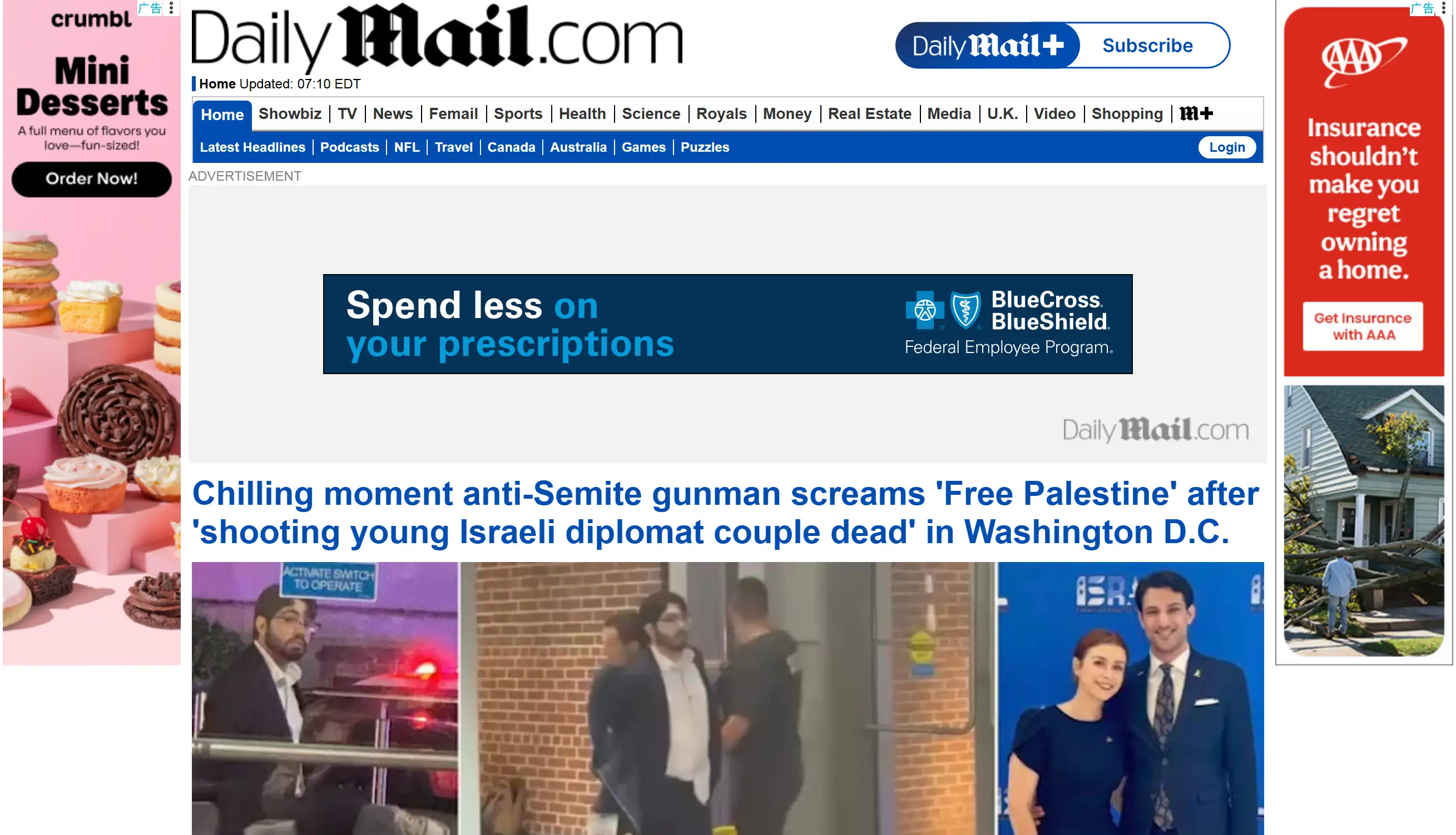
The Daily Mail's website is a prime bad UX design, where the chaotic layout and excessive distracting elements make it the worst website, severely impacting content readability and user browsing experience, making it difficult for users to focus. This is a terrible website design.
Bavarian Brathouse

Bavarian Brathouse's terrible website design has an unpleasant aesthetic, resembling "80s street graffiti." The page shows impractical navigation, too much and vague text on the left, standard graphics unrelated to their image and no call to action.
Mr Bottle Collectors Resource
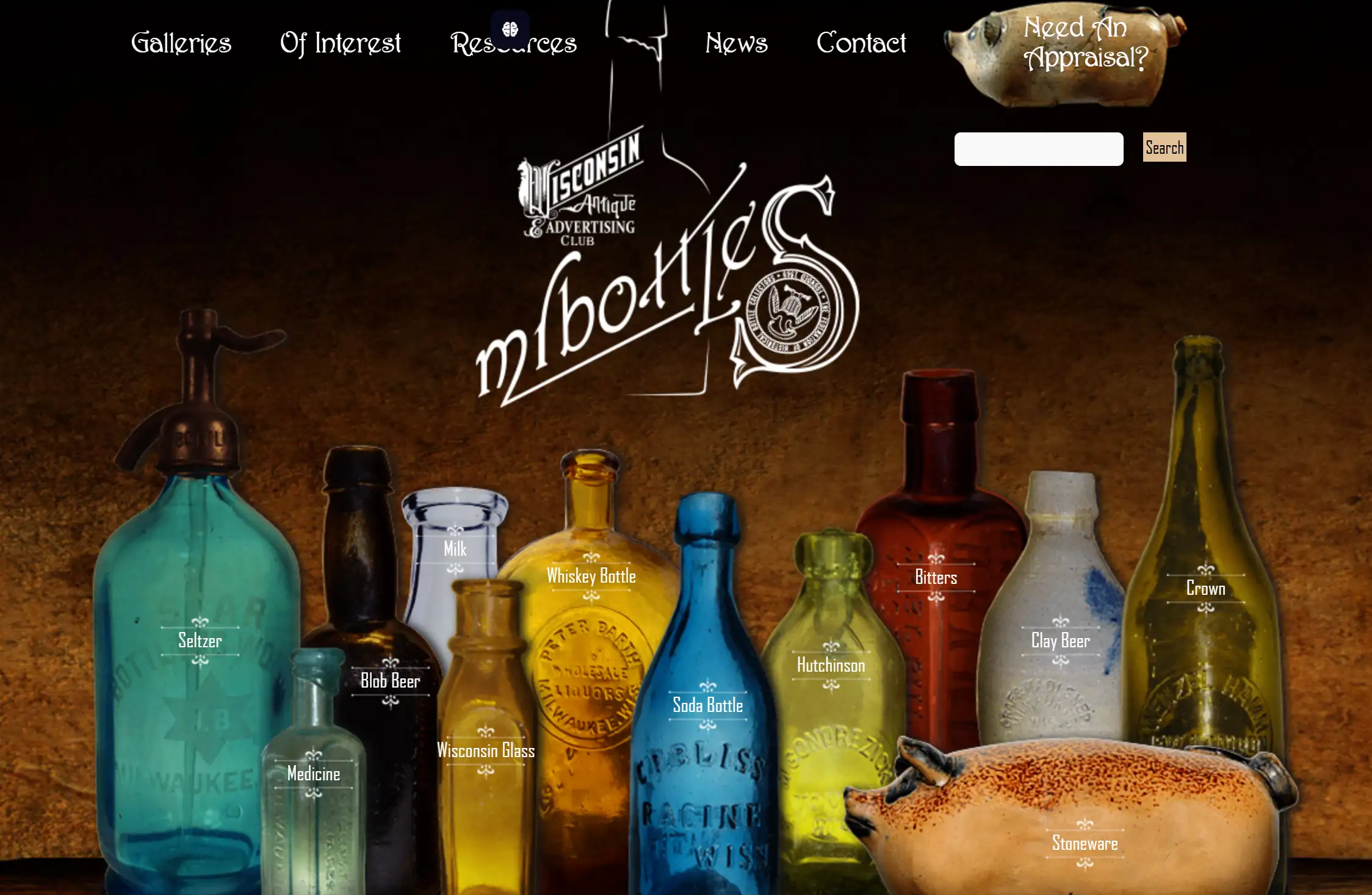
This website's bad website design has severe issues with visual stability and information organisation. The words frequently change colour, pictures are scattered, moving around the page is tough, and much of the text is hard to read.
Swarovski

Swarovski's bad website design not only lacks appeal but also has serious accessibility flaws, making it a typical bad UX design example that may prevent certain user groups from properly using the website.
Patimex

Patimex's website is a classic bad web design, filled with distracting elements and functional flaws. Upon opening the site, you’ll see fuzzy graphics and problems with scaling, text that slowly disappears from the page, unwelcome country music, unpleasant animations and a logo that beats and cannot be clicked.
Mednat.org
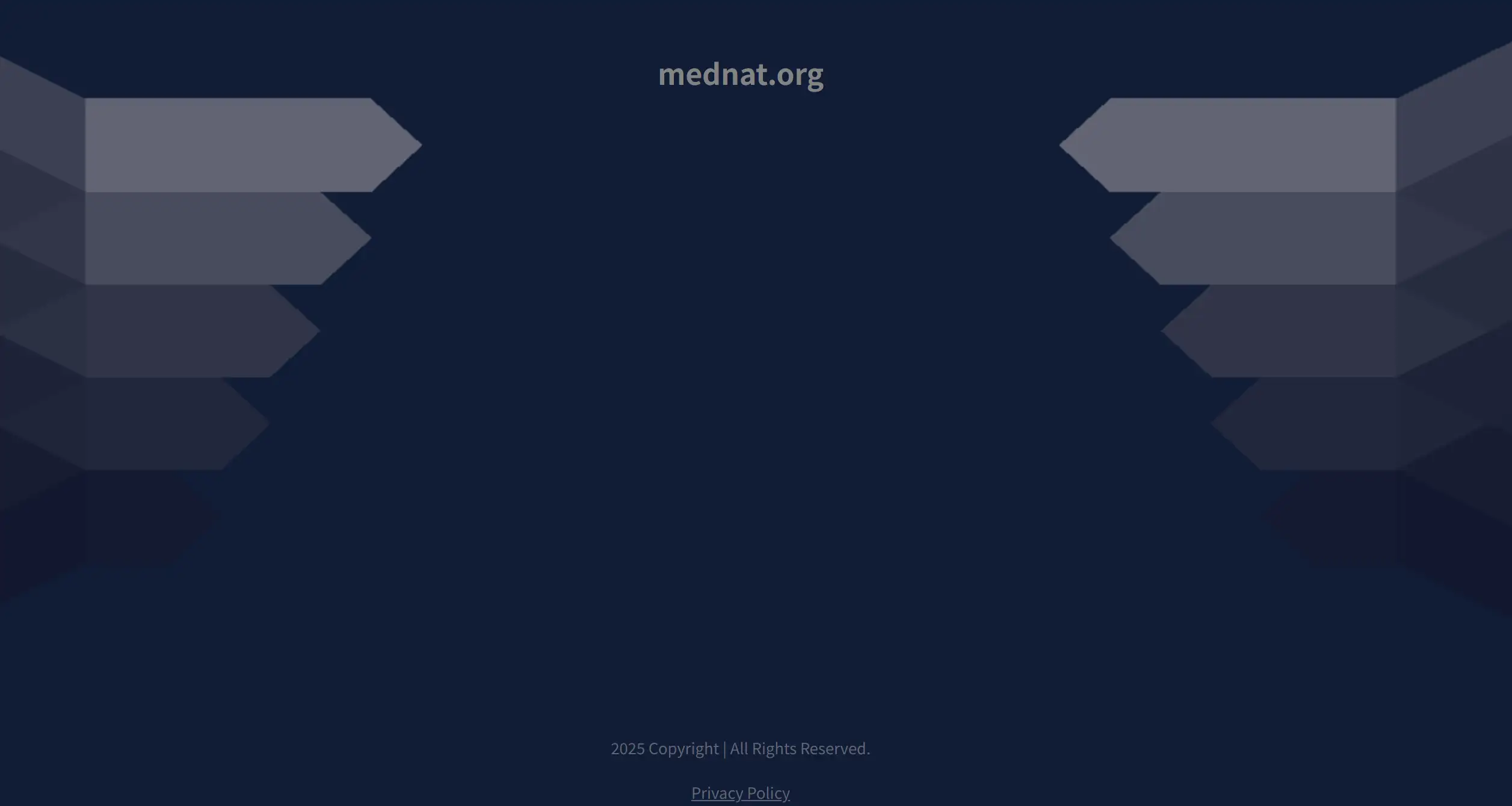
Mednat.org is a prime example of a bad website, exhibiting bad website design issues in almost every aspect. The domain is a free-for-all of content without any clear plan, small text, zero organisation, pages filled with dense texts (20 on a single one), and unresponsiveness for mobile devices.
Ling’s Cars
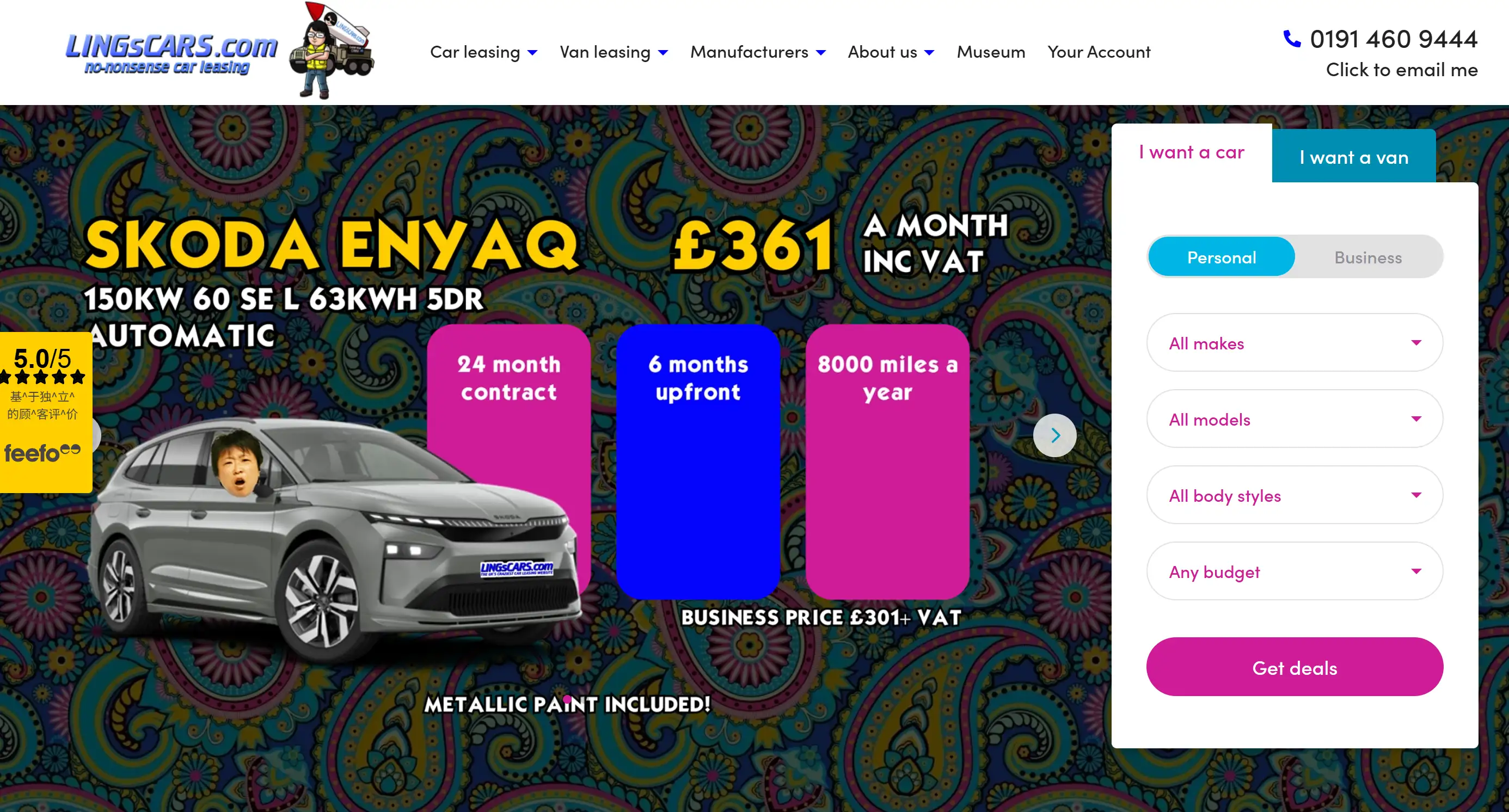
Ling’s Cars website's bad web design is visually aggressive. It includes over-the-top colours and brightness so high that the text is hard to read, plus a messy showcase of photos, GIFs, videos and advertisements and lots of GIFs.
Santa Pod Raceway
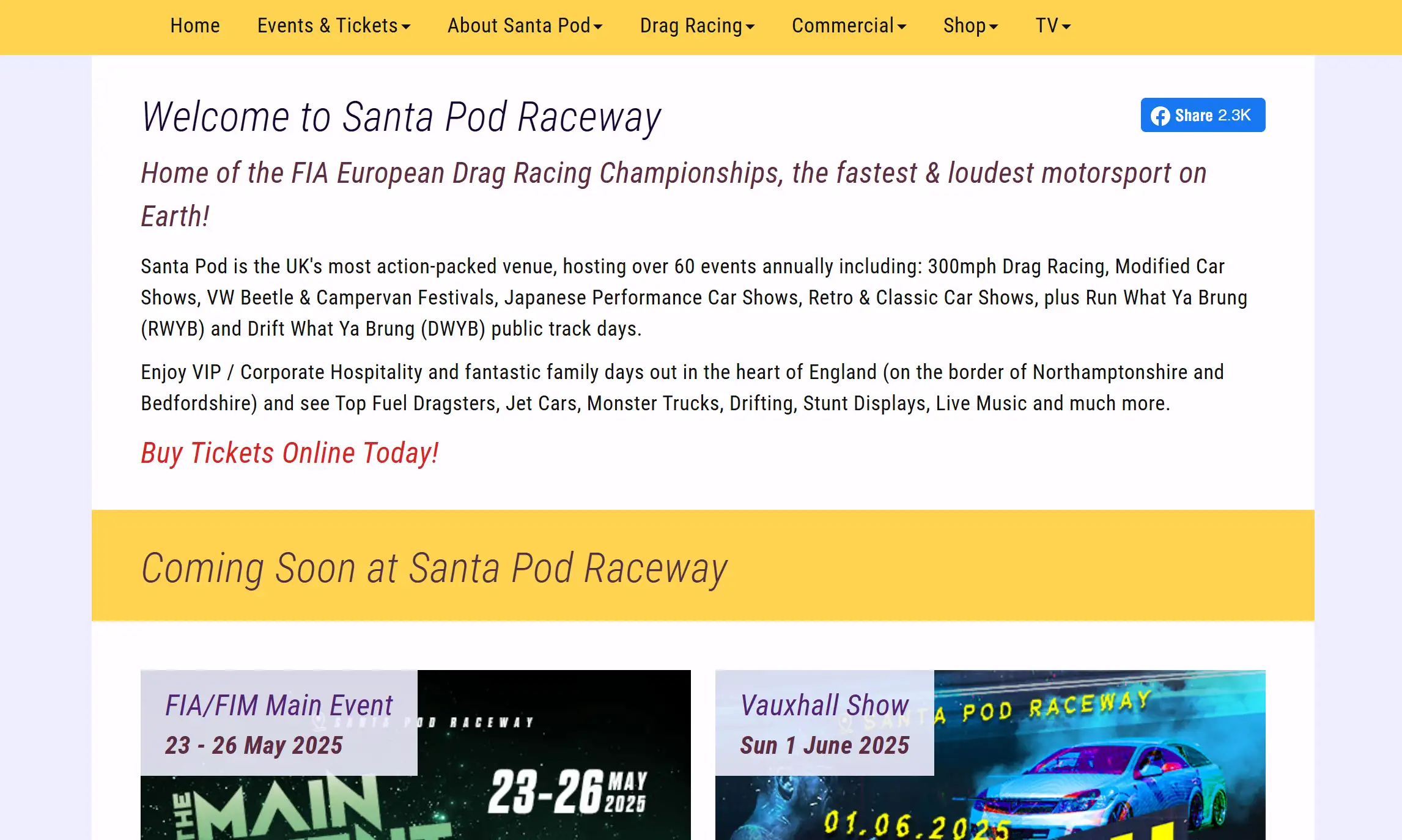
Although detailed descriptions are not provided, its inclusion as one of KIJO's "worst websites" typically implies multiple bad website design issues such as slow loading, cluttered layouts, or lack of responsiveness. As a listed worst website, its design likely suffers from multiple flaws, impacting user perception of its racing business.
Berkshire Hathaway
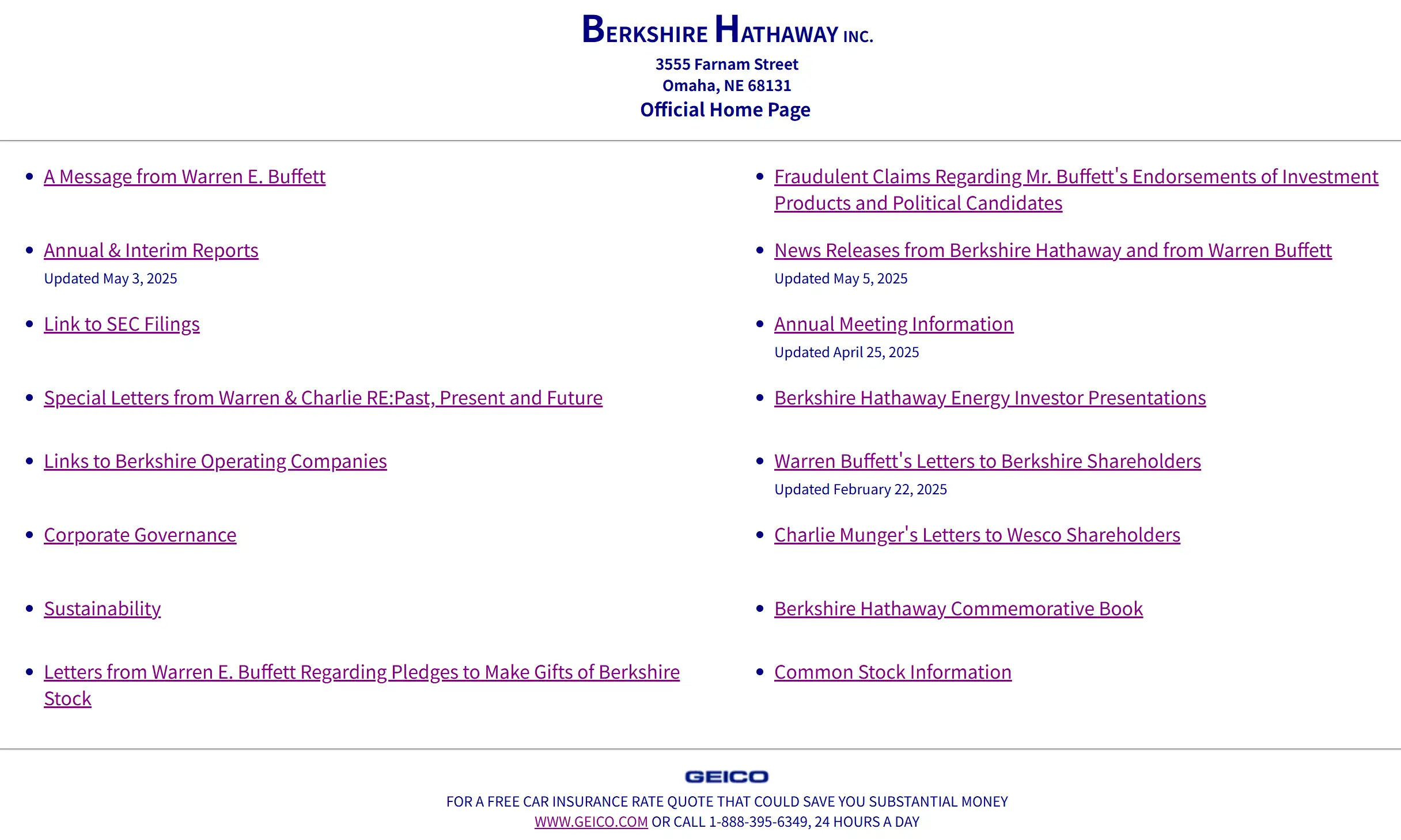
Despite Berkshire Hathaway's powerful brand, its unusable website design fails to fully leverage its online presence, giving an impression of neglect and potentially failing to effectively convey its strength as a top investment firm.
Ash End House Children's Farm
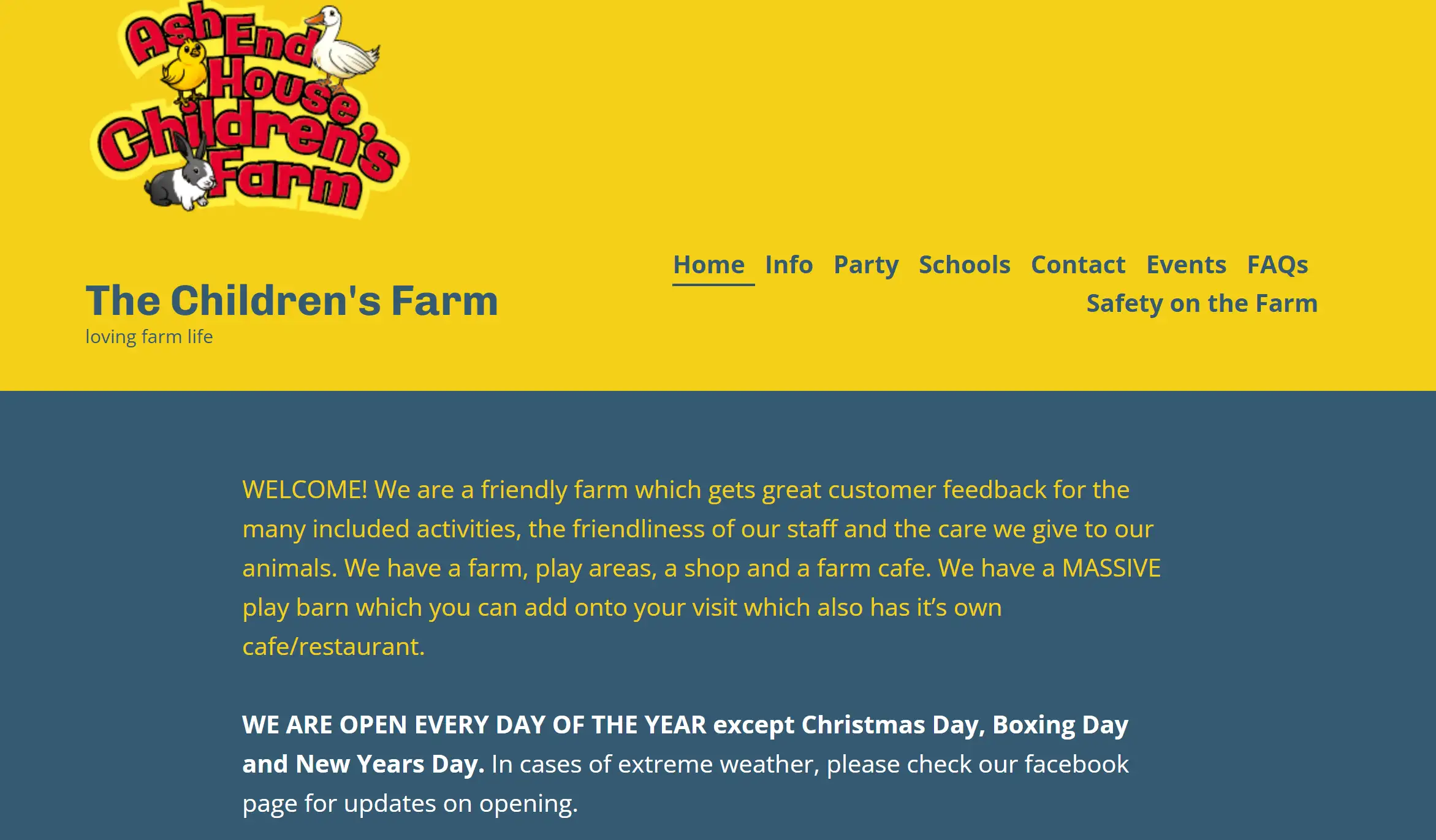
Also listed as one of KIJO's "worst websites", its bad website design likely diminishes the appeal of the children's farm, possibly due to visual clutter or poor navigation.
Craigslist
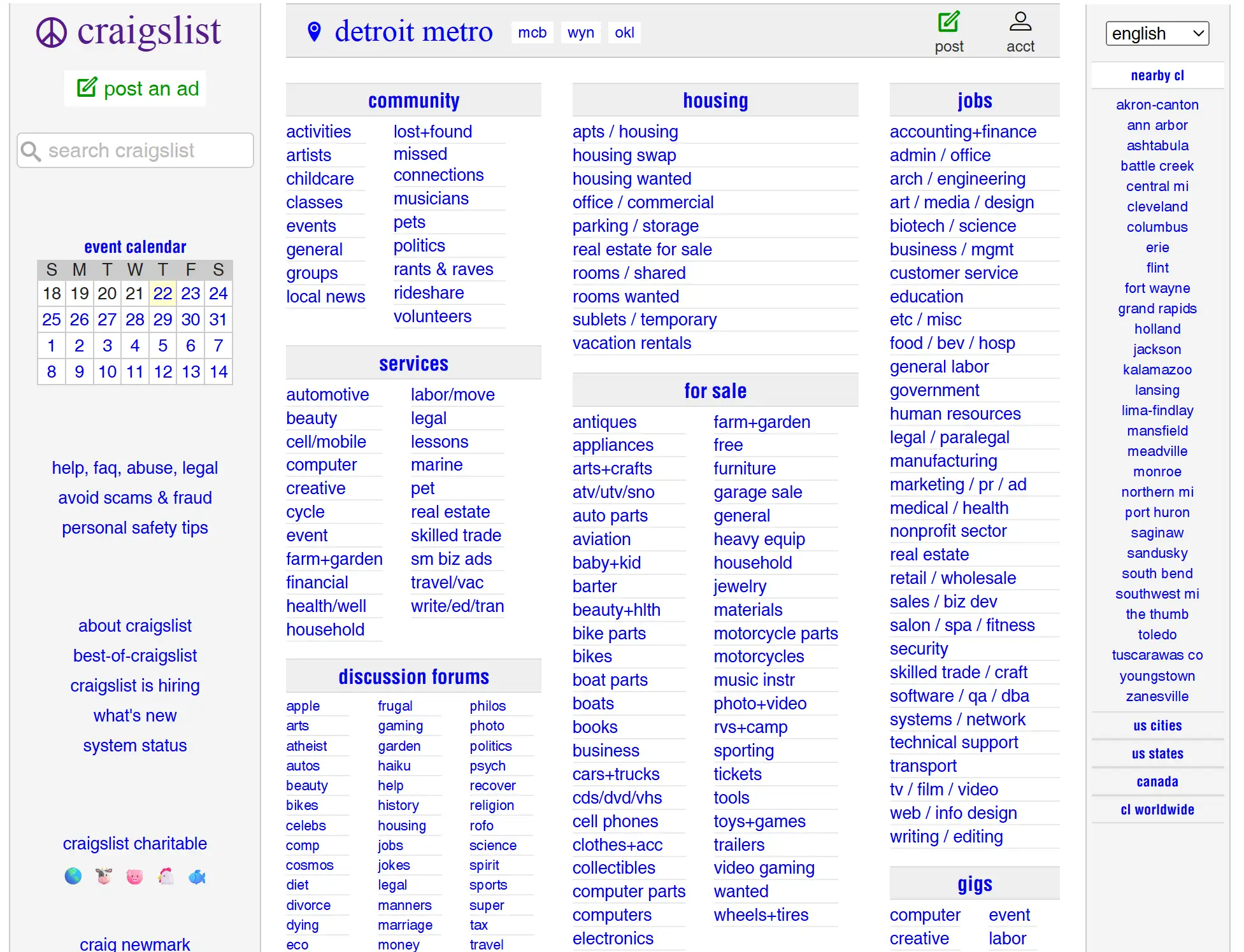
Despite its functional strength, Craigslist's unusable website design feels perpetually stuck in the late 1990s. The UI doesn’t look nice and is confusing to use. The interface consists mainly of simple text.
Bulgari

For a high-end brand, Bulgari's bad-looking website design appears overly basic, lacking the necessary simplicity and white space. The menu popup is hard to organise, the product pages do not tell much about the brands, and brand stories seem either missing or skimp on details.
Different Types of Bad Website Design Scenarios You Should Avoid
-
"Pop-up Ad Hell" Website: After a page is loaded, many annoying advertisements open that are hard to dismiss, interrupting users as they try to view the site. This bad-looking website design directly leads to an extremely poor user experience, serving as a typical bad UX design example that rapidly increases bounce rates and overwhelms users.
-
"Endless Scroll" Information Hub: A website built on a single web page displaying content that continues without a break and without clear places to switch sections. This worst website design results in information overload and navigation difficulties, representing a worse website due to chaotic information architecture, leaving users lost in a sea of content.
-
"Image-as-Text" Brand Official Website: Since a lot of text is hidden in the photos, search engines can’t read the information and visually impaired people using screen readers can’t hear it either. A classic bad-looking website design that severely harms SEO and accessibility, serving as a bad UX design example of insufficient technical understanding.
-
"Outdated Technology" Corporate Portal: Because the website depends on Flash and similar technologies, it does not work correctly on the most recent browsers and mobile devices. This bad website design not only impacts user experience but also carries potential security risks, representing a worse website due to technological obsolescence, making the website incompatible with modern web environments.
-
"Labyrinthine Registration Process" E-commerce Platform: Shoppers have to provide too much information, wait a long time, and pages are slow to load, causing a very high number of abandoned carts. This is a typical bad UX design example that directly leads to lost sales, representing a fatal flaw in the conversion path of a bad-looking website design.
-
"Visual Noise" Blog: There are so many moving animations, loud GIFs, annoying background music, and always changing fonts on the blog page that users often get distracted and can’t read smoothly. What makes the worst website is due to visual overstimulation, preventing users from focusing on the articles themselves.
-
"Non-Responsive" Local Service Website: On phones, the local website appears cluttered, text and images take over the screen, and pushing buttons is difficult, so people keep zooming in and scrolling from side to side. This is a classic bad-looking website design that neglects the massive traffic from mobile users, leading to the loss of a large number of potential customers.
-
"Low Contrast" Government Information Website: Low contrast between the text and the website background is a problem, as it makes things problematic for users who cannot see all colours clearly or even for others when the surroundings have different lighting.
Say Goodbye to Bad Website Design & Build a Good Website
The process of website design evolves and changes regularly. Regularly reviewing and managing your website is now important as technology improves and users want better sites. Having a well-designed website will benefit your brand, please your users and help your online stores grow in the long term. By adopting these principles, you can transform a potentially bad-looking website design into an impressive web design, enabling you to stand out in a competitive market.
But what happens if coding isn’t your thing or you haven’t quite saved enough for a group of design professionals? Thankfully, no more developers have to deal with tough code or keep revising their projects over and over. Creating an excellent no-code website is now much easier.
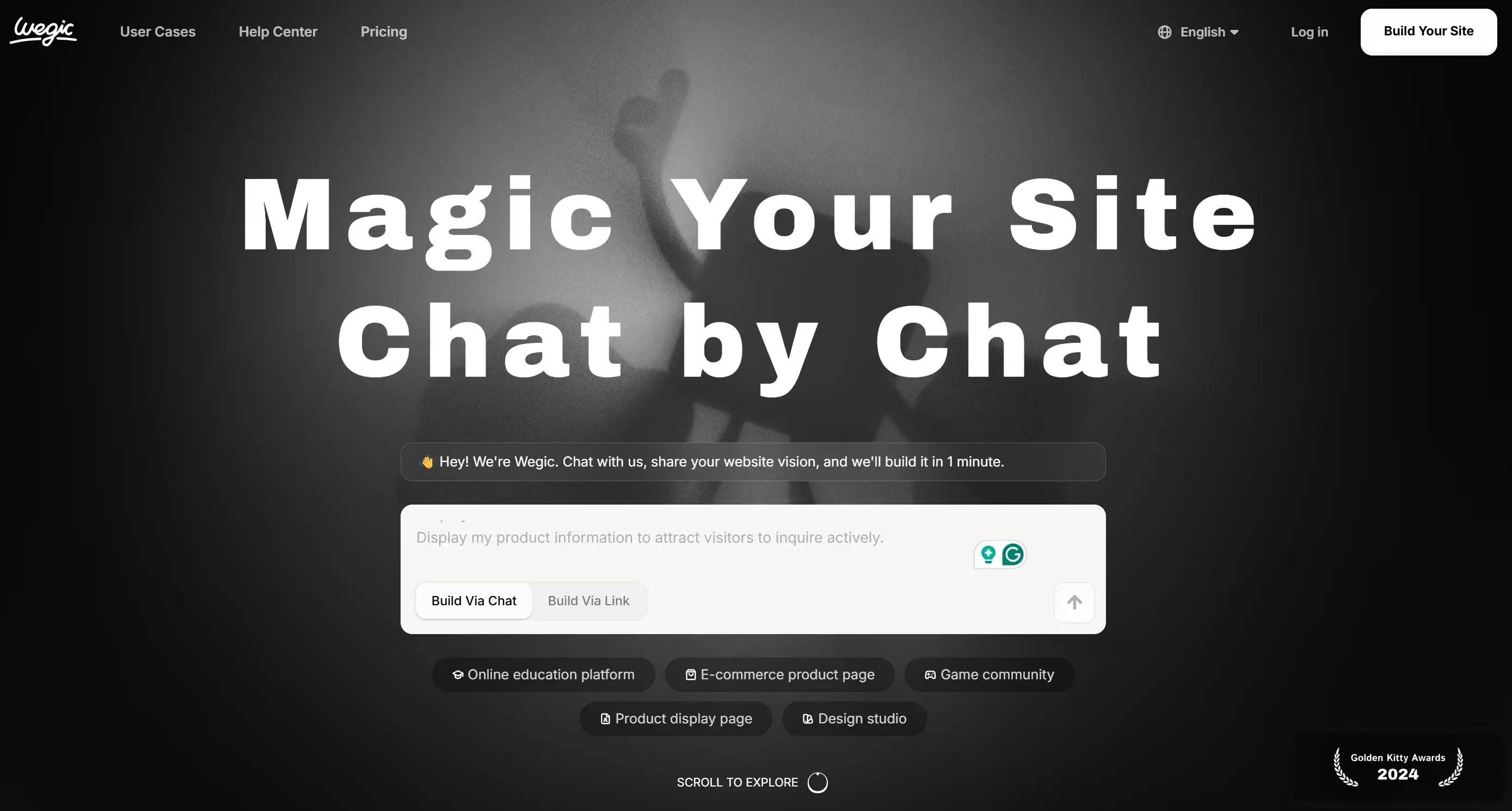
Wegic is here to enable anyone to build a website easily, thanks to its simple text chat interface. Anyone or any business looking to set up an e-commerce website, a wedding website, or a personal portfolio can find Wegic an excellent, no-fuss way to get online without coding skills. Thanks to its ease of use, power and customisation, Wegic stands out in website development by giving different users unique benefits.
Written by
Kimmy
Published on
Mar 17, 2026
Share article
Read more
Our latest blog
Webpages in a minute, powered by Wegic!
With Wegic, transform your needs into stunning, functional websites with advanced AI
Free trial with Wegic, build your site in a click!
What kind of website do you want to build?