A Quick Reset: What "Responsive" Actually Means in 2026
Before walking through the responsive website examples, three plain-language facts:
- More than half of all web traffic now comes from phones. That ratio crossed in 2017 and has only grown. If your site doesn't work on a phone, it doesn't work — period.
- Visitors decide whether to stay in roughly the time it takes to blink. Studies consistently show people form an opinion about a website in well under a second. A broken mobile layout fails that test before they've read a single word.
- Google ranks the mobile version of your site, not the desktop one. This has been true since 2019, but a surprising number of sites still treat desktop as the canonical version. They lose search traffic because of it.
That's the bar. Everything below shows how 10 different sites clear it.
Responsive vs. Adaptive vs. Mobile-Only — Quick Distinction
The responsive vs adaptive design distinction gets conflated constantly. Throw "mobile-only" into the mix and it gets worse. The difference matters:
Approach | How it works | Best for |
Responsive | One codebase, layout fluidly resizes to any screen | 90% of modern sites — content, marketing, e-commerce |
Adaptive | One codebase, layout snaps to a few preset sizes | Legacy enterprise apps with strict device targeting |
Mobile-only | A separate m.example.com site for phones | Almost never anymore — Google penalizes the duplicate-content overhead |
The 10 responsive website examples below are all responsive (the first column). If anyone is building you a separate mobile site in 2026, ask why.
Pattern 1: Content-Heavy Sites That Reflow Cleanly
The first three responsive website examples in this guide all share a content-density problem — lots of editorial output, multiple module types, hundreds of stories per day. The trick is letting the content reflow without losing its hierarchy.
1. The New York Times — When Density Has to Survive a Phone Screen
Pattern: Long-form journalism, thousands of articles per day, multiple ad placements
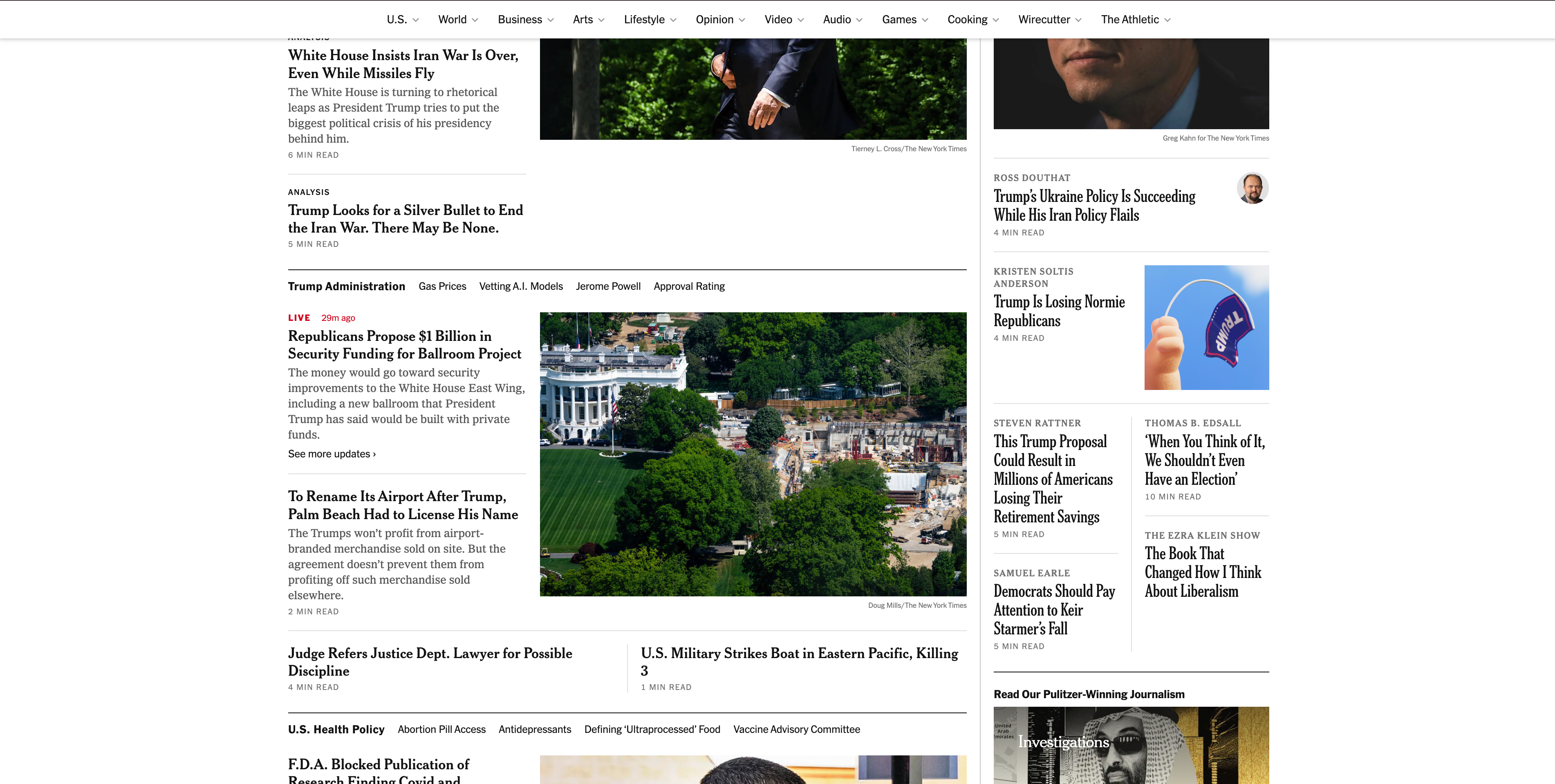
The Times is a textbook study in what happens when you have to make hundreds of editors' content decisions render correctly on a 380px screen. The desktop view is a multi-column newspaper grid. On tablet, it collapses to two columns. On mobile, it becomes a single vertical stream — but the editorial hierarchy survives. Top story stays top, lead photo stays lead photo, related links stay related. Of all the responsive website examples in this guide, this one demonstrates the most disciplined hierarchy preservation across breakpoints.
Three things to steal:
- Define a hierarchy that survives reflow. Before you design any breakpoint, decide what the single most important thing on each page is. On mobile, only that thing matters above the fold.
- Drop the right elements first. The Times hides supplementary navigation, sidebars, and tertiary widgets on mobile — never the article body or the author byline. Decide what your "supplementary" is and commit to dropping it.
- Type scale changes more than people think. Headlines that read perfectly at 48px on desktop need to be 28–32px on mobile, not just shrunken proportionally. Hand-tune your type scale per breakpoint.
2. The Guardian — Modular Container System
Pattern: News content with rich modular sections (video, podcast, opinion, sport)
The Guardian's frontend has been open-sourced, and their pattern library is a public reference for how to build a content site that's responsive without being repetitive. Each module (story card, video card, podcast embed) is independently responsive — meaning a "story card" looks correct whether it's in a wide hero, a three-column grid, or a narrow rail.
Three things to steal:
- Build for the module, not for the page. Once your story card / product card / case-study card is independently responsive, every page that uses it inherits that behavior automatically. This is what container queries in 2026 finally make easy at the CSS level.
- Same component, different sizes. A "featured" hero card can be visually larger but use the same component as a smaller card in a list — only the size and density change. Guardian uses this principle relentlessly.
- Test components in isolation. Storybook or similar tools let you test how every card looks at every width. If a card breaks at 320px, you find it before it ships.

3. Medium — When Reading Is the Entire Job
Pattern: Reader-first long-form
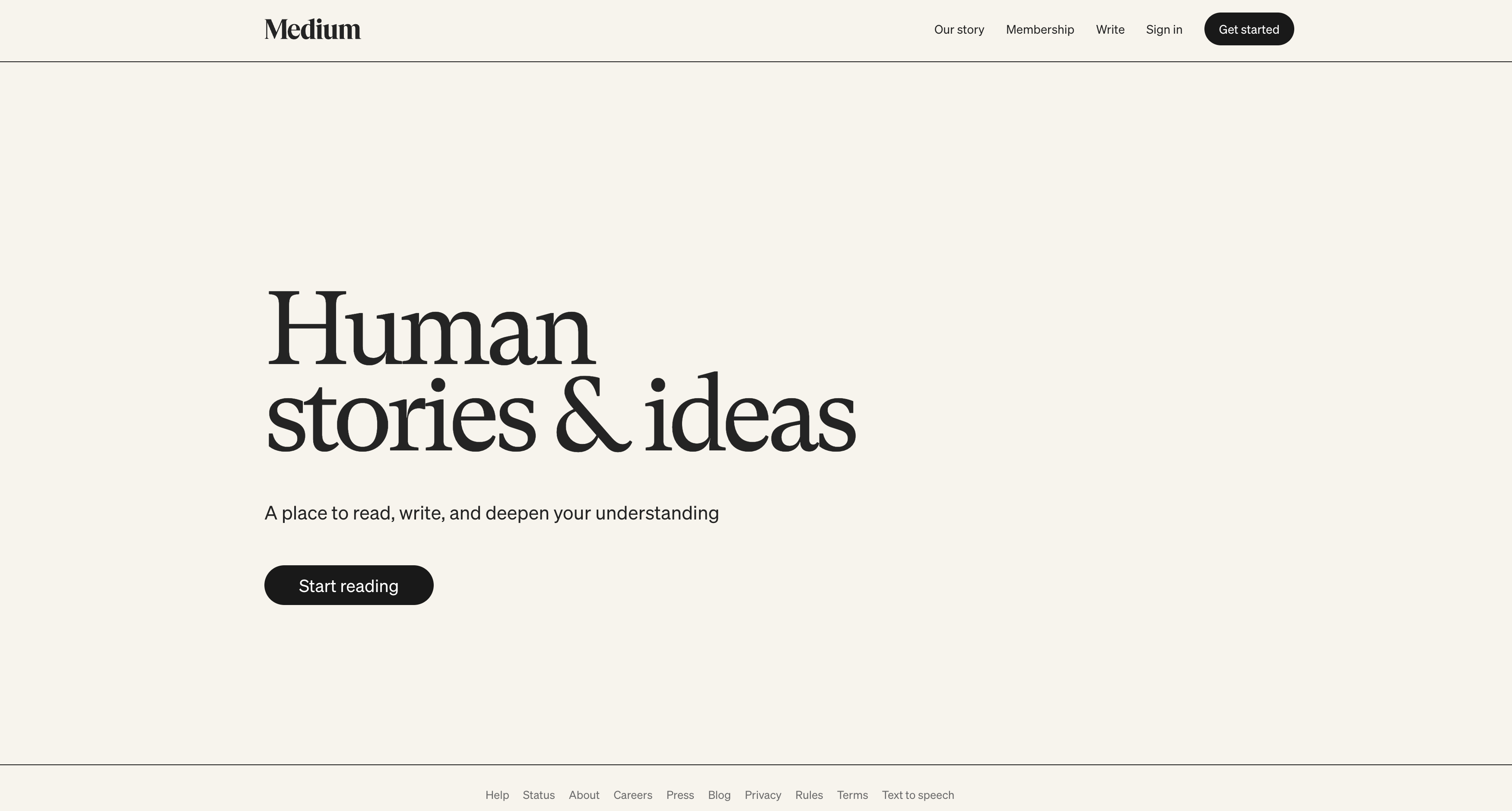
Medium's homepage on a phone is essentially a vertical feed of articles, each with a clean title-byline-excerpt-image pattern. On tablet, it becomes a two-column feed. On desktop, the right rail surfaces popular topics and recommended writers. The reading view itself is famously responsive — line length stays in the optimal 50–75 character range at every screen width.
Three things to steal:
- Constrain line length, not container width. Medium's body text doesn't expand to fill the container on a 27" monitor. It caps at the comfortable reading line length. This single decision is most of why Medium feels "premium" to read.
- Sticky elements on desktop, hidden on mobile. The Medium "applause" button sticks to the side of the article on desktop and moves into a normal inline button on mobile. Same control, different physical placement.
- Reading progress indicators are mobile gold. A thin progress bar at the top of mobile articles tells the reader how much is left. Tiny detail, surprisingly large drop-off reduction.
Pattern 2: Dashboards & Apps That Stay Usable on Small Screen
The next three responsive website examples belong to companies whose marketing sites have to convey product complexity without scaring off mobile visitors. Stripe, Notion, and Linear share an aesthetic — minimal, content-dense, technically sharp — and a discipline about making it work at every screen width.
4. Stripe — The Engineering-Backed Standard
Pattern: Marketing site for a developer/finance product, paired with a complex dashboard
Stripe has been a public reference for responsive web design for nearly a decade. Their engineering team openly published how they built the Connect landing page using CSS Grid, and the site has only gotten more refined since. The marketing site uses fluid grid layouts everywhere, with components that snap into a single column on mobile without breaking the visual rhythm.
Three things to steal:
- CSS Grid for everything that's grid-shaped. If your design has rows that align across the page, it's a grid. Stripe uses CSS Grid (not flexbox) for their landing pages. The result is layouts that hold their alignment at every viewport.
- Code blocks need their own responsive logic. Stripe shows live, syntax-highlighted code on the homepage. On mobile, the code blocks become horizontally scrollable rather than wrapping. Wrapping breaks code; horizontal scroll preserves it.
- Animations must respect reduced motion. Stripe's animations on the landing page disable themselves when the visitor has
prefers-reduced-motion: reduceset in their OS. This is both an accessibility requirement and a sign of taste.

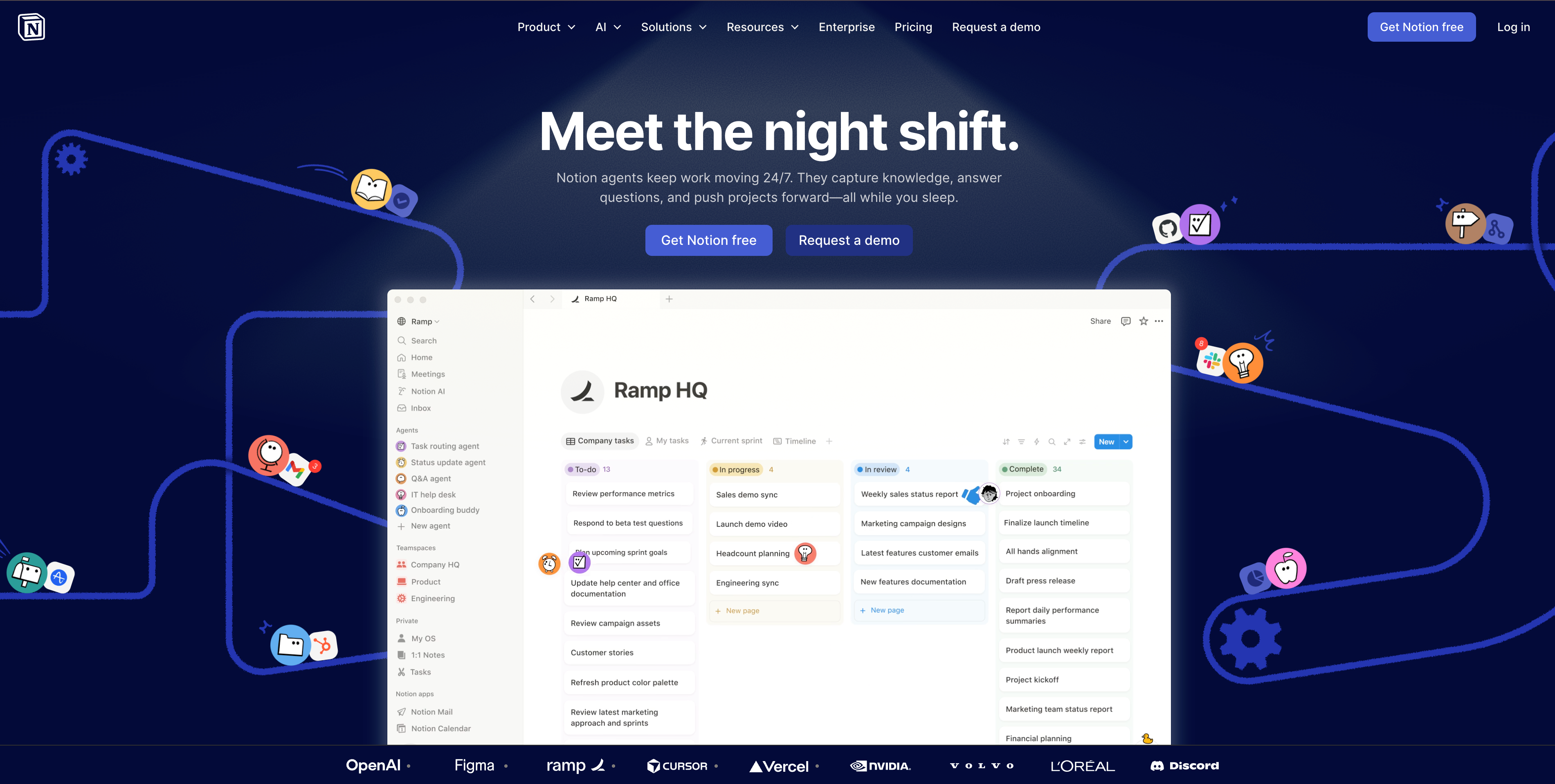
5. Notion — The Multi-Audience Marketing Site
Pattern: B2B SaaS marketing site that switches between audiences (Teams, Enterprise, Students)
Notion's marketing site is a master class in giving multiple audiences a clean entry point without breaking the layout on small screens. Audience tabs reflow into a horizontal scrollable strip on mobile. Feature comparison tables collapse from grid into stacked cards. The pricing matrix gets the toughest treatment — three columns of tiered features become a vertical stack with sticky tier headers.
Three things to steal:
- Audience switchers as scrollable strips on mobile. If you have 4 audience tabs, they fit on desktop but break on phone. Make them a horizontal-scroll row with subtle visual indication that more exists.
- Pricing tables need a special mobile pattern. Stacked cards with collapsible feature lists beat horizontal scroll for pricing. Pricing tables are also the single page where mobile abandonment is highest — get this right.
- Comparison tables: collapse the column header, not the rows. When you stack a comparison table on mobile, keep the row labels (the things being compared) and stack each column underneath. This preserves what people are actually scanning for.
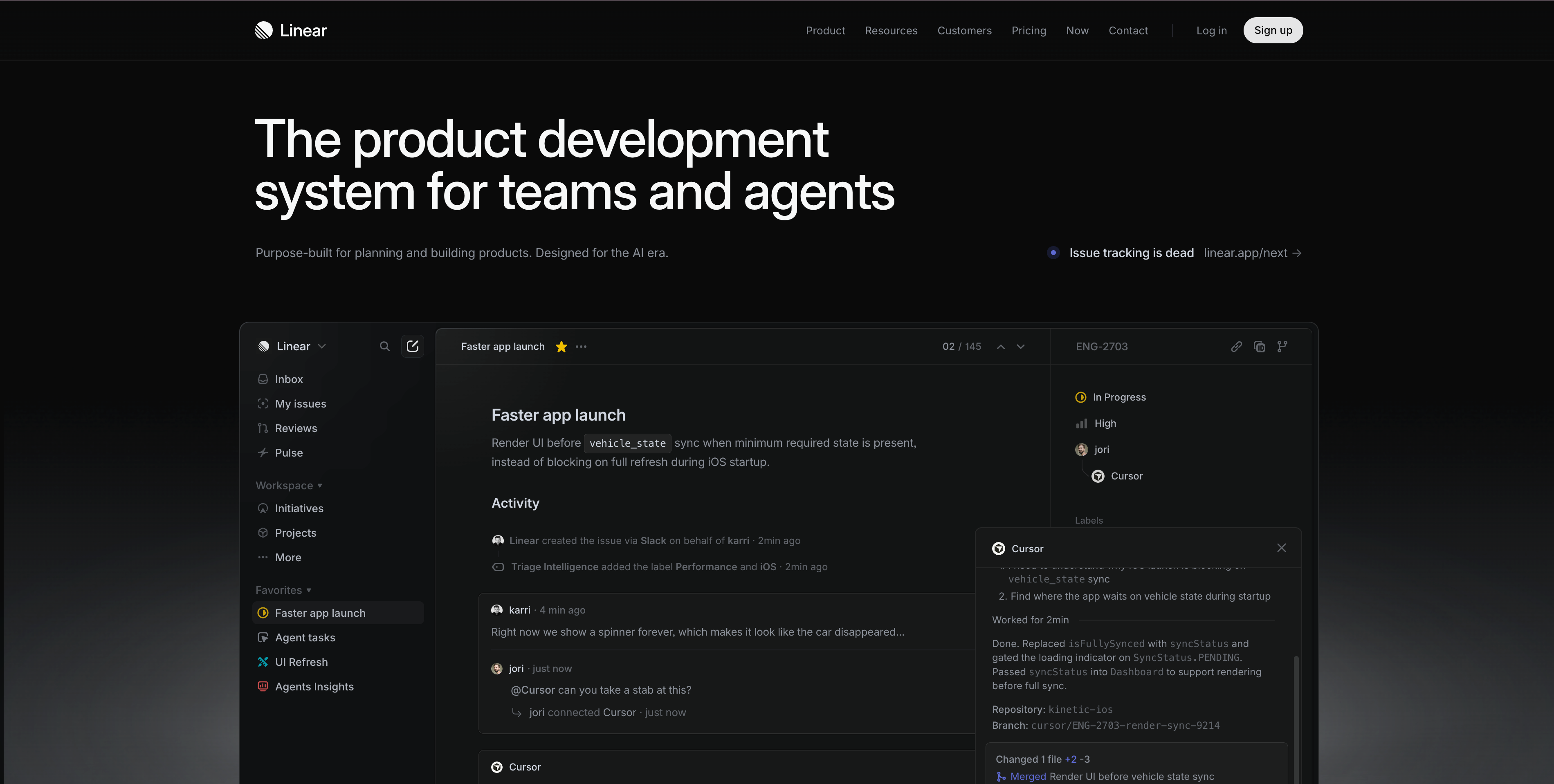
6. Linear — Marketing Site That Looks Like the Product
Pattern: B2B SaaS where the marketing site visually echoes the product UI
Linear's marketing pages set the standard for how a product company can make its homepage look like a polished version of the product itself. The keyboard-shortcut overlays, the smooth animations, the dark-mode-by-default aesthetic — all of it works on mobile because Linear designs every component to be responsive from the start, not adapted later.
Three things to steal:
- Make your marketing site visually adjacent to your product. If your product is dark-mode and minimal, your marketing site should be dark-mode and minimal. The cognitive jump from marketing to product is wasted unless the visual language is shared.
- Animations should be subtle and gestural, not decorative. Linear's animations always serve a function — showing what a feature does, indicating progression. Decorative animation gets cut on mobile (where data and battery matter); functional animation stays.
- Hover states need a mobile equivalent. Every hover interaction needs a mobile fallback (tap, long-press, or always-on). Linear's hover effects degrade gracefully — what's hover on desktop is "always visible" on mobile, never "hidden until you guess to tap."
Pattern 3: User-Generated Content (Where the Layout Has to Hold Up Across Wildly Variable Inputs)
Marketplace sites are the hardest responsive website examples to study, because they have to handle unpredictable inputs — strangers' photography, titles of any length, descriptions in any language. The ones that work do it through aggressive standardization at the component level.
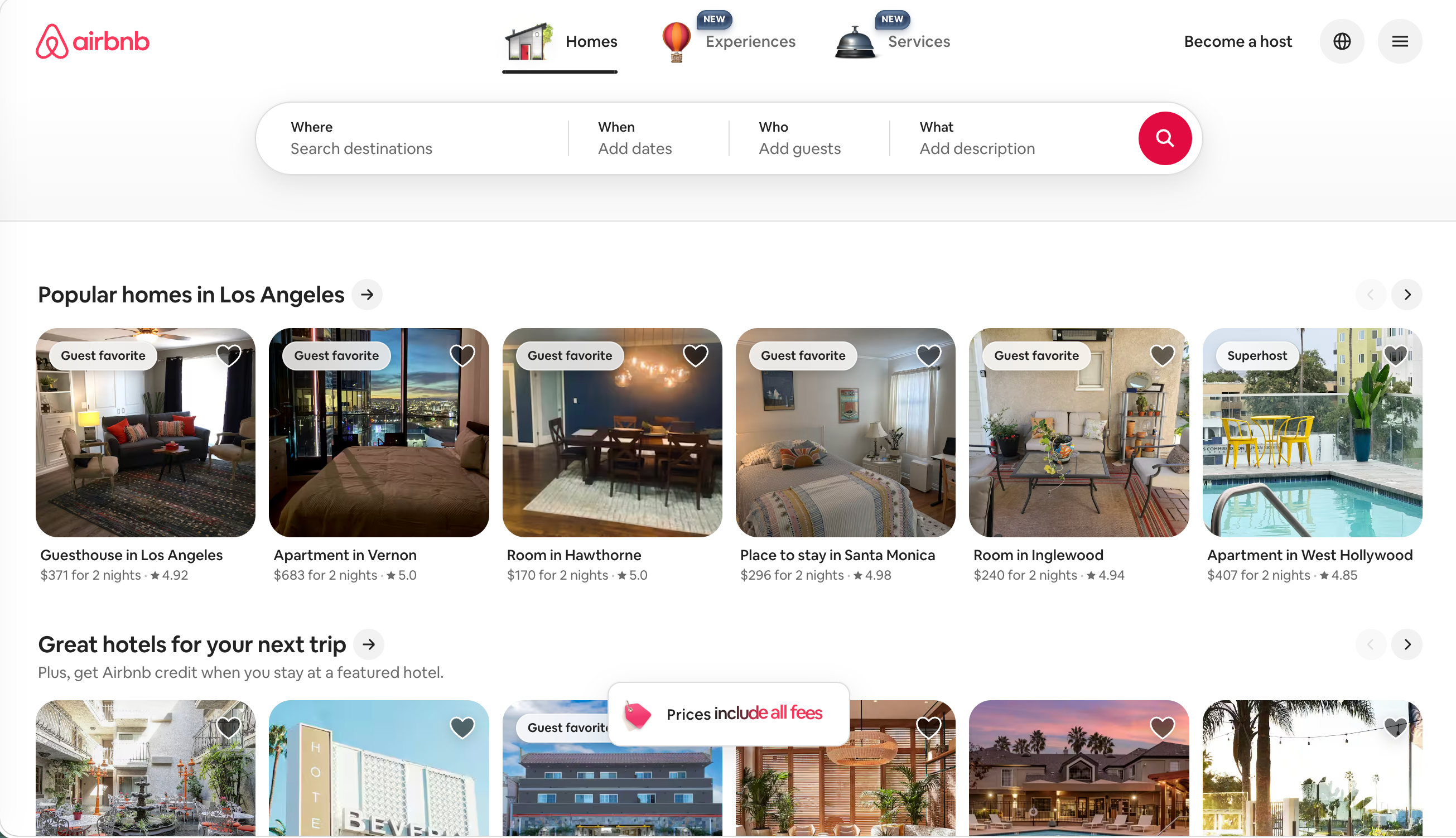
7. Airbnb — Searchable Inventory Across Three Surface Types
Pattern: Marketplace with massive inventory, strong photography, deep filtering
Airbnb's homepage in May 2026 just went through a major redesign that expanded the platform from "Stays" to "Stays + Services + Experiences." That made the responsive challenge harder — three product categories now have to coexist visually on every screen size. The new design uses a top-level pill switcher (Stays / Services / Experiences) that becomes a horizontal scroll on phone, then product cards that adapt density: 4-up on desktop, 2-up on tablet, 1-up on phone — but every card holds its photo aspect ratio.
Three things to steal:
- Aspect ratios are the hidden hero of marketplace sites. Airbnb forces every listing photo into the same aspect ratio (3:2). When you scale that card from 1-up to 4-up, the photo grows or shrinks but never distorts. Force consistent aspect ratios on all user-generated images.
- Filtering UI on mobile is its own design problem. Airbnb's filter on mobile is a full-screen overlay, not a sidebar. Trying to fit a 14-criteria filter into a phone's sidebar is impossible; treat filtering as a focused mode on small screens.
- Map + list dual-view requires explicit toggling on mobile. On desktop, Airbnb shows map and list side-by-side. On mobile, you toggle. Don't try to fit both on a phone screen — make the user choose.
8. Pinterest — Masonry That Actually Works on Phone
Pattern: Image-heavy infinite scroll with non-uniform aspect ratios
Pinterest invented the modern masonry layout (variable-height image grid). The hard part isn't desktop masonry — it's making it survive phone. Pinterest's mobile experience reduces the column count to 2 (sometimes 3 on larger phones), reduces image quality intelligently for slow connections, and uses skeleton placeholders to prevent layout shift while images load.
Three things to steal:
- Skeleton placeholders prevent layout shift. When images haven't loaded yet, show a placeholder with the right aspect ratio. This keeps Cumulative Layout Shift low and the page from "jumping" as users scroll.
- Image quality should adapt to connection speed. Pinterest serves smaller, lower-quality images on slow connections (using
sizes,srcset, and the Network Information API). Most sites just serve one giant image to everyone. - Infinite scroll needs explicit "back to top" on mobile. Vertical scroll is fast on mobile; getting back to where you started is hard. A floating "back to top" button after the user scrolls past 3-4 screens is a small detail that changes session behavior.

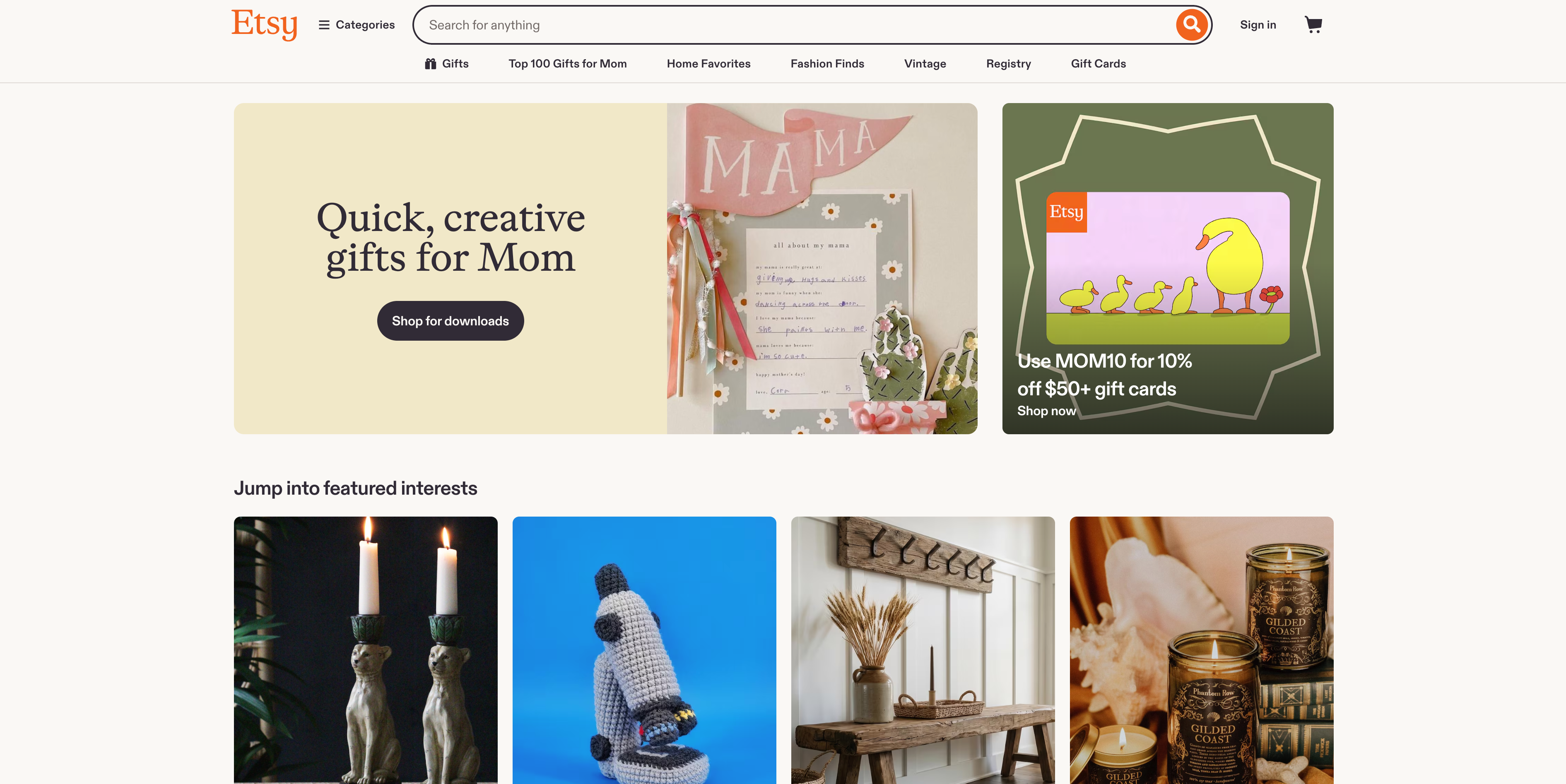
9. Etsy — Marketplace Search That Doesn't Drown You
Pattern: Search-driven marketplace with millions of independent sellers
Etsy's challenge is the opposite of Airbnb's — Airbnb has standardized photography, Etsy has 70 million wildly different product listings. The mobile site has to make sense of that. The design solves it through aggressive standardization: every product card shows the same elements in the same positions (image, title, seller, price), with truncation rules for titles that are too long. On desktop, more details surface. On mobile, the strict pattern repeats.
Three things to steal:
- Truncation rules need to be designed, not accidental. Don't let titles wrap to 4 lines on mobile. Set a max line count, ellipsis, and stick to it. Inconsistent card heights kill grid layouts.
- Currency, shipping cost, review count — surface what matters most by category. Etsy surfaces "free shipping" prominently when it applies. Different product types reward different signals; let the card adapt slightly per category.
- Filtering with active state badges is a mobile must. When a user has filtered ("Under $50, Ships from US"), show those filters as removable chips at the top of the results. Hiding them in a collapsed filter panel is the #1 reason mobile users abandon search.
Pattern 4: AI-Generated Sites with Responsive Defaults
The final pattern in this guide is the newest — responsive website examples built by AI, where the responsive layout decisions are made at generation time, not retrofitted afterward.
10. AI-First Sites Built on Wegic
Pattern: Sites where responsive behavior is baked in from generation, not patched on later
The newest pattern in 2026 is sites where the responsive layout is decided by AI at the moment of generation, not retrofitted afterward. Wegic generates fully responsive code from a chat brief — the AI applies fluid grids, breakpoints, image responsive
srcset, and clamp()-based fluid typography by default. The result is sites that pass mobile-friendly tests on day one without anyone manually handling breakpoints.This matters because the failure mode of traditional builders is the opposite — desktop-first templates that get retrofitted for mobile, often badly. AI-generated sites starting from a description tend to start mobile-first because that's the lowest-common-denominator constraint. As our complete guide to responsive web design details, automatic responsiveness eliminates manual breakpoints and reduces the testing surface dramatically.
Three things to steal — even if you build with another tool:
- Mobile-first design as a default mindset, not a checkbox. Mobile-first design means designing the phone version first; the desktop version is the enriched experience, not the canonical one. The order matters: most failed redesigns started desktop-first and forgot to consider phone constraints.
- Fluid typography (
clamp()) instead of breakpoint-jumping fonts. A heading that'sclamp(28px, 5vw, 48px)scales smoothly from phone to desktop with no jarring jumps at breakpoint boundaries. - Container queries (
@container) for components that move around. A card sitting in a wide hero needs different layout than the same card in a narrow sidebar.@containerlets the component decide based on its own width — which is the fundamental shift in responsive design thinking in 2026. The best responsive layout examples in this guide all use this principle.
For deeper coverage of which builders make this easiest, see our comparison of top responsive website builders.
What Modern Responsive Design Looks Like in 2026
The vocabulary has expanded since the original "fluid grids + flexible images + media queries" days. The four ideas worth knowing — and worth recognizing in the 10 responsive website examples above:
- Container queries (
@container) — components respond to their own width, not the viewport's. Mature in all major browsers since 2024. - Fluid typography with
clamp()— fonts that scale smoothly between minimum and maximum sizes, instead of jumping at breakpoints. - Subgrid (
grid-template-rows: subgrid) — child grids that align with parent grid tracks. Solves the "card content doesn't line up across columns" problem cleanly. prefers-reduced-motion,prefers-color-scheme,prefers-contrast— media queries that respond to user preferences, not just screen size. Real responsive design is responsive to the human, not just the device.
If your responsive website templates were last updated before mid-2024, they almost certainly don't use these. That's where the visible quality gap between responsive website examples built today and 5 years ago comes from. A modern mobile responsive website built in 2026 looks and feels different from one built in 2019, even if the same designer made both.
5 Common Mistakes That Quietly Break Responsive Design
The 10 responsive website examples above succeed by avoiding these. Across 100+ site audits in the last year, these five errors account for the majority of failures even on otherwise-decent sites:
- Hamburger menus on desktop. If you have horizontal space, show your navigation. Hiding it behind a hamburger on a 1440px monitor is bad UX masquerading as minimalism.
- Disabling pinch-to-zoom (
user-scalable=no). This is an accessibility violation. Some users genuinely need to zoom. Always allow it. - Tap targets under 44×44 pixels. Apple's HIG and Google's Material Design both require this minimum. A button you can't reliably tap on a phone is a button that doesn't exist.
- Hero text in
vwunits with noclamp()minimum. A heading sized purely invwbecomes microscopic on small phones. Always combinevwwith aclamp()floor. - Fixed-width containers between breakpoints. A page that looks good at 320px and 1024px but unusable at 720px (where 25% of tablet traffic lives) means you've designed three states instead of a fluid spectrum.
How Wegic Generates Responsive Sites by Default
Most builders treat responsive design as a feature you enable. Wegic treats it as the default state. Tell it what you want, and the AI generates a site where every breakpoint, every fluid grid, every image
srcset, and every typography rule is already in place — closer to the high-discipline responsive website examples above than to the average template-built page.Wegic is a conversational AI website growth system. Instead of picking a template and dragging blocks, you describe your site and Wegic writes the code from scratch — including all the responsive plumbing.
Phase 1: Brief Your AI
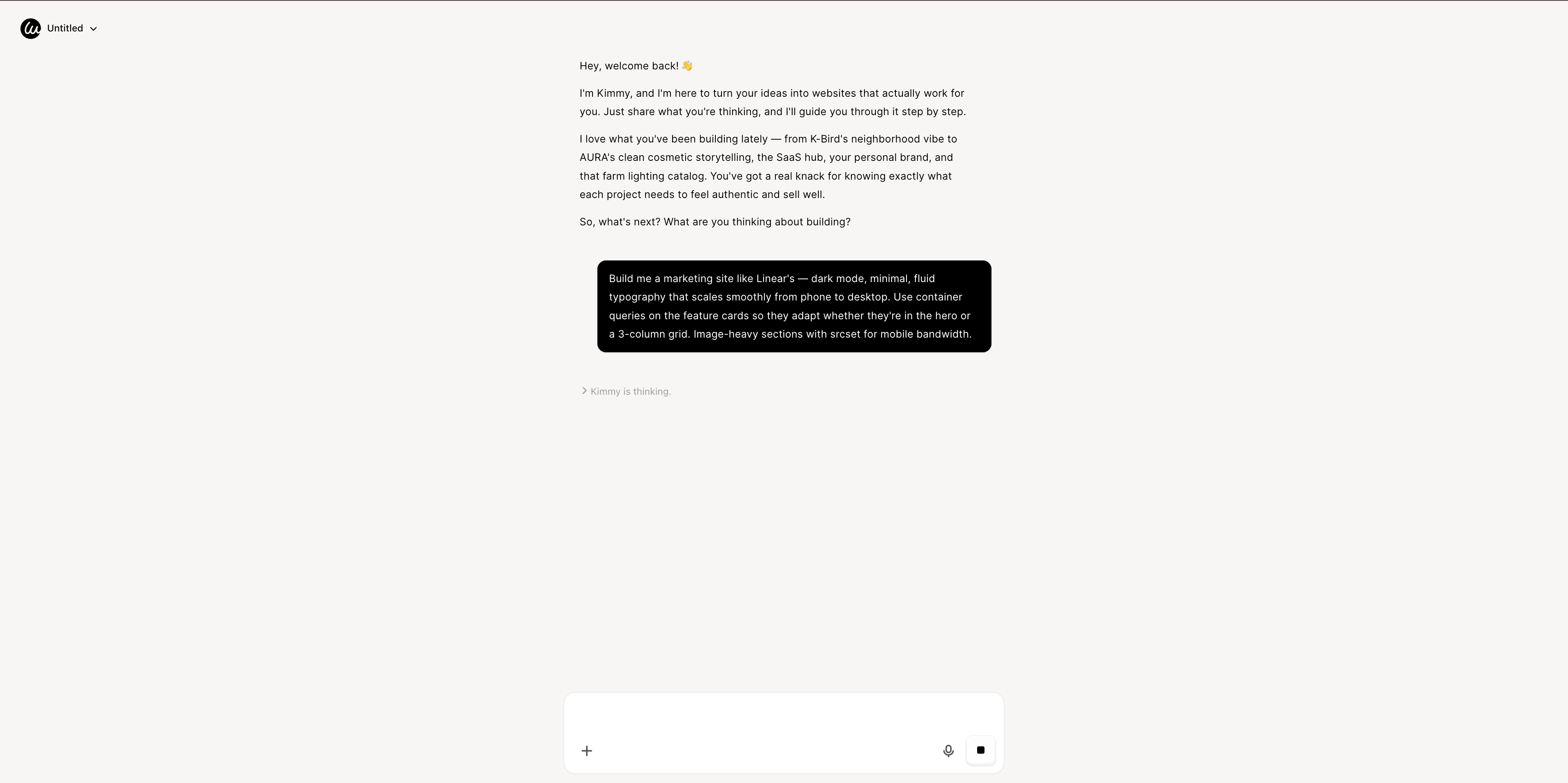
Open Wegic and chat with Kimmy, your AI project manager:
"Build me a marketing site like Linear's — dark mode, minimal, fluid typography that scales smoothly from phone to desktop. Use container queries on the feature cards so they adapt whether they're in the hero or a 3-column grid. Image-heavy sections with srcset for mobile bandwidth."
Phase 2: AI Assembly in Under a Minute
Wegic writes the code from scratch. In under 60 seconds you get a fully responsive multi-page site with
clamp()-based fluid typography, @container queries on reusable components, mobile-first defaults, lazy-loaded images with proper srcset, and Core Web Vitals optimized out of the box. For a deeper walkthrough of the conversational generation flow, see the Wegic tutorial.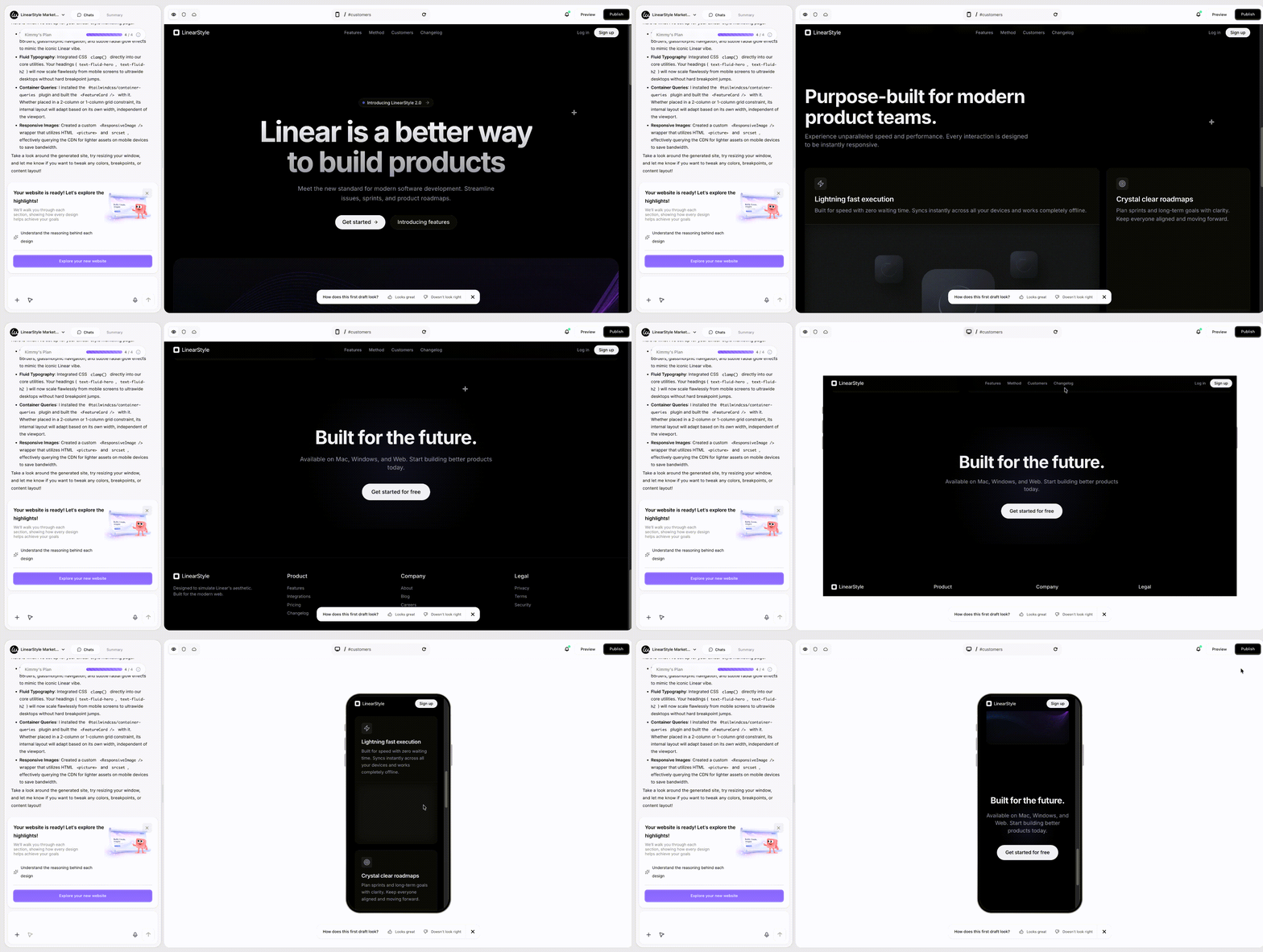
Phase 3: Edit by Conversation
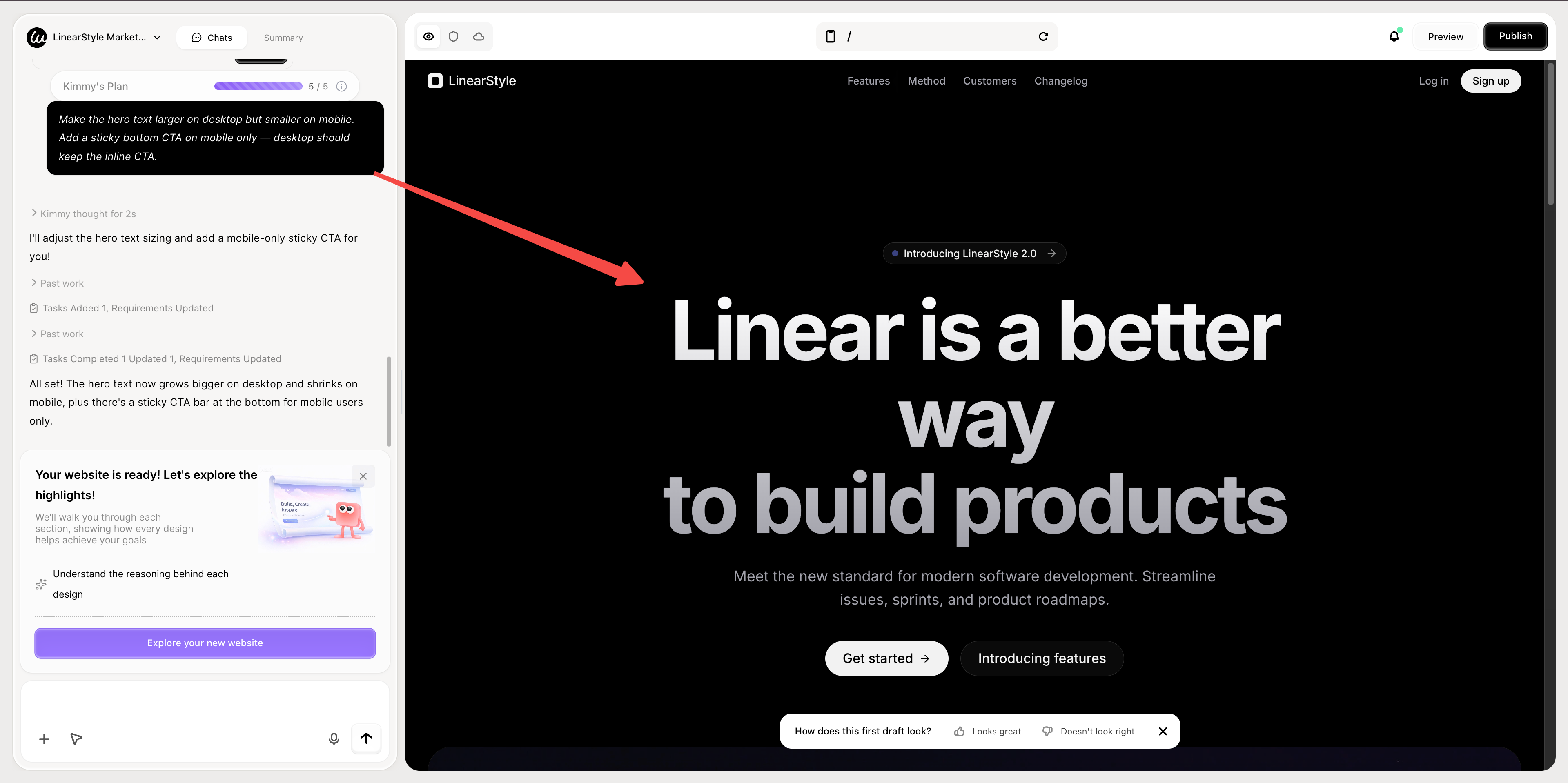
"Make the hero text larger on desktop but smaller on mobile. Add a sticky bottom CTA on mobile only — desktop should keep the inline CTA."
Wegic proposes 2–3 design options with reasoning before applying. Mobile and desktop variants stay in sync — no risk of breaking your phone view while polishing the desktop one.
Phase 4: Publish with Hosting Included
Hit Publish. Hosting, custom domain, auto-generated
sitemap.xml, and SEO metadata are all bundled. For a comparison of how Wegic stacks against other AI builders on responsive output specifically, see our in-depth review of 5 web design AI tools.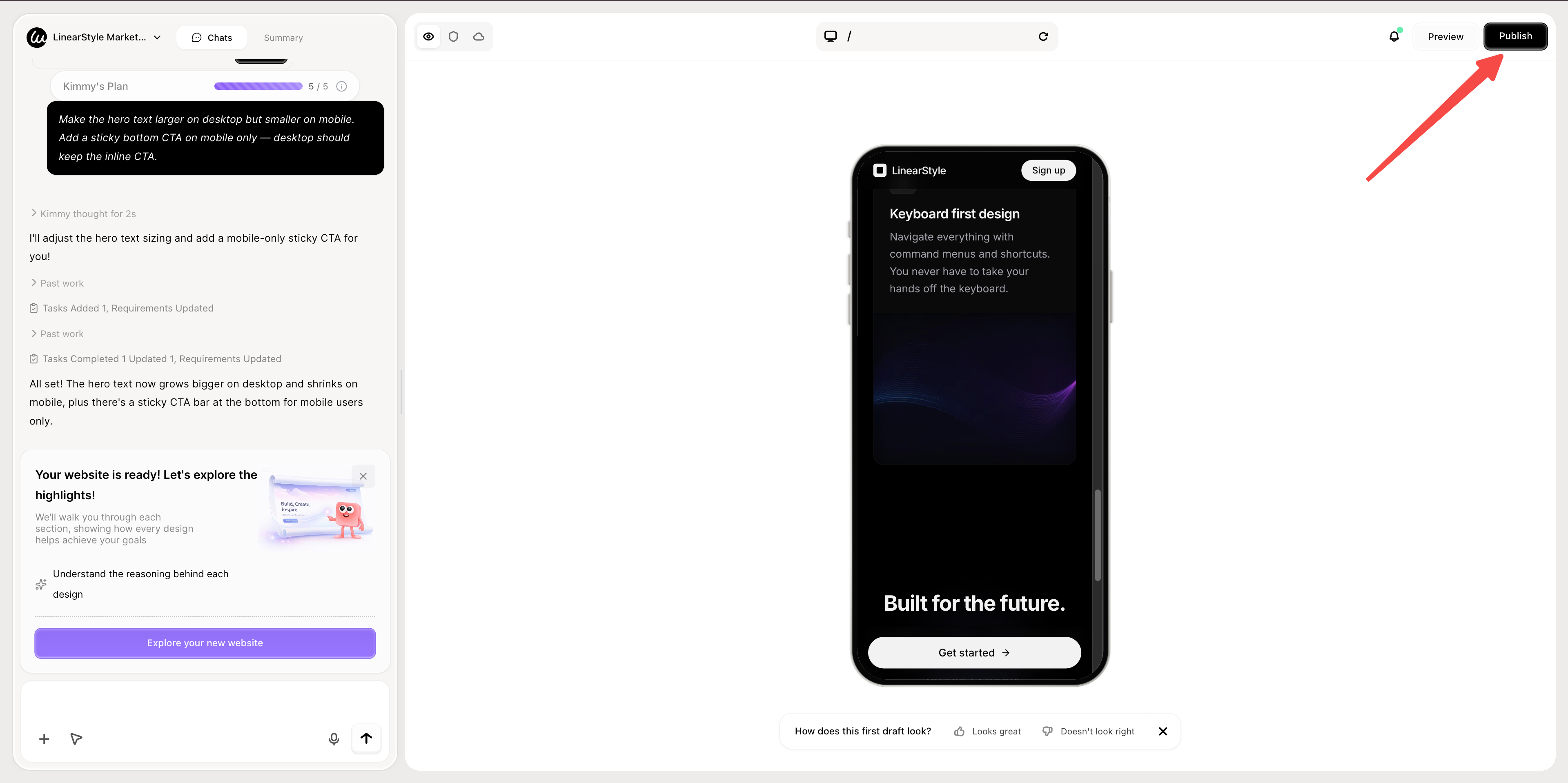
Conclusion: The Best Responsive Website Examples Are the Ones You Don't Notice
The 10 responsive website examples above succeed because their responsive behavior is invisible — the sites just work, on whatever device you're using, without anything feeling wrong. That's the standard. A site is properly responsive when nobody comments on it.
Whether you're building a content site like the Times, a SaaS marketing site like Linear, an e-commerce experience like Etsy, or a single responsive landing page for a product launch, the principles are the same: design mobile-first, build with components that travel between contexts, and let modern CSS (container queries, fluid typography, subgrid) do the work that media queries used to.
For more inspiration across other categories, see our broader website homepage examples guide and our growing collection of aesthetic websites. For technical deep-dives, the complete responsive web design guide covers the patterns above in code.
👇 Try Wegic free — build a fully responsive site in 60 seconds

FAQs
What's the difference between responsive and adaptive web design?
Responsive design uses one layout that fluidly resizes to any screen width. Adaptive design uses several preset layouts that snap into place at fixed widths (e.g., one layout for phones, one for tablets, one for desktops). Responsive is more common in 2026 because it handles the full range of screen sizes — including the awkward gaps between common breakpoints — more gracefully. Adaptive still has niche uses in legacy enterprise apps where the device targets are fixed.
What are the most important responsive design best practices in 2026?
Eight basics, in priority order: (1) design mobile-first, then enrich for larger screens; (2) use a fluid grid (CSS Grid or flexbox with percentages, not fixed pixels); (3) ensure all images use
srcset and proper sizing; (4) use clamp() for typography that scales smoothly across breakpoints; (5) adopt container queries (@container) for components used in multiple contexts; (6) ensure tap targets are at least 44×44 pixels on touch devices; (7) never disable pinch-to-zoom; (8) test on real devices, not just browser DevTools. The 10 responsive website examples above each demonstrate at least three of these in action.What are container queries and why do they matter?
Container queries (
@container) let a component respond to the width of its *parent container*, not the viewport. Why this matters: a "feature card" component placed in a wide hero needs a different layout than the same card placed in a narrow sidebar — even though the viewport is the same. Container queries shipped in all major browsers in 2024 and represent the biggest shift in responsive design thinking since media queries themselves.Do I need to design separate sites for mobile and desktop?
No, almost never in 2026. Modern responsive design uses a single codebase that adapts to all screen sizes. Separate
m.example.com mobile sites are largely deprecated — they create duplicate content for SEO, fragment your analytics, and force you to maintain two codebases. The exception is extremely heavyweight applications where the mobile and desktop user goals are completely different (e.g., some banking apps), but for marketing sites, content sites, and most e-commerce, a single responsive build is the right answer.How do I test if my website is truly responsive?
Three layers: (1) Browser DevTools' device emulation gets you 80% of the way there for visual checks; (2) Tools like BrowserStack let you test on actual devices and OS combinations you don't own; (3) Real-device testing on at least one Android phone, one iPhone, and one tablet catches issues emulators miss (touch behavior, font rendering, performance under real network conditions). Also run Google's Mobile-Friendly Test and PageSpeed Insights, both of which check responsive criteria as part of their evaluation.
What's the best responsive website builder in 2026?
For non-developers: AI-driven builders like Wegic generate fully responsive sites by default — every breakpoint, container query, and
srcset is included automatically. For designers comfortable with visual builders: Webflow and Framer have strong responsive controls. For developers: hand-coded with Tailwind CSS or modern CSS Grid is still unmatched in flexibility. The decision usually comes down to how much fine-grained control you need versus how fast you need to ship — see our comparison of top responsive website builders for a deeper breakdown.Are responsive websites better for SEO?
Yes, significantly. Google has used mobile-first indexing universally since 2020, meaning the mobile version of your site is the canonical version Google ranks. A site that breaks on mobile loses search rankings even if the desktop version is excellent. Responsive design also improves Core Web Vitals (LCP, INP, CLS) — Google's actual ranking signals — because well-built responsive sites tend to be faster, more stable, and more accessible. There's no SEO scenario in which non-responsive design wins.
What about responsive ecommerce websites specifically?
A responsive ecommerce website has additional challenges over a marketing site: product image galleries, cart and checkout flows, search and filtering, and review sections all need careful mobile design. The patterns from Etsy, Airbnb, and Pinterest above translate directly. Three rules unique to e-commerce: (1) checkout has to work in 30 seconds or less on mobile or you lose the sale; (2) images need
srcset with at least 4 sizes (mobile / tablet / desktop / retina); (3) filtering belongs in a full-screen overlay on mobile, never a sidebar.