Web sitemizin ana sayfasını yeniden tasarlamaya çalışırken, hepsi birbirine karışan genel "inspirasyon galerileri" ile karşılaşıp takılıp kalıyor musunuz? Sizde değiliniz. Geçen iki yılda 200'den fazla küçük işletme ve SaaS ana sayfasını incelediğimde, ana sayfanın başarısız olmasının kötü estetikten kaynaklanmadığını, sahibinin uygulamaya çalıştığı belirli bir planı belirleyememesinden kaynaklandığını söyleyebilirim.
İyi bir ana sayfa bir işi çok iyi yapar: beş saniyenin altında bir yabancıya, doğru yerde olduğuna ve bir sonraki tıklamanın değerli olduğuna ikna eder. Diğer her şey dekorasyondur.
Bu rehberde, şu anda internetteki 9 en iyi web ana sayfası örneğine göz atacağız — SaaS, DTC ve hizmet kategorilerinde. Her biri için şunları alacaksınız:
- Kimler için (nasıl kopyalayacağını bilmeniz için)
- Nasıl iyi yapar (belirsiz "temiz tasarım" yerine spesifik mekanik)
- Nasıl çalınsın (bu hafta uygulayabileceğiniz kesin desen)
Sonunda, Wegic'ın konversasyonel yapay zekası ile bu aynı desenlerle bir dakikadan kısa sürede bir ana sayfa oluşturabileceğinizi göstereceğim — şablonlar veya kılavuzlar olmadan.
Neden 2026'da Ana Sayfanız Hâlâ En Önemli Dönüşüm Varlığıdır
Örneklerden önce, her ana sayfa kararını etkileyen sayısal bilgilerle hızlı bir giriş:
- 50 milisaniye. Bir ziyaretçinin estetik ilk izlenimini oluşturması için geçen süre, Lindgaard ve meslektaşlarının Behaviour & Information Technology'da yayımladığı bir deneyime göre — modern kullanıcı deneyimi araştırmalarında en çok atıf yapılan kanıt.
- Yüzde 75'i kullanıcılar, web sitesi tasarımı üzerinden bir şirketin güvenilirliğini değerlendirir, Stanford Web Credibility Projesine göre.
- Yüzde 53'ü mobil ziyaretçiler, 3 saniyeden uzun süren bir sayfayı terk eder, Google'ın mobil sayfa hızı kriterlerine göre.
- Google'ın şu anki Core Web Vitals eşiği için "iyi" bir sayfa deneyimi: En büyük içerikli görsel 2.5s altında, İkinci tıklamaya kadar olan süre 200ms altında, Toplam düzen kayması 0.1 altında.
Öğrenilen şey, "sitene güzel görünümlü" yapmak değil. Hız, açıklık ve anlık değer iletişimini ölçülebilir — ve aşağıda yer alan her örnek bu üç faktöre optimizasyon yapar.
Kısa Not: Ana Sayfa mı, Yeni Sayfa mı?
Bu iki terim sürekli karıştırılır ve fark önemlidir. Bir ana sayfa, ön kapıdır: birden fazla hedef kitleyi hizmet verir, markanızı tanıtır ve insanları doğru sonraki adıma yönlendirir. Bir yeni sayfa, tek bir kampanya veya reklam için yapılır, genellikle menüleri kaldırır ve tek bir hedef kitleyi tek bir eylem için dönüştürmek için vardır. Aşağıdaki örnekler ana sayfalardır, yeni sayfalar değildir. Ana sayfanıza yeni sayfa desenini kopyalaymayın — dönen müşterileri, basın ve ortakları kafa karıştırır.
Yüksek Dönüşüm Oranına Sahip Ana Sayfanın 7 Katmanı
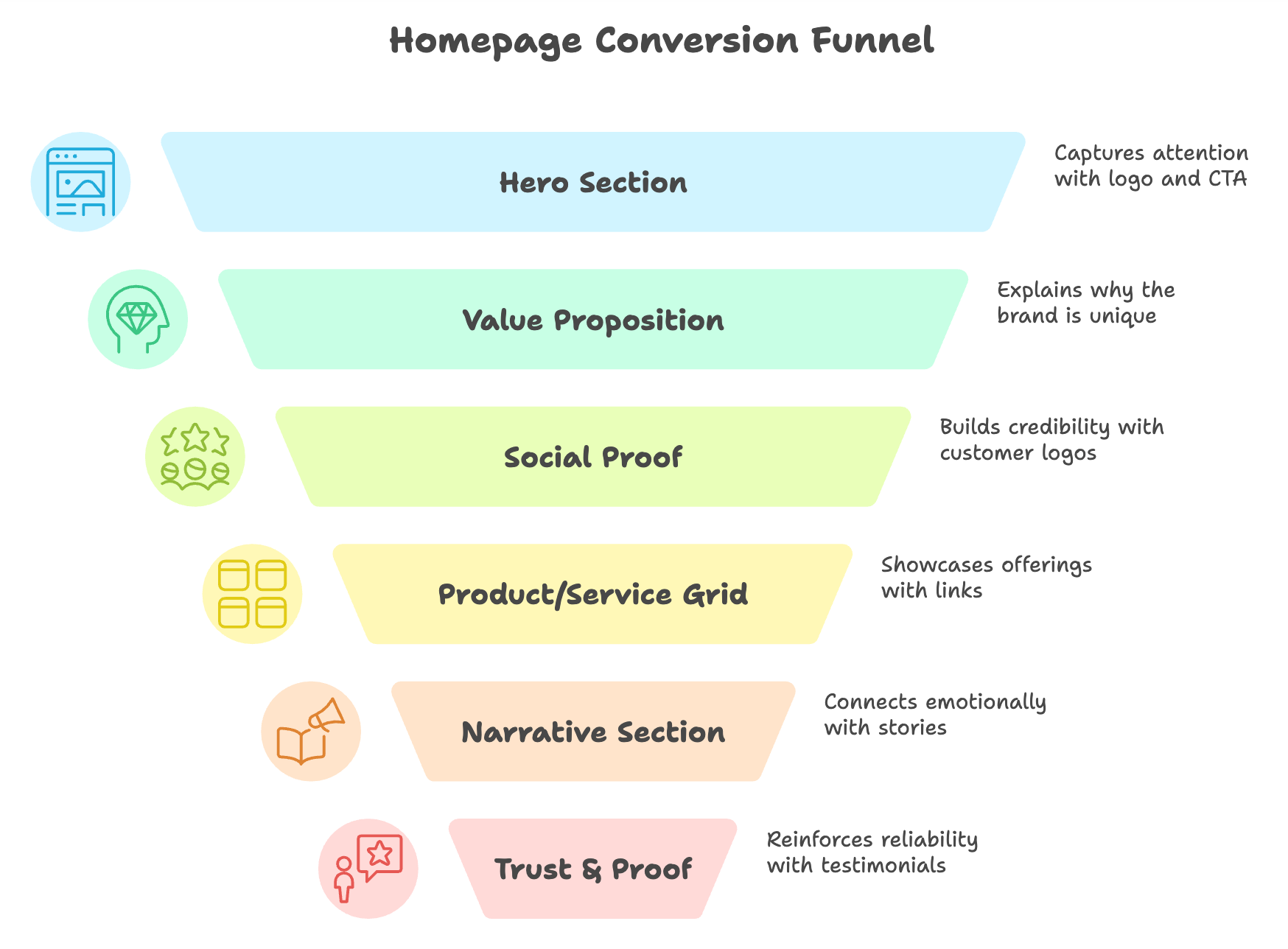
Webdeki her iyi ana sayfa, tanıdık bir iskelete sahiptir. Şununla ana sayfaları incelediğimde kullandığım 7 katmanlı yapıyı burada bulacaksınız — aşağıda yer alan örneklerde bu katmanlar belirtilecektir:
- Hero — Logo, ana menü, başlık, alt başlık, ana CTA, hero görseli veya video. "Kapıda asansör konuşması."
- Değer Sunum Bandı — *Neden siz, onlar değil?* sorusunu cevaplayan kısa bir satır (3-4 madde, simgeler veya istatistikler).
- Sosyal Kanıt Şeridi — Müşteri logoları, basın bahseder, değerlendirme yıldızları veya kullanıcı sayıları. Hero veya ilk kaydırma sonrası yerleştirilir.
- Ürün / Hizmet Ağı — Aslında ne yaptığınız, 3-6 modüler bloğa ayrılmış. Her blok daha derin bir sayfaya bağlanır.
- Hikâye Bölümü — Duygusal hikâye: durum çalışması, kurucu mesajı, misyon beyanı veya demo videosu.
- Güven ve Kanıt — Yüzleri olan tanıtım metinleri, isimli durum çalışması, sertifikalar, güvenlik badjeleri.
- Footer CTA — Henüz hiçbir şeye tıklamadıysanız, bu bloğa tıklayın.
Ana sayfanızda herhangi bir katman eksik veya zayıf ise, dönüşüm sızıntısı var. Aşağıdaki örnekleri kullanarak en iyi markaların her birini nasıl doldurduğunu görün.
3 SaaS ve Teknoloji Ana Sayfa Örneği (Netlik Kazanır)
1. Linear — 7 Kelime Netliği Masterclass'ı
Kimler için: B2B SaaS, geliştirici araçları, kesin bir ICP'si olan herhangi bir ürün.
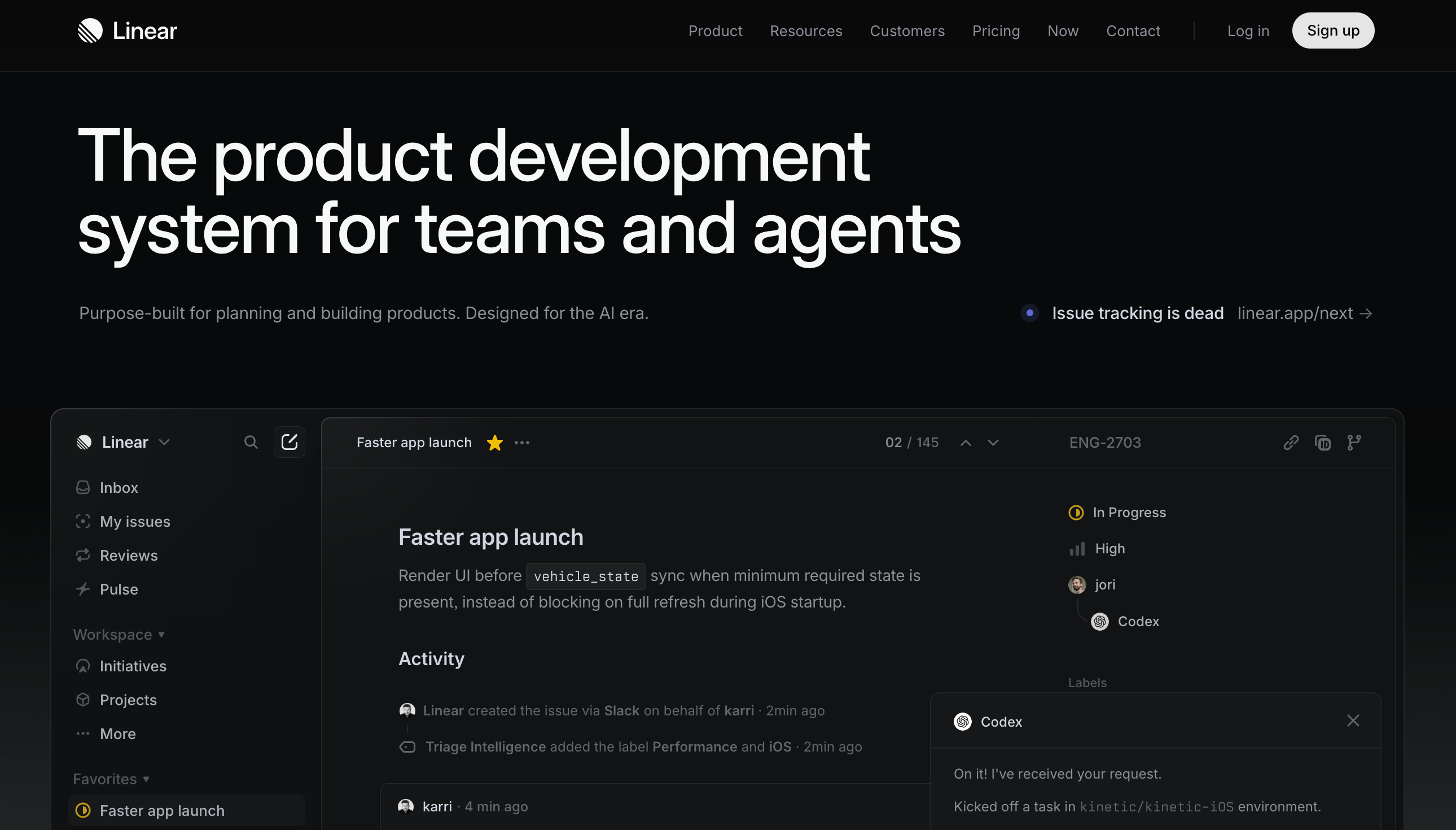
Linear, mühendisler için proje yönetimi yazılımı satmaktadır ve ana sayfası, her SaaS kurucusunun incelemesi gereken bir şablondur. Ana başlık - "Linear, ürün planlama ve inşası için özel olarak yapılmış bir araçdır" - bir kerede tüm sayfanın işini görür, hiçbir yorum yapmadan tek bir cümleyle.
Nasıl işe yarar: Sıfır terim. Sıfır "güçlendirme" veya "açıkla". Alt başlık, bir somut fayda ekler ve tek bir CTA: "Başlayın." Yüz yüze sohbet widget'ı, karousel, iki CTA dikkat çeker.
Nasıl çalınabilir: Mevcut ana başlığı basit bir testten geçirin - birinci kez ziyaret eden, 5 saniye içinde arkadaşına ürününüzün ne yaptığını doğru şekilde açıklayabilir mi? Eğer değilse, onlar yapana kadar yeniden yazın. Linear, anlaşılmaya harcamalarını, akıllı olmaya değil.
Linear tarafından resim
2. Stripe - Geliştirici Odaklı Ana Başlık, Pazarlama Hazır Vücut
Kişi için: İki ayrı alıcıya (teknik kullanıcı ve ekonomik alıcı) hizmet eden ürünler.
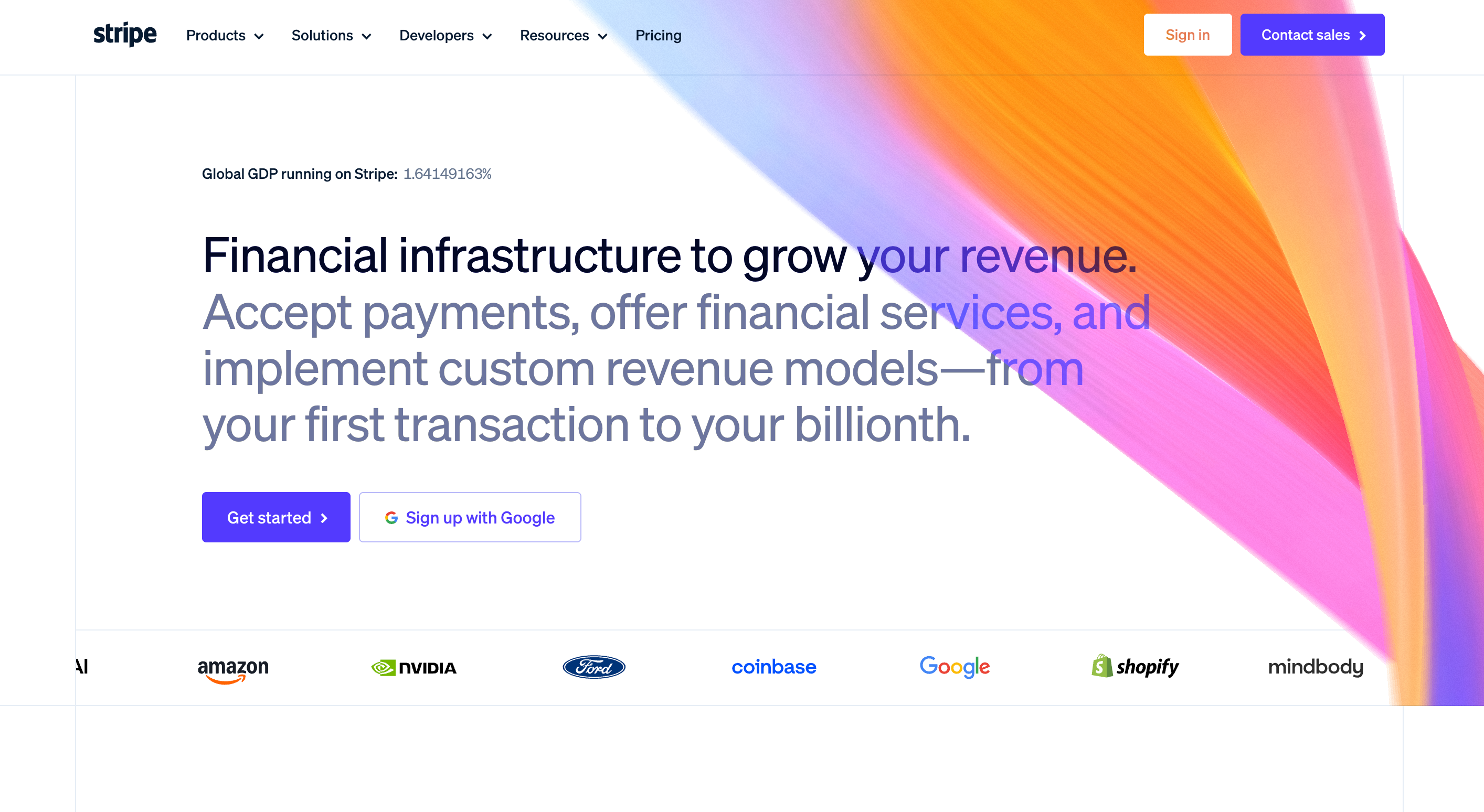
Stripe'ın ana sayfası, on yıl boyunca referans noktası olmuştur, çünkü tek bir kaydırma ile iki izleyiciyi hizmet verir: teknik alıcı (API kanıtı isteyen) ve iş alıcısı (durum çalışması ve logolar isteyen).
Nasıl işe yarar: CEO için okunabilir olan ana başlık (*"İnternete finansal altyapı"*), ama hemen ardından, animasyonlu gradyan kenarlıklarla bir canlı kod parçası gösterilir. Bu iki sinyalli ana başlık, "şirketinizin her iki tarafı için ciddi olduğumuzu söylüyor." Altında, büyük müşteri logoları (Amazon, Google, Shopify), güven boşluğunu tek bir satırda kapatır.
Nasıl çalınabilir: Eğer daha fazla alıcıya satıyorsanız, ikisini de memnun etmek için ana başlığı suya düşürmeyin - katmanlayın. Ekonomik alıcı için başlık, uygulayıcı için görsel, güven boşluğunu kapatmak için logolar.
Stripe tarafından resim
3. Notion - Kullanıcı Değişimi Ana Sayfası
Kişi için: 2'den fazla gerçekten farklı ICP'ye (ideal müşteri profili) sahip ürünler.
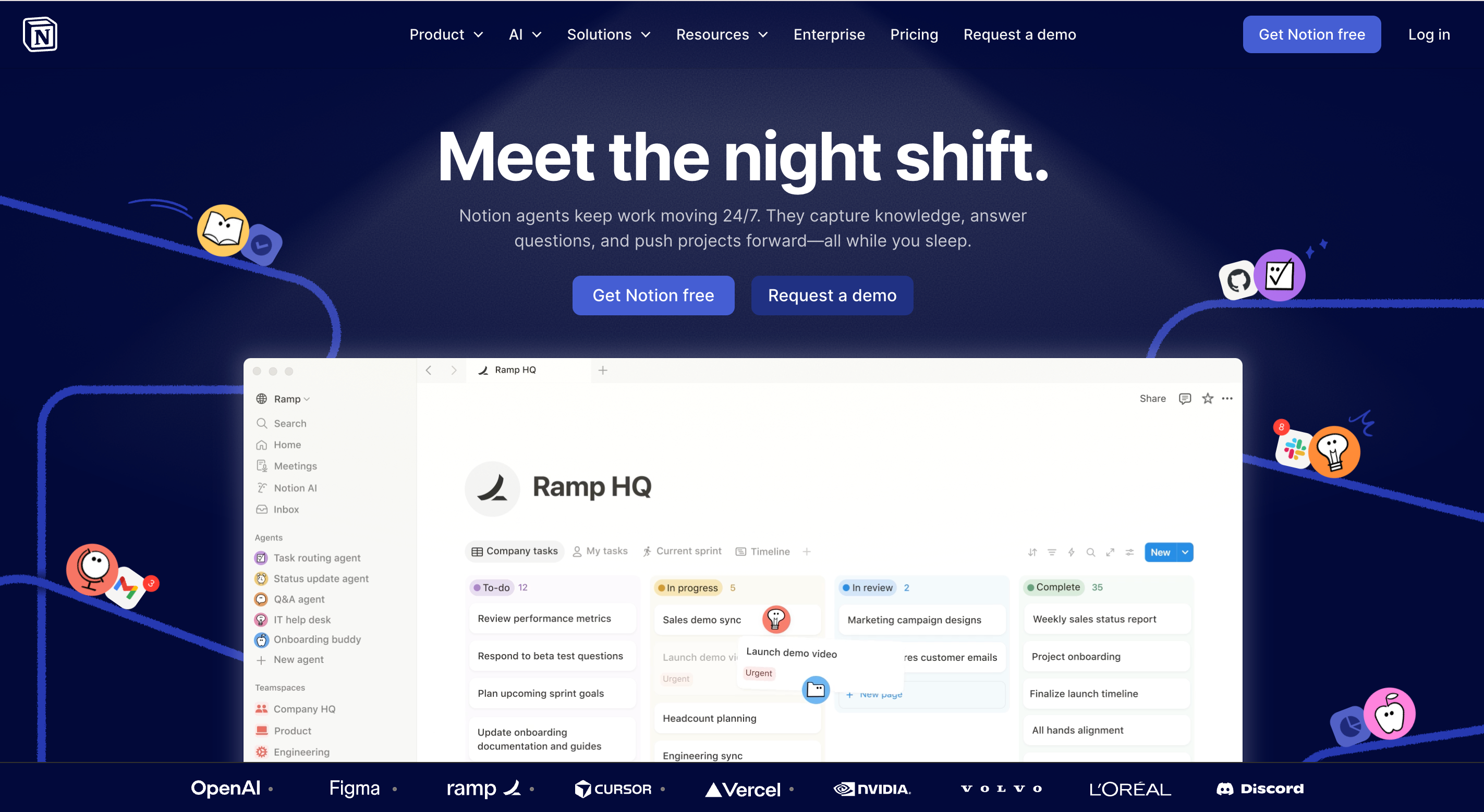
Notion, ana sayfasında ("Ekipler için", "Şirketler için", "Öğrenciler için") açıkça kullanıcı sekmesi kullanır ve sayfa yeniden yüklenecek olmadan görsel ve değer önerisini değiştirir.
Nasıl işe yarar: Herkes için tek belirsiz başlık yazmak yerine, Notion her kullanıcı için keskin bir başlık yazar ve ziyaretçilerin kendilerini seçmesini sağlar. Bu, çoklu kullanıcı ürünlerinde dönüşümü açar.
Nasıl çalınabilir: Ürününüz gerçekten birden fazla farklı kullanıcıya hizmet veriyorsa, ana sayfanızın veya hemen altında etkileşimli bir kullanıcı değiştirici oluşturun. Sadece biraz birden fazla kullanıcıya hizmet veriyorsa, en güçlü ICP'yi seçin ve sadece onlara konuşun. Herkesi memnun etmeye çalışan bir bölümlü ana sayfa, B2B yeniden tasarımlarda gördüğümden en çok hata.
Notion tarafından resim
3 E-ticaret & DTC Ana Sayfa Örneği (Kişilik Kazanır)
4. Oatly - Marka Sesinin İçinde Tasarım
Kişi için: Kişilik üzerine rekabet eden malzeme kategorisi markaları (kahve, çorap, cilt bakımı, atıştırmalık).
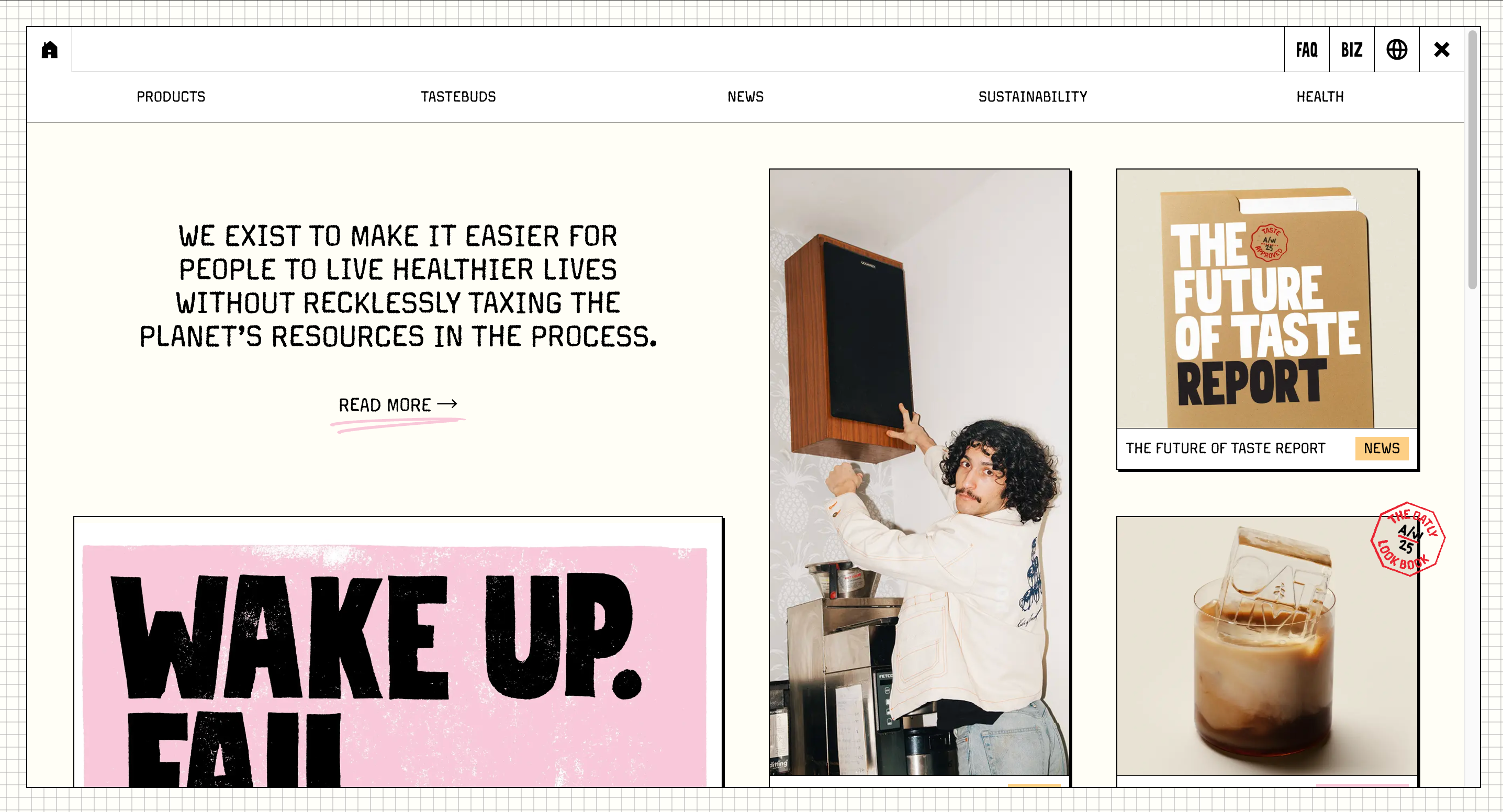
Oatly'nin ana sayfası, bir zine'nin bir iş yazısı yazdığı gibi okunur. El yazısı tarzı metinler, bilinçli olarak tuhaf düzenler ve "Süt gibi, ama insanlar için yapılmış" gibi başlıklar, ana sayfayı bir karakter, bir katalog değil yapar.
Nasıl işe yarar: Oatly, fiyat veya ürün spesifikasyonları üzerinden rekabet etmiyor - onun yerine *süt sütü markası olmak* istiyorlar ki bir akşam yemeğine davet edilebilirsiniz. Ana sayfa, her metinle bu kişiliği biriktirir.
Nasıl çalınabilir: Malzeme kategorisindeyseniz, en hızlı kuyu sese sahip olmaktır. Ana sayfanızdaki her cümleyi inceleyin: herhangi biri onu sesli okuyacak ve *siz* olduğunu bilir mi? Eğer değilse, kişiliği ekleyin. Hatta %20 kişilik ekleme, kategorinizdeki %95'inden farklılaştırır. (Markaların bunu nasıl yaptığını görmek için daha fazlası yaratıcı web tasarım örnekleri.)
Oatly tarafından resim
5. Allbirds - Duygusal Olmadan Misyon Odaklı Ana Başlık
Kişi için: Gerçek bir değer hikayesi olan DTC markaları - sürdürülebilirlik, etik, köken.
Allbirds, ürün resmini ve karbon ayak izi hakkında sessiz bir cümleyle başlar, büyük bir "SÜRDÜRÜLEBİLİRLİK" banner'ı yerine. Her ürün kartında karbon ayak izi nişanı, etik işi ziyaretçilerin başını vurmadan yapar.
Nasıl işe yarar: Ana sayfa ziyaretçinin ilgisini alır. Değerleri anlatmak yerine gösterir, daha zor - ve daha inandırıcı - yoldur.
Nasıl çalınabilir: Markanızın bir değer hikayesi varsa, ürün kartlarında, ikonlarda veya alt ayak izinde yerleştirin, sayfa üzerinde baskın bir banner yerine. Değerleri gösteren markalar dönüşüm sağlar; değerleri bağıran markalar görmezden gelinir.
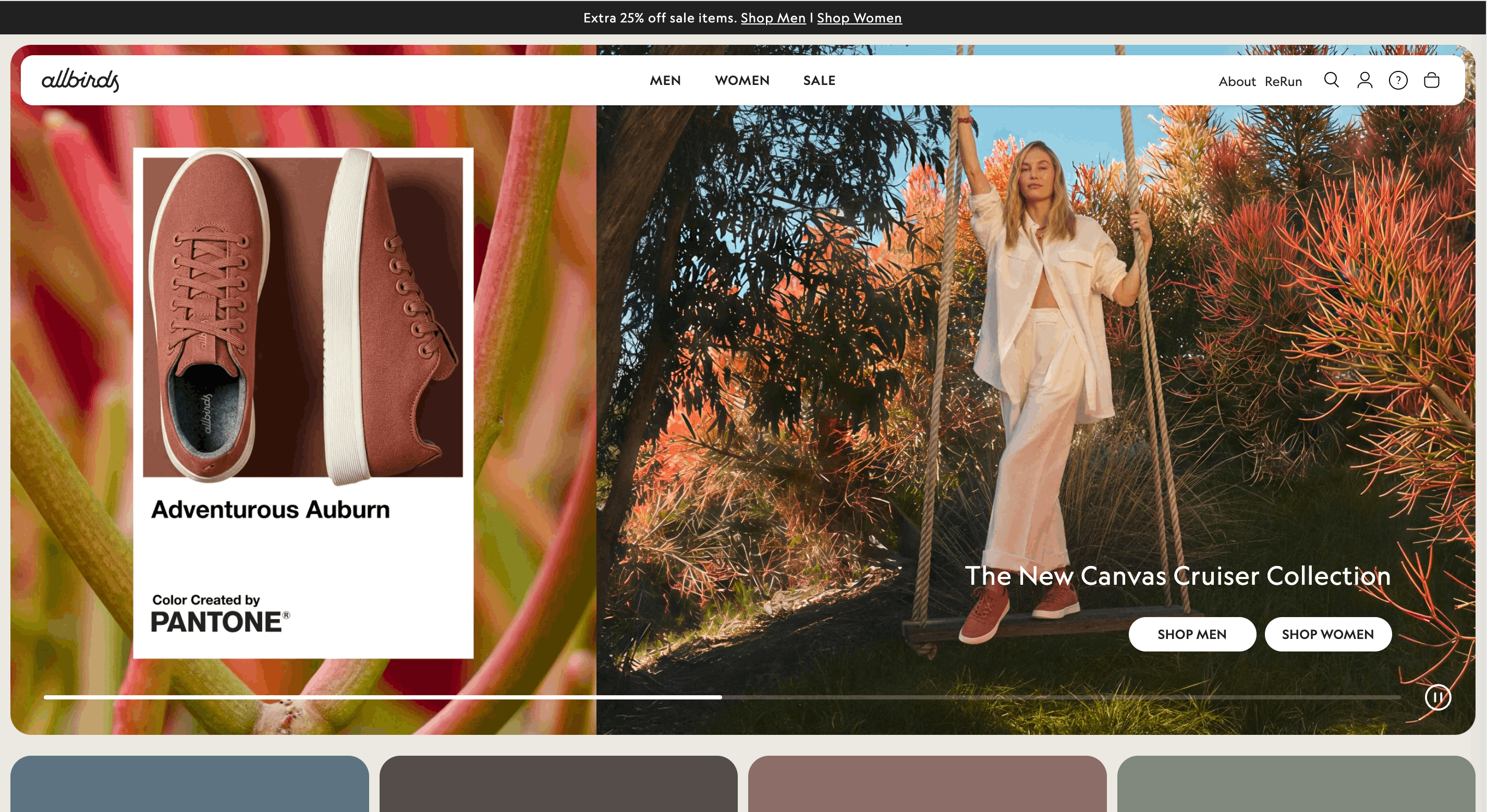
Allbirds tarafından resim
6. Glossier - Topluluk Sosyal Kanıt olarak
Kişi için: Etkin müşterileri olan DTC markaları; güzellik, mod, spor, yaşam tarzı.
Glossier'in ana sayfası "milyonlarca kişi tarafından güvenilir" diye yazmaz. Gösterir kullanıcı tarafından oluşturulan içerik - kahramanın hemen altında dönen bir ızgara içinde etiketlenmiş gerçek müşteri fotoğrafları. Her fotoğraf, kişinin giydiği ürüne bağlantı verir.
Nasıl çalışır: UGC ızgara, birimde sosyal kanıt ve ürün keşfi sağlar. Ayrıca çoğu tanıtım şeridinin aksine, hedef müşteriye benzer gerçek insanlar gösterir, değil stok fotoğraflar.
Nasıl çalınır: Ana sayfanızdaki bir tanıtım bloğunu UGC veya müşteri fotoğrafı ızgara ile değiştirin. UGC'ye sahip değilseniz, izin alınmış gerçek müşteri fotoğraflarının bir satırı bile stok gülüşlerin bir satırından daha iyi performans gösterir. Daha fazla bağlam için yazılımda çağrıya dönüş örneklerine bakın.
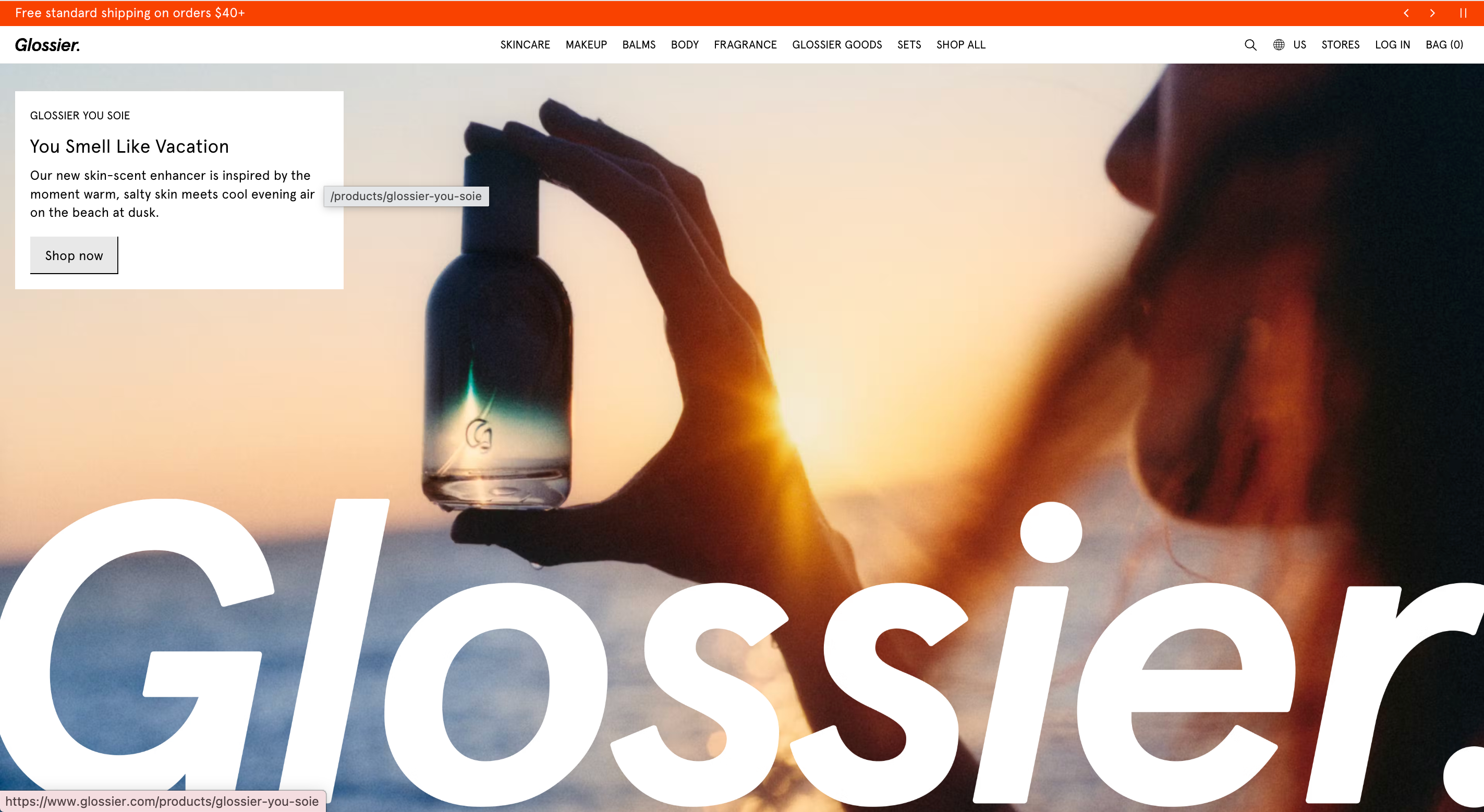
Glossier'e ait resim
3 Hizmet & Pazarlama Ana Sayfası Örneği (Güven Kazanır)
7. Airbnb - Arama Çubuğu Herodir
Kişi kimdir: Pazarlıklar, rezervasyon platformları, yapılandırıcılar - herhangi bir tek yüksek niyet eylemi olan site.
Airbnb'in ana sayfası meşhurdur: büyük bir hero resmi, bir başlık ve sayfanın çoğunu kaplayan bir arama çubuğu. "Daha fazla bilgi edinin." yok. Özellik turu yok. Temel eylem ana sayfadır.
Nasıl çalışır: Airbnb ziyaretçilerinin ne yapmak istediğini bilir. Onları öğretmek yerine, onlara aracı verir. Bu, ziyaretçilerin ne istediğini zaten bildiği her zaman işe yarayan "birincil eylem-hero" desenidir.
Nasıl çalınır: Sitinizde tek bir yüksek niyet eylemi (arama, rezervasyon, yapılandırma, teklif almak) varsa, bu etkileşimli öğeyi hero pozisyonuna çıkarın. Onu bir dörtlükle saklamayın.
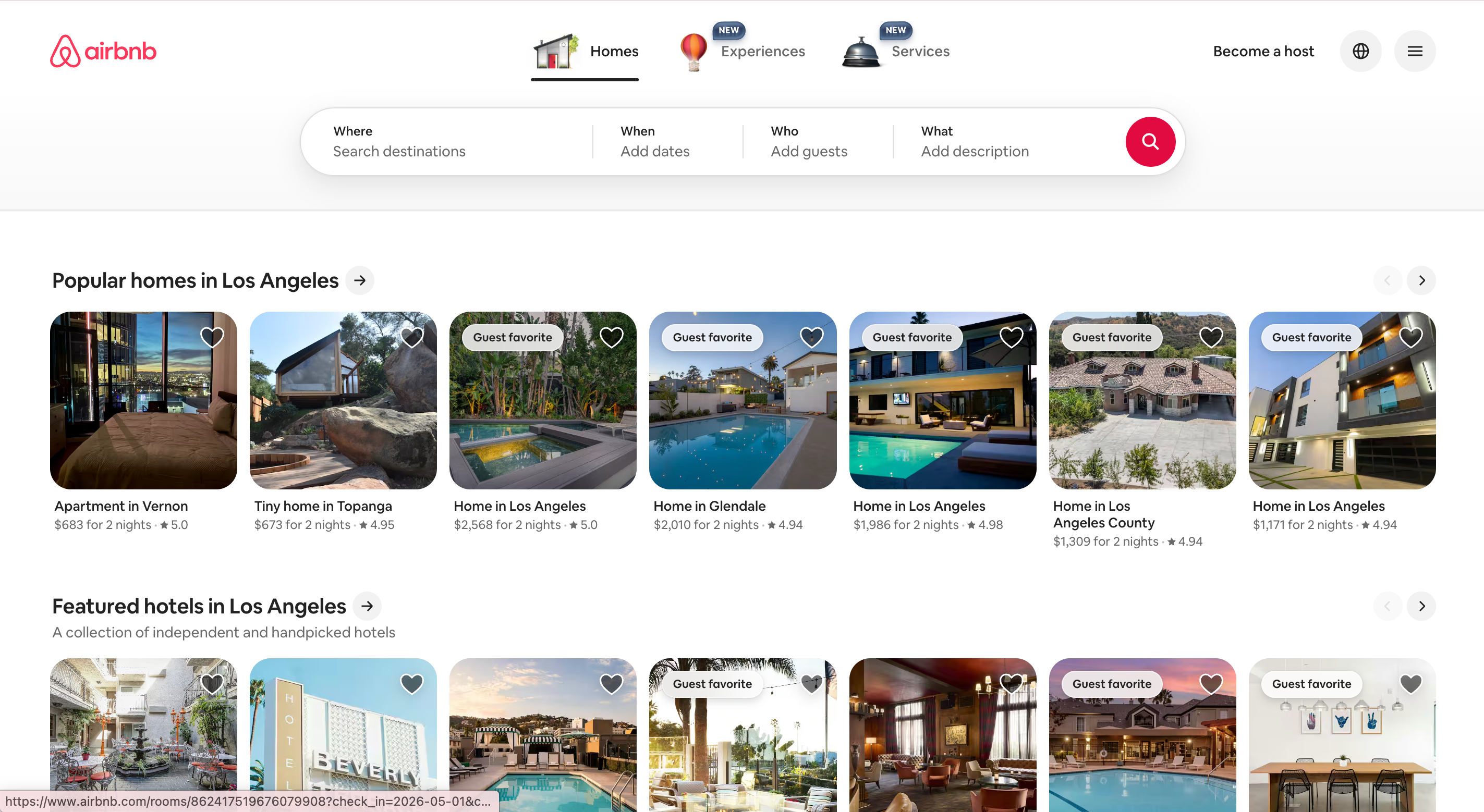
Airbnb'e ait resim
8. Patagonia - Misyon Bildirimi Değer Teklifi
Kişi kimdir: Gerçek ediyatik uzmanlık veya görüşü olan perakende ve içerik odaklı markalar.
Patagonia'nın ana sayfası ediyatik gazetecilik, ürün eğitimi ve çevre aktivizmi ile başlar - gerçek içerik, değil bir hero resmi. Perakende bir marka için beklenmedik, ancak veriler işe yaradığını söylüyor: Patagonia, dış giyimde en yüksek tekrar satın alma oranlarına sahip markalardan biridir.
Nasıl çalışır: Ana sayfa, alışveriş yapanları okuyucular ve üyeler olarak değil, cüzdanlar olarak görür. Bu, hiçbir CTA düğmesi alamayacak bir güven dividi kazandırır.
Nasıl çalınır: Markanızın gerçek uzmanlığı veya görüşü varsa, ana sayfanızın bir kısmını satış yerine içerikle ayırın. Hero pozisyonunda bir öne çıkan makale, alan raporu veya müşteri hikayesi, güveni ve uzun vadeli itibarı artırır.
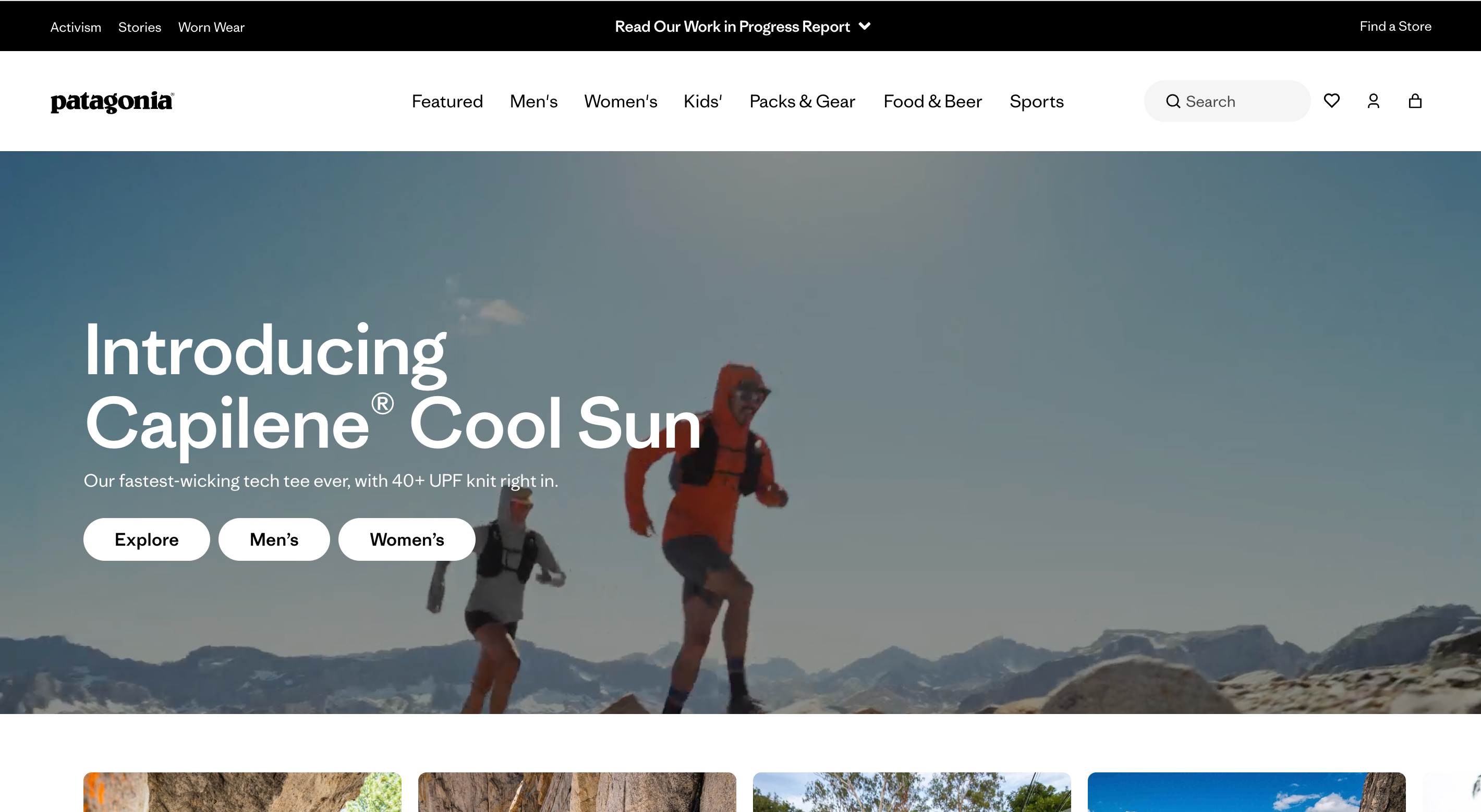
Patagonia'ya ait resim
9. Basecamp - Uzun Biçimli, Görüşlü Ana Sayfa
Kişi kimdir: Felsefesi, güçlü dünya görüşü veya dar ama sadık ICP'si olan ürünler.
Basecamp (37signals tarafından) "kısa ana sayfa" kural kitabını pencereden atar. Sayfa uzun, yoğun tipografik ve görüşlüdür - tamamıyla paragraflar, neden ürünün bu şekilde yapıldığını tartışır.
Nasıl çalışır: Uzun biçimli ana sayfa bir filtre. Onu okuyan ve onaylayan insanlar ömür boyu müşteri olur; onu okumayanlar erken atlar. Basecamp, başlangıçta kötü uyumlu ziyaretçiyi kaybetmekten memnundur.
Nasıl çalınır: Kısa = iyi olmadığını varsaymayın. Ürününüz bir dünya görüşü değil, bir özellik seti - çalışma şekli, felsefe - ise, ana sayfanın onu açıklamak için yeterince uzun nefes almasına izin verin. Genellikle en iyi dönüşüm filtresi, daha kısa olan değil, daha uzun bir ana sayfadır.
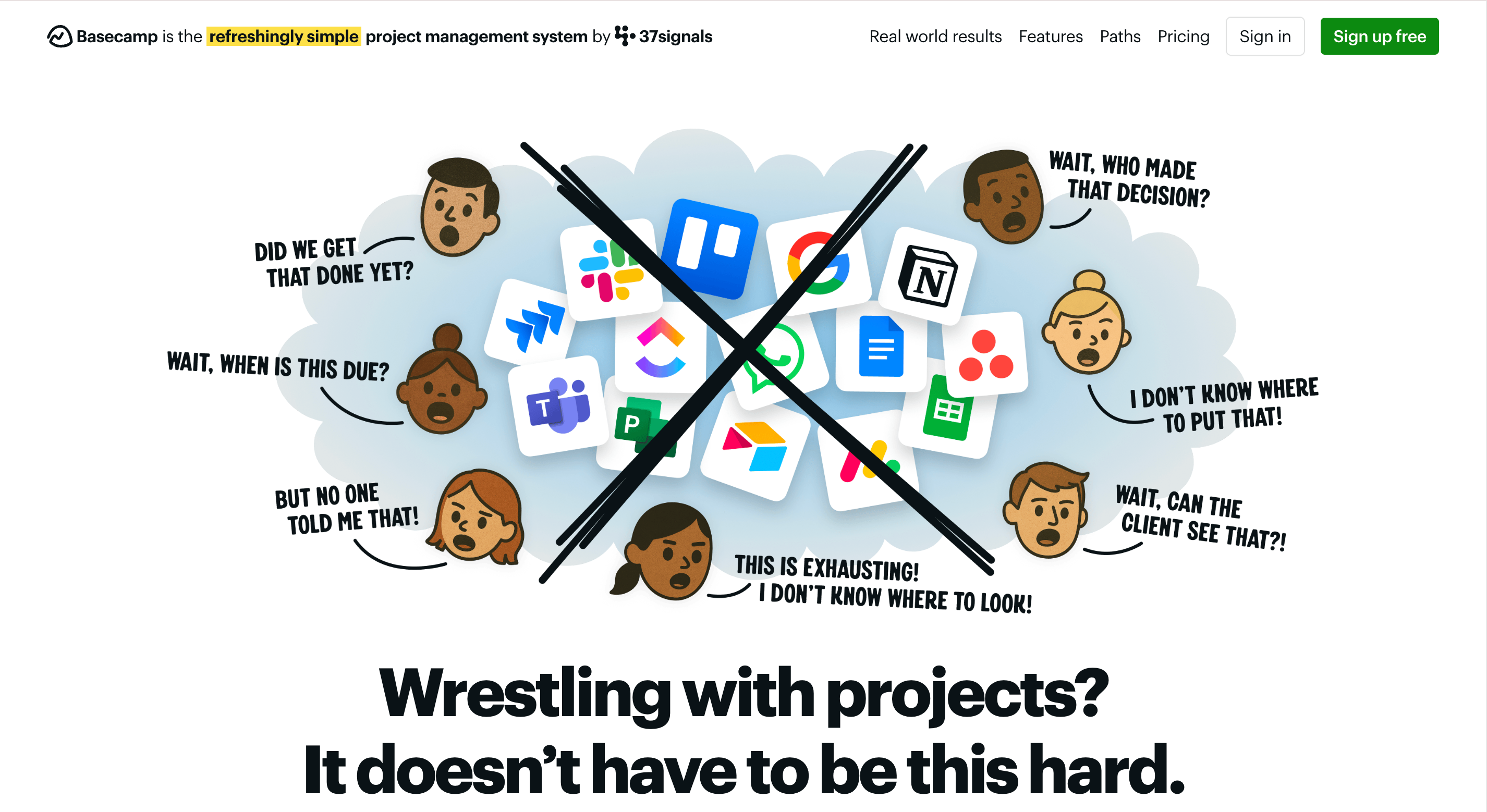
Basecamp ana sayfası uzun biçimli görüşlü tasarımBasecamp'e ait resim
2026'da Satışlarınızı Öldüren 5 Ana Sayfa Hatası
Harika ana sayfaları incelemek sadece egzersizin yarısıdır. İşte her incelememde gördüğüm beş desen:
- Hero dörtlüler. 43%’inde yer almasına rağmen, Nielsen Norman Group testleri, otomatik ilerleme slaytlarının kullanıcılığı ve dönüşümü etkilediğini göstermektedir. Tek bir hero mesajı seçin ve bağlı kalın.
- Kararsız başlıklar. "Başarıya yolculuğunuzu güçlendirin." Kimse ne yaptığınızı bilmiyor. Somut olun.
- Sesli otomatik oynayan video. Kullanıcının sekme kapatmasına en hızlı yol.
- Yukarıdaki katmanlarda üç eşit ağırlıklı CTA. Her şey birincil CTA ise, hiçbir şey birincil değildir. Tek bir tane seçin.
- Beş saniye içinde cookie banner + chatbot + popup. Bunlardan her biri ayrı ayrı toleranslıdır. Bir arada ise bir duvar.
Wegic ile Bu Ana Sayfalara Benzer Bir Ana Sayfa Nasıl Yapılır
Desenleri gördün. Şimdi zor kısmı - bir tasarımcı, bir geliştirici veya üç hafta theme fighting olmadan uygulamak. Bu tam olarak Wegic için yapıldı.
Wegic bir şablon oluşturucu değildir. konuşmacı Yapay Zekaweb sitesi büyüme sistemidir ve işinizin bir tanımından özel, tamamen kodlanmış bir anasayfa oluşturur. Siz tanımlarsınız; onlar inşa eder.
Faz 1: AI'ye Bilgi Verin
Wegic'i açın ve Kimmy, AI proje yöneticinizle sohbet edin. Şablon seçmek yerine, bu makaledeki kalıpları kullanarak ne istediğini açıklayın:
"Bir B2B analitik SaaS için ana sayfa ihtiyacım var. Linear gibi bir başlık - tek cümlelik değer önerisi, tek CTA, hiçbir slayt gösterisi. Başlık altında Stripe tarzında bir logo bant ekleyin, ardından üç sütunlu bir özellik gridi. En sonunda Basecamp gibi uzun form misyon bölümü ekleyin."
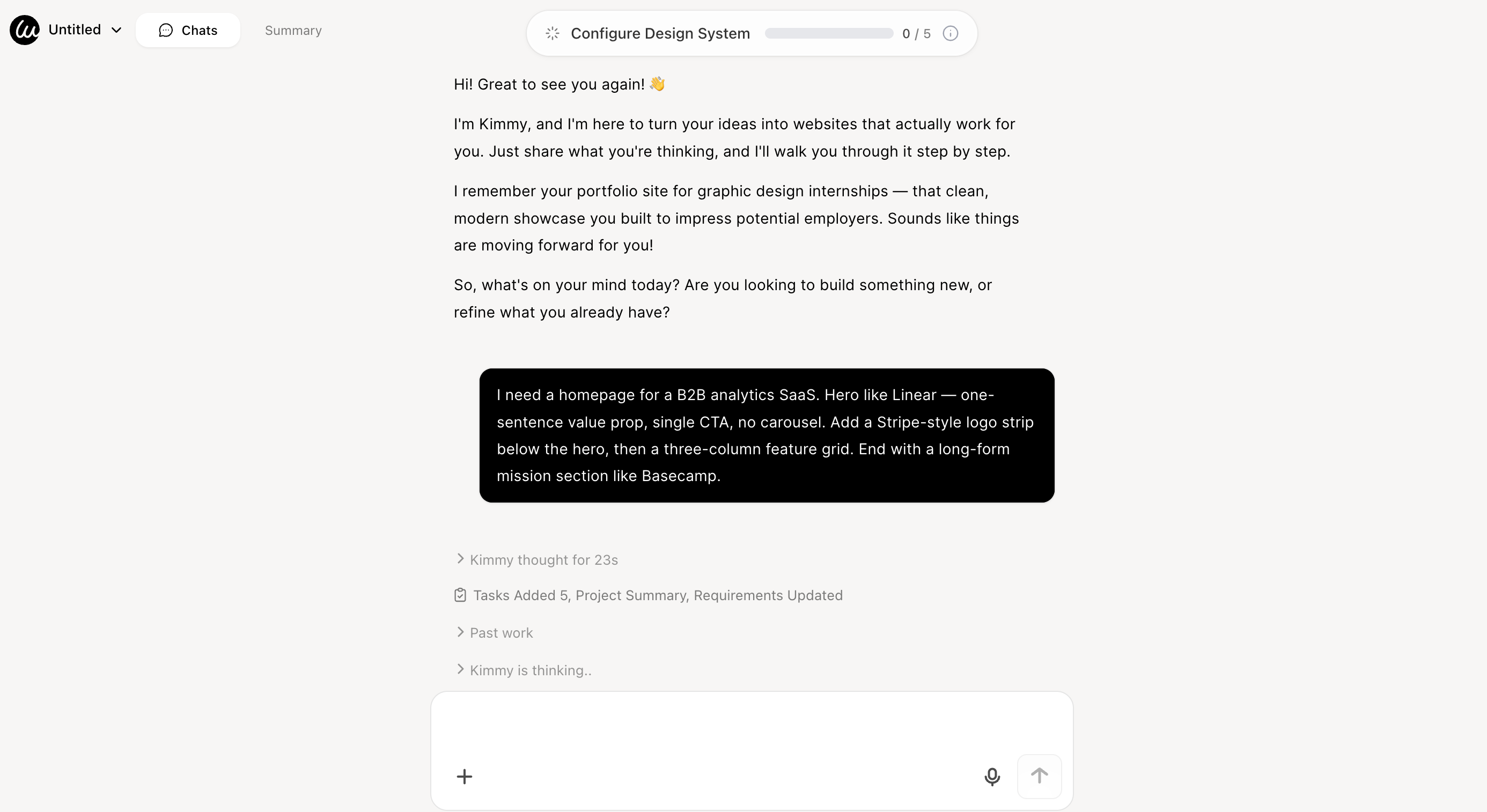
Faz 2: AI Montajı
Wegic'in GPT destekli motoru, kısa sürede kendi kodunu yazarak işinizi okur. 60 saniyenin altında, önceden yapılmış bir şablona sahip olmaksızın, tamamen uyumlu çok bölümlü bir ana sayfa alırsınız. AI, görsel hiyerarşi, mobil kesim noktaları, Core Web Vitals optimizasyonu ve sayfa içi SEO varsayılanlarını yönetir.
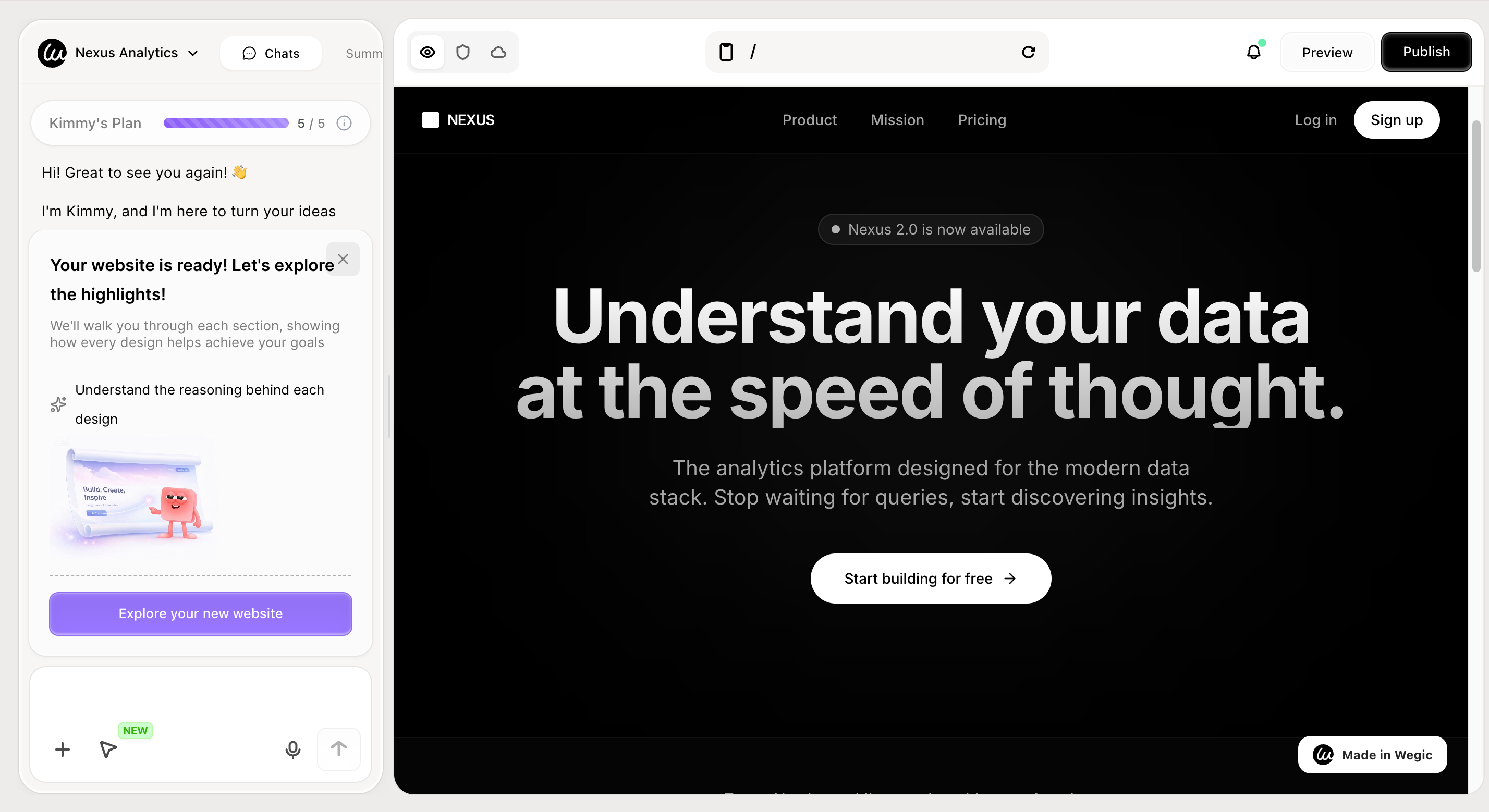
İşte Wegic ile başlamak için alttaki resme tıklayın!
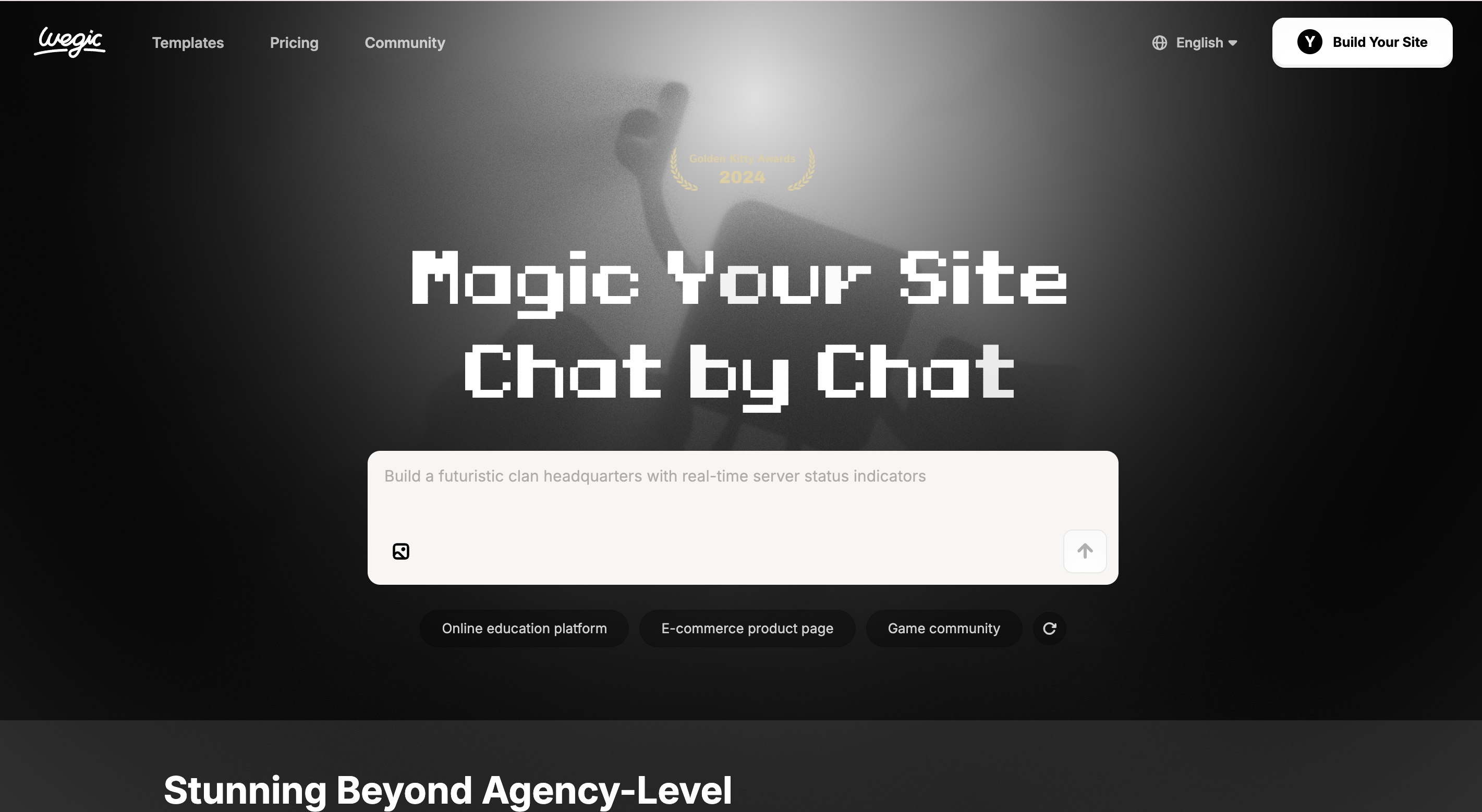
Faz 3: Akıllı Değişiklikler - Sadece Ona Konuşun
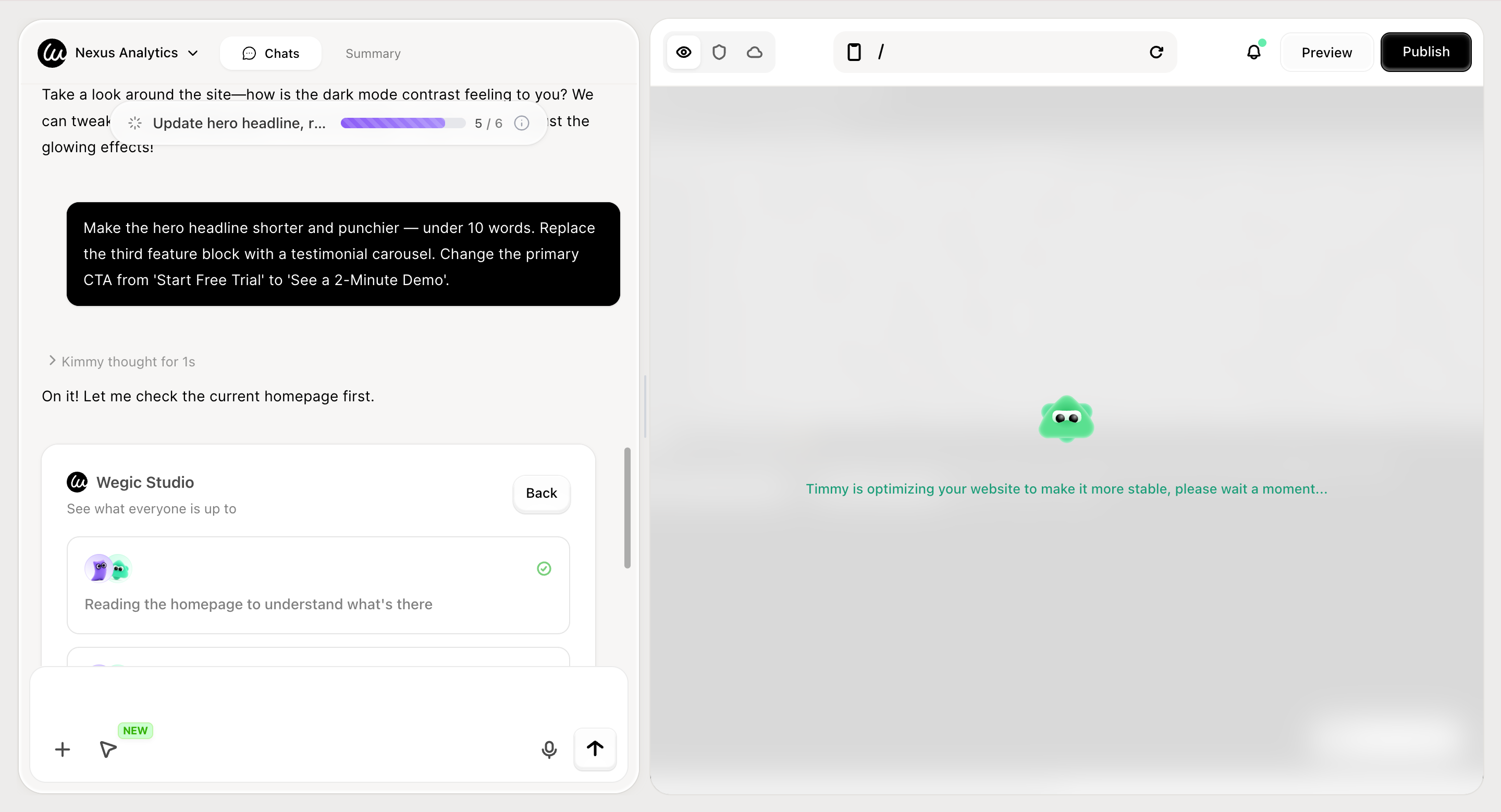
Geleneksel oluşturucular, CSS panellerine zorlar. Wegic, sohbet ile düzenleme olanaklarını sunar:
"Hero başlığını daha kısa ve etkili hale getirin - 10 kelimadan az. Üçüncü özellik bloğunu bir tanıtım slayt gösterisine değiştirin. Başlangıç ücretsiz deneme yerine '2 Dakikalık Demo Göster' olarak ana CTA'yi değiştirin."
Değişiklikleri uygulamadan önce Wegic, 2-3 tasarım seçeneği sunar ve tasarım nedenlerini açıklar, bu sayede kendi mobil görünümünüzü bozmadan çalışırsınız - geleneksel oluşturucularda bilinen bir risktir. uyumlu web sitesi tasarımı hakkında daha fazla bilgi edinin.
Faz 4: Tek Tıkla Yayımla - Hosting Dahil
"Yayınla." Wegic, hosting, özel bir alan adı seçeneği, otomatik olarak üretilen
sitemap.xml ve SEO meta verilerini doğrudan sunar. Anasayfanız dakikalar içinde canlı ve indekslenebilir hale gelir.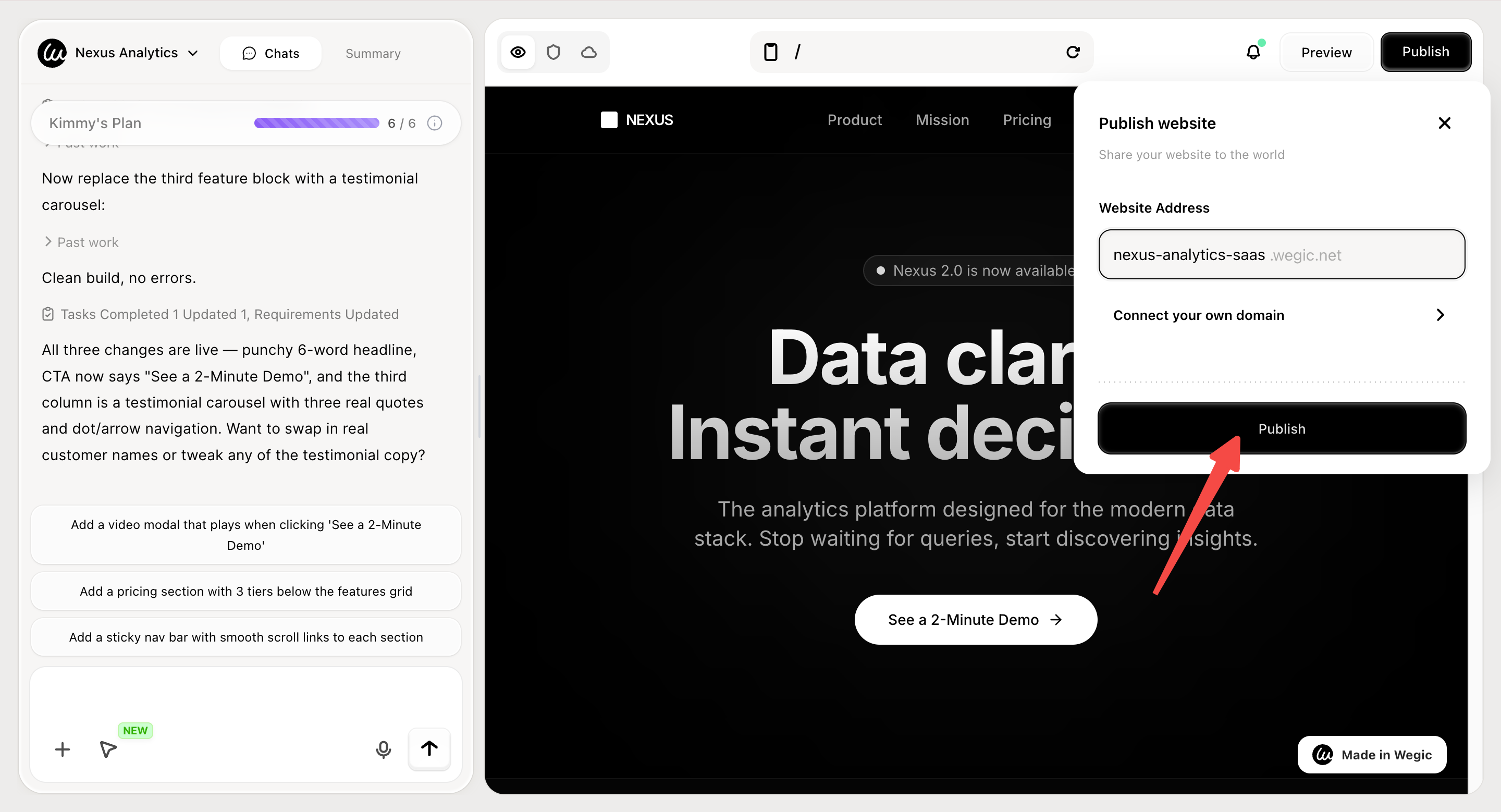
Sonuç: Anasayfanız Bir Karar, Bir Belge Değil
Yukarıdaki dokuz web anasayfa örneği, çünkü güzel oldukları için "en iyi" değildir. Her biri tek, okunabilir işe odaklanır ve bu işi spesifiklikle yerine getirir - bir hedef kitle, bir eylem, bir ses, bir taahhüt.
Çoğu anasayfa, her şeyi yapmaya çalıştığı için başarısız olur. Çözüm daha fazla tasarım çalışması değildir. Daha fazla *karar verme* gerekir: bu kim için, onlar ne yapmak istiyor ve ne kadar inandırıcı bir şekilde sorabiliriz?
Bu kararları aldığınızda, geri kalanı uygulama - ve Wegic ile uygulama, beş haftalık bir sprint değil, beş dakikalık bir sohbet olur.
SSS
Web anasayfası ile landing page arasındaki fark nedir?
Anasayfa, markanızın ön kapısıdır - birden fazla hedef kitleye hizmet eder, markanızı tanıtır ve ziyaretçileri sitenizin doğru bölümünü (ürünler, fiyatlar, hakkında, blog) yönlendirir. Landing page, tek bir kampanya veya reklam için yapılmıştır, genellikle menüleri kaldırır ve tek bir hedef kitleye, tek bir eyleme dönüştürmek için vardır. Anasayfa *keşfetme* için optimize edilir; landing page ise *dönüştürme* için optimize edilir.
İlk sayfada kaç tane CTA olmalıdır?
Tam olarak birincil CTA (sayfa boyunca 2-4 kez tekrarlanır) ve düşük niyetli ziyaretçilere kadar iki ikincil CTA. Ekranın üstünde, hiçbir zaman tek görsel baskın düğmeye kadar göstermeyin. Üç eşit ağırlıkta CTA gösterdiğinizde, ziyaretçiler seçimde donduğu için tıklama genellikle düşer.
2026 yılında web anasayfasının ideal uzunluğu nedir?
Genel bir cevap yoktur. Ziyaretçiler ne istediğini zaten bildiğinde kısa anasayfalar (Airbnb, Linear) işe yarar. Ürününüz bir felsefe olarak açıklanması gerekiyorsa uzun, fikirli anasayfalar (Basecamp, Patagonia) işe yarar. Kural: anasayfayı, sıcak bir potansiyel müşteri tarafından ortaya koyulan herhangi bir itirazı cevaplamak için gerekli olan kadar uzun yapın ve sadece bir piksel daha uzun olmasın.
Anasayfam ne kadar hızlı yüklenmelidir?
Google'ın Core Web Vitals "iyi" eşiğine hedeflenmelidir: En büyük içeriğin yüklenme süresi 2,5 saniyenin altında, İşlem Sonraki Görselleme süresi 200 ms'in altında ve Kümülatif Düzen Kayması 0,1'in altında. 3 saniyenin üzerindeki yüklenme süresi, ziyaretçiler başlıkta görünmeden önce mobil trafiğinizin yaklaşık yarısını kaybedersiniz.
Anasayfamda bir hero videosu gerekiyor mu?
Hayır - ve çoğu küçük işletme bunu kullanmamalı. Kahraman videoları iyi üretmek maliyetlidir, yükleme süresini artırır ve ana içeriği ekranın altına itebilir. Her zaman düşük kaliteli bir videoya göre, güçlü bir başlıkla yüksek kaliteli bir resim daha iyi performans gösterir. (a) ürününüz hareketle en iyi gösterilir ve (b) profesyonel kalitede üretebilirseniz sadece video kullanın.
AI gerçekten bu örneklerdeki kadar iyi bir ana sayfa oluşturabilir mi?
2026 yılında, çoğu kullanım durumu için evet. Wegic gibi araçlar, konversasyonel bir açıklama ile özel kod (şablon değil) üretir ve otomatik olarak düzen, tipografi ve mobil uyumlu en iyi uygulamaları uygular. Marka pozisyonunuz zaten net olan bir ana sayfa için, AI, özel bir inşaın %90'ına %1 zaman harcayarak getirir. Hâlâ AI'nın uyguladığı pozisyonlama kararlarını almak için bir insan gereklidir.