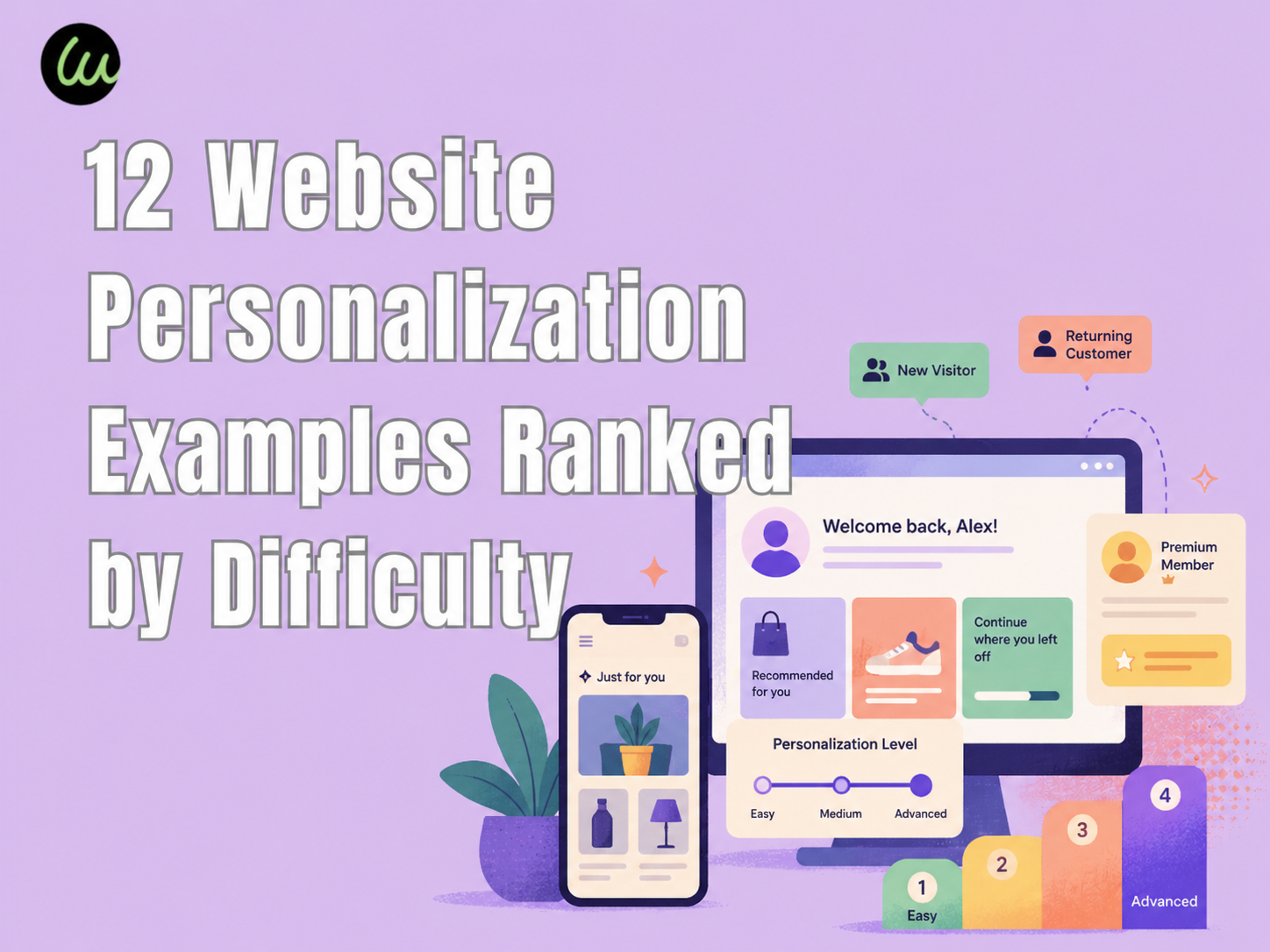
Before diving into the website personalization examples, the numbers that should anchor any personalization strategy discussion in 2026:
- 71% of consumers expect personalized interactions, and 76% get frustrated when companies don't deliver them, according to McKinsey's Next in Personalization 2021 report.
- Personalization most commonly drives 10–15% revenue lift, with sector-specific outcomes ranging from 5–25%, per the same McKinsey study.
- Companies that grow faster drive 40% more of their revenue from personalization than slower-growing peers.
- Conversion costs can drop by up to 50% when personalization is implemented well across the customer journey.
- 72% of consumers expect businesses to recognize them as individuals — even on a first visit.
These numbers explain why every major martech vendor now sells a website personalization tools suite. They do not explain how to actually ship personalization that works. That's what the examples below are for.
A Quick Definitional Note
Website personalization (sometimes shortened to *web personalization*) is the practice of dynamically tailoring a website's content, layout, or offers to individual visitors based on data the site has about them — location, referrer, behavior, account profile, lifecycle stage, or device. The opposite of personalization isn't a "bad" website; it's a static website that shows every visitor the same thing.
Because the term varies, you'll see this guide's website personalization examples also referred to in the wild as web personalization examples — they describe the same practice. Throughout the rest of this article I'll use "website personalization" for consistency.
There are three broad approaches:
- Rule-based personalization — explicit IF/THEN logic ("if visitor is in Germany, show Euro pricing").
- Behavioral personalization — adjusts based on what the user has done on the site (pages viewed, items added, time on page).
- AI personalization — machine-learning models predict what content or product to surface based on patterns across many users.
Most real-world implementations combine all three. Now to the examples — ranked by how hard each one is to ship.
Tier 1 — Easy Wins (Ship This Week)
The four website personalization examples in Tier 1 share one trait: they're achievable in days, not months, and they cover ~80% of the personalization revenue lift most teams will ever realize. Master these before climbing the difficulty ladder.
1. Geolocation Personalization: Currency, Shipping, and Local Banners
Difficulty: ★☆☆☆☆ — 30 minutes if your CMS supports it natively
Best for: Global e-commerce, multi-region SaaS, travel
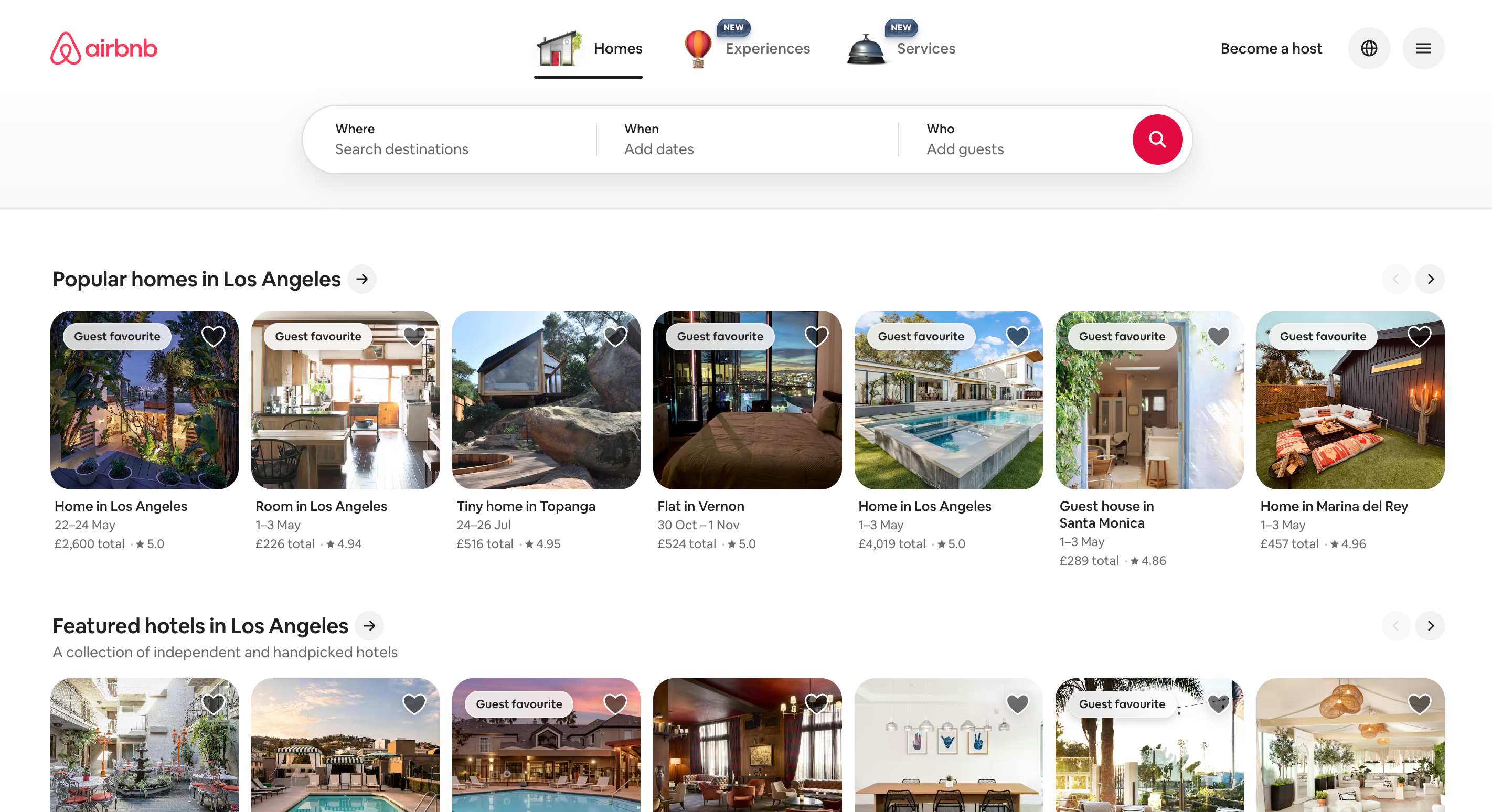
Real example: Airbnb's homepage detects your location and surfaces nearby destinations, local currency, and country-specific experiences before you've taken any action.
This is the single highest-ROI geolocation personalization play available, and most platforms (Shopify, Webflow, Wix, modern WordPress stacks) support it out of the box. A US visitor sees USD prices and US shipping; a UK visitor sees GBP and UK shipping. Confusion is eliminated before it starts.
What to steal: If you ship internationally, geolocate currency and shipping cost the day you go live. If you don't ship internationally, geolocate by city for a "Free shipping in [Detected City]" banner — Doordash and Instacart do this beautifully.
Where it can fail: VPN-using or mobile-roaming visitors may see the wrong locale. Always include a manual "change region" toggle in the footer.
2. Referral-Source Personalization: Match the Hero to the Ad
Difficulty: ★☆☆☆☆ — half a day with UTM-based smart content
Best for: Paid acquisition, content marketing
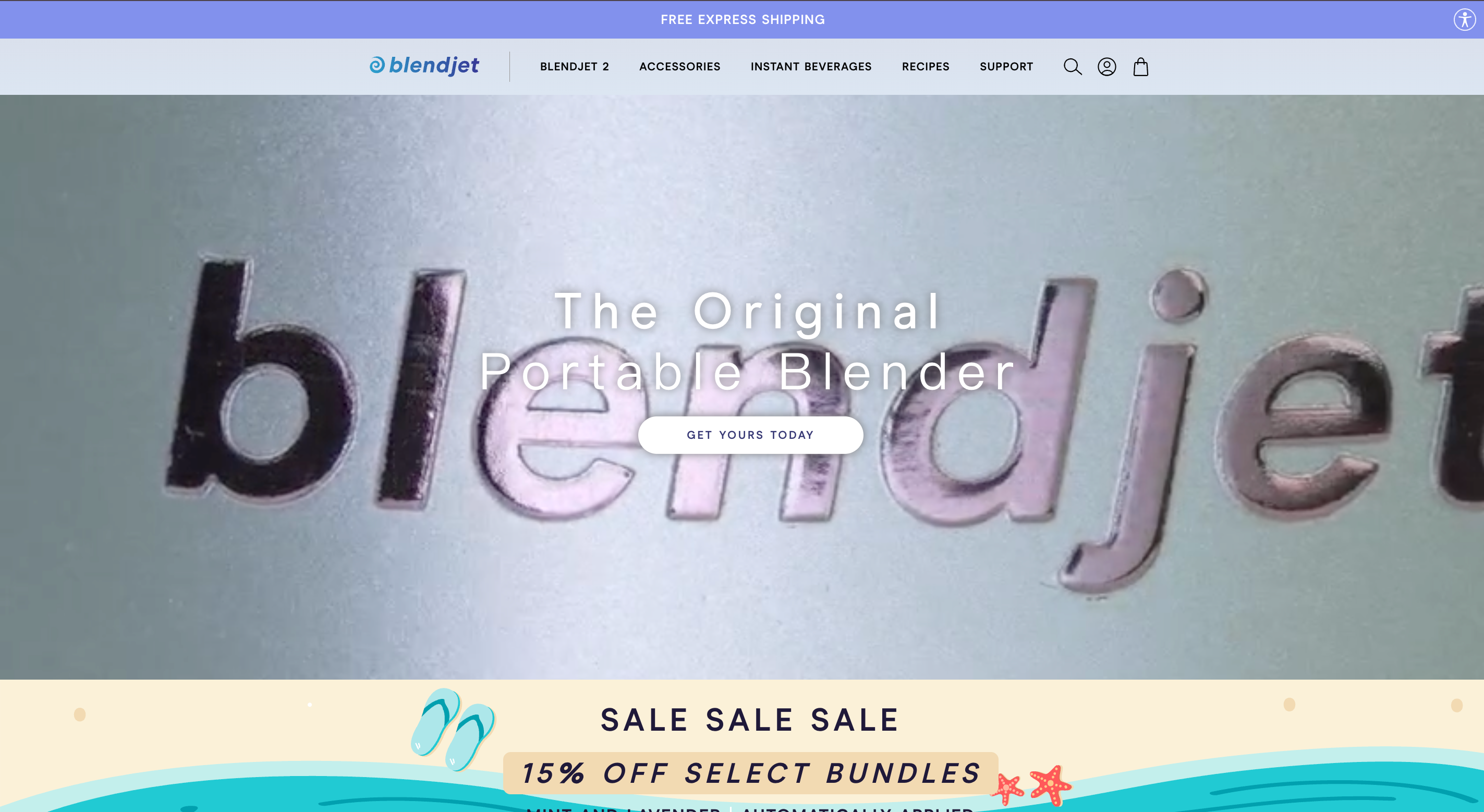
Real example: BlendJet changes its homepage hero based on which campaign brought the visitor — fitness-themed for fitness ad clicks, smoothie-themed for recipe-blog referrals.
This is one of the cleanest homepage personalization patterns because it solves "ad-to-page mismatch," the #1 reason paid traffic bounces. If your Facebook ad promises a smoothie recipe and your homepage says "all-purpose blender for 2026 kitchens," you've broken trust in the first second.
What to steal: Read UTM parameters and swap the hero headline, hero image, and primary CTA accordingly. You don't need fancy software — UTM-based smart content is a basic feature in HubSpot, Webflow, and most modern CMS.
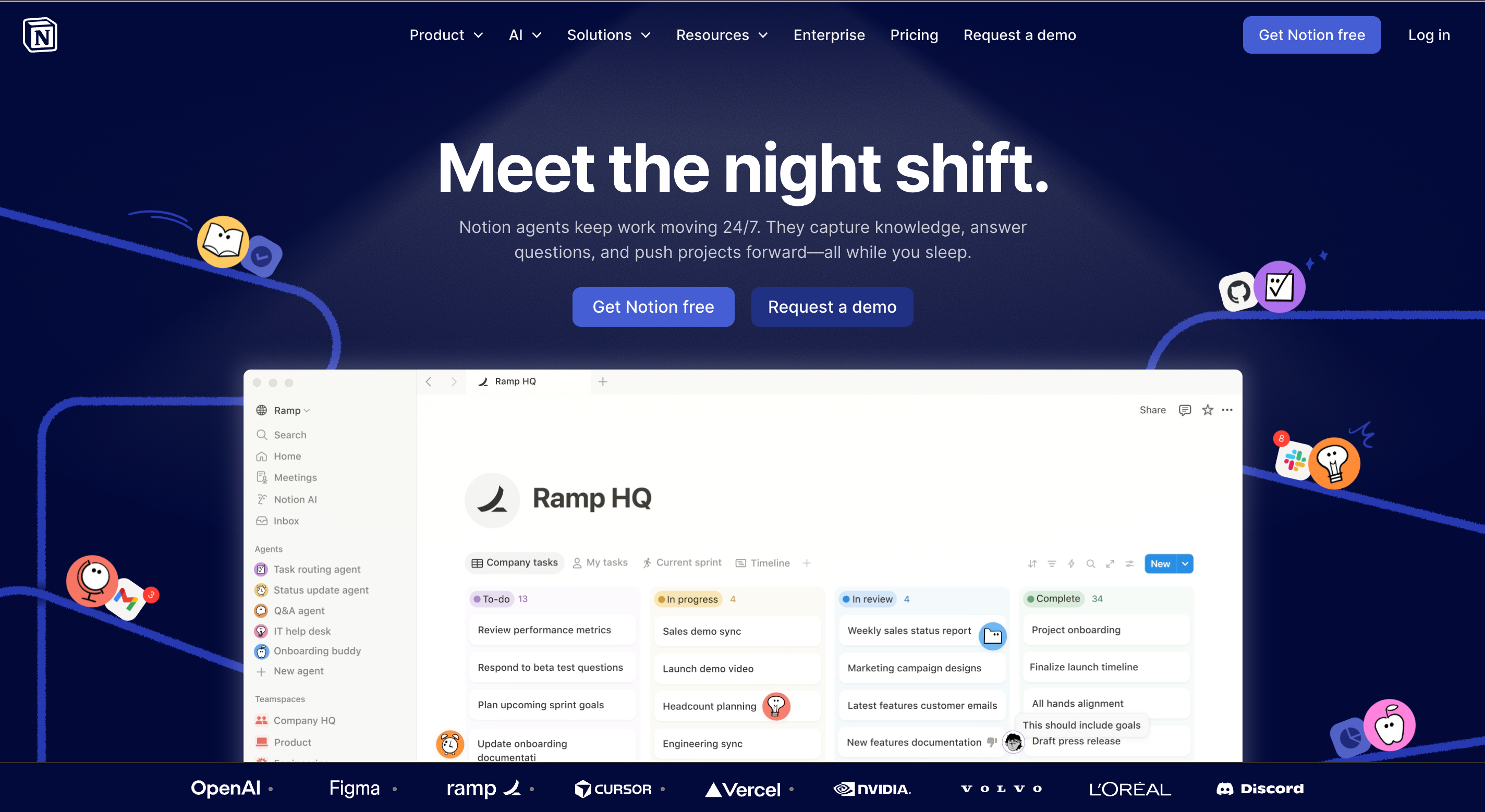
3. Personalized CTA Based on Login State
Difficulty: ★☆☆☆☆ — most CMS support this natively
Best for: Any site with accounts
Real example: Notion's homepage shows "Get Notion free" to logged-out visitors and "Open Notion" to logged-in users. Same hero, different CTA — and the difference matters because logged-in users don't need to "sign up" again, they need a fast door back into the product.
This is the simplest personalized CTA pattern in existence and the most under-used. Every site with login should be doing this. The cost is essentially zero; the cost of not doing it is the friction of a returning user re-clicking through a "sign up" prompt they've already completed.
What to steal: Audit your homepage today. If your top CTA is "Sign Up" or "Get Started" and it appears identically to logged-in users, that's broken. Fix it before reading the rest of this guide.
4. Returning Visitor vs. First-Time Visitor Messaging
Difficulty: ★★☆☆☆ — needs cookie or fingerprint detection
Best for: E-commerce, SaaS, any site with a meaningful "discover" → "convert" funnel
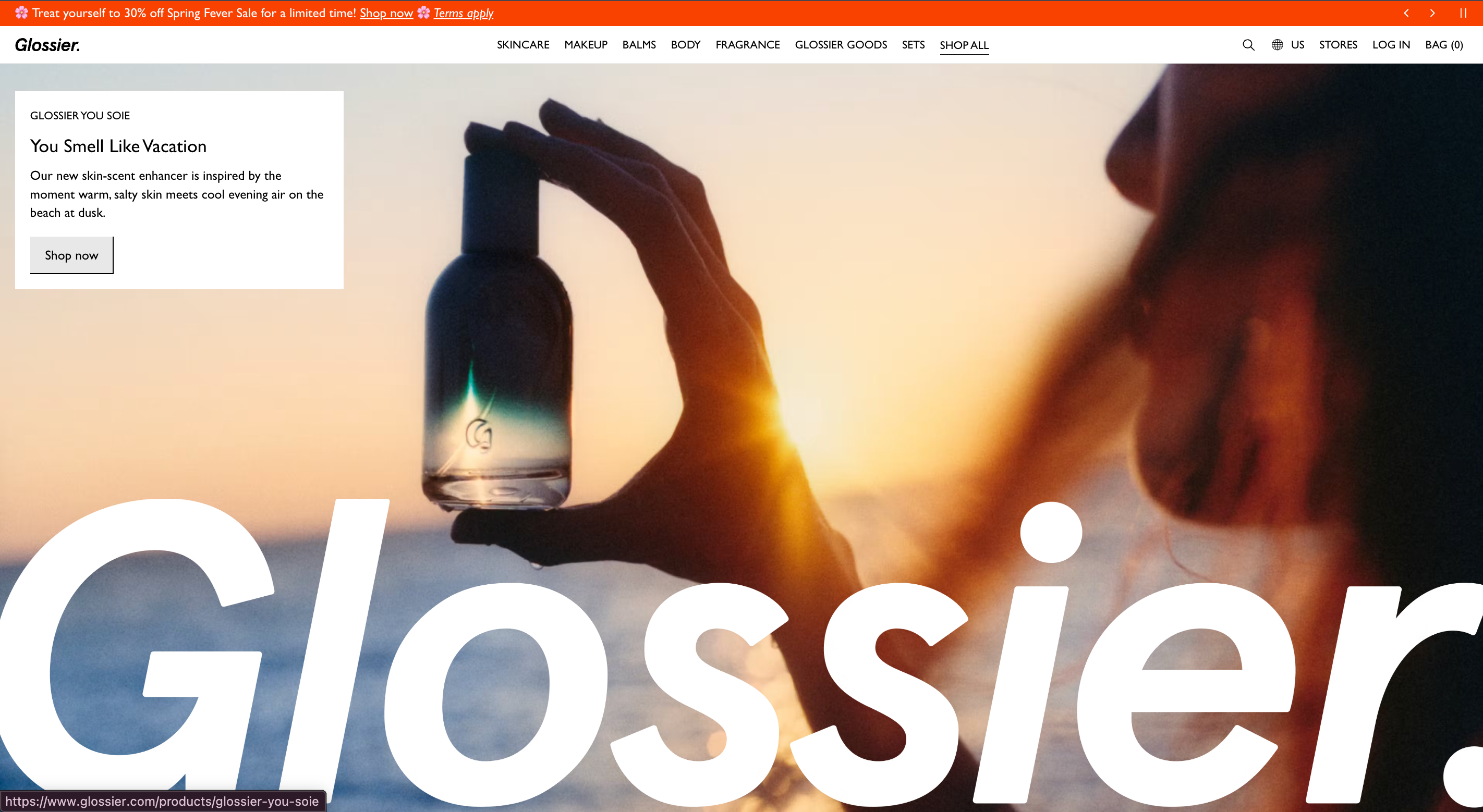
Real example: Glossier uses a sticky bar to display "Welcome — first time here? 10% off your first order" to first-time visitors and "Welcome back, free shipping over $30" to returning visitors. Same hero image, different micro-message.
This is a textbook dynamic content personalization play and one of the highest-ROI tactics on this list. Most analytics platforms can already segment first-time vs. returning visitors; pairing that segment with a CMS-level smart bar takes a half-day of dev work.
What to steal: Decide one explicit message per segment. First-timers get incentive (discount, free trial, lead magnet). Returners get progress (resume cart, last-viewed, loyalty tier). Don't write three variations and hope; write one tight pair and ship it.
Tier 2 — Medium Effort (Ship This Month)
The four website personalization examples in Tier 2 require deeper integration — usually a CMS-CRM tie-in or a recommendation engine — but they unlock segmentation patterns that Tier 1 can't reach.
5. Industry/Role-Based B2B Homepage Switcher
Difficulty: ★★★☆☆ — needs explicit segmentation logic
Best for: B2B SaaS with 2+ distinct ICPs
Real example: Notion's marketing site uses audience tabs ("For teams," "For enterprises," "For students") that swap the visual, value proposition, and case studies without a full reload.
This is the canonical B2B website personalization move. Instead of writing one watered-down headline for everyone, Notion writes one sharp headline per audience and lets visitors self-select. Audience segmentation by visitor-stated industry is also how Mutiny's customers (Snowflake, Segment, ramp) personalize: visitors pick or are inferred into an industry, and the entire homepage adapts.
What to steal: Only do this if your audiences truly differ on the value prop, not just the headline. If healthcare and finance buyers want "the same thing said two ways," skip this — pick the strongest segment and write to them. If they want fundamentally different things, build the switcher.
6. Product Recommendations Based on Browsing Behavior
Difficulty: ★★★☆☆ — needs a recommendation engine or e-commerce platform support
Best for: E-commerce with 50+ SKUs
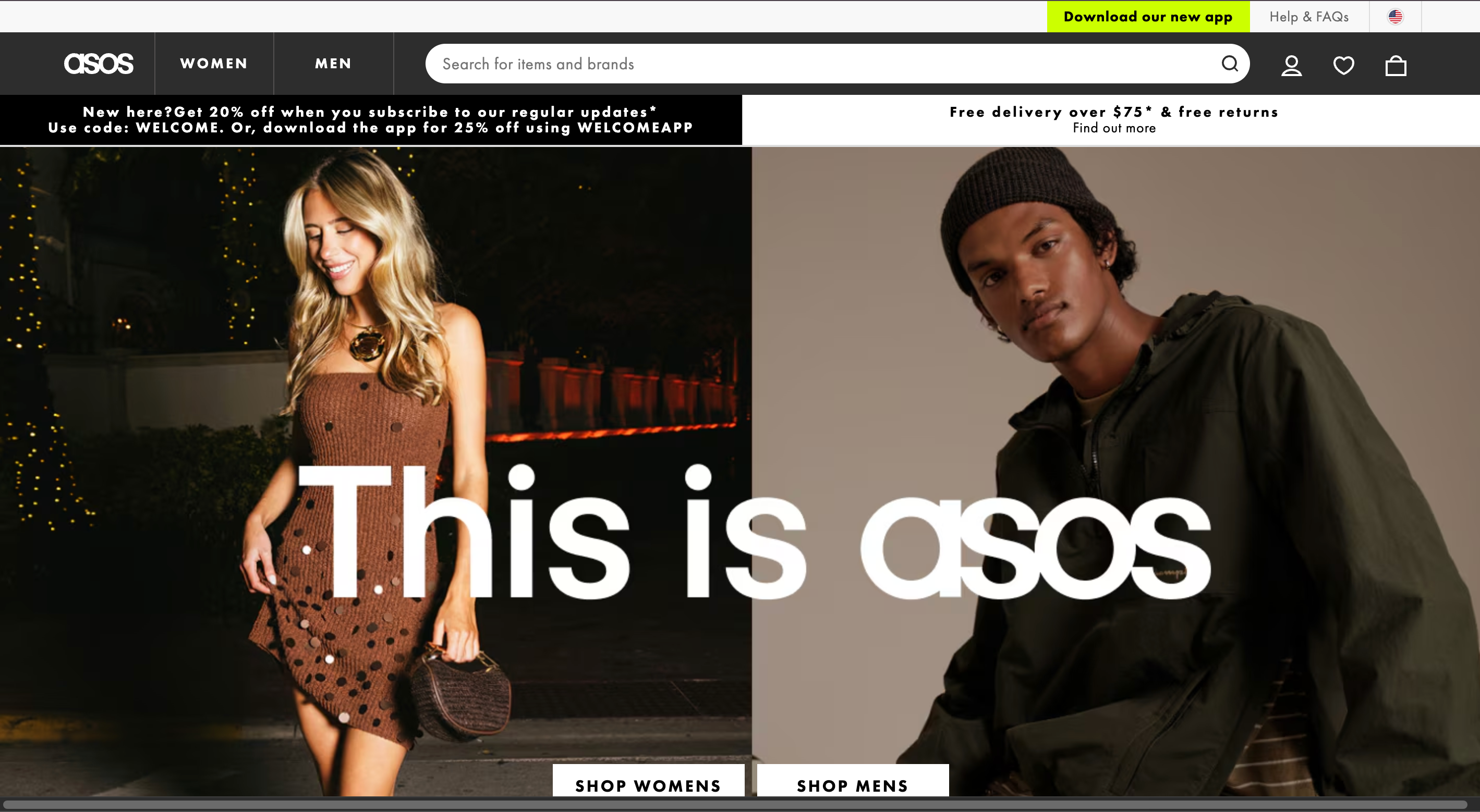
Real example: ASOS product pages show "You might also like" rows based on a visitor's recent browsing, with cross-category jumps (someone viewing dresses sees recommended shoes and bags). The rows update live on each page view.
Product recommendations are the most-cited tactic in ecommerce personalization examples writeups, and rightly so — they're the closest thing to a guaranteed AOV lift. The classic Amazon "Customers who bought this also bought" pattern still works. The newer move is cross-category recommendations powered by item-similarity ML, which lifts not just AOV but also discovery.
What to steal: Start with rule-based "Frequently bought together" (manually curated by a category manager) before investing in an ML-driven recommender. Manual curation often beats early-stage ML and gets you to revenue lift faster.
7. Cart Abandonment Recovery Personalization
Difficulty: ★★★☆☆ — needs cart state persistence and exit-intent triggers
Best for: E-commerce
Real example: Prada's site detects mouse movement toward the close button and triggers a "Still interested?" overlay showing the items in cart. On return visits within 7 days, the same cart is preserved and surfaced.
This is one of the highest-leverage behavioral personalization patterns because it intervenes at the exact moment of highest-intent abandonment. Mouse-movement-based exit intent is supported by tools like Optimonk, Wisepops, and most major CRO platforms.
Where it can fail: Aggressive exit-intent overlays trigger immediately on mobile (where there's no mouse), which is wrong. Mobile uses scroll-velocity or time-on-page triggers, not mouse exit. Test your fallbacks.
8. Quiz-Driven Personalization
Difficulty: ★★★☆☆ — needs a quiz tool + recommendation logic
Best for: High-consideration purchases (mattresses, skincare, supplements, software)
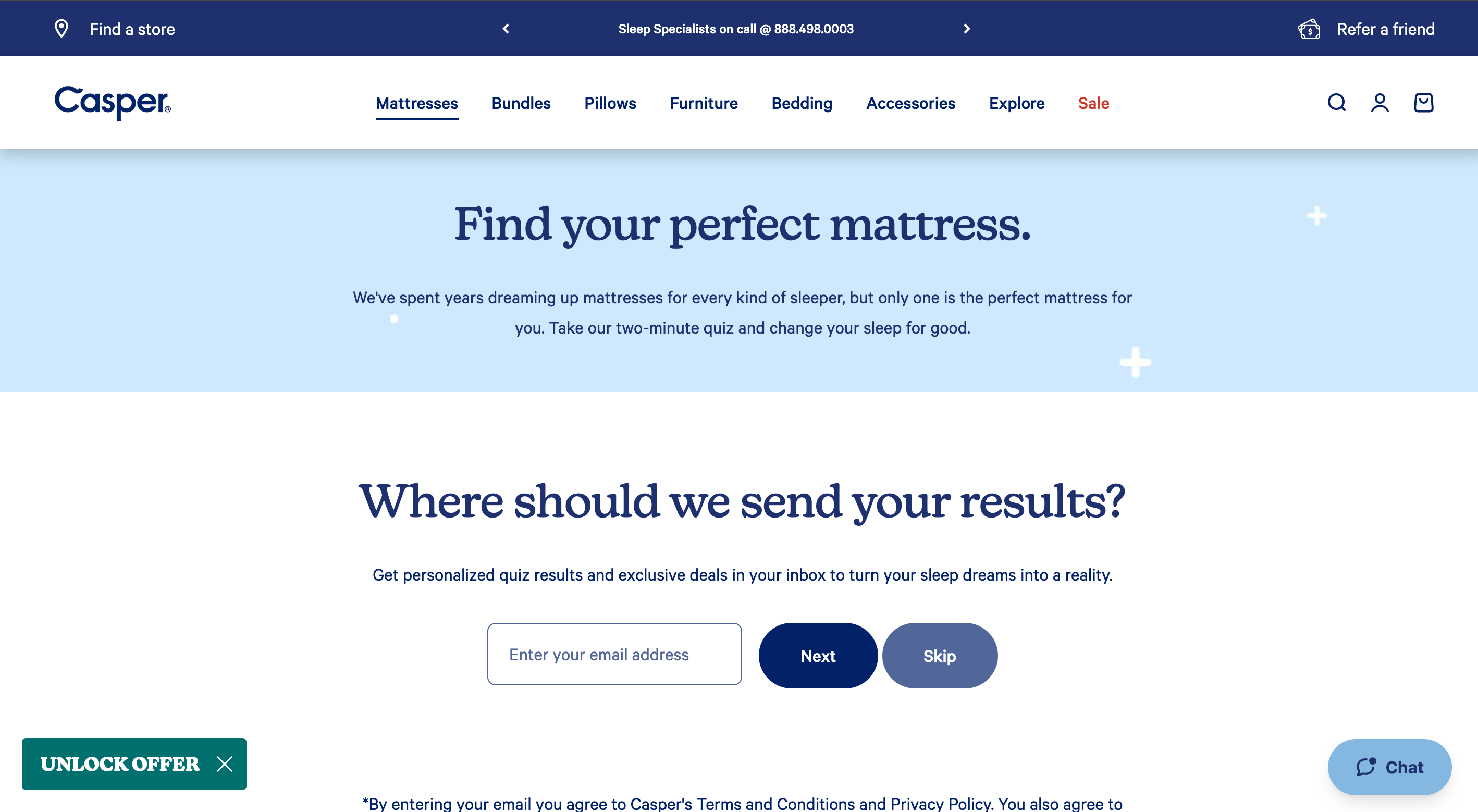
Real example: Casper's mattress finder quiz takes about 90 seconds, then directs the visitor to one of three mattress models with reasoning ("Because you said you sleep hot and on your side, we recommend the Wave Hybrid"). Curology and Function of Beauty use the same pattern in skincare and haircare.
Quiz-driven personalization is uniquely powerful because the user *gives you their data voluntarily*, sidestepping the cookie/consent issue entirely. Conversion lift on quiz-completing visitors is consistently 2–4× site average across categories.
What to steal: If you sell a high-consideration product where customer preferences vary widely, build a quiz. Cap it at 5 questions. Always end with an explanation of why you're recommending what you're recommending — opacity erodes trust.
Tier 3 — Hard Wins (Ship This Quarter)
The final four website personalization examples require dedicated infrastructure — a CDP, an ML pipeline, or a real ABM stack. They produce the biggest revenue lifts when they work, and the most expensive failures when they don't.
9. Account-Based Personalization for B2B (ABM)
Difficulty: ★★★★☆ — requires reverse-IP lookup and CRM integration
Best for: B2B sales-led with named target accounts
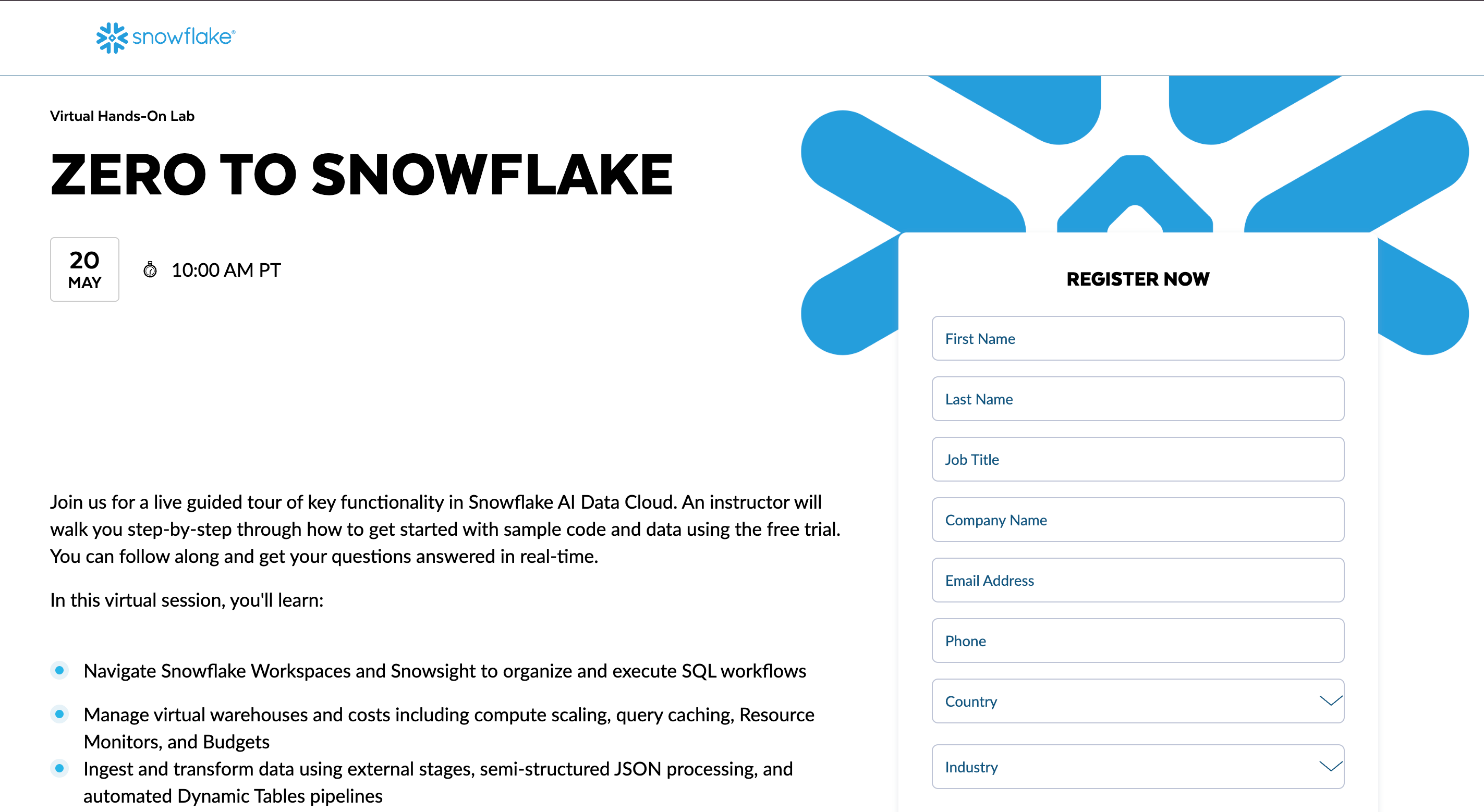
Real example: Snowflake, Segment, and many other Mutiny customers detect a visitor's company via reverse-IP and rewrite the homepage with that company's logo, industry-specific case studies, and tailored CTAs ("See how [your competitor] uses Segment").
This is the highest-ROI B2B website personalization play available, full stop. When a target account lands on your homepage, showing them their own logo and a case study from their competitor compresses the sales cycle dramatically. Mutiny, 6sense, Demandbase, and ZoomInfo all sell into this stack.
What to steal: Only do this if you have a named target account list and a sales team that can act on the warm signal. Without sales follow-through, you're paying for personalization that nobody converts.
Where it can fail: Reverse-IP lookup misidentifies up to 30% of traffic. Always have a sensible fallback experience for "unknown company" visitors — usually your standard homepage.
10. Lifecycle Stage Personalization
Difficulty: ★★★★☆ — requires CRM/CDP integration
Best for: SaaS with funnel stages, subscription e-commerce
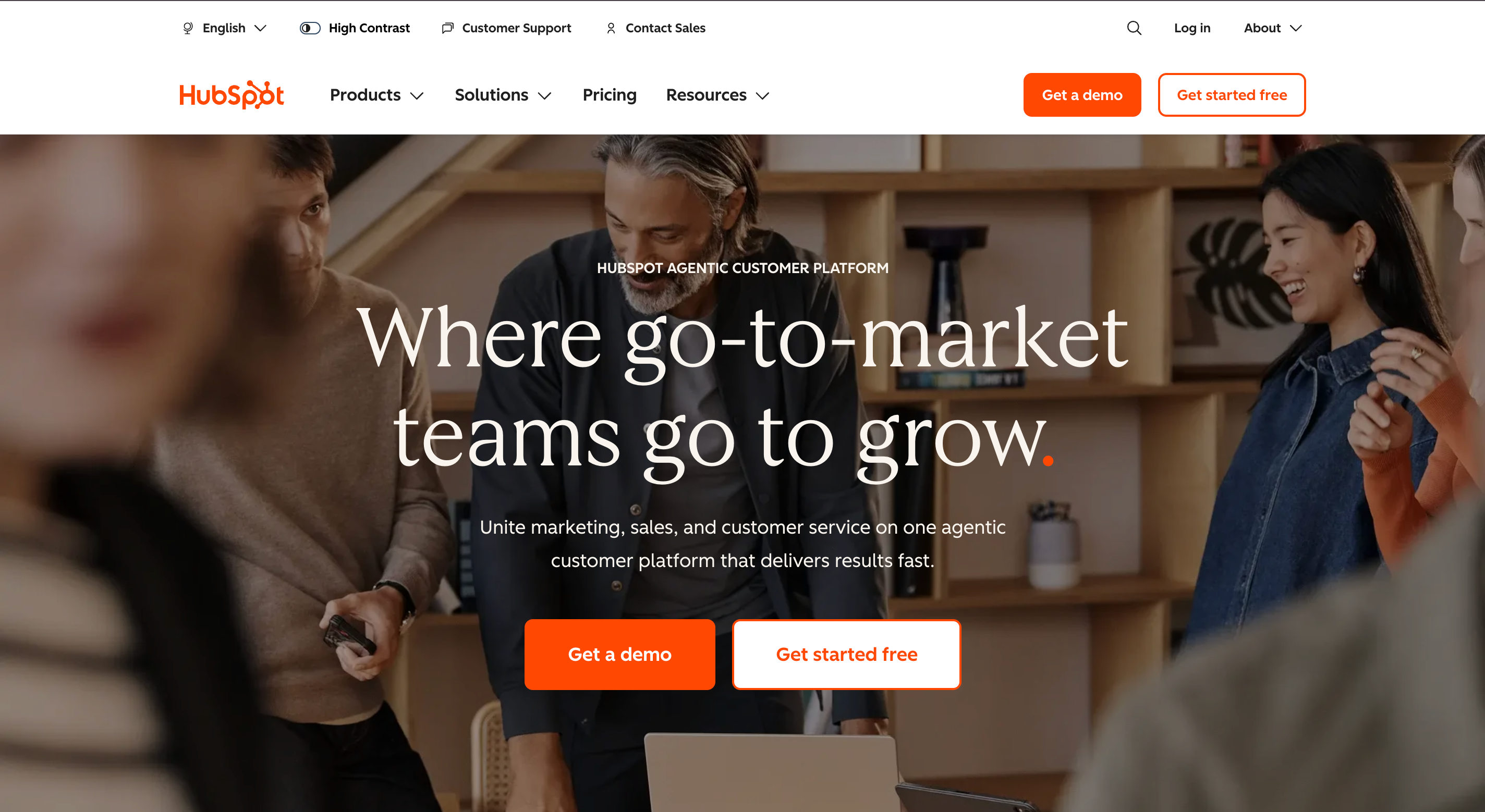
Real example: HubSpot's own marketing site shows different content modules to visitors based on their CRM lifecycle stage — "Marketing Qualified Lead" sees product comparison content, while a "Customer" sees support and expansion content.
This requires a real personalization strategy built on a unified customer data platform (CDP) or CMS-CRM integration like HubSpot Content Hub, Adobe Target, or Salesforce Personalization. The payoff: every page on your site is contextually relevant to where the visitor is in their journey.
What to steal: If you already use a connected CRM/CDP, segment your audience into 3–5 lifecycle stages and choose 2–3 high-traffic pages to personalize first. Don't try to personalize every page on day one. Start with the homepage and pricing page.
11. Time- and Weather-Based Dynamic Content
Difficulty: ★★★★☆ — needs real-time data integration
Best for: Retail, food delivery, travel, apparel
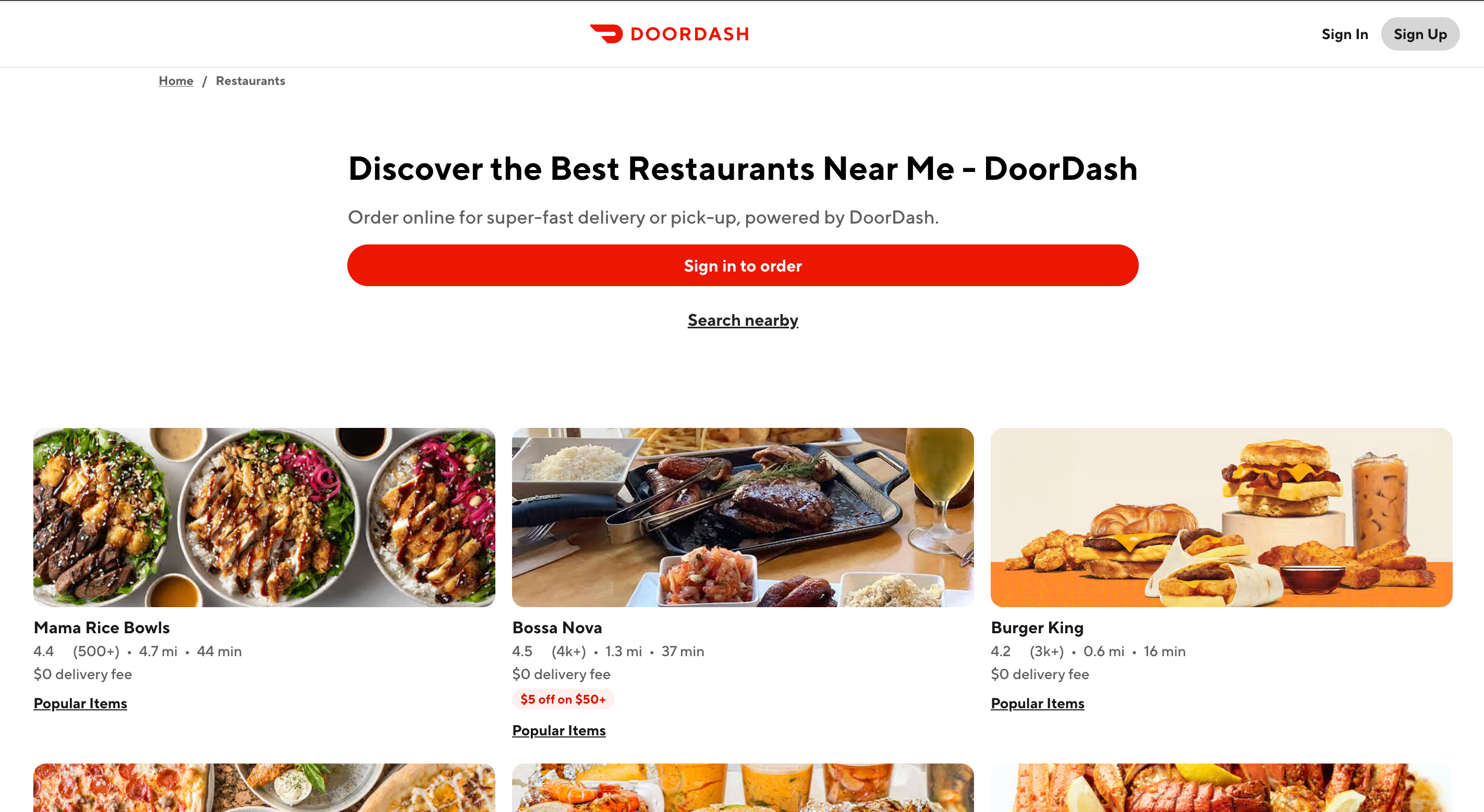
Real example: Doordash dynamically reorders restaurant categories based on time of day (breakfast spots in the morning, dinner spots at 6 PM). Apparel retailers like North Face surface raincoats in the hero when the visitor's local weather shows rain.
This is one of the most under-used dynamic content personalization patterns in 2026. The technical lift is moderate (a weather API + your CMS's smart content engine), and the relevance gain is high. A sun-baked Phoenix visitor doesn't need to see your puffer-jacket hero — show them the sun-protective layers.
What to steal: Pick one real-world variable (time, weather, season, day of week) and use it to reorder one section of your homepage. Don't try to integrate 5 variables on day one. Single-variable personalization is easier to measure and tune.
12. AI-Driven Predictive Personalization Feeds
Difficulty: ★★★★★ — requires ML pipeline + data infrastructure
Best for: Large-catalog e-commerce, content platforms, marketplaces
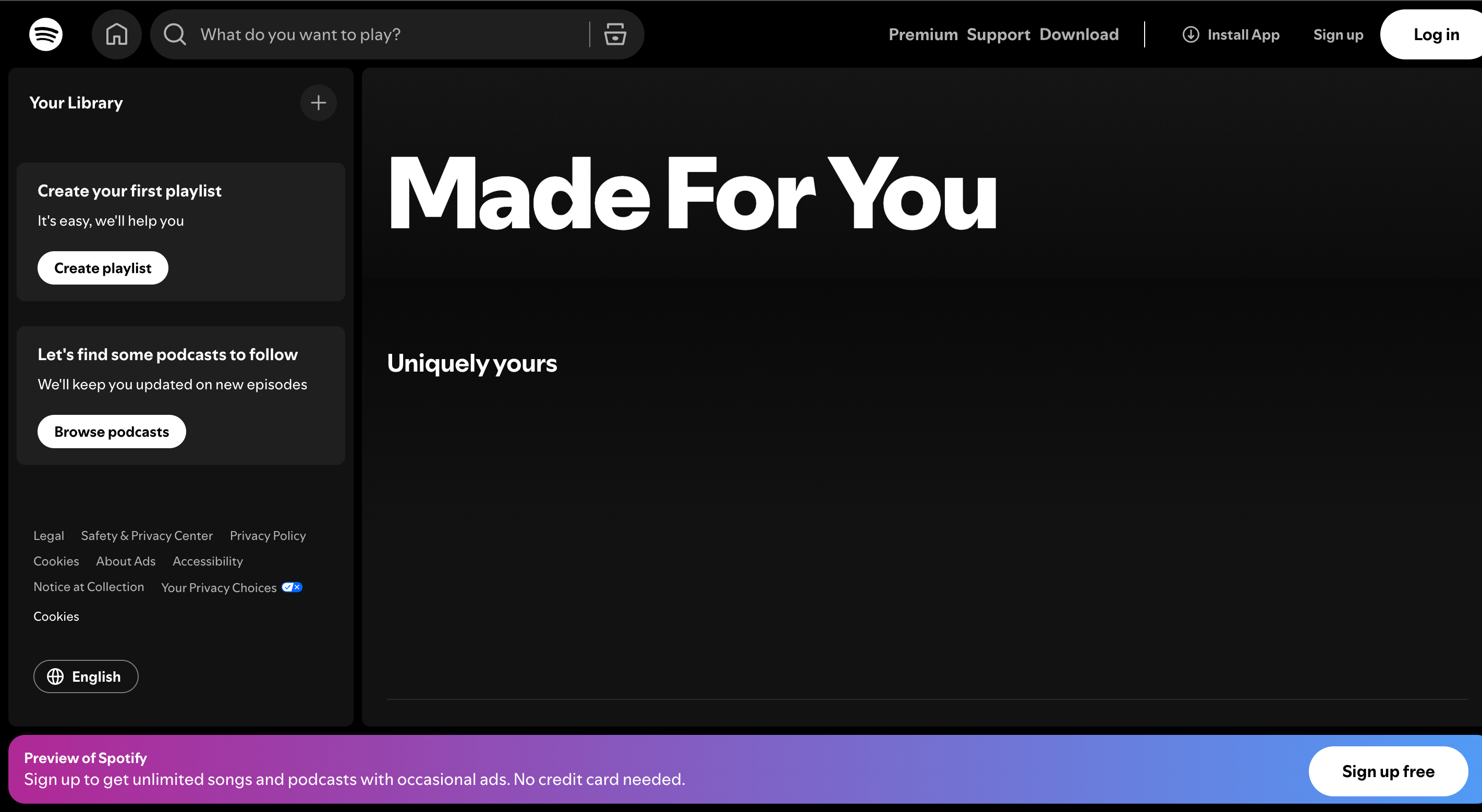
Real example: Spotify's "Made For You" feed and Netflix's homepage are the canonical AI personalization examples — every row is dynamically reordered, and even the artwork shown for each piece of content varies based on what the model predicts you'll respond to.
This tier of personalization is what most articles point to first, but it's actually where most teams should start *last*. Without the prerequisite layers (clean visitor data, segmentation, working rule-based personalization), an ML-driven feed has no signal to learn from. The big platforms succeed because they have hundreds of millions of data points per day. Most companies don't.
What to steal: Don't try to clone Spotify on month one. Start with Tiers 1 and 2. By the time you have enough data and infrastructure to actually train a recommendation model, the discipline you built in earlier tiers will make the model far more effective.
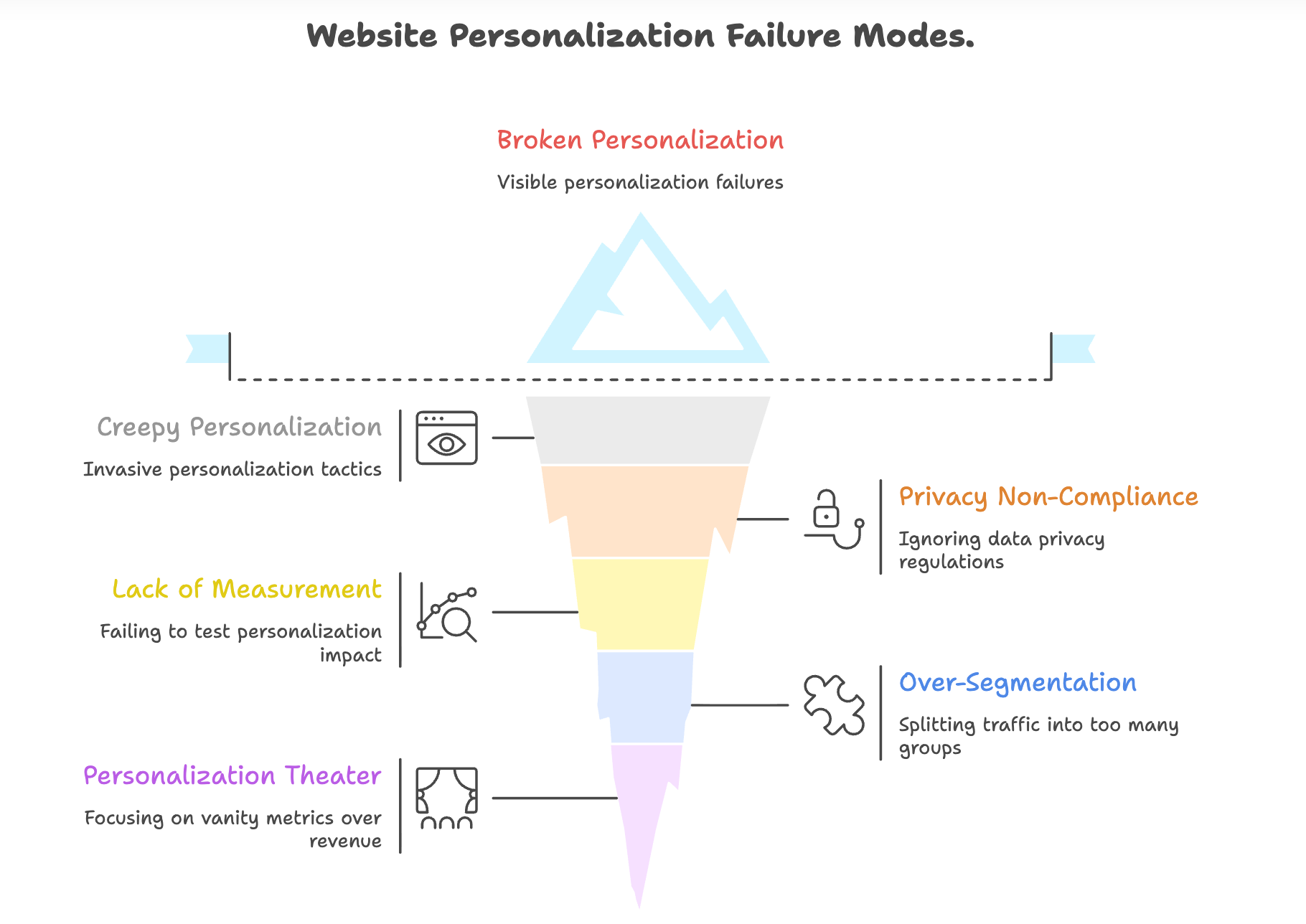
The 5 Failure Modes That Kill Website Personalization ROI
The 12 website personalization examples above describe what to do. This section is what most articles miss: the patterns that quietly destroy personalization ROI even when implementation looks right.
1. The Creepy Personalization Trap. Showing a visitor "I see you live in Brooklyn and looked at this product on Tuesday at 3 PM" feels invasive even if technically legal. McKinsey's research shows the line between "feels personal" and "feels surveilled" is thinner than most teams think. Rule of thumb: if a friend describing your personalization tactic out loud would sound creepy, it is.
2. Personalization Without Privacy Compliance. GDPR, CCPA, and the post-cookie reality (Chrome's third-party cookie deprecation finalized in 2024–2025) mean most behavioral personalization now requires explicit consent. If your website personalization tools rely on third-party cookies that get blocked by default, your "personalized" experience is broken for the majority of visitors. Move to first-party data wherever possible.
3. Personalization Without Measurement. Teams ship a personalized banner, see traffic increase, and call it a win — without ever running a holdout test. McKinsey explicitly calls out incrementality testing as the #1 missing capability in mid-tier personalization programs. If you can't prove the lift is from personalization (not from seasonality, not from the new ad campaign), you can't justify the spend.
4. Over-Segmenting Into Statistical Noise. Splitting traffic into 14 segments where each has 200 visitors per month means you can't reliably measure lift on any of them. Start with 2–4 segments. Earn the right to segment more.
5. The "Personalization Theater" Problem. Some teams build elaborate personalization for vanity metrics (engagement, time on site) that don't move revenue. McKinsey's data is clear: personalization should drive measurable customer lifetime value, not engagement metrics. If your dashboard celebrates "personalized session duration" but pipeline is flat, you're in personalization theater.
AI vs Rule-Based Personalization: Which Should You Start With?
Before you implement any of the 12 website personalization examples above, decide which approach matches your team's stage:
Rule-Based | AI-Powered | |
Setup time | Hours to days | Weeks to months |
Data needed | Minimal — segments + simple triggers | Large — clean event streams, training data |
Best for | Tier 1–2 examples above | Tier 3 examples (large catalogs, content) |
Failure mode | Stale rules become wrong over time | Cold-start: model has no signal early on |
Maintenance | Manual rule updates | Continuous retraining + monitoring |
Marketer control | High | Low (model is the boss) |
The honest answer for most companies in 2026: start rule-based, layer AI later. The reverse path — starting with an AI black box before you've proven that any website personalization works on your site — is the most common and expensive mistake in martech.
Website Personalization Best Practices for 2026
Across the 12 website personalization examples above, eight discipline-level principles separate the teams who realize the McKinsey 10–15% revenue lift from those who don't. If I had to compress 50 hours of consulting into one checklist of personalization best practices:
- Start with two segments, not ten. First-time vs. returning is a fine starting point.
- Personalize one thing per page, not seven. The hero headline is usually the highest-leverage element.
- Always run a holdout group so you can measure incremental lift, not absolute conversion.
- Default to first-party data, opt-in, and minimize third-party-cookie reliance.
- Have a sensible fallback for every personalized experience — what does the page show when personalization fails?
- Audit personalized pages monthly for stale rules. The biggest source of broken personalized website experience is rules that were correct 18 months ago.
- Tie every personalization tactic to a revenue metric. "Time on site went up" is not a win; "checkout completion went up" is.
- Get sales / customer success in the loop for B2B personalization. Sales follow-through is what turns ABM personalization into revenue.
How AI Can Build a Personalized Website For You — Not Just On Top of One
Most website personalization tools discussed alongside the website personalization examples above work by sitting on top of an existing site and dynamically swapping elements. That's powerful, but the deeper play in 2026 is using AI to generate the website itself in a way that's tailored to your specific audience and use case from the first pixel.
That's what Wegic does. Instead of giving you a template that you then layer personalization onto, Wegic's conversational AI website growth system generates a bespoke site from a chat brief — and that site can be built from day one to support the segmentation patterns above.
Phase 1: Brief Your AI
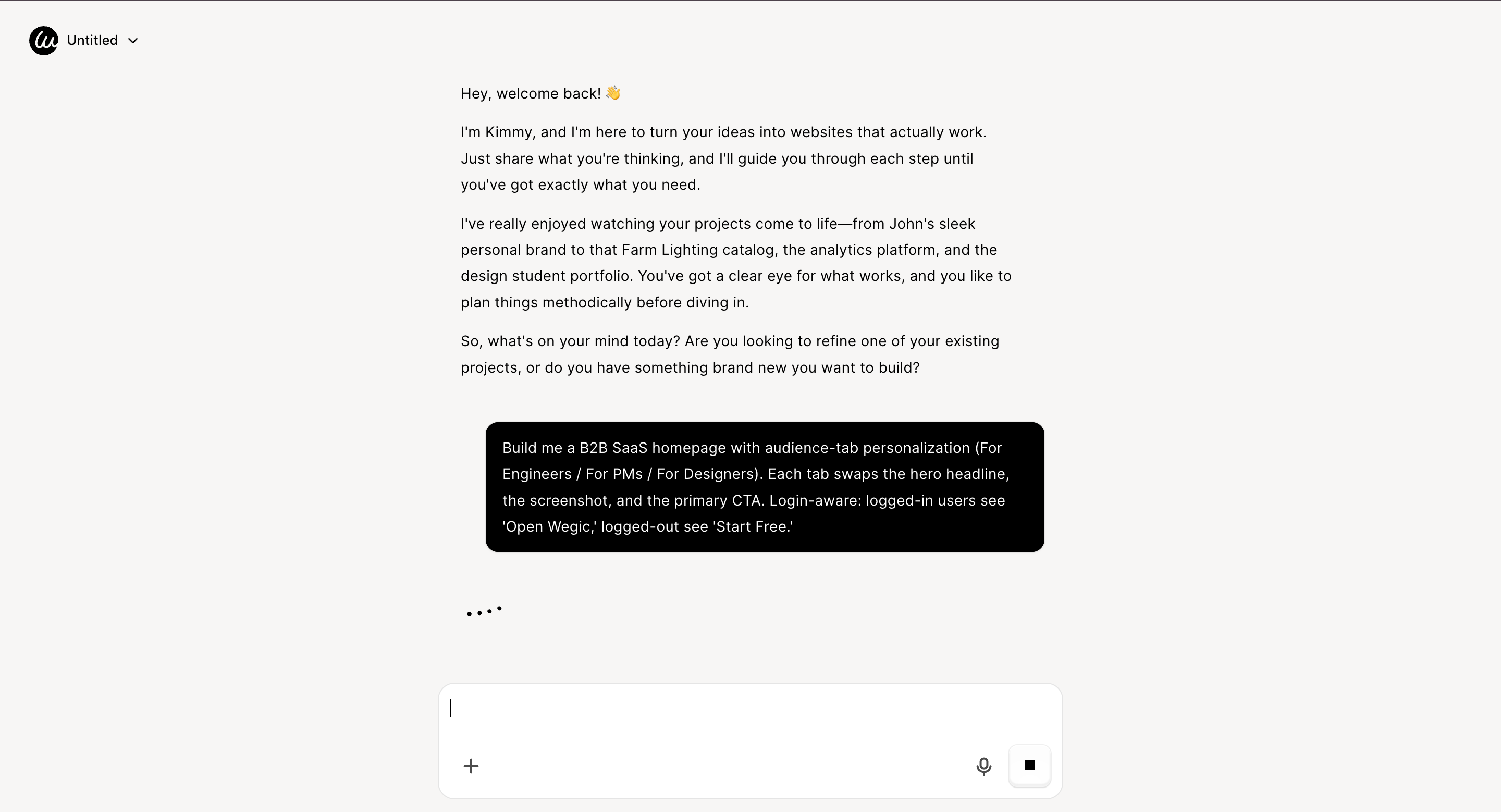
Open Wegic and chat with Kimmy, your AI project manager. Describe the audience and personalization plan you want supported:
"Build me a B2B SaaS homepage with audience-tab personalization (For Engineers / For PMs / For Designers). Each tab swaps the hero headline, the screenshot, and the primary CTA. Login-aware: logged-in users see 'Open Wegic,' logged-out see 'Start Free.'"
Phase 2: AI Builds With Personalization Hooks
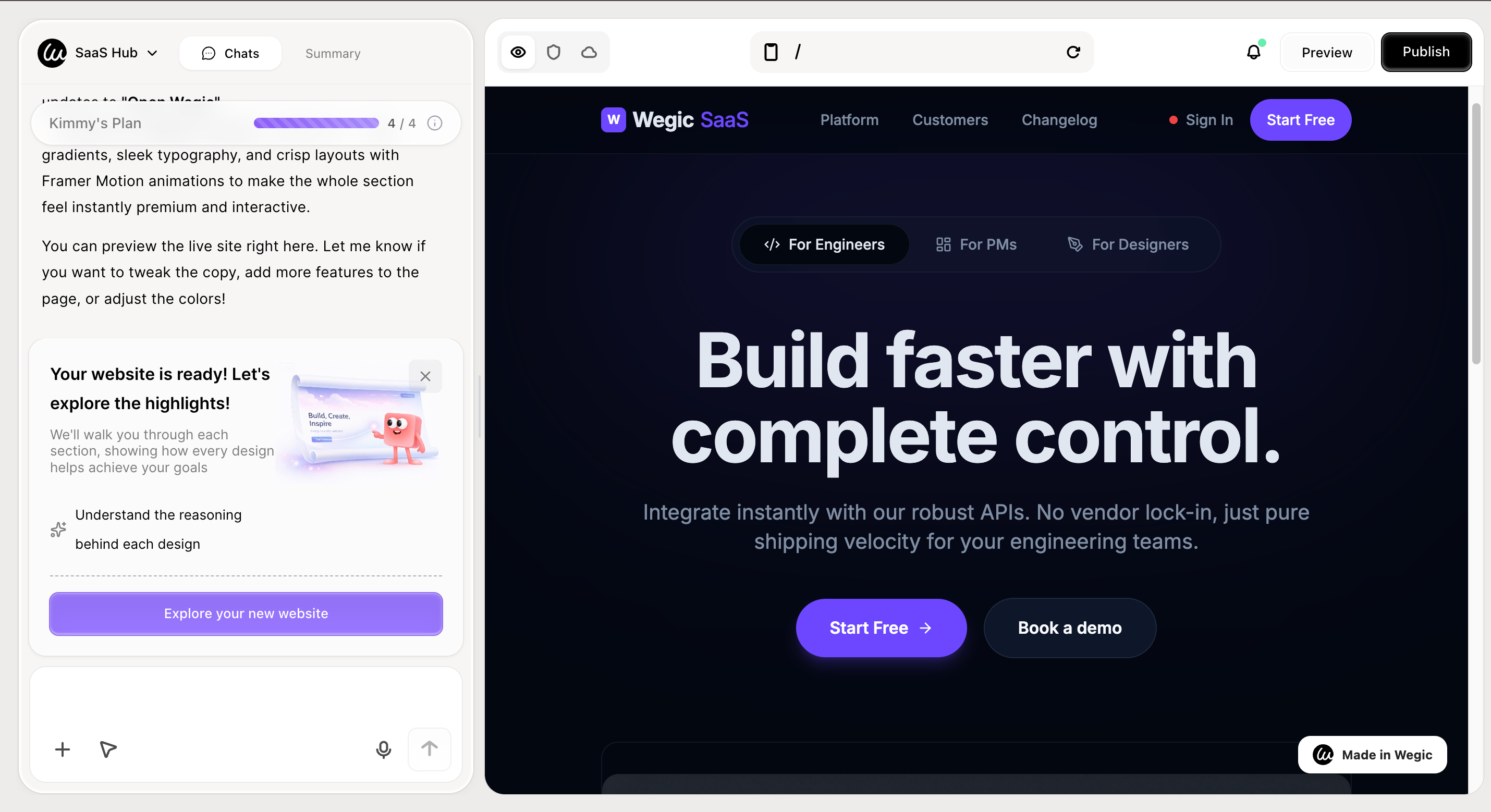
Wegic generates a fully responsive multi-page site with audience-tab logic, login-state CTA swapping, and UTM-aware hero swapping built in from the start — so personalization isn't bolted on, it's a structural feature.
👇 Click below to start with Wegic
Phase 3: Iterate by Conversation
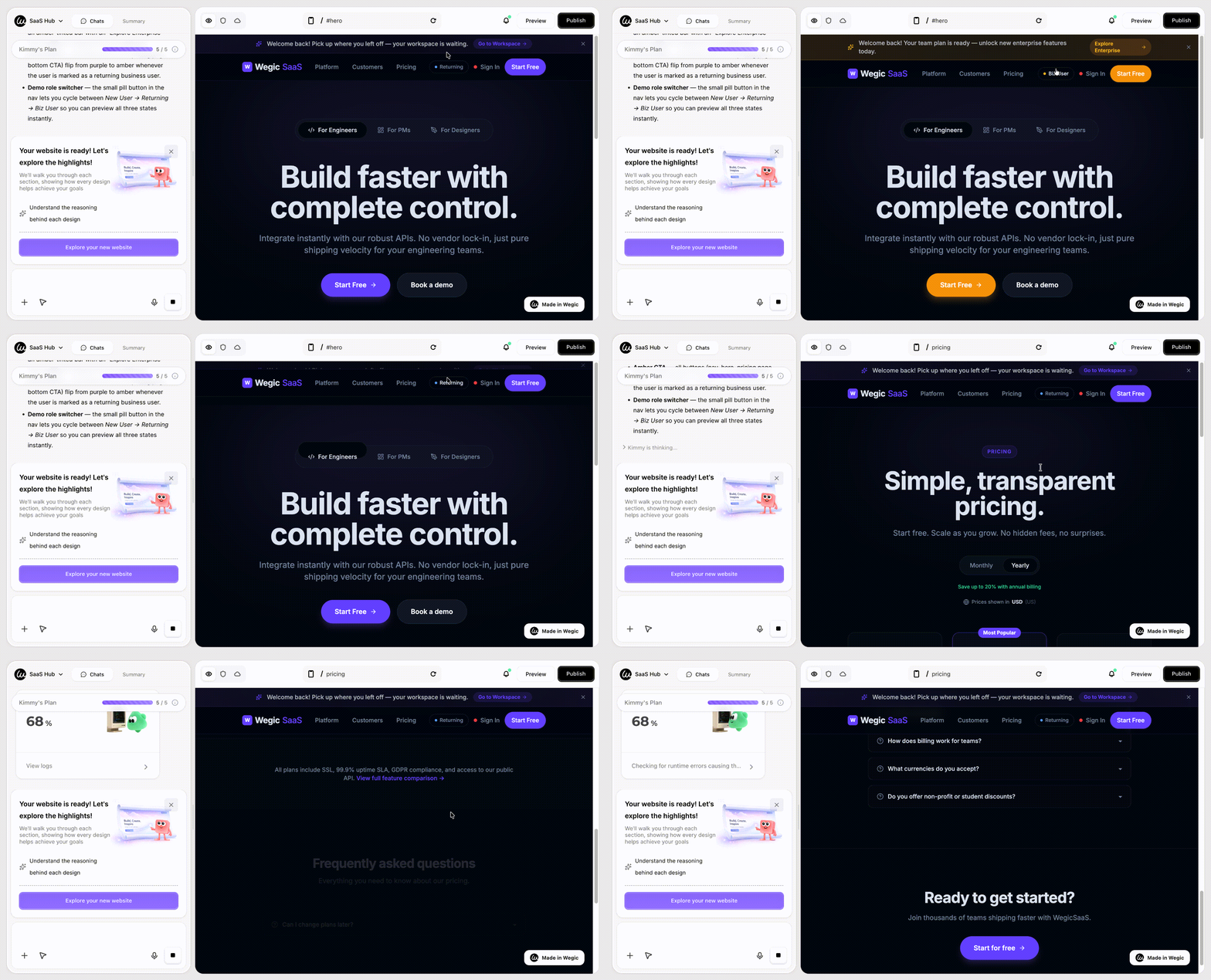
"Add a pricing page featuring a geolocation-based currency display function. Introduce a dedicated announcement bar specifically for returning users. For returning business users, switch the color of the Call-to-Action (CTA) button from purple to amber."
Wegic proposes 2–3 design options with reasoning before applying.
Phase 4: Publish With Hosting Included
Hit *Publish*. Hosting, custom domain, auto-generated
sitemap.xml, and SEO metadata are all bundled.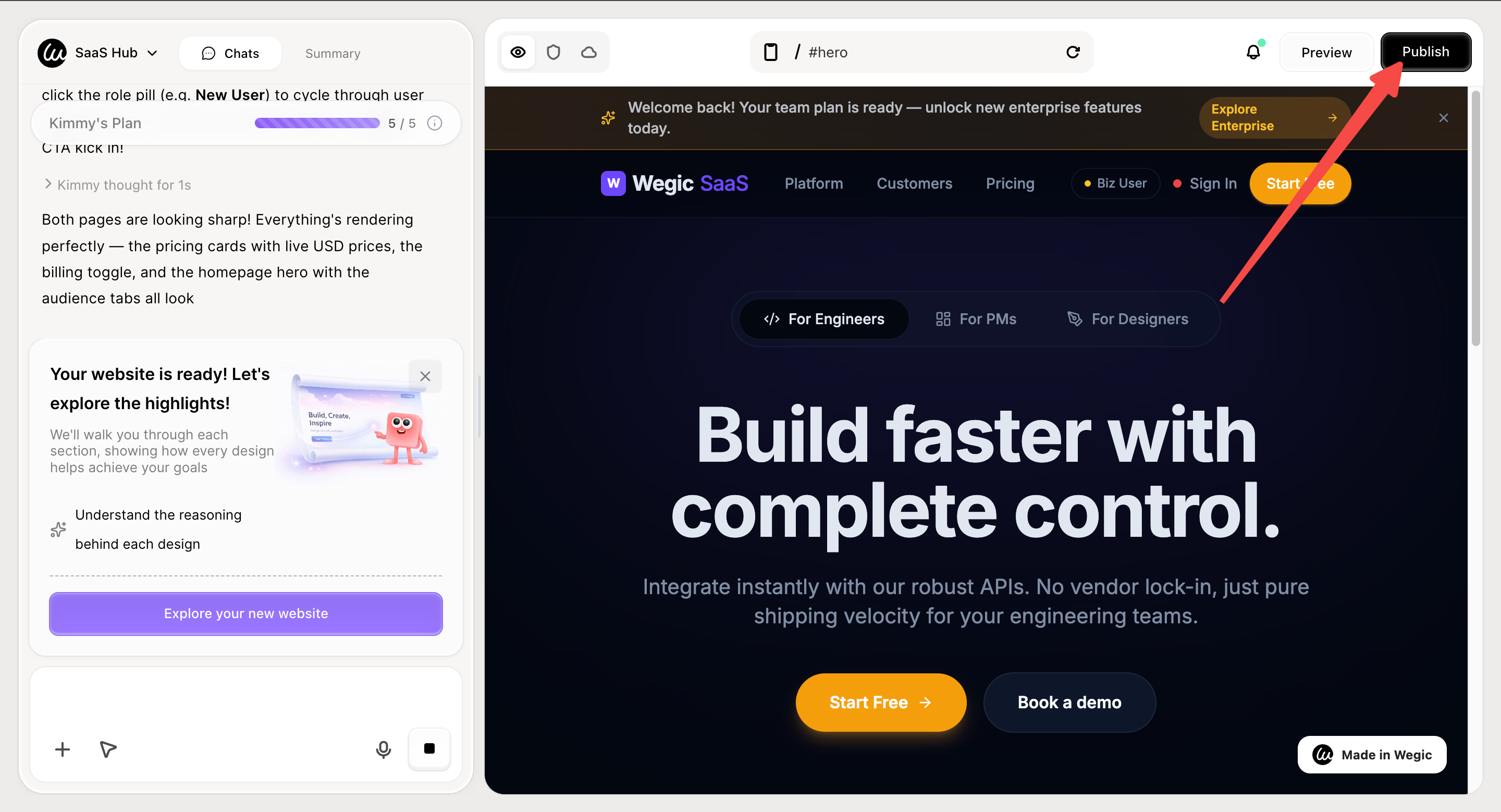
Conclusion: The Best Website Personalization Examples Are the Ones You Actually Ship
The 12 website personalization examples above are sequenced for a reason. The tactics in Tier 1 — geo, referrer, login-state, returning-visitor — can be live on your site within a week and will produce measurable revenue lift. Tier 2 will compound that lift through the next quarter. Tier 3 is for teams who've earned the right to play there.
The companies that win at personalization in 2026 aren't the ones with the most sophisticated AI. They're the ones who shipped Tier 1 quickly, measured rigorously, and added complexity only when the data demanded it. McKinsey's research on the 10–15% revenue lift from personalization is real — but only for teams who execute the basics first.
FAQs
What is website personalization, in one sentence?
Website personalization is the practice of dynamically tailoring a site's content, layout, or offers to individual visitors based on data about them — location, behavior, account profile, referrer, lifecycle stage, or device — so each visitor sees the version of the site most relevant to them. The 12 website personalization examples earlier in this guide show that practice across difficulty tiers.
Which website personalization examples should I start with?
Start with the four Tier 1 website personalization examples in this guide: geolocation banners, referrer-based hero swapping, login-state-aware CTAs, and first-time-vs-returning messaging. All four can ship within a week, are supported by most modern CMS platforms, and produce measurable conversion lift. Don't start with AI personalization — start with rule-based wins, prove ROI, then expand.
What's the difference between rule-based and AI personalization?
Rule-based personalization uses explicit IF/THEN logic that you write ("if visitor is in Germany, show Euro pricing"). AI personalization uses machine-learning models that predict what to show based on patterns across many users (Spotify's "Made For You" feed, Netflix's homepage). Rule-based is faster to ship and easier to control; AI scales better but requires significant data and infrastructure. Most successful companies start with rule-based and add AI later.
How do I personalize a website without violating GDPR?
Default to first-party data (data the visitor has voluntarily given you, like account info or quiz answers). Get explicit consent for any cookie-based behavioral tracking. Keep an obvious privacy preference toggle. Use server-side personalization (which doesn't require client-side cookies) wherever possible. The post-third-party-cookie reality means most legacy behavioral personalization stacks need redesign in 2026 — first-party + opt-in is the modern foundation.
What are the best website personalization tools in 2026?
It depends on stack. For B2B with strong CRM dependency: HubSpot Content Hub, Mutiny, 6sense, Demandbase. For e-commerce: Shopify's native personalization, Klaviyo, Optimonk, Wisepops. For enterprise: Adobe Target, Salesforce Personalization (formerly Interaction Studio), Optimizely, Dynamic Yield. For mid-market all-purpose: Personyze, Insider, Bloomreach. The right tool is whichever integrates cleanly with your CDP, CRM, and CMS — sophistication of the tool matters less than data-pipe cleanliness.
Does website personalization hurt SEO?
Generally no, if you do it right. Google supports dynamic content as long as the core content (headlines, body copy, structured data) Googlebot sees is consistent and not deceptive. Geolocation banners, login-state CTAs, and behavioral product recommendations don't typically affect SEO. Be careful with cloaking — showing Googlebot fundamentally different content than human users — which violates Google's guidelines. When in doubt, keep your structured data and primary content stable across personalization variants.
How do I measure personalization ROI?
Always run an A/B holdout test. Show the personalized experience to 90% of visitors, the unpersonalized control to 10%, and measure incremental lift on a revenue metric (purchase conversion, signup rate, AOV, or pipeline-qualified lead rate). McKinsey identifies incrementality testing as the most-skipped step in mid-tier personalization programs. Without a holdout, you can't separate personalization lift from seasonality, ad spend, or general site improvements.
What's the biggest mistake teams make with website personalization?
Skipping straight to AI before mastering rule-based. Building 14 audience segments before validating two. Celebrating engagement metrics that don't correlate with revenue. And — most common — shipping the website personalization examples in this guide without holdout tests, then losing executive buy-in when nobody can prove the ROI 6 months later.