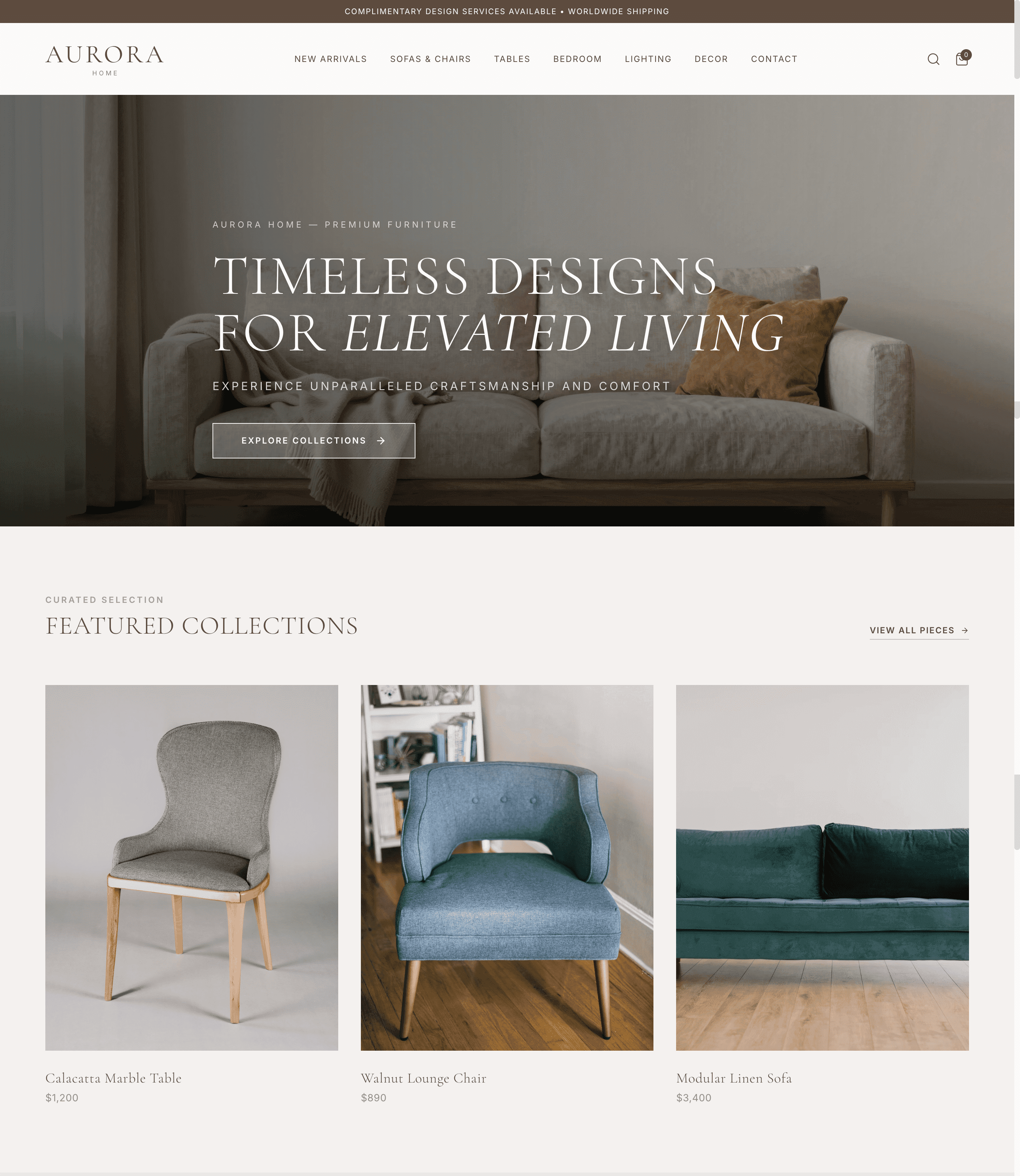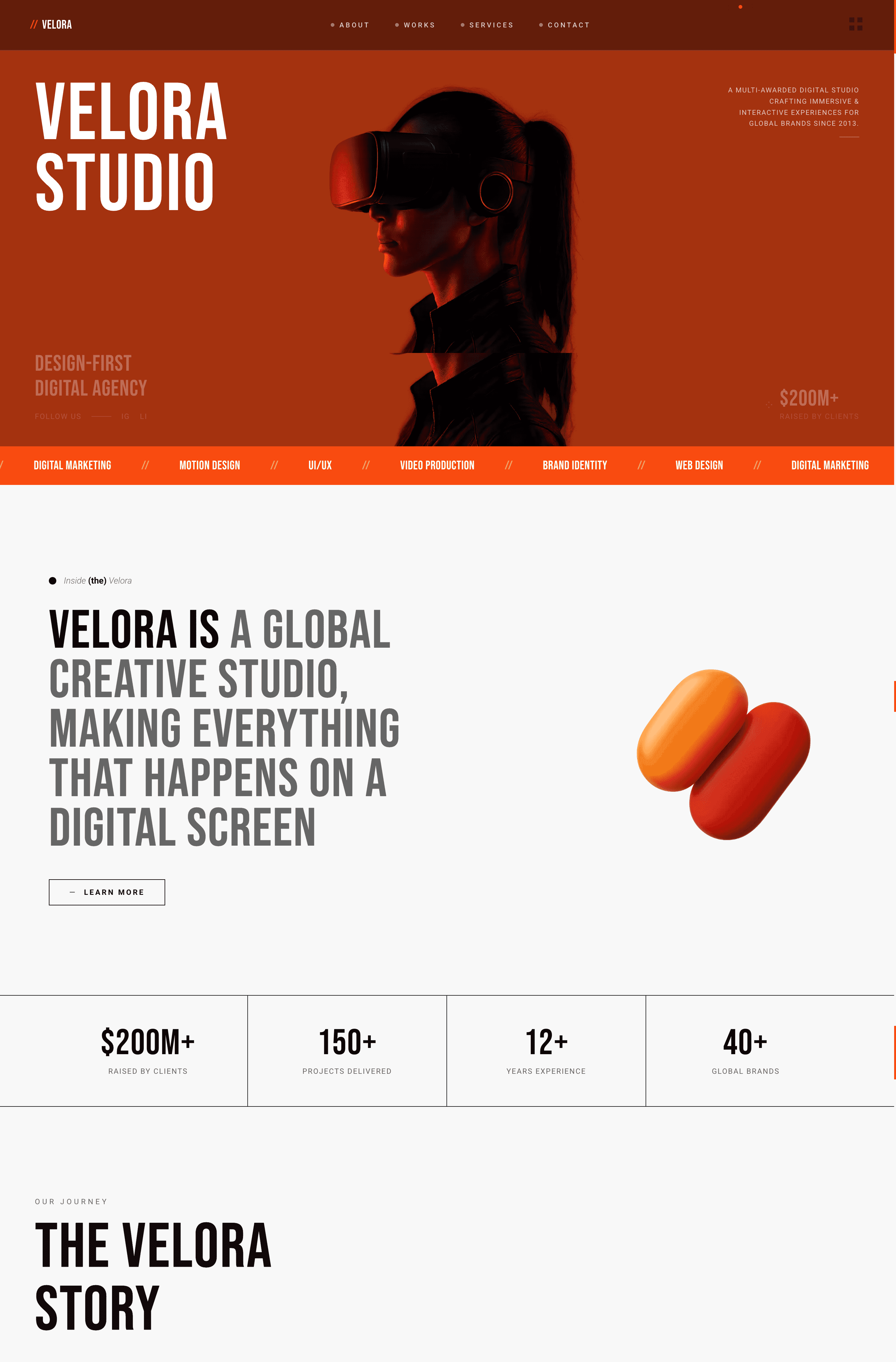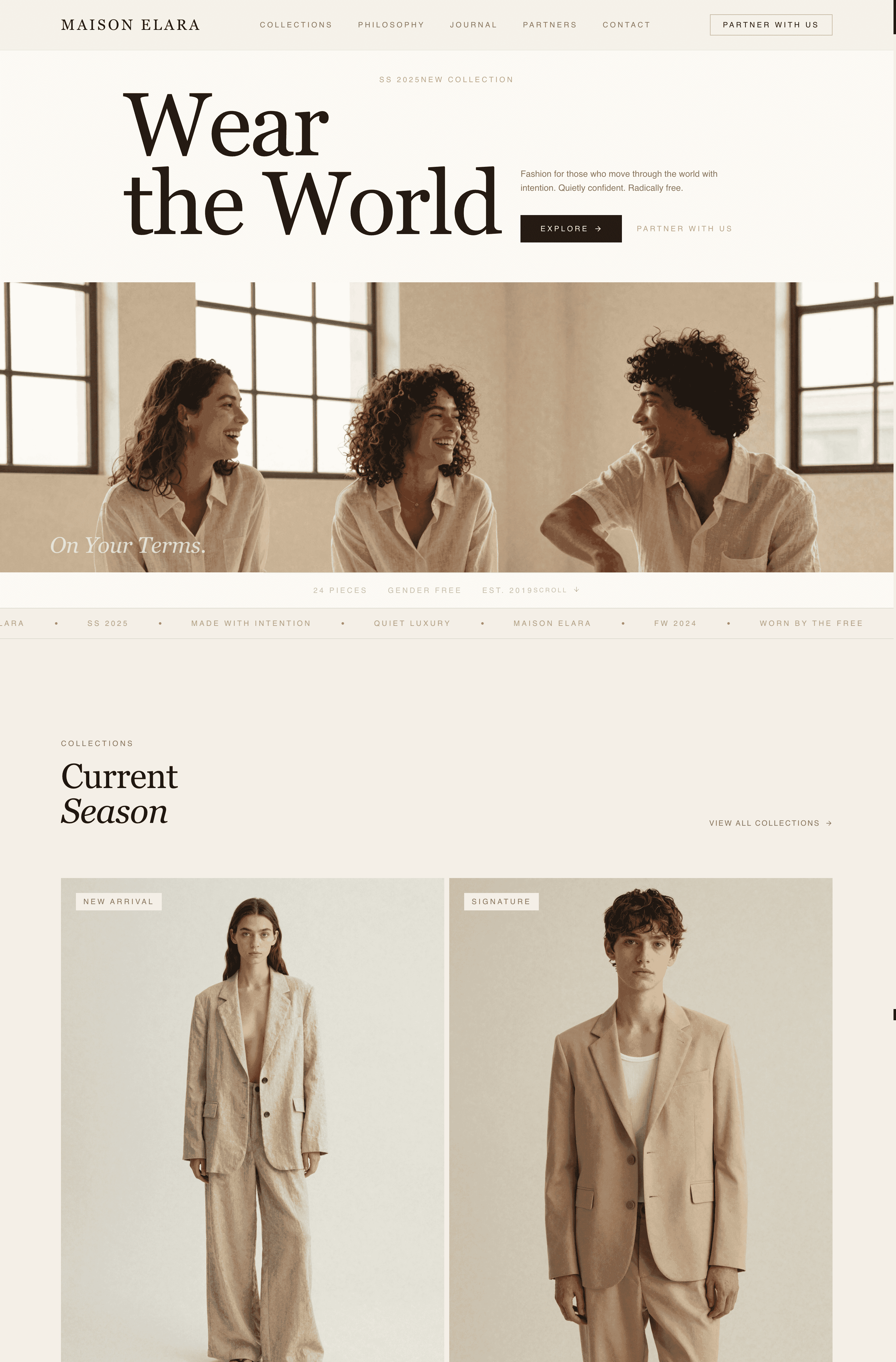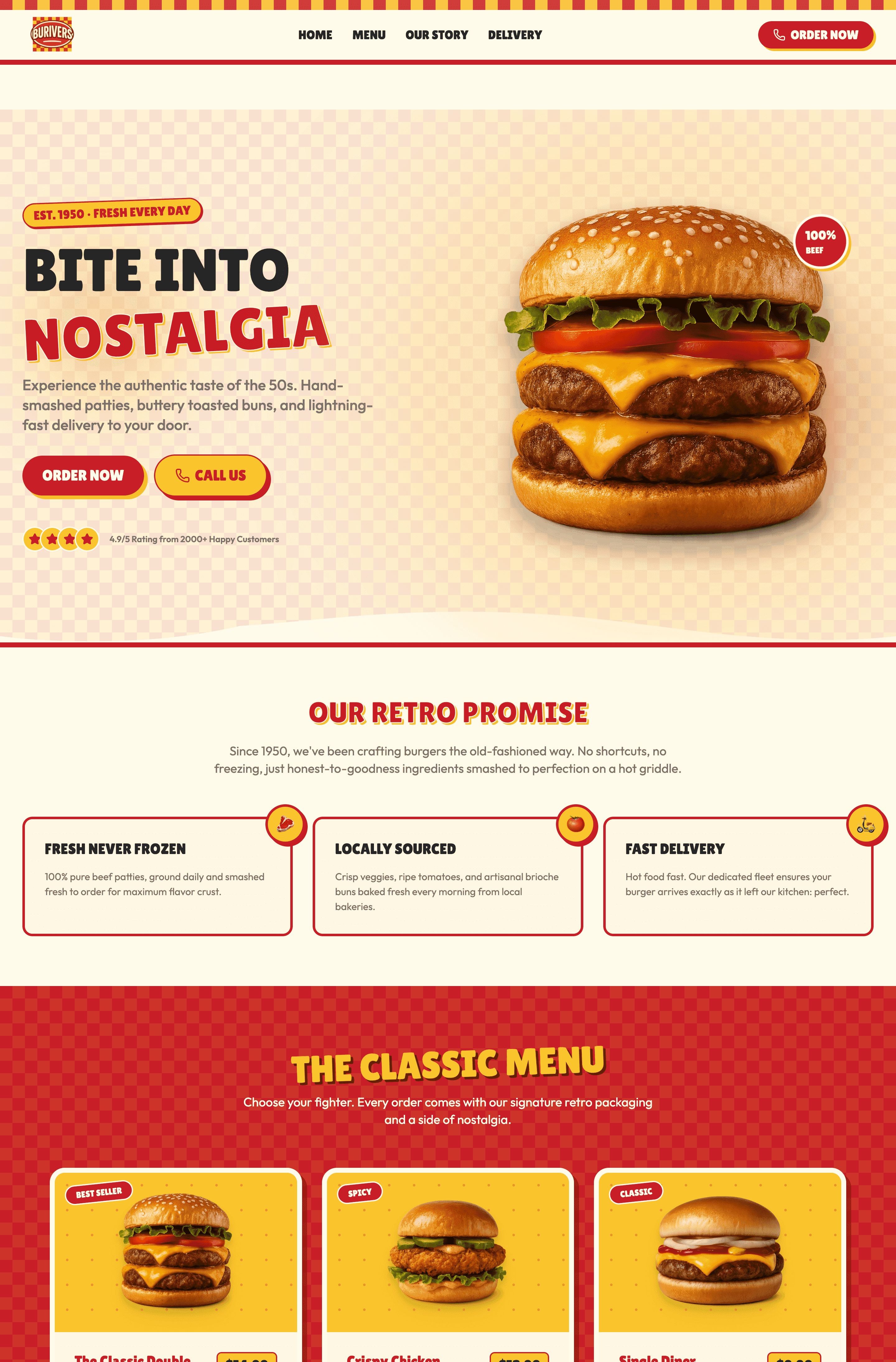
Bir sayfa web siteleri, tüm mesajınızı tek bir kaydırma deneyimine koyar, bu da portföyler, küçük işletmeler ve ürün açıklamaları için mükemmel bir seçimdir. En iyi örnekler 5 ortak özelliğe sahiptir: açık CTA'lar, mobil ilk tasarım, görsel hikâye anlatımı, hızlı yükleme süreleri ve odaklanmış mesajlar. Wegic gibi AI destekli araçlarla bir sayfa web sitesi oluşturmak daha da kolay hale geldi. Kodla hiç ilgilenmemiş olsanız bile profesyonel bir bir sayfa web sitesi dakikalar içinde oluşturulabilir.
Bir Sayfa Web Sitesi Nedir?
Bir sayfa web sitesi, ziyaretçilerin kaydırarak geçtiği tek bir sayfaya (mesajınız, hizmetleriniz, portföyünüz ve iletişim bilgileriniz) tümünü sığdırır. Sayfalar arasında tıklamaya gerek yok, menü labirentlerinde kaybolmaya da. Sadece en üste en alta kadar tek bir akış.
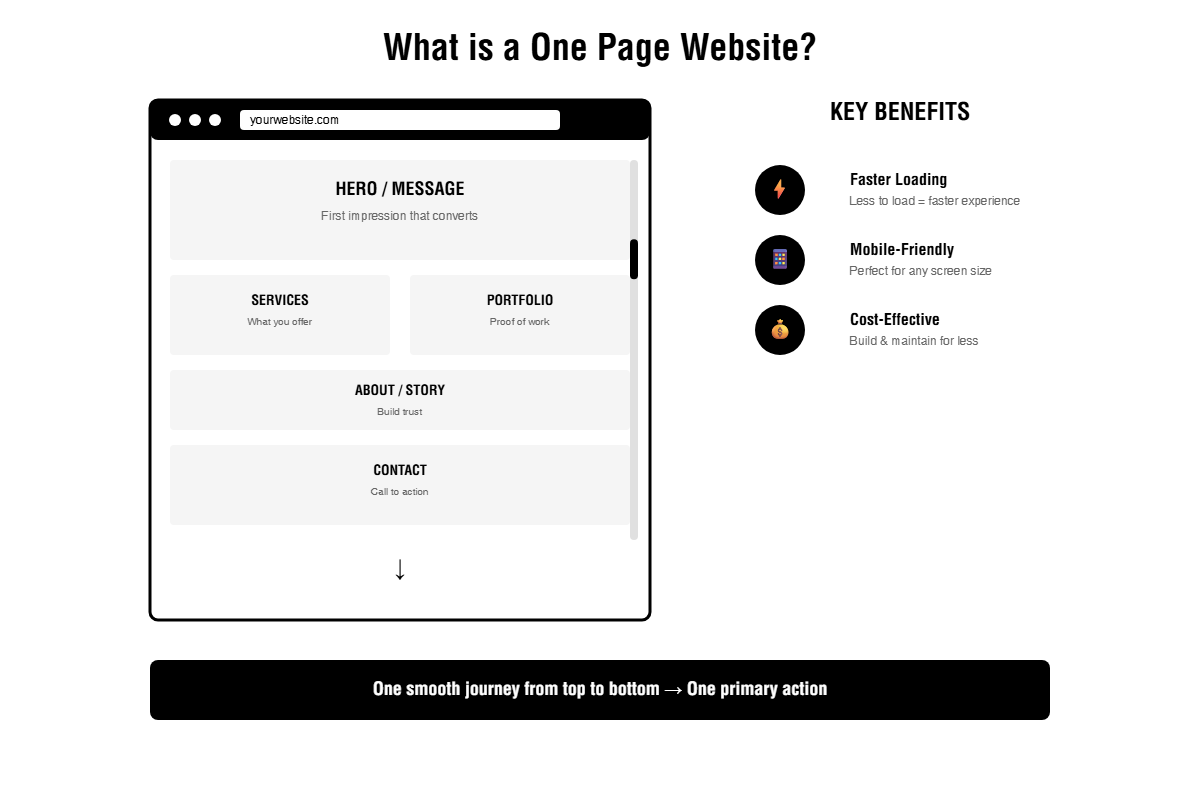
Her bölüm bir sonraki ile doğal bir şekilde akar, ziyaretçinizin tek bir ana eyleme yönlendirilmesini sağlar: kaydolmak, bir ürün satın almak, bir hizmet rezervasyonu yapmak veya iletişime geçmek.
Bu format, gerçek sorunları çözdüğü için popülerlik kazanmıştır. Tek sayfa siteleri, sadece yüklenmesi gereken daha az şey olduğu için daha hızlı yüklenir. Mobil cihazlarda, şu anda en çok gezinti yapılan yerde, harika çalışırlar. Küçük işletmeler veya bireysel profesyoneller için, tam çok sayfalı bir web sitesi inşa etmekten çok daha ucuzdur.
Kazananlar ve Başarısızlar Arasındaki Fark
Wegic'te yüzlerce bir sayfa site ve zarif web site şablonunu inceledikten sonra, başarılı olanlar beş kritik unsura sahiptir.
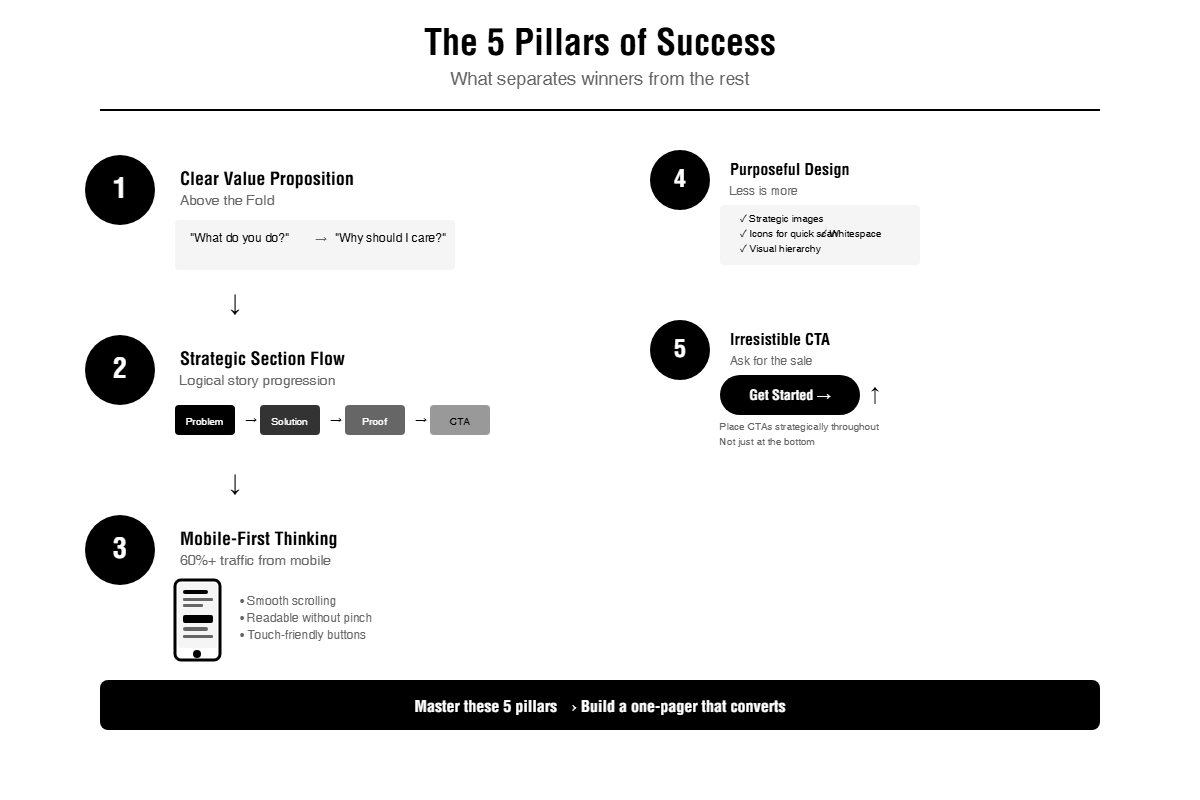
Görünürde Net Değer Sunumu
Ziyaretçileriniz, landing sayfasına ulaştıktan sonra 5 saniye içinde ne sunuyorsunuz anlasın. Akıllı kelime oyunları, soyut başlıklar yok. Sadece doğrudan dil, "Ne yaparsınız?" ve "Neden ilgilenmeliyim?" sorularını cevaplayan. Dönüştüren örnekler, süreç yerine faydalarını öne çıkarır.
Stratejik Bölüm Akışı
En iyi bir sayfa web siteleri ziyaretçilerini mantıklı bir hikâye boyunca rehberlik eder. Problemi başlar, çözümü pozisyonlandırır, tanık veya durum analizleriyle kanıt gösterir ve net bir çağrıya sona erer. Rastgele düzeni atlayın. Her bölüm, doğal bir ilerleme adımı gibi hissettirilmelidir.
Mobil İlk Düşünce
Yüzde 60'dan fazla bir sayfa web sitesi trafiği mobil cihazlardan gelmektedir. Masaüstü bilgisayarlarda harika görünen ancak telefonlarda bozulan siteler, hızlıca müşteri kaybeder. Düzgün kaydırma, dokunmaya gerek olmayan okunabilir metin ve dokunmaya uygun düğmeler opsiyonel değil. Gereklidir.
Amaçlı Görsel Tasarım
Kazanan örnekler, resimleri stratejik olarak kullanır. Örneğin, başlık fotoğrafları hava durumunu belirler, simgeler hizmetleri hızlıca taratır ve boşluk içerik için nefes almasını sağlar. Her pikseli doldurmak isteğine direnirler. Sınırlı ekrana sahipken, daha az gerçekten daha fazlasıdır.
Çekici Çağrıya Davet
Satış yapmayan güzel bir bir sayfa sitesi sadece dijital dekorasyondur. Dönüştürenler, ziyaretçilerin bir sonraki adımını ne yapmaları gerektiğini net bir şekilde belirtir: "Bir Araya Gelin", "Ücretsiz Teklifi Alın", veya "Ücretsiz Denemeyi Başlatın." CTAs'ları sadece en altta değil, birçok kullanıcıya ulaşmayan yerde değil, stratejik olarak yerleştirirler.
Aslında Dönüştüren 9 Bir Sayfa Web Sitesi Örneği
Bu örnekler farklı sektörlere ve amaçlara ait olsa da hepsi temel prensipleri başarıyla uygular. Her birinin nasıl işe yaradığını ve neden başarılı olduğunu analiz ettim.
Jords+Co
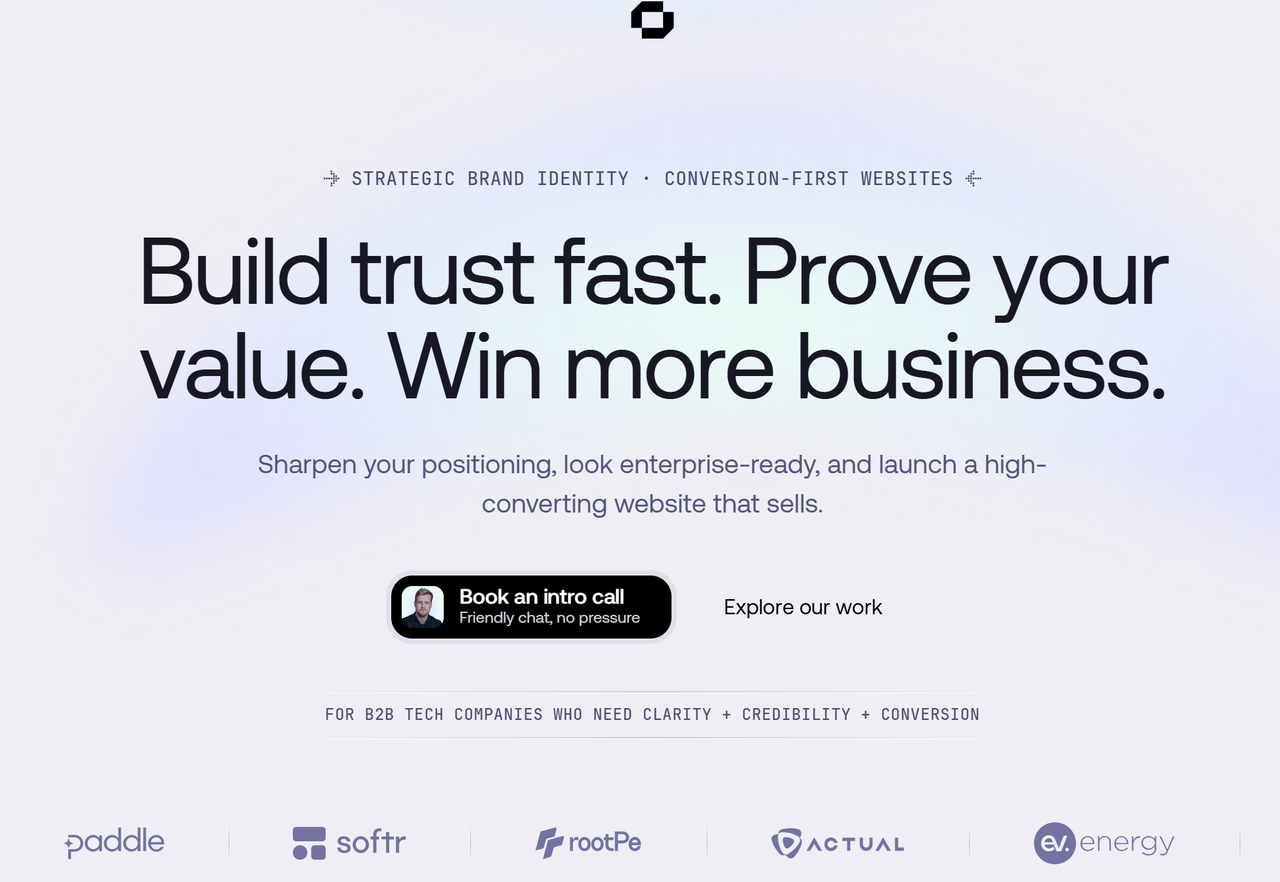
Bu site anlar. Başlık bölümü, "Açık seçeneği olun" ifadesiyle başlar - müşteri acısına doğrudan hitap eden bir ifade. Yazılar özgün kalmaya devam eder, ajans jargonundan kaçınır. Menü, kullanıcıları karıştırmadan belirli bölümlere atlayan basit anahtar bağlantıları kullanır. Tasarım, açıkça söylemeden modern B2B pazarlama anladıklarını kanıtlar.
- Önemli ders: Hizmet işleri için, süreç yerine sunduğunuz dönüşümü öne çıkarın.
Seth Hampton
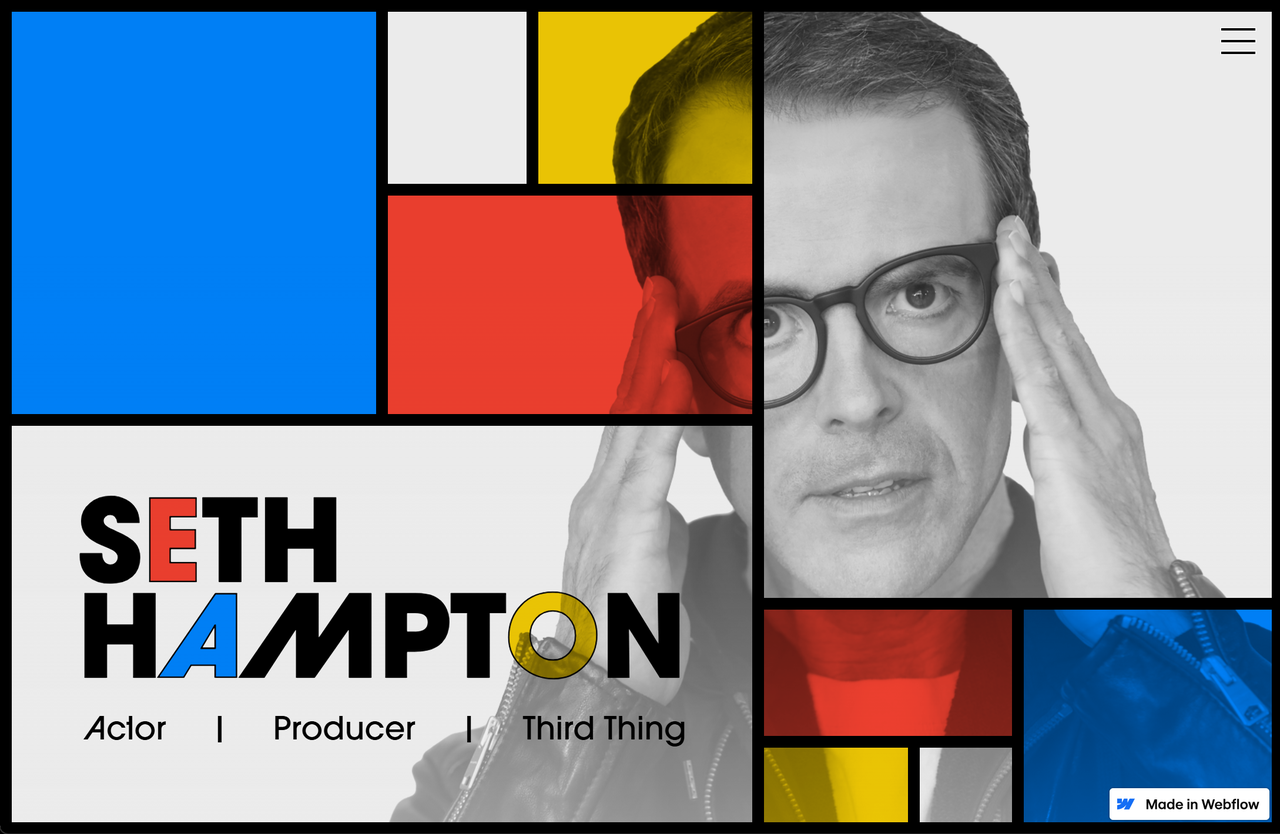
Adam Fox tarafından tasarlanan bu portföy, Piet Mondrian'dan esinlenen temel renkler ve dikdörtgen şekillerle canlı bir renk paleti kullanır. Tek sayfa akışı, açıkça etiketlenmiş bölümler - Hakkında, Galeri, Basın ve İletişim - ile farklıdır ve yöneticilerin anında bulabilmesini sağlar. Karmaşık teknolojiye ihtiyaç duymadan unutulmaz kişisel markalar yaratmanın mümkün olduğunu kanıtlar.
- Önemli ders: Kişisel markalar, kişiliği yansıtan cesur görsel seçimlerden faydalanır ve aynı zamanda profesyonel güvenilirliği korur.
Amsterdam Kimya İnovasyon Günü (ACID)
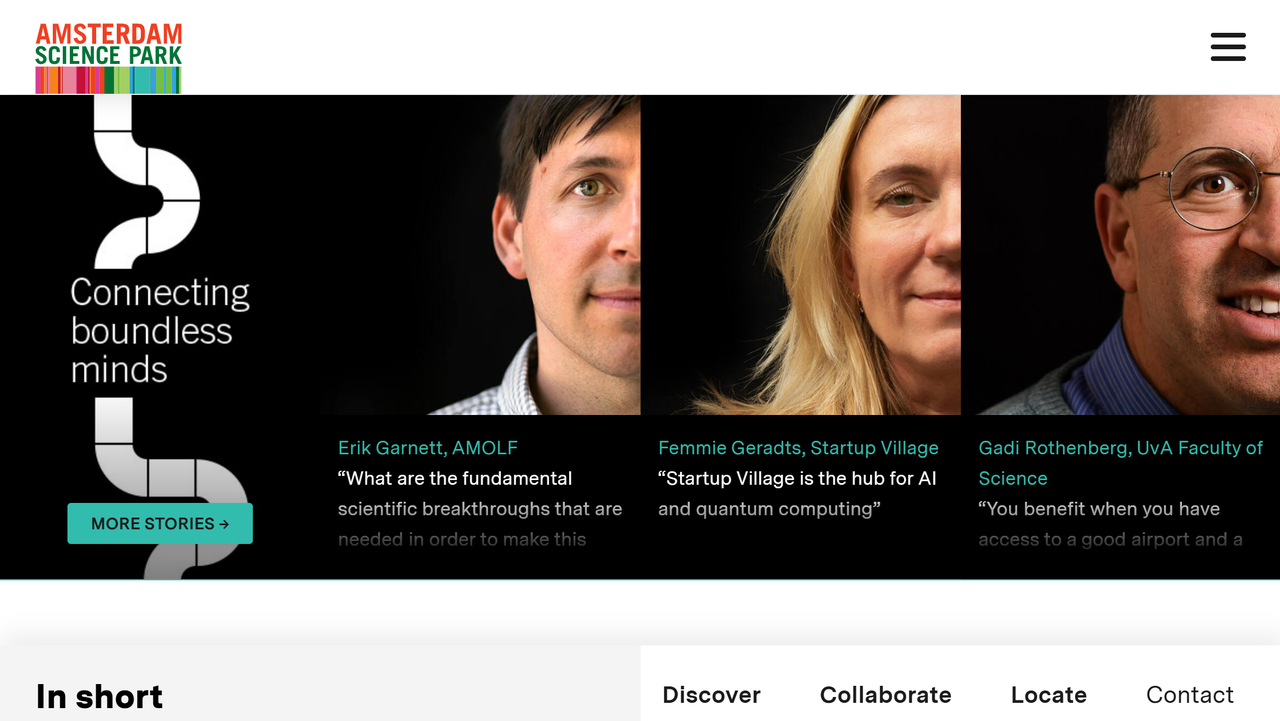
Bu etkinlik sitesi, bilimsel ama erişilebilir hissettiren sans-serif tipografiyle temiz, iki tonlu renk paleti kullanır. Dinamik tasarım unsurları, etkileşimli hover etkileri ve paralaks kaydırma içerir. Dönen kristal animasyonları, katılımcıların ihtiyaç duyduğu pratik bilgileri boğmaksızın görsel ilgi çekiciliği ekler: tarihler, konum, kayıt detayları.
- Anahtar nokta: Etkinlik siteleri, heyecanla pratik bilgileri dengellemelidir. Sitelerin tasarımı, katılımcıların bilmesi gereken şeylere öncelik vermeli.
Mikro Etkileşimler
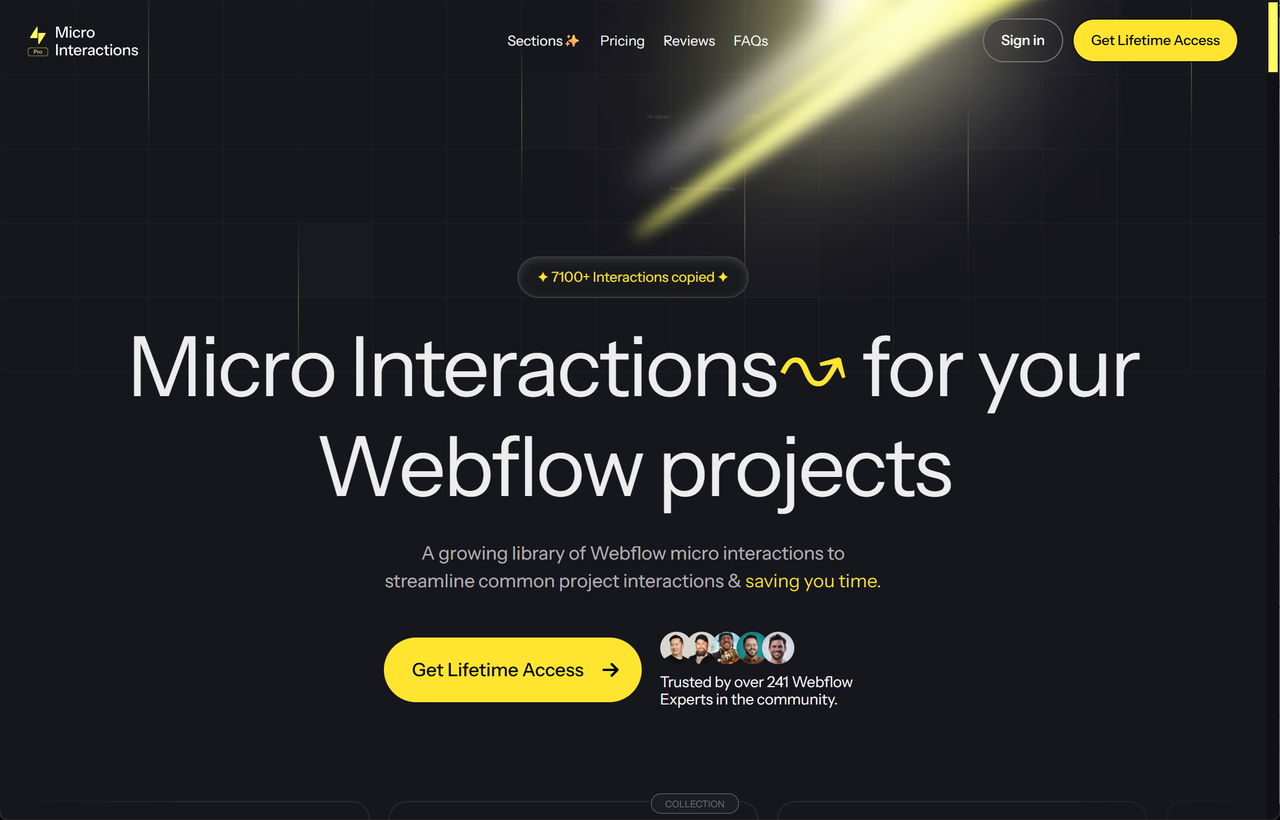
Yüksek kontrastlı siyah-sarı renk paleti, çağrıya dönük düğmelerin dikkat çekmesini sağlar. Bu bir rastlantı değildir - niyetli tasarım, kullanıcıları satın alım yönünde yönlendirir. Siteler, paralaks etkileri ve tanıtım bölümleriyle, şablonun yeteneklerini anlatır.
- Anahtar nokta: Ürün sayfaları, ürünün değerini sayfa üzerinde göstermelidir.
Dropbox Dash x McLaren
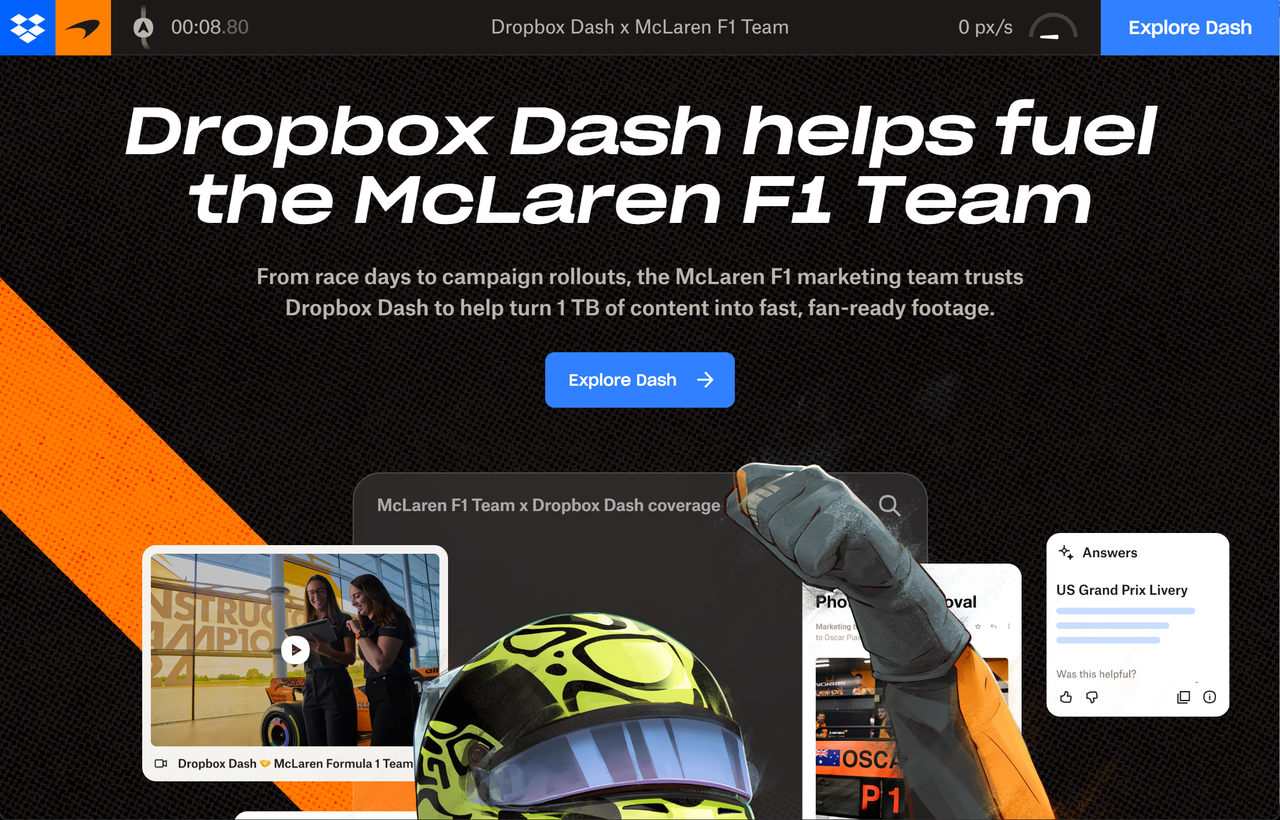
Bu farklı bir yaklaşım sunar - ziyaretçileri iş birliği boyunca yönlendiren bir hikâye anlatımı formatıdır. Hareketli arayüz kartları ve kaydırma tetikli animasyonlar, yaratıcı yaklaşımları gösterirken ürünün nasıl çalıştığını anlatır. Bir belge değil, bir deneyim gibi hissettiren bir örnek incelemedir.
- Anahtar nokta: Karmaşık ürünler, bağlam ve sonuçları gösteren hikâye anlatımı formatlarından faydalanır.
DesignCraft
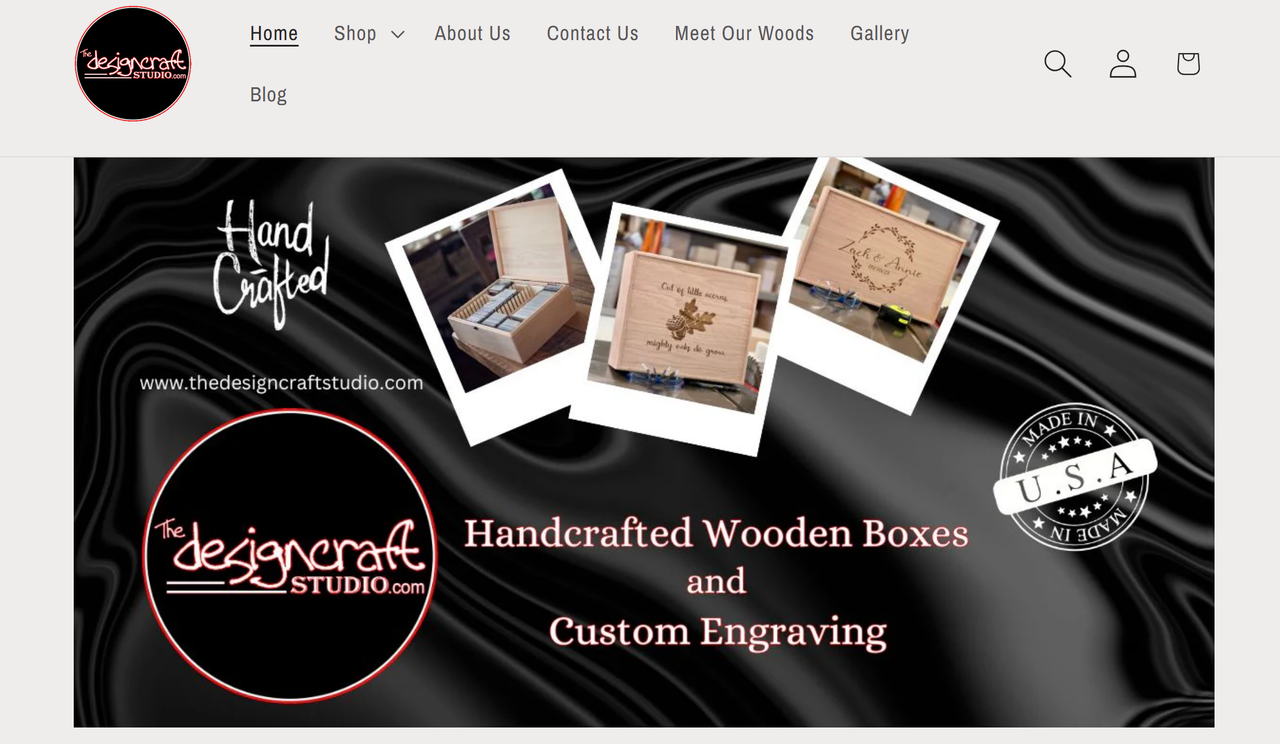
Jennifer J., parlak, yüksek kontrastlı renklerle oyun oynayan dairesel görselleri birleştiren bir site oluşturdu. Görsel hiyerarşisi hizmetleri önce gösterir. Ziyaretçilerin ne istediğini bilirler. Dönüş süreleri ve tanıklıklar, ortak soruları cevaplar. Sabit menü, yukarı kaydırıldığında görünür, başlangıç görünümünü temiz tutar.
- Anahtar nokta: Bilgilerin ileriye doğru açıklanması, sayfaları temiz tutarken ayrıntıları erişilebilir hale getirir.
Harika UI Tasarımı
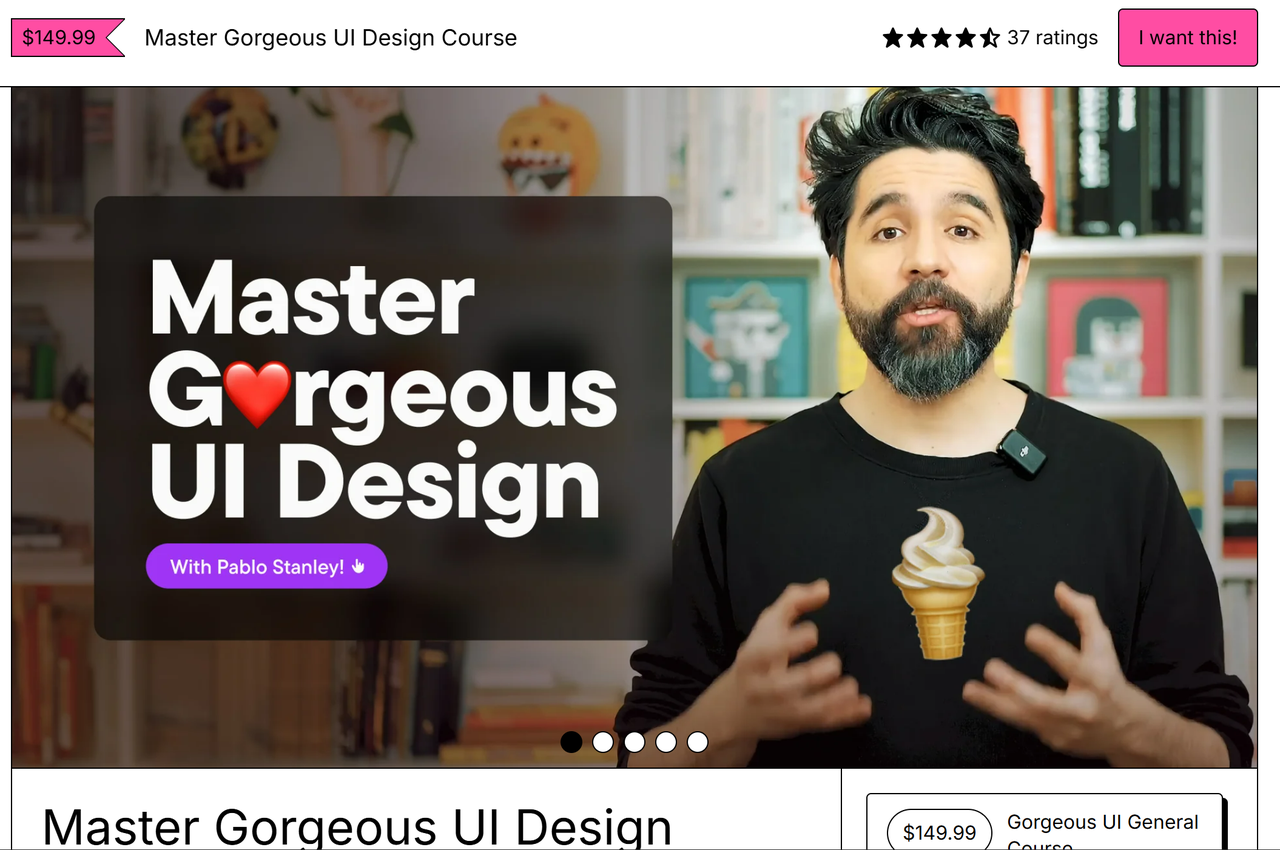
Pablo Stanley'ın kurs sayfası, oyun oynayan emojiler, bol boşluk ve fareyle tetiklenen animasyonlarla uzmanlık gösterir. Tasarım blokları, öğrencilerin öğreneceği şeyleri net şekilde açıklar, değer hakkında belirsizliği ortadan kaldırır. Öğrenciler ve endüstri profesyonellerinden gelen tanıklıklar, birden fazla açıdan güvenilirlik sağlar.
- Anahtar nokta: Kurs sayfaları, öğrencilerin ne öğreneceğini ve ne başaracağını hakkında herhangi bir şüpheleri ortadan kaldırmalıdır.
Hyper
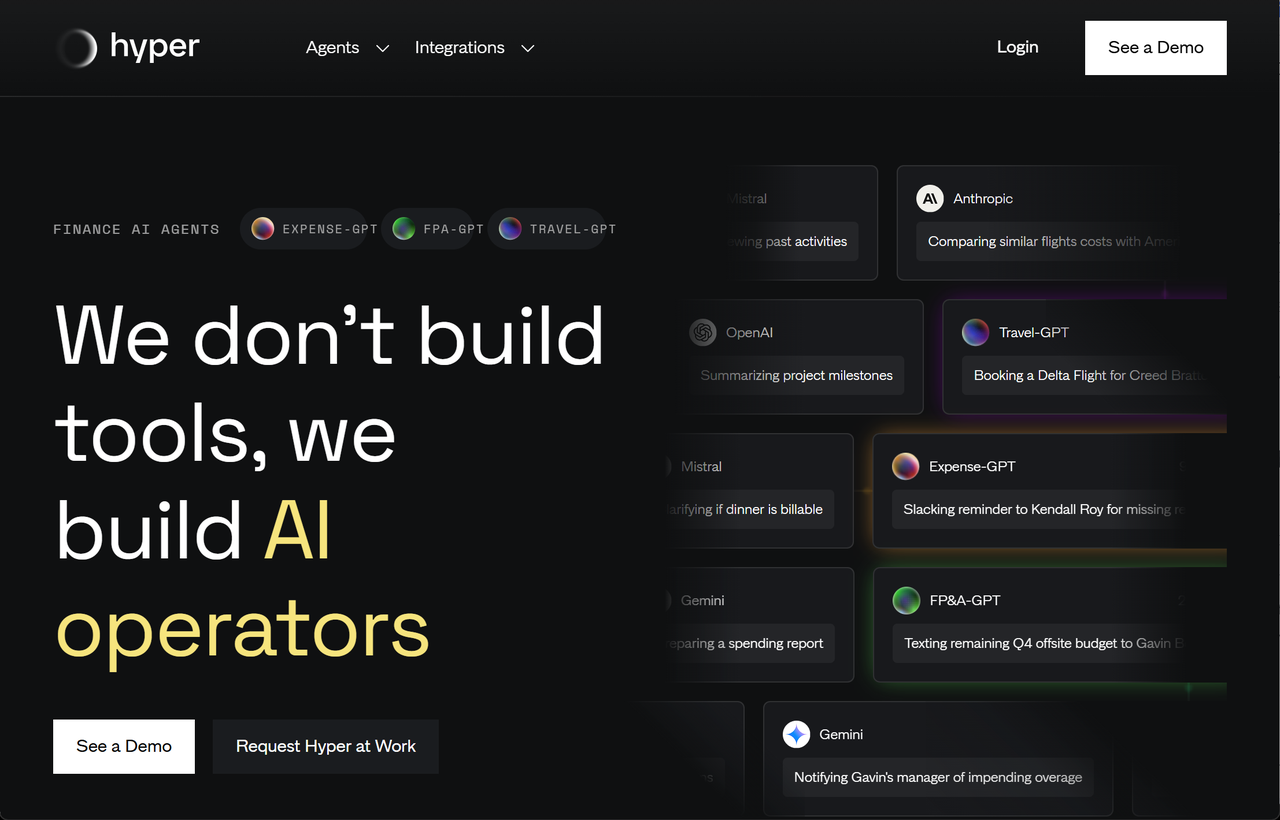
Tek sayfa siteleri, hedef kitlenin en çok neye dikkat ettiğini vurgulayan bir model sunar. Hız, tasarruf ve verimlilik. Siyah gri arka plan ve gezegenler, teknolojiye açık kullanıcılar için geleceğe dönük bir estetik yaratır. Sabit menü, "Bir demo planlayın" ve "Başlayın" CTA'ları her zaman erişilebilir.
- Anahtar nokta: Yüksek dönüşüm oranına sahip ürün sayfalarında sabit CTA'lar çok etkilidir.
Atoms
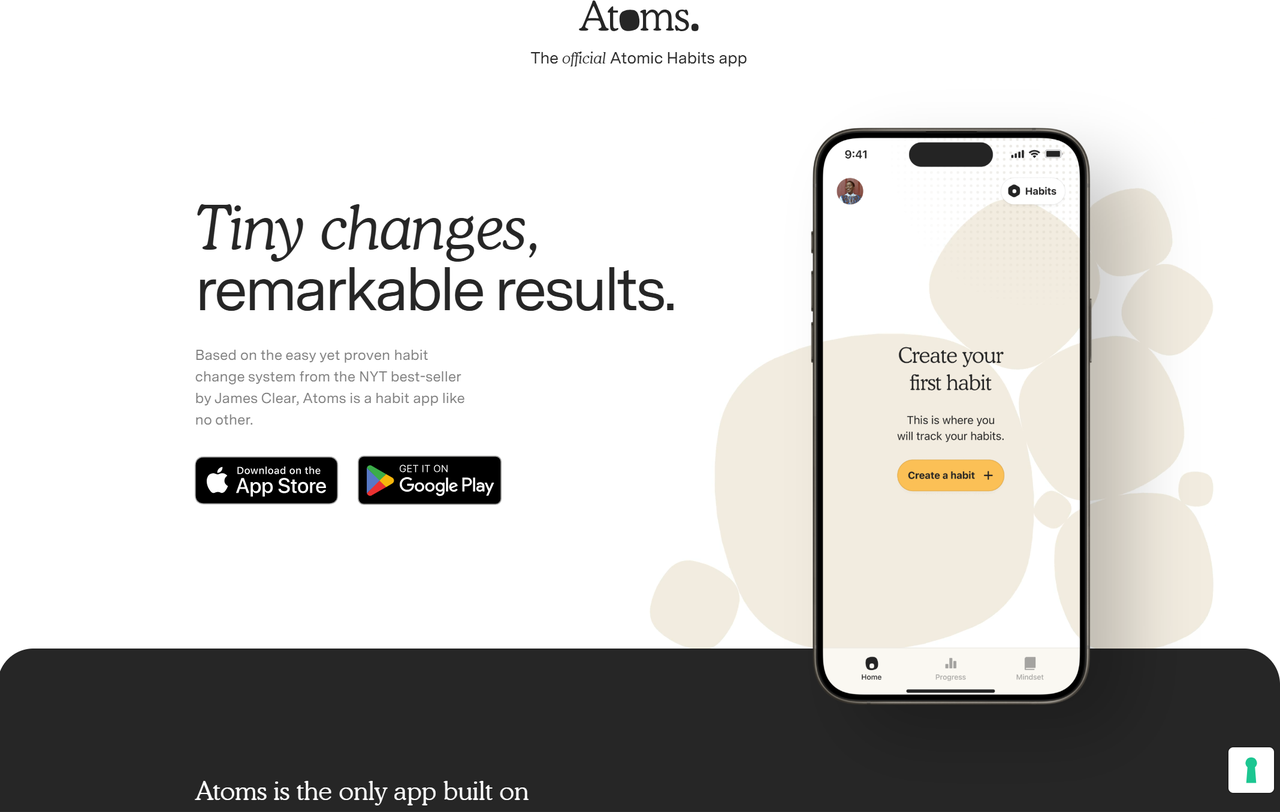
Sıcak, krema tonlu palet, "Atomik Alışkanlıklar" kitabının kapak rengiyle aynıdır, bu da var olan kitleye anında marka tanınabilirliği sağlar. Bir akıllı telefon modeli, uygulamanın gerçek arayüzünü gösterir. "İlk alışkanlığı oluştur" yazan altın CTA düğmesi, başlamayı kolaylaştırır.
- Anahtar nokta: Var olan marka tanınabilirliği dönüşümü artırır - yeni ürünler, tanıdık görsel kimlikle bağlanmalıdır.
Dönüştüren Tek Sayfa Web Sitesi Nasıl Kurulur
Burada çoğu rehber eksik kalır. Sizlere güzel örnekler gösterir ama nasıl kendi sitenizi oluşturacağınızı merak edersiniz. Bununla ilgili bir çözüm bulalım.
Adım 1: Ana Hedefinizi Belirleyin
Herhangi bir tasarım aracına dokunmadan önce kendinize sorun: sayfanızı kaydırarak ziyaretçileriniz ne yapmalı? Her öğe, bu hedefe hizmet etmelidir. Rezervasyon isteklerini istiyorsanız, form gönderimlerini optimize edin. Ürünü piyasaya sürüyorsanız, ön siparişleri optimize edin. Her şeyi yapmaya çalışmayın, iyi yapamazsınız.
Adım 2: İnşa Yönünüzü Seçin
Üç ana seçenek vardır:
- Geleneksel Web Siteleri Oluşturucuları: Wix, Squarespace ve Webflow gibi platformlar, sürükleyip bırakma arayüzleri sunar. Tam yaratıcı kontrol sağlar ama öğrenmek ve özelleştirmek için önemli zaman harcamanız gerekir. İlk versiyonunuzu oluşturmak için 10-20 saat harcamanız beklenir.
- Yapay Zeka Web Siteleri Oluşturucuları: Wegic gibi yeni seçenekler, sadece basit sorulara cevap vererek tam web siteleri oluşturur. Ne istediğini anlatın: serbest çalışanlar için tek sayfa özgeçmiş. Yapay zeka, dakikalar içinde profesyonel bir site oluşturur.
- Kendi Kodunuzu Yazın: Geliştirme deneyiminiz varsa, sıfırdan inşa etmek sonsuz özelleştirme sağlar. Ancak bu yol en uzun süreyi alır ve devamlı bakım gerektirir.
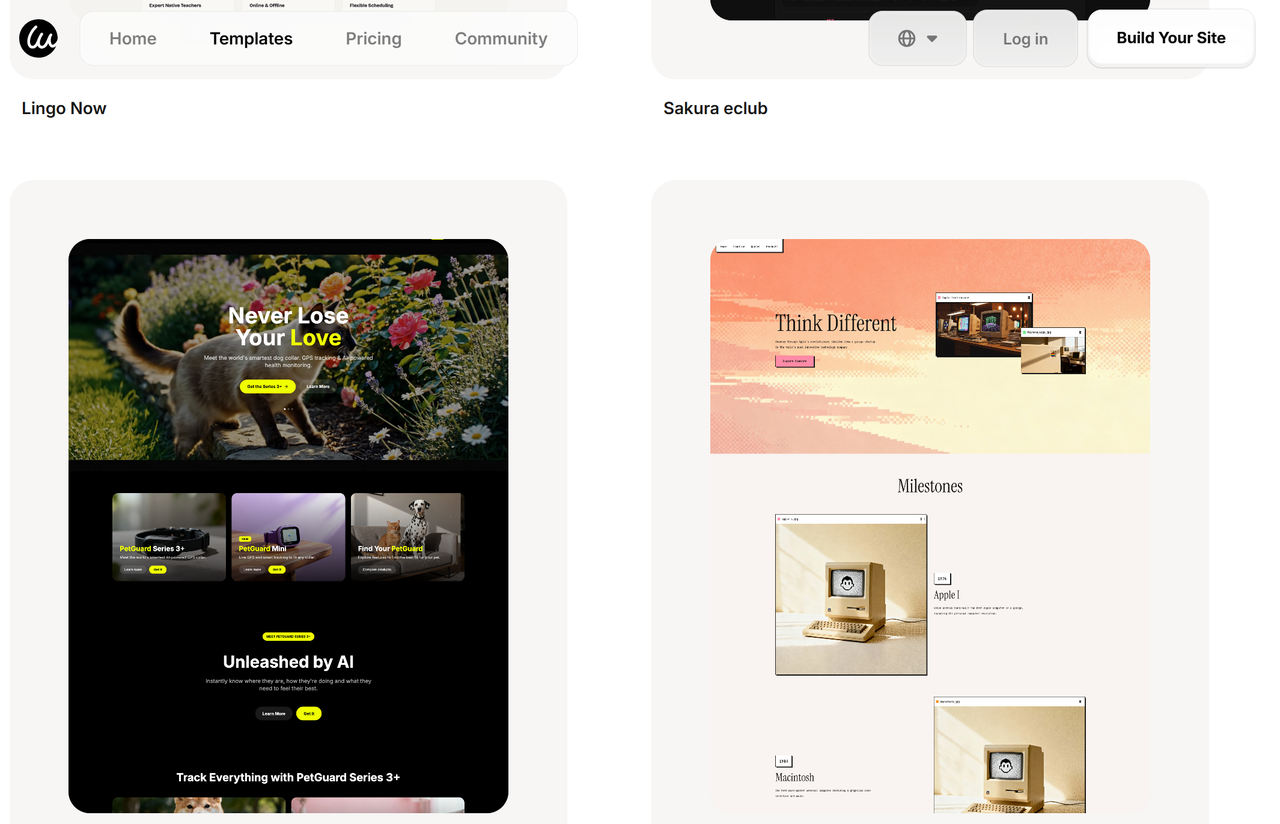
Çoğu kişi için, önce bir yapay zeka oluşturucu denemeyi öneririm. Daha fazla kontrol isterseniz, daha sonra geleneksel bir oluşturucuya geçebilirsiniz. Wegic profesyonel sonuçlar üretir. Süreç basittir, aşağıda görüldüğü gibi.
Adım 3: Tek Sayfa Web Sitene Kurun
Her dönüştürücü benzer bir akışa sahiptir. Ben farklı bir yolla yaptım. Boş bir tuvalle başlamak yerine, iş türüm, hedef kitlem ve tasarım tercihlerimle ilgili soruları cevapladım. Bir sayfalık website oluşturucu yaklaşık beş dakika içinde beş tam bir sayfalık website seçeneği üretti. İşte işe yarayan sıralama:
Görüşünüzü Anlamak
Wegic, ihtiyaçlarınızı analiz etmeye başlar ve sizi gerçekten temsil edecek şeyi inşa etmek için gerekli varlıkları toplar. İlk olarak, Wegic proje yapısını keşfeder; ardından Wegic tasarım zekâsını yükler.
Temel Kurulum
Wegic, tasarım araçlarını hazırlar, yani çizmeye başlamadan önce kalemlerini keser. Sistem proje yapısını ve stillendirmeyi kurar, modern çerçevelerden Tailwind Config kullanarak sitenizin her cihazda güzel görünmesini ve hızlı yüklenmesini sağlar.
Temel Bileşenlerin Oluşturulması
Şimdi gerçek inşaat başlar. Wegic, her web sitesinin ihtiyaç duyduğu temel parçaları geliştirir:
- İlk olarak navbar oluşturulur. Ziyaretçilerin her sayfanın üstünde gördüğü şeydir. Temiz, işlevsel ve kolay kullanılmalıdır. Wegic, hem masaüstü hem de mobil cihazlarda mükemmel çalıştığını sağlar.
- Daha sonra tasarım ve footer gelir. Bu küçük detaylar gibi görünse de, her şeyi bir araya getirir. Footer, ziyaretçilerin iletişim bilgilerini, iş saatlerini veya sosyal bağlantıları bulmaları için genellikle gittikleri yerdir—önemlidir.
Ana Sayfa Sayfalarının Tasarlanması
Temel yapı hazırlandıktan sonra, Wegic, işinize en çok şey kat eden sayfaları inşa eder. Ana sayfa en çok dikkat çeker. Wegic, etkileyici bir hero bölümü oluşturur. Hakkında bölümü, potansiyel müşterilerin hikayenizi ve hizmetlerinizi anlayabilmesine yardımcı olur.
Entegrasyon ve Fonksiyonelite
Wegic AI, sitenizin premium ve dikkat çekici hissi veren özellikleri ekler. Wegic, kaydırma sırasında ideal bir site hissi yaratan özel bir etki hazırlar. Bu tür detaylar ziyaretçilerin "harika" demesini sağlar. Kimmy de sitenin her yerinde detaylı görüntüler ekler. Bu, genel stok fotoğraflarından farklıdır; markanızın sakinliğini destekleyecek şekilde dikkatle seçilmişlerdir.
İletişim / Son CTA
Güzel bir website, gerçekten işe yarayacak şekilde olmalıdır. Wegic, işinizin çalışması için gerekli araçları entegre eder. Farklı iletişim yolları, kayıp potansiyel müşterileri azaltır:
- Rezervasyon entegrasyonu, Calendly veya benzeri hizmetler aracılığıyla kurulur. Ziyaretçiler, sitenizden sınıf veya danışmanlık rezervasyonu yapabilir.
- İletişim bilgileri, kullanıcıların beklediği yerde dikkat çekici ve düzenli şekilde yerleştirilir.
Kalite Kontrolü
Proje tamamlandığını açıklamadan önce, Wegic, zorlu bir kontrol listesi geçirir:
- Deneyimi bozabilecek herhangi bir sorun olup olmadığını kontrol eder. Bağlantılar, düğmeler, formlar—her şey test edilir.
- Kodun kendisi için son kalite kontrolü yapılır. Temiz, verimli kod, daha hızlı yükleme süreleri ve daha az hata anlamına gelir.
- Kod düzenli hale getirilir. Profesyonel geliştiricilerin gurur duyacağı bir yapıdır.
- Sunucu günlükleri son kez incelenir. Her şey düzgün çalışıyor mu? İyi. Zaman göstermeye.
Son Açıklama
Tüm görevler tamamlandı. Yoga stadiniz için web sitesi sizin için hazır. Wegic, tümünü README dosyasında belgeler. Bu, siteniz için talimat el kitabıdır. Daha sonra değişiklik yapmak isterseniz, belgeler size nasıl yapılacağını gösterir.
Son dokunma, mobil cihazlarda da yapılır. Wegic, sitenin telefonlarda masaüstü gibi harika görünmesini doğrular. Çünkü ziyaretçilerinizin çoğu mobil cihazlardan tarayacaktır.
Yüksek Dönüştürme Oranına Sahip Bir Sayfalık Web Siteleri İçin Profesyonel İpuçları
Yüzlerce başarılı örneği inceledikten sonra, kazananları diğerlerinden ayıran stratejiler şunlardır:
Bölümlerinizi Sınırlayın.
Daha fazlasını eklemek isteyeceksiniz. Diren. Ekstra bölüm, mesajınızı zayıflatır ve yükleme süresini artırır. Maksimum 5-7 bölümle sınırlı kalın.
Satış Yapan Başlıklar Yazın
Başlığınızın bir işi vardır: insanları alt başlığı okumak istemeye ikna etmek. Alt başlığınızın bir işi vardır: insanları kaydırma istemeye ikna etmek. Yeter.
Sayıları Stratejik Kullanın
Başlıklarda spesifik sayılar daha iyi performans gösterir. "30 Günde 10.000 Dolar Kazandım" her zaman "Online Para Nasıl Kazandım" dan daha iyi çalışır.
Okunmaya Uygun Olun
Çoğu ziyaretçi her kelimeyi okumayacak. Alt başlıklar, madde işaretleri ve kısa paragraflar kullanın. Ana noktalarınızı 3 saniye içinde bulabilmeniz için düzenleyin.
Bir Sosyal Kanıt Elemanı Ekleyin
Bir etkileyici tanıtım veya müşteri logosu, beş genelinden daha değerlidir. Ziyaretçinizin özel endişelerini karşılayan kanıt noktaları seçin.
Sahte Olmadan Aciliyet Yaratın
Sınırlı zamanlı teklifler, erken kuşak fiyatlandırma veya yakında değişiklikler, gerçek bir aciliyet yaratır.
Para Kazanan Bir Sayfalık Web Siteleri
Tek sayfa siteleri, uygun kullanım durumları için stratejik bir tercihtir: portföyler, küçük işletmeler, ürün tanıtım sayfaları, etkinlik sayfaları ve hızlı bir şekilde odaklanmış bir mesajı iletmek isteyen hizmet sağlayıcıları için harika çalışır. Amacınızla ilgili netlik, ziyaretçinizin yolculuğu hakkında stratejik düşünme ve vizyonunuzu hayata geçirmek için doğru araçlara ihtiyacınız vardır.
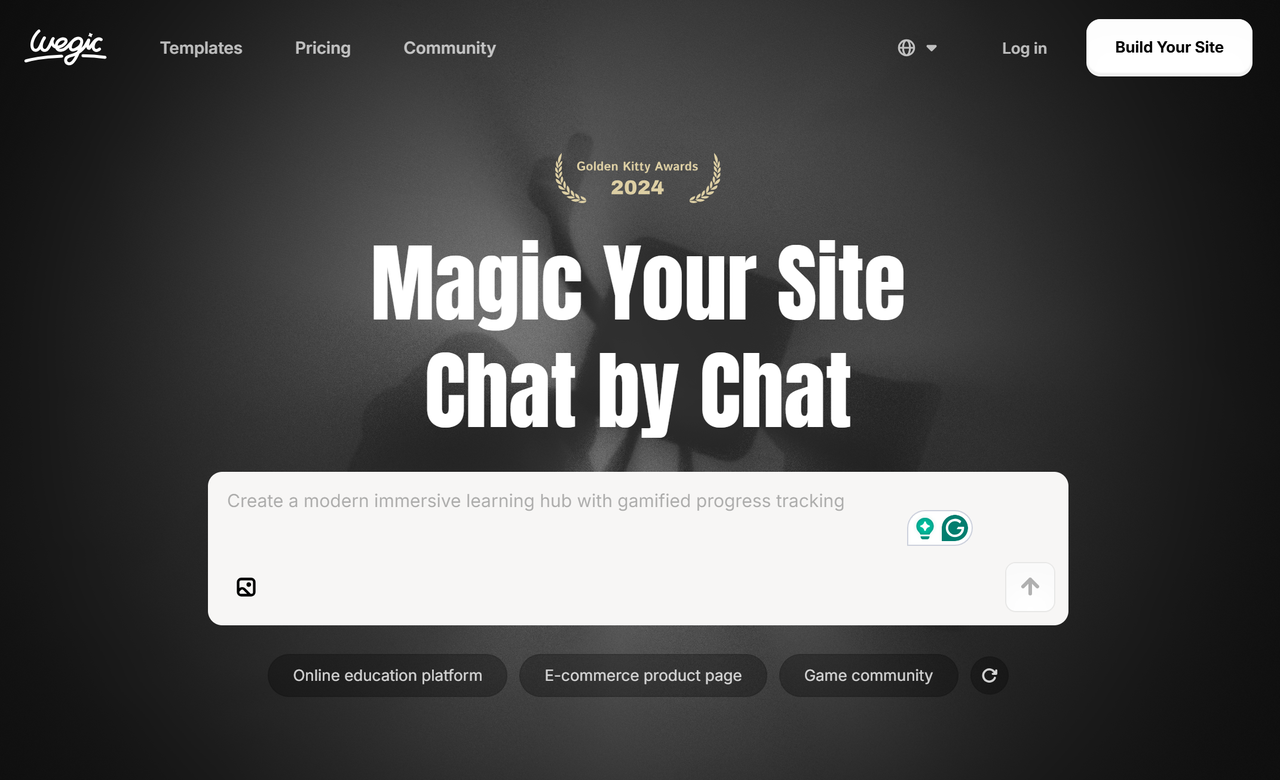
Geleneksel bir site oluşturucu kullanın, Wegic gibi bir yapay zeka destekli seçeneği deneyin ya da sıfırdan inşa edin, ilkeler aynı kalır: değerle başla, tasarımla yönlendir ve bir sonraki adımı atmayı kolaylaştır.
Sıkça Sorulan Sorular
Bir tek sayfa sitesi kurmak ne kadar sürer?
Wegic gibi bir yapay zeka site oluşturucu kullanarak, bir saat içinde profesyonel bir tek sayfa siteyi canlı hale getirebilirsiniz. Geleneksel oluşturucular genellikle tam bir ilk sürüm için 10-20 saat alır. Özel kodlanmış siteler, ihtiyaçlarınıza ve teknik becerilerinize bağlı olarak büyük ölçüde değişir.
Tek sayfa siteleri Google'da iyi sıralanabilir mi?
Evet, kesinlikle. Tek sayfa siteleri, özellikle uzun kuyruklu anahtar kelimeler ve yerel aramalarda iyi sıralanabilir. Değerli içerik oluşturmak, meta verilerinizi optimize etmek ve kaliteli geri bağlantılar oluşturmak üzerine odaklanın. Sayfanızın hızlı yüklenmesini ve mobil cihazlarda mükemmel çalışmasını sağladığınızdan emin olun.
Tek sayfa siteleri e-ticaret için iyi mi?
Tek ürün mağazaları veya küçük ürün satan mağazalar için harikadır. Yüzlerce ürün içeren geniş kataloglar için çok sayfalı siteler daha iyi çalışır. Ancak ürün tanıtım sayfaları, sınırlı edisyonlar veya birkaç ürün satan küçük işletmeler için, dönüşüm odaklı tek sayfa siteleri, karmaşık e-ticaret kurulumlarından daha iyi performans gösterir.
Bir tek sayfa sitesi için ne kadar ödemem gerekiyor?
Yapay zeka site oluşturucuları genellikle tek sayfa sitelerini ücretsiz planlarda içerir. Premium planlar aylık 12-40 dolar arasındadır. Geleneksel oluşturucular, tüm özelliklerini 16-60 dolar aylık ücretle sunar. Bir tasarımcı işe almak ise, karmaşıklığa ve revizyonlara bağlı olarak 500-3.000 dolar+ tutar.
Hangi hatalardan kaçınmalıyım?
CTA'nızı en altta gizlemeyin. Düşük kaliteli resimler kullanmayın. Okumak için lüks büyüteç gereken paragraflar yazmayın. Mobil kullanıcıları göz ardı etmeyin. Ve herkese her şey olmaya çalışmayın - bir net hedefe odaklanın ve bu dönüşüm için optimize edin.