Webflow vs Wix: Key Differences, Pricing & Features
Compare Webflow vs Wix in features, pricing, and ease of use. Discover which website builder suits your business or personal site best.
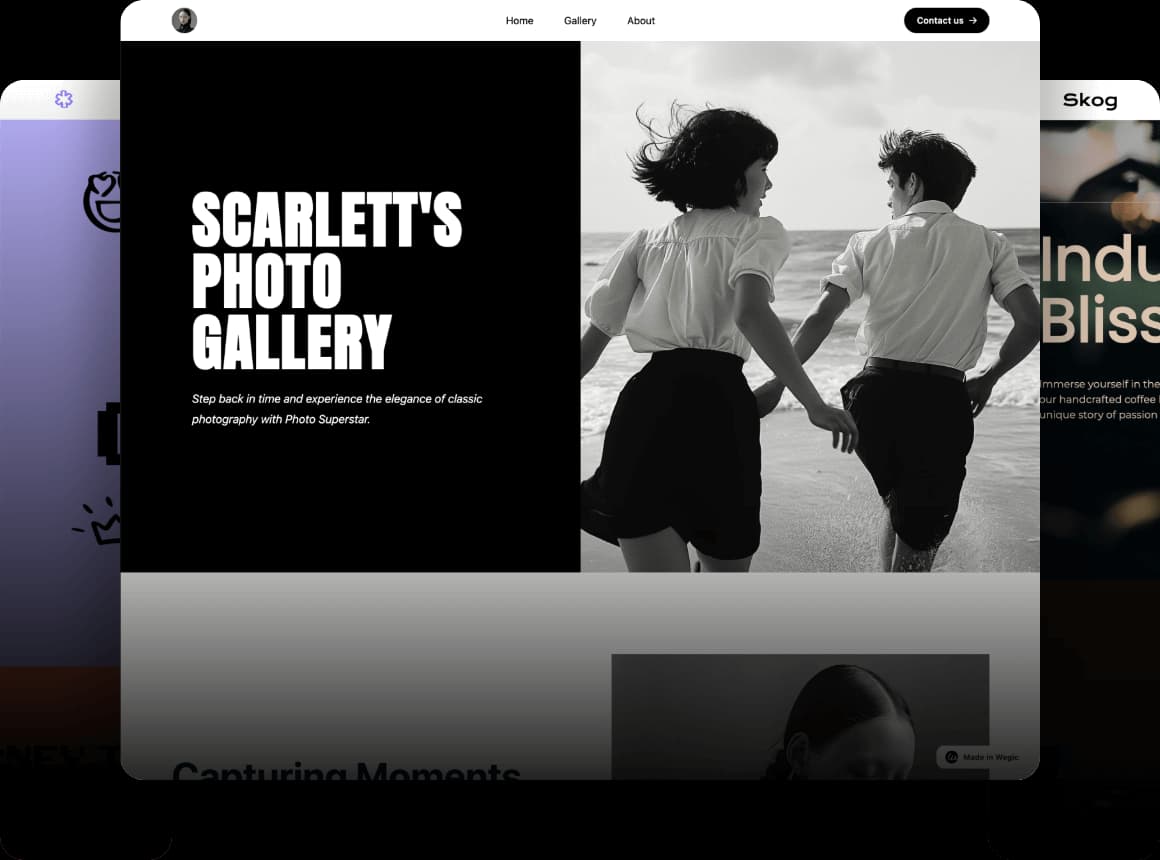
It should be said that a good website building platform should bring easiness of use, versatility, design freedom, responsiveness, extensibility and fair prices. As well as customer support and community resources also are major factors. Users can always face technical or design problems during the construction and the running of websites. A good Web site platform must immediately deal with these issues.
Click on the image to build a website without code! ⬇️
Webflow and Wix are two of the most popular examples. They have an extensive variety of templates and straightforward drag-and-drop designers. A better design freedom and sleek appearance is provided by Webflow. It is effective among individuals wishing to have good-quality images and interactive capability. Wix is simpler, and it lets you create a site in less time. It is an excellent option to put a site online quickly. Although both are popular, they all have limitations. The learning curve is high in Webflow, and the adjustment scope in terms of custom design is relatively limited in Wix. In the following paragraphs, we shall discuss webflow vs wix based on the functions, wix and webflow pricing, and experience of these two platforms. We shall also launch Wegic, which is a no-code website builder that has been made possible by the use of GPT-4o. It enables one to create and manage sites via natural conversation and without coding.
What is Webflow?
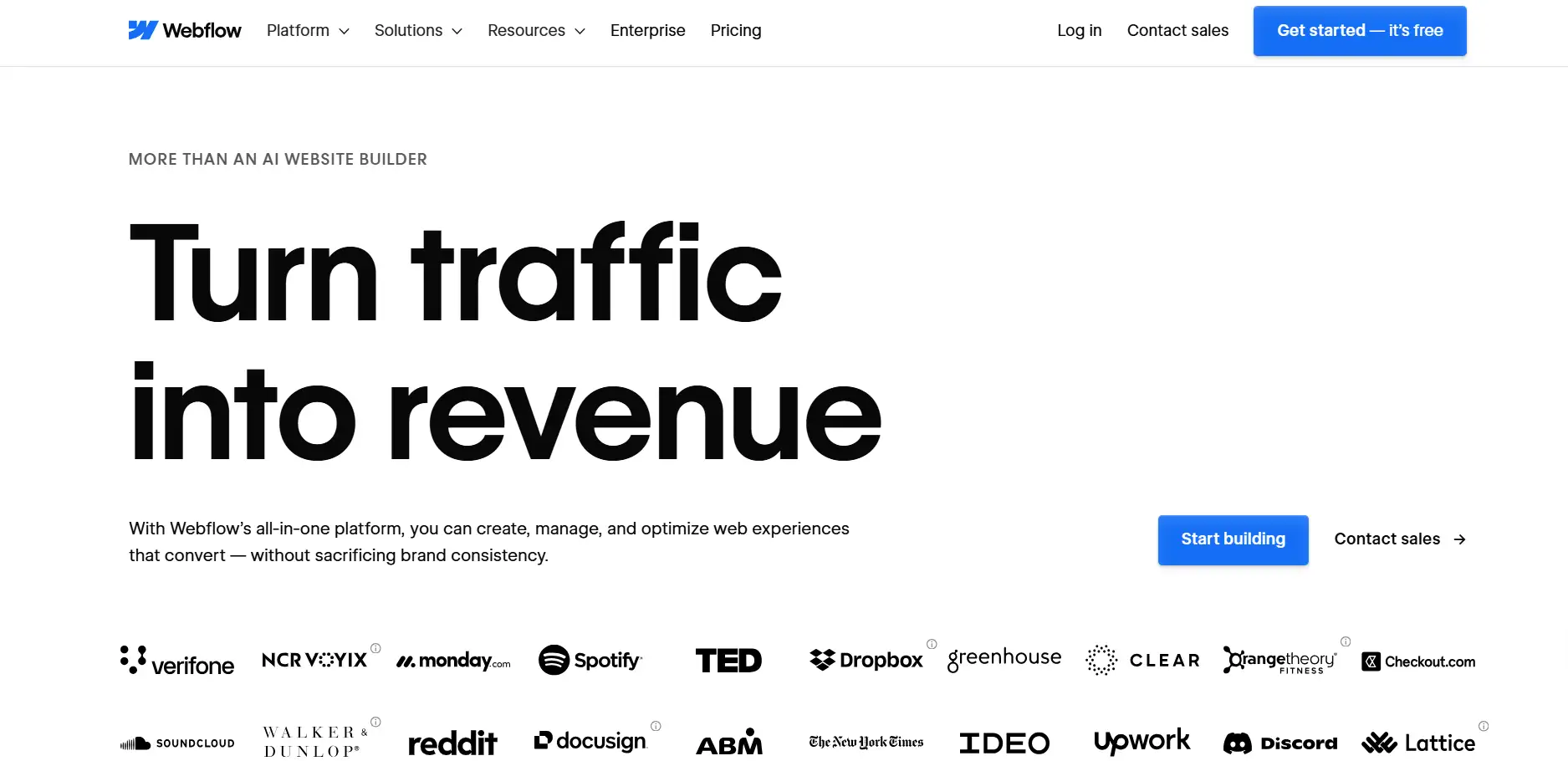
Before understanding webflow vs wix, let’s first understand webflow.Webflow is a web design platform targeting designers and other businesses. It is bendable and non-constraining in planning. You can do websites that are responsive on both phones and computers. Rather than coding, you can simply drag and drop to put up pages. If you wish, of course, you can even modify the HTML, CSS, and JavaScript. This permits you greater freedom. Webflow is designed to be used by individuals with an advanced level of control over the appearance of a web page. Animations and interactions can be produced in detailed ways without the need for a developer. This website builder fits with every type of website, both single-page and multi-page websites.
Features
The extreme variety of the functions offered by Webflow is beneficial to both creators and smaller and medium-sized enterprises in need of crafting their websites. Major features include the following:
- Easy to Use Visual Design Tool: Design layouts, simply by dragging and dropping items. It also has the capability of supporting advanced animation and interactive design.
- Responsive Design: Your website will resize itself to multiple screens. It will respond well on mobile, tablet, and desktop.
- Dynamic Content Management: The CMS included provides the ability to manage blogs, product lists, or news feeds. You will not have to do extra development work.
- Template and Component Library: Provides lots of quality templates. You are free to customize them in order to create a professional site in no time.
- Advanced text editor: You may include your own HTML, CSS, or JavaScript code on pages to do more advanced things.
- MOPHP SEO Optimization Tools: These compare and contrast SEO efforts of the use of URLs, meta tags, the use of alt text, etc. The tools help in making your site more visible in search engines.
Webflow provides users with tools to create unique and professional websites using its templates, components, and CMS. The design tools also enable you to be in full control of layout, font, colors, and the appearance of the site on all devices. Webflow is a better option than other website builders for users who prioritize the importance of visual design and interaction.
Webflow Pricing
Webflow pricing includes a variety of plans for individuals, teams, and businesses:
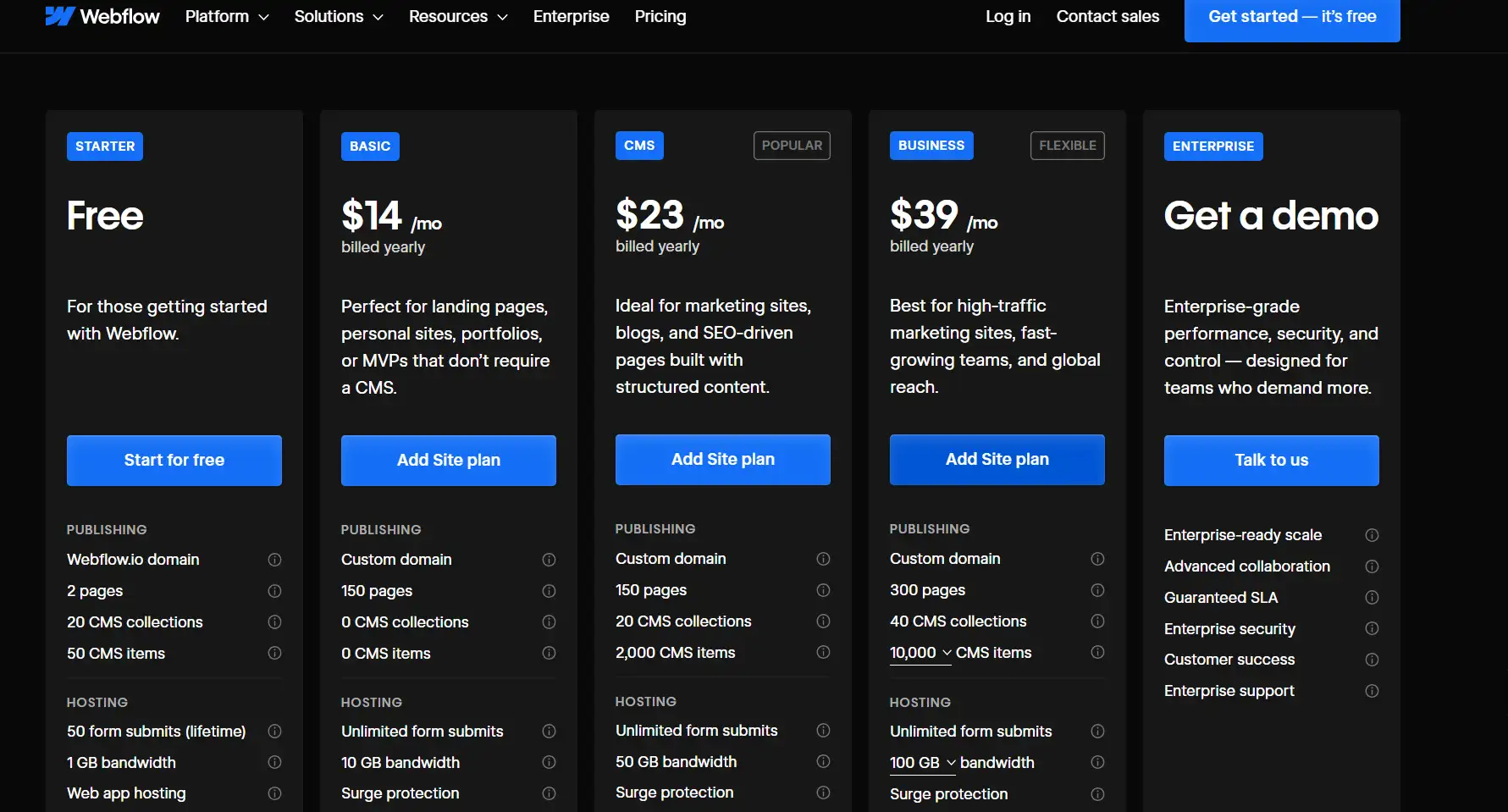
- Free Plan: Nice easy test. It has Webflow branding, limited pages and features.
- Basic Plan Cost: 14 dollars a month. Best Applications in personal websites. You are able to connect your own domain
- Premium Plan: 23 dollars per month. The best on the internet shops or business sites. It has an inbuilt content system, member accounts and so on.
- Team Plan: Webflow pricing begin at 39 dollars on a monthly basis. Facilitates the collaboration of many individuals together You are able to assign re-writes to increase efficiency.
Cons
While Webflow is powerful, it also has some limitations:
- Larger learning curve: New entrants need time to learn. They have to become accustomed to the interface and the way the design works.
- Additional features are offered on a paid-plan basis: The free plan has fewer options. Useful tools can be found only when you pay
- Multifaceted interactions are time-consuming: In case you need special designs or animations, it may take longer to create your web-site.
- The resources are fragmented: there are plenty of help materials but they may be difficult to discover. It will be necessary to provide support to beginners (who may have no design experience).
Generally speaking for webflow vs wix, webflow is more suitable to those who already understand design or do not mind learning it. You can consider the use of this platform in case you need a unique and advanced website with special features.
What is Wix?
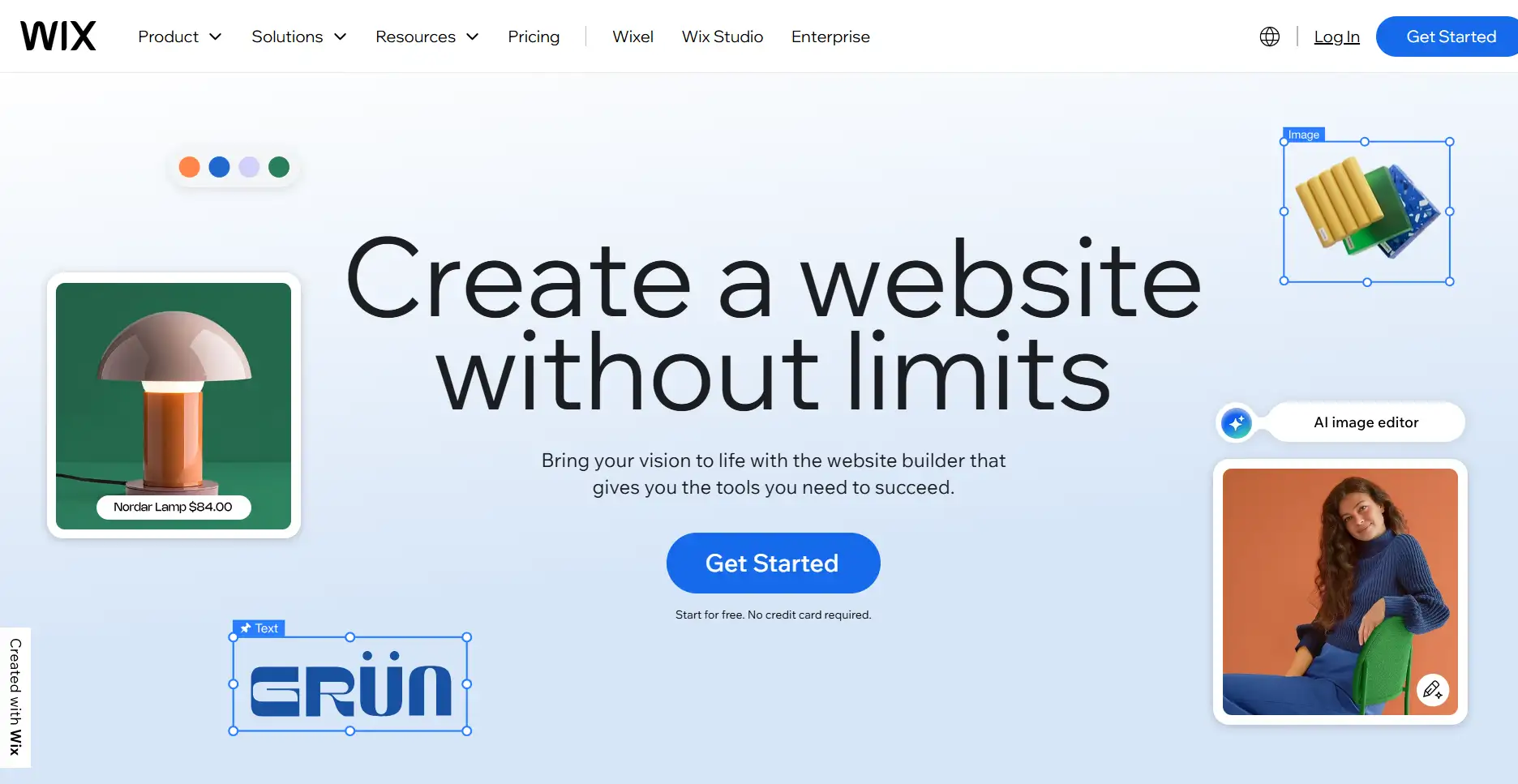
Before understanding webflow vs wix, let’s first understand Wix. Wix is a site-builder tool that is targeted at broadly different users. It is primarily characterised by ease of use and speed at which websites are constructed. Wix presents an easy option whether we are talking about a personal blog, portfolio, or a small business webpage. You can make a web site with no coding knowledge using a drag-and-drop editor. The platform has a generous set of templates which extend to a variety of industries and applications. In comparison with Webflow, Wix enables its users to experience a quick onboard process and easy to grasp operation where a ready web site can be viewed within no time.
Features
Wix's features are designed for intuitiveness, ease of use, and rapid website deployment:
- Drag and drop editor: Immediately adapt the layout structure of the page, include pictures and text with a single click of the mouse. You do not have to know how to program.
- Big template library: The library comprises more than 800 pre-made templates of business, art, education, and so forth. These are some you can choose and alter to suit your needs.
- App Market: Include new functions in your web page such as forms, online stores, booking applications and social media integrations. This assists small business owners and producers to do more with their site.
- Mobile optimized: Your site will also be optimized on phones. It resizes itself to be just great on handheld devices.
- Wix ADI (Artificial Design Intelligence): Ask a few questions, that is all. The application will construct a web site on your behalf. This assists in getting you on board quickly online
- SEO and marketing tools: Simple SEO settings, learn the performance of your site and make contact with email marketing. This eases the process of advertising your site.
Pricing
Wix offers flexible plans to meet different needs:
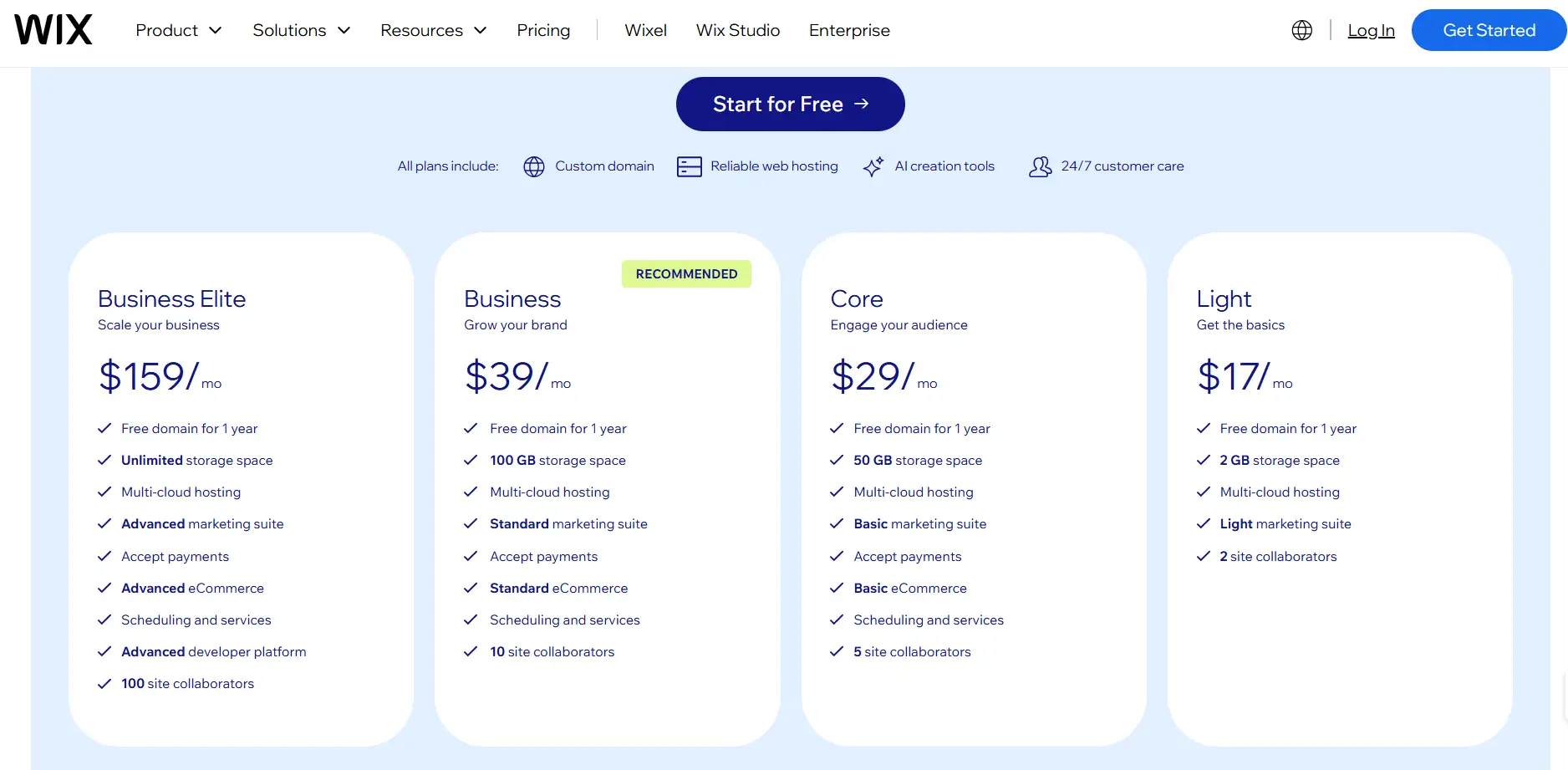
- Baisc Website Plan: This is about 17-29 dollars a month. You may map your domain name to it It deletes advertisements It also assigns additional storage and features.
- Business and eCommerce Plan: This one will cost about 39 dollars a month. It enables you to take payments over the Internet You have the chance to append a shopping cart It assists in member sign-ups and marketing as well.
- Business Elite Plan: It cost 159 dollars a month. It consists of quicker support for customers and additional functionality. It is designed to suit the needs of users who have higher demands or those firms who have employed fewer staff.
Cons
While Wix is user-friendly, it does have some limitations:
- Limited Customization: It has numerouswebsite templates. However, it does not have as powerful features as Webflow in case you want to implement more advanced changes.
- Limited Freedom: It is usually difficult to create specific adjustments to such details as a series of animations or interactive elements. It is not an easy task to adjust the look of the site in various screens.
- Mobile Adjustments Require Extra Work: The mobile version looks good by default. But if you want to change specific parts, you still have to adjust them yourself.
- Complex Website Migration: It is difficult to move a Wix website to another platform. This can make you stick with Wix for a long time.
Overall, Wix is better suited for users who seek a quick launch, ease of use, and a low barrier to entry for website creation. For projects requiring high customization and granular control, Wix may not be ideal.
Webflow vs Wix: How to Choose?
When picking a web site builder, many people are confused wix or webflow. Webflow offers significant design freedom, and advanced utility. However, it is difficult to learn.Wix is simple. You can create a site in a hurry However you cannot personalize it to this extent or make it elaborate.
In such scenario, Wegic AI provides a new alternative. Wegic AI is an online building and management system based on artificial intelligence and targeted at small businesses and individuals. It integrates speedy deployment, auto tuning and continuous maintenance. It takes only a minute to launch a website and your site will start bringing customers and revenues. Wegic AI team can take care of designing, launching, conversion and subsequent operations, which would save the company on the expense of procuring an entire website team.
The comparison table webflow vs wix vs Wegic below is designed to help get a better idea of how these three differ:
| Feature / Platform | Webflow | Wix | Wegic AI |
| Design Freedom | High, full control over layouts and animations | Medium, limited by templates | High, AI automatically generates professional design |
| Ease of Use | Medium-High, requires learning | Low, drag-and-drop editing | Very Low, AI handles everything |
| Responsive Design | Precise, customizable | Auto-optimized, minor tweaks needed | Fully automatic, device-ready |
| Pricing | $14–$39/month | $17–$159/month | $23.9/month, full service included |
| Website Launch Speed | Hours to days | Hours | 1 minute |
| Technical Skills Needed | Some design or coding knowledge | None, easy to use | None, AI team manages everything |
| Feature Extensions | Strong, supports custom plugins | Rich app market | AI manages content, SEO, and marketing |
| Maintenance & Management | User-managed | User-managed | AI manages website operations and optimization |
Overall webflow vs wix vs wegic, Webflow is applicable to people who desire professionalism, and a reasonable level of customization. Wix is more suited to those who would prefer a rapid launch and is easy to use. Wegic AI, in its turn, resembles them and solves such complex operation and maintenance problems. It offers an end to end small-business and online entrepreneur site creation and operation service.
Wegic: AI-powered Website Creation and Operation
Wegic is an artificially intelligent site maker. It is targeted at small business and individual. It merges the creation of websites, design enhancement and its maintenance on a day basis. In contrast to traditional web builders, Wegic is more user friendly. These are the main strengths of Wegic:
Fast Website Launch
Wegic is capable of producing an entire site in less than one minute, which consists of a homepage, product pages, contact form and a blog section. In AI, page layouts and the content structure happen automatically.
Click on the image to develop a website in 1 minute! ⬇️
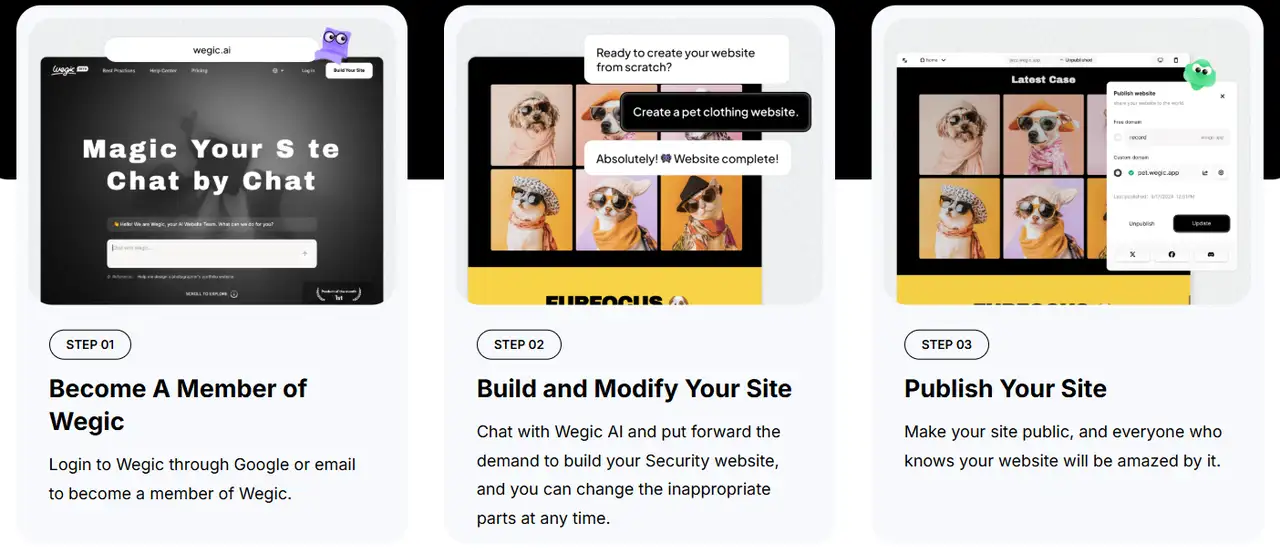
Users do not have to design their professional pages manually or drag and drop. Small enterprises can make their brand image visible and attract customers as soon as possible.
Conversational AI Design Modification
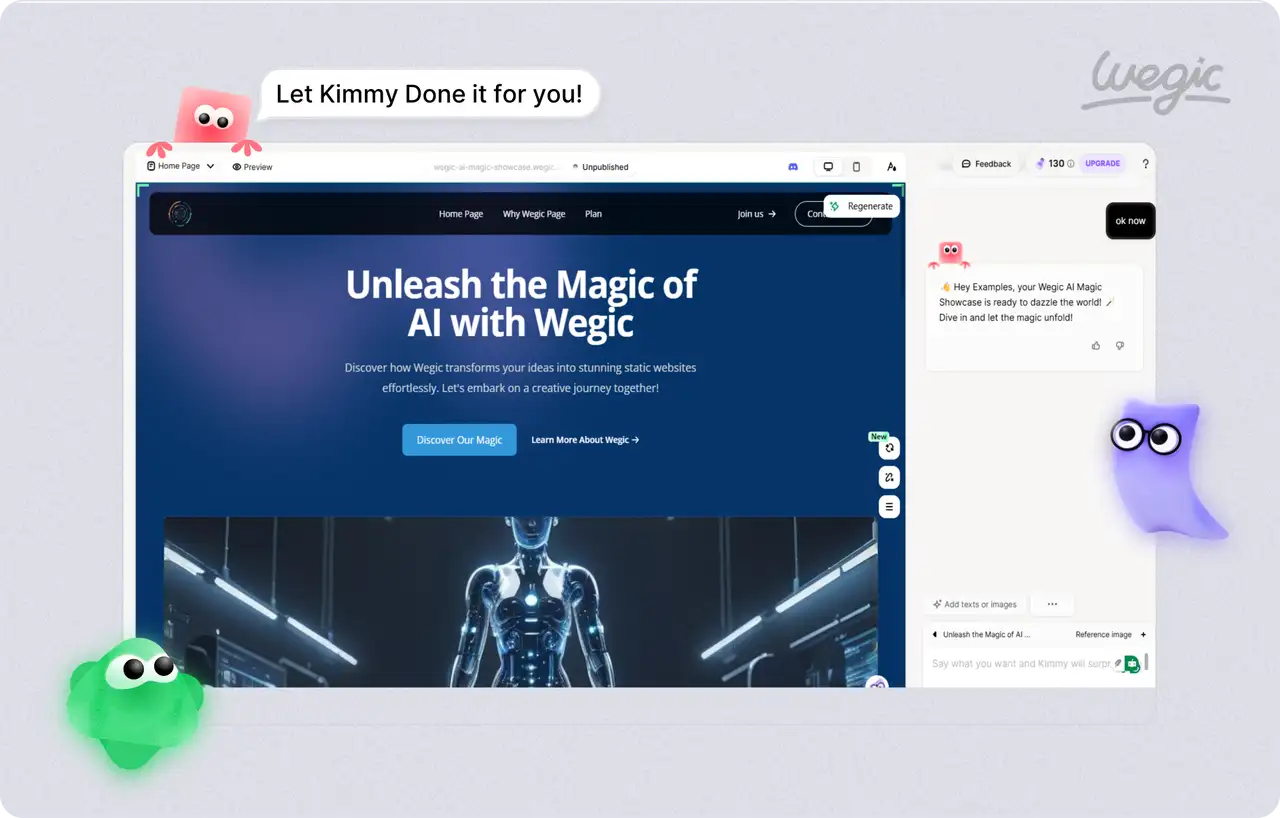
Users are able to address AI by using conversational interface, including changing color schemes, altering layouts, substituting images, or streamlining navigation menus. The changes are done in real time and the AI responds. No knowledge of coding or design software is required.
Automatic Website Updates
Wegic monitors entry data and user behavior and automatically optimizes page content, titles, and keywords. It also optimize internal linking structure to optimize search engine placement and page loading performance so that your website continues to drive significant traffic volumes and conversions.
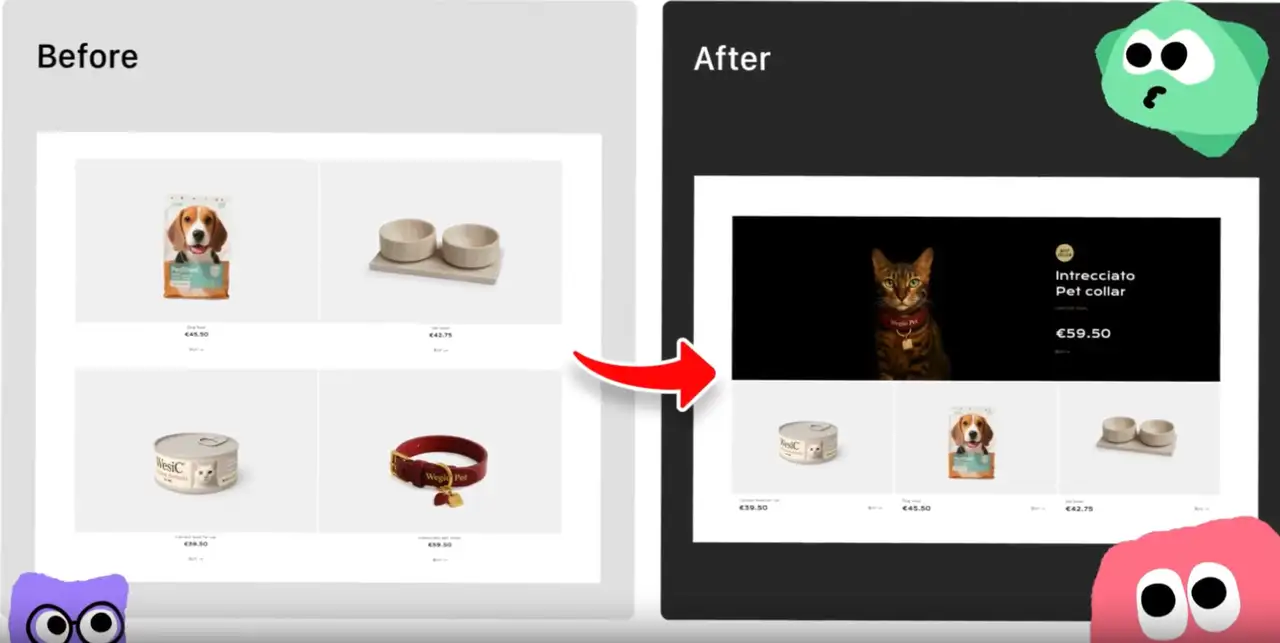
Multi-channel Intelligent Marketing Integration
The platform integrates features like email marketing, social media posting, and interactive forms. Small businesses can easily reach potential customers without hiring additional marketing staff.
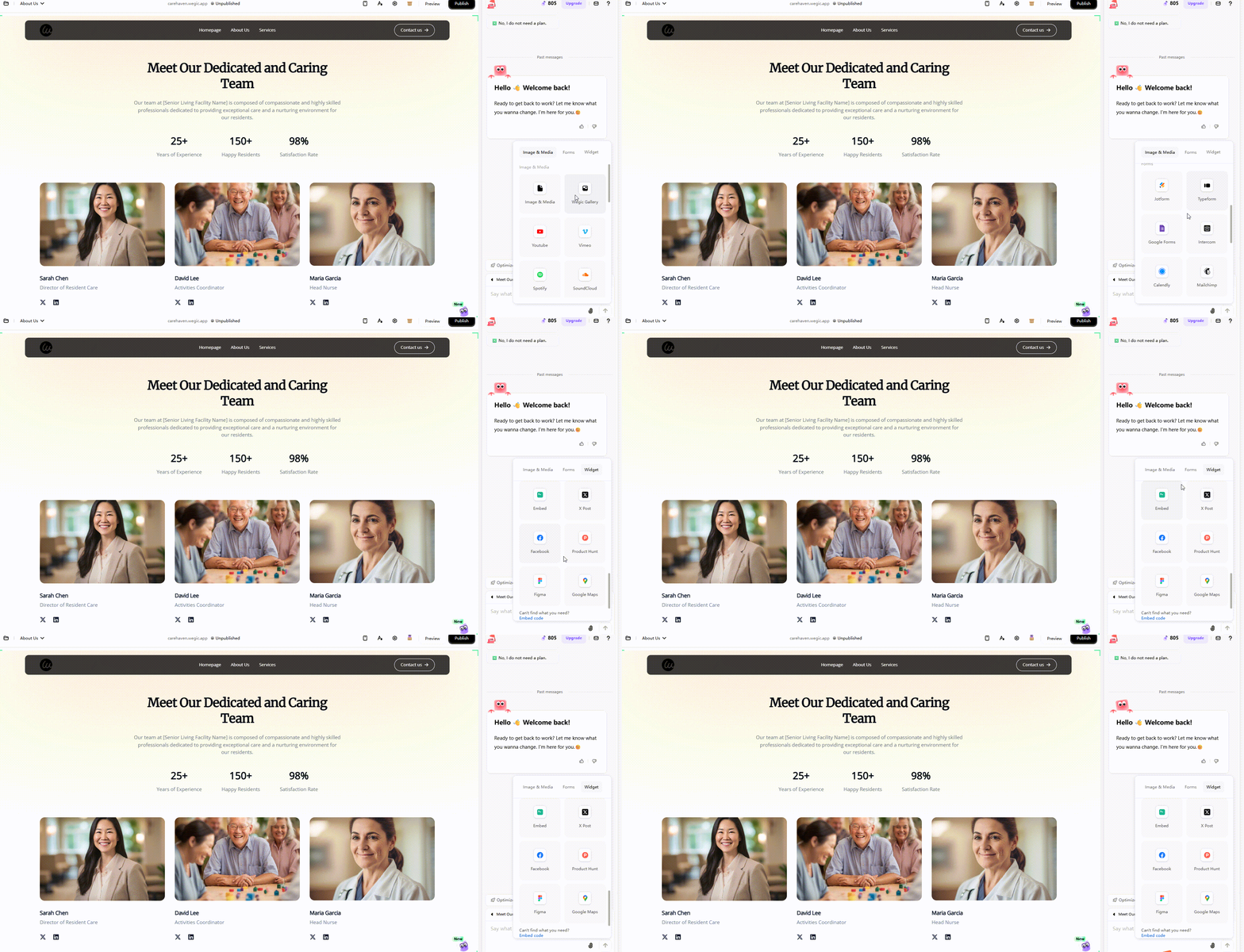
Cost-effective, full-service package
Wegic provides an all-bundled service approach which includes the design, development, content management and operation maintenance of the site. At ten percent, the cost of a full website team is just $23.90 a month. Instead of assigning resources to the task or thinking through advanced skills, users can have access to a professional web site with continued optimization processes.
Conclusion
Comparing webflow vs wix, the users must choose between their needs and abilities. Webflow is appropriate to be used by professional users who want a unique visual and/or complicated interactions. Wix is adequate in case the user prefers simplicity of operation and speed of launch. Both Webflow and Wix have their shortcomings though. The difficulty of Webflow in use and the learning curve can hold back the launch of a small business or novice. Wix templates and its few functionalities can limit customization of the websites and future developments.
In this context, Wegic AI offers a more ideal solution. It combines the advantages of fast website creation, automatic optimization, and full-service management, allowing users to build professional websites without technical knowledge. With Wegic, users can access the services of a complete website team at a very low cost. Wegic can help businesses achieve profitability from day one.
FAQs
Which platform is better for small businesses: Wegic, Wix or Webflow?
Wix is affordable and simple; Webflow is powerful but complex. Wegic delivers fast, AI-assisted website creation, perfect for small business owners who want professional sites without coding.
Can I migrate a site from Wix to Webflow?
Direct migration is limited; you’d need to rebuild most of the site manually. Webflow’s CMS structure differs from Wix’s templates.
Which has better support: Wegic, Wix or Webflow?
Wix offers 24/7 live chat, and Webflow relies on email and forums. Wegic provides an AI-guided interface and step-by-step assistance throughout site creation.
Can I integrate third-party apps on Wegic, Wix or Webflow?
Wix has an app marketplace, and Webflow supports custom code embeds. Wegic can integrate forms, social media, and analytics seamlessly during site creation.
Written by
Kimmy
Published on
Mar 17, 2026
Share article
Read more
Our latest blog
Webpages in a minute, powered by Wegic!
With Wegic, transform your needs into stunning, functional websites with advanced AI
Free trial with Wegic, build your site in a click!
What kind of website do you want to build?