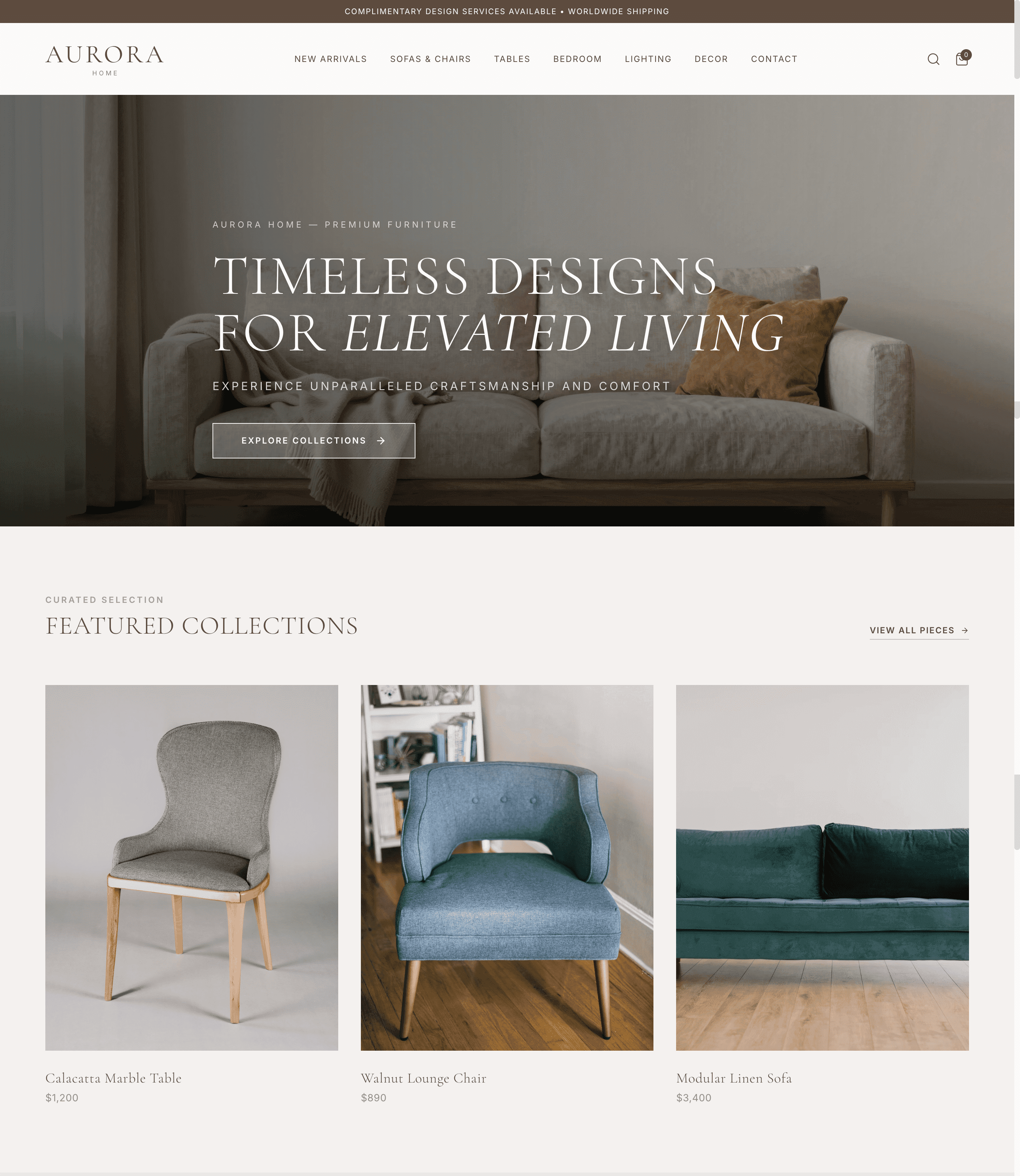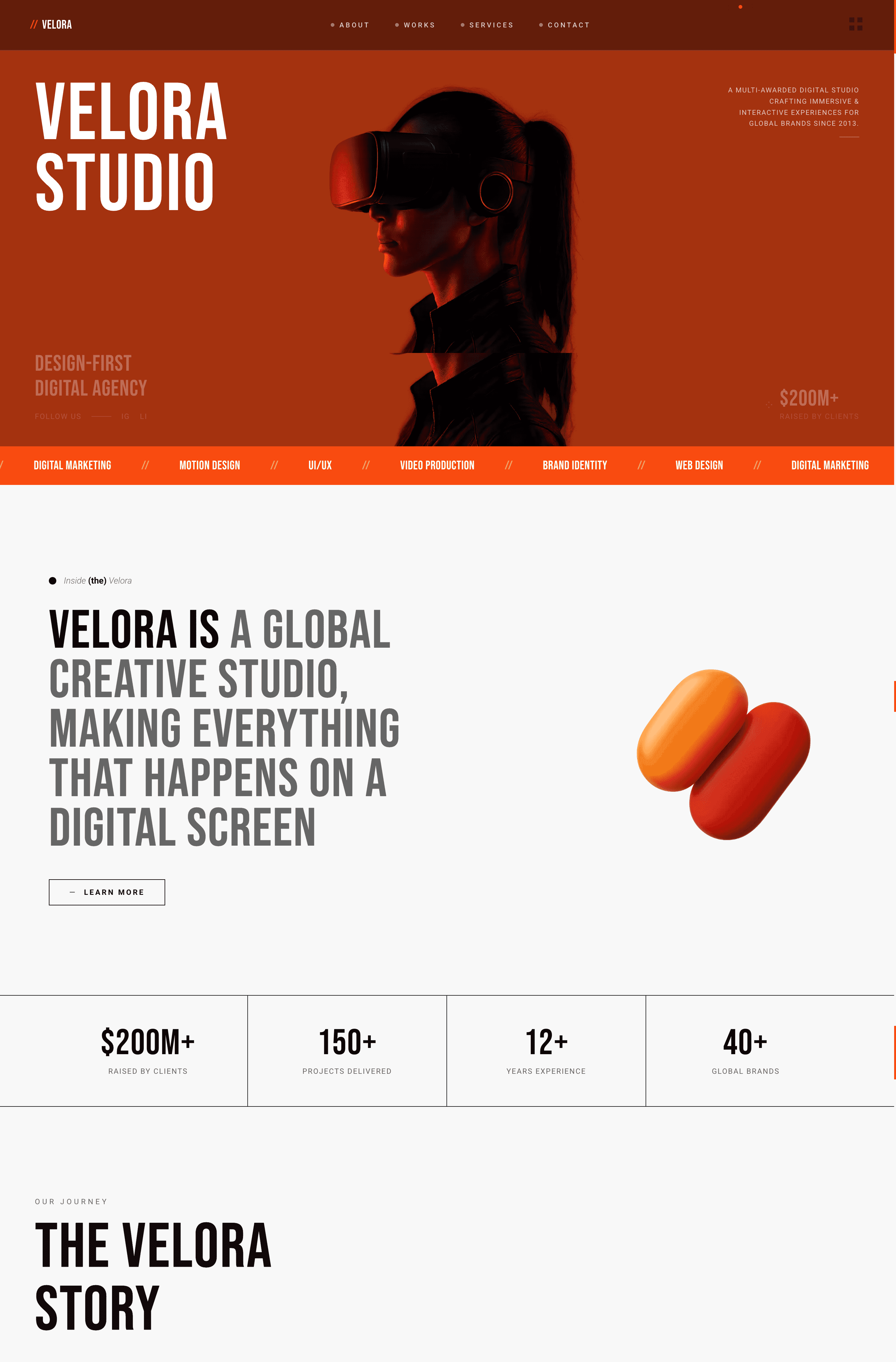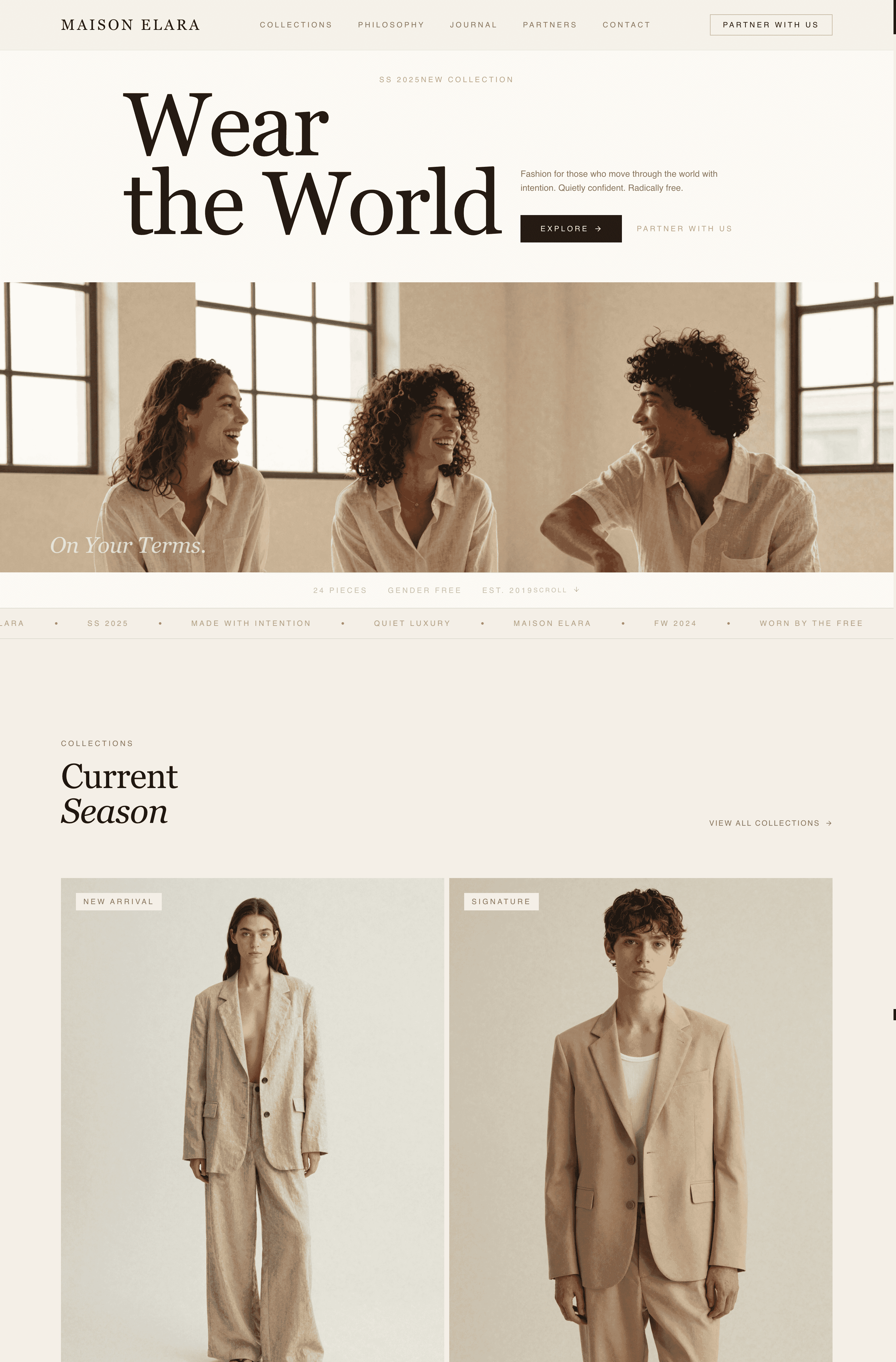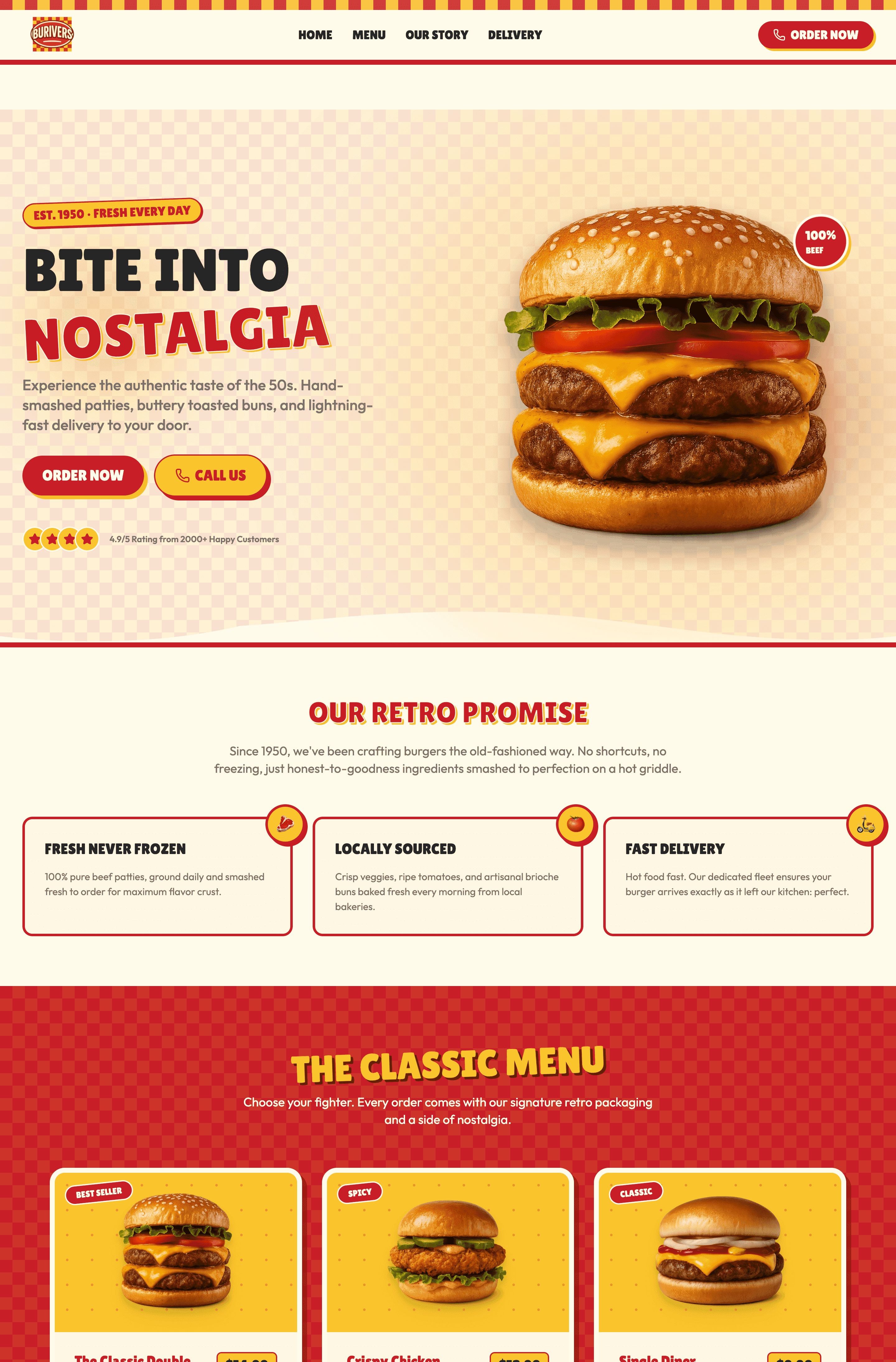
A Quick Reset: Why Your Header Carries More Weight Than Almost Any Other Element
Three plain-language facts before the examples:
- Your header is the first thing nearly every visitor looks at. Eye-tracking studies consistently show people scan the top strip of a page before reading anything below it. If your header is confusing in those first seconds, the rest of your page never gets read.
- It's the one piece of design that appears on every single page. A hero image lives on one page. A header follows the visitor everywhere. That makes it the highest-leverage design decision on the whole site — get it right once and it pays off on every screen.
- People decide whether to stay within seconds, and your header is doing most of that work. A clear, confident header signals a clear, confident company. A cluttered or broken one makes visitors quietly assume the product behind it is cluttered and broken too — fairly or not.
Every example below was selected because it solves at least one of those three jobs in a way worth studying — and because you almost certainly haven't seen it in the other ten lists.
4 Pattern Categories — Pick the One That Matches Your Site
Pattern | Best for | Example sites | |
1 | Minimal / disappearing | Publications, reading apps, focus-first products | Medium, Substack, Ghost |
2 | Command-bar / keyboard-first | Dev tools, power-user SaaS, productivity apps | Raycast, Vercel, Superhuman |
3 | Multi-layer / utility (two audiences) | Fintech, marketplaces, B2B with complex offers | Wise, Booking.com, Figma |
4 | Editorial / transparent brand | Retail brands, museums, studios, longform | Aesop, Tate, A24 |
The 12 website header examples below are organized into these four groups. Find the row closest to your site, then steal the moves that fit.
Pattern 1: Minimal / Disappearing Headers — When the Content Needs the Whole Screen
The first group of website header examples comes from reading-first products, which have quietly converged on a header that mostly gets out of the way. The logic is simple: when your product is the words on the page, a fat persistent header is just a distraction competing with the thing people came for. These three sites show different flavors of the same restraint — and prove that a minimalist header isn't a lack of design, it's a deliberate one. If you want website header ideas for a content-heavy site, start here.
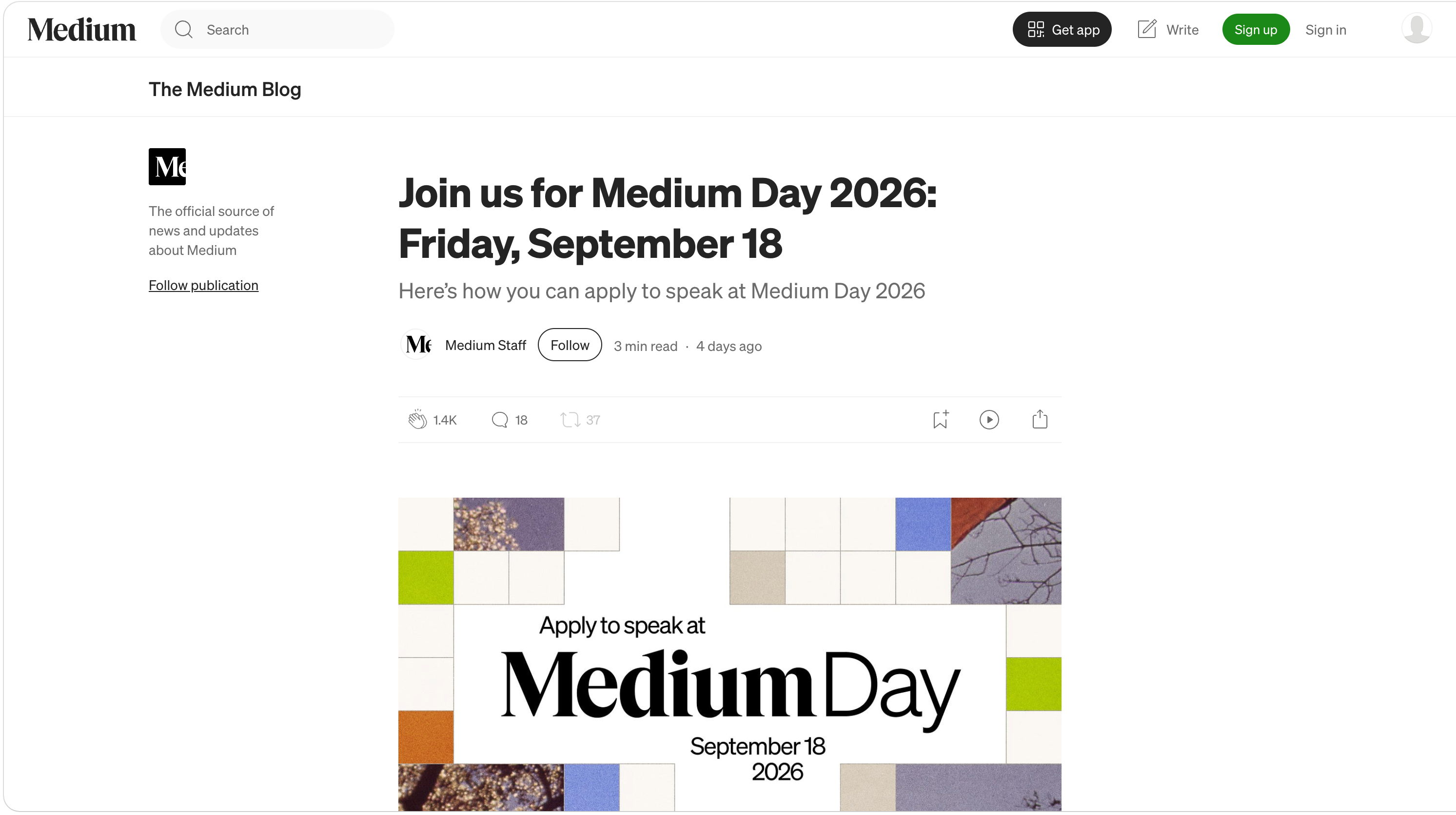
1. Medium — The Header That Hides While You Read
Pattern: Auto-hiding header that disappears on scroll-down and reappears on scroll-up
Medium's reading experience uses one of the cleanest header behaviors on the web. While you scroll down into an article, the top bar slides away, giving the full screen to the text.
Three things to steal:
- Hide the header on scroll-down, reveal it on scroll-up. This single behavior gives content the whole screen while keeping navigation one gesture away. For any reading-heavy site, it's the highest-impact header upgrade you can ship.
- Strip the reading header to three things. Medium's in-article header is essentially logo, search, and account. Everything else (claps, share, save) lives near the content where it's contextually relevant — not crammed into the top bar.
- Don't make "minimal" mean "empty." Medium's header still does real work — search and account are always one scroll-up away. Minimal header design removes the clutter, not the function.
Among sticky header examples, Medium's is the one most worth studying, precisely because it knows when not to stick.
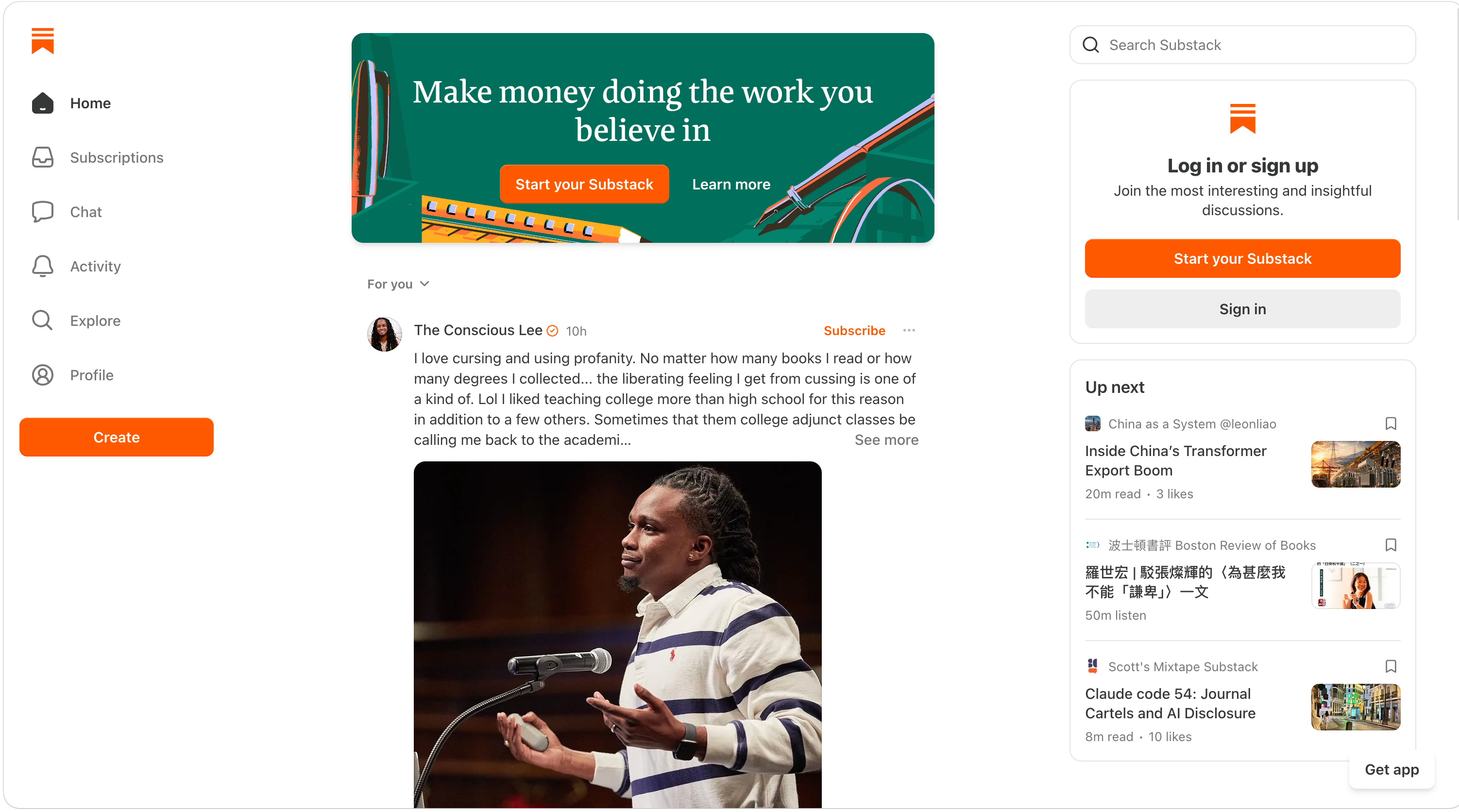
2. Substack — The Writer Is the Brand, Not the Platform
Pattern: Minimal header that puts the individual publication's identity above the platform's
On an individual Substack, the header foregrounds the writer's name and logo, not Substack's. It's one of the more instructive website header examples for anyone building a multi-tenant product, because the platform chrome is deliberately quiet — a slim bar with subscribe, sign-in, and search — so each newsletter feels like its own publication rather than a tenant in someone else's building. This is a deliberate header layout choice: the platform recedes so the creator can stand out.
Three things to steal:
- Let the header carry one identity, not two. If your platform hosts other people's brands (a marketplace, a creator tool, a multi-tenant SaaS), decide whose name wins in the header. Substack picks the creator every time — and that's why writers trust it.
- Put "Subscribe" as the single primary action. Substack's header has exactly one button that matters, and it's visually obvious. Everything else is a quiet text link. Your header navigation should make the one action you actually want unmistakable.
- A search field signals depth. Even a minimal header benefits from search once the archive grows. Substack surfaces it without making it loud — an icon that expands, not a permanent fat search bar eating space.
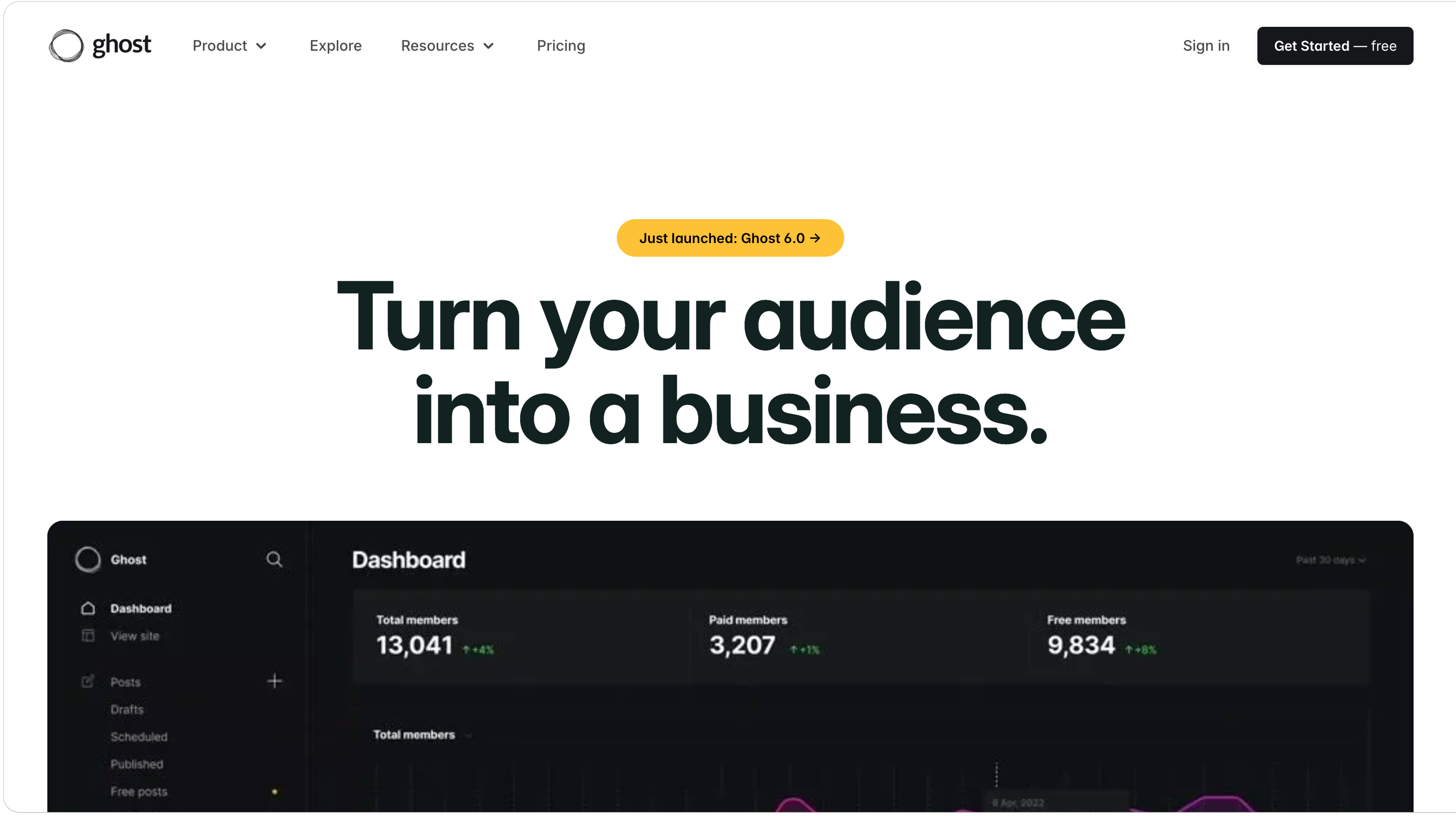
3. Ghost — Open-Source Restraint
Pattern: Ultra-minimal header with generous whitespace and a single contrasting CTA
Ghost, the open-source publishing platform, runs one of the sparest website header examples you'll find: wordmark on the left, four or five text links, and one filled button ("Get started"). No mega menu, no utility strip, no announcement bar by default. The restraint is the brand statement — Ghost sells "calm publishing," and the header proves it before you read a word.
Three things to steal:
- Whitespace is a header feature, not wasted space. Ghost's generous spacing between links makes each one feel deliberate and easy to tap. Cramming ten links into the same width would read as anxious. Give your links room to breathe.
- One filled button, the rest as text. A single contrasting CTA against plain text links creates an unmissable focal point. The moment you add a second filled button, you've split the visitor's attention and weakened both.
- Let the header match the product promise. A "calm software" company shouldn't have a frantic header. Whatever your product's core promise is — speed, calm, power, playfulness — your header is the first place to demonstrate it.
Pattern 2: Command-Bar / Keyboard-First Headers — When Power Users Live in the Keyboard
A newer pattern, almost entirely absent from the usual roundups: headers built around a command palette or search-first interaction, where typing
Cmd+K is faster than clicking anything. Dev tools and power-user products lead here because their audience genuinely prefers the keyboard. These are the most distinctly 2026 website header examples in this guide.4. Raycast — When the Product Philosophy Is the Header
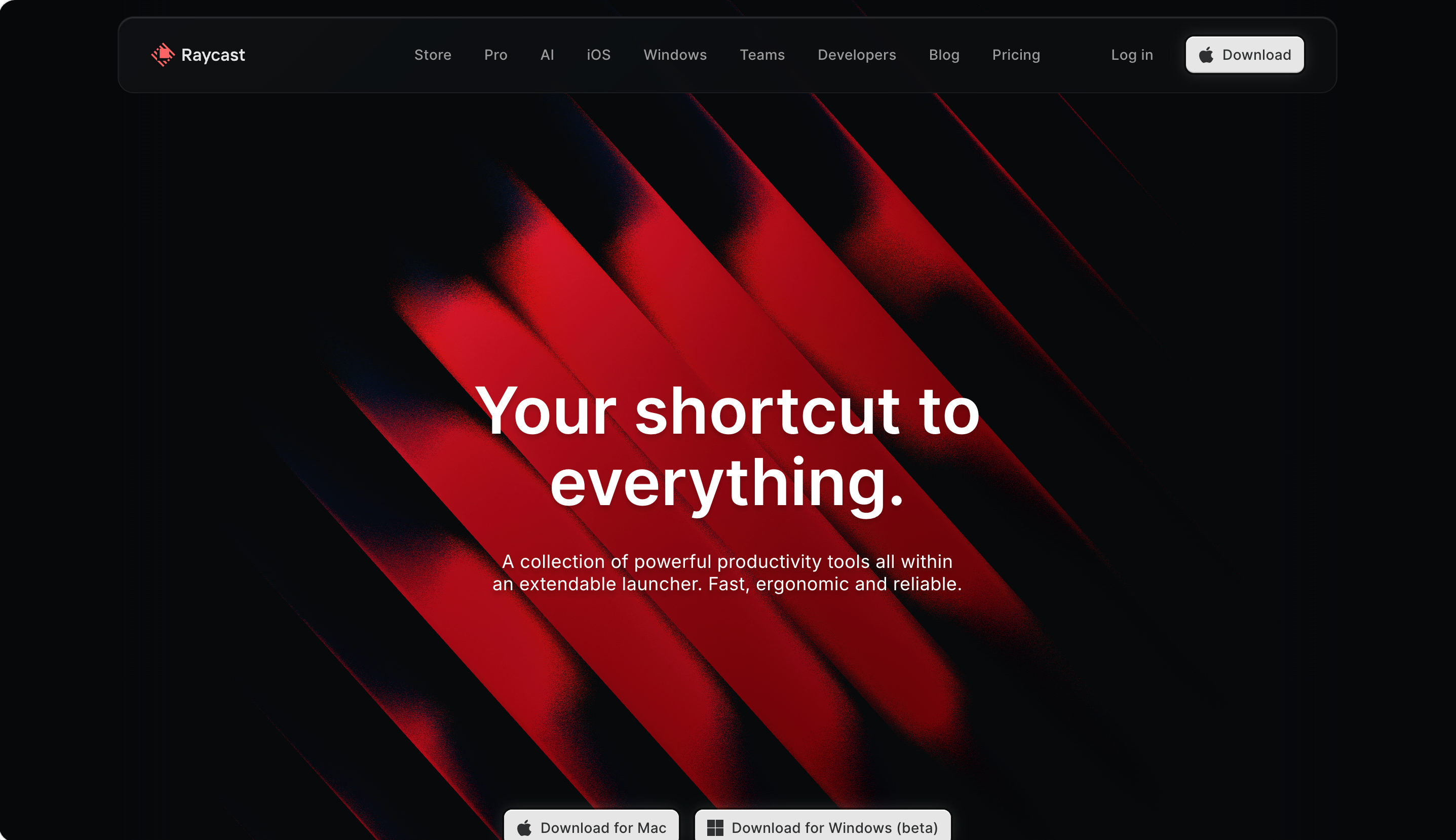
Pattern: Keyboard-first marketing header that mirrors the launcher product itself
Raycast makes a keyboard launcher, and its marketing site header reflects that worldview. It's one of the cleaner website header examples of a marketing site that feels like the product it sells: the navigation is tight and typographically precise, and the whole site nudges you toward the keyboard — the design language of the header echoes the spotlight-style command bar that is the product.
Three things to steal:
- Make your marketing header feel like your product. A visitor moving from your homepage into the app shouldn't feel they've changed companies. Raycast's typography, spacing, and interaction cues are consistent from header to product. This continuity quietly builds trust.
- Tight, precise spacing reads as "engineered." For technical products, a header with exacting alignment and restrained type signals craft. Sloppy spacing in the header makes developers assume sloppy code underneath.
- Show the keyboard shortcut somewhere visible. Keyboard-first products that surface a
⌘Khint in or near the header teach the interaction to newcomers who'd never read documentation about it. Discoverability through the header itself.
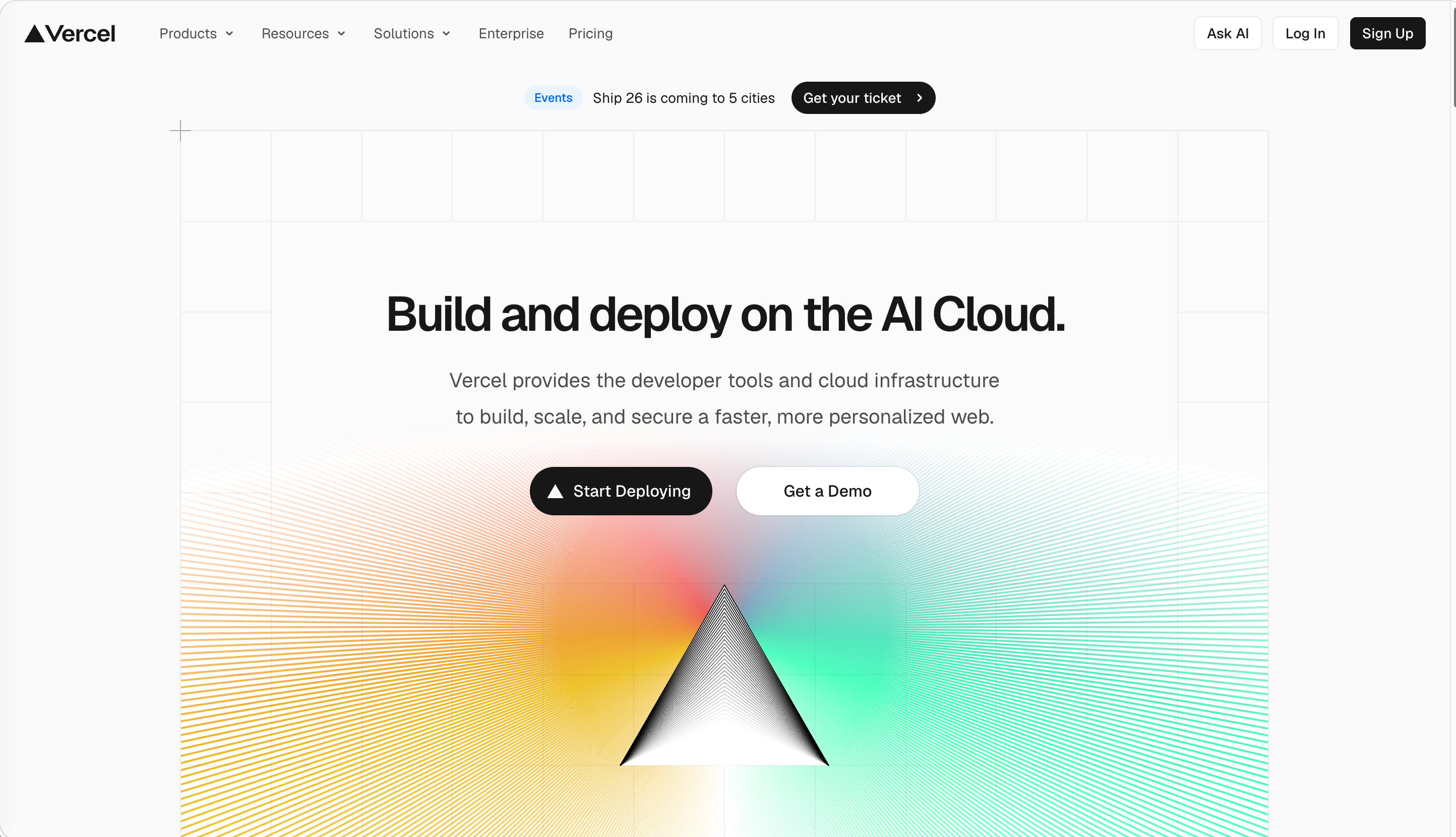
5. Vercel — The Command Bar Lives in the Header
Pattern: Minimal sticky header with an integrated
⌘K command/search menuVercel's header looks minimal — a handful of links and a sign-up button — but it's one of the smartest website header examples for a complex product, because the real story is the command menu baked into it. Hit
⌘K from almost anywhere and a search-and-jump palette appears, letting power users navigate docs, dashboard, and settings without touching the menu. The visible header stays clean precisely because the command bar absorbs the complexity.Three things to steal:
- A command palette lets your visible header stay minimal. Instead of exposing 30 destinations in a mega menu header, push depth into a
⌘Ksearch. The header looks calm; power users still get everywhere fast. (For the browsing side of this trade-off, see our website navigation examples guide.) - One sign-up button, visually distinct. Vercel makes the primary CTA a filled button that's instantly findable against the text links. The eye lands on it without searching.
- Quiet sticky behavior beats theatrical. Vercel's header compacts subtly on scroll — it doesn't bounce, expand, or animate dramatically. A fixed header that just stays calmly put reads as professional; one that performs reads as cheap.
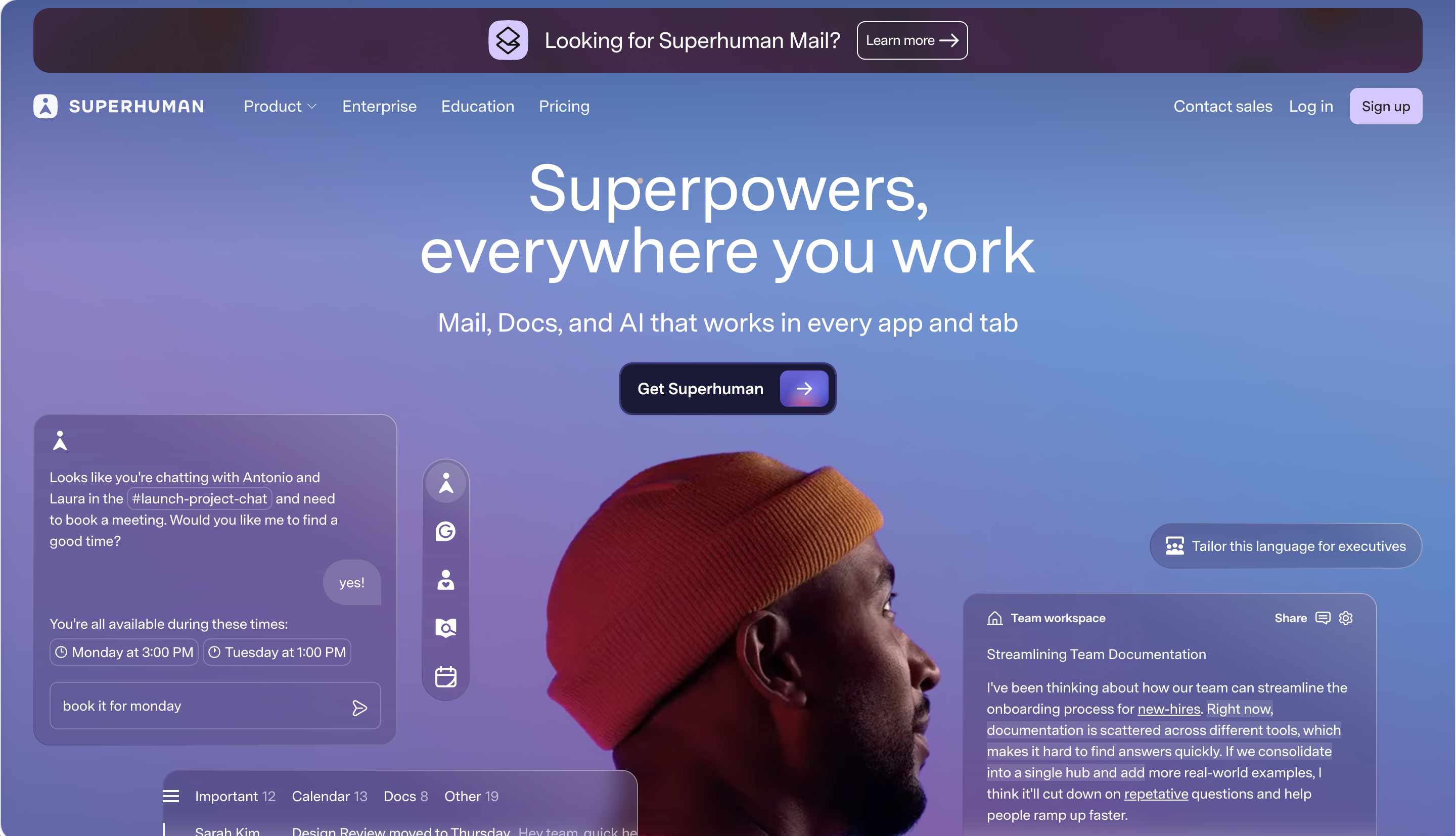
6. Superhuman — A Header as Fast as the Product
Pattern: Speed-obsessed header for a keyboard-driven email client
Superhuman built its reputation on raw speed and keyboard shortcuts, and its marketing header carries that DNA. The bar is lean, the type is confident, and the whole presentation telegraphs "this product respects your time." The header doesn't waste a pixel — appropriate for a product whose entire pitch is getting you through email twice as fast.
Three things to steal:
- Let the header set the speed expectation. If your product's promise is speed, a heavy, slow-loading header contradicts it instantly. Superhuman's spare header feels fast before the page even finishes loading.
- Confident type carries a premium product. Superhuman charges a premium price, and the header's typography reflects that — generous, decisive, unhurried. Cheap-looking type in the header undermines a premium price point.
- Resist the urge to explain everything in the header. Superhuman doesn't list every feature up top. It picks the few things that matter and trusts the rest of the page to do the explaining. A modern website header that says less often converts more.
Pattern 3: Multi-Layer / Utility Headers — When You Serve Two Audiences at Once
This is the opposite of Pattern 1. Marketplaces, fintech, and complex B2B products often can't be minimal — they have to expose a currency switcher, a language picker, an account menu, a "for business" toggle, and a primary CTA, all at once. The website header examples in this group show the craft of doing it in two clean layers instead of one chaotic strip. A well-built header layout in this category uses a slim utility bar above a taller primary navigation row.
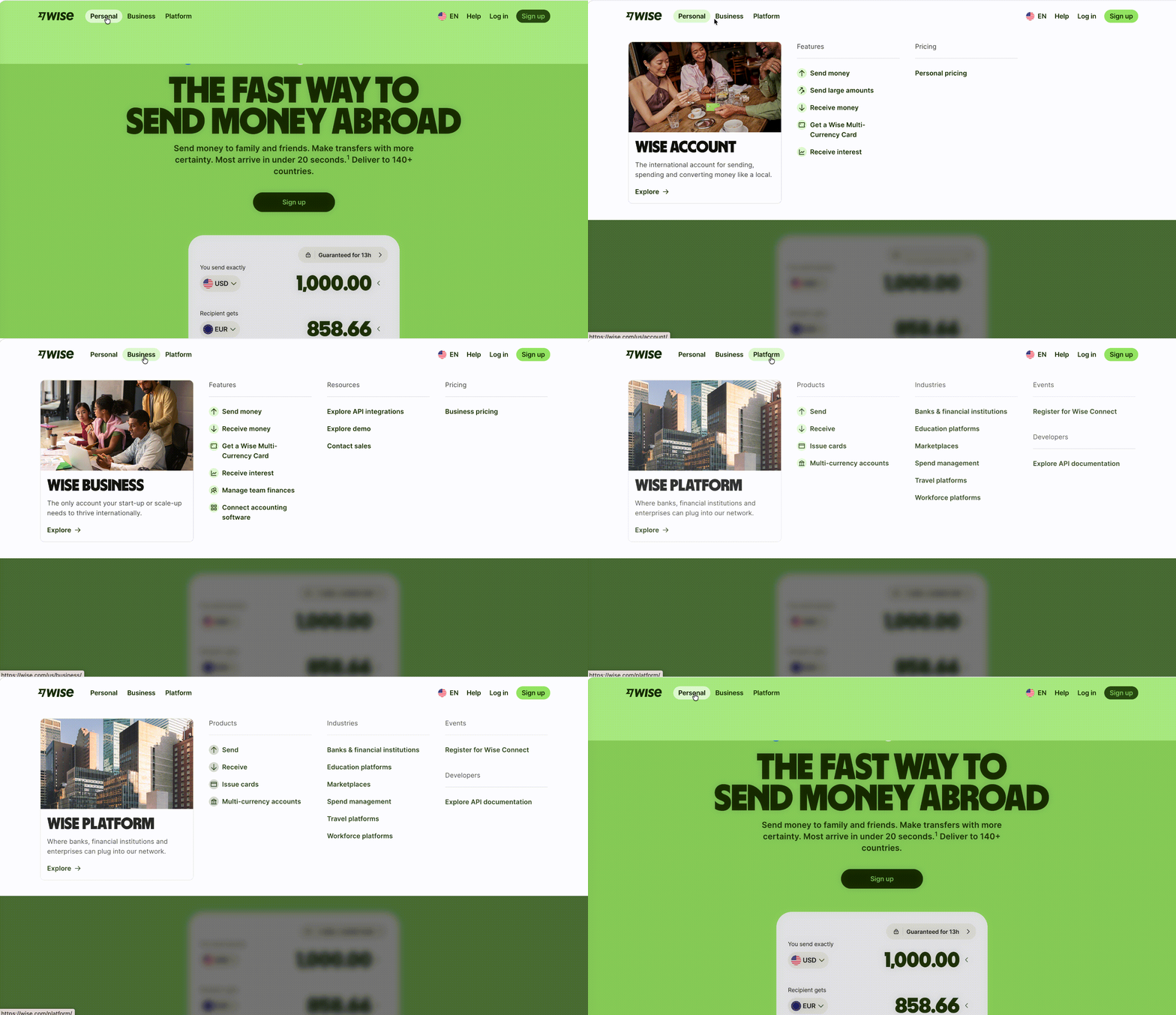
7. Wise — Fintech Utility Without the Clutter
Pattern: Multi-layer header with region/currency utility above primary nav and a personal/business split
Wise (the international money-transfer company) has to handle a hard header problem, and it produces one of the most useful website header examples for any global product: visitors in dozens of countries, paying in dozens of currencies, split between personal and business use — all needing to find pricing and log in fast. The header solves it with layered structure: a slim top row for region and account utilities, a primary navigation row below for products, and a single clear "Register" CTA. Nothing fights for attention.
Three things to steal:
- Separate utility from navigation with two layers. Region, language, currency, and account belong in a slim top strip. Your actual products and primary CTA belong in the main row below. Mixing them into one line is how headers turn into noise.
- A personal-vs-business toggle belongs in the header, not buried. If you serve two distinct customer types, let them self-identify immediately. Wise surfaces the split high up so each visitor sees a relevant path within the first second.
- One CTA, even with a busy header. Despite all the utility, Wise still has exactly one primary button. Complexity in the utility bar is fine; complexity in the call-to-action is fatal.
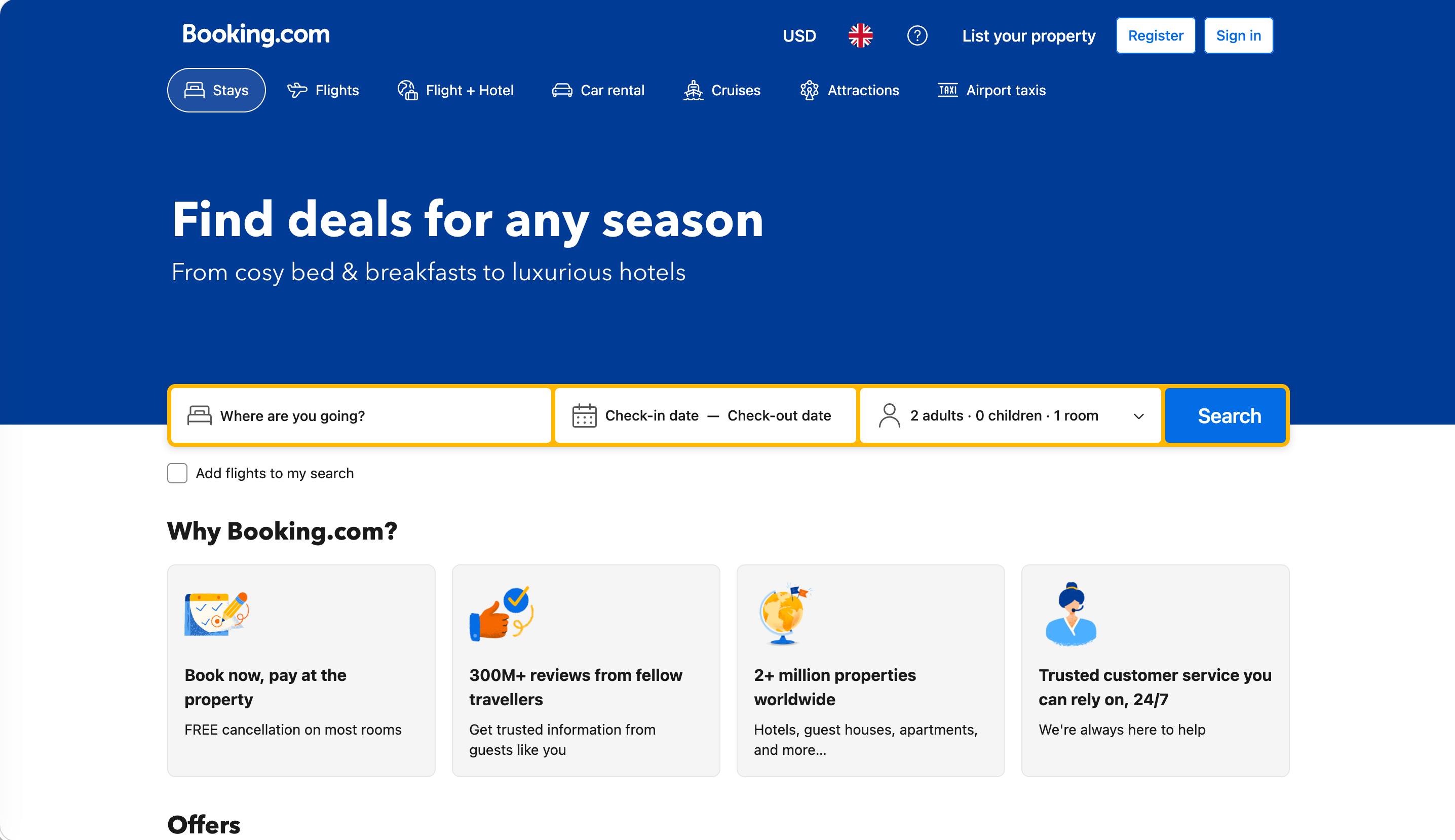
8. Booking.com — A Two-Sided Marketplace in One Header
Pattern: Travel marketplace header serving both travelers and property partners
Booking.com's header is one of the hardest-working website header examples in travel: it has to work for two completely different people — a traveler booking a room, and a property owner listing one. The solution is a utility strip carrying currency, language, account, and a prominent "List your property" link for the supply side, sitting above the traveler-focused search and navigation. Both audiences find their lane within a second of landing.
Three things to steal:
- Give the smaller audience a single clear door, not a whole lane. Most visitors are travelers, so the traveler path dominates. Property owners get one obvious "List your property" link in the utility bar — enough to find their way, not enough to clutter the main experience.
- Currency and language pickers signal "we're for you." For any site with international visitors, a visible currency/language control in the header is a trust signal. It tells a visitor in another country that the site was built with them in mind.
- Persistent search in the header for inventory-heavy sites. When your product is thousands of listings, search isn't a feature — it's the navigation. Booking.com treats the search affordance as a permanent header citizen, not a tucked-away icon.
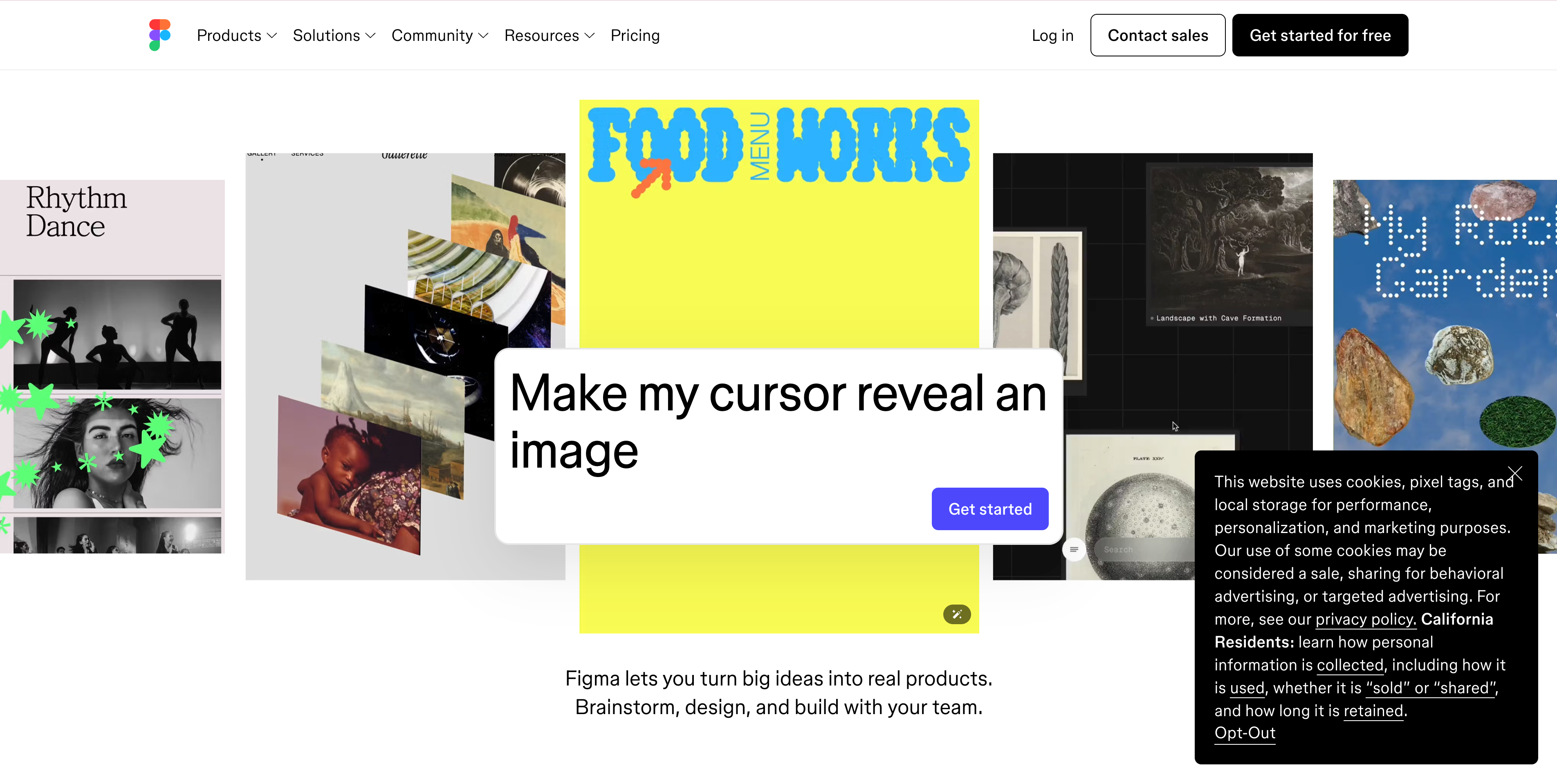
9. Figma — The B2B Header Done with Discipline
Pattern: Multi-layer SaaS header with dropdown product nav, utility links, and a bold CTA
Figma's marketing header handles a sprawling product line (design, dev mode, whiteboarding, slides) without feeling sprawling. Product categories live in tidy dropdowns, a "Contact sales" and login sit as quiet utility links, and a single bold "Get started" button anchors the right side. It's a textbook responsive header design that collapses cleanly to a drawer on mobile.
Three things to steal:
- Group a wide product line into a few dropdowns, not a flat list. Figma has many products but only a handful of top-level header items. The depth lives inside dropdowns. A flat header listing every product reads as overwhelming; grouped categories read as organized.
- "Contact sales" and "Login" are utility, not primary. Figma styles these as restrained text links so they don't compete with the main "Get started" CTA. Know which header items are doors for existing users and which are doors for new ones, and weight them differently.
- Design the mobile collapse deliberately. Figma's header folds into a clean full-screen drawer on phones — not a cramped dropdown. Treat the mobile header design as its own layout, not an afterthought squeezed from the desktop version.
Pattern 4: Editorial / Transparent Brand Headers — When the Header Is Part of the Story
The last pattern is for sites where the header isn't just a utility — it's a piece of the brand's visual identity. Retail brands, museums, and studios use transparent headers that sit over full-bleed imagery, restrained editorial typography, and content-forward links. Done well, the header feels less like a menu and more like the opening line of a story. These are the most aesthetically distinctive website header examples in the set, and the hardest to copy without understanding the brand underneath them.
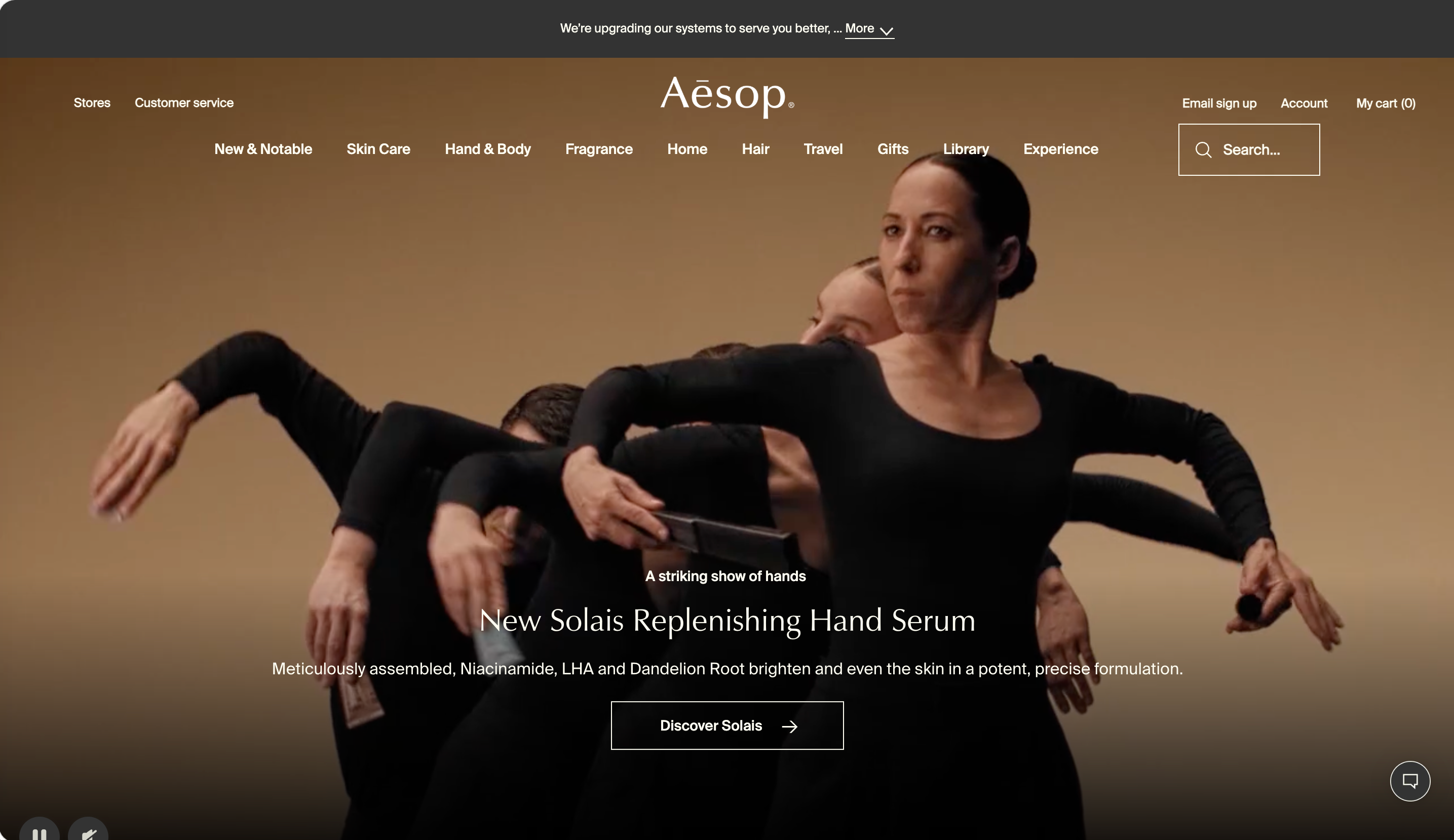
10. Aesop — Transparent-to-Solid, Quietly
Pattern: Transparent header over imagery that fades to a solid background on scroll
The skincare brand Aesop runs one of the most elegant website header examples in retail: a header that starts transparent — floating over a full-bleed hero image with thin serif-adjacent type — then transitions to a solid, legible background as you scroll into the content. The restraint mirrors the brand's apothecary aesthetic. A transparent header like this is beautiful, but Aesop nails the part most sites get wrong: it stays readable the whole way down.
Three things to steal:
- A transparent header must have a scroll state. The single most common transparent-header failure is text that becomes invisible over a light section. Aesop solves it by fading to a solid background as soon as you scroll past the hero. Never ship a transparent header without this.
- Match header typography to brand personality. Aesop's understated, editorial type does more brand work than any logo animation could. For a brand site, the header's typeface is a brand decision — choose it as carefully as your packaging.
- Let the imagery breathe under a transparent bar. When the header floats over a hero photo, keep it sparse so the image isn't crowded. A transparent header crammed with ten links defeats the entire elegant effect.
11. Tate — When "What's On" Is the Whole Point
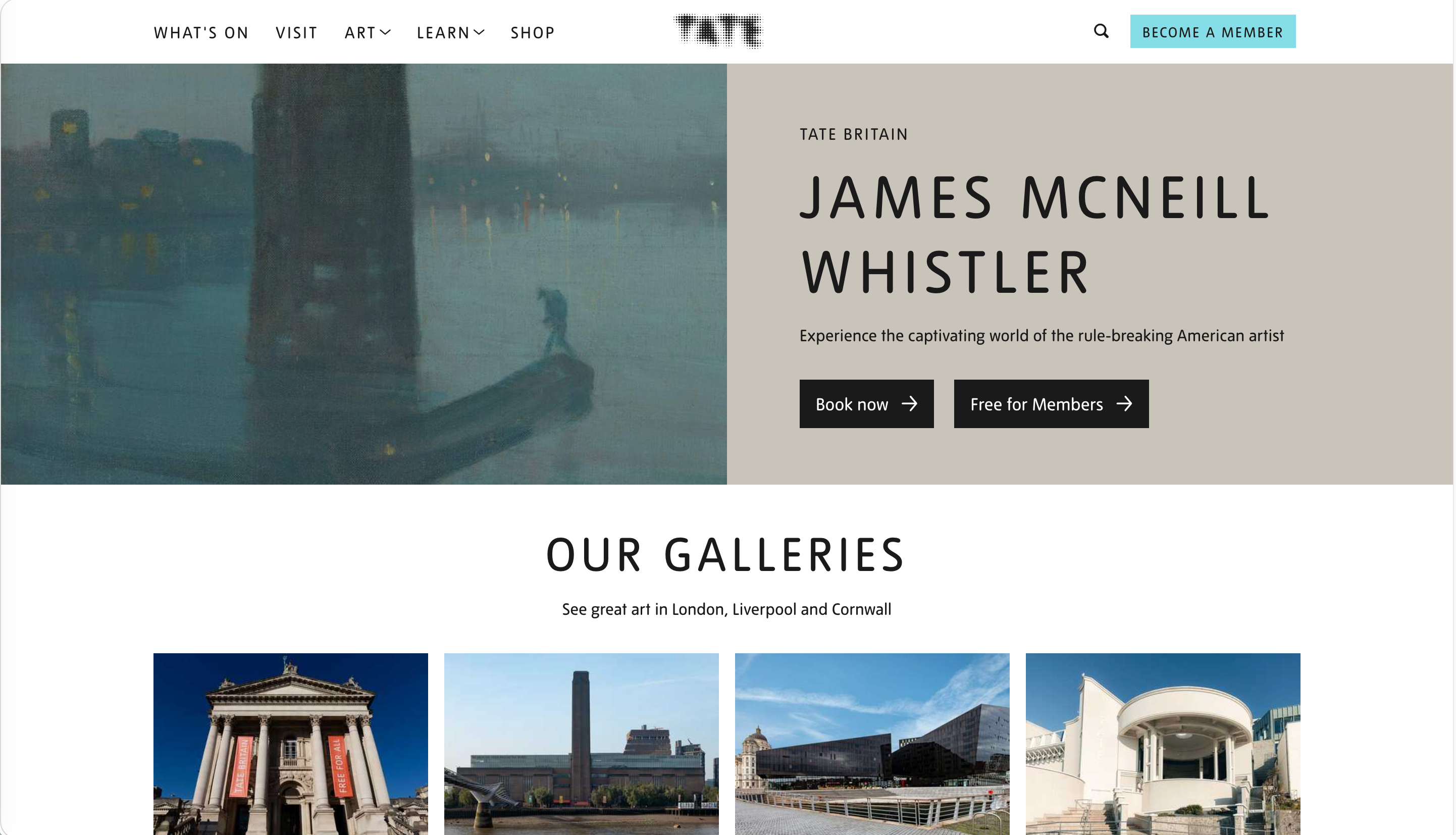
Pattern: Bold editorial museum header foregrounding exhibitions and visiting info
Tate, the UK's network of modern and historic art museums, runs one of the most instructive website header examples for any events-driven organization — a header built around the two things every visitor wants: what's on, and how to visit. The navigation is editorial and confident — large type, clear "What's on" and "Visit" entries, and a "Plan your visit" emphasis — with the museum's identity carried through bold color and typography rather than a fussy logo treatment. It's a great template for any organization where events and visiting are the core jobs.
Three things to steal:
- Lead the header with the visitor's actual question. For a museum, that's "what's on" and "how do I visit." Tate makes both unmissable. Whatever the single most common reason people come to your site is, that link belongs first in the header.
- Editorial type can replace a loud logo. Tate's brand comes through in its confident typography and color, not an oversized animated logo. For cultural and editorial brands, a strong typographic header outperforms logo theatrics.
- A "Plan your visit" CTA for any physical destination. Museums, venues, restaurants, and shops all benefit from one header CTA aimed at the in-person visit. Tate gives it real prominence — a pattern worth copying for any brick-and-mortar brand. (See it applied to dining in our restaurant website examples guide.)
12. A24 — The Studio Header as a Mood
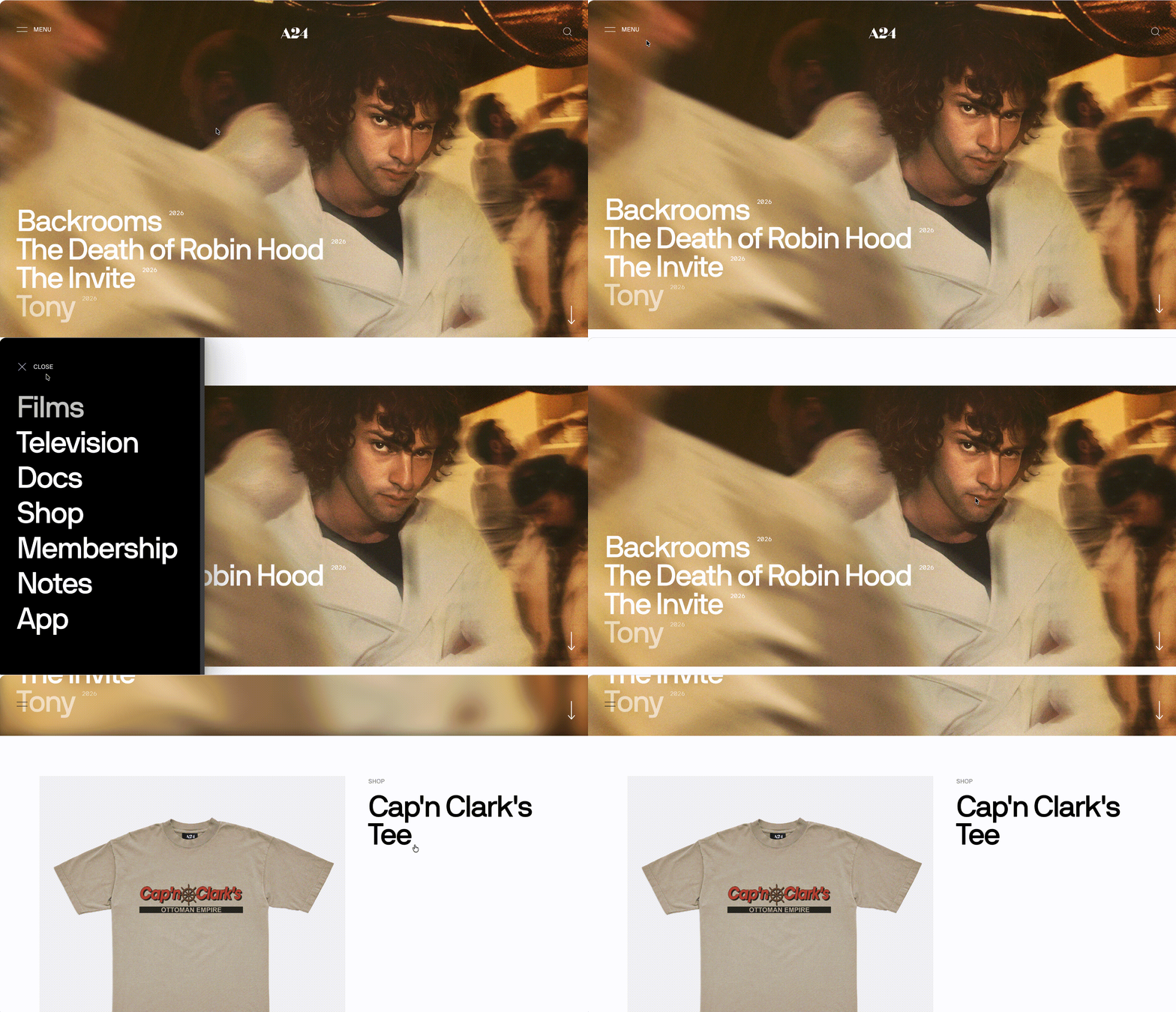
Pattern: Bold, content-forward editorial header that sets a cinematic tone
The film studio A24 runs a header that's pure brand mood — confident, spare, and content-forward, pushing films, shop, and editorial content rather than corporate links. The header treats the studio like a publication and a brand at once, which is exactly how A24's audience thinks of it. It proves a header can have a *personality*, not just a function.
Three things to steal:
- A header can carry a mood, not just links. A24's header feels cinematic and distinct the instant it loads. If your brand has a strong personality, let the header express it — restrained type, deliberate spacing, and a confident logo do more than a generic nav ever will.
- Foreground content, not corporate pages. A24 pushes films and editorial up front; "About" and corporate links recede. Lead your header with what your audience actually came for, and let the obligatory pages sit quietly at the edges.
- Distinctiveness beats convention for brand sites. A24's header doesn't look like a SaaS template, and that's the point. If your business lives or dies on brand, a slightly unconventional header that's unmistakably you outperforms a safe, forgettable one.
The 5 Mistakes That Quietly Cost You Conversions
The best website header examples above share a discipline that failing sites lack. Across countless website header design audits, these five errors account for most failing headers:
- A header that eats the fold — especially on mobile. A tall header plus an announcement bar can swallow a third of a phone screen before any content appears. Keep the header compact, and make it shrink on scroll. Screen real estate at the top is the most expensive on your site.
- A transparent header with no scroll state. Transparent headers look stunning over a dark hero — and become invisible the moment the visitor scrolls onto a light section. If you use a transparent header, it must fade to a solid, legible background as the user scrolls. No exceptions.
- A sticky header that never shrinks. A fixed header is helpful on long pages, but one that stays full-height while sticky steals content space on every scroll — brutal on mobile. Sticky headers should compact to a slim bar once the user scrolls past the top.
- A logo that doesn't link home. It sounds trivial, but a startling number of sites forget it. The logo is the universal "take me back to the start" control. If it isn't a link to the homepage, you're breaking a convention every visitor relies on.
- Too many competing buttons, no clear primary. When the header has "Sign up," "Log in," "Book a demo," "Contact," and "Download" all styled as buttons, none of them wins. Pick one primary action, make it a filled button, and demote everything else to quiet text links.
Modern Website Header Best Practices in 2026
Beyond avoiding those mistakes, six things separate the best website header examples 2026 from the rest. Whatever else you take from these website header examples, these are the website header best practices worth keeping on a checklist:
- One unmistakable primary CTA. A single filled button the eye finds instantly. Every additional button styled the same way weakens it.
- Shrink-on-scroll, quietly. A header that compacts to a slim bar on scroll keeps navigation available while returning space to content. Keep the motion subtle — no bouncing or dramatic resizing.
- A real scroll state for transparent headers. Transparent over the hero, solid and legible everywhere else. Test it over your lightest section, not just your darkest.
- Mobile as its own layout. More than half of all traffic is mobile. Design the mobile header design deliberately — a clean drawer, large tap targets, search up top — rather than cramming the desktop header onto a phone.
- Consistency across every page. The header should be effectively identical site-wide. A homepage header with six items and an inner-page header with four different ones makes visitors feel lost.
- Announcement-bar discipline. One promo bar at a time, dismissible, and never stacked two-deep. An announcement bar is borrowed space from your content — return it gracefully.
How Wegic Generates Headers That Actually Work
Most website builders hand you a template header and let you swap the logo. Wegic treats the header as something the AI infers from your business — closer to the website header examples above than to a generic template. Tell Wegic what kind of site you're building and it picks the right pattern — minimal and disappearing for a publication, command-bar-minimal for a dev tool, multi-layer for a marketplace, transparent-editorial for a brand.
Wegic is a conversational AI website growth system. Instead of inheriting a template's pre-baked header, you describe your site and Wegic writes the header design for website from scratch — scroll state, mobile drawer, sticky behavior, and all.
Phase 1: Brief Your AI
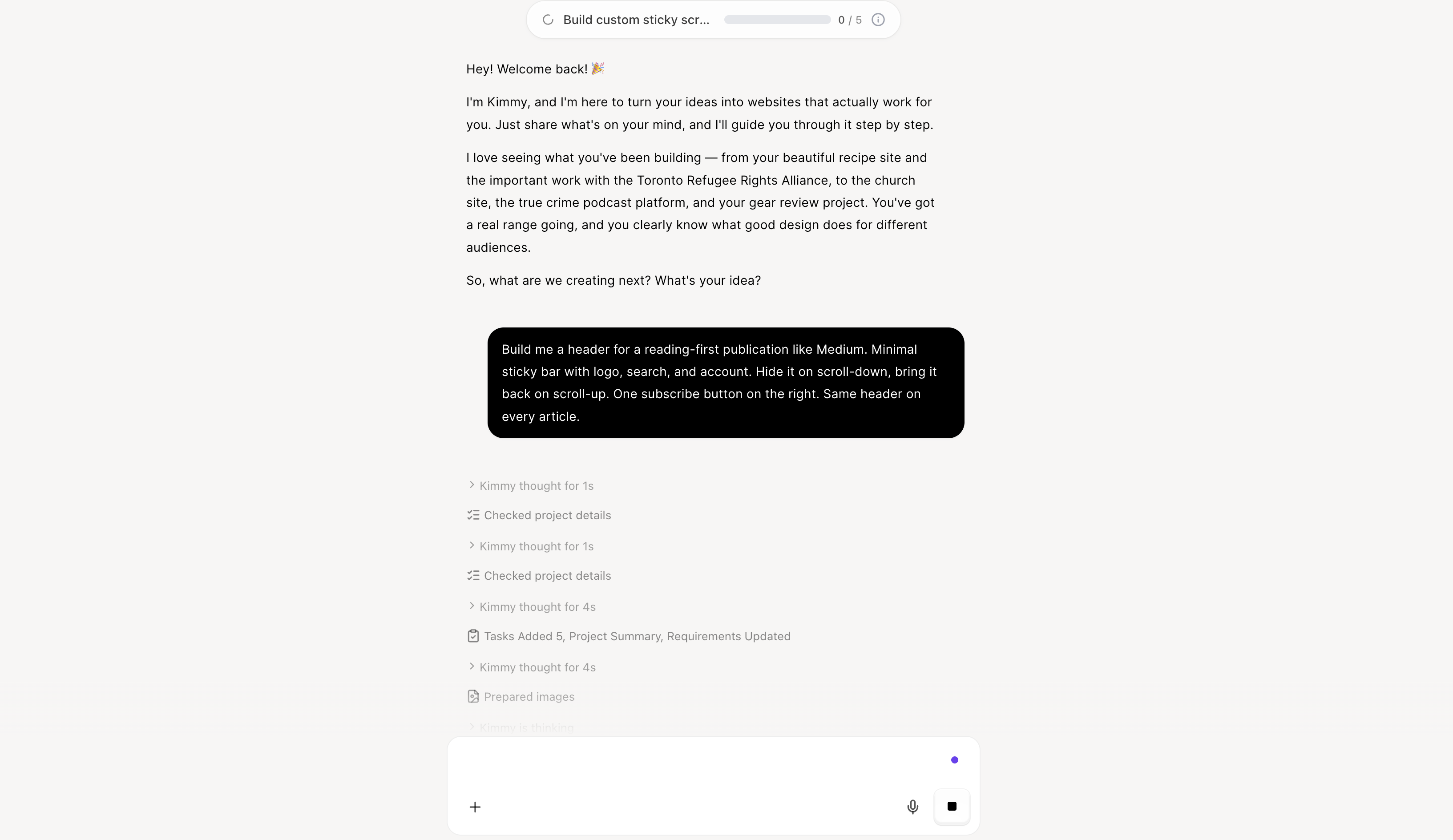
Open Wegic and chat with Kimmy, your AI project manager:
"Build me a header for a reading-first publication like Medium. Minimal sticky bar with logo, search, and account. Hide it on scroll-down, bring it back on scroll-up. One subscribe button on the right. Same header on every article."
Phase 2: AI Assembly in Under a Minute
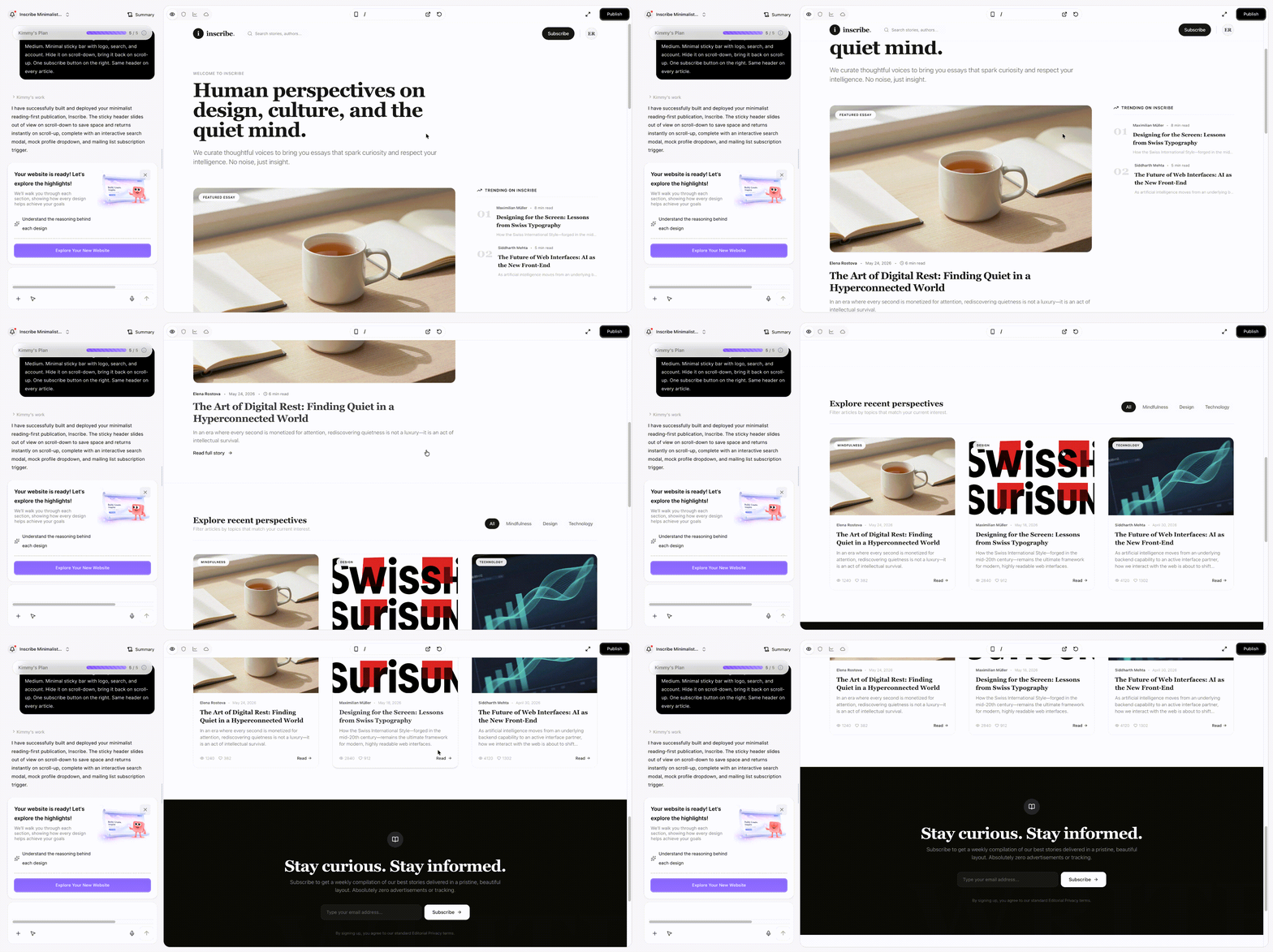
Wegic's engine writes the code from scratch — including the header. In under 60 seconds you get a responsive header design with the right scroll behavior, a mobile drawer that collapses cleanly on phones (and only on phones), readable contrast in every scroll state, keyboard focus styles, and accessibility labels handled automatically.
👇 Click below to start with Wegic
Phase 3: Edit by Conversation
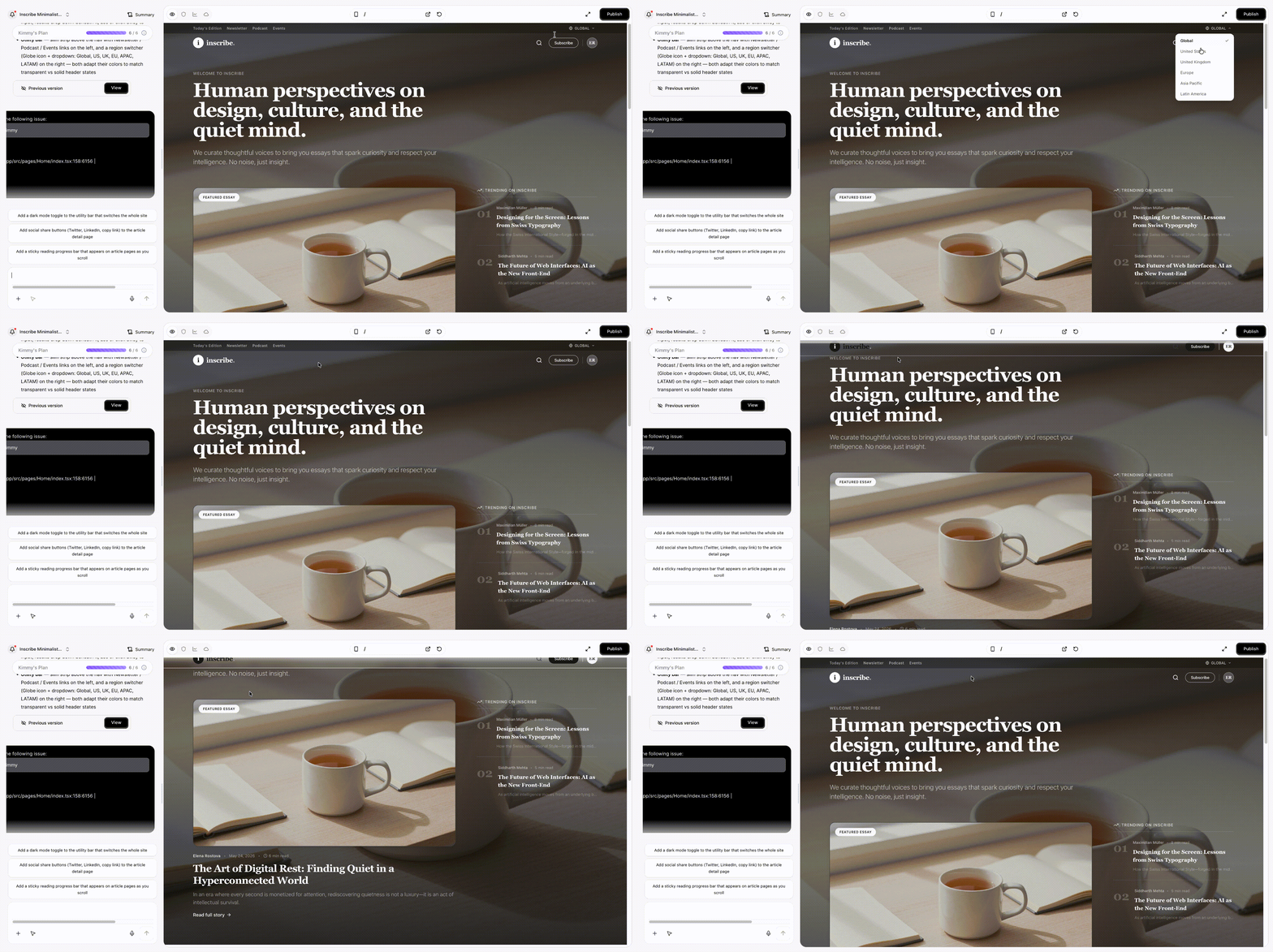
"Make the header transparent over the hero image, then fade to solid white on scroll. Move the search to an icon that expands. Add a slim region switcher in a top utility bar above the main nav."
Wegic proposes two or three design options with reasoning before applying, and keeps the mobile and desktop versions in sync.
Phase 4: Publish with Hosting Included
Hit Publish. Hosting, custom domain, auto-generated
sitemap.xml, and SEO metadata are all bundled. For a comparison of how Wegic handles headers and layouts versus other AI builders, see our in-depth review of 5 web design AI tools.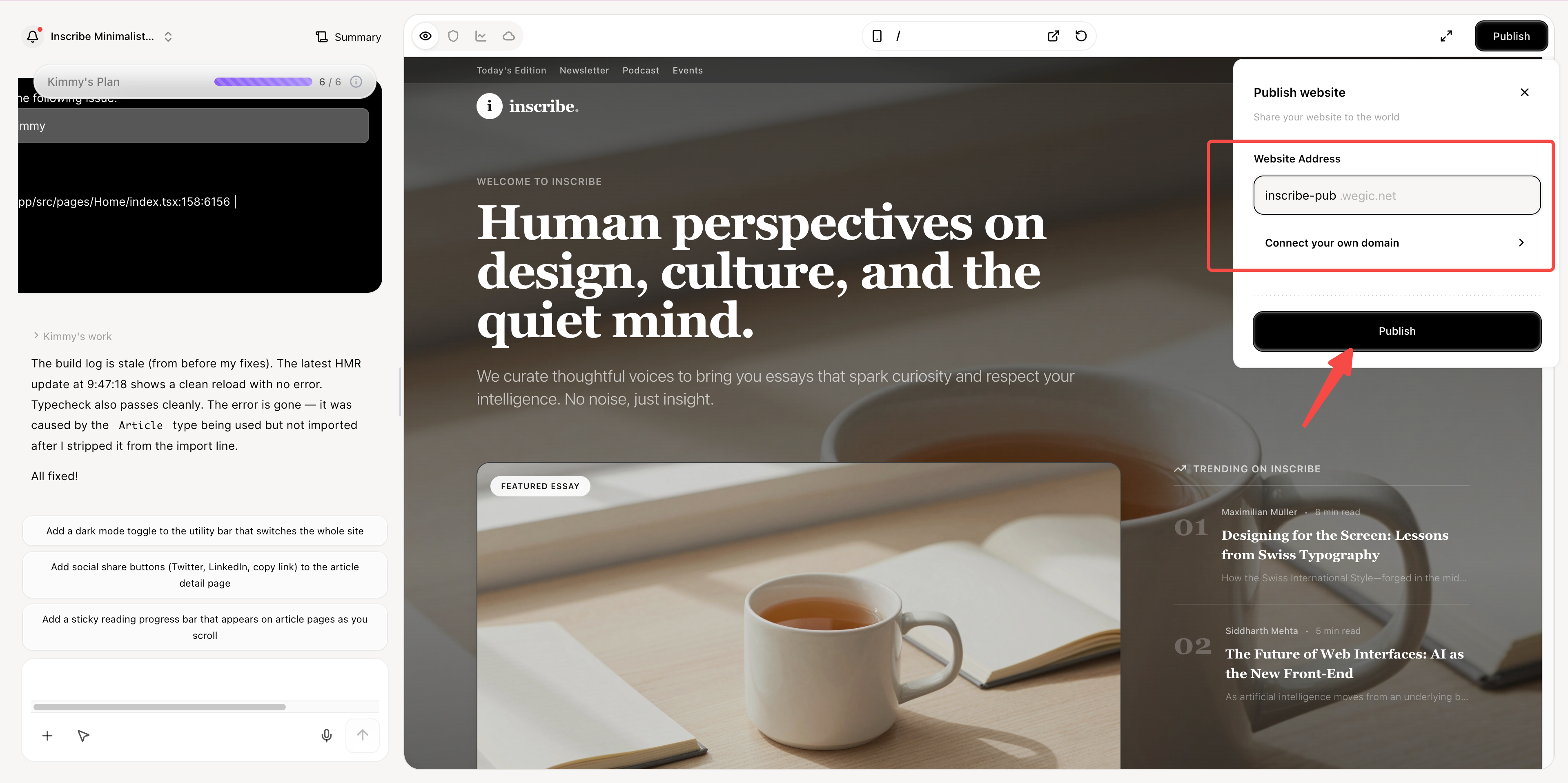
Conclusion: Match the Header to the Job
The 12 website header examples in this guide work because each was matched to a specific problem. Medium's disappearing header works because Medium is for reading. Wise's multi-layer header works because Wise serves dozens of countries and two customer types at once. Aesop's transparent header works because Aesop is selling an aesthetic. None of them would work if you swapped them — which is the real lesson behind every one of these website header examples.
If you copy a header that doesn't match your site's actual job, the result is decoration. Match the pattern to what your visitor came to do, and the header gets out of the way — which is exactly what good website header design does.
For more design inspiration across other categories, see our broader website homepage examples guide, and for a deeper gallery focused purely on header aesthetics, our 16 best website header design examples collection. For implementation, the responsive website builder flow generates header patterns that fit your category by default, and the aesthetic websites gallery shows how headers tie into full-site design.
FAQs
What should every website header include?
Five essentials, in priority order — and they hold across nearly all the website header examples above: (1) a logo that links back to the homepage; (2) a primary navigation of five to seven items, never more; (3) a single distinguishable primary CTA (Sign Up / Get Started / Subscribe / Book); (4) a search affordance if your site has real depth; (5) a clean mobile version that collapses to a drawer. Optional, depending on type: a utility strip for region/language/account, and a single dismissible announcement bar. Most failed header audits trace back to violating one of these.
What's the difference between a sticky header and a fixed header?
The terms are often used interchangeably, but practitioners usually mean this: a fixed header stays pinned to the top of the viewport at all times as you scroll. A sticky header behaves the same once you reach it but may start in the document flow or hide and reveal based on scroll direction (like Medium's). In practice, "sticky" has become the umbrella term for any header that follows the scroll. The key UX rule for both: shrink to a slim bar once the user scrolls past the top, so you're not eating content space on every screen — especially on mobile.
Should my website header be transparent?
A transparent header works beautifully when it sits over a full-bleed hero image or video and your brand leans editorial (think Aesop, fashion brands, museums). The non-negotiable rule: it must transition to a solid, legible background as the user scrolls onto lighter sections. The most common transparent-header failure is navigation text that disappears over a white block further down the page. If you can't implement a reliable scroll state, use a solid header instead.
How tall should a website header be?
There's no universal pixel number, but the principle is: as compact as possible while staying tappable. On desktop, a header roughly 60–80px tall is common; on mobile, keep it slim and ensure tap targets are large enough to hit comfortably. The bigger rule is what happens on scroll — a good modern website header shrinks once the user scrolls down, returning that space to content. Never let the header plus an announcement bar swallow a third of a phone screen.
What is a mega menu header, and do I need one?
A mega menu header is a header whose dropdowns expand into large, multi-column panels — used by retailers and big catalogs to expose dozens of categories at once. You need one only if your content is genuinely abundant and well-organized (lots of products, many categories). For most SaaS, publications, and brand sites, a mega menu is overkill and a few tidy dropdowns work far better, as most of the website header examples in this guide demonstrate. Reach for a mega menu to solve real catalog depth, not to look impressive.
How do I design a header for mobile?
Treat mobile header design as its own layout, not a squeezed-down desktop version. The dominant 2026 pattern: a slim bar with logo and a menu icon that opens a full-screen drawer. Inside the drawer: a vertical list of links with large tap targets, search near the top, and the primary CTA as a full-width button. Avoid hover-only dropdowns (they don't exist on touch), and make sure the header shrinks on scroll so the content gets maximum room.
How many links should be in the header navigation?
Five to seven primary items is the sweet spot. Below five, you may be under-exposing important destinations; above seven, you force visitors to scan more than the eye comfortably absorbs in a glance, and you usually end up with a vague "More" catch-all. If you have more than seven destinations that genuinely deserve top-level prominence, that's a sign your information architecture needs restructuring — fix the site's structure, not just the header navigation.
Where should the call-to-action go in a header?
Top-right is the conventional, high-performing placement in left-to-right languages — the eye finishes scanning the nav there. Style it as a single filled button that contrasts with the plain text links, so it's the obvious focal point. The cardinal rule: one primary CTA. If you style three buttons identically, none of them wins, and visitors hesitate instead of clicking.