Wegic vs 10Web: Which AI Website Builder is Better in 2026?
Wegic vs 10Web Ultimate Comparison: Which AI Website Builder is Best for Your 2026 Business Growth? We analyze speed, ROI, and user experience to help you choose the best no-code tool.
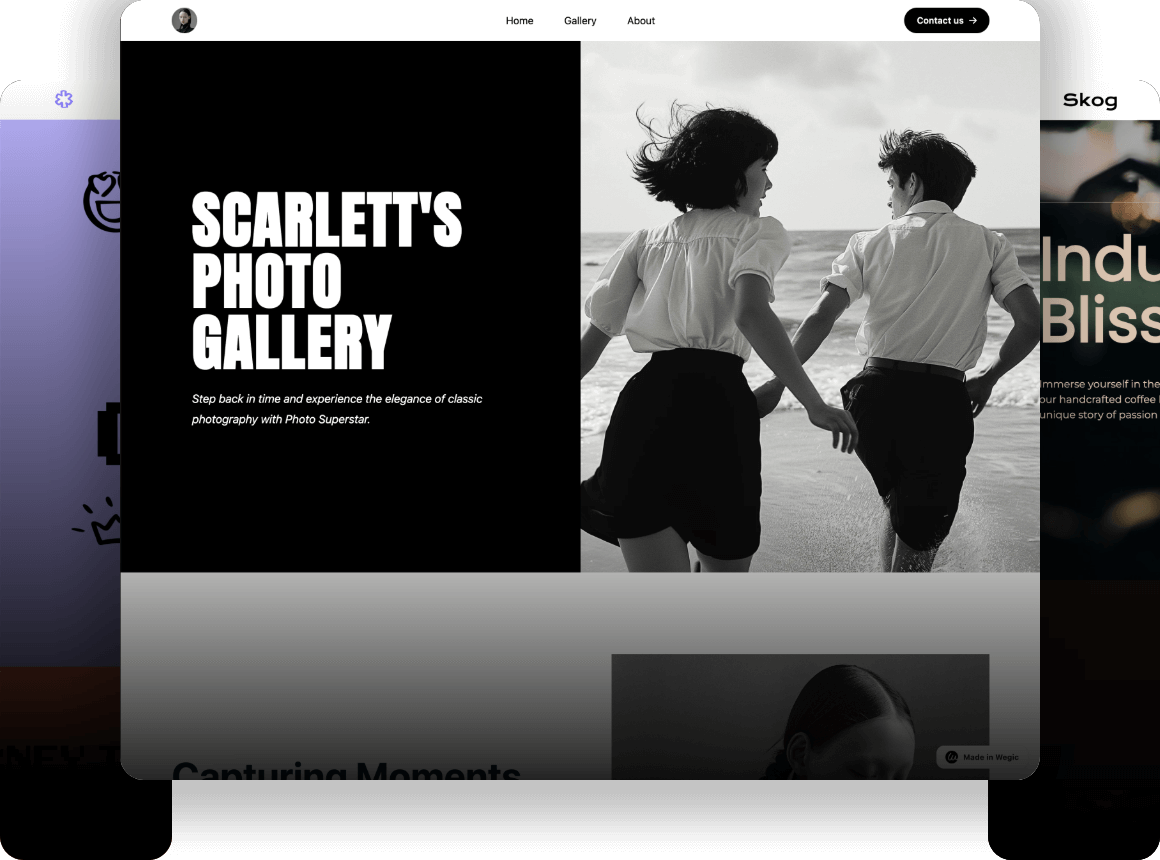
Toplist Analysis: The Best AI Website Builders for Different Needs
Wegic - The Intelligent AI Growth System for Business Owners
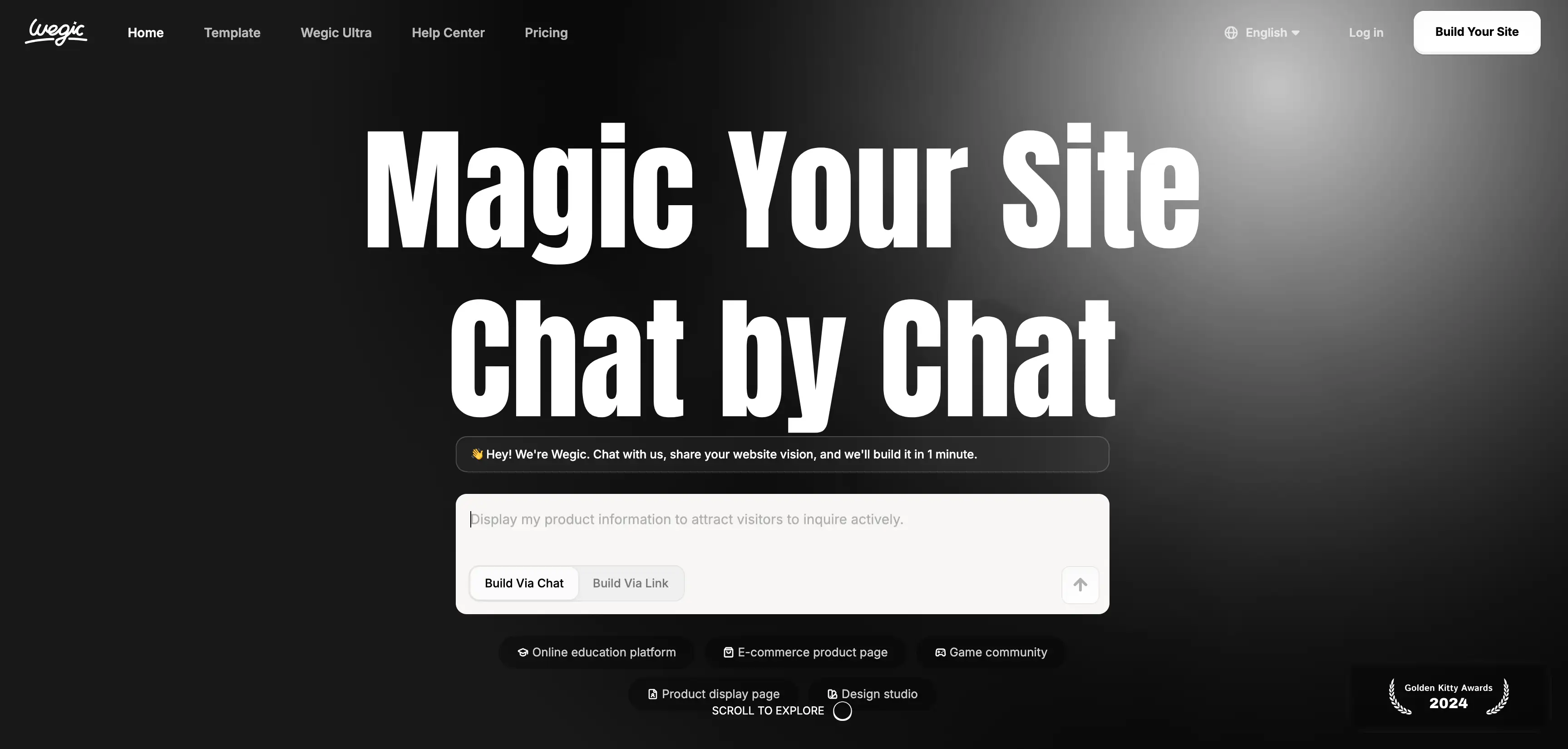
- Core Strength: Conversational interface that builds a full site in roughly 60 seconds.
- Unique Selling Point: Functions as an "AI Team" that safeguards your business and suggests growth strategies.
- User Experience: Zero learning curve; if you can chat, you can build.
- Best For: Small business owners, solo entrepreneurs, and non-tech users who want automatic money-making features.
10Web - The Automated WordPress Powerhouse for Agencies
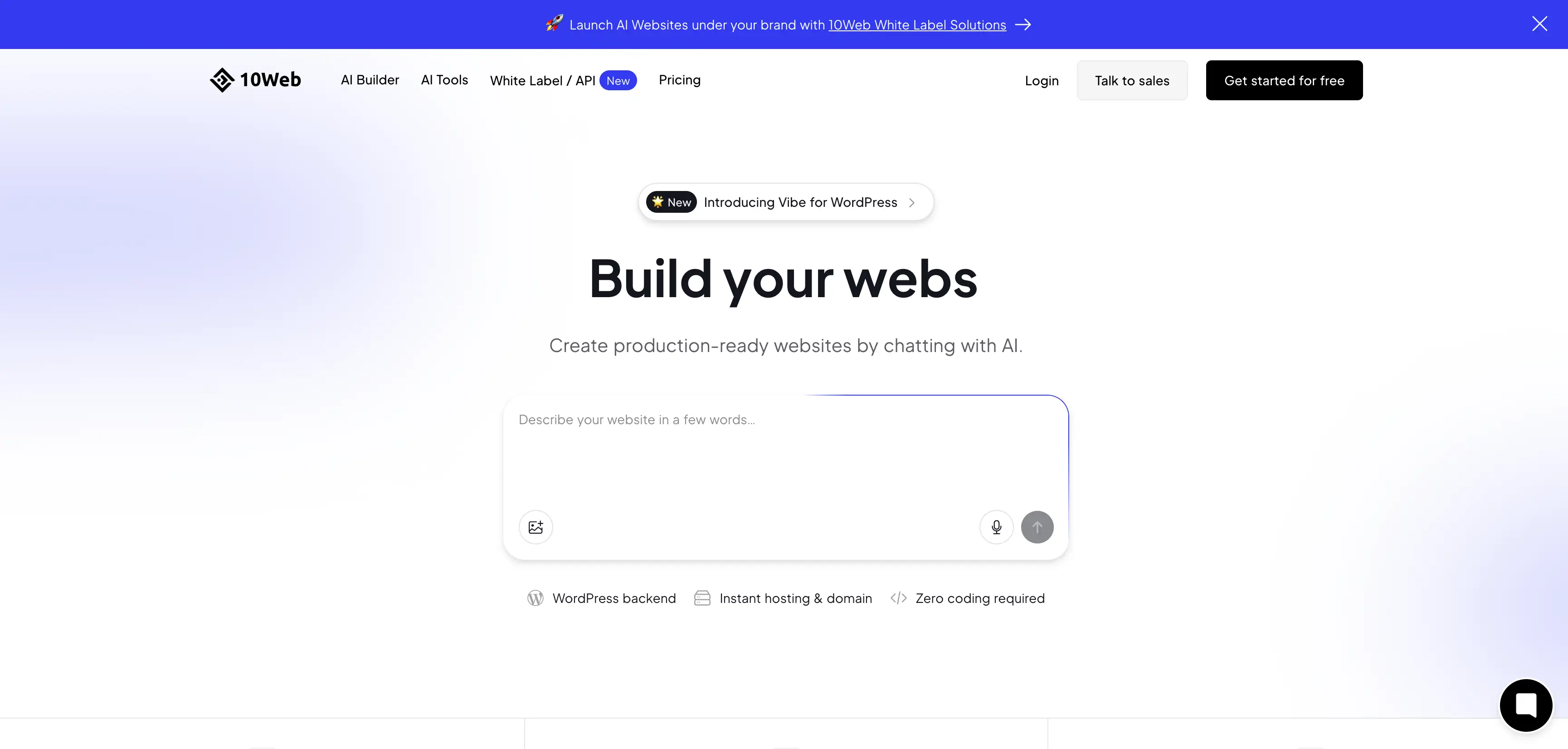
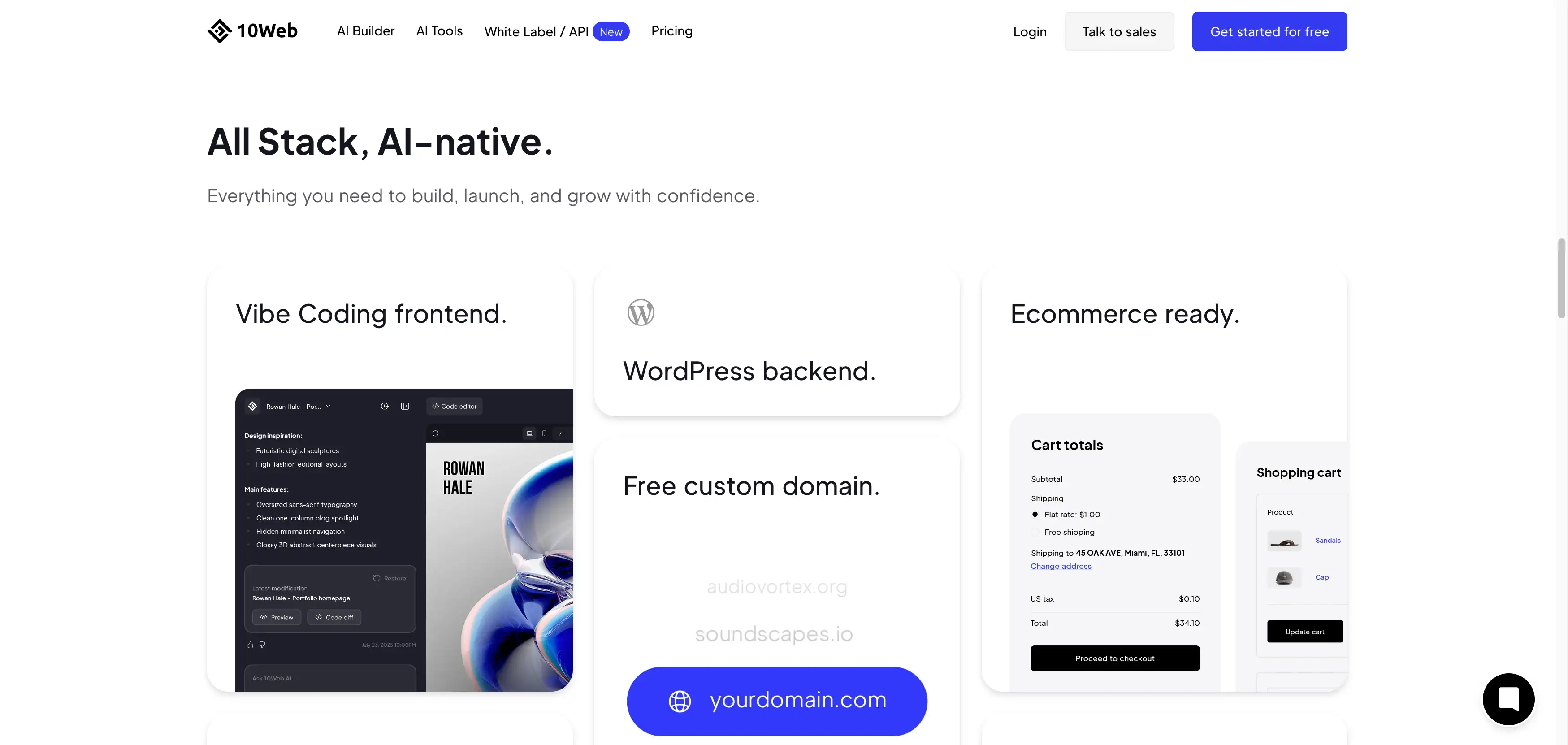
- Core Strength: Deep integration with WordPress and Elementor for high-level customization.
- Unique Selling Point: "AI Recreation" feature that can clone the design of any existing website just from a URL.
- User Experience: Requires some understanding of WordPress dashboards and plugins.
- Best For: Web agencies, developers, and users who need the specific power of the WordPress ecosystem.
What is Wegic and How Does It Revolutionize Website Creation?
The "AI Team" Concept
- Most builders leave you alone after the site is published. Wegic is different. It stays active to help you grow. It is designed to be an intelligent partner that monitors your site.
- If you need to change a price or add a holiday promotion, you just text the AI.
- It feels like having a professional web developer on standby 24/7, safeguarding your business presence without a high salary.
Driving Business Growth
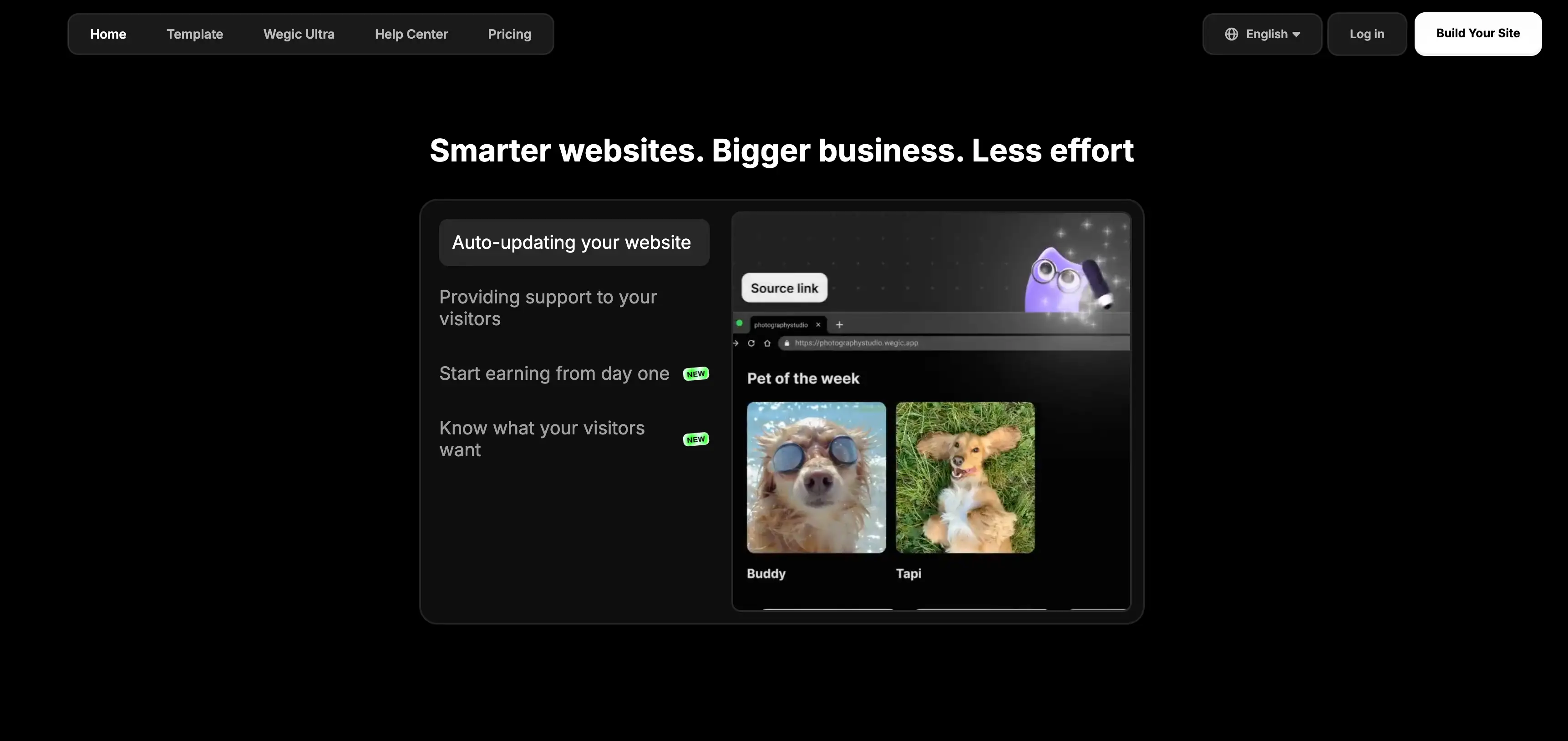
- Wegic focuses on "intelligent website generation." This means it builds sites with conversion in mind from day one. It creates layouts that encourage visitors to buy or book services.
- The system is built to help small business owners see a return on investment immediately.
- Wegic is not just about having a URL; it is about making the website generate conversions from the start.
Key Features for Success
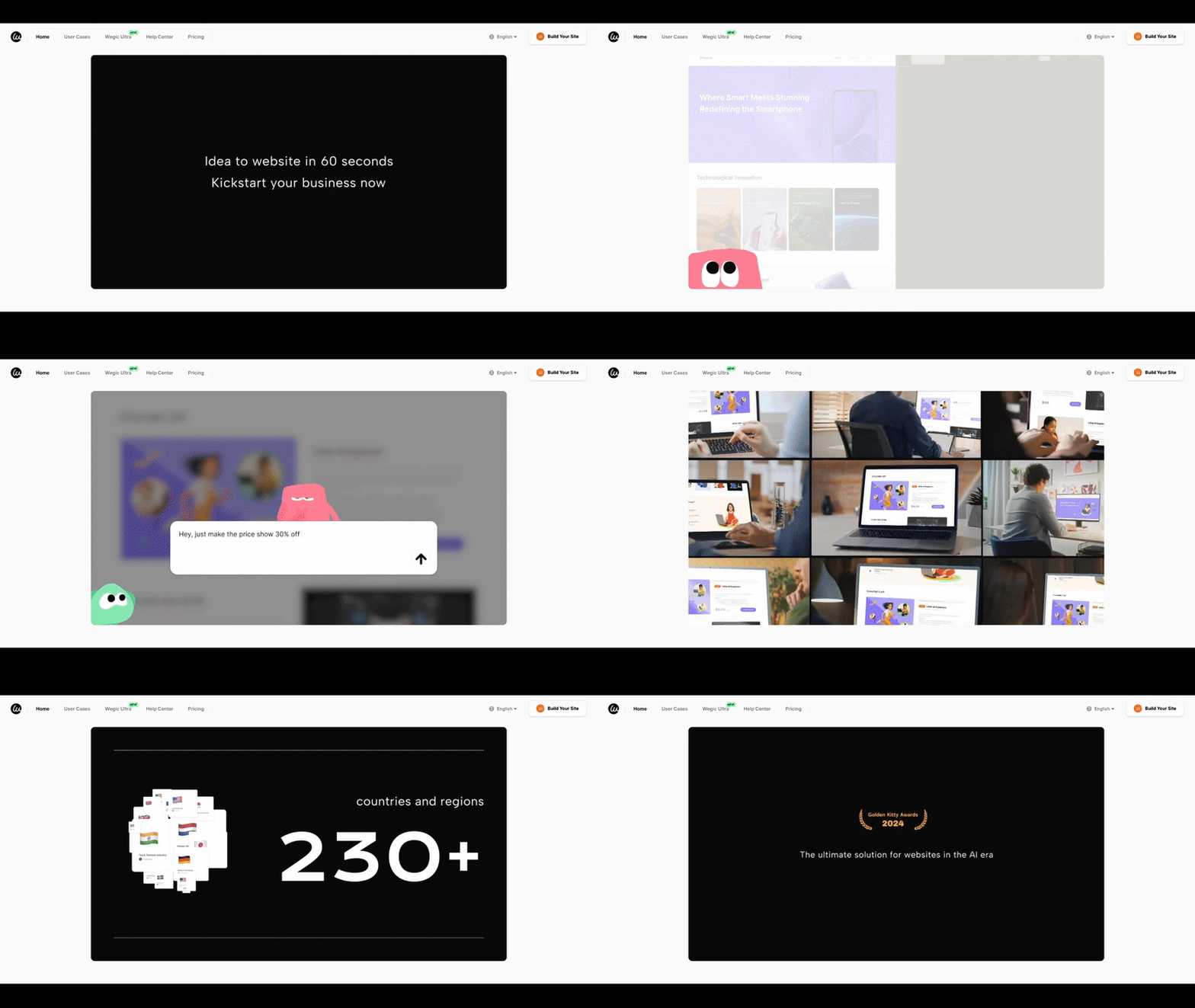
- Instant Build: Go from zero to a published site in under 2 minutes.
- Smart Updates: The AI handles content refreshes automatically.
- No-Code Freedom: You never see a line of HTML or CSS.
Learn more about 10Web: The WordPress Automation Specialist
AI Website Recreation
- One of 10Web’s most famous features is its ability to recreate websites. If you see a competitor's site that you love, you can copy the URL into 10Web.
- The AI analyzes the design and rebuilds a similar layout inside WordPress for you to edit. This is a game-changer for agencies who need to build client sites fast based on visual references.
PageSpeed Booster
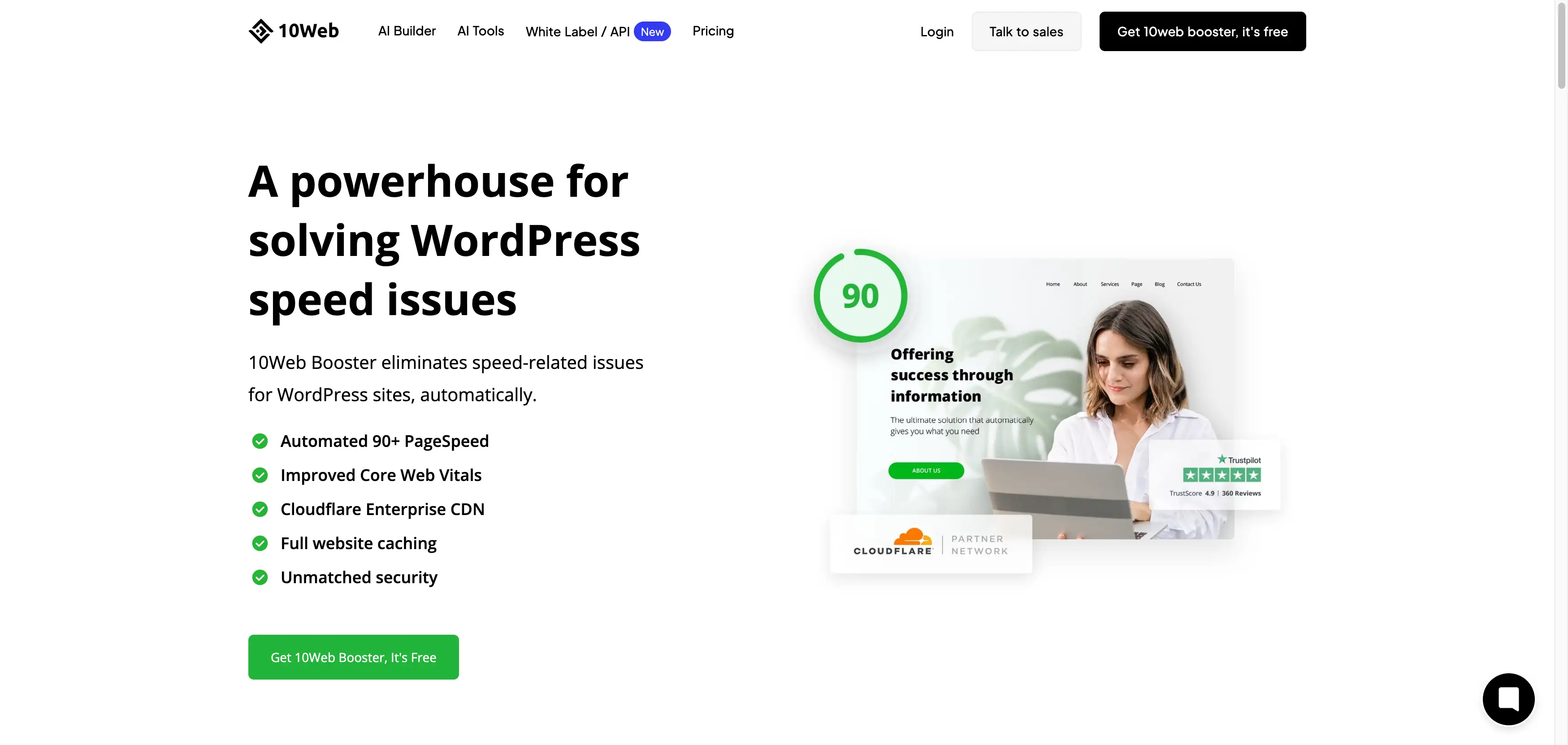
- Slow websites lose customers. 10Web includes a specialized "PageSpeed Booster."
- This tool automatically optimizes your images and code to ensure your site loads incredibly fast. It guarantees a 90+ score on Google PageSpeed Insights, which is critical for ranking high on search engines.
The Drag-And-Drop Editor
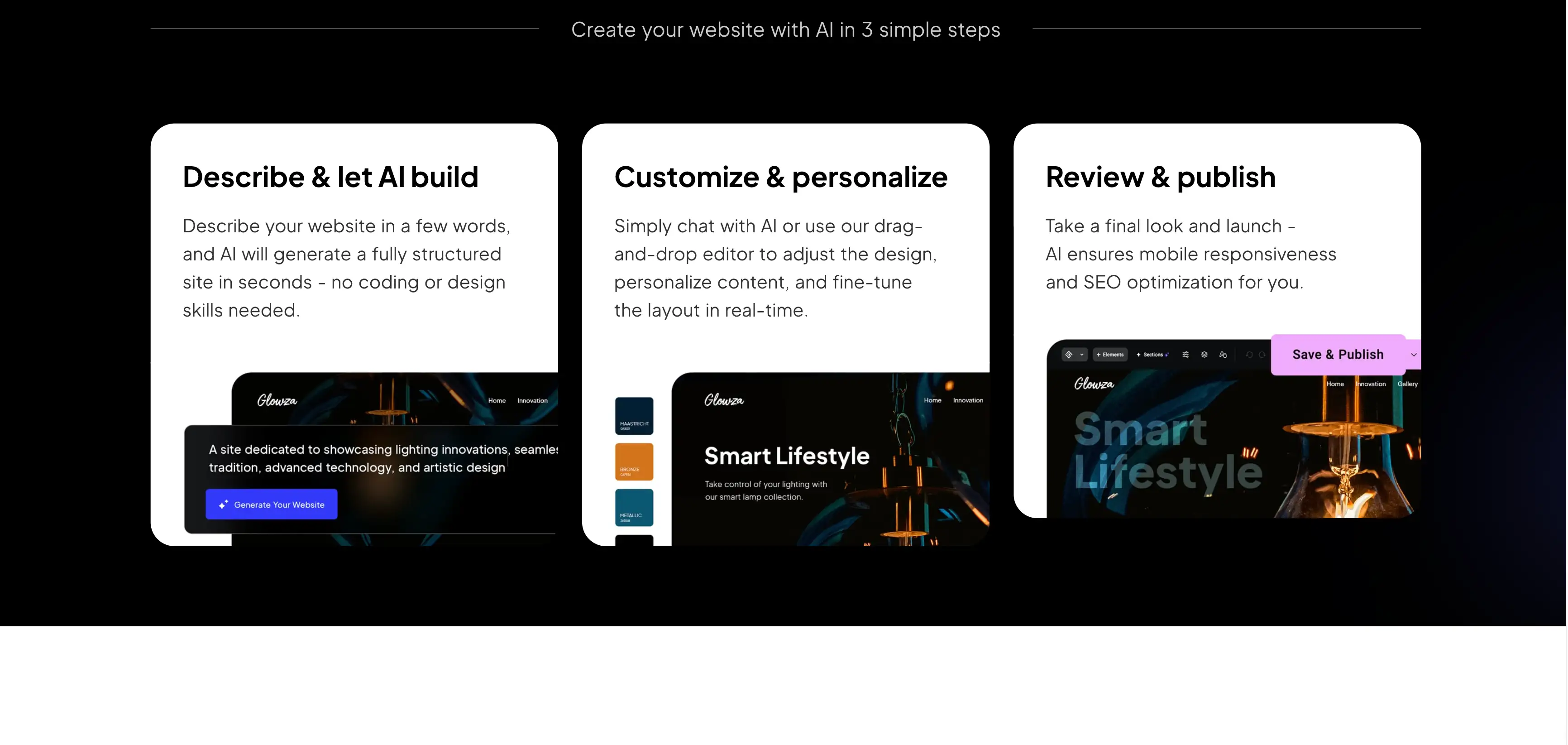
- 10Web uses the Elementor drag-and-drop editor. This is a professional-grade tool used by millions of designers. It gives you pixel-perfect control over every button and margin.
- However, it does have a learning curve. You need to learn how widgets, columns, and sections work to use them effectively.
Why User Experience Matters for ROI
Speed to Market
- Wegic: You can go from a business idea to a live link in roughly 60 seconds. This is critical for testing new products or capturing trends immediately.
- 10Web: While faster than manual coding, 10Web still requires setup time. You must generate the draft, check the Elementor layout, and configure WordPress settings. It is fast, but Wegic is instant. When looking for the best aiwebsite builder, speed is often the deciding factor for solo entrepreneurs.
Agility and Frustration-Free Usage
- Wegic: Offers a "Frustration-Free" guarantee through its chat interface. You don't hunt for settings. You simply type, "Change the background to blue," and the AI does it. This agility allows non-tech owners to pivot their strategy daily without fear of breaking the site.
- 10Web: Provides high agility for developers but can be frustrating for beginners. If a plugin updates and breaks your layout, you have to fix it. However, for those who know WordPress, the ability to install any of the 50,000+ WordPress plugins offers a different kind of agility—the, the power to add any feature imaginable.
Real-Life Examples: Who Wins With Which Tool?
- User: Sarah who is a freelance career coach.
- Goal: Launch a booking site for her new "Resume Review" service over the weekend.
- Experience: Sarah used Wegic's conversational AI. She typed her offer, and Wegic built a landing page with a booking form and payment link in 5 minutes. She didn't need to learn design.
- Result: She started taking client payments the same day. Her ROI was immediate because she spent zero time on "tech" and all her time on marketing.
- User: Rocket Clicks, which is a digital marketing agency.
- Goal: Build and manage 20 high-performance websites for local business clients.
- Experience: They used 10Web to clone the layout of successful industry sites to get a base structure. Then, they used the 10Web PageSpeed Booster to ensure every client site scored 90+ on Google.
- Result: They cut their development time by weeks and delivered faster sites to clients, increasing their agency's revenue. For them, the ROI came from automation and bulk management.
Which Platform is Best for Online Business Growth?
Wegic’s Growth Strategy
- Wegic is built for "automatic money-making." The AI suggests layouts that are proven to convert. Because updating the site is so easy (just chat to update), business owners keep their sites fresh.
- A fresh site with current offers sells better. Wegic removes the friction between having a marketing idea and putting it live on your site. It provides intelligent insights into what your visitors want.
10Web’s Growth Strategy
- 10Web relies on the vast WordPress plugin ecosystem for growth. You can install WooCommerce for sales, Yoast for SEO, and HubSpot for marketing. This gives you unlimited power, but you have to manage it.
- You are responsible for connecting these tools and making sure they work together. 10Web provides the strongest foundation, but the growth strategy is largely up to you to configure.
How to Start a Business Website: Step-by-Step Guide
Step 1: Clarify Your Offer
- What do you sell? (e.g., "Vintage coffee mugs" or "SEO consulting").
- Who is it for? (e.g., "Collectors" or "Local startups").
- Key Action: Write down your three main selling points. Both Wegic and 10Web need this input to generate good results.
Step 2: Choose Your AI Path
- Choose Wegic if: You want an "AI Team" experience where you chat to build, avoid technical dashboards, and want a site optimized for growth instantly.
- Choose 10Web if: You want a WordPress site, need to clone an existing design, and are comfortable using a drag-and-drop editor like Elementor.
Step 3: Generating the First Draft
- Option A: Wegic (Conversational Build)Open the chat interface.Type a simple prompt: "I want a website for my vintage mug shop. I need a gallery and a contact form."The Wegic AI website builder analyzes your intent and builds the full site structure, writes the copy, and selects images in about 60 seconds.Result: A fully functional site appears instantly.
- Option B: 10Web (Structured Build or Replication)Method 1 (New Site): Select "Create a new website with AI." Choose your business type from a dropdown menu, answer a series of formal questions about your services, and wait for the AI to generate a WordPress draft.Method 2 (Recreation): Copy the URL of a website you like (e.g., a competitor's layout). Paste it into 10Web. The AI will analyze and recreate that layout structure inside WordPress for you to edit.Result: A WordPress dashboard with your draft loaded in Elementor.
Step 4: Customization & Refinement
- Option A: Wegic (Chat-to-Edit)How to edit: If you don't like a headline, just tell the AI, "Make this sound more exciting." If you want to move a section, say, "Move the gallery to the top."Pro Tip: You can ask the AI for advice on how to improve your website layout in wegic to maximize visitor retention. It acts as a design consultant, ensuring your changes actually help your business grow.
- Option B: 10Web (Drag-and-Drop)How to edit: Click "Edit with 10Web Builder." This opens the Elementor interface. You can click on any text box to type new words. To change styles, navigate the left-hand sidebar to adjust padding, margins, fonts, and colors manually.Pro Tip: Use the "Write with AI" button inside the text widgets to help you rewrite paragraphs if you get stuck.
Step 5: Launch and Monitor
- Wegic: Connect your domain. The system handles SSL and hosting automatically. Once live, the "AI Team" continues to monitor engagement opportunities.
- 10Web: Connect your domain via the dashboard. Ensure your "PageSpeed Booster" is active to keep the site fast. You will also need to check the "Plugins" tab occasionally to ensure all software is up to date and secure.
Detailed Feature Comparison: Functionality and Tools
E-Commerce Capabilities
- Wegic: Comes with built-in tools to sell products and book services. It is integrated seamlessly, so you don't need to set up external gateways manually. It is designed for immediate sales.
- 10Web: Uses WooCommerce. This is a powerful, industry-standard platform. It is great for massive stores with thousands of SKUs, but it can be overkill for a small shop. You have to manage shipping plugins and tax calculators yourself.
Search Engine Optimization (SEO)
- Wegic: Focuses on automated SEO. The code is clean, mobile-friendly, and fast. The AI helps you write keyword-rich content that ranks well without you needing to be an expert.
- 10Web: Offers excellent technical SEO through its speed optimization. For on-page SEO, you usually rely on plugins like Yoast or RankMath. This gives you granular control over every meta tag, but requires you to do the work.
Maintenance and Security
- Wegic: Fully managed. You never have to click "update." The AI team safeguards your business data automatically behind the scenes.
- 10Web: Managed hosting helps, but because it is WordPress, you still need to monitor plugin updates. If a plugin becomes outdated, it can be a security risk. 10Web does offer real-time backups, which is a strong safety feature.
Pricing Models: Which Offers Better Value?
Wegic Pricing
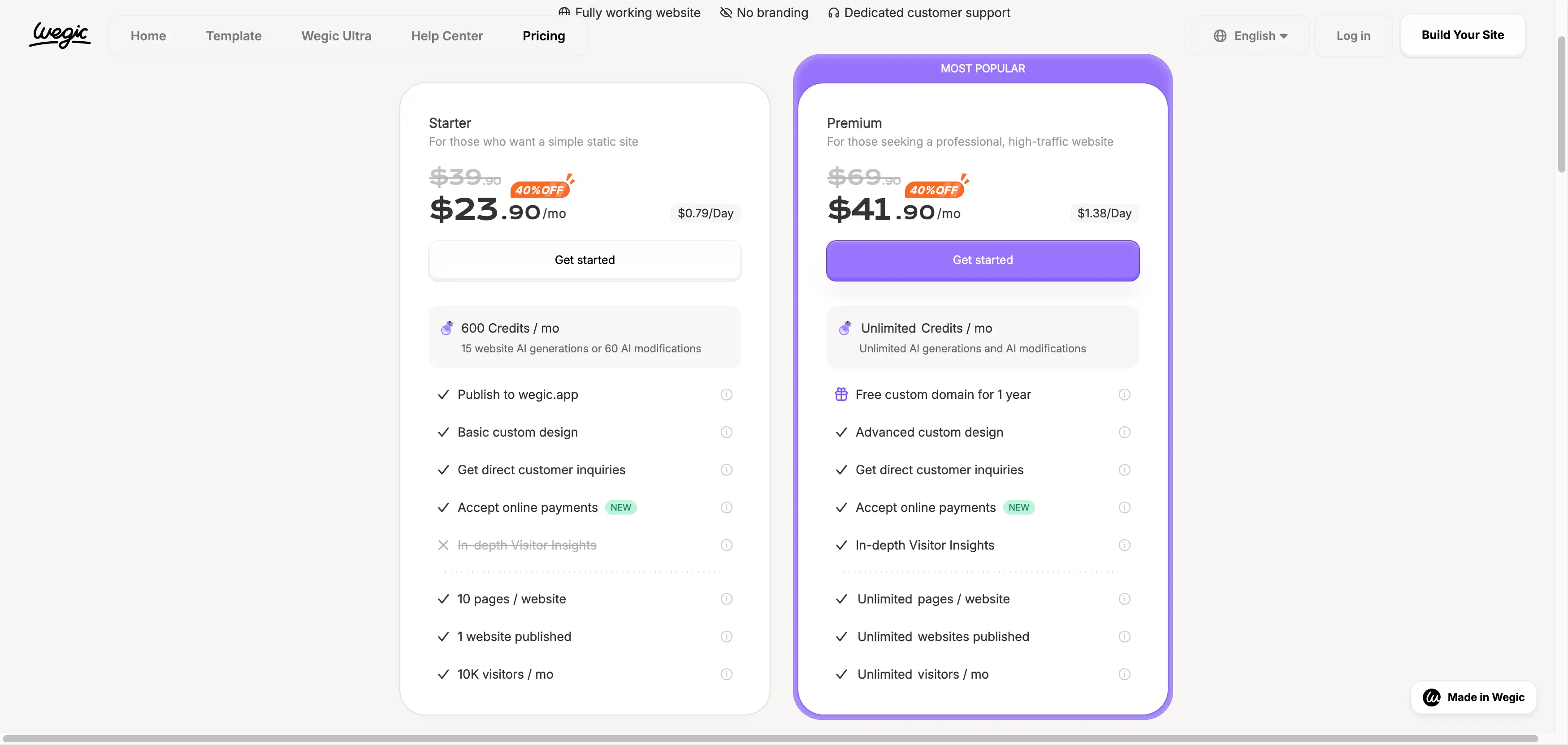
- Starter: Around $23.9/month. This is a very low entry point for a fully custom website, user friendly for startups.
- Premium: Around $41.9/month. This unlocks the full power of the AI team and the "Automatic Money-Making" features. You can pick this plan when you want more features for bussiness growth.
10Web Pricing
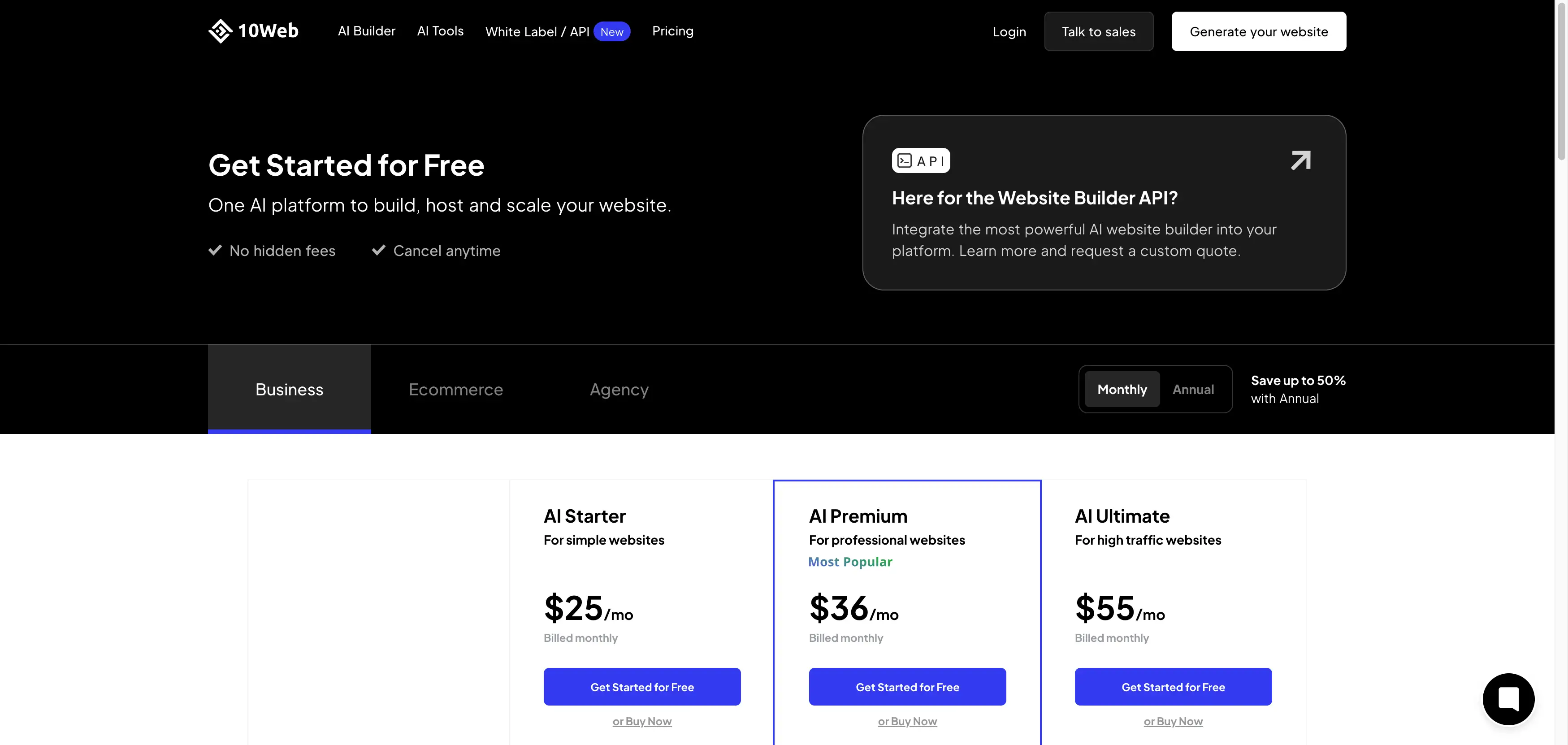
- AI Starter: Around $25/month. Best for individuals or beginners launching a single site.
- AI Premium: Around $36/month. Growing businesses need more content power. Includes everything in Starter but with higher capacity for AI text generation
- AI Ultimate: Around $55/month.High-volume users and content-heavy sites. Maximum flexibility for those who rely heavily on AI for ongoing text creation.
Comparison Table: Wegic vs 10Web at a Glance
Feature Wegic 10Web Best For Small Business Owners, Solo Entrepreneurs, Beginners Web Agencies, Developers, WordPress Users Core Technology Proprietary AI Growth System AI-Powered WordPress + Elementor Setup Speed Instant (approx. 60 seconds) Fast (Minutes + Manual Customization) Building Method Conversational Chat (Text-to-Website) Drag-and-Drop Editor (Elementor) & AI Recreation Technical Skill Zero (No-Code) Moderate (Requires understanding of WordPress) Maintenance Fully Managed (Updates handled by AI) Managed Hosting (Requires plugin/theme updates) Customization Chat-based commands ("Make it blue") Granular pixel-control via Editor Growth Tools Built-in "AI Team" & Intelligent Insights Third-party Plugins (Yoast, HubSpot, etc.) E-Commerce Integrated, streamlined selling tools WooCommerce (Powerful but complex) Pricing Model Simple, all-inclusive subscription Monthly fee + Potential costs for premium plugins Key Advantage Ease of Use & Speed to Market Flexibility & Design Cloning
Final Analysis: Making the Right Choice for 2026

FAQ: Wegic vs 10Web
Q: Which builder is better for a complete beginner?
Q: Can 10Web really clone any website?
Q: Does Wegic help me with marketing my site?
Q: Is WordPress (10Web) better for SEO than Wegic?
Q: What happens if I want to switch from 10Web to Wegic?
Écrit par
Kimmy
Publié le
Dec 17, 2025
Partager l'Article
Lire Plus
Notre Dernier Blog
Pages Web en une minute, propulsées par Wegic!
Avec Wegic, transformez vos besoins en sites Web époustouflants et fonctionnels grâce à une IA avancée