Accesso
Construye Tu Sitio
La Mejor Alternativa Gratuita de Lovable para Crear Sitios Web con IA
¿Buscas un constructor de sitios web gratuito como Lovable? Compara Wegic y otras herramientas de IA para crear sitios más rápido, más fácil y sin necesidad de código.
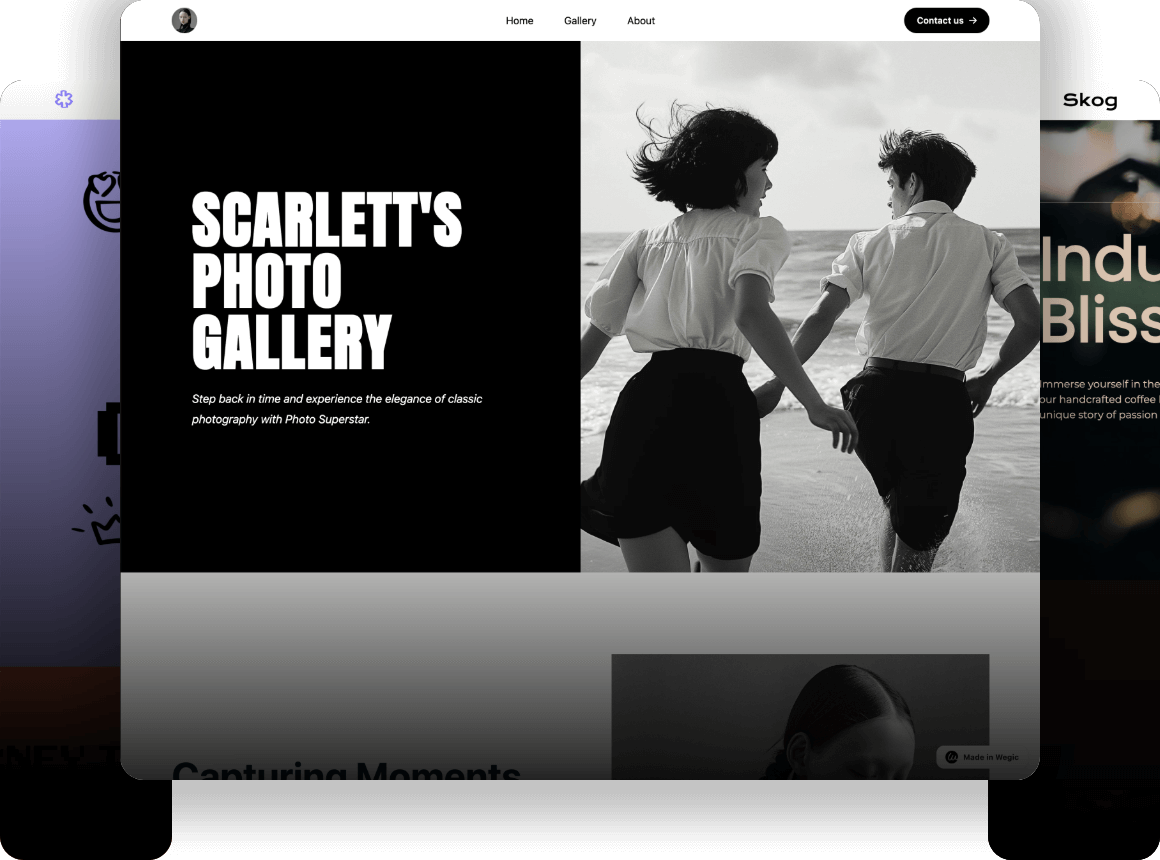
Encontrar la herramienta adecuada para crear un sitio web puede resultar abrumador hoy en día. Muchos usuarios aman la velocidad de las nuevas herramientas, pero quieren una opción gratuita. Si estás buscando un constructor de sitios web alternativo al constructor de sitios web Lovable AI que sea amigable para el usuario, estás en el lugar correcto.
El auge de los constructores de sitios web basados en chat ha cambiado la forma en que creamos en línea. En lugar de arrastrar cuadros, simplemente escribes lo que quieres ver. Este método parece natural, como pedirle a un amigo que haga el trabajo por ti. Según Gauss HR, alrededor del 93% de los diseñadores de web han utilizado herramientas de IA en sus flujos de trabajo recientes. Esto sugiere que la creación de sitios web asistida por IA ya no es experimental y es ampliamente aceptada incluso entre los profesionales.
Esta situación muestra que la gente quiere velocidad, claridad y una curva de aprendizaje más corta en lugar de la ruta tradicional de desarrollo de sitios web. Por eso las búsquedas de un constructor de sitios web gratuito como Lovable siguen creciendo. Los usuarios quieren la misma experiencia de chat fácil sin límites de crédito o barreras de pago. En esta guía, exploraremos las mejores alternativas, incluyendo Wegic, que se destaca como la opción más sencilla.
¿Qué es el constructor de sitios web Lovable AI y por qué la gente lo usa?
El constructor de sitios web Lovable AI es una herramienta que convierte texto en aplicaciones web. Ha ganado popularidad porque permite a no programadores crear software funcional. No necesitas saber HTML o CSS para obtener un resultado. Crea un puente entre tener una idea y verla en vivo.
Cómo funciona el constructor de sitios web Lovable AI para principiantes
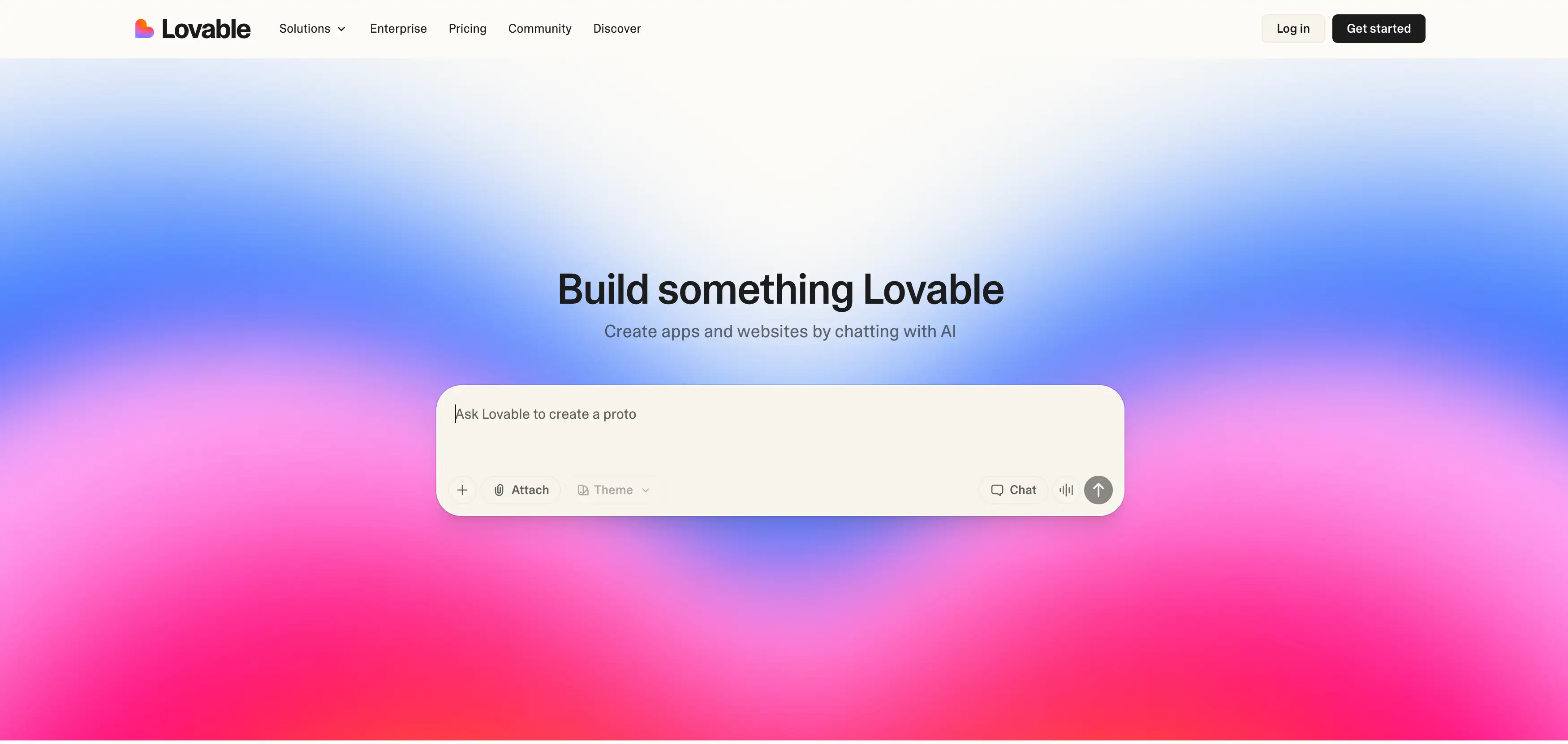
El proceso es muy sencillo para cualquiera nuevo en el diseño web. Escribes un prompt y la IA escribe el código por ti. Se siente amigable porque elimina la intimidación de las pantallas en blanco y los tableros complejos.
No tienes que mirar una página en blanco preguntándote por dónde empezar. Solo dices: "Haz una página de aterrizaje para mi negocio de paseo de perros", y aparece.
Lo que más les gusta a los usuarios de Lovable
A la gente le gusta la velocidad con la que pueden ver un prototipo funcional. Los diseños simples son limpios, modernos y fáciles de navegar de inmediato. Ofrece una experiencia verdaderamente sin código donde tus palabras controlan directamente la salida. Esta es una gran transformación en comparación con el pasado, cuando necesitabas contratar desarrolladores.
Sin embargo, los usuarios siempre buscan validación de la comunidad antes de comprometerse. Si miras las discusiones sobre el mejor constructor de sitios web de IA en Reddit, verás un tema común. La gente quiere herramientas que sean flexibles y generosas con sus versiones gratuitas. Discuten qué herramientas ofrecen el mejor valor sin costos ocultos.
Dónde Lovable se siente limitado en el plan gratuito
A pesar de su popularidad, el plan gratuito tiene límites estrictos que pueden frustrar a los nuevos usuarios. Normalmente solo obtienes unos pocos créditos por día para hacer cambios. La profundidad del diseño también está limitada a menos que actualices a una suscripción pagada. Las visualizaciones avanzadas y los dominios personalizados suelen estar detrás de una barrera de pago.
Es aquí donde la comparación de Lovable AI con otras herramientas se vuelve importante. A menudo a los usuarios les gusta la interfaz, pero chocan con un muro cuando necesitan escalar. Se dan cuenta de que necesitan más libertad para editar y expandir su sitio.
¿Por qué la gente busca un constructor de sitios web gratuito como Lovable?
Hay varias razones por las que los usuarios buscan alternativas a las herramientas de IA pagadas. La más obvia es el costo de las suscripciones mensuales. Pero va más allá de simplemente ahorrar unos dólares.
- Sensibilidad al costo: Muchos estudiantes y emprendedores no pueden permitirse una tarifa mensual recurrente solo para probar una idea. Un constructor de sitios web gratuito como Lovable les permite experimentar sin riesgo financiero. Cuando estás empezando, cada centavo cuenta para el crecimiento de tu negocio.
- Deseo de probar antes de pagar: Los usuarios quieren ver un resultado completo antes de comprometer su tarjeta de crédito. Quieren saber si la herramienta puede realmente construir lo que imaginan. Es doloroso pagar un mes solo para darte cuenta de que la herramienta no puede hacer lo que necesitas.
- Necesidad de mejores visuales: Algunos usuarios encuentran que aunque Lovable es excelente para aplicaciones, carece de estilo visual. Quieren un constructor de sitios web gratuito que crea diseños impresionantes y listos para marketing de inmediato. Si estás buscando los mejores constructores de sitios web sin código, encontrarás que la calidad visual es una prioridad. Los usuarios quieren sitios que parezcan costar miles de dólares, no plantillas genéricas.
Mejores alternativas a Lovable AI para construir sitios web
Esta sección ofrece una rápida vista de las mejores herramientas disponibles hoy en día. Las evaluamos en base a facilidad de uso, calidad visual y límites gratuitos. El objetivo es darte la mejor sugerencia de alternativa más allá del constructor de sitios web Lovable AI.
Aquí hay una tabla de comparación rápida para obtener una idea de cómo elegir su alternativa a Lovable:
Herramienta Interacción Principal Cómo Realiza Ediciones Curva de Aprendizaje Mejor Caso de Uso Wegic Chat-to-Build (Conversacional) Type commands:
Constructor de sitios web Wegic - La mejor alternativa gratuita y encantadora
Wegic está diseñado para personas que quieren un sitio web completo sin aprender herramientas. Solo chateas y el sitio aparece frente a tus ojos. Elimina por completo la fricción técnica.
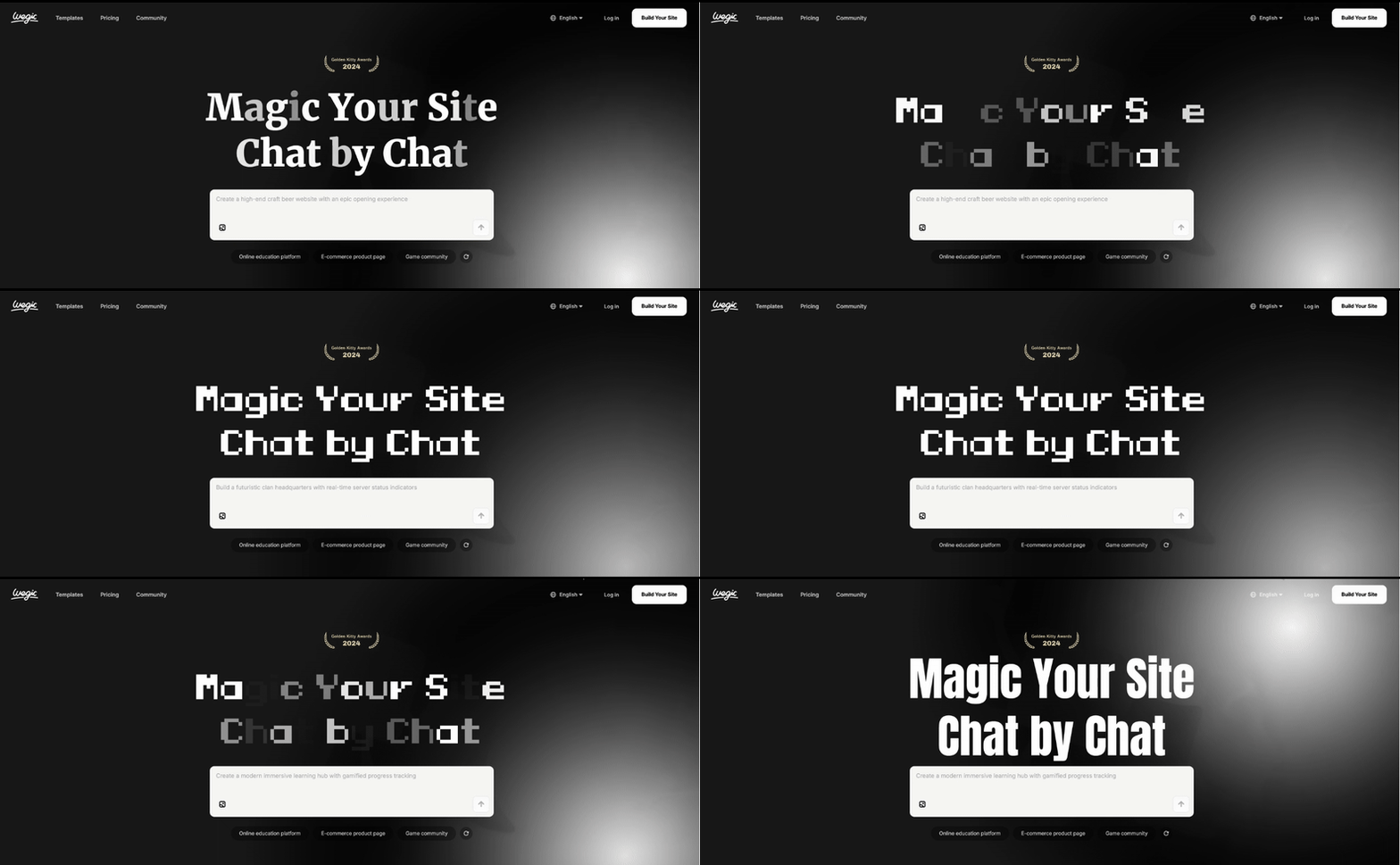
Herramientas inteligentes, configuración impresionante. Explora el sitio oficial de Wegic. 👇
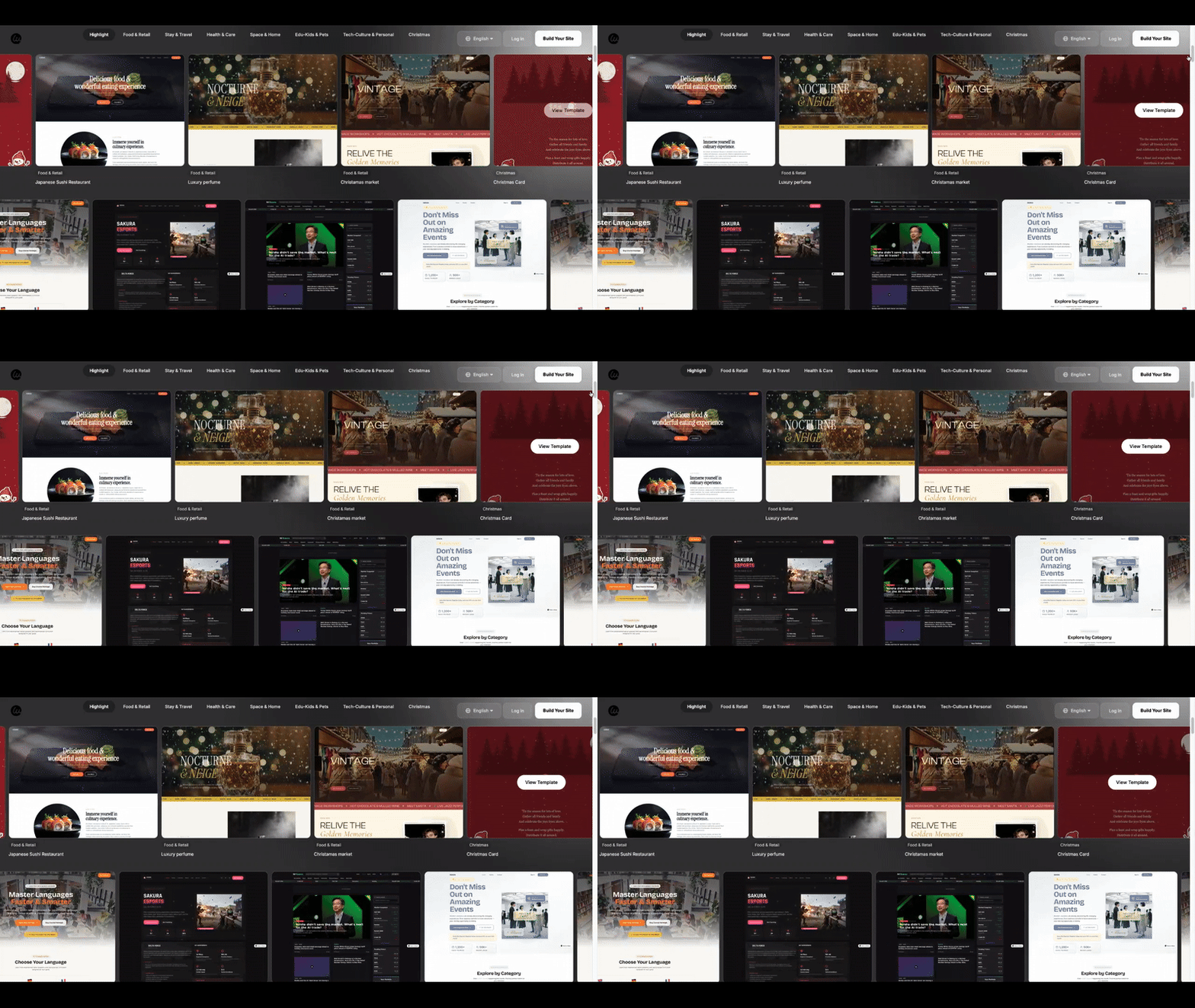
Generación de Sitio Completo que Parece Hecho Profesionalmente
Wegic crea un sitio web completo en un tiempo sorprendentemente corto. Un sitio completo con video puede tardar unos 10 minutos en generarse. Una versión más ligera podría tardar solo 5 a 8 minutos en terminar.
La calidad de estos sitios suele sorprender a los usuarios nuevos que esperan diseños básicos. Obtienes animaciones de apertura, videos de fondo en la sección principal y efectos de movimiento. Al comparar Lovable AI con Wegic, los diseños de Wegic parecen más como trabajo de agencia cara. Aclara su valor contra un sitio contratado por $5,000, pero de forma gratuita.
Si estás dirigiendo una startup tecnológica, encontrar el constructor de sitios web para una empresa de software es crucial. Necesitas un sitio que se vea moderno y confiable inmediatamente. Wegic maneja este estilo perfectamente, dándote una apariencia elegante y orientada a la tecnología sin el problema de programar.
Edición Basada en Chat, Fácil de Usar
Lo mejor del constructor de sitios web Wegic es el control conversacional. No necesitas usar herramientas de dibujo o menús de configuración complejos. No hay tableros de control que aprender, solo una ventana de chat para tus solicitudes.
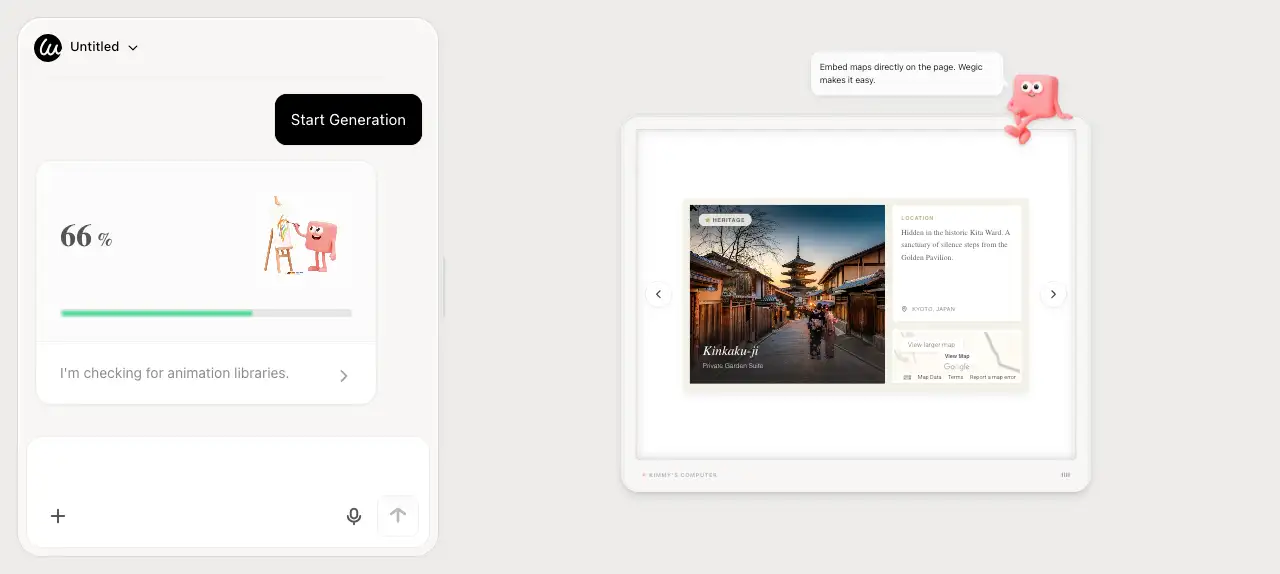
- Puedes pedirle que cambie el idioma del sitio instantáneamente.
- Puedes decirle que agregue páginas de privacidad o términos y condiciones.
- Puedes solicitar que habilite botones de PayPal para pagos sencillos.
- Puedes pedirle que agregue videos a cualquier sección.
- Puedes decirle que inserte formularios de contacto para tus visitantes.
Esto reduce significativamente la barrera de aprendizaje para cualquiera que pueda enviar un mensaje de texto. No necesitas ver tutoriales para descubrir cómo agregar un botón. Solo dices "agrega un botón aquí".
Precios Más Inteligentes en Comparación con la Contratación
Incluso si te actualizas más tarde, los ahorros de costo son masivos en comparación con contratar. Puedes ahorrar alrededor del 90% del costo de un desarrollador web tradicional. También puedes terminar en un día lo que normalmente toma semanas de idas y venidas.
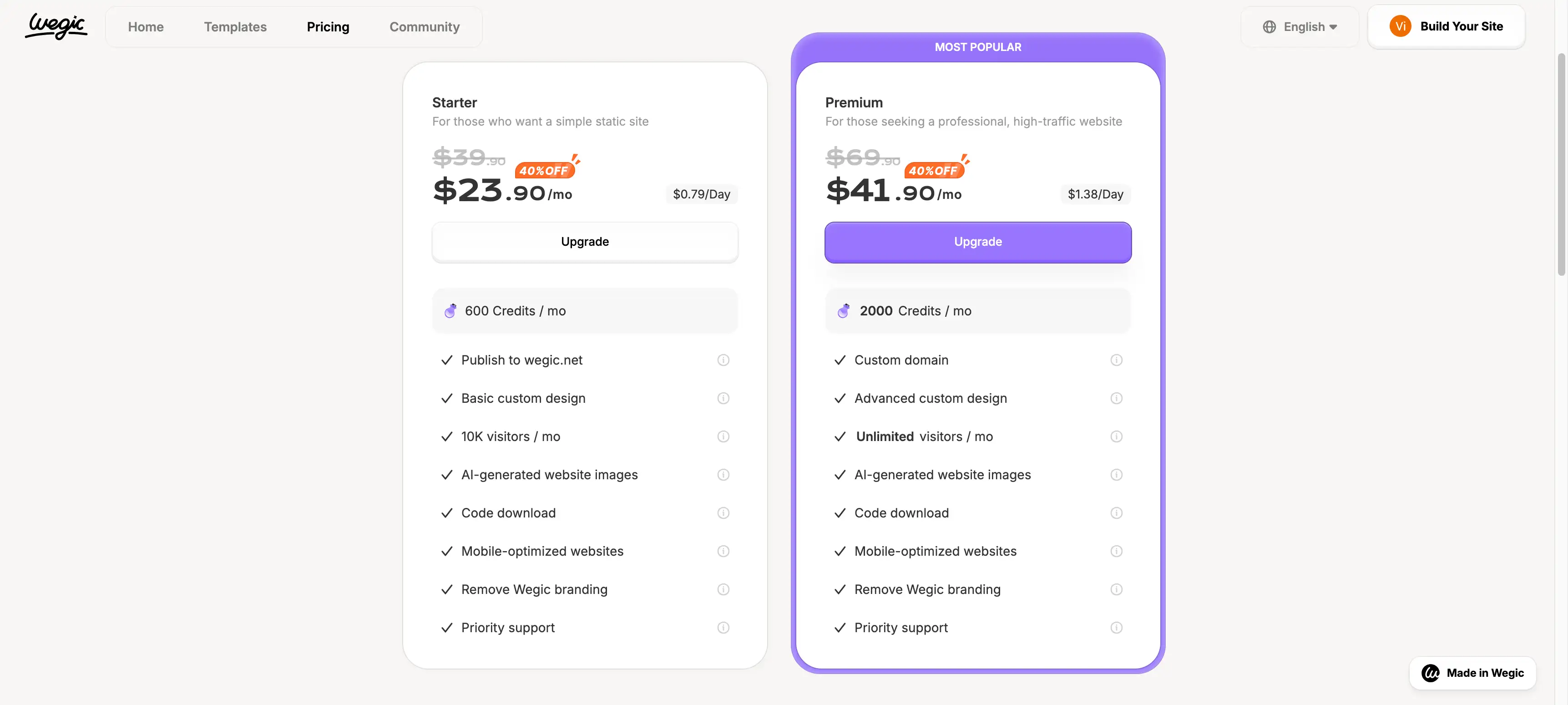
El valor es simple: obtienes un sitio profesional al precio de una comida. Esto lo hace una elección inteligente para empresas pequeñas y marcas personales. Al buscar los mejores constructores de sitios web económicos, Wegic siempre obtiene un buen lugar debido a este valor. Obtiene funciones premium sin la etiqueta de precio premium.
¡No olvides, es gratuito registrarse con Wegic para comenzar!
Publicación en un Solo Click y Actualizaciones Fáciles
Wegic permite opciones de URL personalizadas fáciles, por lo que tu sitio se ve profesional. La publicación toma solo un clic una vez que estés satisfecho con el diseño.
Los cambios continuos se manejan a través de la misma interfaz de chat que usaste para construir. Hay trabajo de mantenimiento que debes realizar para mantenerlo funcionando.
Wegic representa la nueva generación del web de codificación con IA. A diferencia de herramientas antiguas que solo agregaban funciones de IA, Wegic es nativo de IA. Escribe el código por ti en tiempo real, como lo haría un desarrollador humano sentado a tu lado. Por eso es la mejor recomendación para cualquiera que quiera el poder del código sin la molestia de aprenderlo.
Tu constructor de sitio todo en uno está aquí. Descubre Wegic ahora. 👇
¿Por qué Wegic se Siente Más Fácil que el Constructor de Sitios Web Lovable AI?
Wegic se enfoca en la experiencia del usuario en lugar de solo listas de características. En una comparación de Lovable AI con Wegic, Wegic se siente menos restrictivo para sitios web generales. Encuentras menos límites en el uso real al construir páginas web estándar. Los principiantes suelen terminar sus sitios más rápido porque no chocan constantemente con límites de crédito.
Muchos creadores de contenido también encuentran que Wegic es el mejor constructor de sitio web para blogs para comenzar rápidamente. Puedes configurar una sección de blog solo pidiéndole al AI que la agregue. Esta flexibilidad lo hace ideal para escritores que quieren enfocarse en tener un espacio en línea para promover actividades a sus audiencias.
Framer - La Mejor Alternativa Gratuita y Encantadora para Diseño de Alta Calidad
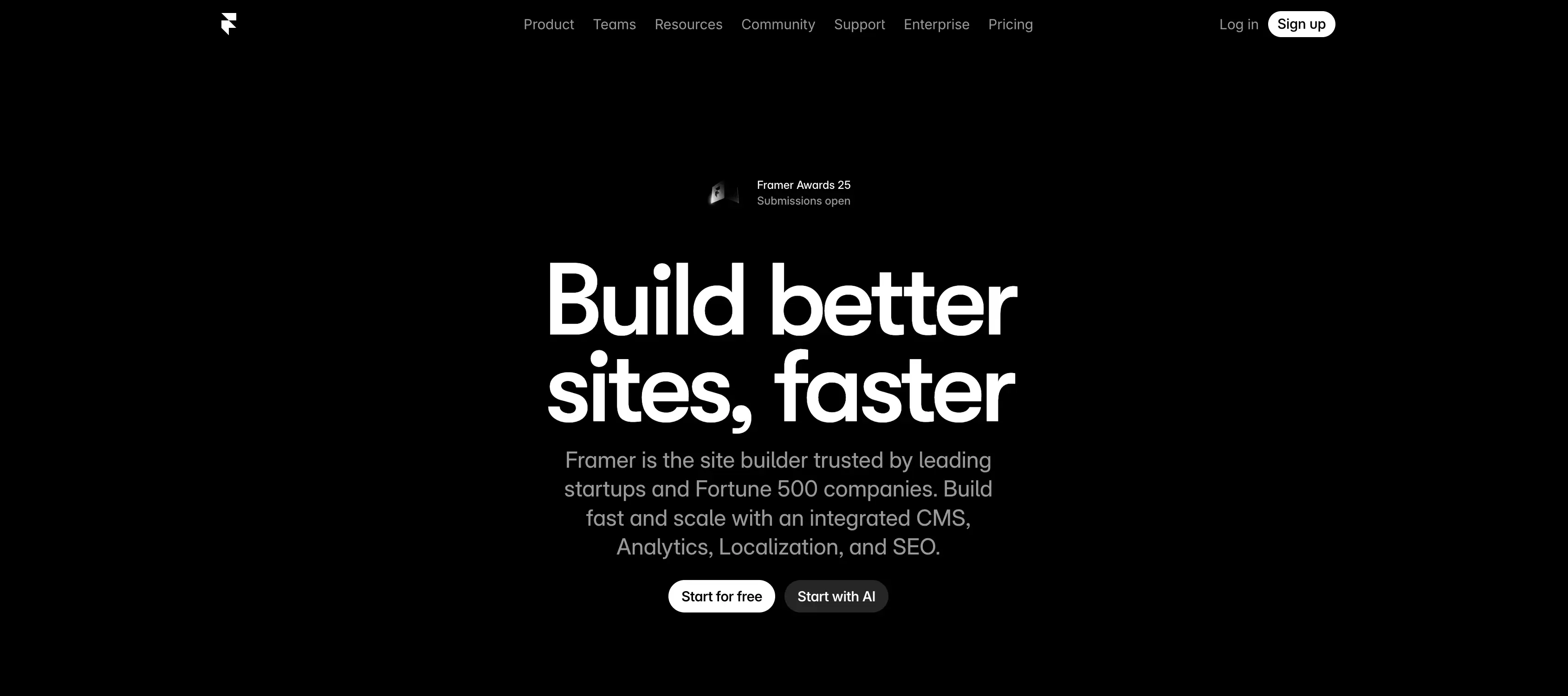
Framer es una herramienta poderosa para usuarios que se preocupan profundamente por los detalles de diseño. A menudo se lo considera una herramienta para profesionales en lugar de principiantes totales.
Fortaleza: Libertad de Diseño de Alta Calidad y Animación Avanzada
La principal razón por la que la gente elige Framer es la fuerza de libertad de diseño. A diferencia de otros constructores que te mantienen dentro de cajas rígidas, Framer ofrece un lienzo de forma libre. Puedes arrastrar cualquier elemento a cualquier píxel específico en la pantalla, como en una herramienta de diseño gráfico. Esto significa que nunca estarás luchando contra la herramienta para obtener el diseño que quieres.
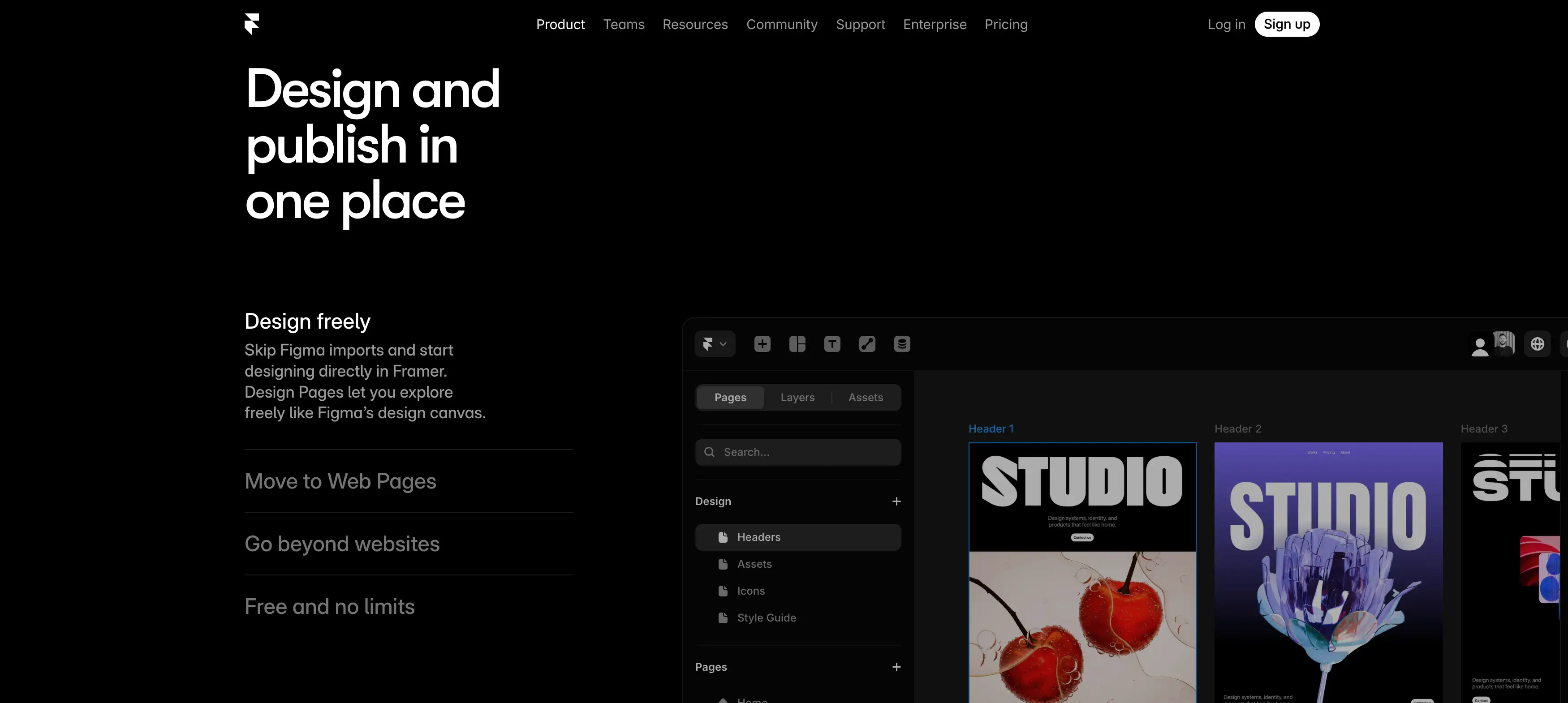
Otra gran ventaja es animación avanzada. Framer te permite crear efectos de movimiento de alta calidad sin escribir ni una sola línea de código. Puedes agregar transformaciones de desplazamiento complejas, elementos fijos y estados de componentes que reaccionan cuando un usuario pasa el mouse o hace clic. Estos son los tipos de detalles que normalmente requieren a un desarrollador experimentado para construir desde cero.
Debilidad: Curva de aprendizaje empinada y sin lógica de aplicación
Tiene una curva de aprendizaje más empinada que un constructor basado en chat. Necesitas entender algunos conceptos de diseño para que se vea realmente bien. Si no sabes sobre relleno o márgenes, podrías tener dificultades.
Plan de precios de Framer
Framer tiene una estructura de precios por capas que separa a los entusiastas de las empresas.
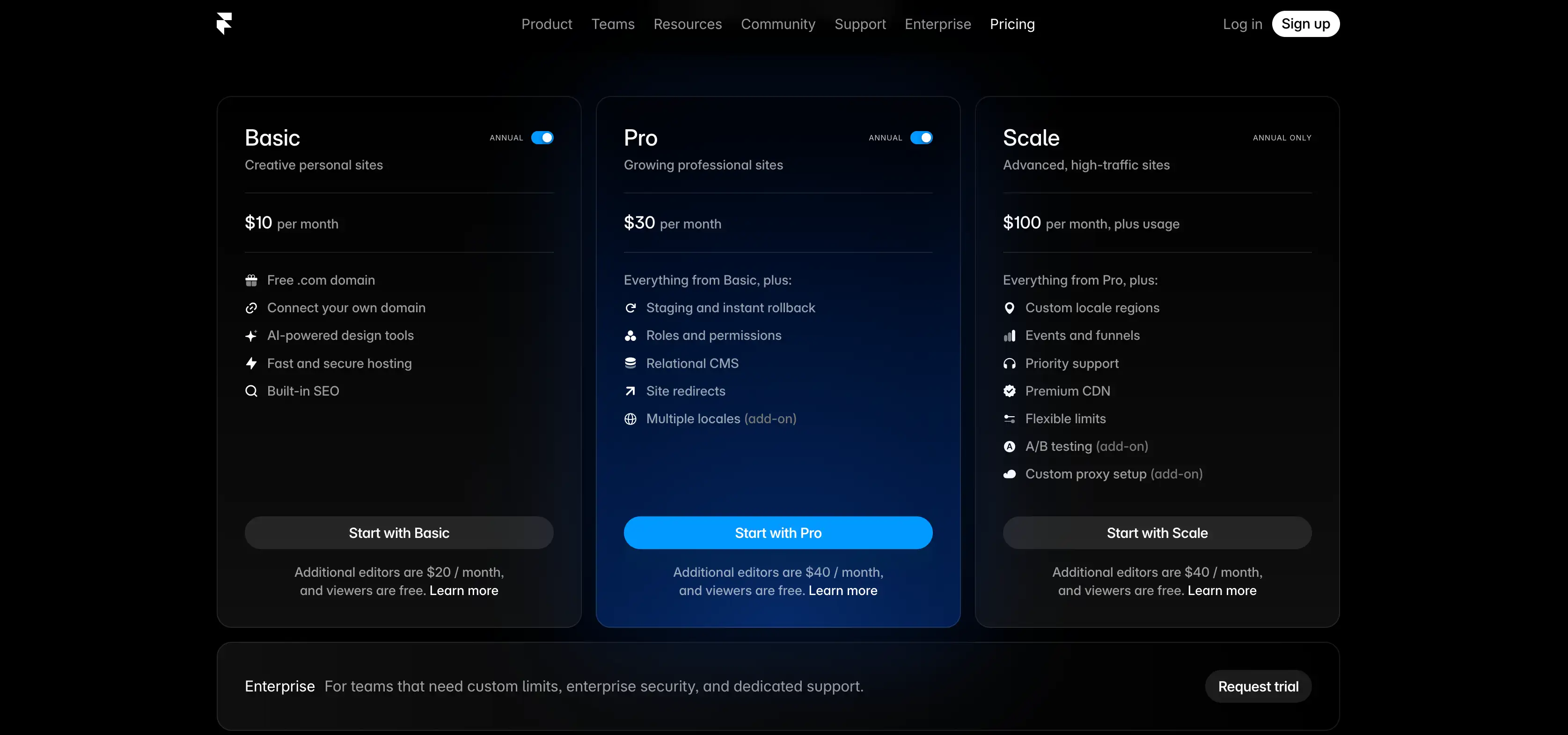
- Plan gratuito: El plan gratuito de Framer es un verdadero campo de juego de diseño donde puedes crear proyectos ilimitados y dominar sus herramientas profesionales sin costo alguno, solo ten en cuenta que estarás usando su dominio y una etiqueta de "Hecho en Framer".
- Plan Básico ($10/mes): Este es el plan pagado de entrada. Elimina la etiqueta y permite un dominio personal. Sin embargo, aún está limitado a sitios personales más pequeños con hasta 10k visitantes.
- Plan Pro ($30/mes): Es donde está la verdadera potencia. Incluye análisis, entornos de prueba y soporte para hasta 200k visitantes.
- Plan Escala ($100/mes): Para empresas grandes que necesitan un ancho de banda masivo y garantías de disponibilidad.
Para quién es adecuado Framer
Es la mejor opción para diseñadores que quieren libertad creativa total. Si encuentras el constructor de sitios web Lovable AI demasiado rígido, Framer funciona bien.
Wix – La mejor alternativa gratuita de Lovable con plantillas ilimitadas
Wix es un nombre conocido que ahora incluye funciones de inteligencia artificial para los usuarios. Es un gigante en la industria con planes para todo tipo de usuario.
Ventaja: Gran biblioteca de plantillas y mercado de aplicaciones
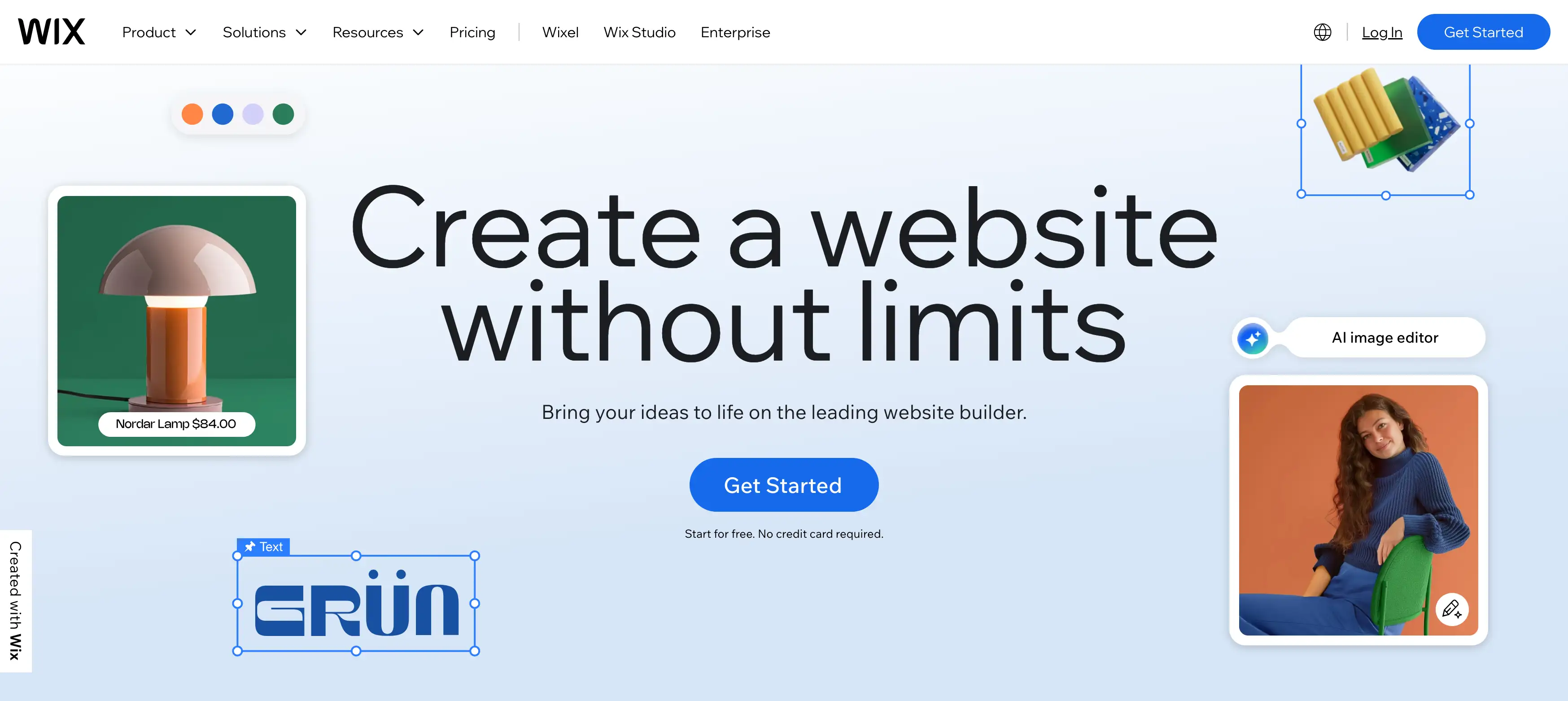
La principal ventaja de Wix es su gran biblioteca de plantillas. Ofrece cientos de diseños listos para usar para casi cualquier industria imaginable, desde restaurantes hasta bufetes de abogados. No tienes que empezar desde cero; solo elige un aspecto que te guste y cambia el texto.
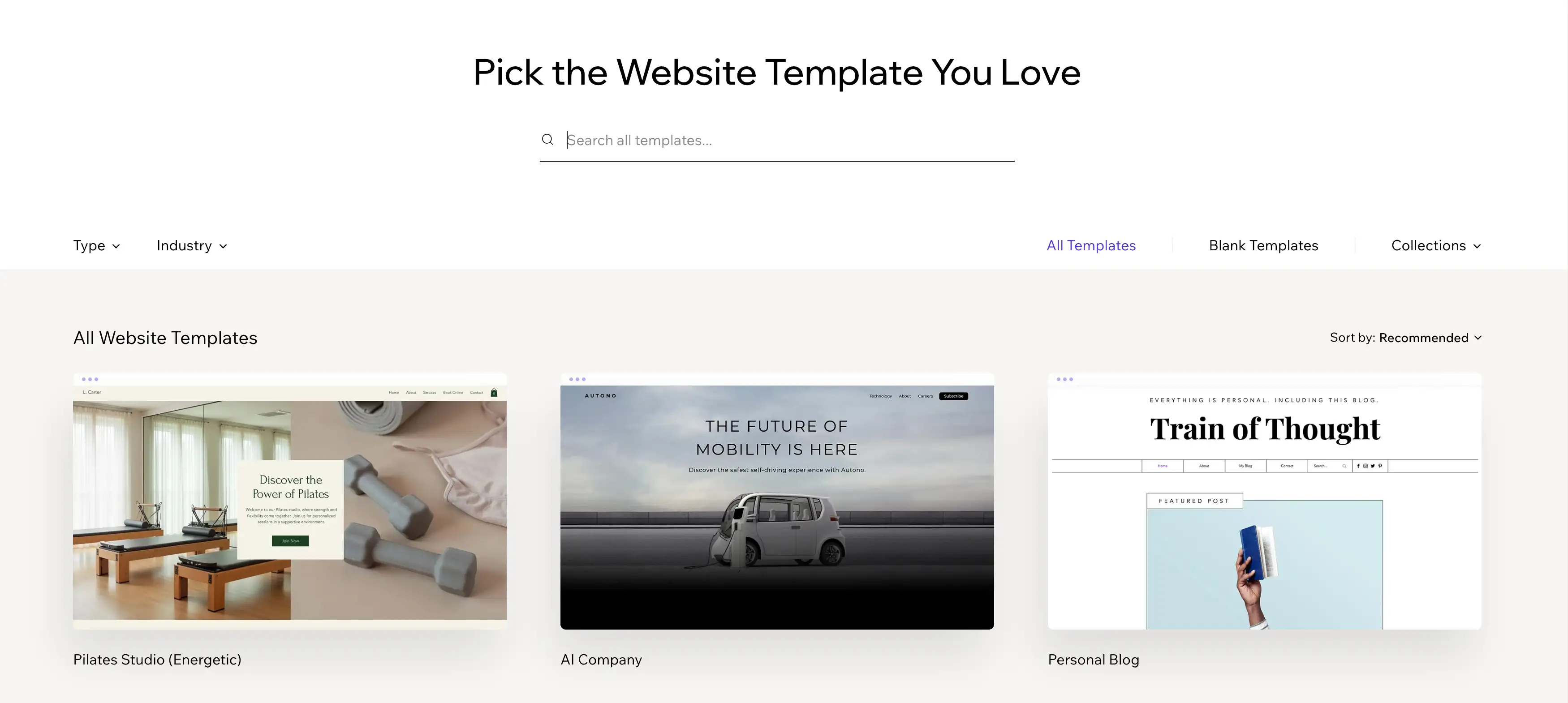
La segunda ventaja es el mercado de aplicaciones. Si necesitas una característica específica, como un calendario de reservas, un chat en vivo o un foro, Wix probablemente tenga una aplicación para ello. Puedes agregar estas características con unos pocos clics, lo que lo hace muy expansible para pequeñas empresas.
Debilidad: Opciones abrumadoras y sensación genérica
La gran cantidad de opciones puede resultar abrumadora para un principiante. Los diseños también pueden parecer un poco genéricos en comparación con las herramientas de inteligencia artificial más nuevas.
Plan de precios de Wix
Wix ofrece varios niveles, pero la diferencia entre "Light" y "Business" es enorme.
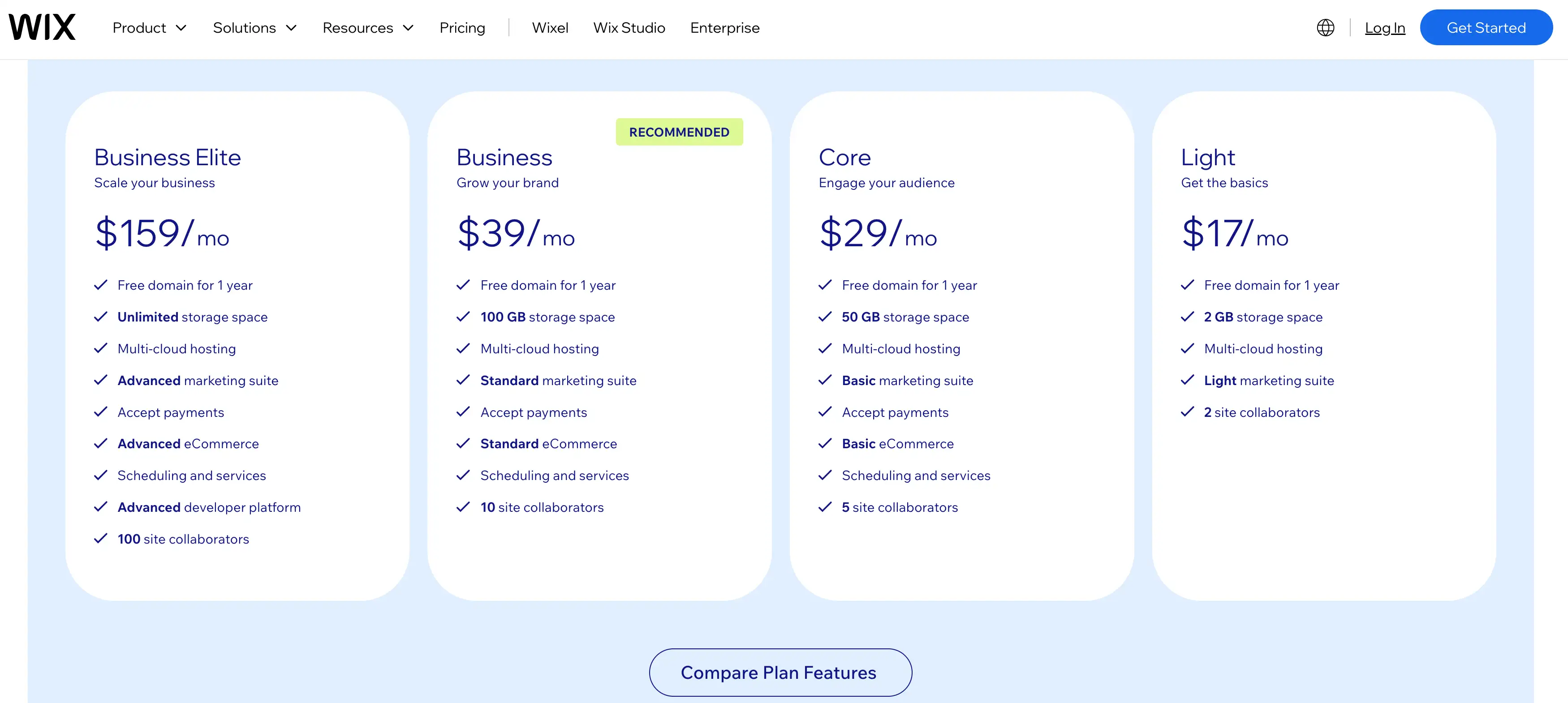
- Plan gratuito: Wix te da un pase gratis para usar su gran biblioteca de plantillas y editor poderoso, lo que lo hace una elección obvia para lanzar un sitio de prueba de inmediato, incluso si significa tener un anuncio de banner y una URL de Wix.
- Plan Light ($17/mes): Es el mínimo para una apariencia profesional. Elimina los anuncios, te da un dominio personal y aumenta el almacenamiento a 2 GB.
- Plan Core ($29/mes): Si quieres vender productos, necesitas este plan. Desbloquea pagos y herramientas de comercio electrónico.
- Business ($39/mes): Este es el estándar para dueños de pequeñas empresas que quieren expandir su negocio de comercio electrónico a una escala más profesional.
- Business Elite ($159/mes): Este es para empresas a gran escala que necesitan almacenamiento ilimitado y soporte prioritario.
Para quién es adecuado Wix
Wix es perfecto para usuarios que prefieren un enfoque tradicional basado en plantillas. Es un constructor de sitios web gratuito confiable si no te importan los anuncios.
Cómo elegir el constructor de sitio web gratuito adecuado
¿Pensando en encontrar la mejor herramienta además del constructor de sitios web Lovable AI? Elegir la herramienta adecuada depende de tus objetivos y habilidades específicas.
1. Decide qué necesita hacer tu sitio: ¿Necesitas un blog simple, un portafolio o una aplicación compleja? Conoce esto primero. Si eres un individuo que busca mostrar tu trabajo, debes buscar específicamente constructores de sitios web personales. Estos están diseñados para ayudarte a presentar tu currículum y proyectos de manera efectiva.
2. Verifica los límites del plan gratuito: Mira cuántas páginas o ediciones puedes hacer gratuitamente. Esto es vital al buscar un constructor de sitio web gratuito como Lovable. No quieres quedar atrapado a mitad del camino.
3. Prueba la edición basada en chat: Prueba la interfaz de chat para ver si entiende tus solicitudes con precisión. Algunos bots son más inteligentes que otros.
4.Publicar antes de actualizar: Siempre intenta publicar una versión gratuita para verificar la velocidad y las vistas móviles. La velocidad es importante para el posicionamiento de Google.
5.Usar solo oraciones simples: Cuando pruebas la IA, las instrucciones simples suelen dar los mejores y más rápidos resultados. La comunicación clara funciona mejor.
Errores comunes que debes evitar al usar constructores de sitios web de IA
- Esperando la perfección instantánea: La IA es inteligente, pero necesitarás perfeccionar la salida. Es una colaboración, no magia.
- Añadiendo demasiadas funciones: Mantén tu primera versión simple para evitar que el diseño se vea abrumador. Menos es más.
- Ignorando la vista móvil: Siempre verifica cómo se ve tu sitio en una pantalla de teléfono. La mayoría del tráfico proviene de dispositivos móviles hoy en día.
- No probando los límites gratuitos: No construyas un sitio grande solo para descubrir que no puedes publicarlo. Revisa las reglas primero.
Conclusión: Encuentra la mejor alternativa de Lovable para ti
Crear un sitio web nunca ha sido más fácil gracias a nuevas herramientas de IA. Los constructores basados en chat ahora son el camino más fácil para principiantes y profesionales. Como vimos en la introducción, la tendencia se está moviendo hacia estas soluciones rápidas.
El constructor de sitios web de IA Lovable es una excelente herramienta, pero tiene límites. Si necesitas un constructor de sitios web gratuito con más libertad, existen opciones.
El constructor de sitios web Wegic se destaca como una alternativa sencilla, impresionante y con un precio inteligente. Te permite crear un sitio profesional sin necesidad de aprender a programar. La calidad visual es alta y la interfaz de chat es increíblemente intuitiva.
Para cualquiera que busque una solución de sitio web con código de IA, Wegic y herramientas similares son el futuro. Te animamos a probar estas herramientas gratuitamente y ver lo que puedes construir.
Preguntas frecuentes: Constructor de sitios web de IA Lovable y alternativas gratuitas
¿El constructor de sitios web de IA Lovable es realmente gratis?
Sí, tiene una versión gratuita, pero tiene límites estrictos diarios. Recibes un número pequeño de créditos para generar o editar código cada día.
¿Cuál es el mejor constructor de sitios web gratuito similar a Lovable?
Wegic es actualmente la mejor alternativa para construir sitios web estándar con chat. Ofrece una interfaz conversacional similar, pero con mejores diseños visuales para sitios de marketing.
¿Cómo se compara Lovable AI con Wegic para principiantes?
Lovable es mejor si quieres construir una aplicación web funcional o software. Wegic es superior si quieres un sitio web bonito para un negocio o portafolio.
¿Puedo publicar un sitio gratis con Wegic?
Sí, Wegic te permite publicar tu sitio generado sin pagar de forma anticipada. Esto lo hace una excelente opción sin riesgo para probar tu presencia en línea.
¿Son seguros los constructores de sitios web gratuitos?
Generalmente, sí, siempre que uses plataformas de confianza como las mencionadas aquí. Siempre revisa la política de privacidad para ver cómo se manejan tus datos.
¿Reemplazan los constructores de sitios web de IA la programación?
Aún no reemplazan la programación de alto nivel para sistemas de software complejos y personalizados. Sin embargo, para sitios web estándar, efectivamente reemplazan la necesidad de escribir código manualmente.
¿Cuál es el mejor constructor de sitios web gratuito para estudiantes?
Wegic es excelente para estudiantes porque es rápido y no requiere habilidades técnicas. Puedes terminar un proyecto de clase o portafolio en minutos usando solo chat.
¿Qué tan rápido pueden crear un sitio los constructores basados en chat?
La mayoría pueden generar un primer borrador en menos de cinco minutos. Refinar los detalles puede tomar otros diez a quince minutos de chat.
¿Cuáles son los límites del plan gratuito de Lovable?
El principal límite es el techo diario de créditos para generar ediciones de código. Una vez que uses tus créditos, tendrás que esperar hasta el día siguiente.
Escrito por
Kimmy
Publicado el
16 mar 2026
Compartir artículo
Leer más
Herramienta
Cómo los productores musicales utilizan la narrativa de marca visual para firmar más artistas
27 mar 2026
Herramienta
Cómo los practicantes de enfermería independientes utilizan perfiles de construcción de confianza para lanzar prácticas privadas
27 mar 2026
Nuestro último blog
¡Páginas web en un minuto, impulsadas por Wegic!
Con Wegic, transforma tus necesidades en sitios web impresionantes y funcionales con AI avanzada
Prueba gratuita con Wegic, ¡construye tu sitio en un clic!