Accesso
Construye Tu Sitio
Cómo los instructores de danza independientes usan páginas de reserva en línea para llenar clases automáticamente
Deje de perseguir pagos y responder mensajes todo el día. Vea cómo un instructor de danza independiente puede automatizar la programación con un sistema de reserva inteligente.
Tu teléfono vibra justo en medio de una clase privada. Es otro mensaje directo que pregunta: "¿La clase de hip-hop a las 6 PM está llena?" Intentas responder rápidamente, pero pierdes el enfoque en tu estudiante actual. Esa misma noche, tres personas que prometieron asistir simplemente no llegaron. Mantuviste esos espacios abiertos para ellos, y ahora has perdido dinero. Esta es la realidad agotadora para casi todos los instructores de baile que dirigen un negocio solos.
Pasan horas copiando y pegando horarios de clases y datos bancarios en ventanas de chat. Persigues a los estudiantes por pagos después de que la clase ya haya terminado. Esta constante carga administrativa roba tu energía y limita la cantidad de clases que puedes dar. Si te aburre ser un secretario en lugar de un profesor, necesitas un cambio. Hay una forma de llenar tus clases sin enviar ni un solo mensaje de texto: usar páginas de reservas en línea para llenar clases automáticamente.
¿Por qué el trabajo de administración está matando el crecimiento de tu negocio?
No eres el único que se siente agotado por estas tareas. Una parte significativa de la fuerza laboral de EE.UU. ahora trabaja de forma independiente. Se estima que 70 millones de estadounidenses formaron parte de la economía de los trabajos temporales, representando aproximadamente 36% de la fuerza laboral total e incluyendo a freelancers, creativos y profesionales autónomos que deben manejar el contacto con clientes, la programación y otras tareas no remuneradas por sí mismos. Eso es esencialmente dos días completos de trabajo no remunerado cada semana.
Además, los datos sobre la gestión de citas muestran que los recordatorios automatizados pueden reducir drásticamente las tasas de no asistencia. Prácticas y proveedores de servicios que implementan recordatorios automatizados por SMS y correo electrónico informan reducciones en las citas perdidas de alrededor del 30% - 40%. Cuando los estudiantes pagan de antemano, asisten. Si eres un instructor serio de baile, esos números representan una gran parte de tu ingreso potencial.
Depender de "pagaré cuando llegue" no es una estrategia de negocio. Es un riesgo. Moverse a un sistema digital no es solo sobre ser moderno; es sobre proteger tu tiempo y descubrir cómo ganar dinero como freelancer en línea de manera más segura.
La guía práctica para automatizar tus clases
No necesitas ser un experto en tecnología para resolver esto. Solo necesitas establecer un sistema que funcione mientras duermes. Sigue estos pasos para transformar la forma en que manejas a tus estudiantes:
Paso 1: Centralizar la Información
El primer problema es la información dispersa. Tu horario está en Instagram, tus precios están en WhatsApp y tu ubicación está en Google Maps. Necesitas una sola página que contenga todo. Esta es tu "menú".
Al revisar ejemplos de sitios web de reservas, notarás que todos responden inmediatamente a tres preguntas: ¿Qué estás enseñando? ¿Cuándo es? ¿Cuánto cuesta? No hagas que los estudiantes busquen esta información. Si ya tienes una página antigua y confusa, hacer una simple rediseño de sitio web puede resolver estos detalles dispersos.
Crea una página simple que liste claramente tus clases. Usa fotos de alta calidad de tu clase actual, no fotos de stock. Escribe una descripción clara del nivel (Principiante vs. Avanzado) para que los estudiantes puedan reservar el horario adecuado.
Si eres uno de los muchos instructores de baile independientes que enseñan en diferentes estudios, menciona claramente la ubicación específica para cada horario. Este simple paso evita el 50% de las preguntas que recibes en tus mensajes directos.
Paso 2: Implementar un Software para Reservar Clases
Ahora necesitas convertir ese "menú" en una máquina funcional. Necesitas un botón que diga "Reservar ahora". Es aquí donde entra el software para reservar clases. Actúa como tu guardián. Muchos creadores independientes buscan realmente el mejor constructor de sitio web de inteligencia artificial en Reddit para encontrar herramientas sencillas que manejen esto.
La regla general aquí es la "regla de los 2 clics". Un estudiante debe poder elegir una clase y pagar en dos clics o menos. Si tiene que completar un formulario largo, se irá. El software debe manejar el trabajo pesado. Debe mostrar disponibilidad en tiempo real. Si tienes 15 espacios, el sistema debe detener las reservas después de la persona 15.
Esto evita la incómoda conversación de "Lo siento, en realidad estoy lleno". También crea un sentido de urgencia. Cuando los estudiantes ven "Solo 3 espacios restantes", es más probable que reserven inmediatamente.
Paso 3: Impartir Políticas de Pago y Cancelación
Este es el paso más crítico para tus ingresos. Un sistema de reservas te permite cobrar el pago antesde que comience la clase. Debes dejar de aceptar efectivo en la puerta para visitantes si quieres estabilidad.
Establezca una política clara: "No se realizarán reembolsos por cancelaciones dentro de las 24 horas." Cuando los estudiantes pagan de antemano, el compromiso psicológico cambia. Ya no están pensando, "Tal vez vaya." Están pensando, "Pagué por esto, debo ir."
También puede ofrecer paquetes de clases. Por ejemplo, ofrezca un "Pase de 5 Clases" con un pequeño descuento. Esto asegura al estudiante para cinco lecciones. Mejora inmediatamente tu flujo de efectivo y garantiza que regrese."
Paso 4: Automatizar el proceso de recordatorio
No deberías estar enviando mensajes de texto a la gente para recordarles que lleven protectores de rodillas. Tu sistema debe hacerlo. Un buen sistema envía una confirmación por correo electrónico o mensaje de texto en el momento en que reservan.
Luego, configure un recordatorio automático 24 horas antes de la clase. Configure otro 2 horas antes de la clase. Estos recordatorios deben contener la dirección del estudio y cualquier instrucción específica (como "llevar zapatos no marcadores").
Esto reduce significativamente la excusa "Olvidé". También te hace parecer más profesional. Un instructor de baile estructurado atrae más estudiantes dedicados que uno desorganizado.
Paso 5: Cómo gestionar reservas sin estrés
Una vez que el sistema esté funcionando, tu rutina diaria cambia. En lugar de responder mensajes de texto, simplemente revisas tu panel de control. Puedes ver quién viene y cuánto has ganado.
Para gestionar eficazmente las reservas, dedica 15 minutos cada mañana para revisar tu lista de asistentes. Si una clase parece vacía, puedes publicar el enlace en tu historia de Instagram. "Dos espacios disponibles para esta noche!" es una llamada a la acción poderosa. De hecho, al revisar cualquier mejor sitio web diseñado para una pequeña empresa se ve que tener enlaces de reservas directas aumenta drásticamente las ventas.
Como el enlace maneja la transacción, no tienes que esperar su respuesta. Simplemente hacen clic y compran. Esta es la forma de llenar esos huecos de último momento de manera eficiente.
La Herramienta que Hace Todo - Wegic
Podrías estar pensando, "Parece genial, pero no sé cómo construir un sitio web." Tal vez estés preocupado de que el software para reservas sea demasiado caro o complicado de configurar.
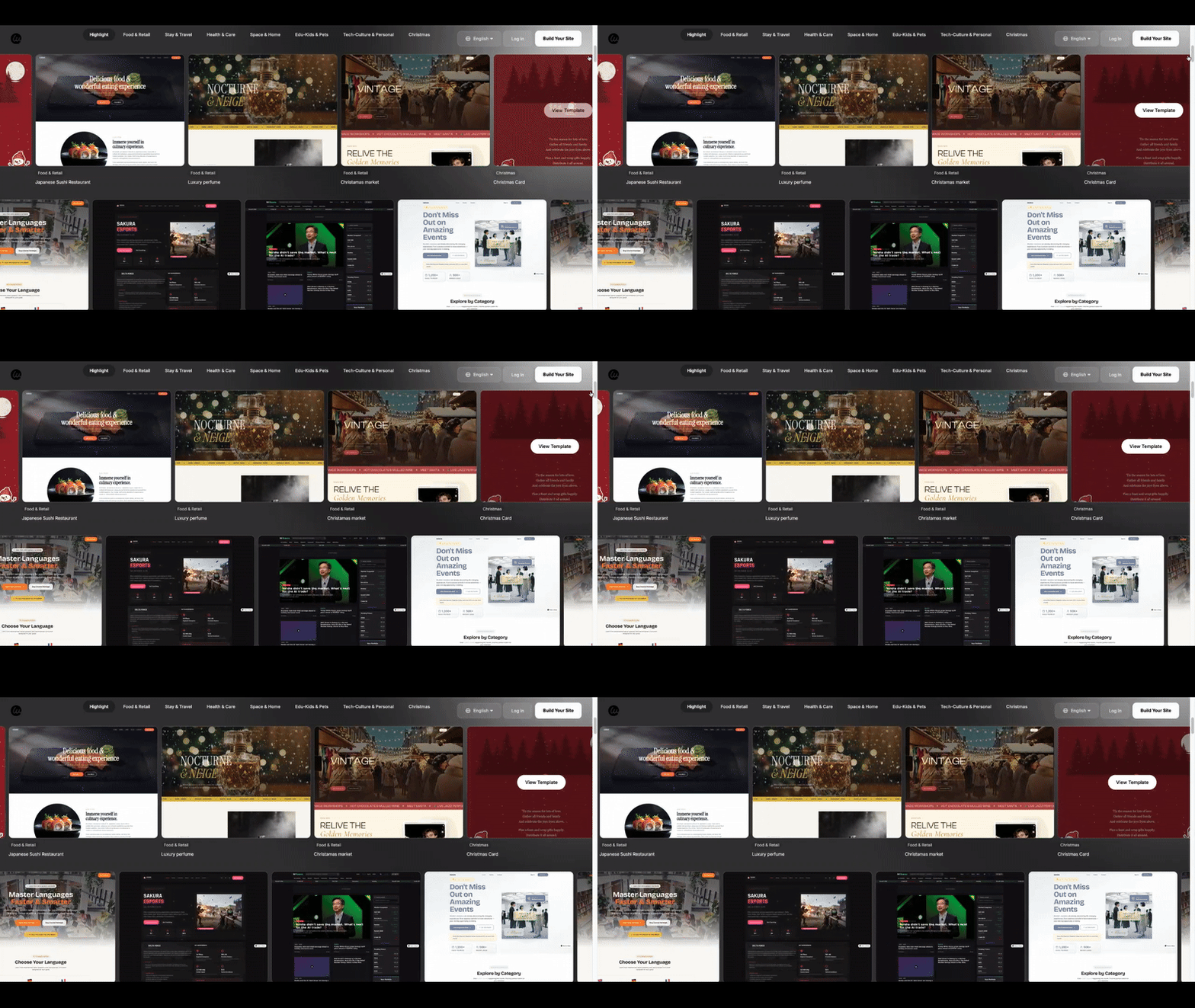
Es aquí donde Wegic te ayuda. Wegic es un constructor de sitios web impulsado por inteligencia artificial diseñado para personas que no son técnicas. No necesitas arrastrar y soltar elementos complejos o escribir código. Incluso proporciona plantillas de sitio web para portafolios visualmente atractivos para que puedas mostrar tus videos de baile junto a tu horario de clases.
Wegic crea sitios web impresionantes de forma sencilla. Haz clic a continuación para registrarte hoy👇
Cómo Wegic Soluciona Tus Problemas:
- Chat para Crear: Simplemente hablas con Wegic. Dices, "Soy instructor de baile y necesito una página de reservas para mis clases de K-Pop." Wegic crea la estructura para ti en minutos.
- Sistema de Reservas Integrado: Wegic tiene un "Sistema de Reservas y Gestión de Cursos" integrado. No necesitas comprar una herramienta cara separada. Es nativo en tu sitio web.
- Calendario Visual: Crea automáticamente un calendario limpio y fácil de leer para tus estudiantes.
- Listo para Pagar: Te ayuda a configurar el flujo de pago, para que dejes de perseguir efectivo.
Wegic es la forma más inteligente de lanzar tu sitio web de reservas en línea de baile.
Una Breve Demostración: Imagina que quieres agregar un nuevo taller.
1.Abre tu panel de control de Wegic.
2.Ve a la sección "Gestionar Reservas".
3.Haz clic en "Añadir Servicio", escribe "Taller de Tacos de Sábado", establece el precio y la capacidad.
4.Haz clic en guardar. Ahora está en vivo en tu sitio.
Es así de rápido. Puedes pasar tu tiempo coreografiando, no programando.
Tomando el Siguiente Paso
Transitar de mensajes manuales a un sistema automatizado es la mayor mejora que puedes hacer. Protege tu tiempo y asegura tus ingresos. Dejas de ser una persona que responde mensajes y empiezas a ser un empresario.
Lista de Acción:
- Escribe tu horario completo semanal y precios.
- Decide una política de cancelación estricta (por ejemplo, notificación de 24 horas).
- Reúne 5-6 fotos de alta calidad de tus clases.
- Usa Wegic para generar tu sitio y configurar la función de reservas.
- Coloca el enlace en tu biografía de Instagram y en tu estado de WhatsApp.
Preguntas Frecuentes: Preguntas Comunes de Instructores
P: ¿Perderé estudiantes si los obligo a pagar en línea?
R: Es posible que pierdas a los inconstantes, pero mantendrás a los serios. Un instructor profesional atrae a estudiantes que valoran la calidad y respetan el tiempo del profesor. La mayoría de los estudiantes prefieren realmente la comodidad de la reserva en línea en lugar de enviar mensajes de texto.
P: ¿Puedo usar esto para clases privadas también?
R: Absolutamente. Un sistema de reservas es perfecto para horarios privados. Puedes marcar tus horas disponibles y los estudiantes pueden reservar una sesión 1 a 1 sin enviarte un correo para preguntar, "¿Estás libre el martes?"
P: ¿Qué pasa si enseño en diferentes estudios?
A: Esto es común para instructores de baile independientes. Simplemente debe indicar claramente la ubicación en la descripción de la clase. Su página de reservas se convierte en el centro de atención para sus seguidores, sin importar dónde se lleve a cabo la clase física.
P: ¿Cómo manejo los reembolsos si debo cancelar?
A: Si necesita gestionar reservas y cancelar una clase debido a una enfermedad, el sistema generalmente le permite reembolsar con un solo clic o ofrecer un crédito para la próxima clase. Es mucho más limpio que los transferencias bancarias.
P: No soy técnico. ¿Es realmente difícil?
A: Las herramientas modernas están diseñadas para ser fáciles de usar. Si puede usar Instagram, puede gestionar esto. Usando ejemplos de sitios web de reservas simples como guía, verá que la interfaz es muy amigable. Si está interesado en la configuración, explorar diseño de sitio web para pequeñas empresas con Wegic muestra lo sencillo que es todo el proceso.
P: ¿Es caro?
A: Comparado con el dinero que pierde por no asistencias, el software para reservar clases se paga a sí mismo muy rápidamente. Ahorrar solo dos tarifas de "no asistencia" suele cubrir el costo mensual de alojar su sitio.
Escrito por
Kimmy
Publicado el
18 mar 2026
Compartir artículo
Leer más
Marketing
Cómo los especialistas en soldadura personalizada utilizan las páginas de servicios de SEO para obtener trabajos de fabricación de alto valor
27 mar 2026
Marketing
Cómo las tiendas de muebles de moda utilizan galerías integradas con Instagram para vender estéticas tiernas
16 mar 2026
Nuestro último blog
¡Páginas web en un minuto, impulsadas por Wegic!
Con Wegic, transforma tus necesidades en sitios web impresionantes y funcionales con AI avanzada
Prueba gratuita con Wegic, ¡construye tu sitio en un clic!
¿Qué tipo de sitio web deseas crear?