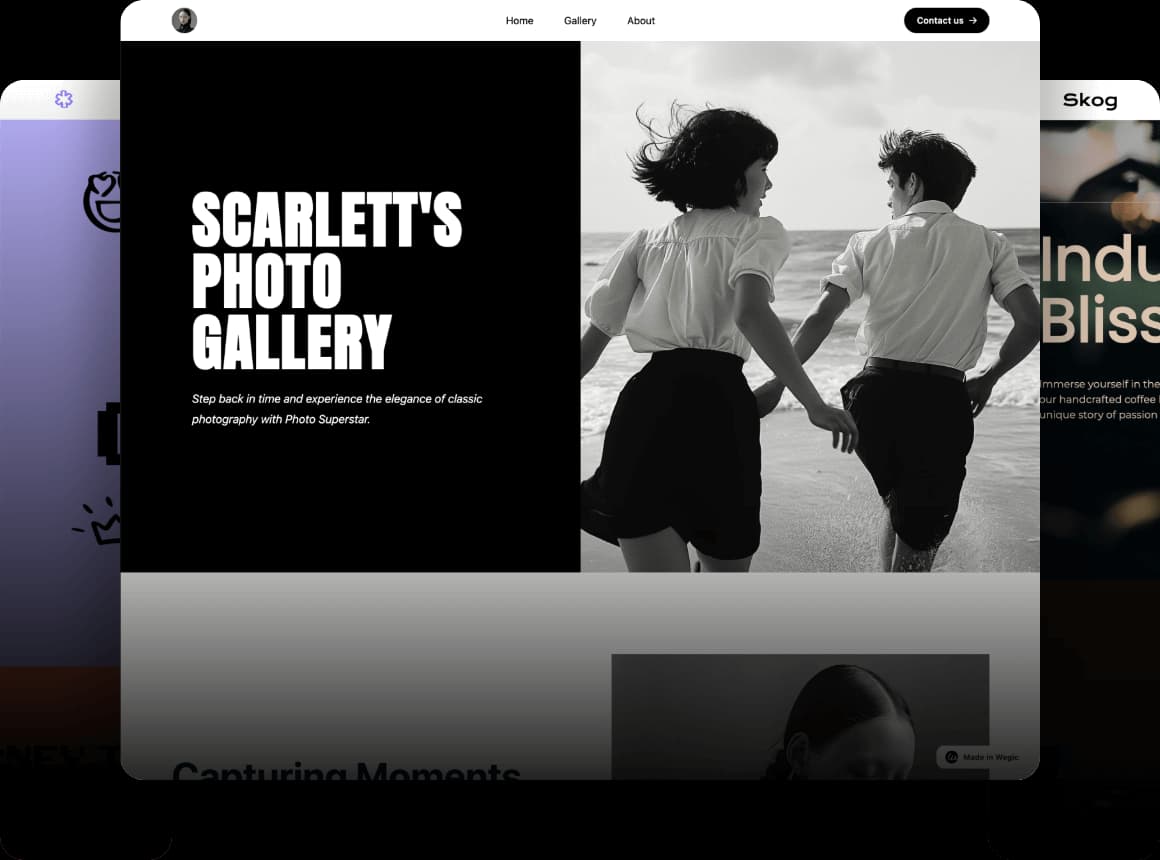
AI工具已被引入以簡化網站設計流程並提升用戶體驗。AI工具在市場上越來越受歡迎,特別是在網絡開發領域。網絡開發人員越來越多地採用AI工具來協助他們的工作,這不僅提高了開發效率,還使網站建設和頁面設計更符合現代視覺標準。AI工具通過提供智能代碼生成、版面優化、色彩搭配等功能,幫助開發人員創建既美觀又實用的網站。AI工具幫助開發人員創建既美觀又實用的網站。
在本文中,我們將深入探討目前市場上一些最好的AI網頁設計工具。我們將介紹這些工具的優點和缺點。希望這能幫助您在下一次設計工作中。
網站:
Wegic
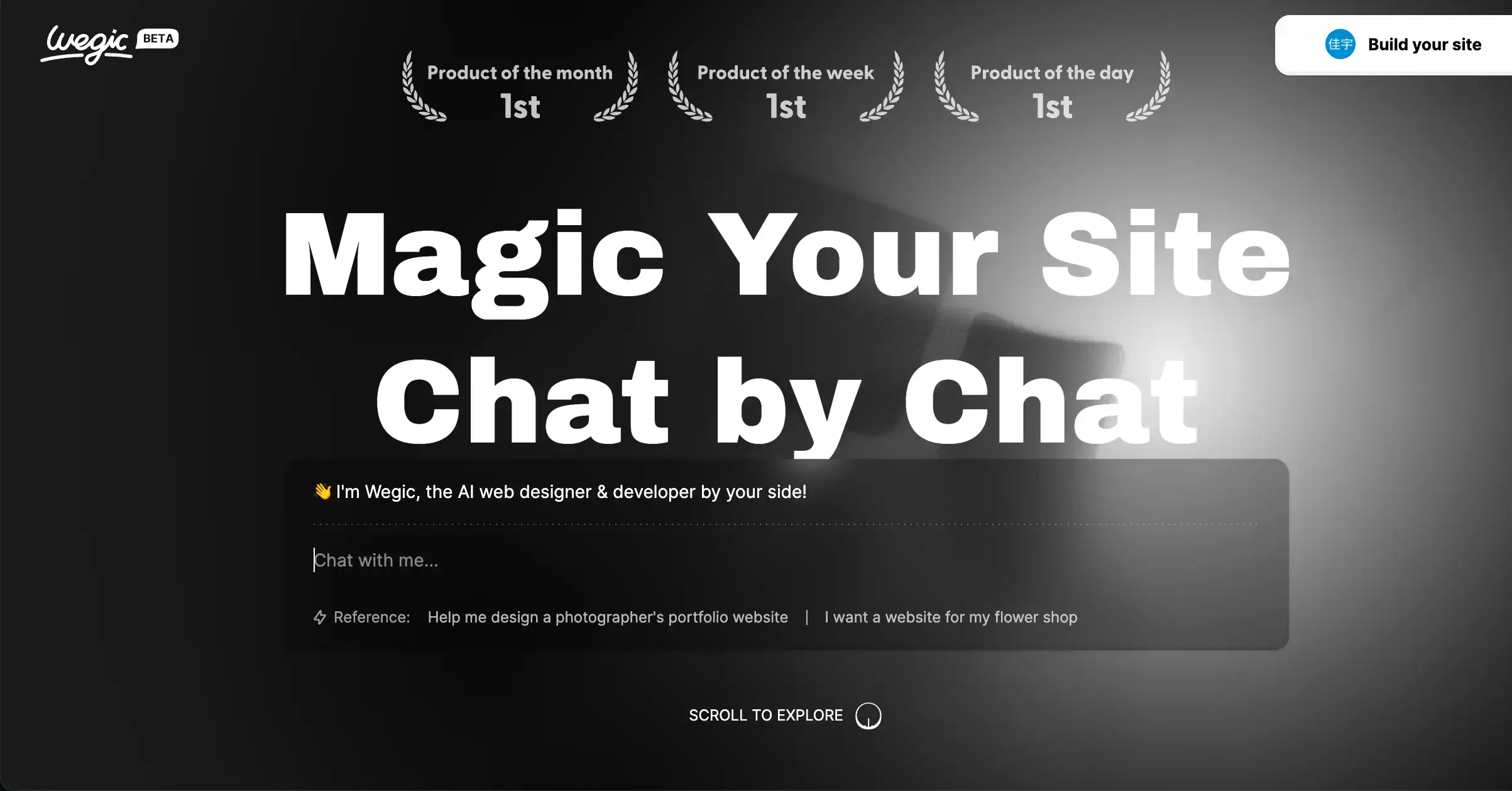
Wegic 是一個基於強大 GPT-4o 技術的創新無代碼開發平台,允許用戶通過與 Kimmy 聊天來描述他們理想的網站設計。Wegic 根據描述生成網站。用戶可以像客戶一樣提出修改建議。無論是更改主題顏色還是為圖片添加動畫效果,Wegic 都能根據指示進行調整。
優點:
- Wegic 引入了三個引人注目的 IP 角色,不僅增加了用戶互動的趣味性,還提升了整體體驗。
- 編輯模式靈活易用,使用戶可以輕鬆地個性化和調整網站內容。
- Wegic 的 AI 聊天功能允許用戶通過語音通信直接請求對網頁或其特定元素進行更改,簡化了設計過程。
缺點:
- 作為一個新推出的平台,Wegic 可能仍在完善其一些功能。例如,當請求修改時,用戶需要提供詳細的描述,以確保 AI 能準確理解和實現所需的更改。如果描述不夠具體,修改的最終結果可能會偏離用戶的原始想法。
定價:
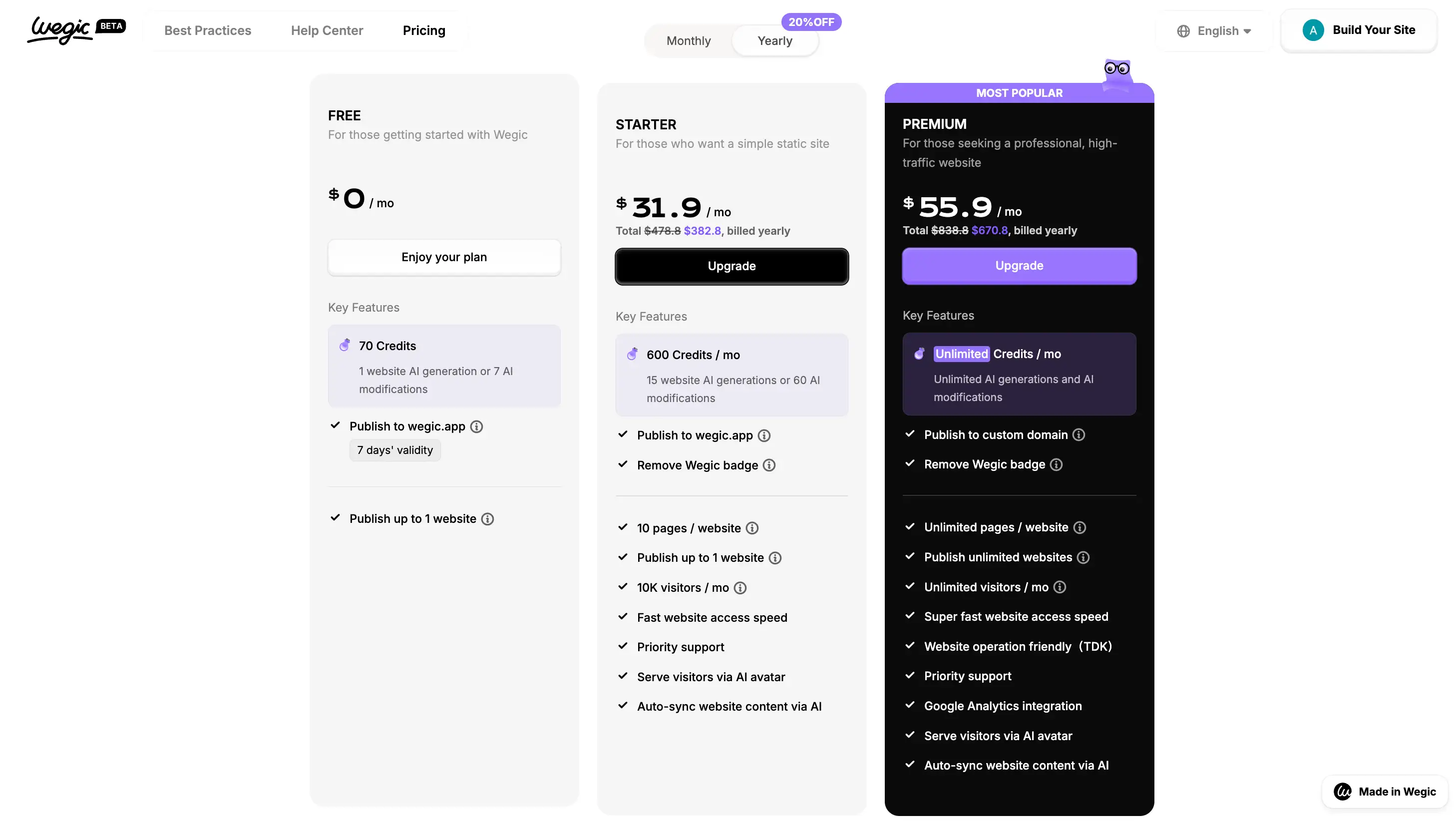
- 新用戶可獲得 70 點,可生成一個完整頁面或進行 7 次修改。後續使用 Starter 類別的費用為每月 39.90 美元。
Wix ADI
Wix ADI 是 Wix 平台的一項創新功能,使用人工智能技術幫助用戶快速設計和創建個性化網站。
優點:
- Wix ADI 內含一系列問題,引導用戶快速了解其需求並迅速生成網站設計。
- 即使沒有網頁設計經驗的用戶也可以輕鬆使用 Wix ADI 創建網站,顯著降低了技術門檻。
- ADI 根據用戶的回答提供個性化的網站模板和設計建議,這可能導致一個反映用戶品牌和風格的網站。
缺點:
- 雖然 ADI 提供個性化,但它可能無法完全滿足一些用戶對獨特想法的需求。
- Wix ADI 提供基本的安全功能,如 SSL 證書和 DDoS 防護。然而,用戶需對網站內容的安全性負責,例如防範黑客攻擊和數據泄露。
定價:
- Wix ADI 不是免費服務,用戶需支付月費使用該服務。ADI 的定價取決於網站的功能和存儲空間大小,費用從每月 17 美元到 39 美元不等。

Uizard
Uizard 是一個 AI 驅動的設計工具,使設計網頁、移動應用、網站和桌面軟件變得簡單且直觀。Uizard 的一個功能是能夠智能地將用戶的手繪草圖轉換為有用的線框圖,這在設計軟件中是很少見的。
與 Figma 或 Adobe XD 相比,Uizard 在易用性方面表現突出。用戶不僅可以從大量設計元素中選擇,還可以從頭開始創建自己的設計。無論用戶選擇哪種方式,Uizard 都提供出色的設計支持。
優點:
- Uizard 非常直觀且易於使用,通過拖放操作,即使是新設計師也可以立即開始。
- 用戶友好的界面簡化了設計流程,使設計工作更高效且直觀。
- 有數百個模板可供選擇,用戶有廣泛的設計選擇。Uizard 提供無數設計元素。
缺點:
- 一些用戶指出,目前 Uizard 僅提供方形/矩形形狀,增加更多形狀選項可以提高工具的多樣性。
- 雖然 Uizard 提供免費計劃,但最多僅限於 2 個項目,每個項目最多 5 個畫面。
定價:
- 免費,計劃從每月 19 美元起。

顏色:
Colormind
Colormind 是一個 AI 配色助手,可以根據圖片、關鍵字或隨機建議設計配色方案。其算法分析並理解配色理論,因此會為您提供直覺且和諧的配色組合。它還有一個大型的用戶生成配色方案資料庫。導出至 CSS、Sketch 等。
優點:
- Colormind 根據用戶上傳的圖片、提供的關鍵字或隨機生成的顏色自動推薦配色組合,大大減少設計師在選擇顏色上所花費的時間。
- Colormind 的算法對配色理論進行深入分析和理解,以確保推薦的配色組合不僅美觀,而且和諧,滿足專業設計的需求。
- 它有一個大型的用戶生成配色方案資料庫,為用戶提供豐富的參考資源,有助於激發創造力和靈感。
- 支援導出至 CSS、Sketch 和其他多種設計軟體格式,使 Colormind 能夠與設計師的工作流程無縫結合,提高生產力。
缺點:
- 配色理論複雜,不同文化和個人對顏色的感知有所不同,Colormind 的算法可能無法完全滿足所有用戶的需求。
定價:
- 免費,無需註冊。

Huemint
Huemint 是一個基於機器學習生成配色方案的工具,提供多種功能,包括多色配色方案、等級色、漸變等,並應用結果到網頁、插圖、圖案背景和著陸頁等模板中。
優點:
- Huemint 智能識別前景、背景和主色,幫助用戶控制配色和色彩對比。
- 內建多種配色生成模型,包括 Transformer 模型、Diffusion 模型和隨機模型,前兩種為 AI 模型,生成結果和準確度較高。
缺點:
- 根據使用過的用戶評論,它不支援 CMYK 配色,也不允許手動輸入。
- 與 Colormind 相比,Huemint 沒有配色方案預覽,給用戶帶來很多未知因素。
定價:
- 免費使用,無需註冊。

Khroma
Khroma 是一個 AI 配色工具,通過學習和分析大量配色數據,智能生成高質量的配色方案。只需輸入基色或選擇配色主題,即可獲得多種配色組合和調整。此外,您還可以通過自定義亮度和飽和度等參數來自定義自己的配色方案。如果一開始難以選擇正確的顏色,您可以在系統中選擇 50 個最喜愛的顏色,讓算法根據您的偏好推斷出更多顏色。只需決定產品或專案的主要顏色,Khroma 將完成其餘工作。
優點:
- Khroma 非常尊重用戶的選擇。它允許用戶提前選擇自己的顏色偏好,生成符合他們品味的配色方案,提供個性化的配色體驗。
- Khroma 不僅適合品牌設計、UI/UX 設計、插圖等領域,還幫助設計師創建與品牌形象相符的視覺吸引力強的作品。
- Khroma 提供直觀且易用的介面,使用起來非常方便,無需深入複雜的程式碼或算法。
缺點:
- Khroma 主要專注於生成配色方案,可能在其他設計功能上有所限制。
- 根據大量用戶的評論,使用 Khroma 生成一個配色方案需要最多 20 分鐘,因為它會經過 AI 訓練過程來創建顏色
定價:
- 免費,無需註冊。

圖片:
Midjourney
Midjourney 是一個在設計界廣泛使用的 AI 設計工具。它可以創建插圖、矢量圖形、圖標和超現實照片。用戶只需使用文字描述即可生成符合主題的高質量圖片。最新版本 Midjourney v6 Alpha 比早期版本在處理長文本和複雜描述方面更準確,並支持在描述中添加十六進制顏色代碼或顏色名稱,提高了圖片生成的靈活性和準確性。
優點:
- Midjourney 因其龐大的用戶群而受益,擁有活躍的在線社區,用戶可以在其中分享作品和創作經驗。
- 它不僅限於生成傳統圖片,還滿足設計師對圖標和超現實風格圖片的需求。
- 設計師在使用 Midjourney 時可以將對話設為私密,以提高設計過程的安全性。
缺點:
- 一些用戶指出,Midjourney 需要 Discord 帳戶才能使用,且插件選擇有限。
定價:
- Midjourney offers a free trial, but subsequent plans start at $10 per month.

Artbreeder
Artbreeder is an online art AI image generation tool that uses genetic algorithms and deep learning techniques to generate stunning artwork. The tool supports a wide range of art styles and themes, including portraits, animals, scenes, and abstract art.
Pros:
- Artbreeder uses advanced GANs and other machine learning techniques that create realistic and diverse images.
- Artbreeder has an active community where users can discover new works, participate in discussions, and even get feedback and suggestions.
Cons:
- The process is relatively complex and requires some computer performance.
Pricing:
- The free version allows users to generate and edit images, but the resolution is limited to 512x512 pixels. Users can create and save an unlimited number of images, but do not have access to advanced features such as batch generation or commercial use licensing.
- The paid version offers three subscription plans: $9 per month, $84 per year, and $249 for life. All paid plans offer higher resolution (up to 4096x4096 pixels), more image generation options (e.g., batch generation and advanced genetic algorithms), and commercial use licences.

Fonts:
Google Fonts
Fonts play a vital role in web design, and Google Fonts offers a wide range of web fonts to choose from. What sets it apart is the artificial intelligence-driven font recommendations. By analysing design choices and trends, Google Fonts helps designers find the perfect layout. By analysing design choices and trends, Google Fonts' AI recommendation system helps designers quickly find the right fonts for their web designs, saving time in finding the right fonts.
Pros:
- Google Fonts offers a large font library that includes fonts of various styles and categories to meet different web design needs.
- Google Fonts supports a variety of integration methods, including embedding directly into web code, using CSS links, or calling through the Google Fonts API. This makes it easy for designers and developers to use Google Fonts in their projects.
Cons:
- Although Google Fonts offers a large number of free fonts, there are duplicates for some font families.
- Some of the fonts may have copyright issues, so users need to be careful when using them.
Pricing:
- Free to use, but those who want more fonts can also sign up for its paid service for $29.

Fontjoy
Fontjoy automates the process of finding intuitive font pairings. Simply select the contrast between the fonts you want and click Generate, then keep tweaking until you get the ideal combination. You can insert your own text and lock the fonts to be used.
Pros:
- Easy to use, even for users with no programming background. The results are rendered instantly after the user enters the text.
- In addition to the online version, Fontjoy also supports local deployment, allowing for use in a network-less environment
Cons:
- Fontjoy's font generation feature is primarily for English and Latin alphabets, with limited support for other languages.
- User feedback says that the generated fonts may lack personality and creativity, requiring further tweaking and design by the user
Pricing:
- The free model is intended for individual users and small projects, and provides free access to all of Fontjoy's features, but the number of fonts generated is limited. The free model allows each user to generate up to 5 fonts per month, and each font can contain up to 5 font weights.

What are the most comprehensive AI tools for web designers?
Among all the best AI web development tools, Wegic makes it easy for you to design amazing websites. The tool will simplify the entire web development process. The tool will save time and effort and open up many creative possibilities for web designing for professionals and amateurs alike.
Best AI Tool for Web Development – FAQs
What do you think are the main functions of AI tools for web design?
Yes, there are many AI tools available for designing and developing websites. These tools can automatically generate layouts and color schemes, provide customized design suggestions, and create responsive design elements. It automates and simplifies the entire process of web design, providing you with professionally designed templates and drag and drop editors.
Can I use AI web development tools to create websites for free?
Yes, you can create websites for free using AI web development tools. There are several AI-based platforms out there, such as Wegic, Wix ADI, Webflow, etc., that offer free packages or trial periods that allow users to create and publish websites for free within certain limits. These tools typically understand your needs through guided questions, automatically generate website designs, or provide rich templates and drag-and-drop interfaces that allow you to easily customize your website.
設計師在使用AI設計網站時需要遵循哪些指南?
首先,確保設計符合品牌指南和用戶體驗目標,並使用AI工具作為輔助工具,而不是主要的設計方向。
其次,保持對設計過程的控制,將AI生成的點子作為起點,但需要仔細的人工調整和優化。
第三,注意版權問題。所有使用的素材都必須合法授權,以避免侵犯他人的版權或產生不道德的設計。
第四,網站設計必須對所有用戶友好。
第五,持續評估並學習AI工具的最新功能和最佳實踐,以保持設計的創新性和競爭力。
結論
隨著技術的快速發展,人工智能在網站設計領域的應用越來越廣泛和深入。本指南重點介紹了十種AI工具,涵蓋網站設計的關鍵方面,如字體、圖像創作、無代碼網站建設和色彩方案。這些工具適合各種網站設計師,無論是經驗豐富的專家還是新手設計師,將它們融入設計過程可以顯著提高您的生產力、創造力和項目成果的質量。
Wegic 是一個新興的 AI 網站建設工具,致力於幫助用戶創建引人注目且易於使用的在線平台。使用 Wegic,您可以輕鬆創建增強您品牌形象並有助於您在線業務成功的網站。
相關閱讀:求職網站
撰寫者
Kimmy
發布於
2026年4月8日
分享文章
閱讀更多
我們的最新博客
Wegic 助你瞬間打造網頁!
透過 Wegic,利用先進的 AI 將你的需求轉化為驚艷且實用的網站