What Makes a Great Student Portfolio Website?
Lead with who you are, not just what you've made
Your name, your field, and what kind of work you're looking for - that needs to be the first thing anyone sees. Recruiters and hiring managers spend maybe 30 seconds on a new portfolio before deciding whether to keep reading. Make those 30 seconds count.
A short tagline does this well. "UX design student focused on healthcare apps" tells someone more in one line than a full paragraph of biography ever could.
Pick 3–5 pieces and let them breathe
A portfolio with 12 average projects looks weaker than one with 4 strong ones. Fewer pieces means each one gets more room - more context, more of your thinking on display.
For each project, cover three things: what the goal was, what you specifically did, and what came out of it. That structure makes even a class assignment feel substantial.
Keep the design clean enough to disappear
The design of your portfolio should make your work easier to see, not compete with it. Simple layouts, readable fonts, enough white space - these are not boring choices. They're the right ones.
If you're not a designer, that's actually an argument for keeping things minimal. A clean, well-organized page beats a complicated layout that feels cluttered every time.
Make sure it works on mobile
A lot of people will open your link on their phone. If the layout breaks or images don't load right, that's the first impression - and you won't even know it happened. Check your site on a phone before sharing it anywhere. If you're building with Wegic, this is one less thing to worry about. Every site it generates is responsive by default, so it looks right on any screen without any extra setup.
Include a way to contact you
This sounds obvious, but plenty of portfolios miss it. Put your email somewhere visible, or add a simple contact form. Don't make someone hunt for a way to reach you after they've already decided they're interested.
10 Student Portfolio Website Examples Worth Studying
UX + Consumer Psychology Student, University of Pennsylvania
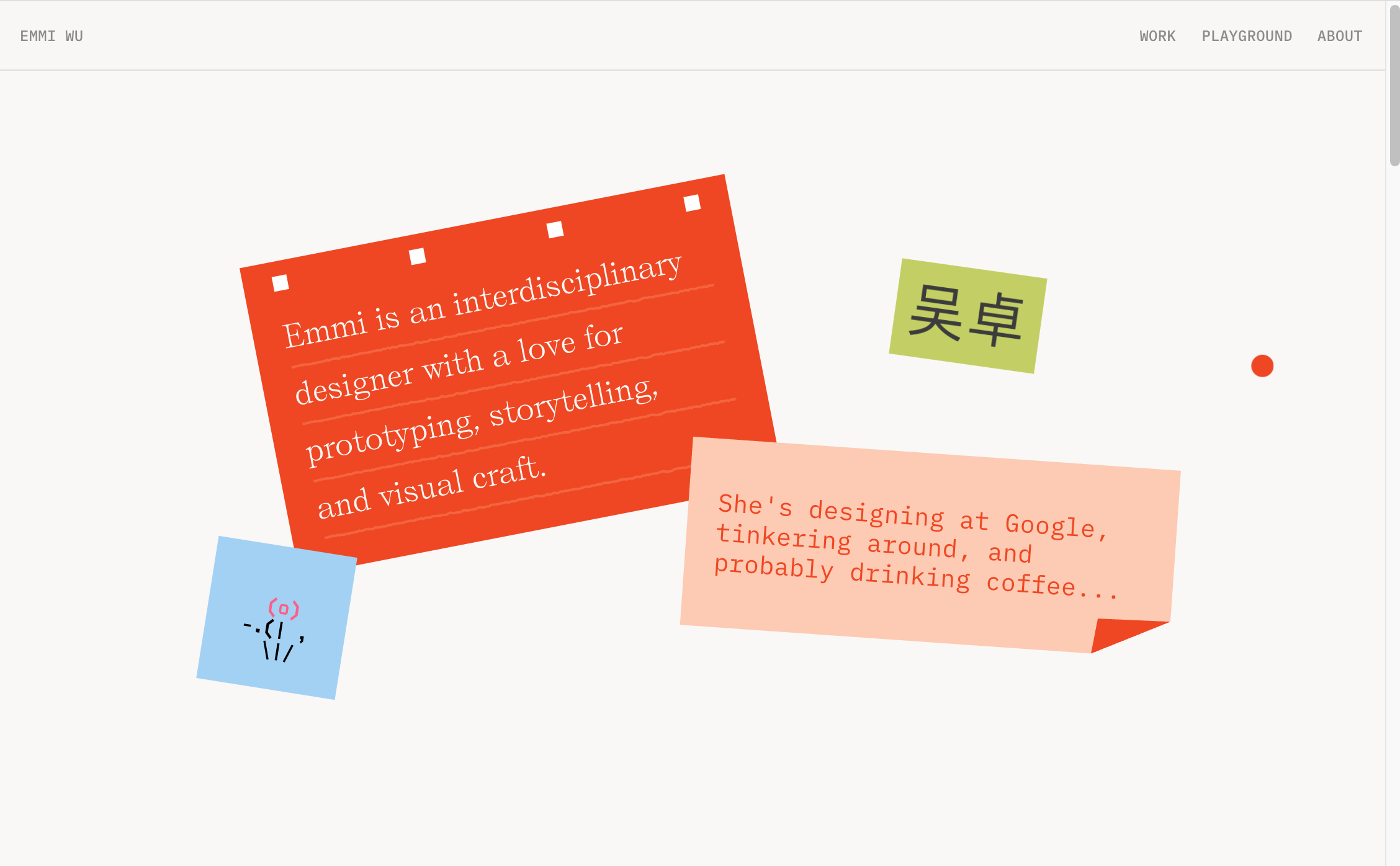
Website: https://emmiwu.com/
Emmi Wu is studying design and consumer psychology at Penn, currently on a gap semester designing at Perplexity. Her portfolio opens with a three-part intro - a hook, a pitch, a link to her work - before presenting a tightly curated set of projects that span AI hardware concepts, product design, and editorial illustrations for her university magazine. The range is the point. This isn't a portfolio that fits neatly into one job description, which makes it more interesting to read than most.
What works: Emmi shows fewer projects than most portfolios but gives each one more context. The editorial illustration section, sitting alongside professional internship work, tells a fuller story of who she is as a designer. The curatorial restraint is a lesson in itself - what you leave out matters as much as what you include.
Graphic Design + International Studies Student
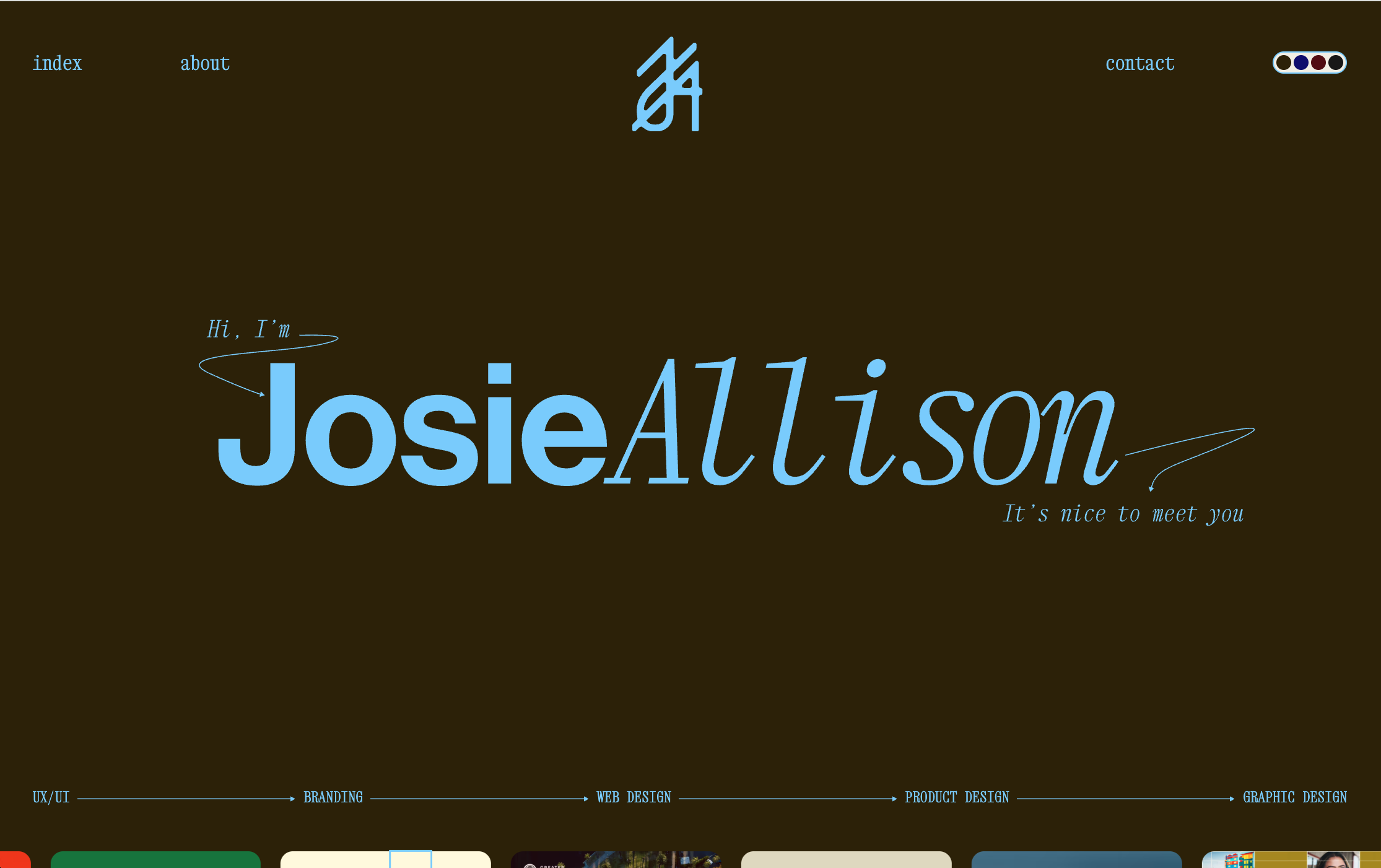
Website: https://www.itsjosie.com/
Josie Allison's portfolio leads with personality before it leads with work. Her tagline - "daring, meticulous, and playful" - carries through every project page, from nonprofit campaign design to healthcare branding. She studied graphic design and international studies, and that combination shows up in the clients she gravitates toward: community organizations, social enterprises, global causes. The case studies are detailed, the copy reads like a real person talking, and the navigation is clean enough to stay out of the way.
What works: Each project has a full written breakdown, not just screenshots. Josie explains the thinking behind her design decisions, which makes this a useful model for students who want to show process rather than just final output. Her about section also does real work - short, specific, and genuinely interesting to read.
Chemical Engineering Student Portfolio - Built with Wegic
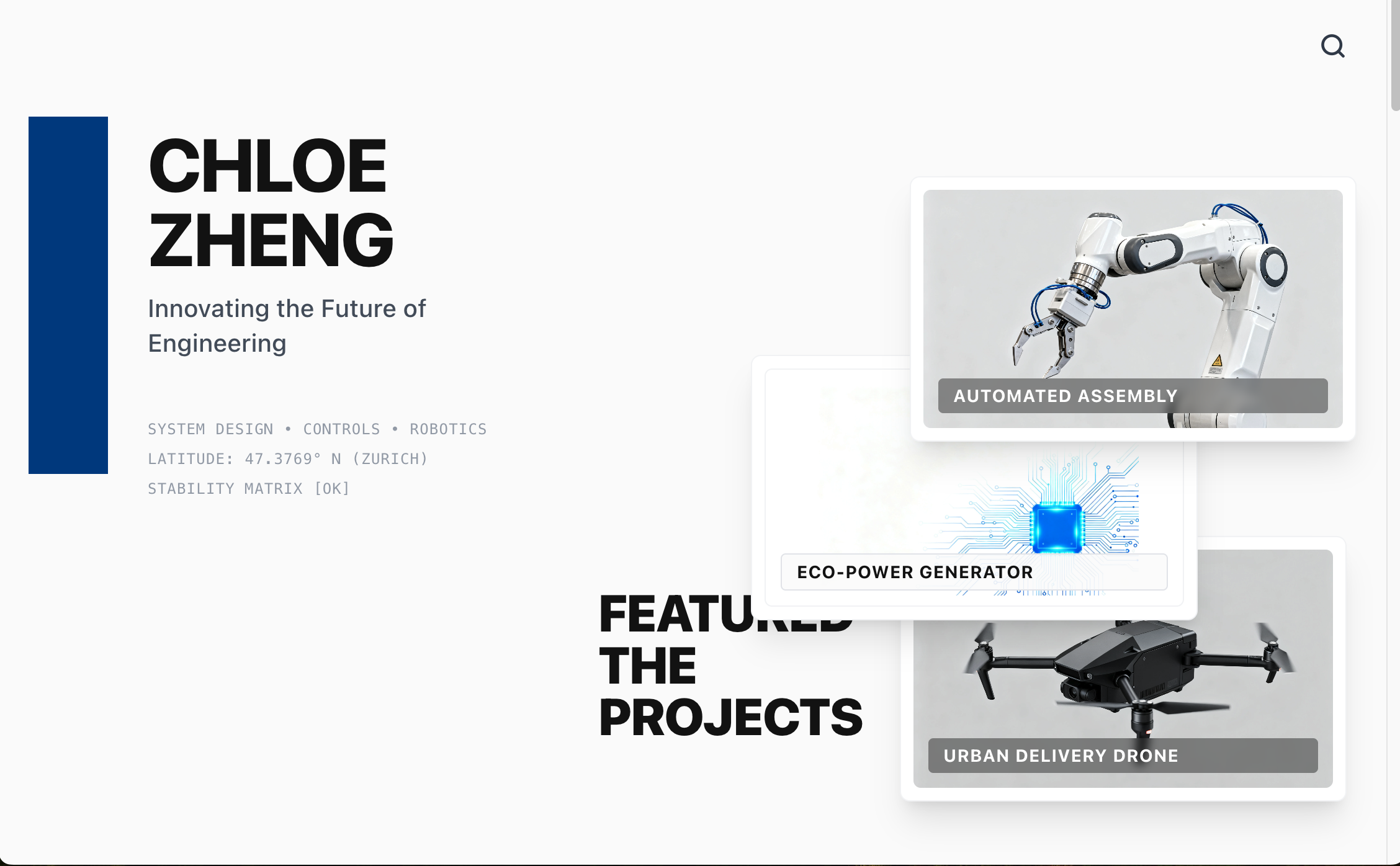
Chloe Zheng built this portfolio with Wegic while studying chemical engineering. The site opens with her name, field of study, and a short statement about her research focus, then walks through documented lab projects, coursework highlights, and relevant technical skills. No design background was needed to build it. The result is a professional online presence that a recruiter or lab supervisor can navigate in under a minute.
What works: STEM students often assume portfolios are a design-school thing. This site shows what happens when you organize your research and project work into a clean, public-facing page - it doesn't need to be complicated to be credible. Wegic generates the layout automatically, which means Chloe spent her time on the content, not the code.
CS, Electrical & Mechanical Engineering - MIT
Website: https://yohandev.github.io/
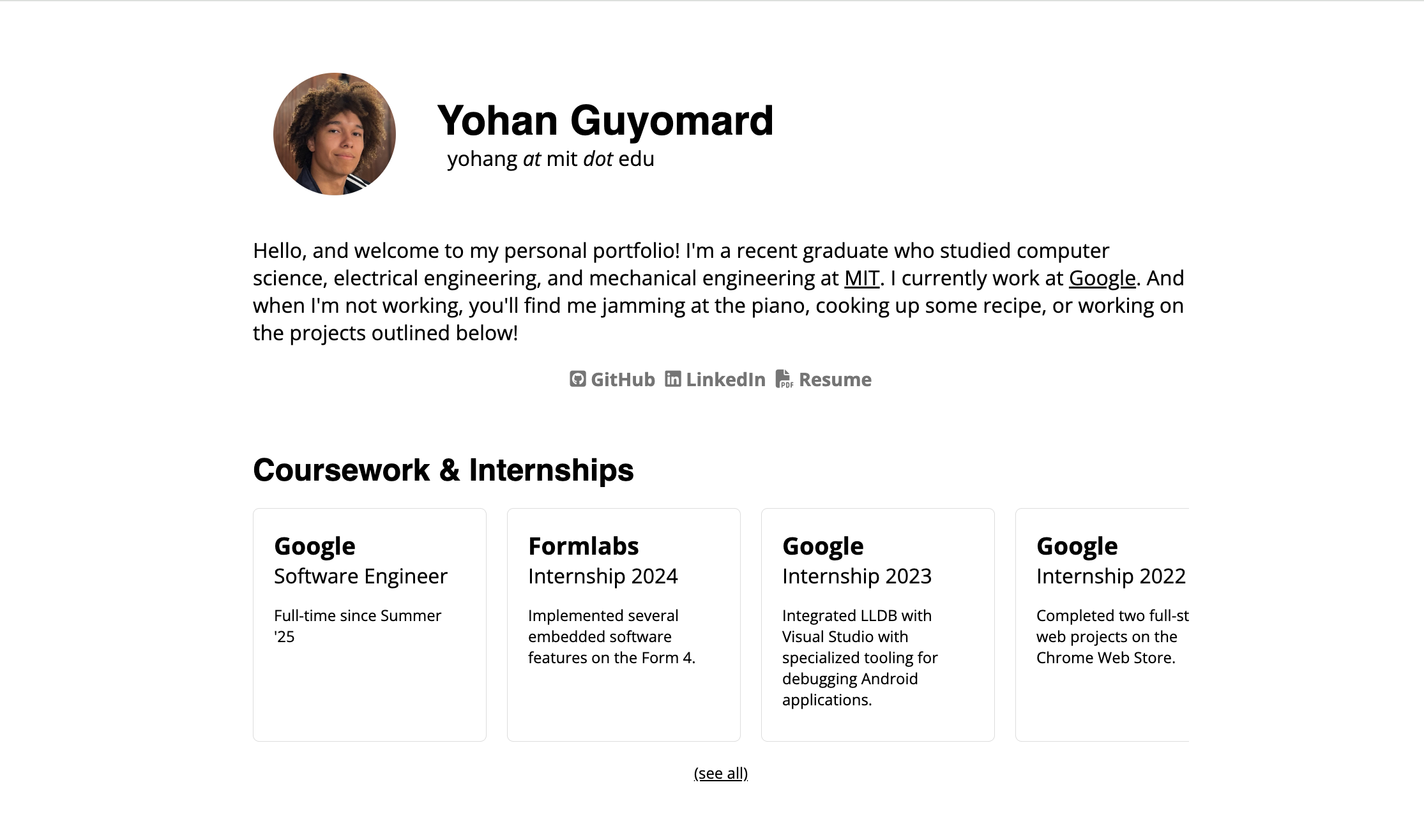
Yohan Guyomard studied computer science, electrical engineering, and mechanical engineering at MIT, and his portfolio is a plain GitHub Pages site that lets the projects do the talking. The list runs from physics-based games and a voxel raytracer running on a $4 microcontroller to a 3D-printed CNC mill and a bike safety sensor. Each project has working demos or documentation. The site design is minimal - no animations, no visual branding - which is exactly right for work this varied.
What works: The older projects archive is the hidden strength of this portfolio. Yohan has been building things for years, and the depth of that history is visible. For engineers and CS students, this is a useful model: the value lives in the work, not in how polished the homepage looks. GitHub Pages handles the hosting for free, which removes every technical barrier.
Sociology & Political Science Academic Portfolio - Built with Wegic
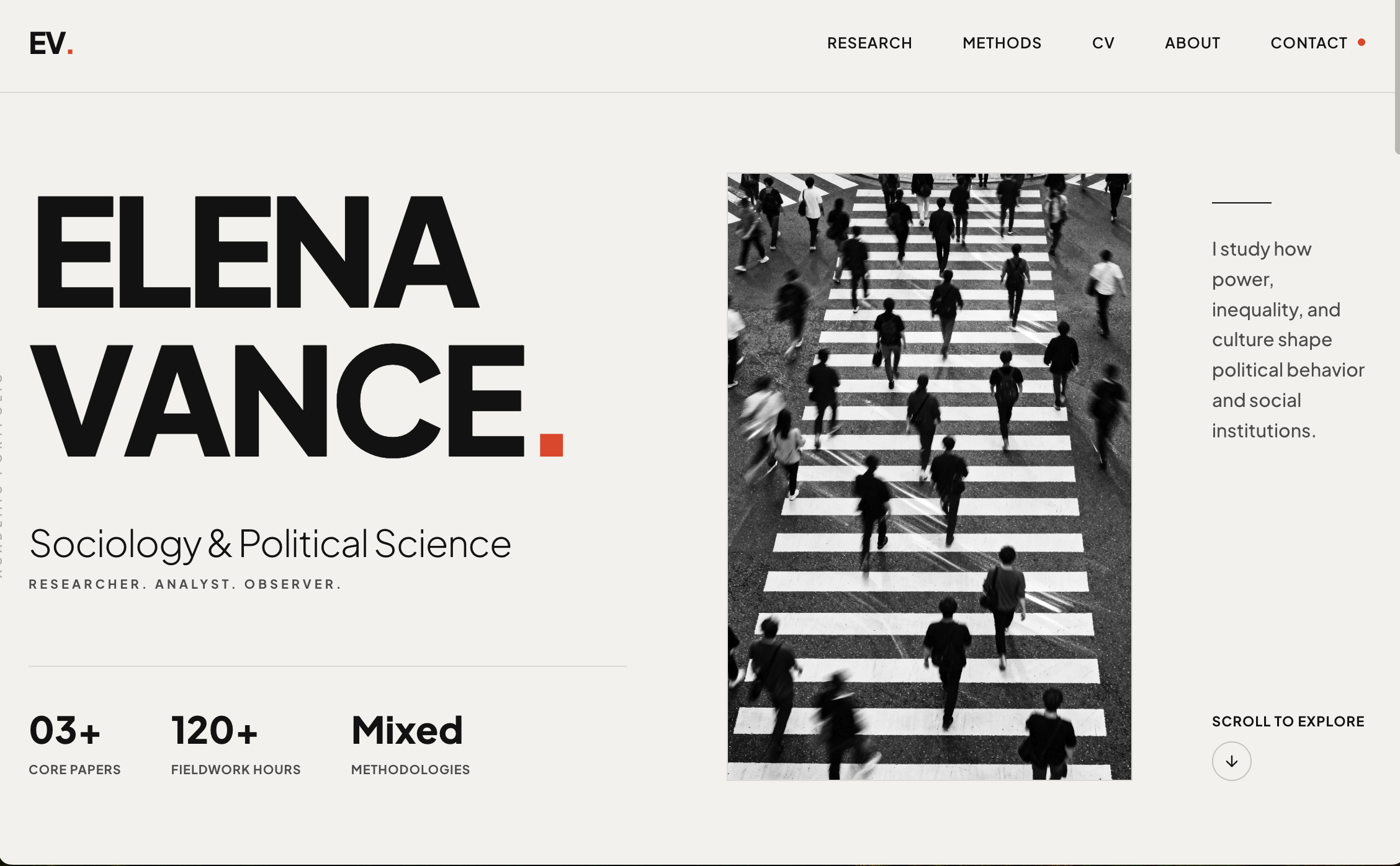
Elena Vance is studying sociology and political science, and this Wegic-built site is organized for academic and research audiences - graduate school applications, internships at think tanks, policy research roles. The homepage introduces her research interests and academic background upfront, followed by thesis work, fieldwork documentation, and a CV. Different readers can find what they need without digging.
What works: Social science students rarely think of a website as a career tool - but a clean page that organizes your research papers, policy analyses, and academic experience is more useful than a PDF that lives in someone's downloads folder. This site shows that a portfolio doesn't have to look like a design portfolio to be worth having.
Sports Business & Entrepreneurship - USC & UPenn
Website: https://kaylapadilla.org/
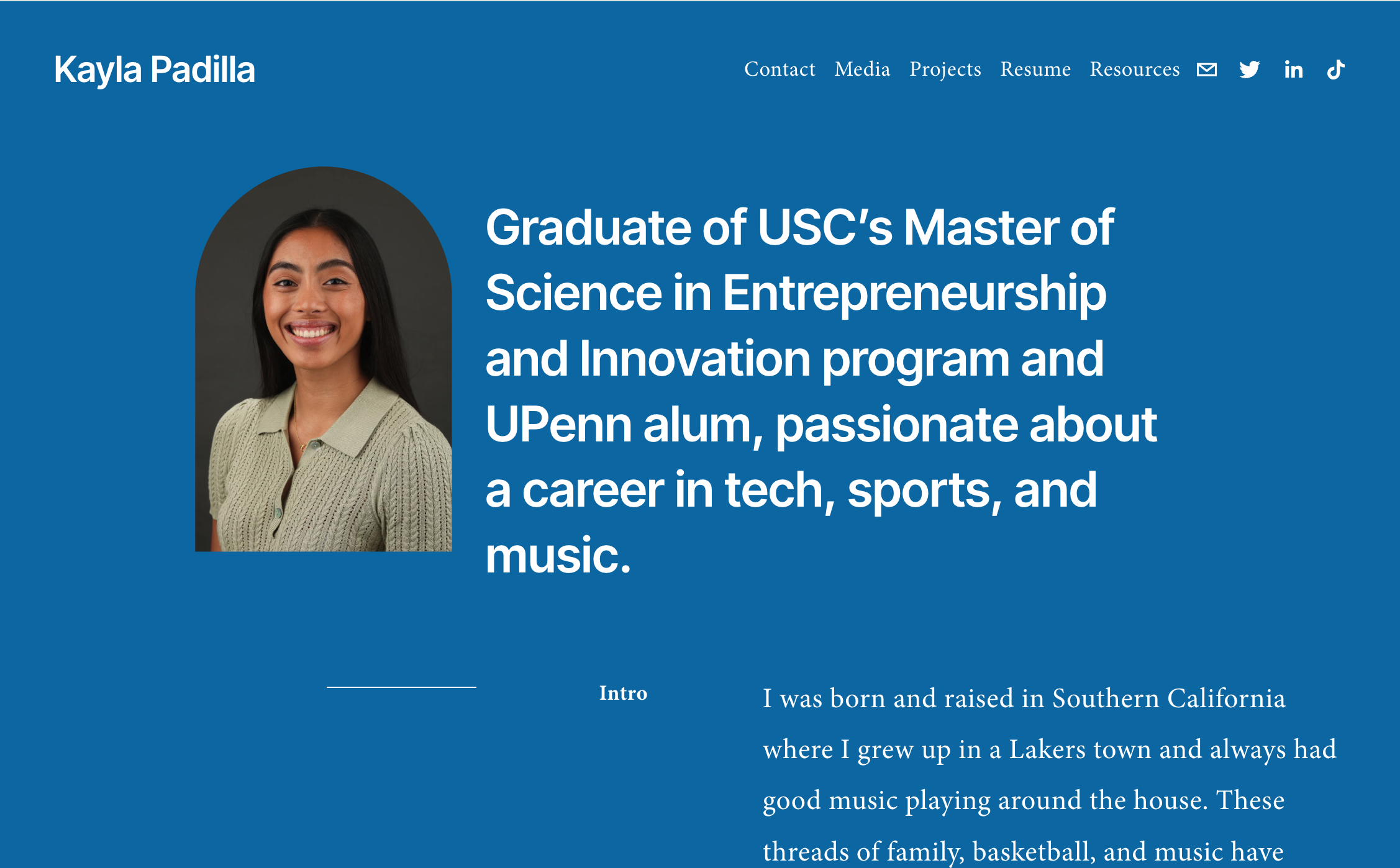
Kayla Padilla is a Division I basketball player at USC and holds a degree from Penn. Her portfolio doesn't separate those two identities - it builds the case that they belong together. The homepage bio puts her team captain experience and her tech internship experience in the same paragraph, because that's how they exist in her actual career. There's also an internship resources section she built for other student athletes, which doubles as a demonstration of initiative.
What works: Business and leadership students often assume a portfolio isn't for them - that it's a design thing, or a tech thing. Kayla's site shows what one looks like when you have non-traditional credentials to present. She doesn't try to look like a UX portfolio; she frames her story as a whole, which is exactly the right call.
Creative Writing & Literary Arts Student
Website: https://www.kabelmishka.com/
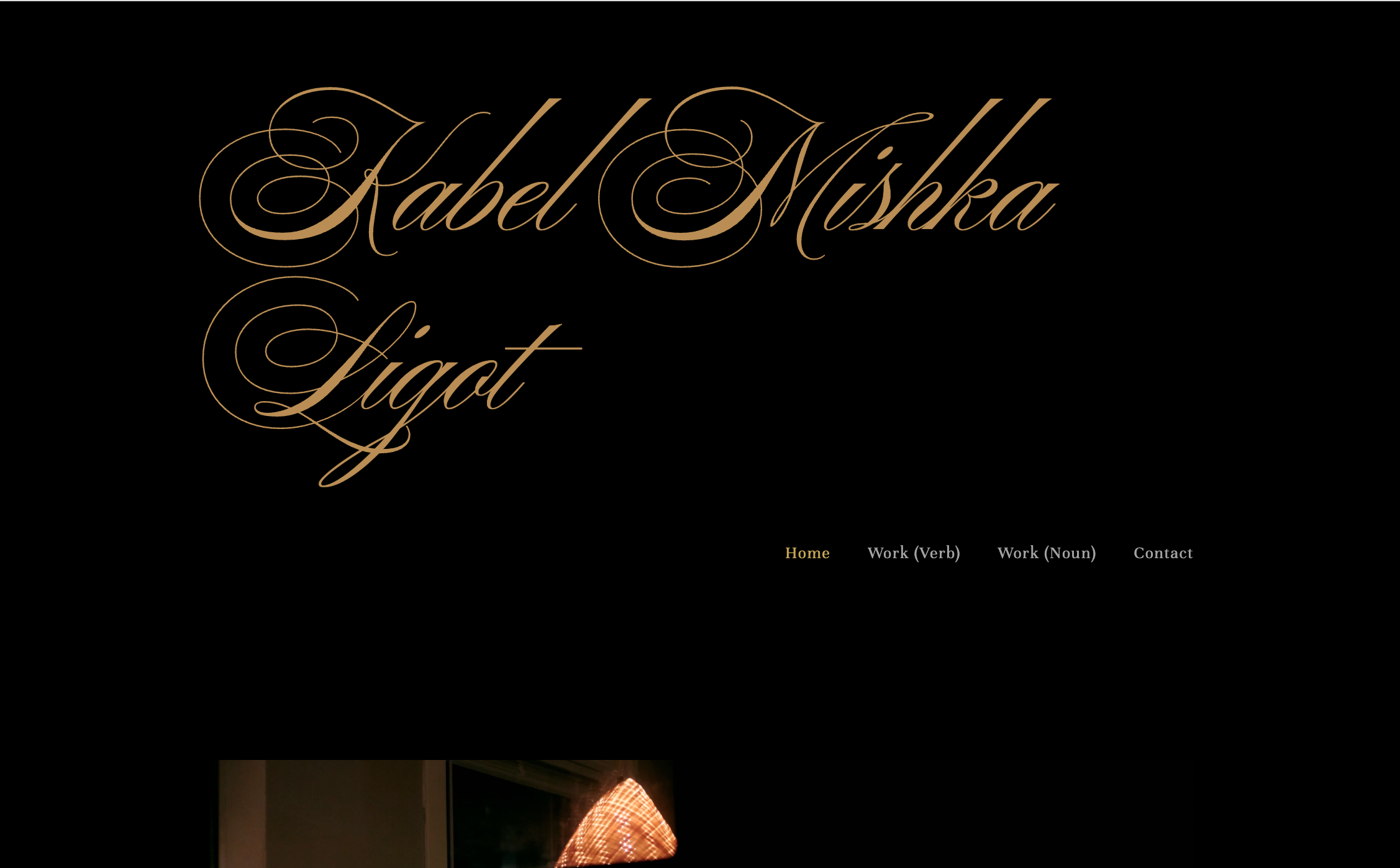
Kabel Mishka Ligot is a poet with work published in The Iowa Review, Shenandoah, and other literary journals. His portfolio is almost entirely text - which is the right choice for a writer. A simple navigation leads to published work, a short bio, and a contact page. The bio does something unusual: instead of a conventional paragraph, it links to maps of the cities where he has lived - Chicago, Taipei, Pasig, Quezon City. For a writer focused on language, place, and belonging, that format says more than any prose summary could.
What works: The design serves the work without competing with it. No animations, no complicated layouts, no visual flourishes - just clean typography and an unconventional bio that makes you want to read more. Writing students take note: your portfolio should feel like your writing does.
Photography, Graphic Design & Multimedia Creative
Website: https://www.avalondibernard.com/
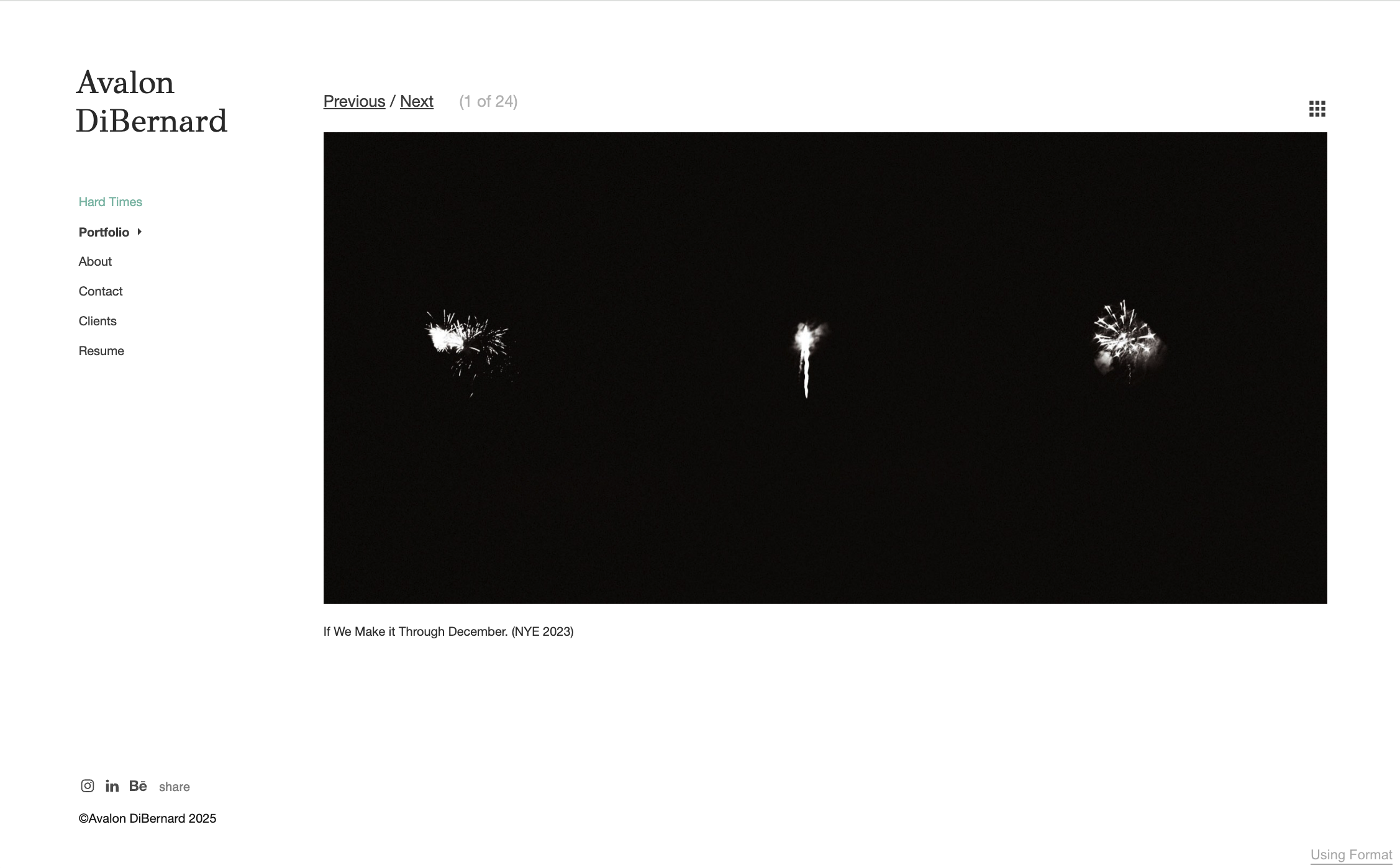
Avalon DiBernard's portfolio covers photography, graphic design, UI/UX, and video - and the site's visual tone makes that scope feel coherent rather than scattered. Project titles like "Waiting Room," "December," and "October Passed Us By" read as chapter headings, not just labels. The homepage uses atmospheric imagery as a frame, and that mood carries through every section. This is a portfolio that commits to an aesthetic identity, which makes it more memorable than a site that just shows everything it can do.
What works: The choice to use a consistent emotional register across projects - rather than showcasing every style - is a lesson in editorial discipline. For photography and visual arts students, this is worth studying: going deep on a feeling is more convincing than going wide on technique.
Mechanical Engineering Student - Northeastern University
Website: https://joeydanna.com/
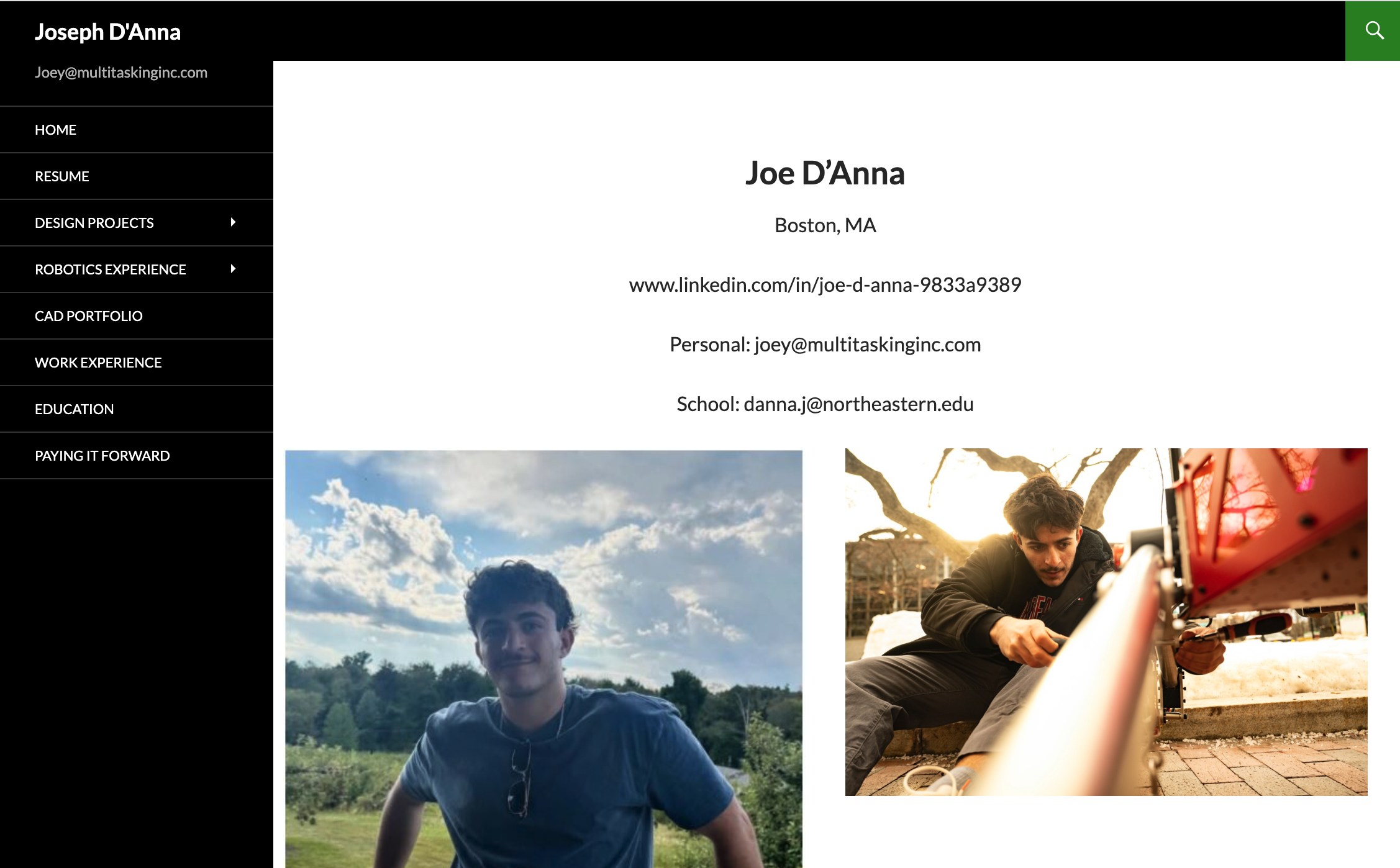
Joey D'Anna is a fourth-year mechanical engineering student at Northeastern, and his portfolio is a clean, honest documentation of hands-on work. The CAD section covers projects from a light-up dog leash powered by a dynamo generator to a medical device co-op at MIT's Traverso Lab. There's also a "Paying It Forward" section where he documents his FIRST Robotics mentorship work. The structure is simple: resume, projects, CAD models, contact. Nothing is added that doesn't need to be there.
What works: Engineering students often feel like their work doesn't translate to a website. Joey's site is proof that project photos, CAD screenshots, and brief context paragraphs are enough to tell a convincing story. The site doesn't try to look like a design portfolio - it looks like what it is - which is exactly the right choice.
Computer Science + Product Design - Brown University
Website: https://tiffanyc.cc/
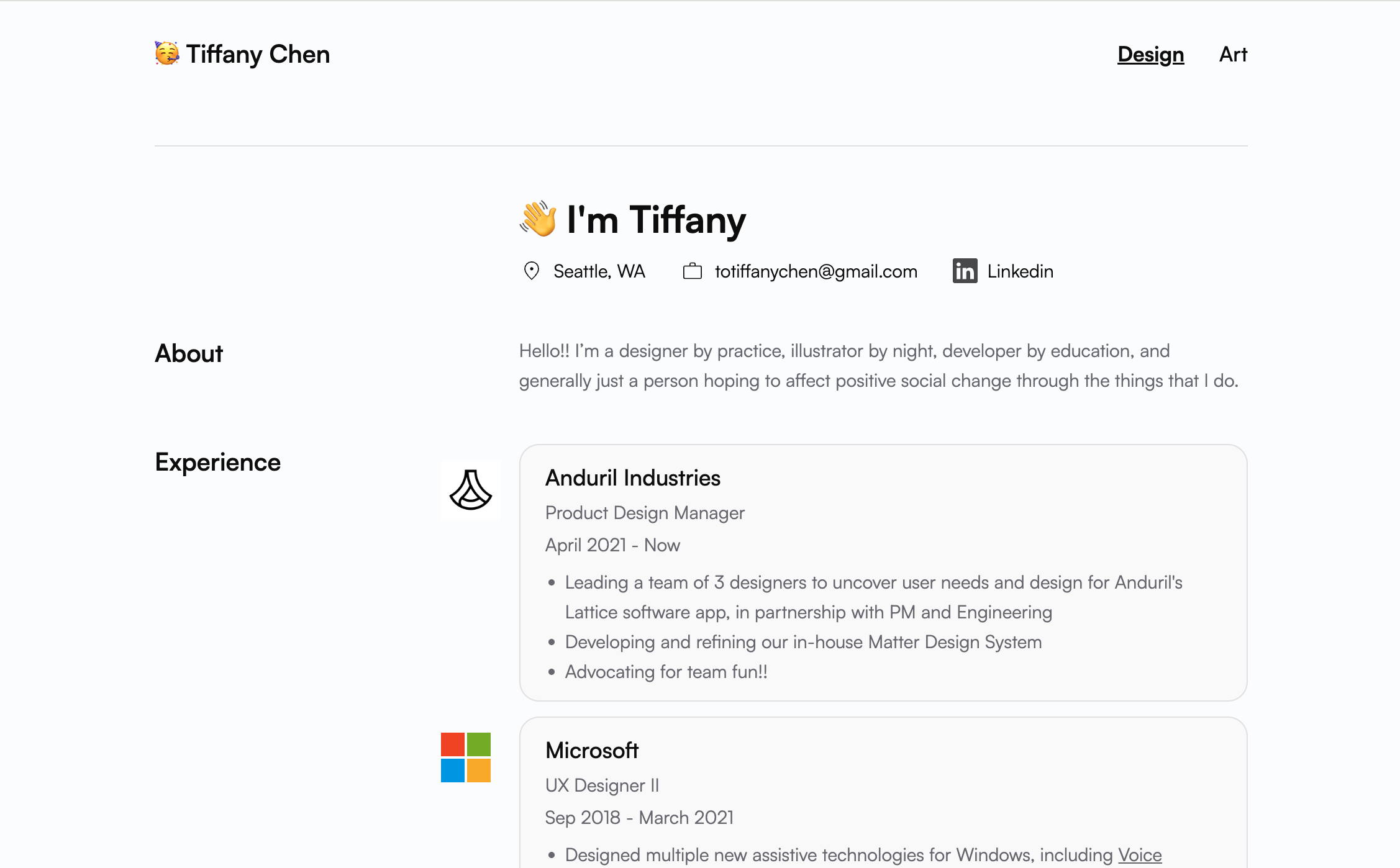
Tiffany Chen describes herself as "a designer by practice, illustrator by night, developer by education," and her portfolio backs that up. She studied computer science and economics at Brown, interned at Microsoft, Adobe, and Duolingo, and built the Focus Orderer Figma plugin - a tool that helps design teams annotate accessibility focus order for screen readers. It now has 26,000 installs. The site itself is minimal and accessible: projects, experience, speaking engagements, contact. Clean and fast.
What works: The Figma plugin is the strongest piece in this portfolio - not because of the install count, but because it shows Tiffany didn't study design and code as separate things; she combined them into something people actually use. For CS students who design, or designers who code, this is a model worth following: find a project that sits at the intersection of your skills and make it real.
How to Build Your Student Portfolio Website
You've seen what good student portfolios look like. Now the question is how to actually build one - especially if you've never made a website before.
The easiest path is a tool that handles the technical side for you. Wegic is an AI website builder that lets you describe what you want in plain language and generates a full site from that. No templates to configure, no code to write.
You can go from nothing to a published portfolio in one session. Every site Wegic generates is responsive by default, so it looks right on phones and desktops without any extra setup. If you want to make changes - swap a color, rewrite a section, adjust the layout - you just tell it what you want and it updates.
For students, that matters. You're not trying to become a web developer. You're trying to show your work. Wegic lets you focus on that, starting at $2.99.
What If You Don't Have Projects Yet?
This is the question most portfolio articles skip. They assume you already have work to show - but if you're in your first year, switching fields, or just getting started, that's often not the case.
Here's a useful way to think about it: your portfolio isn't a gallery. It's an extension of your CV.
A resume lists what you've done. A portfolio shows how you think and work. Those are different jobs - and it means you don't need finished, polished projects to get started.
Coursework and class projects count
Did you write a research paper? Design a poster for a class assignment? Build something at a hackathon, even if it never fully worked? That's all portfolio material.
The key is framing. Add context around each piece: what was the brief, what decisions did you make, what would you do differently now? That narrative turns a class project into evidence of how you approach real problems.
Show your thinking, not just finished results
Some of the most effective student portfolios don't just show the final output - they show the process. Sketches, notes, a written breakdown of how you tackled something. That transparency tells a recruiter something important: you have a method, not just luck.
You don't need a polished case study to do this. Even a short paragraph explaining a key decision is more useful than a pretty image with no context.
A mock project beats an empty page
If you genuinely have nothing yet, make something. Pick a product you use every day and redesign one part of it. Write a brief and execute it yourself. Analyze a public dataset and write up what you found. Propose a social intervention and document your reasoning.
A self-directed project shows initiative. It tells people you don't wait for someone to hand you work - which is exactly what employers want to see from someone who's just getting started.
One page is enough to begin
You don't need ten projects before you publish. One well-documented piece, a short bio, and your contact information is a real portfolio. Get something live, then improve it as you go.
FAQs
Q: What should I put in a student portfolio if I have no experience?
Start with what you have. Class projects, coursework, personal experiments, or a self-directed mock project all count. The goal is to show how you think and approach problems - not to present a finished professional body of work. Add a short bio, your contact information, and publish it. You can fill in more as you go.
Q: How many projects should a student portfolio include?
Three to five is a good range. Each project should have enough context to tell a story: what the goal was, what you did, and what came out of it. A portfolio with four well-explained projects is stronger than one with ten that have no description.
Q: Do I need to know how to code to build a portfolio website?
No. There are several tools designed for building websites without writing any code. Wegic uses AI to generate your site from a plain-language description, so you don't need to touch a template or learn any technical skills.
Q: What's the best platform to build a student portfolio website?
That depends on your priorities. If you want full design control and already have some web skills, code-based options give you flexibility. If you want something fast and polished without a learning curve, an AI builder like Wegic is a good fit - it handles layout, responsiveness, and design automatically.
Q: Is a student portfolio website different from a resume?
Yes, and that difference matters. A resume tells people what you've done. A portfolio shows them how you work. That's why it's useful even when you're just starting out - it gives you space to add context, explain your thinking, and show a side of yourself that a list of bullet points can't capture.
Ready to put yours together? You don't need a lot to get started - just something worth sharing and a place to put it. Describe yourself to Wegic AI just with plain language and build your own portfolio today.