Why Every Organization Needs a Well-Designed SharePoint Website
A SharePoint website is more than just an internal portal—it’s the central hub where employees communicate, collaborate, and access the information they need every day. From company announcements and HR resources to project documents and department workspaces, a well-designed SharePoint site keeps teams aligned and productive.
As organizations grow, information can quickly become scattered across emails, shared drives, and messaging platforms. SharePoint brings these resources together in one organized location, making it easier for employees to find documents, stay informed, and work more efficiently. A clear navigation structure, consistent branding, and intuitive user experience can significantly improve employee engagement while reducing time spent searching for information.
Whether you're creating a company intranet, an HR portal, or a department workspace, investing in a thoughtful SharePoint website helps streamline communication, strengthen collaboration, and create a better digital workplace for everyone.
What Makes the Best SharePoint Websites Stand Out
The best SharePoint websites are designed around the needs of the people who use them every day. Rather than overwhelming employees with endless pages and documents, they organize information into a clear, intuitive structure that makes important resources easy to find. Effective SharePoint sites balance functionality with usability, ensuring employees can quickly access the tools, news, and documents they need.
Successful SharePoint websites also maintain consistent branding, encourage collaboration across departments, and provide personalized content for different teams or roles. Features like company news, quick links, searchable knowledge bases, and department-specific workspaces help create a more connected and productive workplace. Combined with responsive layouts and Microsoft 365 integration, these elements transform SharePoint from a document repository into a modern digital workplace.
8 Best SharePoint Website Examples
Whether you're designing a company intranet or improving an existing SharePoint site, exploring real-world examples is one of the best ways to discover effective layouts and content strategies. The following SharePoint website examples highlight different use cases, from company-wide communication and HR portals to department workspaces and knowledge hubs. Each example demonstrates how thoughtful organization and user-focused design can improve collaboration, communication, and productivity across an organization.
Employee Communication Sites
Employee communication sites help organizations share company news, leadership updates, events, and important announcements in one central location. These websites are designed to keep employees informed while strengthening company culture and making internal communication more engaging.
BrightWork
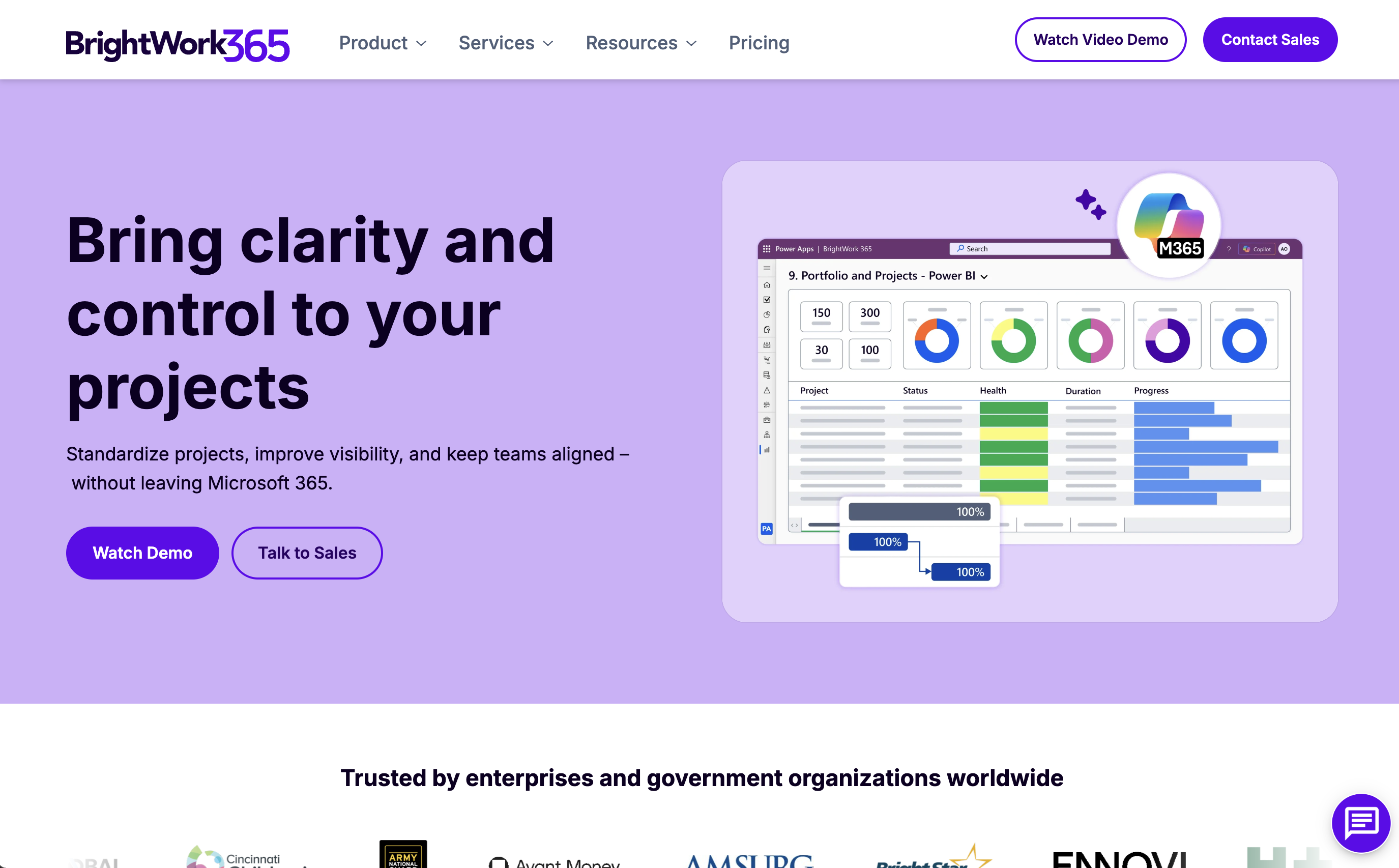
BrightWork is a project and portfolio management solution built on Microsoft SharePoint. Its website demonstrates how SharePoint can be transformed into a powerful business collaboration platform through clean layouts, clear navigation, and strong product storytelling. Visitors can easily explore project management solutions, customer success stories, and implementation resources.
Why it works:
- Clean information architecture makes complex project management solutions easy to understand.
- Consistent branding creates a professional enterprise experience.
- Product demonstrations and customer success stories establish credibility.
- Clear calls to action encourage visitors to request demos and learn more.
- Educational resources help users understand the benefits of SharePoint-based project management.
Best takeaway:
A successful SharePoint website should organize complex business information into a simple, intuitive experience that guides users toward meaningful
actions.
HR & Employee Experience Sites
HR and employee experience sites help organizations centralize important workplace information, making it easier for employees to access policies, benefits, learning resources, and onboarding materials. These SharePoint websites improve the employee experience by reducing the time spent searching for information while ensuring that essential resources are always available in one organized location.
Human Resources Hub
Template: Microsoft SharePoint Look Book
Site Type: Communication Site
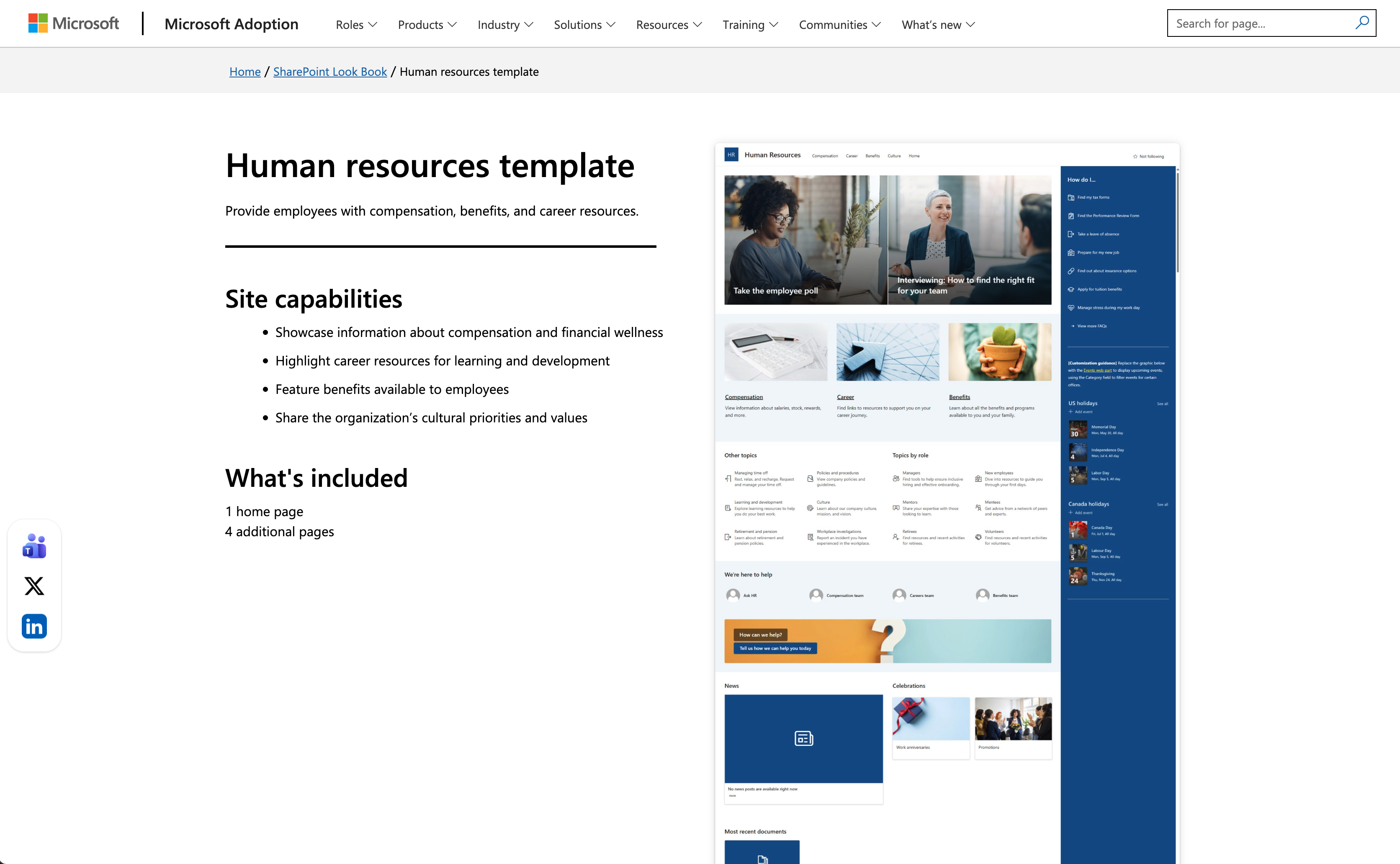
The Human Resources Hub is designed to provide employees with a single destination for HR-related information. It organizes benefits, compensation, career development resources, company policies, and workplace updates into a clean, easy-to-navigate experience. Rather than relying on scattered documents or email announcements, employees can quickly find everything they need from one central hub.
Why it works:
- Clear navigation groups HR resources into logical categories, making information easier to find.
- Featured sections highlight employee benefits, compensation, and career development opportunities.
- News and announcements keep employees informed about policy updates and company initiatives.
- Consistent layouts improve usability while maintaining a professional company brand.
- Quick access to frequently used resources reduces repetitive HR questions and improves efficiency.
Best takeaway: A successful HR portal should organize information around employees' everyday needs. Clear navigation, well-structured content, and accessible resources create a better employee experience while reducing administrative workload.
Employee Onboarding Site
Template: Microsoft SharePoint Look Book – New Employee Onboarding
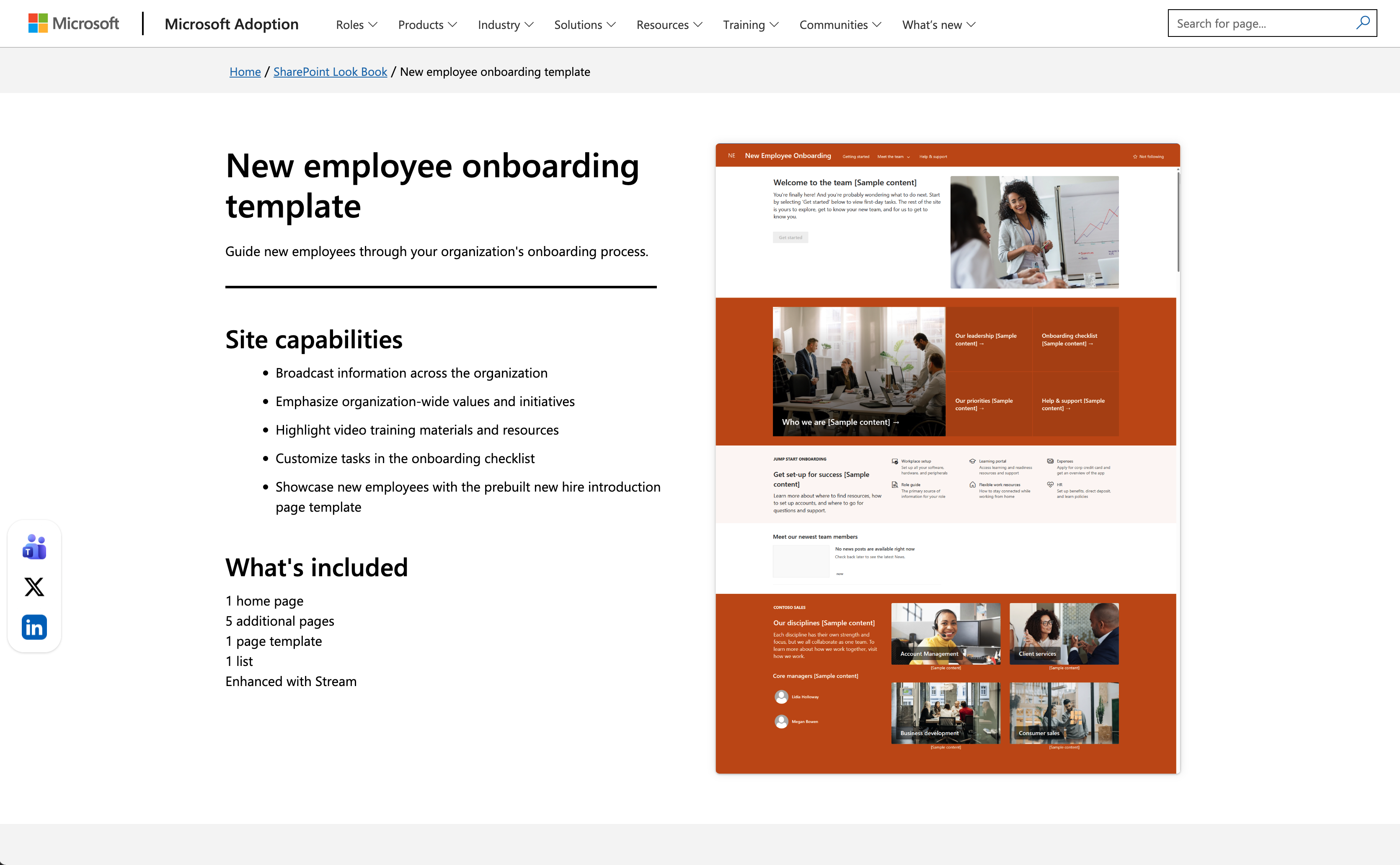
Site Type: Communication Site
The New Employee Onboarding template helps organizations create a structured onboarding experience for new hires. It brings together welcome messages, onboarding checklists, company policies, training resources, and team introductions into one centralized site, making the transition into a new role smoother and more engaging.
Why it works:
- Step-by-step onboarding content helps new employees understand what to complete during their first days and weeks.
- Welcome messages from leadership create a more personal and engaging first impression.
- Quick links provide easy access to essential forms, company policies, and training materials.
- Organized sections reduce confusion by presenting information in a logical sequence.
- A consistent design creates a professional onboarding experience that reflects the organization's culture.
Best takeaway: Great onboarding starts with clear communication. A dedicated onboarding portal helps new employees feel welcomed, informed, and productive from day one.
Department & Collaboration Sites
Department and collaboration sites are designed to help teams work more efficiently by centralizing documents, project updates, shared resources, and daily workflows. Whether supporting marketing campaigns, IT services, or cross-functional projects, these SharePoint websites provide employees with a collaborative workspace where information is organized, accessible, and always up to date.
ShortPoint
ShortPoint
IT Help Desk Portal
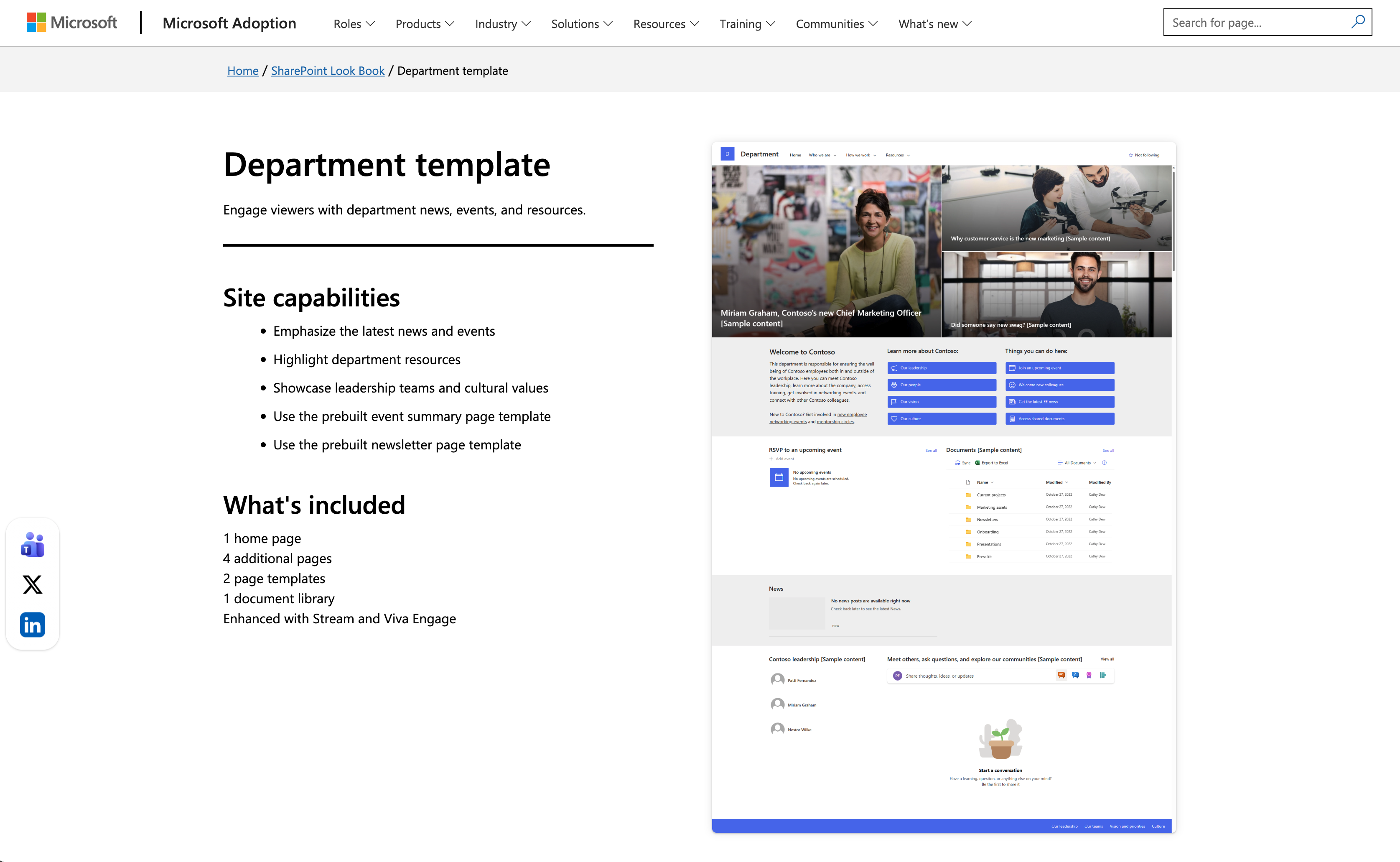
Site Type: Team Site
An IT Help Desk portal provides employees with a central location to access technical support, troubleshooting guides, software resources, and service requests. Instead of relying on emails or chat messages, employees can quickly find answers to common questions or submit support requests through a well-organized self-service portal.
Why it works:
- Frequently asked questions and troubleshooting guides reduce repetitive support requests.
- Clear navigation helps employees quickly locate software downloads, IT policies, and technical documentation.
- Self-service resources improve efficiency by allowing users to solve common issues independently.
- Shared knowledge keeps documentation consistent across the organization.
- Organized content creates a smoother support experience for both employees and IT teams.
Best takeaway: A well-designed IT portal empowers employees to solve simple problems on their own while making it easier to request additional support when needed.
Knowledge Management & Resource Sites
Knowledge management sites help organizations centralize documents, policies, training materials, and institutional knowledge into one searchable location. Instead of storing information across multiple folders or disconnected platforms, SharePoint knowledge hubs provide employees with a single source of truth, making it easier to find accurate information, collaborate efficiently, and preserve organizational knowledge over time.
Knowledge Center
Origami Connect
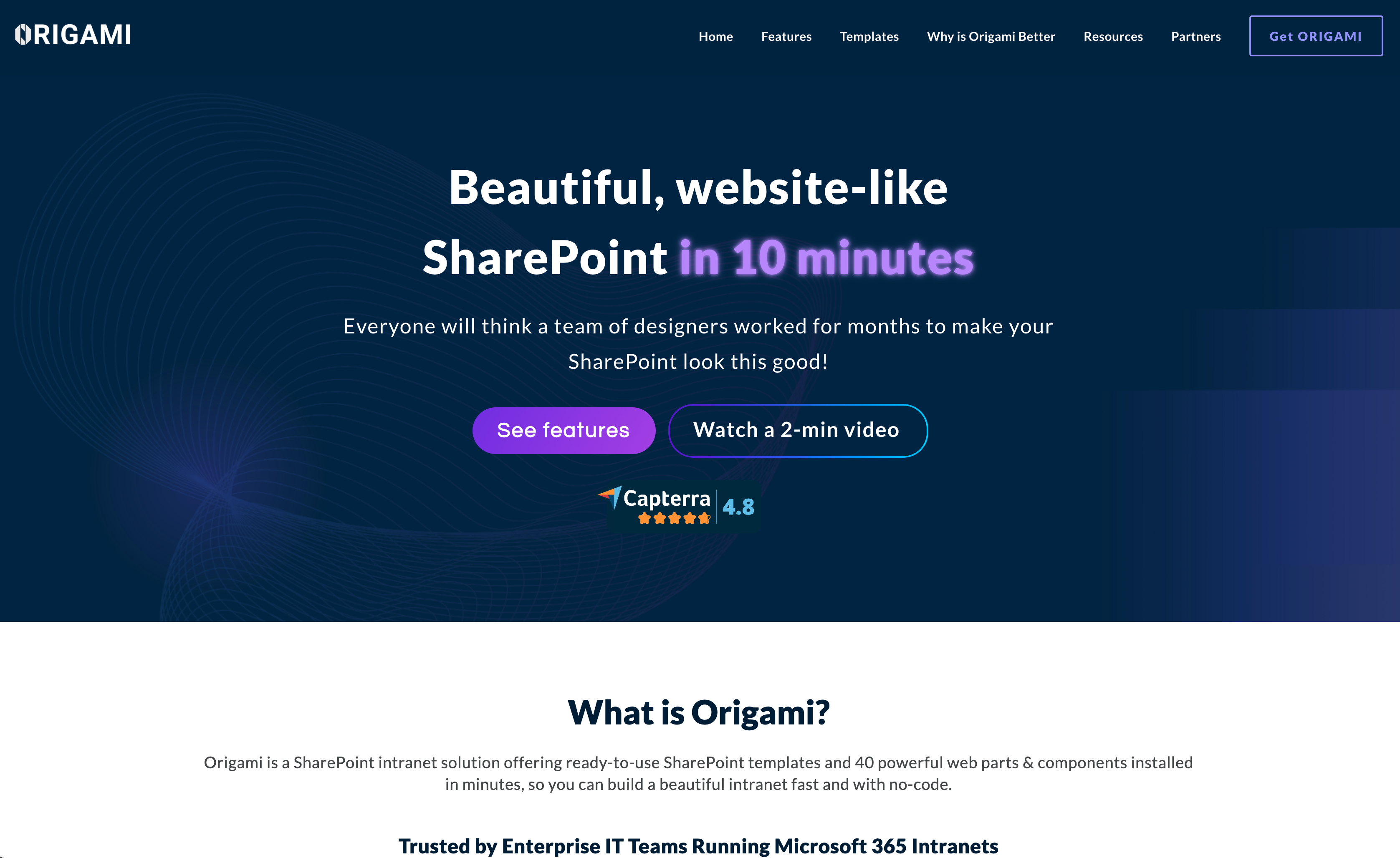
Origami Connect is a digital workplace platform built on Microsoft 365 and SharePoint. Its website demonstrates how organizations can create modern intranet experiences that centralize company knowledge, improve communication, and connect employees across departments. Through clean layouts, practical examples, and solution-focused content, the site showcases how SharePoint can support a more engaging digital workplace.
Why it works:
- Solution-focused navigation helps visitors quickly explore intranet features and workplace solutions.
- Real customer stories demonstrate practical business outcomes and build credibility.
- Modern visuals communicate enterprise capabilities without overwhelming users.
- Well-structured content makes complex workplace solutions easy to understand.
- Clear calls to action encourage visitors to request demos and learn more.
Best takeaway:
A successful SharePoint website should focus on solving real workplace challenges while presenting information in a clear, engaging, and user-friendly
way.
Learning & Training Portal
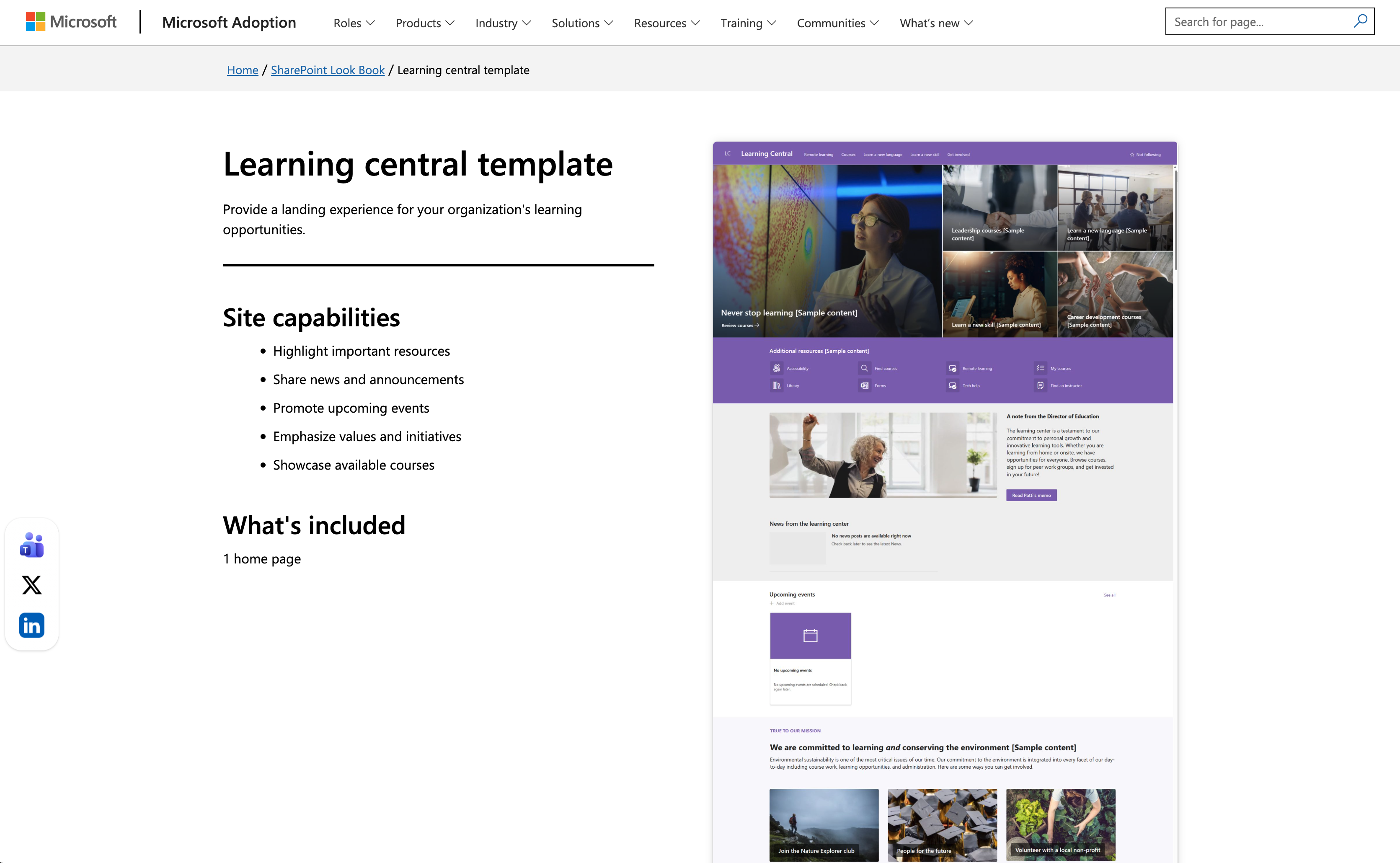
Site Type: Communication Site
The Learning Central template provides employees with a centralized destination for professional development and workplace training. It organizes learning paths, training videos, certification programs, onboarding resources, and company courses into one engaging platform that supports continuous learning.
Why it works:
- Structured learning paths make professional development easier to follow.
- Featured courses and training resources encourage ongoing employee growth.
- Clear navigation helps employees quickly find relevant learning materials.
- Modern layouts improve engagement with educational content.
- Centralized training reduces duplication and improves knowledge consistency.
Best takeaway: Employee learning platforms should make training simple to discover and easy to complete. Organized learning resources help create
a stronger culture of continuous development.
Leadership Connection
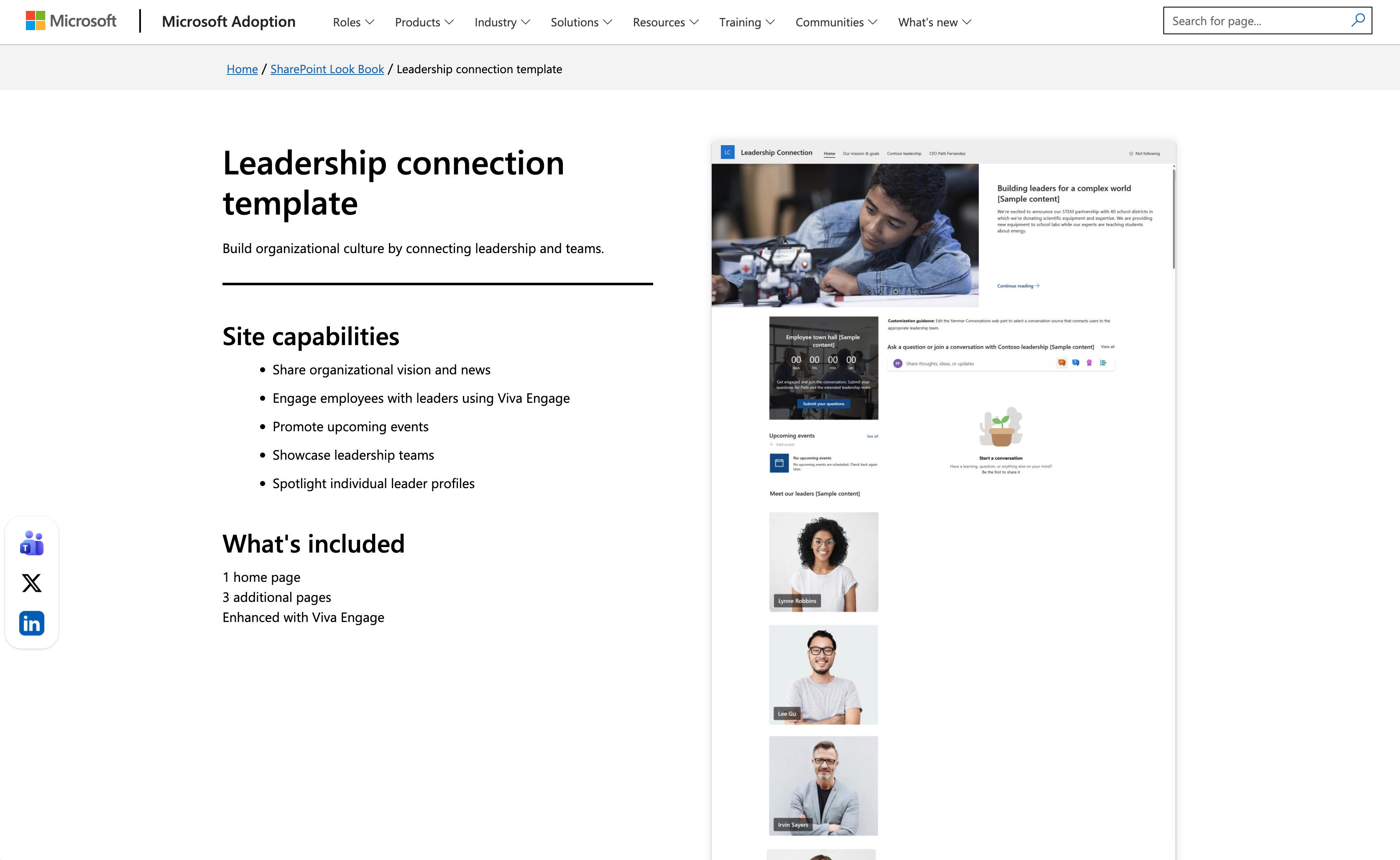
Site Type: Communication Site
Leadership Connection is designed to strengthen communication between executives and employees. It provides a dedicated space for leadership messages, company strategy, organizational updates, and important announcements, helping employees stay informed about business priorities and organizational goals.
Why it works:
- Executive messages are presented in a clear, engaging format.
- Videos, announcements, and featured articles make leadership communication more personal.
- Organized navigation makes strategic updates easy to find.
- Consistent branding reinforces transparency and company culture.
- Interactive content encourages employees to stay connected with organizational initiatives.
Best takeaway: Transparent communication starts with visibility. A dedicated leadership portal helps employees better understand company direction while strengthening trust across the organization.
What These SharePoint Website Examples Can Teach You
Organize Information for Easy Access
The best SharePoint websites make information easy to find by organizing content into logical categories and providing clear navigation. Whether employees are looking for company news, HR policies, training materials, or project documents, a well-structured site reduces search time and improves productivity. Prioritizing intuitive navigation helps users quickly access the resources they need every day.
Improve Internal Communication
Successful SharePoint websites strengthen communication by bringing together announcements, leadership updates, company news, and important resources in one centralized location. Instead of relying on scattered emails or multiple communication tools, employees can stay informed through a consistent digital workplace that encourages engagement and transparency.
Design for Collaboration and Productivity
SharePoint is more than a document repository—it is a collaboration platform. The best examples provide shared workspaces, document libraries, project resources, and integrations with Microsoft 365 tools to support teamwork. Designing around employees' daily workflows helps teams collaborate more efficiently while reducing information silos.
Create a Consistent Employee Experience
A consistent design system improves usability across every SharePoint site. Standardized layouts, navigation patterns, branding, and content organization
help employees feel familiar with the platform regardless of which department or resource they are accessing. A unified experience increases adoption
help employees feel familiar with the platform regardless of which department or resource they are accessing. A unified experience increases adoption
and makes the digital workplace easier to use.
Frequently Asked Questions
What is a SharePoint website?
A SharePoint website is a collaboration and content management site built with Microsoft SharePoint. Organizations use SharePoint websites to share company news, manage documents, support teamwork, create intranets, and provide employees with a centralized place to access information and business resources.
What are the different types of SharePoint sites?
The two primary types of SharePoint sites are Communication Sites and Team Sites. Communication Sites are designed for sharing information, announcements, and organizational updates with a broad audience, while Team Sites focus on collaboration, document sharing, project management, and day-to-day teamwork among smaller groups.
Can I build a SharePoint website without coding?
Yes. SharePoint provides a variety of ready-made templates, drag-and-drop web parts, and built-in customization tools that allow
users to create professional websites without writing code. Many organizations can build intranets, department portals, and team sites using SharePoint's
no-code features, while advanced customizations can be added later if needed.
users to create professional websites without writing code. Many organizations can build intranets, department portals, and team sites using SharePoint's
no-code features, while advanced customizations can be added later if needed.
Build Your Team Website with Wegic
Create Organized Business Websites
Whether you're building an internal knowledge hub, a company portal, or a business website, Wegic helps you create well-structured pages that are easy to navigate and manage. Organize information clearly so your team or audience can quickly find the resources they need.
Design Collaborative Team Portals
Effective team websites encourage communication, collaboration, and productivity. With Wegic, you can create modern websites that support shared resources, project updates, announcements, and team workflows—all without the complexity of traditional web design.
Explore More Business Website Templates
Browse professionally designed business website templates to find inspiration for company portals, team sites, knowledge bases, and internal communication platforms. With AI-powered design assistance, Wegic makes it easy to build polished websites that support collaboration and business growth.