應該說,一個好的網站建設平台應該帶來易用性、多樣性、設計自由度、響應式、可擴展性和合理的價格。 客戶支持和社區資源也是主要因素。用戶在建設和運行網站時總會遇到技術或設計問題。一個好的網站平台必須立即處理這些問題。
點擊圖片以無代碼方式建立網站! ⬇️
Webflow 和 Wix 是兩個最流行的例子。它們有廣泛的模板和簡單的拖放設計師。Webflow 提供更好的設計自由度和時尚的外觀。 它對希望擁有高質量圖片和互動能力的個人非常有效。Wix 更簡單,讓您在更短的時間內創建網站。它是快速上線網站的優秀選擇。雖然兩者都很受歡迎,但它們都有局限性。 Webflow 的學習曲線較高,而 Wix 在自定義設計的調整範圍方面相對較小。在下面的段落中,我們將根據功能、Wix 和 Webflow 定價以及這兩個平台的體驗來討論 Webflow 與 Wix。我們還將推出 Wegic,這是一款由 GPT-4o 實現的無代碼網站構建器。它允許您通過自然對話創建和管理網站,而無需編碼。
什麼是 Webflow?
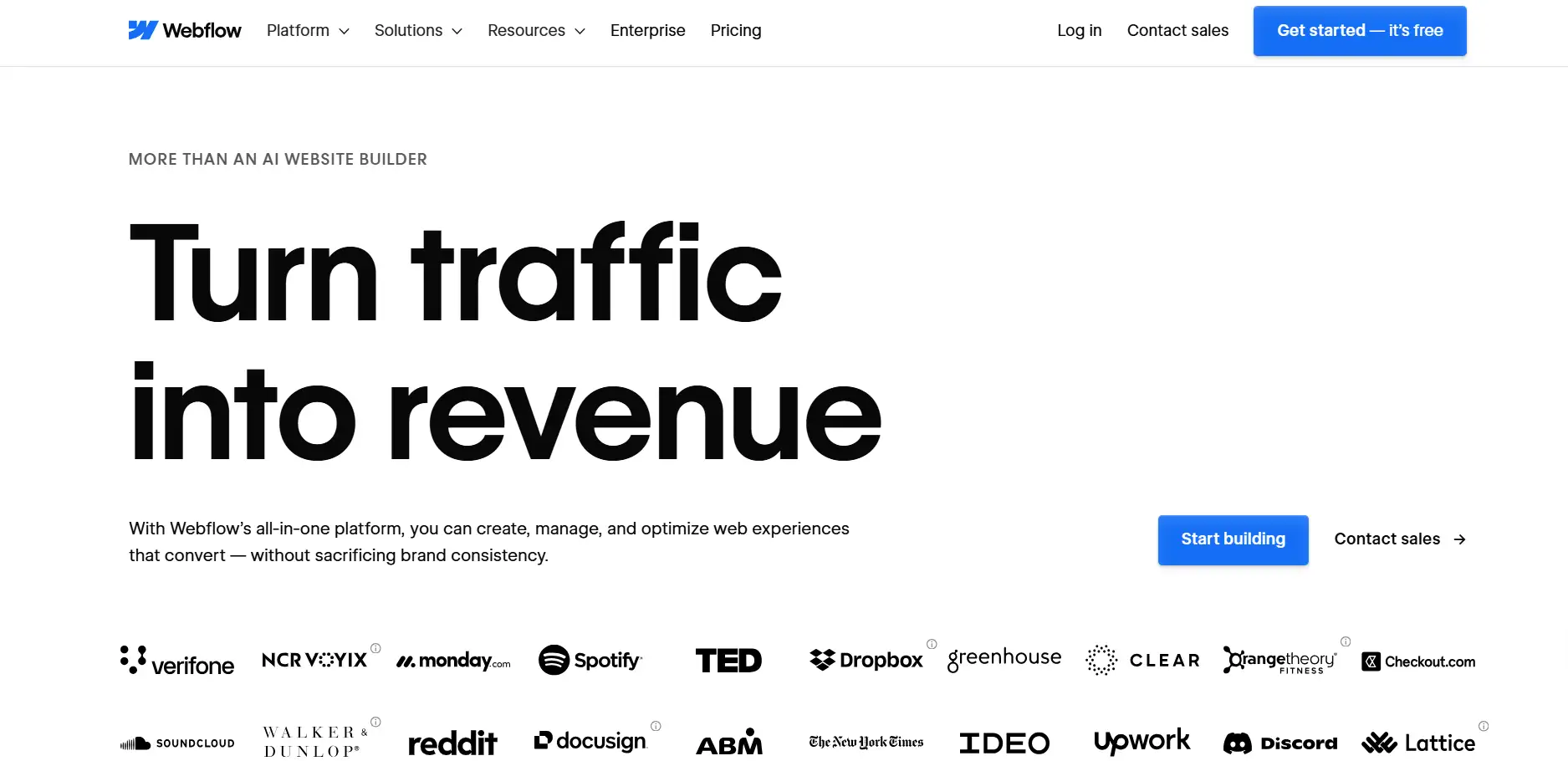
在了解 Webflow 與 Wix 之前,讓我們先了解 Webflow。Webflow 是一個針對設計師和其他企業的網站設計平台。它在規劃上靈活且不具限制性。您可以在手機和電腦上創建響應式網站。您可以簡單地拖放來建立頁面,而不是編碼。當然,如果您願意,也可以修改 HTML、CSS 和 JavaScript。這讓您擁有更大的自由度。Webflow 設計用於具有對網頁外觀高級控制權的個人。動畫和互動可以以詳細的方式產生,而不需要開發人員。這個網站構建器適合每種類型的網站,包括單頁和多頁網站。
特點
Webflow 提供的極其多樣的功能對創作者和需要打造網站的中小企業非常有益。主要功能包括以下內容:
- 易用的視覺設計工具:只需拖放項目即可設計版面。它還具備支持高級動畫和互動設計的能力。
- 響應式設計:您的網站將根據多種屏幕自動調整大小。它在手機、平板和桌面設備上都能良好運行。
- 動態內容管理:內置的 CMS 可以管理博客、產品列表或新聞提要。您不需要額外的開發工作。
- 模板和組件庫:提供大量優質模板。您可以自由地自定義它們,以快速創建專業網站。
- 高級文字編輯器:您可以在頁面上包含自己的 HTML、CSS 或 JavaScript 代碼,以完成更複雜的操作。
- MOPHP SEO 優化工具:這些工具比較和對比使用 URL、元標籤、替代文字等的 SEO 工作。這些工具有助於提高網站在搜索引擎中的可見度。
Webflow 為用戶提供工具,使用其模板、組件和 CMS 創建獨特且專業的網站。設計工具還讓您完全控制版面、字體、顏色和網站在所有設備上的外觀。對於重視視覺設計和互動的用戶來說,Webflow 是比其他網站構建器更好的選擇。
Webflow 價格
Webflow 價格包括針對個人、團隊和企業的多種計劃:
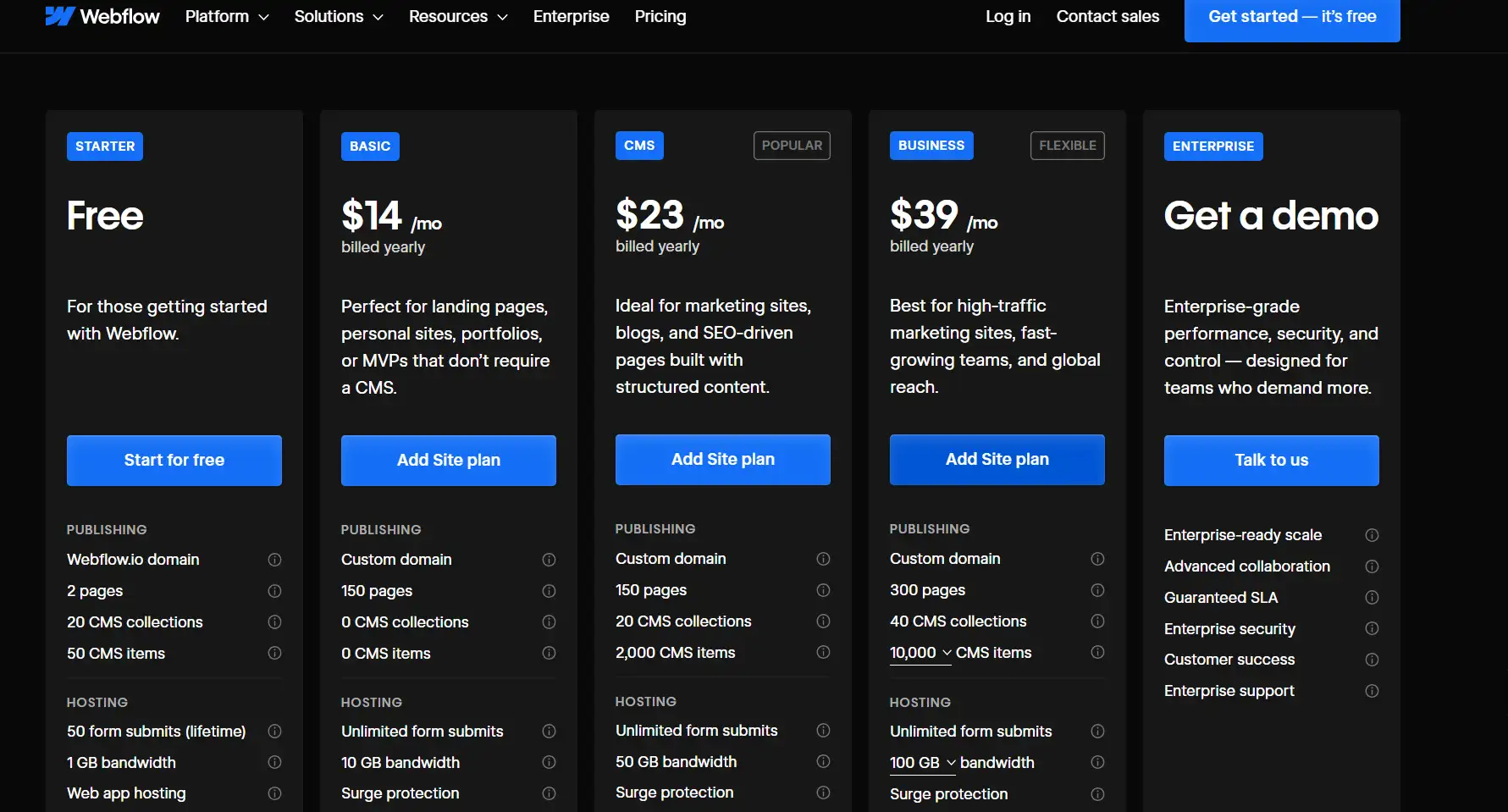
- 免費計劃:很好的測試。它有 Webflow 品牌,頁面和功能有限。
- 基本計劃費用:每月 14 美元。適合個人網站。您可以連接自己的域名
- 高級計劃:每月 23 美元。適合網上商店或企業網站。它有內置的內容系統、會員帳戶等。
- 團隊計劃:Webflow 價格從每月 39 美元開始。促進多人協作。您可以分配重寫以提高效率。
缺點
雖然 Webflow 功能強大,但它也有一些限制:
- 學習曲線較陡峭: 新進者需要時間學習。他們必須適應介面以及設計運作的方式。
- 額外功能需付費使用:免費方案功能較少。有用的工具只有在付費後才能使用
- 多方面的互動會耗時:如果您需要特殊的設計或動畫,建立網站可能需要更長的時間。
- 資源分散:雖然有許多幫助資料,但可能難以找到。有必要為初學者(可能沒有設計經驗的人)提供支援。
一般來說,Webflow 與 Wix 相比,更適合已經了解設計或不介意學習的人。如果您需要一個獨特且具備特殊功能的高級網站,可以考慮使用此平台。
什麼是 Wix?
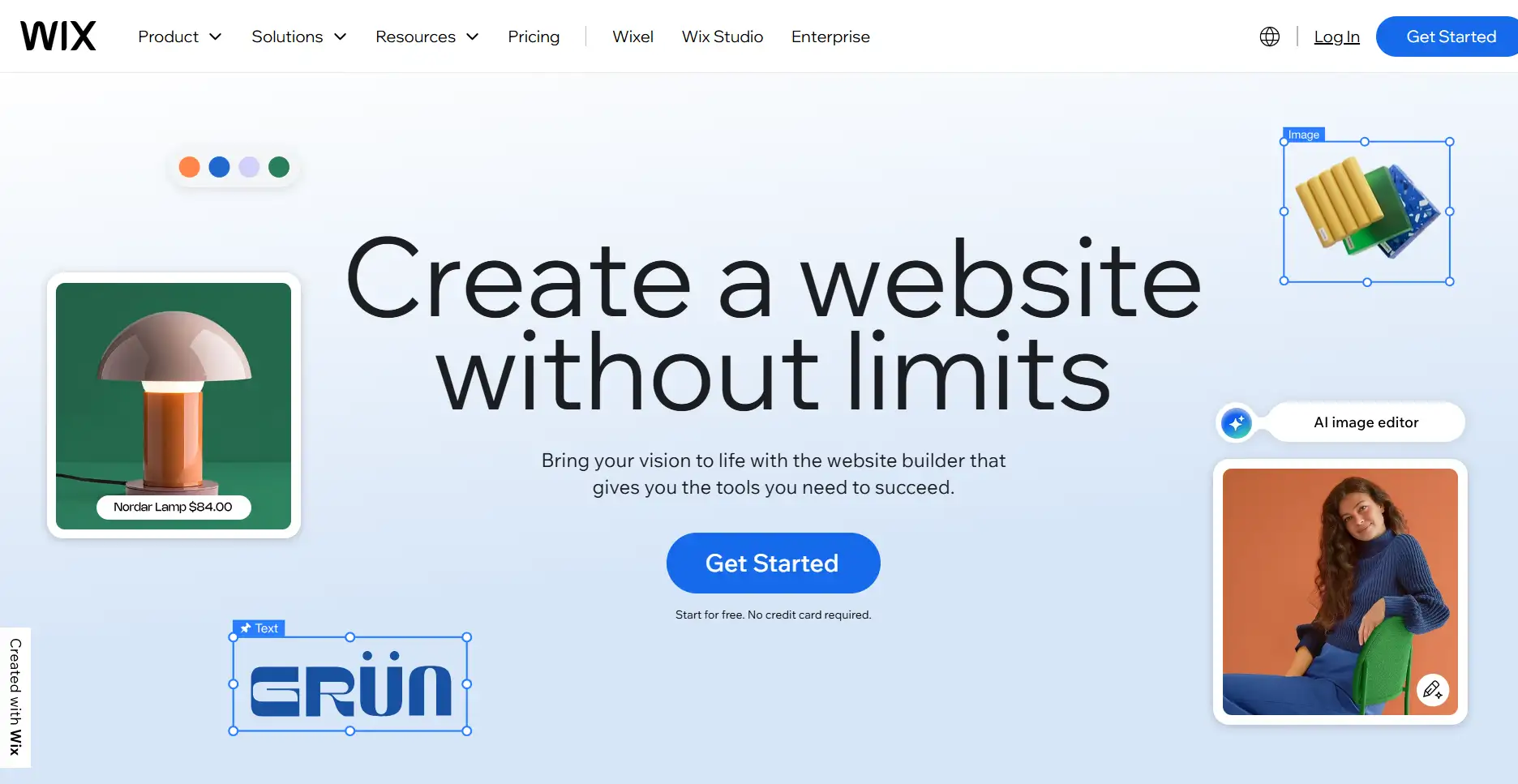
在了解 Webflow 與 Wix 之前,讓我們先了解 Wix。Wix 是一個針對廣泛用戶的網站建造工具。它主要以易用性和快速建立網站而著稱。無論是個人部落格、作品集,還是 小型企業網頁,Wix 都提供了一個簡單的選擇。您無需編程知識即可使用拖放編輯器建立網站。該平台提供大量模板,涵蓋多種行業和應用。與 Webflow 相比,Wix 讓用戶能夠快速上手並輕鬆操作,幾乎可以立即查看網站。
功能
Wix 的功能設計為直覺、易用且快速部署網站:
- 拖放編輯器: 立即調整頁面的布局結構,只需點擊鼠標即可加入圖片和文字。您無需了解編程知識。
- 大型模板庫: 該庫包含超過 800 個預製模板,涵蓋商業、藝術、教育等。這些都是您可以選擇並根據需求進行修改的模板。
- 應用市場: 在您的網頁中加入新功能,例如表單、線上商店、預訂應用和社交媒體整合。這有助於小型企業主和生產者在網站上做更多事情。
- 手機優化: 您的網站也會在手機上進行優化。它會自動調整以在手持設備上顯示良好。
- Wix ADI(人工設計智能): 只需問幾個問題,就可以了。該應用程序會為您構建網站。這有助於您快速在線啟動。
- SEO 和 行銷工具:簡單的 SEO 設定,學習網站的表現並與電子郵件行銷進行聯繫。這簡化了推廣網站的過程。
定價
Wix 提供靈活的方案以滿足不同的需求:
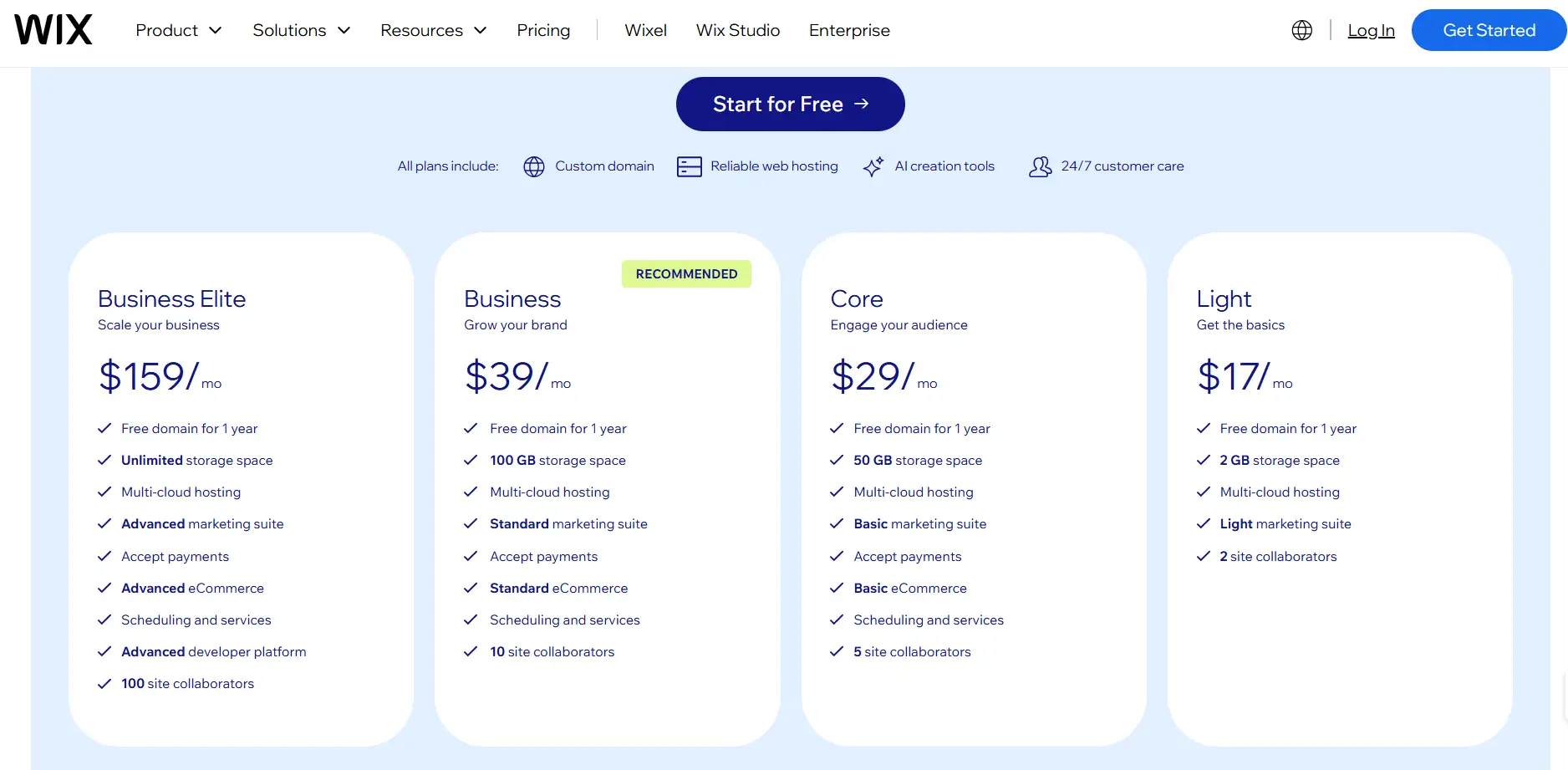
- 基本網站方案: 每月約 17-29 美元。您可以將域名指向此方案。它會刪除廣告,並提供額外的儲存空間和功能。
- 商業與電商方案: 每月約 39 美元。它允許您在網路上接受付款。您有機會添加購物車。這有助於會員註冊和行銷。
- 商業精英方案:每月 159 美元。它提供更快的客戶支持和額外功能。它設計用於滿足有更高需求的用戶或員工較少的公司。
缺點
雖然 Wix 用戶友好,但它也有一些限制:
- 自定義功能有限:它有許多網站模板。然而,如果您想要實現更先進的更改,它的功能不如 Webflow 強大。
- 自由度有限:通常很難對一系列動畫或互動元素等細節進行特定調整。在不同螢幕上調整網站外觀並不容易。
- 手機調整需要額外工作: 手機版本預設看起來不錯。但如果您想更改特定部分,仍然需要自己進行調整。
- 複雜的網站遷移: 將 Wix 網站遷移到其他平台很困難。這可能會讓您長期使用 Wix。
總體而言,Wix 更適合那些尋求快速啟動、易用性和低入門門檻的用戶 網站創建。對於需要高度自定義和細粒度控制的專案,Wix 可能不是最佳選擇。
Webflow 與 Wix:如何選擇?
在選擇網站建設工具時,許多人會混淆 Wix 或 Webflow。Webflow 提供了顯著的設計自由度和先進的功能。然而,學習起來比較困難。Wix 則很簡單。你可以快速創建一個網站,但你無法以這種程度進行個性化或使其變得複雜。
在這種情況下,Wegic AI 提供了一種新的替代方案。 Wegic AI 是一個基於人工智能的在線建設和管理系統,針對小型企業和個人。 它整合了快速部署、自動調優和持續維護。 只需一分鐘即可啟動網站,您的網站將開始帶來客戶和收入。 Wegic AI 團隊可以處理設計、啟動、轉化和後續運營,這將節省公司聘請整個網站團隊的費用。
下表比較了 Webflow、Wix 和 Wegic,旨在幫助您更好地了解這三者之間的差異:
| Feature / Platform | Webflow | Wix | Wegic AI |
| Design Freedom | High, full control over layouts and animations | Medium, limited by templates | High, AI automatically generates professional design |
| Ease of Use | Medium-High, requires learning | Low, drag-and-drop editing | Very Low, AI handles everything |
| Responsive Design | Precise, customizable | Auto-optimized, minor tweaks needed | Fully automatic, device-ready |
| Pricing | $14–$39/month | $17–$159/month | $23.9/month, full service included |
| Website Launch Speed | Hours to days | Hours | 1 minute |
| Technical Skills Needed | Some design or coding knowledge | None, easy to use | None, AI team manages everything |
| Feature Extensions | Strong, supports custom plugins | Rich app market | AI manages content, SEO, and marketing |
| Maintenance & Management | User-managed | User-managed | AI manages website operations and optimization |
Overall webflow vs wix vs wegic, Webflow is applicable to people who desire professionalism, and a reasonable level of customization. Wix is more suited to those who would prefer a rapid launch and is easy to use. Wegic AI, in its turn, resembles them and solves such complex operation and maintenance problems. It offers an end to end small-business and online entrepreneur site creation and operation service.
Wegic: AI-powered Website Creation and Operation
Wegic is an artificially intelligent site maker. It is targeted at small business and individual. It merges the creation of websites, design enhancement and its maintenance on a day basis. In contrast to traditional web builders, Wegic is more user friendly. These are the main strengths of Wegic:
Fast Website Launch
Wegic is capable of producing an entire site in less than one minute, which consists of a homepage, product pages, contact form and a blog section. In AI, page layouts and the content structure happen automatically.
Click on the image to develop a website in 1 minute! ⬇️
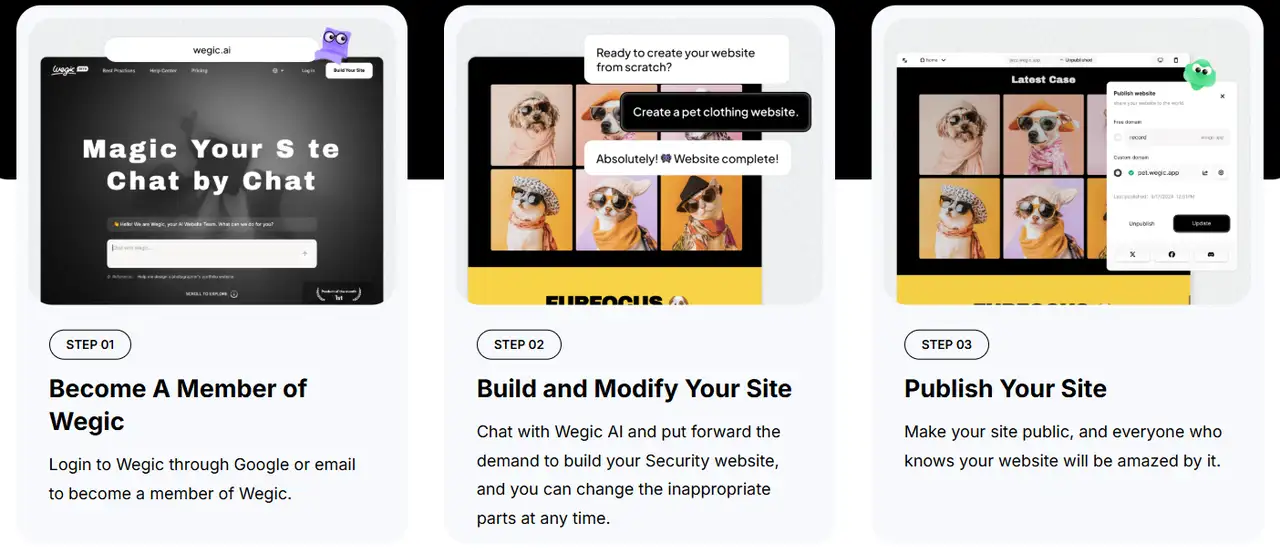
Users do not have to design their professional pages manually or drag and drop. Small enterprises can make their brand image visible and attract customers as soon as possible.
Conversational AI Design Modification
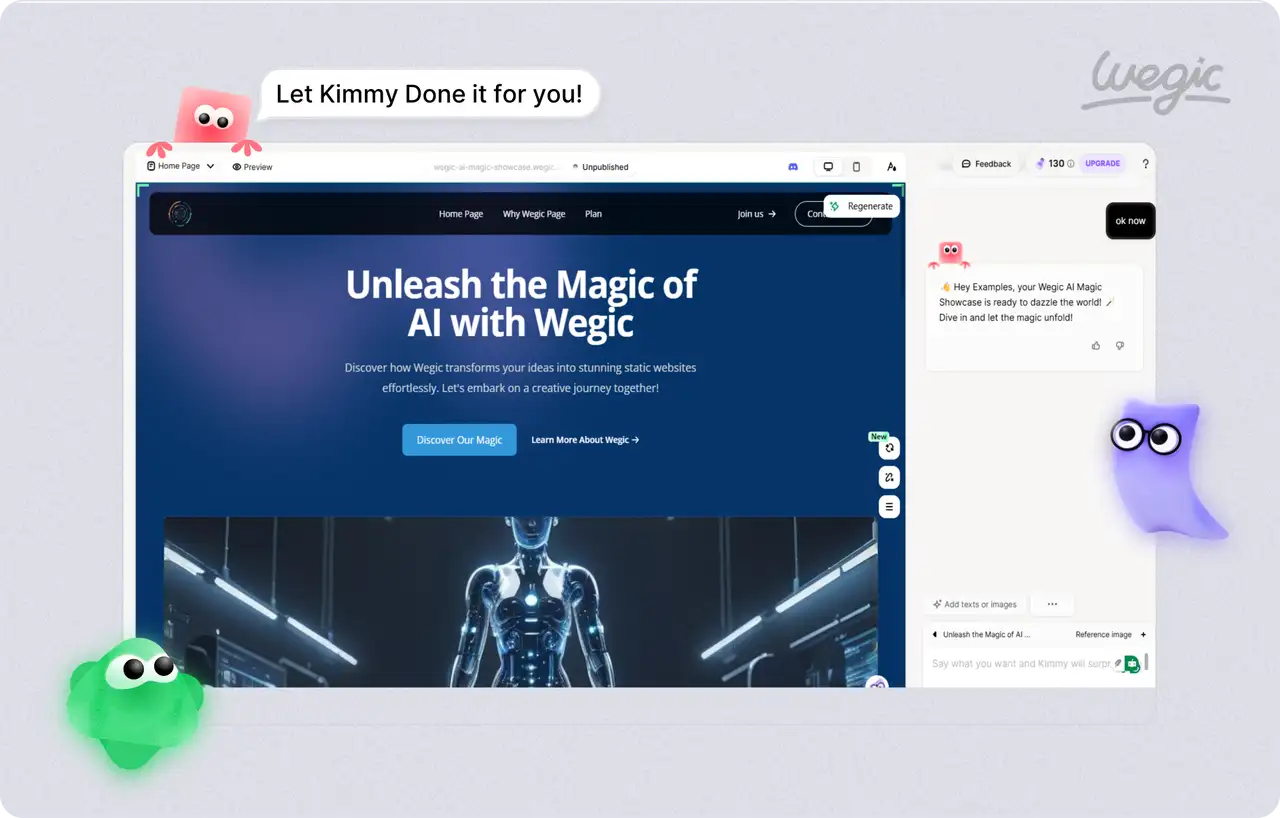
Users are able to address AI by using conversational interface, including changing color schemes, altering layouts, substituting images, or streamlining navigation menus. The changes are done in real time and the AI responds. No knowledge of coding or design software is required.
Automatic Website Updates
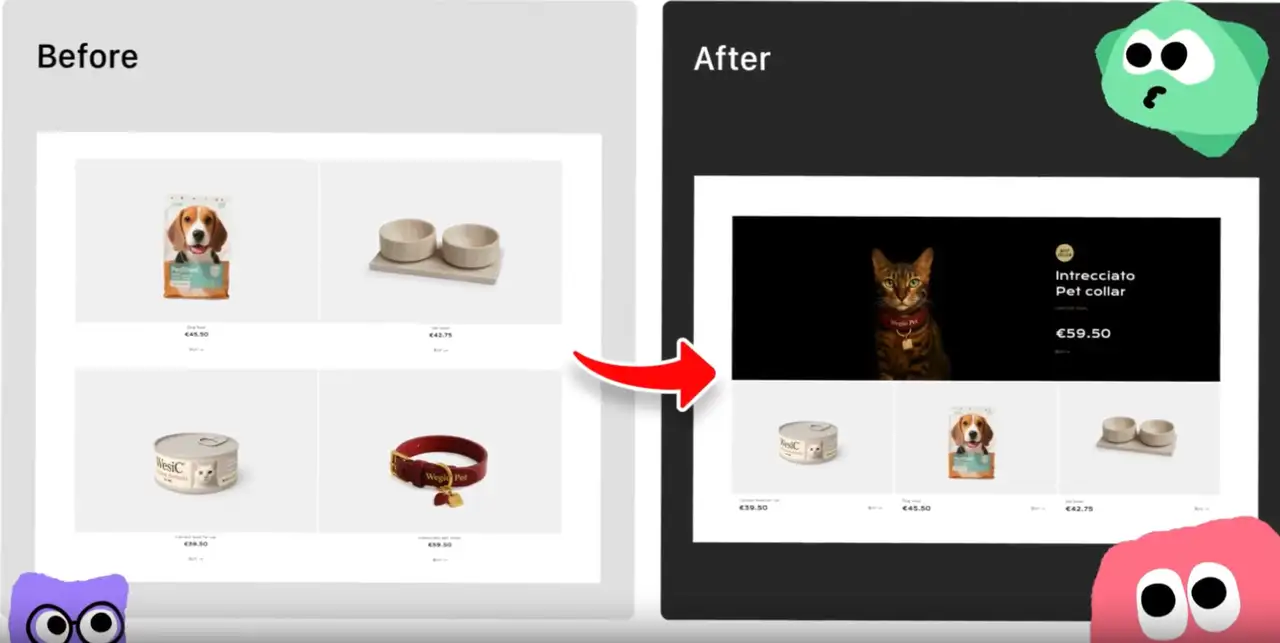
Wegic monitors entry data and user behavior and automatically optimizes page content, titles, and keywords. It also optimize internal linking structure to optimize search engine placement and page loading performance so that your website continues to drive significant traffic volumes and conversions.
Multi-channel Intelligent Marketing Integration
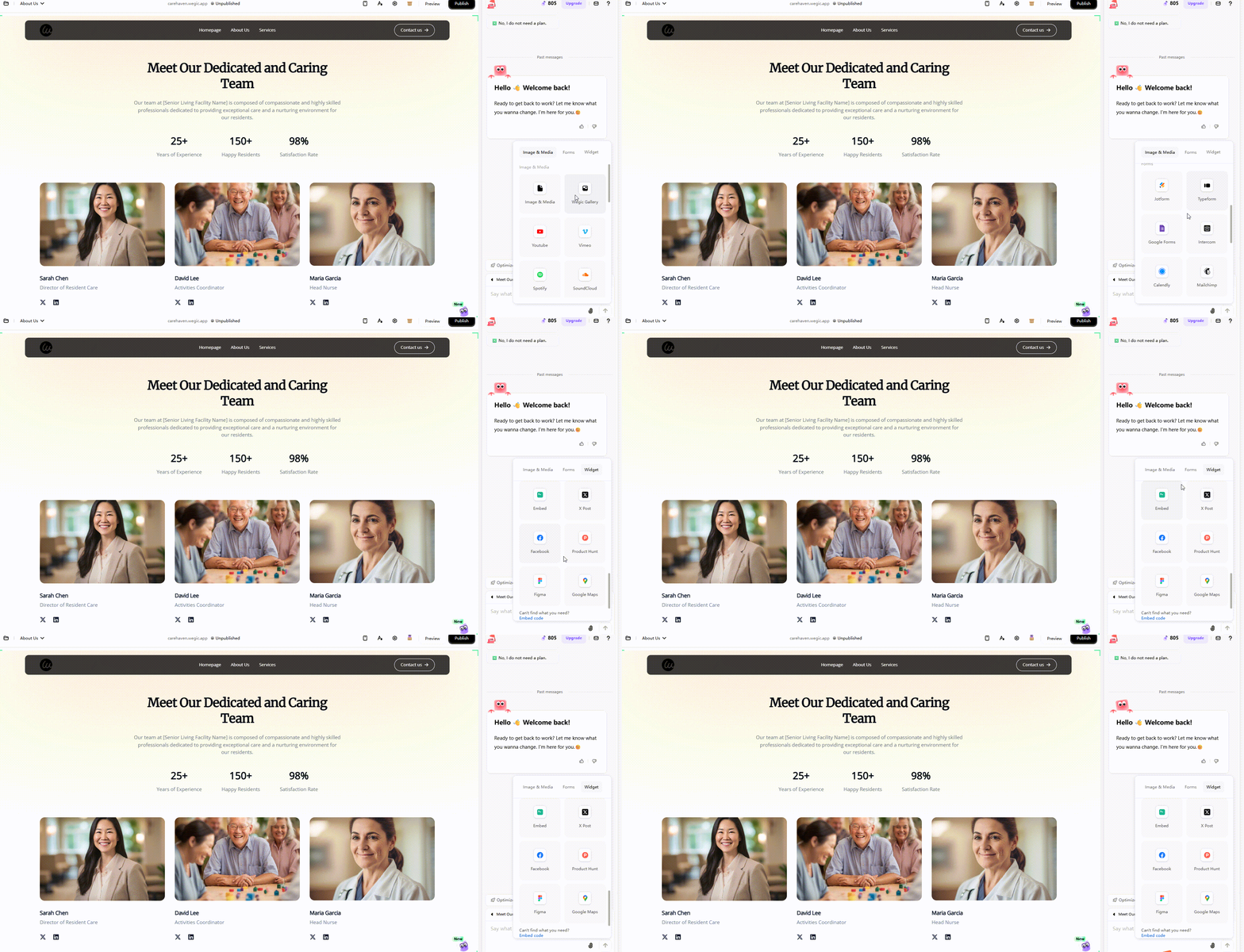
The platform integrates features like email marketing, social media posting, and interactive forms. Small businesses can easily reach potential customers without hiring additional marketing staff.
Cost-effective, full-service package
Wegic provides an all-bundled service approach which includes the design, development, content management and operation maintenance of the site. At ten percent, the cost of a full website team is just $23.90 a month. Instead of assigning resources to the task or thinking through advanced skills, users can have access to a professional web site with continued optimization processes.
Conclusion
Comparing webflow vs wix, the users must choose between their needs and abilities. Webflow is appropriate to be used by professional users who want a unique visual and/or complicated interactions. Wix is adequate in case the user prefers simplicity of operation and speed of launch. Both Webflow and Wix have their shortcomings though. The difficulty of Webflow in use and the learning curve can hold back the launch of a small business or novice. Wix templates and its few functionalities can limit customization of the websites and future developments.
In this context, Wegic AI offers a more ideal solution. It combines the advantages of fast website creation, automatic optimization, and full-service management, allowing users to build professional websites without technical knowledge. With Wegic, users can access the services of a complete website team at a very low cost. Wegic can help businesses achieve profitability from day one.
FAQs
Which platform is better for small businesses: Wegic, Wix or Webflow?
Wix is affordable and simple; Webflow is powerful but complex. Wegic delivers fast, AI-assisted website creation, perfect for small business owners who want professional sites without coding.
Can I migrate a site from Wix to Webflow?
Direct migration is limited; you’d need to rebuild most of the site manually. Webflow’s CMS structure differs from Wix’s templates.
Which has better support: Wegic, Wix or Webflow?
Wix offers 24/7 live chat, and Webflow relies on email and forums. Wegic provides an AI-guided interface and step-by-step assistance throughout site creation.
Can I integrate third-party apps on Wegic, Wix or Webflow?
Wix has an app marketplace, and Webflow supports custom code embeds. Wegic can integrate forms, social media, and analytics seamlessly during site creation.
撰寫者
Kimmy
發布於
2026年4月10日
分享文章
閱讀更多
我們的最新博客
Wegic 助你瞬間打造網頁!
透過 Wegic,利用先進的 AI 將你的需求轉化為驚艷且實用的網站
使用 Wegic 免費試用,一鍵建立你的網站!
你想建立一個怎樣的網站?