Log in
Build Your Site
Best Website Builder for Transitions | Build Your Site for Free
Create a website with the best website builder for transitions. Improve UX with its mouse hover animations, responsive buttons, and an easy drag-and-drop editor.
Home
Best Website Builder for Transitions | Build Your Site for Free
Best Website Builder for Transitions Online
Wegic is the best online website builder for transitions, offering a free and simple way to enhance your site's visual appeal.
With its drag-and-drop editor, Wegic provides flexible, easy-to-use tools and customizable transition website templates. Add hover animations and seamless effects to create an engaging website.
Drag-and-Drop Interface
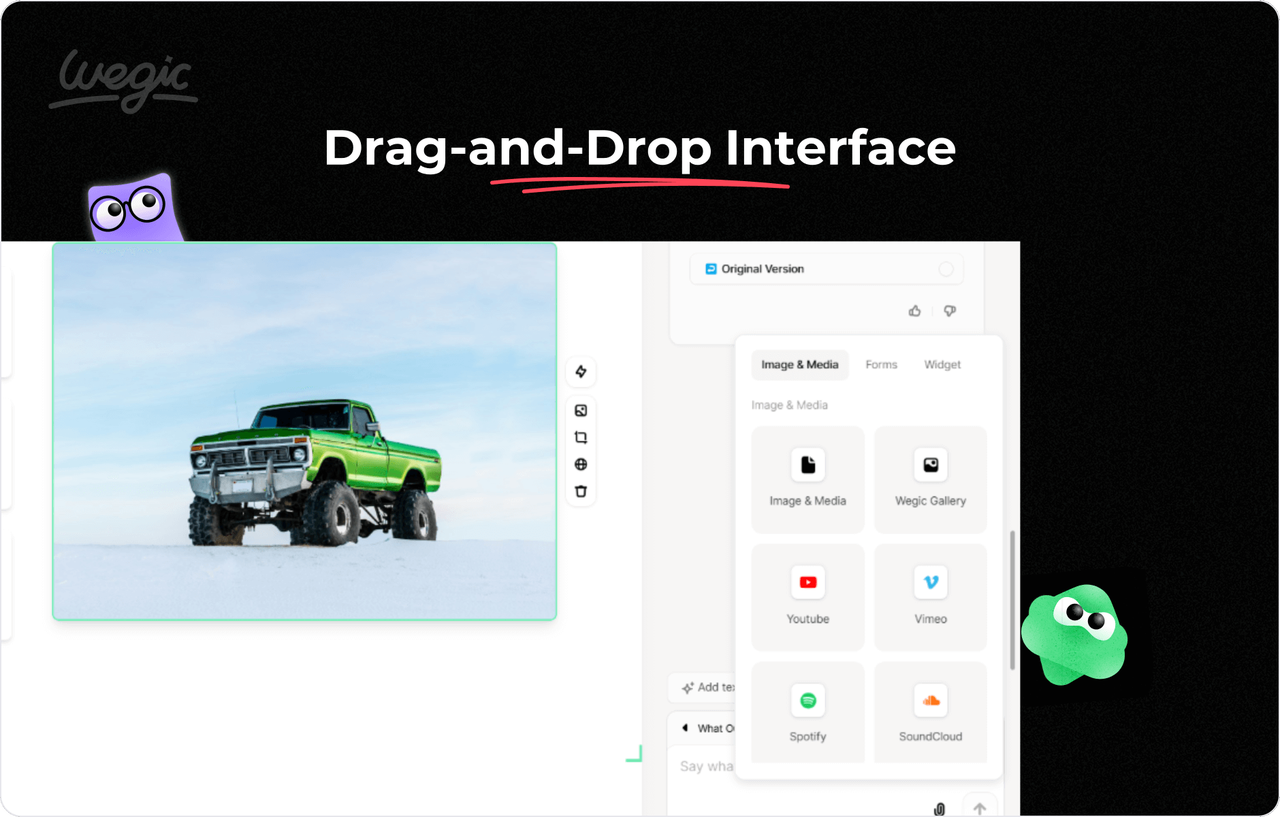
No coding skills are required. Wegic’s drag-and-drop interface allows beginners to design a website effortlessly.
Create and customize elements like text blocks, images, and buttons by dragging and dropping them into place.
Hover Animation Effects
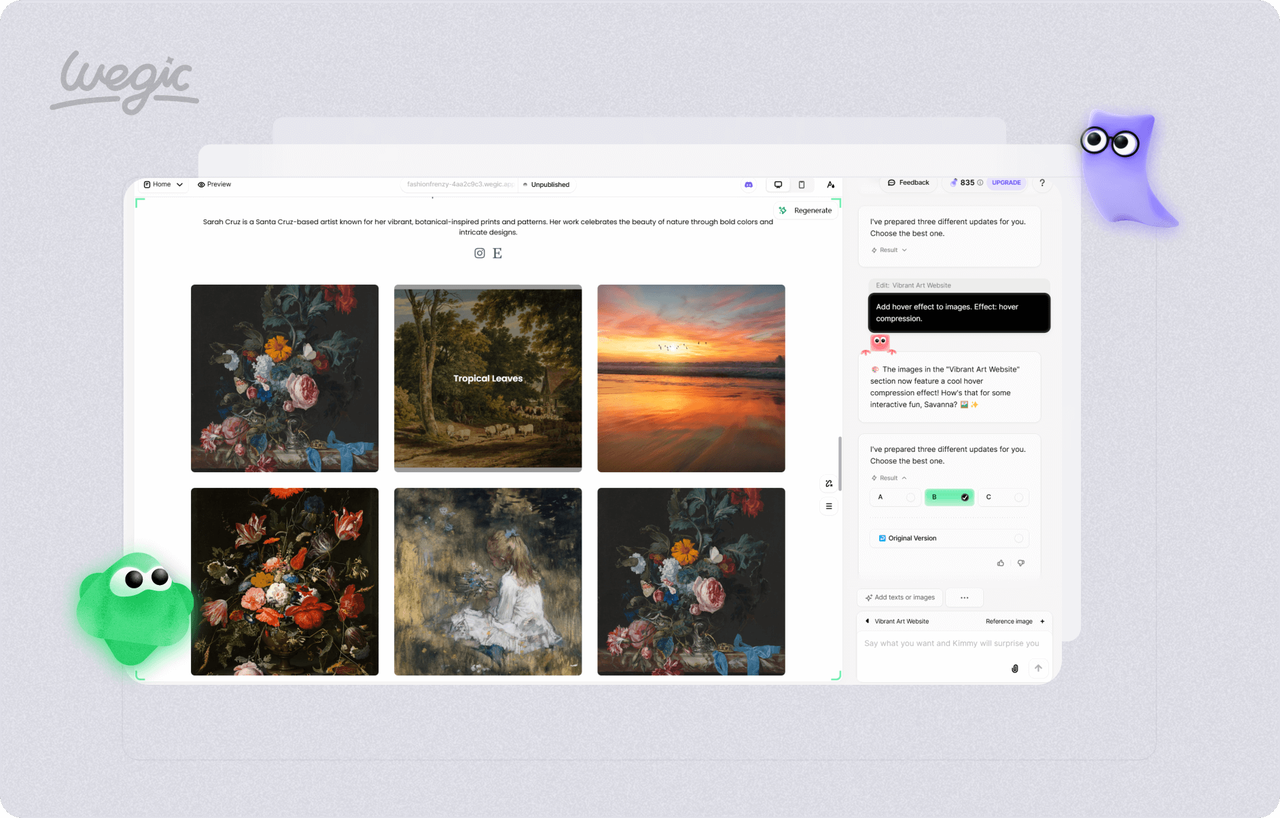
The best website builder for transitions, Wegic, lets you add stunning animations effortlessly.
With Wegic, you can easily incorporate hover effects, fade-ins, slide-ins, and smooth page transitions to enhance your website’s visual appeal and user engagement.
Pre-Built Transition Website Template
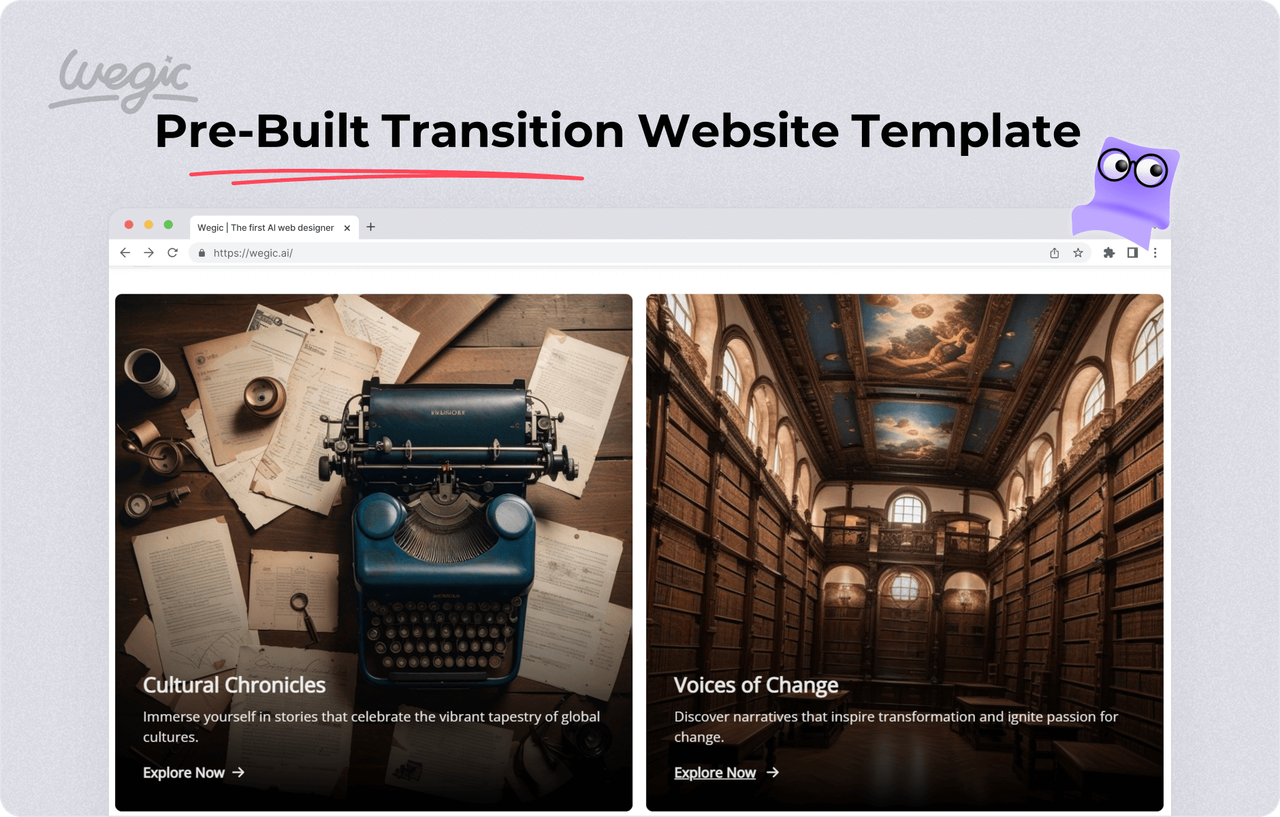
Wegic creates a uniquetransition website template based on your ideas and preferences, ensuring your site stands out.
There’s no need to download additional templates. You can also explore great website transition examples online and easily modify your site to reflect your vision.
Section Circling & Drawing
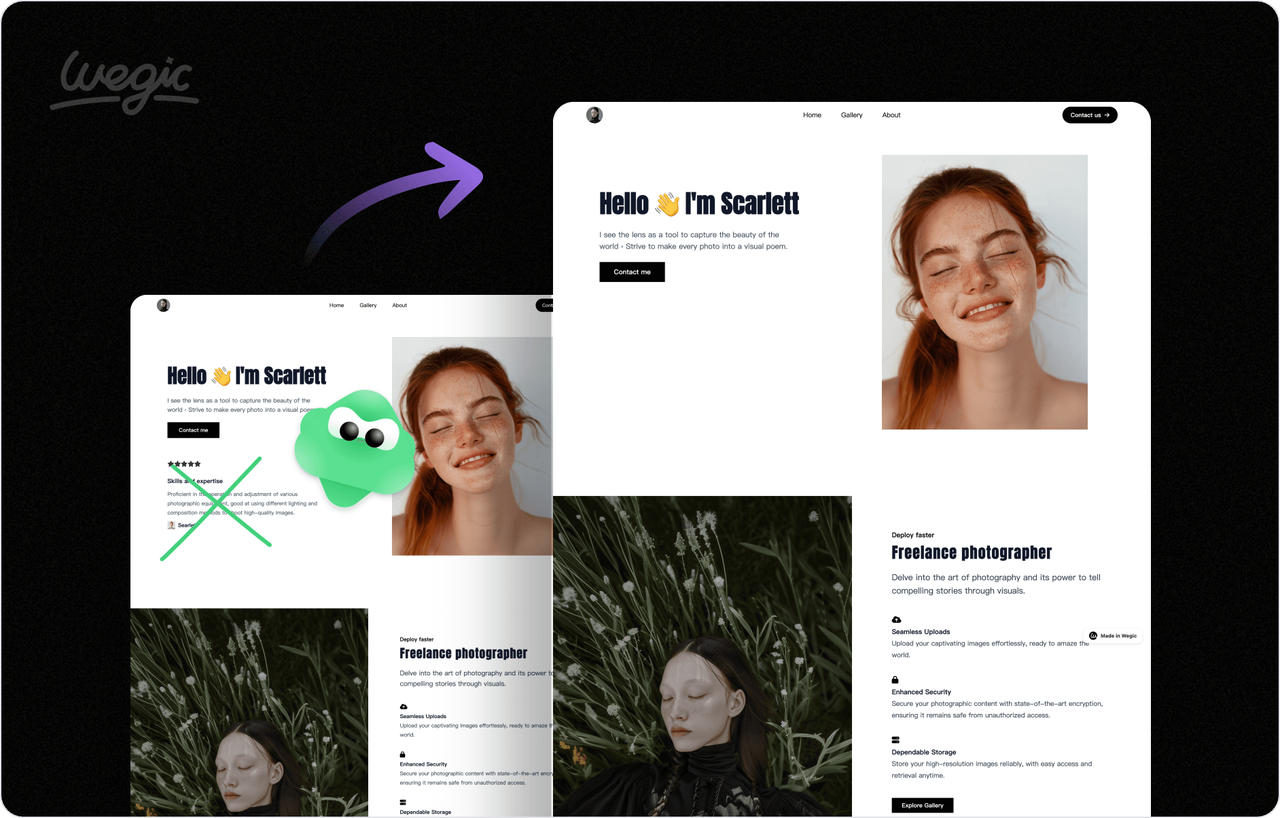
This website builder allows you to customize layouts by uploading a reference sketch or image.
With features like "Upload Reference Image," "Draw Reference Sketch," and "Mark Section with Drawing," you can instantly edit and refine your website design with ease.
Cost-Effective AI Builder
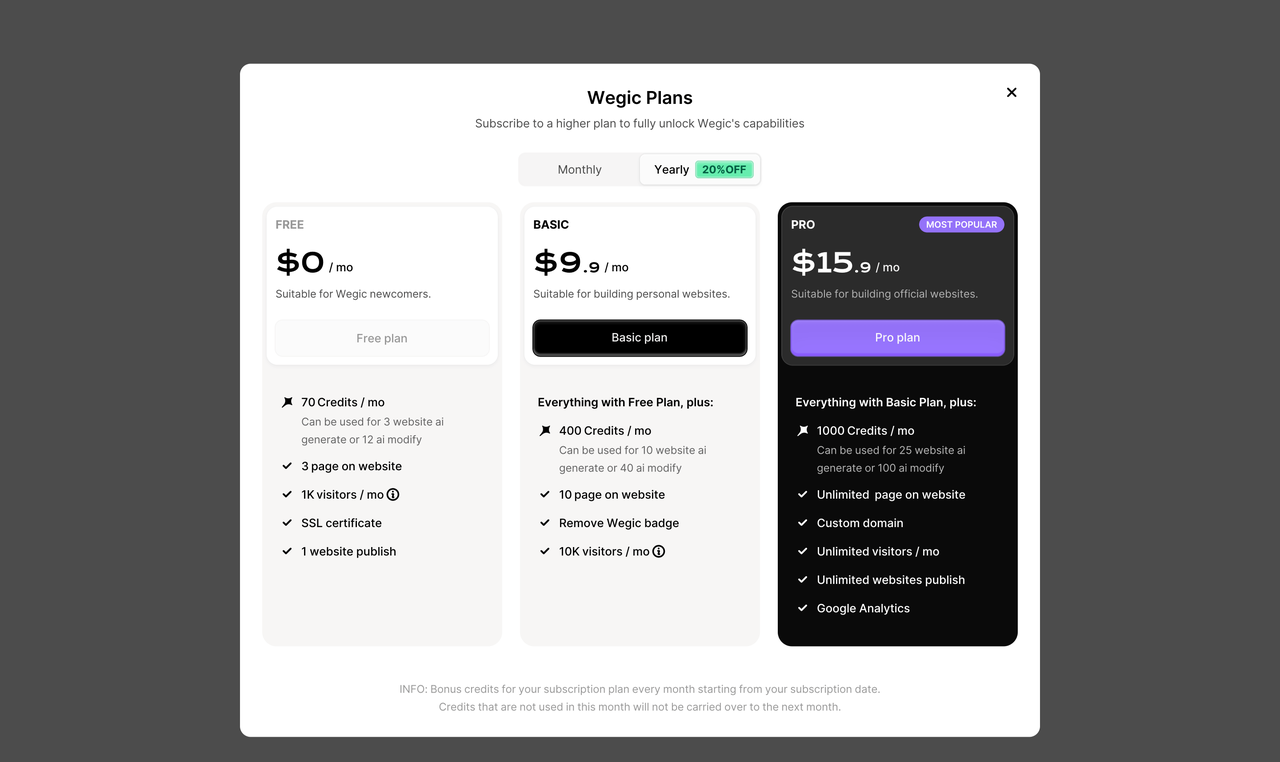
Wegic, the best transition website builder, offers three-tiered plans to suit your needs. The free plan provides 70 monthly credits, 3 pages, and up to 1,000 visitors, making it perfect for beginners.
You can upgrade to a paid plan for advanced features and greater scalability.
More topic recommendations
Learn more about wegic. Start your website design journey from here.
Business
FEB 2, 2025
Best Niche Website Builder | Custom Solutions for Your Target Audience
Create an engaging website with the best niche website builder effortlessly, crafted to showcase your products and attract your ideal audience.
AI Building
DEC 1, 2024
AI Landing Page Builder | AI-Powered Landing Pages in Minutes
With Wegic's chat-based design process, you can build and customize your AI-powered landing page quickly, no coding needed!
Other
DEC 1, 2025
Affordable Price Design Website with Wegic
Wegic delivers stunning price design website solutions for every business size, combining affordability, flexibility, and reduced website development cost.
AI Building
DEC 4, 2024
Cleaning Service Website Builder | Chat and Get Your Ideal Site
Chat, customize, and launch your site with no coding skills! Perfect for non-professionals.
Frequently Asked Questions
How do I add transitions in a website?
With Wegic, you don’t need to learn HTML or CSS to add transitions. As the best website builder for transitions, Wegic lets you create and edit your site by chatting with AI. Easily incorporate smooth animations like hover effects, underlining text on hover, rotating text slightly, or slowing down scrolling speed. These transitions enhance your site’s visual appeal and user engagement without any technical complexity.
Which is the best website builder?
Wegic is highly recommended as the best transition website generator. It enables you to create an online dessert shop without any coding. Wegic integrates with tools like Google Forms and Google Analytics to help you track customer behavior and improve website performance. You can easily add hover effects, videos, and other interactive features to make your website more engaging and visually appealing, ensuring a better user experience for your visitors.
What website builder has the most customization?
Wegic is the best website builder for transitions, offering extensive customization options. Its AI tailors your website to your brand by incorporating your logo, colors, and typography. Easily adjust layouts, add hover effects, smooth transitions, and even video backgrounds to enhance engagement. Wegic ensures a unique, visually stunning design that perfectly aligns with your vision and brand identity.
How do I add animation to my website?
With Wegic, which offers website transition examples, creating the best transition website is simple and intuitive. Using its AI-powered tools, you can effortlessly add animations like hover effects, scrolling text, or 3D transformations. Customize features such as enlarging text, changing colors, or slowing down scrolling speed to enhance user engagement and visual appeal. Wegic ensures your website stands out with smooth, professional transitions.
More articles

What Is Cart Branding & How to Do It Right in Ecommerce
Discover what cart branding is and how to master it in ecommerce. Learn its role in boosting recognition, trust, and sales, with tips for golf, food, shopping cart branding success.
How to Start Dropshipping with Wegic: Build Your Shop in Seconds
Learn how to start drop-shipping quickly using Wegic’s AI website builder. This beginner-friendly guide covers from signing up to launching your dropshipping business in minutes.
Shopify Website Builder: How to Make a Website
Learn how to use Shopify Website Builder to create a professional online store. Step-by-step guide for beginners on design, setup, and launching your Shopify website.
Step Into the Ghibli World with the Ghibli Image Generator: A Fan’s Dream
Step into the magical world of Ghibli with the Ghibli image generator. Explore its features, advantages, and how to profit from Ghibli style generators and AI technology.
Webpages in a minute, powered by Wegic!
With Wegic, transform your needs into stunning, functional websites with advanced AI
Free trial with Wegic, build your site in a click!