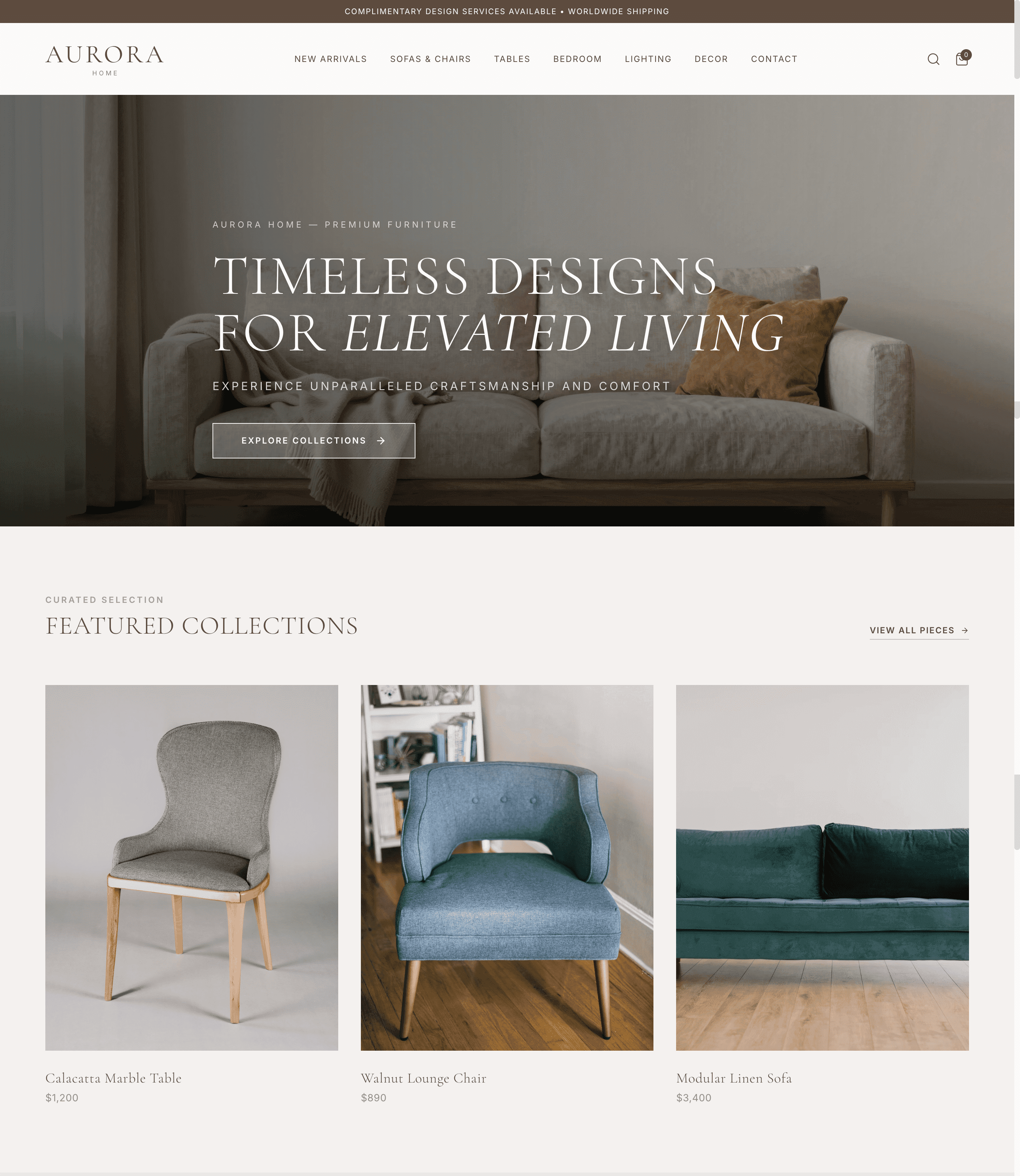
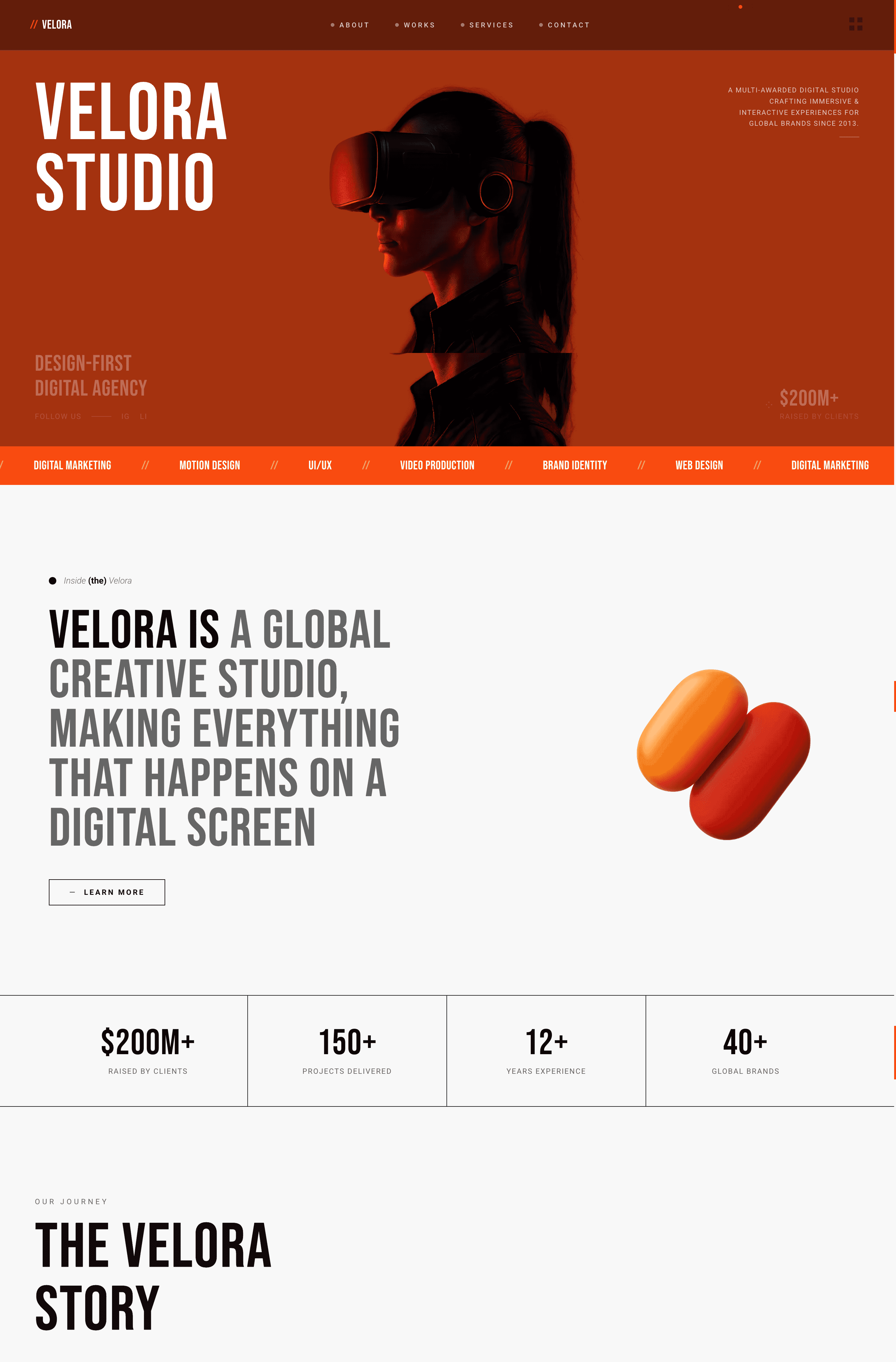
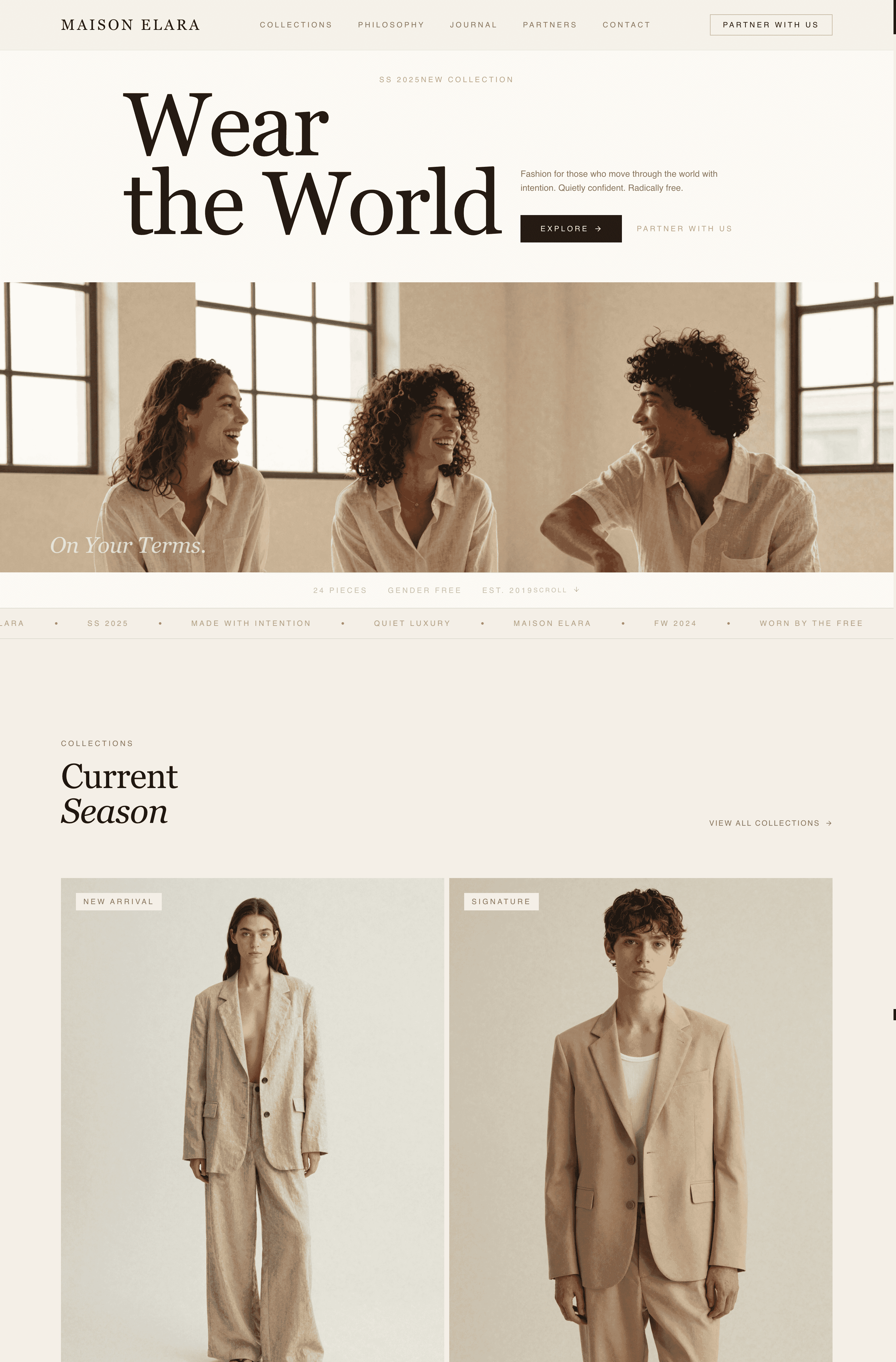
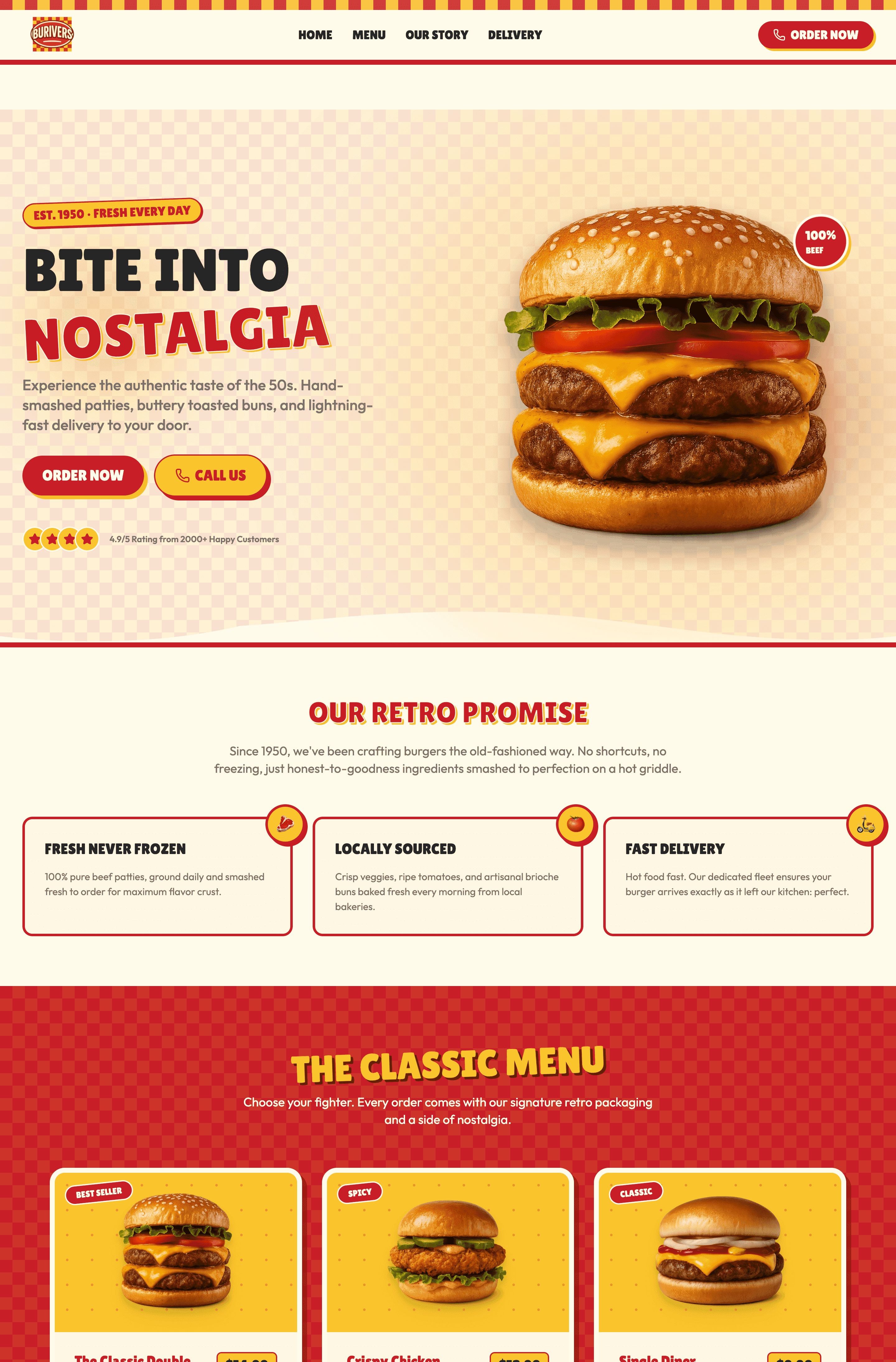
Bạn có phải là người tự do, nhà thiết kế mới bắt đầu hoặc sinh viên mới tốt nghiệp đang tìm kiếm các ví dụ trang web portfolio ví dụ tốt nhất để giúp bạn giành được khách hàng đầu tiên không? Đối với người mới bắt đầu, phản ứng ban đầu là tìm mẫu trang web portfolio để tiết kiệm thời gian. Tuy nhiên, sử dụng cùng một bố cục như hàng ngàn ứng viên khác là cách nhanh nhất để hồ sơ của bạn bị bỏ qua. Làm thế nào nếu bạn có thể có một portfolio có tỷ lệ chuyển đổi cao mà không cần lập trình hoặc vật lộn với các mẫu cứng nhắc? Hãy đến với Wegic. Là một hệ thống phát triển trang web AI trò chuyện thông minh, Wegic hoàn toàn thay thế quy trình chỉnh sửa mẫu thủ công. Bạn chỉ cần trò chuyện với AI về nền tảng chuyên nghiệp của mình, và nó sẽ tạo ra một portfolio được cấu trúc độc đáo, tương thích với điện thoại di động chỉ trong một phút. Trong hướng dẫn này, chúng tôi phân tích 6 ví dụ tuyệt vời để khơi gợi sự sáng tạo của bạn và cho bạn thấy cách khởi chạy trang web nổi bật của riêng bạn một cách dễ dàng.
Bẫy Mẫu trong Thị trường Việc làm Hiện đại
Trước khi chúng ta bắt đầu vào các thiết kế, chúng ta cần giải quyết một sai lầm quan trọng mà người mới mắc phải. Các nhà tuyển dụng và khách hàng xem hàng trăm portfolio mỗi tuần. Theo Workfolio, 56% các nhà tuyển dụng tin rằng trang web cá nhân của ứng viên có khả năng ấn tượng hơn các công cụ xây dựng thương hiệu cá nhân khác. Tuy nhiên, chỉ có 7% người tìm việc có trang web cá nhân. Nếu trang web của bạn trông giống như của mọi người khác hoặc bạn không có trang web, giá trị mà bạn được nhận sẽ giảm. Những portfolio tốt không chỉ hiển thị công việc; chúng kể một câu chuyện chuyên nghiệp độc đáo.
Hãy cùng khám phá cách các chuyên gia phá vỡ khuôn mẫu để giành được cơ hội trả lương cao.
3 Ví dụ Trang Web Portfolio Cho Người Mới Bắt Đầu (Sạch sẽ và Hiệu quả)
Nếu bạn chưa có bộ sưu tập lớn các tác phẩm, đừng làm phức tạp thiết kế của bạn. Các ví dụ trang web portfolio cho người mới bắt đầu tốt nhất sử dụng khoảng trống rộng và tập trung mạnh vào việc giải thích rõ ràng quy trình đằng sau các dự án ít ỏi mà bạn có.
1. NUMEROUS
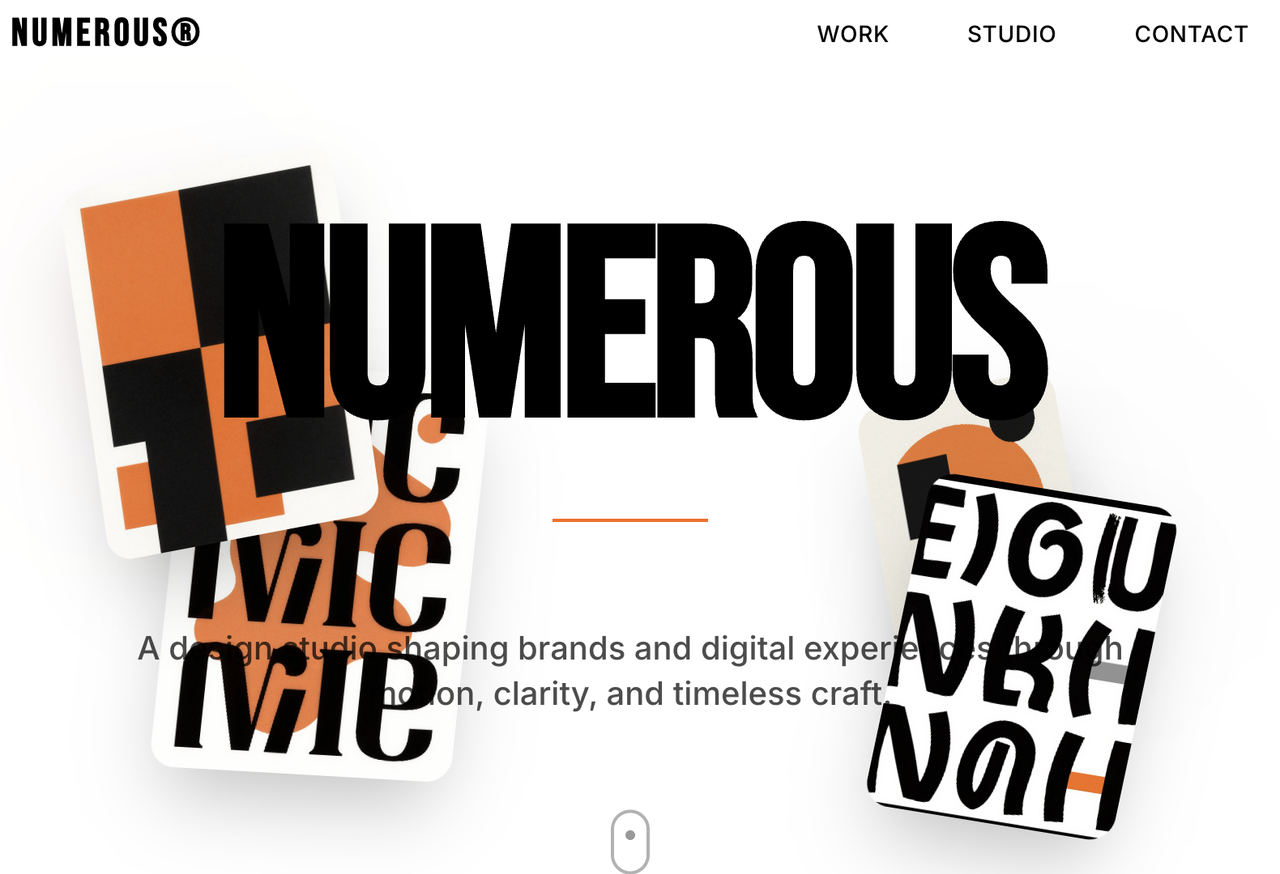
Trang web tuyệt vời này được tạo bởi Wegic! Nó có giao diện đơn sắc kết hợp với các yếu tố hình ảnh ấn tượng, làm cho nó trở thành lựa chọn lý tưởng cho các chuyên gia sáng tạo và công ty. Bố cục được cấu trúc và khả năng chỉnh sửa trò chuyện đảm bảo trải nghiệm người dùng mượt mà, linh hoạt và tùy chỉnh, giúp người dùng xây dựng sự hiện diện thương hiệu mạnh mẽ đồng thời cải thiện hiệu quả công việc.
Với thiết kế đáp ứng để hoạt động mượt mà trên mọi thiết bị, tối ưu hóa SEO tích hợp để nâng cao khả năng hiển thị trên công cụ tìm kiếm, và các phần gọi hành động chiến lược được đặt ở vị trí phù hợp để hướng người dùng đến các hành động quan trọng, mẫu thiết kế cân bằng giữa thẩm mỹ và hiệu suất.
Điều làm cho mẫu này trở thành ví dụ tuyệt vời về trang web portfolio ví dụ cho người mới bắt đầu là sự rõ ràng và dễ sử dụng. Thiết kế tối giản loại bỏ các yếu tố gây xao nhãng, cho phép người mới tập trung vào việc trình bày tác phẩm của họ hiệu quả mà không cần kỹ năng thiết kế chuyên sâu.
Cấu trúc trực quan tự nhiên dẫn dắt người xem qua các dự án, nền tảng và điểm liên hệ, trong khi phong cách hình ảnh mạnh mẽ nhưng đơn giản đảm bảo ấn tượng chuyên nghiệp. Bằng cách kết hợp bố cục đơn giản, tính năng thiết yếu và thứ tự ưu tiên hình ảnh mạnh mẽ, mẫu này chứng minh rằng một trang web portfolio không cần phức tạp để có tác động — nó chỉ cần rõ ràng, chức năng và có mục đích.
👇Nhấp vào hình ảnh dưới đây để bắt đầu với Wegic!
Hình ảnh bởi NUMEROUS
2. YUYA
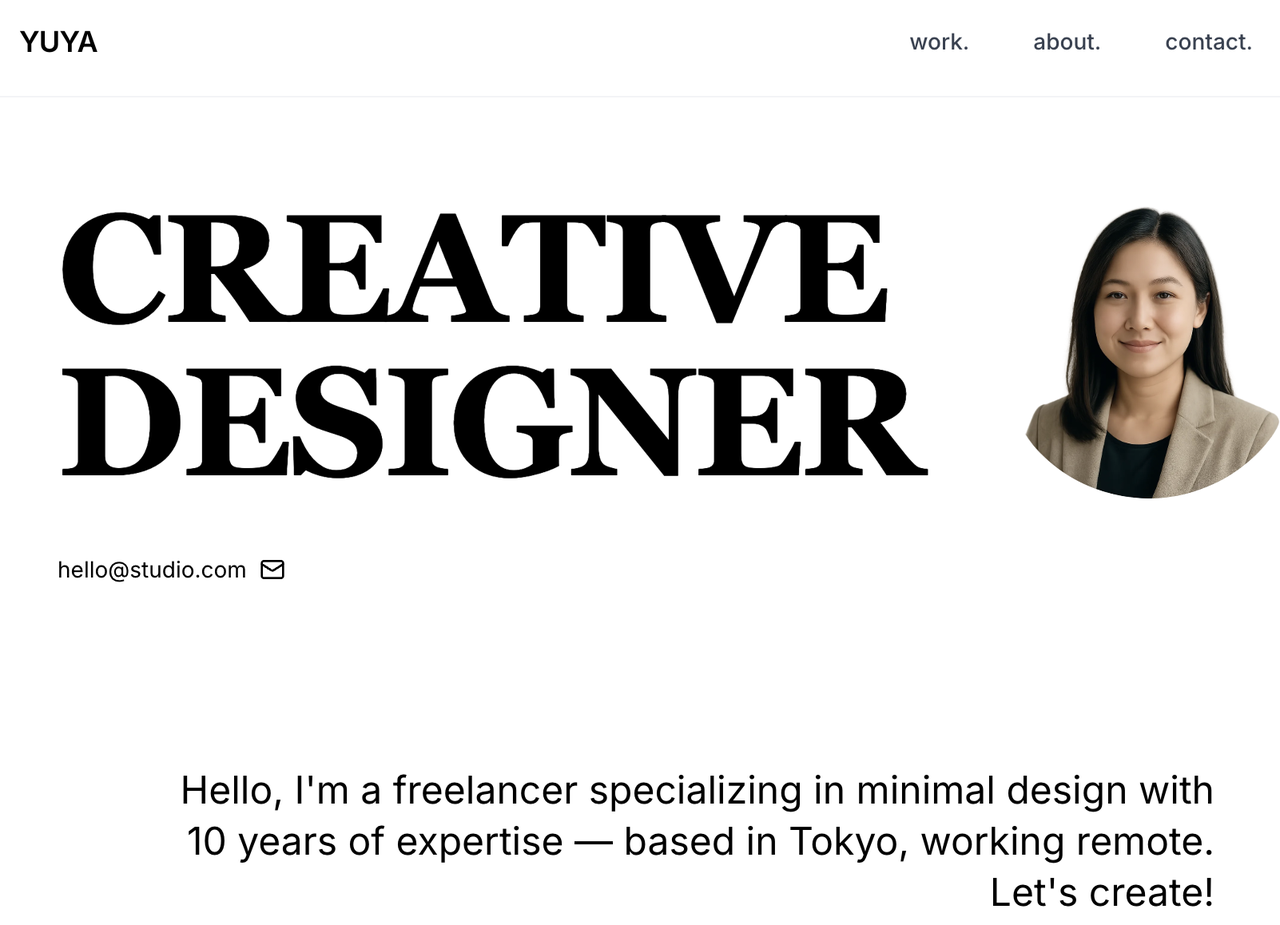
Trang web chấp nhận phong cách tối giản với giao diện đơn sắc, làm cho nó trở thành lựa chọn lý tưởng để trình bày các tác phẩm sáng tạo một cách rõ ràng và tinh tế.
Điều gì khiến đây là ví dụ mạnh mẽ về ví dụ về trang web portfolio cho người mới bắt đầu - mà không rơi vào sự giống nhau - là sự cân bằng giữa sự đơn giản cực kỳ đơn giản và sự khác biệt tinh tế. Thay vì dựa vào hình ảnh phức tạp hoặc hiệu ứng thời thượng, nó sử dụng khoảng trống, kiểu chữ và nhịp bố cục để tạo ra một định dạng trực quan tinh tế, cho phép người mới bắt đầu nổi bật thông qua nội dung thay vì trang trí. Cấu trúc này dễ sử dụng cho người dùng lần đầu, nhưng đủ linh hoạt để thể hiện phong cách cá nhân thông qua các tùy chỉnh nhỏ. Cách tiếp cận này tránh được thiết kế theo mẫu và chứng minh rằng một portfolio cho người mới có thể vừa sạch sẽ vừa độc đáo, mang lại ấn tượng chuyên nghiệp trong khi vẫn dễ xây dựng và quản lý.
Hình ảnh bởi YUYA
3. Gari Cruze
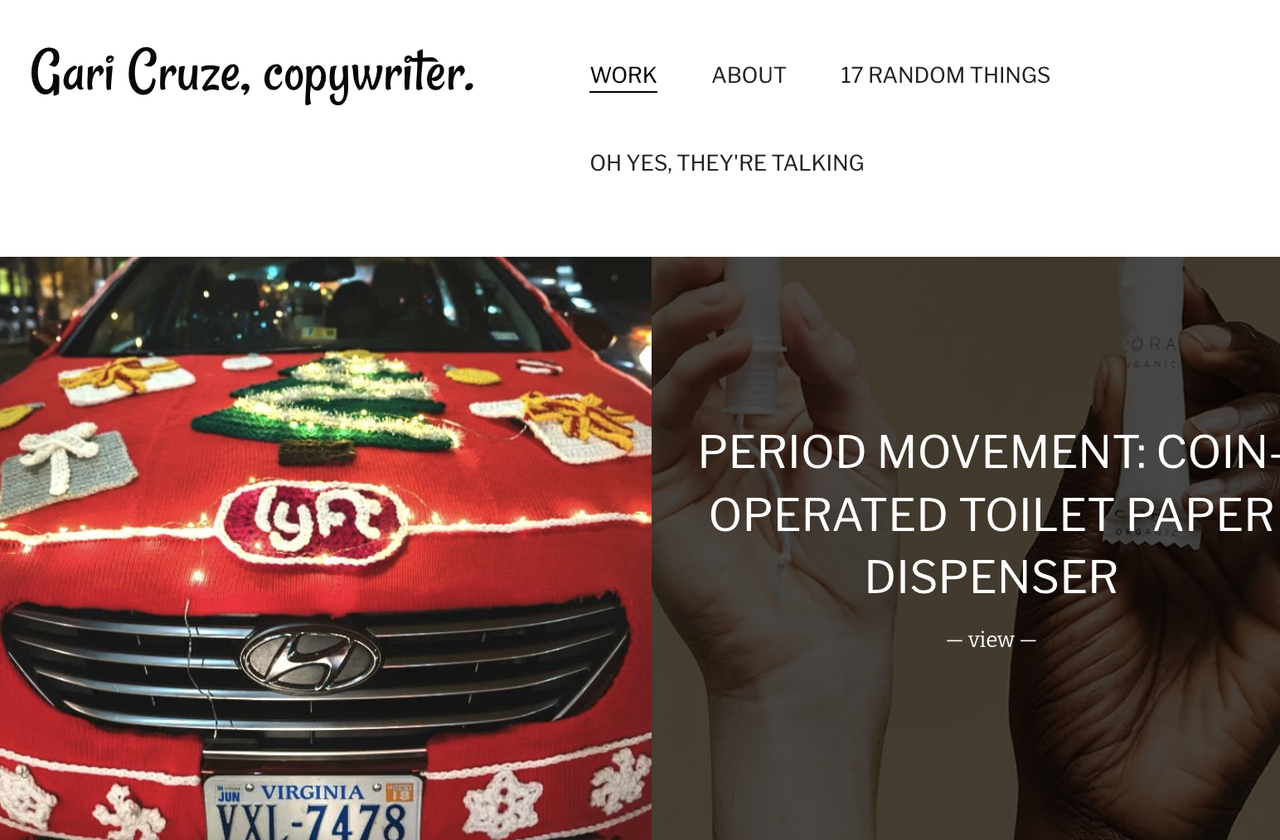
Gari Cruze là một nhà viết quảng cáo thành công. Trang web của anh ấy nổi tiếng vì sự đơn giản. Trang chủ có một lưới hình ảnh gọn gàng đại diện cho các chiến dịch của anh ấy. Khi bạn di chuột qua một hình ảnh, nó không thực hiện một cú lật 3D điên rồ; nó chỉ hiển thị tên dự án. Đây là một ví dụ hoàn hảo cho người mới vì nó dựa vào công việc, không phải thiết kế web. Bằng cách giữ cho trang web cực kỳ tối giản, anh ấy buộc các giám đốc sáng tạo phải nhấp vào các chiến dịch và thực sự đọc văn bản viết quảng cáo xuất sắc của anh ấy. Điều này chứng minh rằng bạn không cần phải là thiên tài lập trình để có một portfolio hàng đầu.
Hình ảnh bởi Gari Cruze
3 Ví dụ về trang web portfolio nâng cao (Sáng tạo và Táo bạo)
Khi bạn đã xác lập sự nghiệp của mình, portfolio của bạn cần chuyển từ việc chứng minh kỹ năng cơ bản sang việc thể hiện gu thẩm mỹ độc đáo của bạn.
1. Lynn Fisher
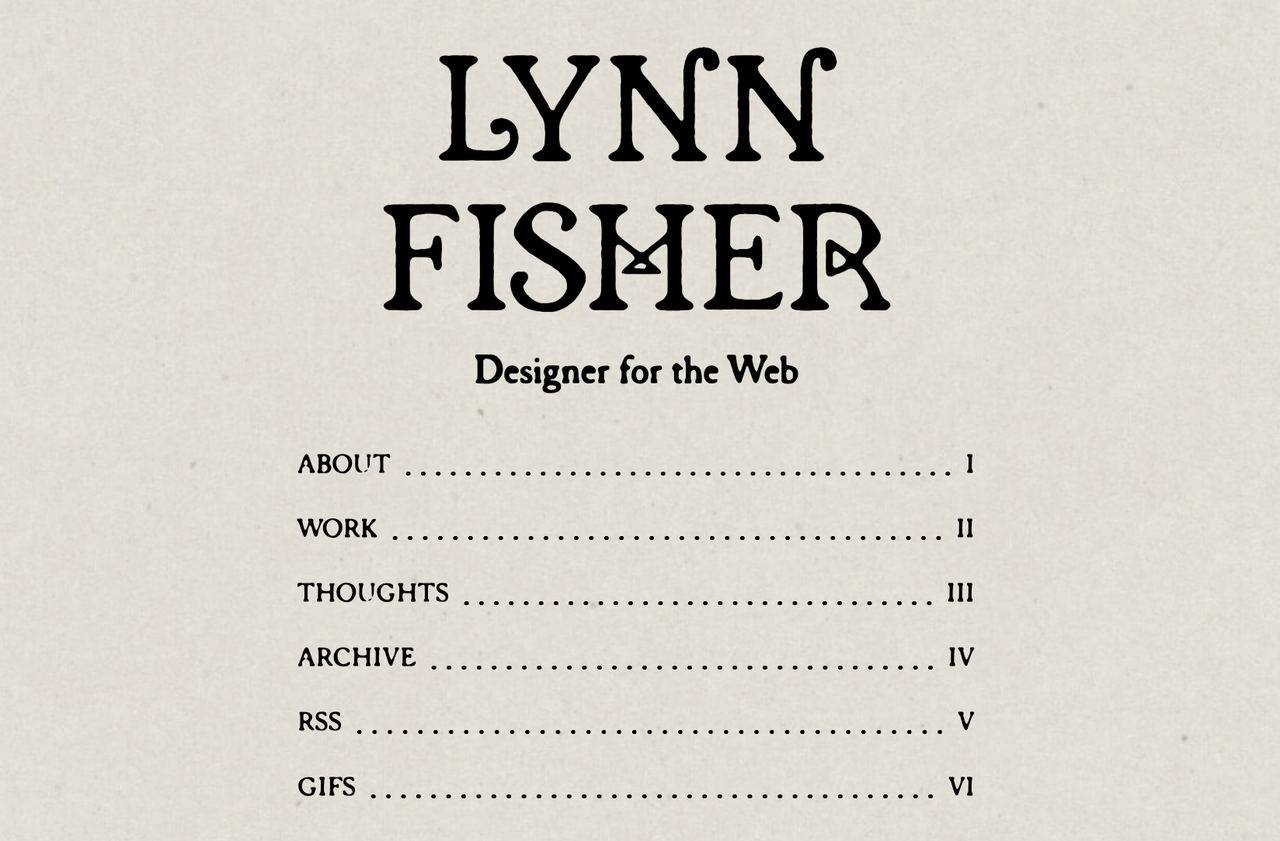
Trang web của Lynn Fisher là một khóa học chuyên sâu về thiết kế thân thiện với thiết bị di động. Tùy thuộc vào độ rộng của cửa sổ trình duyệt, toàn bộ bố cục, minh họa và nội dung sẽ thay đổi động. Trang web thể hiện kỹ năng và gu thẩm mỹ của cô ấy. Khi một quản lý kỹ thuật truy cập trang web của cô ấy và thay đổi kích thước cửa sổ, họ lập tức biết rằng cô ấy là một chuyên gia về web. Trang web của cô ấy không chỉ là nơi chứa các tác phẩm của cô ấy; trang web chính là tác phẩm của cô ấy.
Hình ảnh bởi Lynn Fisher
2. Aristide Benoist
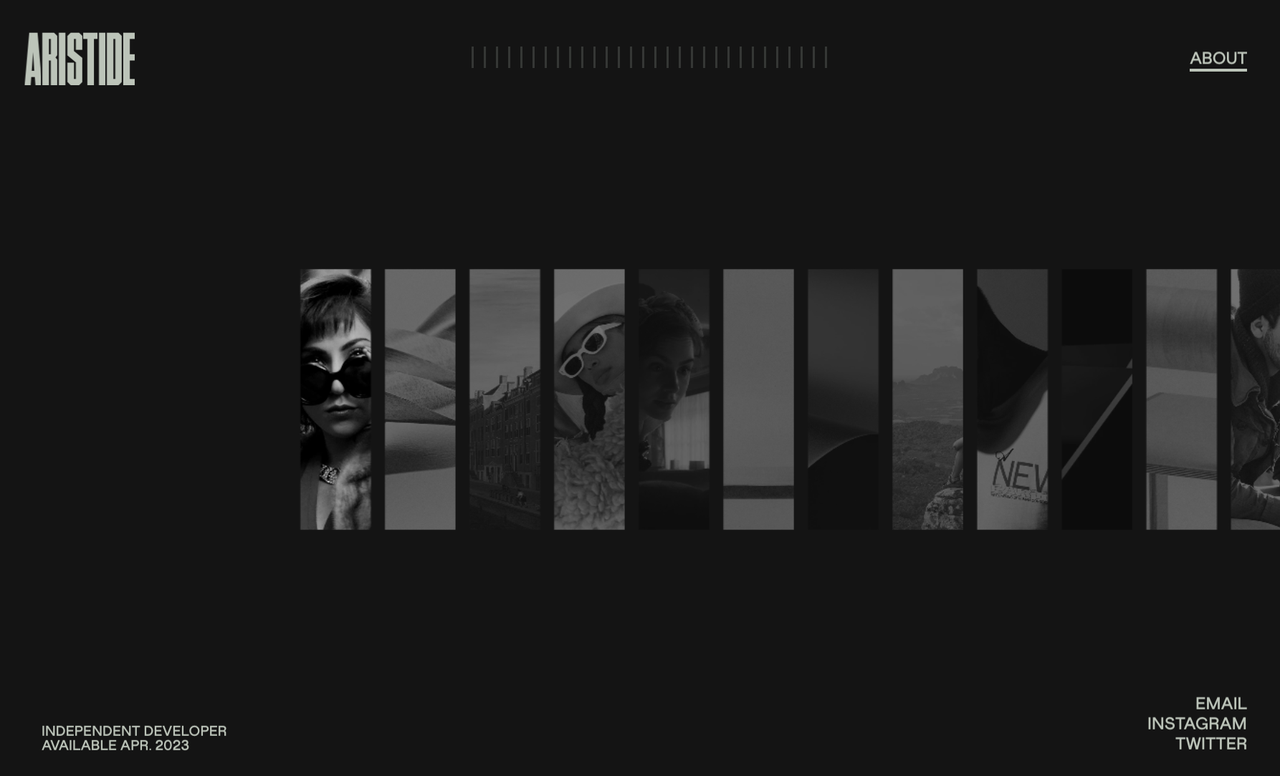
Aristide là một nhà phát triển sáng tạo. Trang web có cơ chế cuộn mượt mà như phim điện ảnh và hiệu ứng động 3D cao cấp. Giá trị được cảm nhận cao thu hút khách hàng chi trả cao. Bằng cách từ bỏ cấu trúc web truyền thống và tạo ra trải nghiệm hoàn toàn hấp dẫn, điện ảnh, Aristide dễ dàng lọc ra các khách hàng có ngân sách thấp và định vị bản thân cho các hợp đồng doanh nghiệp cao cấp.
Hình ảnh bởi Aristide Benoist
3. Lauren Hom
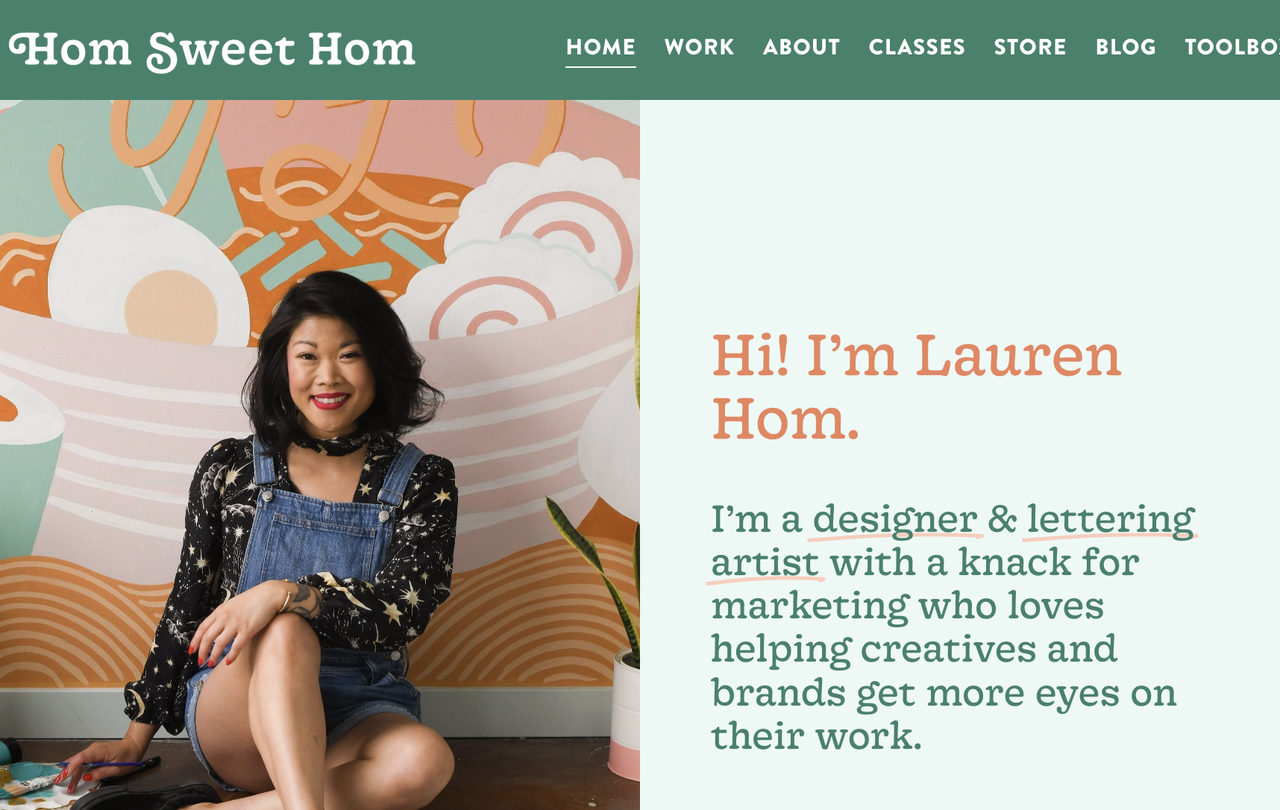
Lauren Hom (Hom Sweet Hom) là một nhà thiết kế và nghệ sĩ chữ. Trang web của cô ấy đầy màu sắc, văn bản hài hước và phong cách chữ đặc biệt của cô ấy. Cô ấy chấp nhận thị trường ngách của mình. Thay vì cố gắng trông giống một nhà thiết kế doanh nghiệp chung để thu hút mọi người, cô ấy hoàn toàn đắm chìm vào phong cách sôi động và hài hước của mình. Điều này nhanh chóng thu hút các khách hàng cụ thể đang tìm kiếm chính xác loại nghệ thuật sôi động của cô ấy.
Hình ảnh bởi Hom Sweet Hom
Tại sao việc tìm kiếm "Mẫu trang web portfolio" là một cái bẫy
Sau khi xem những ví dụ trang web portfolio tuyệt vời này, bản năng đầu tiên của bạn có thể là tìm kiếm "các mẫu trang web portfolio được đánh giá cao nhất" và cố gắng ép nội dung của bạn vào một lưới có sẵn trên một công cụ truyền thống.
Dừng lại ngay lập tức. Đây là một cái bẫy lớn đối với người mới bắt đầu. Các mẫu thiết kế cứng nhắc. Bạn không nên phải điều chỉnh câu chuyện sự nghiệp của mình để phù hợp với mẫu của nhà phát triển; trang web nên điều chỉnh theo bạn.
Giải pháp Tốt Nhất: Quy trình Hành động của Wegic
Wegic giới thiệu một mô hình hoàn toàn mới. Đó là một hệ thống phát triển website thông minh AI thay thế các mẫu cứng nhắc bằng tạo ra linh hoạt, có hiểu biết về ngữ cảnh. Bạn không xây dựng trang web; bạn đóng vai trò là giám đốc sáng tạo, và trợ lý AI của bạn sẽ xây dựng nó cho bạn. Đây là cách người mới bắt đầu tạo ra các portfolio ấn tượng chỉ trong vài phút:
Giai đoạn 1: Giới thiệu AI của bạn
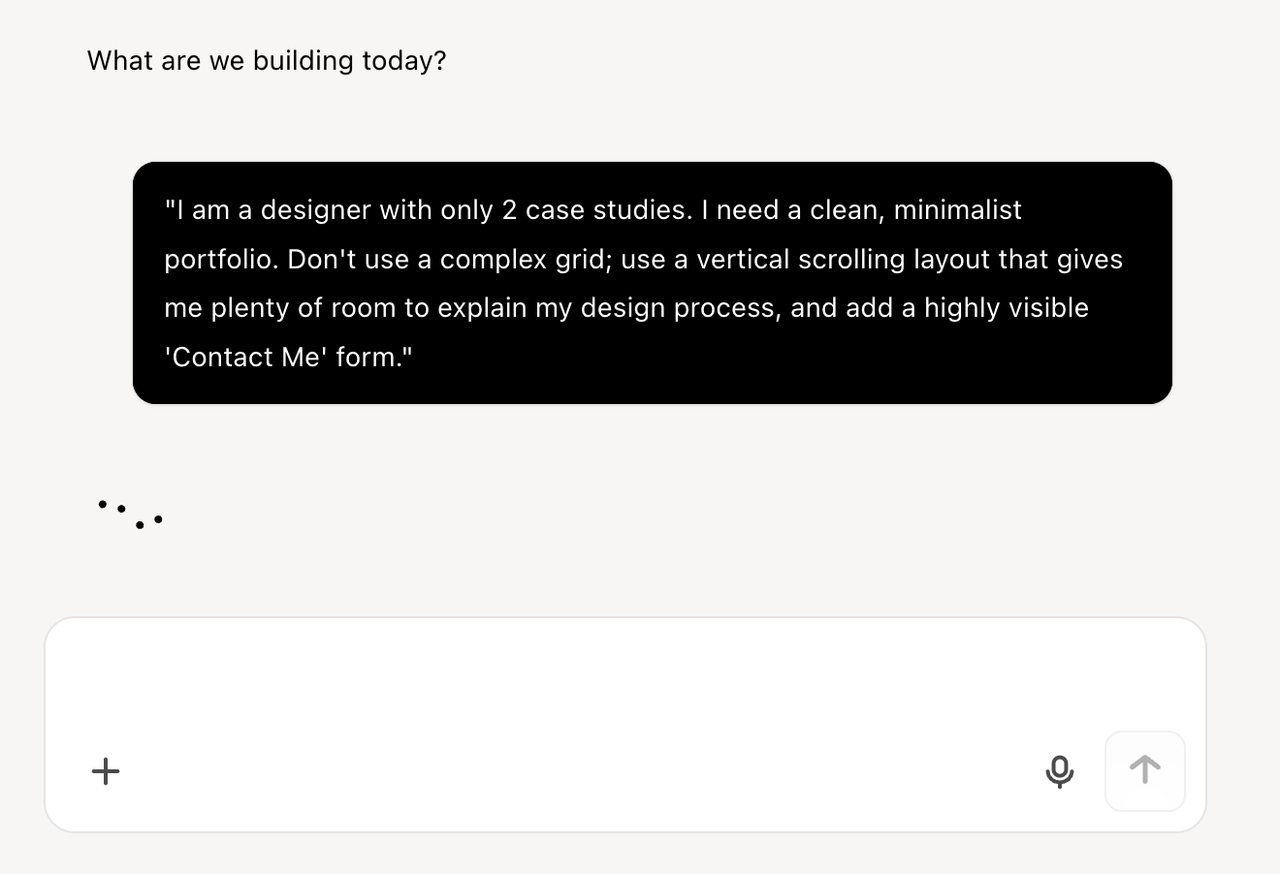
Mở Wegic và trò chuyện với Kimmy, quản lý dự án AI của bạn. Thay vì chọn bố cục, bạn chỉ cần mô tả tình huống cụ thể của mình:
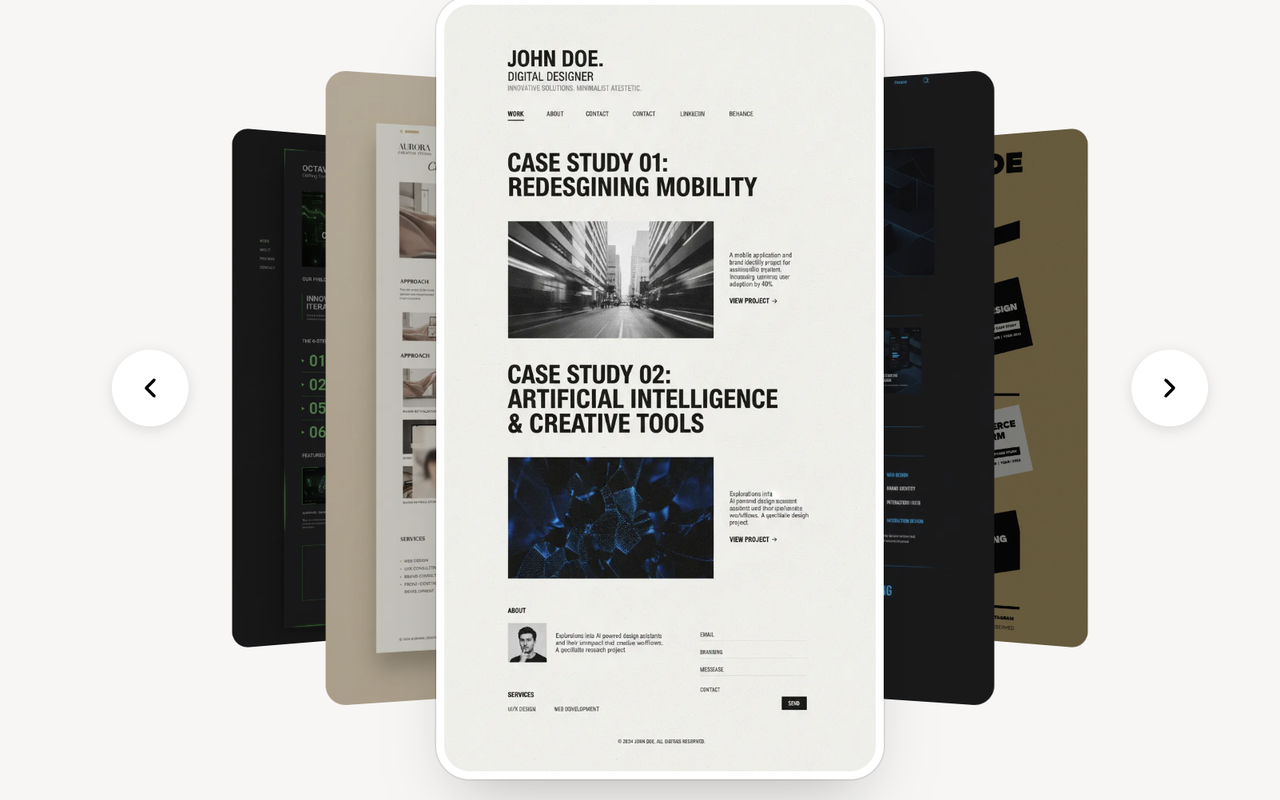
"Tôi là một nhà thiết kế với chỉ 2 trường hợp nghiên cứu. Tôi cần một portfolio sạch sẽ, tối giản. Không sử dụng lưới phức tạp; sử dụng bố cục cuộn dọc cung cấp cho tôi nhiều không gian để giải thích quy trình thiết kế của tôi, và thêm một biểu mẫu 'Liên hệ với tôi' dễ nhìn thấy."
Giai đoạn 2: Xây dựng tùy chỉnh
Wegic không lấy mẫu từ thư viện; động cơ GPT-4o tiên tiến của nó tính toán toán học và viết mã cho một bố cục tùy chỉnh chính xác theo yêu cầu của bạn. Trong dưới 60 giây, bạn sẽ có một bản mô phỏng đa trang, hoàn toàn tương thích với thiết bị di động. Nó tự động cân bằng khoảng trống và kiểu chữ dựa trên lượng nội dung bạn thực sự có.
Giai đoạn 3: Cải tiến thông minh
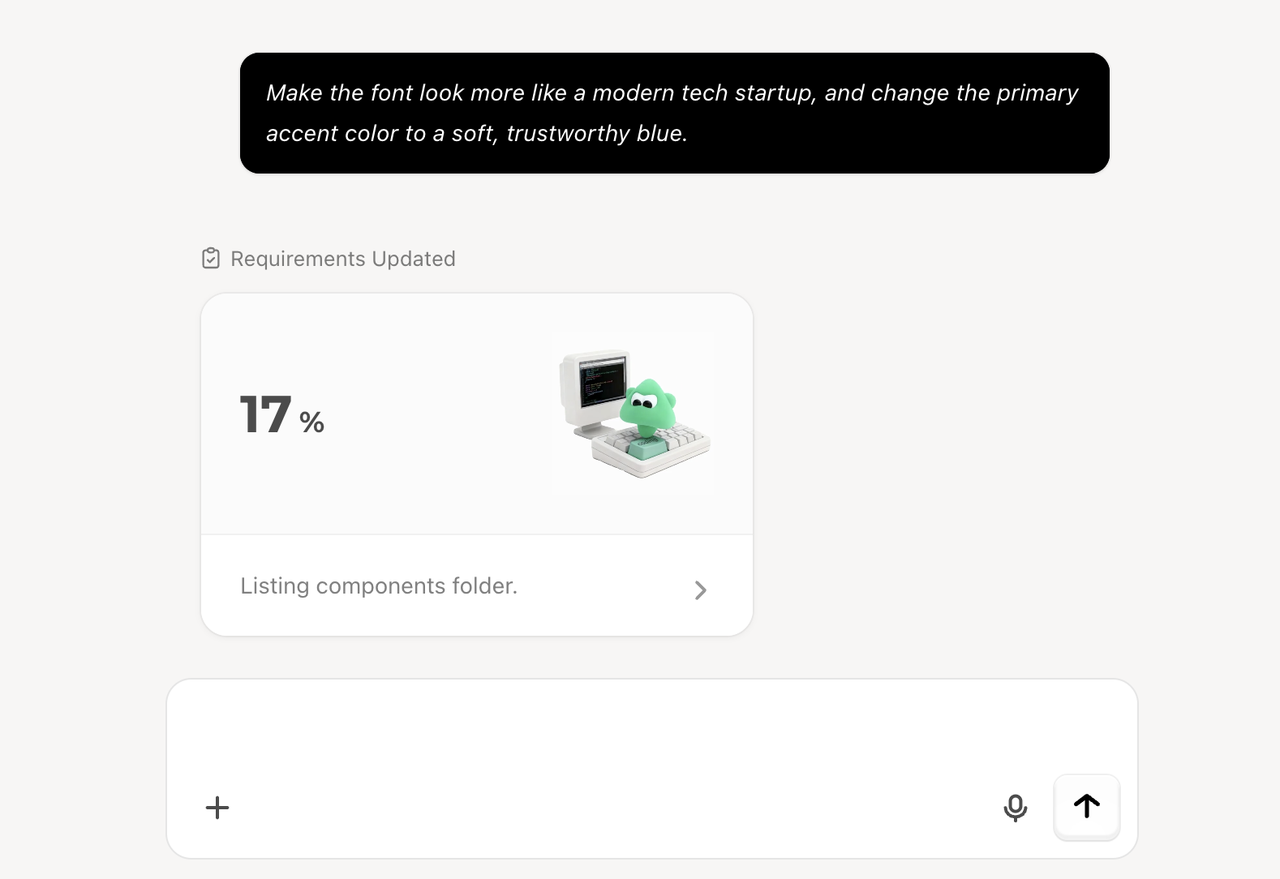
Nếu bạn muốn thay đổi phong cách, bạn không cần phải tranh cãi với các menu thiết kế phức tạp. Bạn chỉ cần trò chuyện:
"Làm cho phông chữ trông giống một công ty công nghệ hiện đại hơn, và thay đổi màu sắc nhấn chính thành màu xanh nhạt, đáng tin cậy."
Wegic hiểu ý định của bạn, đưa ra lý do thiết kế và cập nhật trang web trực tiếp an toàn mà không làm hỏng chế độ di động.
Giai đoạn 4: Phát hành không rào cản
Khi danh tính số của bạn được hoàn thiện hoàn hảo, nhấn "Đăng" sẽ xử lý phần còn lại. Wegic loại bỏ rào cản kỹ thuật bằng cách cung cấp lưu trữ trang web và hỗ trợ tên miền tùy chỉnh natively ngay từ đầu. Bạn đã chuyển từ một ý tưởng thành một tài sản nghề nghiệp trực tuyến chỉ trong vài phút.
Kết luận
Trong thị trường việc làm cạnh tranh, portfolio số của bạn là người bảo vệ có giá trị nhất. Như chúng ta đã học từ những ví dụ thực tế về trang web portfolio xuất sắc, bí quyết thành công không nằm ở việc nhồi nhét công việc của bạn vào một bố cục chung. Đó là việc tạo ra trải nghiệm người dùng liền mạch, được cấu trúc cao, dẫn trực tiếp các nhà tuyển dụng đến giá trị của bạn.
Thời đại cố gắng với các mẫu cứng nhắc và các công cụ xây dựng trang web thủ công đang nhanh chóng biến mất. Bằng cách tận dụng hệ thống tăng trưởng trang web AI đối thoại như Wegic, bạn sẽ có một đội thiết kế ảo thông minh sẵn sàng đóng gói câu chuyện nghề nghiệp độc đáo của bạn ngay lập tức!
Câu hỏi thường gặp
Tại sao người mới không nên sử dụng mẫu trang web portfolio thông thường?
Việc chỉnh sửa thủ công các mẫu trên các công cụ kéo và thả truyền thống thường làm hỏng khả năng tương thích di động, dẫn đến trải nghiệm người dùng kém cho các nhà tuyển dụng xem trang web trên điện thoại của họ.
Loại bố cục nào trong các ví dụ trang web portfolio là tốt nhất cho người mới?
Đối với người mới có ít trường hợp nghiên cứu, bố cục trang đơn cuộn là rất hiệu quả. Thay vì buộc người xem phải nhấp qua nhiều trang trống, hãy sử dụng một lời giới thiệu mạnh ở trên, tiếp theo là một hàng dọc các dự án của bạn, giải thích quy trình và cách giải quyết vấn đề đằng sau mỗi dự án một cách chi tiết.
Wegic's AI khác gì so với các công cụ xây dựng mẫu truyền thống?
Các công cụ truyền thống buộc bạn phải chọn một thiết kế có sẵn và thay thế hình ảnh và văn bản thủ công, thường dẫn đến lỗi bố cục. Wegic là một hệ thống AI liên tục. Bạn mô tả nhu cầu cụ thể của bạn (ví dụ: "Tôi chỉ có 2 dự án"), và Wegic tính toán và mã hóa một bố cục tùy chỉnh, hoàn hảo tương thích với mọi thiết bị cho bạn từ đầu, hoàn toàn loại bỏ nhu cầu về các mẫu có sẵn.