Zijn jullie schilder, illustrator of digitale creatief, op zoek naar de beste kunstenaar website voorbeelden om te ontdekken hoe je je portfolio online kunt tonen? Dit is de realiteit van de kunstmarkt in 2026: op een Instagram-feed algoritme alleen vertrouwen is een slechte zakelijke strategie. Collecteurs en galerijdirecteuren verwachten een professionele digitale ruimte waarin je kunst het onbetwiste centrum is, vrij van sociale media afleiding. Echter, het dwingen van je hoge resolutie kunstwerken in strakke, voorgeprogrammeerde sjablonen leidt vaak tot afgeknipte afbeeldingen en frustrerende technische strijd. Wat als je een eigen virtuele galerij kon bouwen gewoon door over je kunst te praten? Introduceer Wegic. Als een intelligente conversatieve AI website bouwer, fungeert Wegic als je persoonlijke digitale gallerist. Je spreekt gewoon met de AI, en het berekent wiskundig de perfecte lay-out voor je specifieke aspectverhoudingen in slechts één minuut. In deze gids verkennen we 5 wereldklasse voorbeelden om je te inspireren en je te laten zien hoe je je eigen automatische kunstbedrijf direct kunt opstarten.
Waarom een specifieke kunstenaar website beter is dan sociale media
Veel visuele kunstenaars aarzelen om een specifieke website te bouwen, aannemend dat sociale media platforms genoeg zijn om hun werk gezien te krijgen. Dit is een kritieke fout die kunstenaars duizenden dollars kost in hoge opdrachten. Volgens online marktplaats Artsy, 82% van jonge collecteurs heeft kunst online gekocht. Een aparte website biedt een afleidingsvrije omgeving, vestigt directe commerciële autoriteit en laat je een veilige e-commerce checkout integreren zonder een groot deel van je verkoop af te geven aan derde partijen.
Laten we kijken hoe wereldwijde creatieven hun digitale portefeuilles structureren.
3 Beste kunstenaar website voorbeelden (Fijn kunst & illustratie)
Bij het tonen van fysieke schilderijen of gedetailleerde illustraties moet de website UI (User Interface) volledig onzichtbaar worden. De kunst moet het gesprek voeren. Hier zijn de beste kunstenaar website voorbeelden die dit perfecte evenwicht bereiken.
1. James Jean
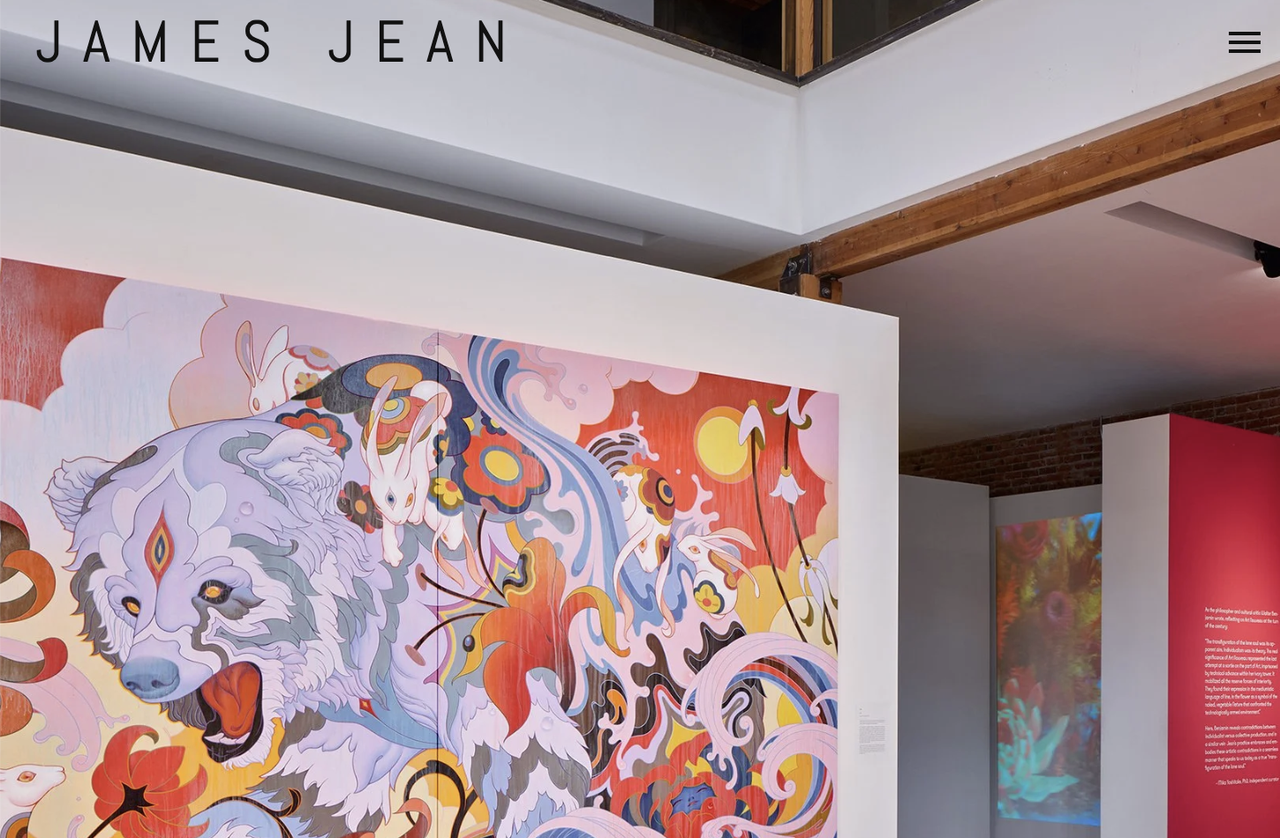
James Jean is een wereldwijd gevierde visuele kunstenaar. Zijn website is een adembenemend voorbeeld van het laten van het kunstwerk de scherm veroveren. De homepage bevat geen complexe menu's - gewoon grote, rand tot rand, ultra-hoge resolutie sliders van zijn surrealistische schilderijen.
Het respecteert de ingewikkelde details van zijn werk. Door traditionele randen en marges te elimineren, worden bezoekers direct getrokken in zijn dromenwereld. De navigatie is opgeslagen in een discreet, minimalistisch bovenbalk, zodat de gebruiker zich 100% op de kunst kan concentreren.
Afbeelding door James Jean
2. Jon Burgerman
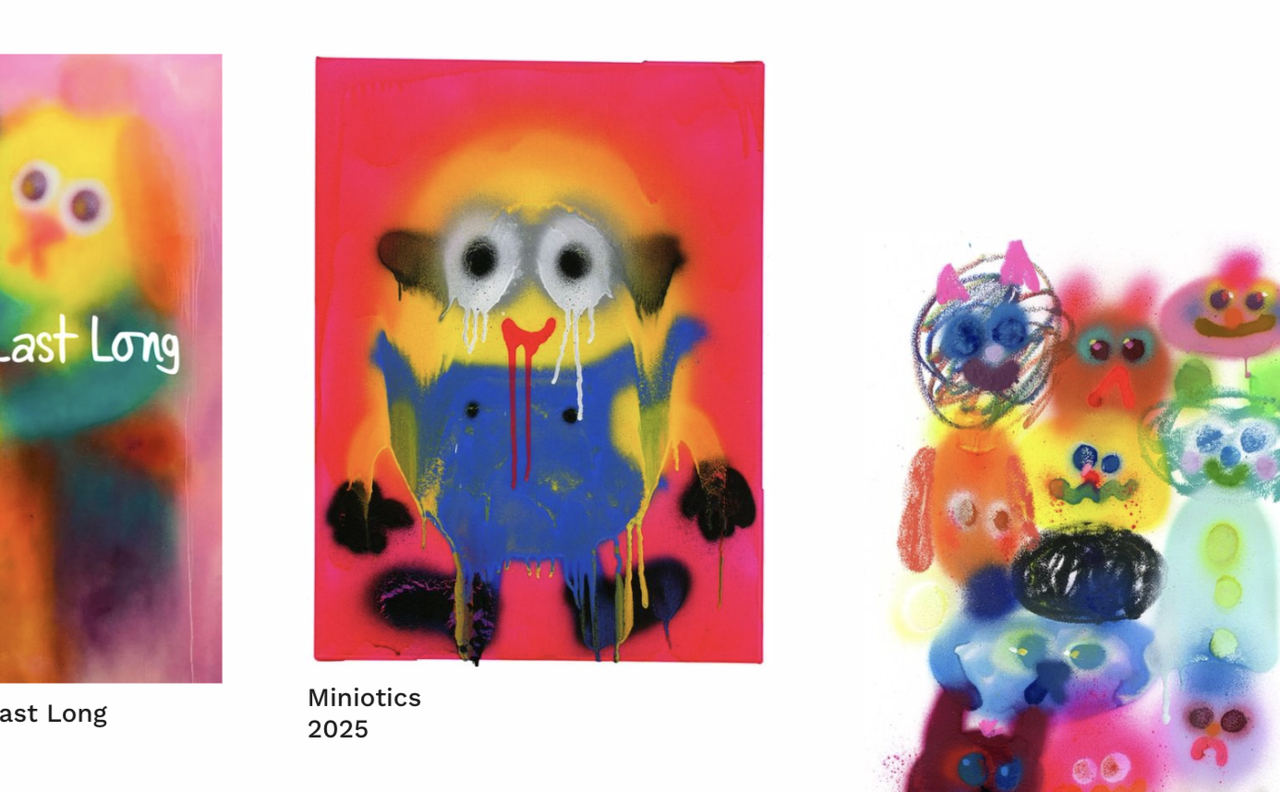
Jon Burgerman is bekend om zijn levendige, tekenkunststijl. Zijn website spiegelt perfect zijn chaotische, blijde persoonlijkheid. De lay-out is fel, met geanimeerde, interactieve tekeningen die reageren wanneer de gebruiker met de muis over ze heen gaat.
Consistentie is belangrijk in persoonlijke merkherkenning. Als je kunst leuk en rebelse is, moet je website er niet uitzien als een saaie bedrijfsaccountant. Jon's site is een ervaring op zich, onmiddellijk communicerend zijn specifieke merkgevoel naar commerciële klanten die hem willen inhuren voor zijn unieke esthetiek.
Afbeelding door Jon Burgerman
3. Tauba Auerbach
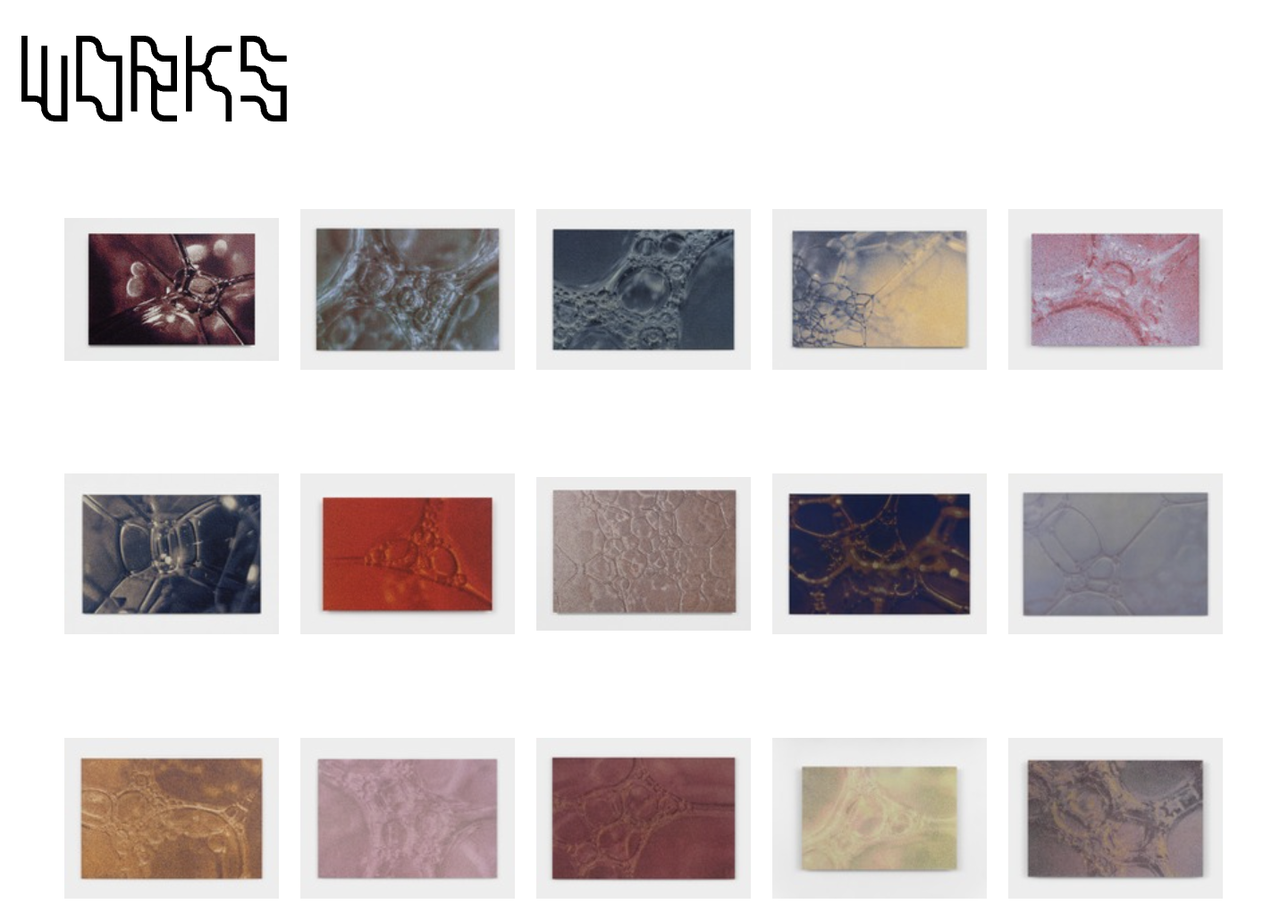
Tauba Auerbach is een hedendaagse visuele kunstenaar die zich richt op kleur, logica en typografie. Haar website verlaat volledig standaard webconventies. Het leest meer als een gestructureerde academische archief of een minimalistische woordenboek. Dit is een fenominale aanpak voor conceptuele kunstenaars. Ze richt zich op serieuze kunstcritici, galerijcuratoren en historici die haar ontwikkeling over de jaren willen bestuderen, in plaats van gewoon casual internetbrowsers.
Klik op de afbeelding hieronder om met Wegic te beginnen!
Afbeelding door Tauba Auerbach
2 Stijlvolle visuele kunstenaar website voorbeelden (Digitale & 3D)
Voor die werken in digitale gebieden, bewegingsontwerp of 3D rendering, moet je website technisch perfect zijn. Hier zijn zeer effectieve visuele kunstenaar website voorbeelden die gebruik maken van moderne code.
1. Ash Thorp
Ash Thorp is een legende in de digitale kunst en UI ontwerper bekend om zijn werk op blockbusters zoals The Batman. Zijn website, ALT Creative, vertrouwt op een schreeuwerige zwarte achtergrond, gladde pagina overgangen en agressieve, tech-gerichte typografie.
Donkere modus is essentieel voor digitale en sciencefiction kunstenaars. Een zwarte achtergrond maakt glinsterende digitale renderingen, neonkleuren en cinematografische beelden op het scherm op. Bovendien bewijzen de gladde pagina overgangen zijn elite begrip van digitale gebruikerservaring (UX).
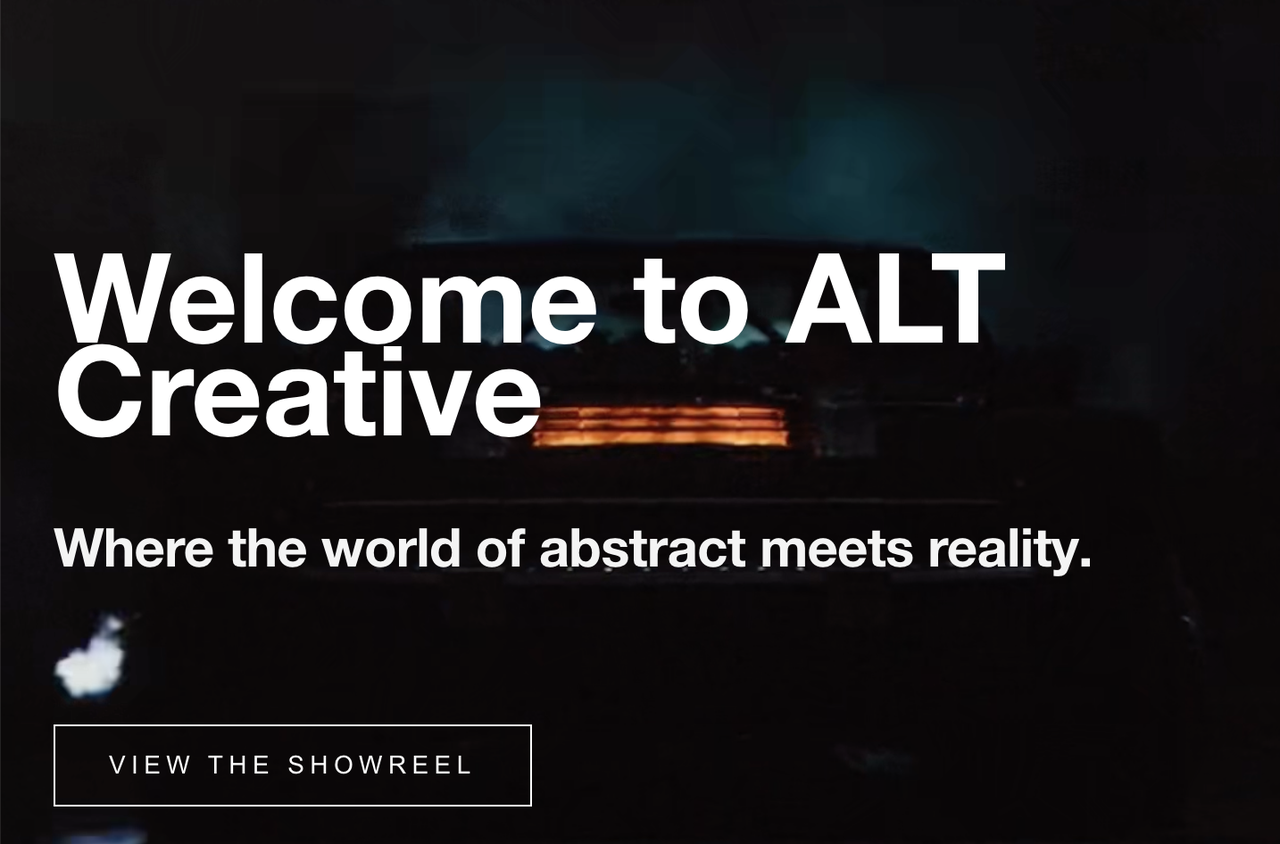
Afbeelding door Ash Thorp
2. Beeple
Mike Winkelmann (Beeple) is een van de meest beroemde digitale kunstenaars ter wereld. Ondanks zijn wereldwijde faam is zijn website agressief eenvoudig. Het gebruikt een basis, oneindig raster om zijn "Everydays"-project (elke dag een kunststuk maken) te tonen. Het is een bewijs van volume en consistentie. Er is geen ingewikkelde webontwerp om te verstoren door de grote hoeveelheid output. Het ruwe, oneindige raster bewijst zijn ongeëvenaarde werktijd voor iedereen die de site bezoekt, en fungeert als een massieve sociale bewijsmotor.
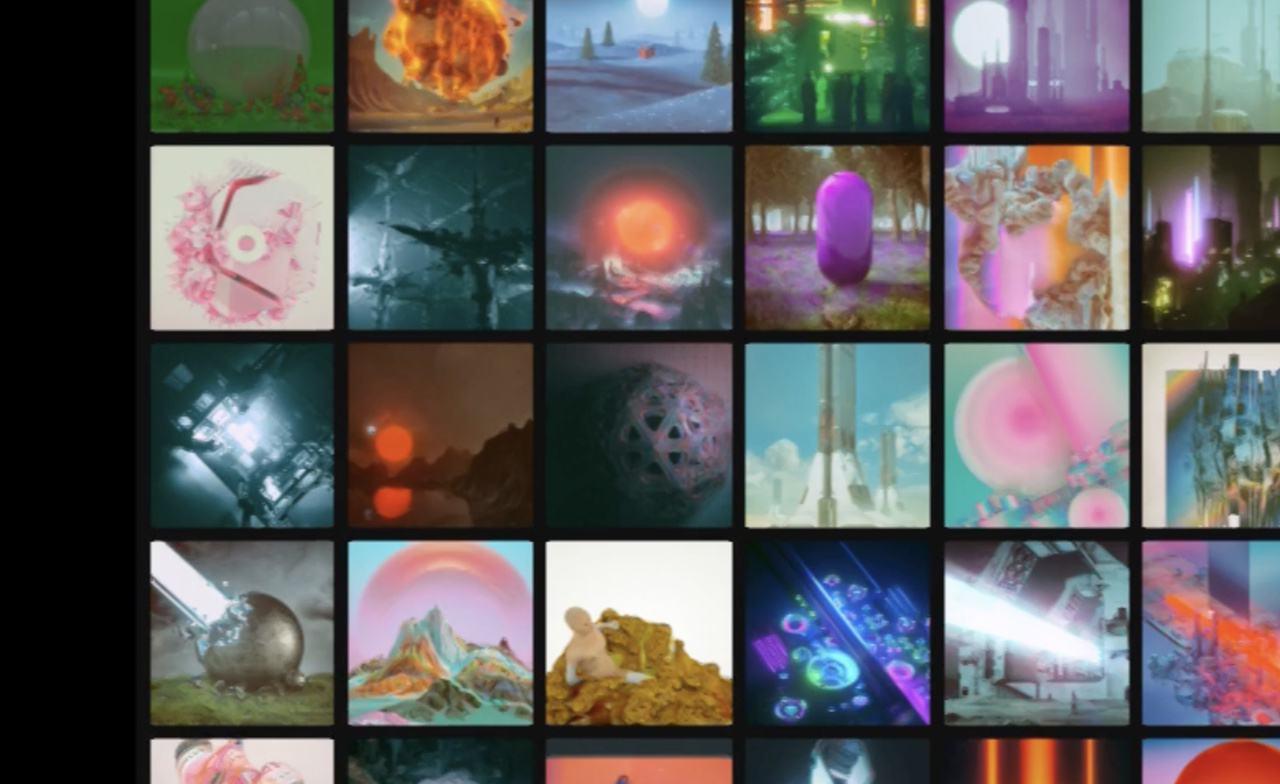
Afbeelding door Beeple
De "Digitale Gallerist" Workflow: Bouw je website met Wegic
Na het zien van deze adembenemende kunstenaarswebsitevoorbeelden, kun je geïnspireerd raken om eindelijk je eigen website te lanceren. Maar als je probeert een standaard drag-and-drop websitebuilder te gebruiken, zul je veel tijd verspillen.
Traditionele sjablonen comprimeren je hoge resolutie afbeeldingen, knippen je verticale schilderijen in lelijke horizontale vierkanten en verstoren je esthetiek. Je zou je kunst niet moeten moeten opofferen om te passen in een ontwikkelaarskader.
Wegic draait het geheel om. Als een intelligente conversatieve AI websitebuilder fungeert Wegic als je "Digitale Gallerist." Je trekt geen dozen; je spreekt gewoon met je AI curator en het genereert wiskundig de perfecte architecturale ruimte voor je specifieke kunst. Hier is hoe kunstenaars sneller lanceren:
Stap 1: Je AI curator informeren
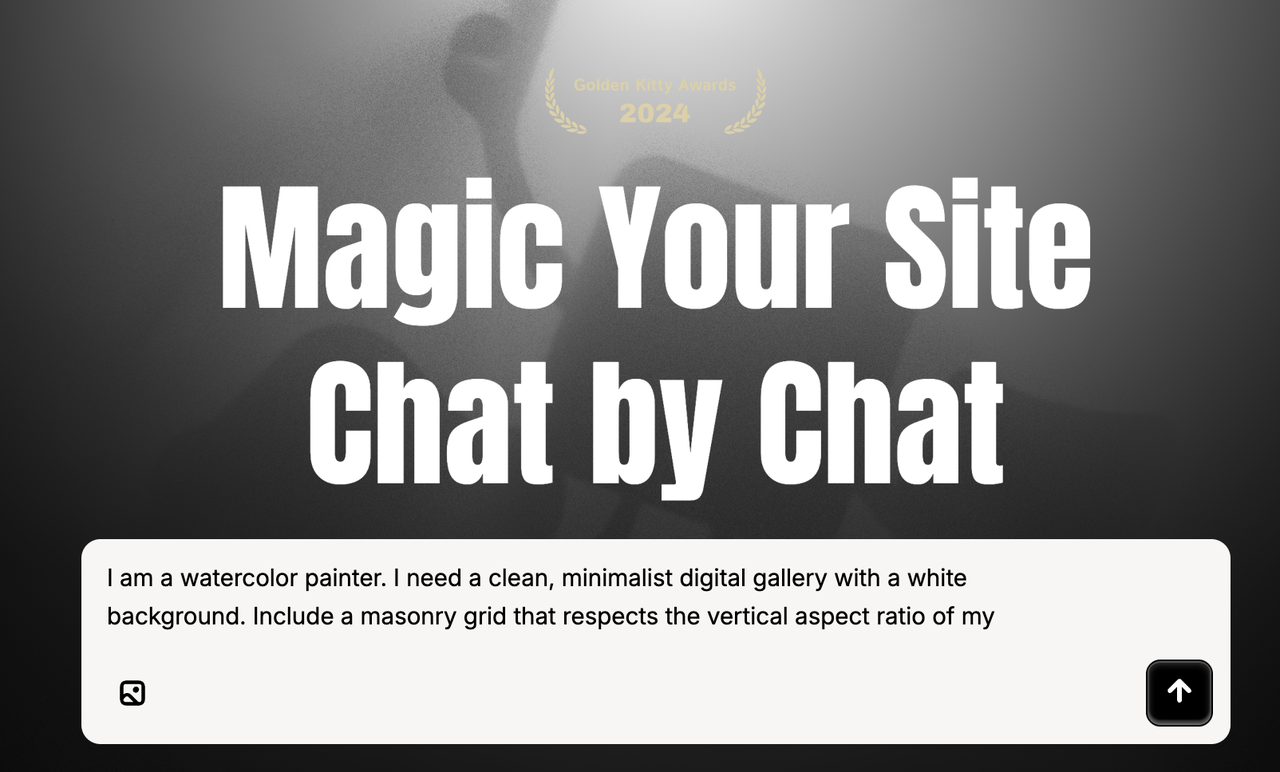
Sla het pijnlijke sjabloonselectieproces over. Open de Wegic interface en praat met Kimmy, je AI projectmanager. Beschrijf je creatieve visie natuurlijk:
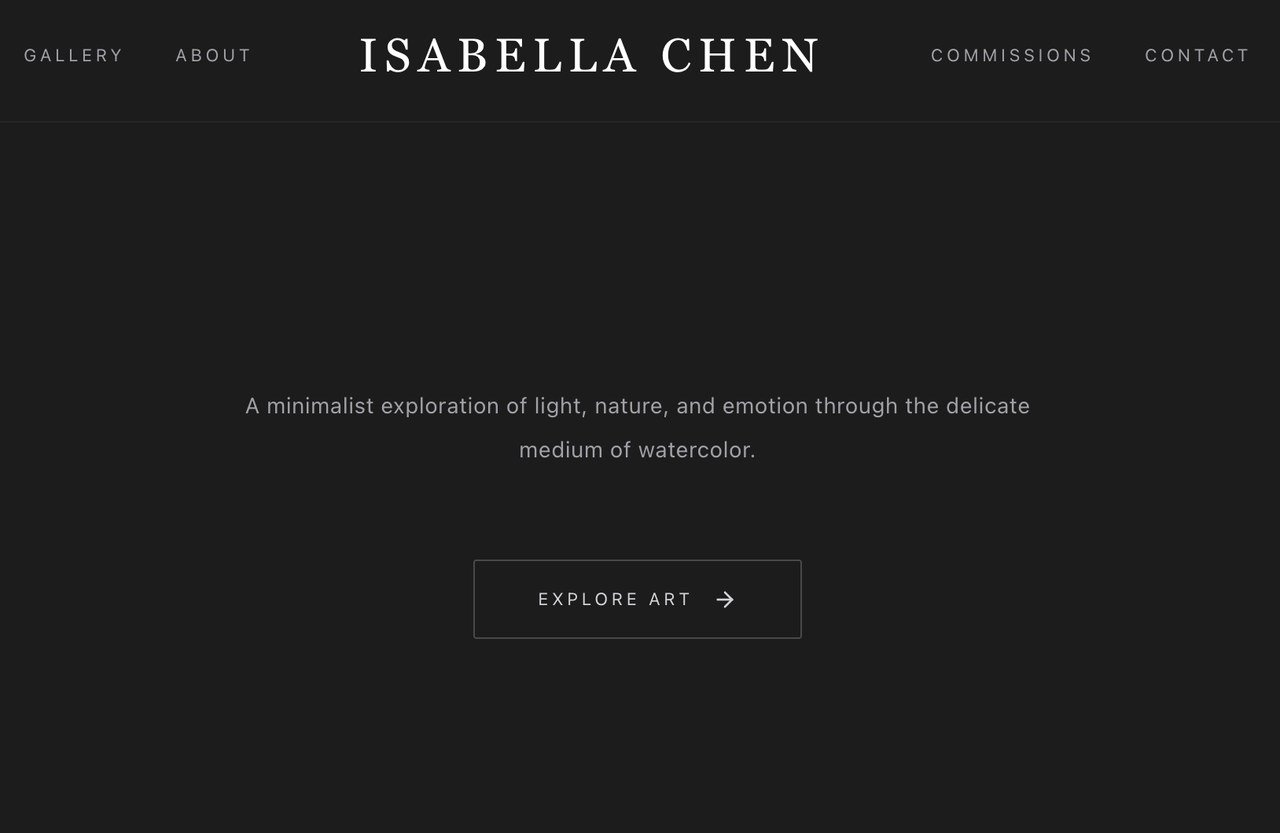
"Ik ben een waterverf schilder. Ik heb een schoon, minimalistisch digitale galerij met een witte achtergrond nodig. Voeg een masonry grid toe dat de verticale aspect ratio van mijn schilderijen respecteert, en voeg een 'Inquire for Commissions' contactformulier aan de onderkant toe."
Stap 2: De uitstallingsopstelling
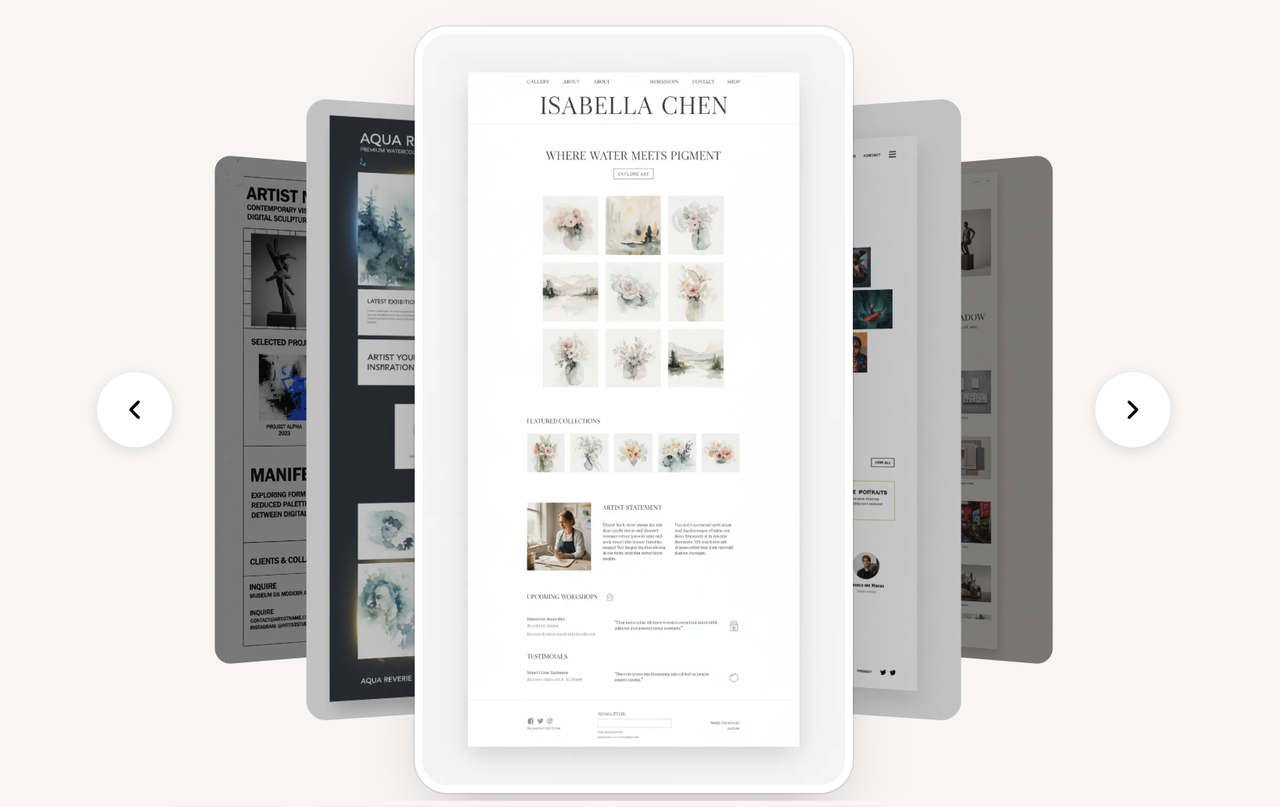
Terwijl je je portfolio mappen organiseert, verwerkt Wegic's geavanceerde GPT-4o engine je brief. Binnen 60 seconden schrijft het de onderliggende code en genereert het een multi-page, spectaculair responsief prototype. De AI begrijpt intuitief dat kunstsites ruimte nodig hebben, zodat je galerij er perfect uitziet op een 4K desktop monitor en een iPhone-scherm tegelijkertijd.
Stap 3: Conversatieve bewerkingen
Wil je de sfeer van de ruimte veranderen? In een traditionele builder breekt het bewerken van een globale lay-out vaak de mobiele weergave. Bij Wegic praat je gewoon. Typ:
"Maak de typografie eruitzien alsof het een elegante, luxe galerij is, en verander de achtergrond in een subtiel koolgrijze kleur." Wegic geeft ontwerprationale, biedt opties aan en verandert meteen je virtuele muren.
Stap 4: Zero-Friction Launch
Wanneer je digitale tentoonstelling perfect is, drukken op "Publiceren" regelt de rest. Wegic verhelpt het hoofdpijn van het omgaan met hostingproviders of DNS-gegevens door websitehosting en aangepaste domeinondersteuning natiematisch te bieden. Je kunst is nu live, klaar om ontdekt te worden door wereldwijde verzamelaars.
Conclusie
In de zeer subjectieve wereld van kunst, is hoe je je werk presenteert net zo belangrijk als het werk zelf. Zoals we hebben gezien uit deze prachtige voorbeelden, is een succesvolle digitale portfolio niet afhankelijk van trucs; het is afhankelijk van het creëren van een gladde, immersieve omgeving waarin je creativiteit de onbestrede ster is.
De tijd van worstelen met klungelige, harde website sjablonen die je aspectverhoudingen verstoren is officieel voorbij. Door een conversatieve AI websitegroei systeem zoals Wegic te gebruiken, krijg je een gedetailleerde virtuele gallerist klaar om je artistieke visie in minuten uit te voeren. Stop dus met worstelen met code en kom terug om te creëren. Probeer Wegic om je droomwebsite te maken!
FAQs
Wat is de beste lay-out voor voorbeelden van kunstenaarswebsites?
De meest effectieve lay-out voor visuele kunstenaars is de "Asymmetrische Masonry Grid." In tegenstelling tot een strakke vierkante grid, past een masonry layout zich aan aan de specifieke aspectverhoudingen van je kunst (of portret of landschap), zodat je schilderijen of foto's nooit ongemakkelijk worden afgeknipt. Dit geeft je website een zeer professionele, redactionele indruk.
Kan ik mijn kunst direct op mijn persoonlijke website verkopen?
Ja! Hoewel platforms zoals Wegic geweldig zijn om je spectaculaire frontend galerij en promotie landing pages te bouwen, kun je eenvoudig "Koop nu" knoppen integreren die rechtstreeks naar je veilige checkout providers leiden. Deze hybride aanpak geeft je een aangepaste artistieke ontwerp met krachtige e-commerce logistiek.
Hoe verschilt Wegic's AI van traditionele portfolio sjablonen?
Traditionele sjablonen dwingen je kunst in voorgedefinieerde vakken. Als je 4 projecten hebt maar het sjabloon is ontworpen voor 10, zal je site er onvolledig uitzien. Wegic is een continu gespreksgerichte AI. Je vertelt de AI gewoon precies hoeveel inhoud je hebt en welke sfeer je wilt, en Wegic codeert wiskundig een aangepaste, foutloos responsieve lay-out voor je vanaf het begin, die je specifieke werk perfect omvat.