Yapay Zeka Destekli Bootstrap Web Sitesi Oluşturun — CSS Yok, Drama Yok
Wegic'in yapay zeka destekli Bootstrap web sitesi oluşturucusu, basit bir İngilizce açıklamayı dakikalar içinde düzenli, mobil öncelikli bir siteye dönüştürür — ürünler, ödemeler ve hepsi dahil.

Wegic'in Yapay Zeka Destekli Bootstrap Web Sitesi Oluşturucusu Sizin İçin Neleri Halleder?
Bootstrap web sitesi tasarımını profesyonel gösteren her şey — duyarlı ızgaralar, temiz tipografi, hızlı yükleme, mobil düzen — yapılandırma ile değil, yapay zeka aracılığıyla sohbet yoluyla sunulur.
Duyarlı Düzen, Otomatik Oluşturuldu
Sitenizi basit İngilizce olarak tanımlayın ve Wegic'in yapay zeka destekli Bootstrap site oluşturucusu, masaüstü, tablet ve mobil cihazlarda uyum sağlayan akıcı, çok sütunlu bir düzen oluşturur — Bootstrap geliştiricilerinin saatlerce el ile ayarladığı aynı duyarlılık, dakikalar içinde hazır. Wegic'in duyarlı site şablonlarını görün
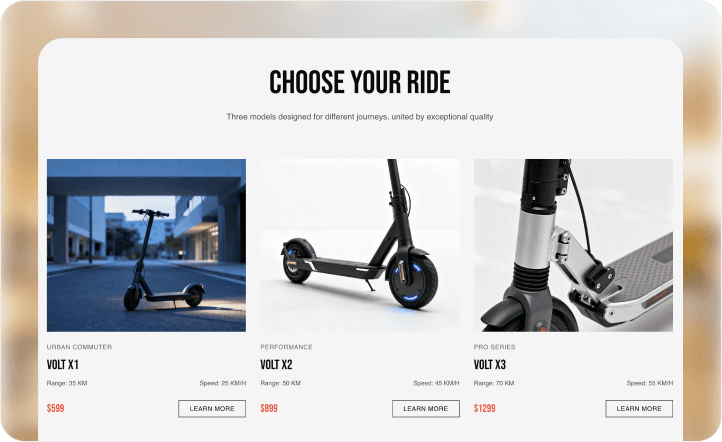
Gözü Yönlendiren Temiz Düzenler
Wegic'in yapay zeka destekli Bootstrap web sitesi oluşturucusu, deneyimli ön uç tasarımcılarının yaptığı gibi tipografik hiyerarşi, boşluk ve görsel ağırlık uygular; böylece tek bir stil kuralına dokunmadan siteniz net bir şekilde iletişim kurar.

Renkleriniz ve Yazı Tipleriniz, Otomatik Olarak Uygulanır
Wegic'e marka renklerinizi, logonuzu ve tonunuzu söyleyin. Bootstrap web sitesi oluşturucu yapay zekası bunları her sayfaya, bölüme ve bileşene tutarlı bir şekilde uygular; manuel CSS değişkenleri veya tema dosyası düzenlemesi gerekmez.
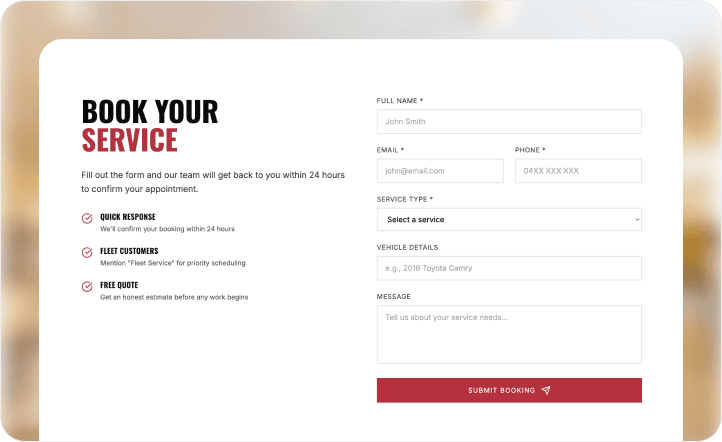
Her Şeyi Değiştirin — Sadece Söyleyin
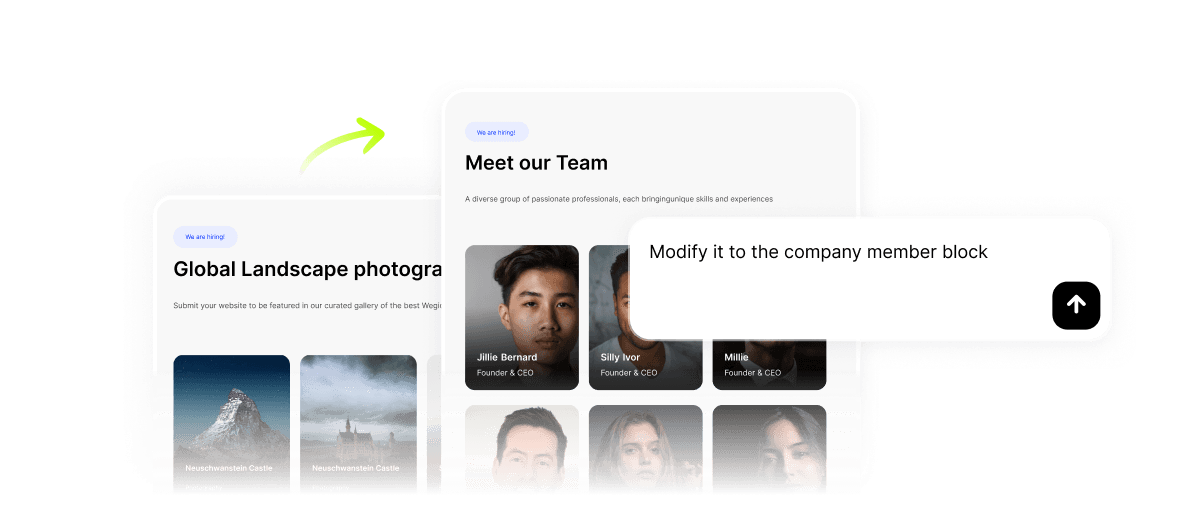
Bir bölümün düzeninden veya ana başlıktan memnun değil misiniz? Değişikliği konuşun. Wegic'in yapay zeka destekli Bootstrap web sitesi oluşturucusu, her düzenleme isteğini yeni bir konuşma turu olarak ele alır; sayfa yeniden oluşturma veya kod denetleyicisi yok.
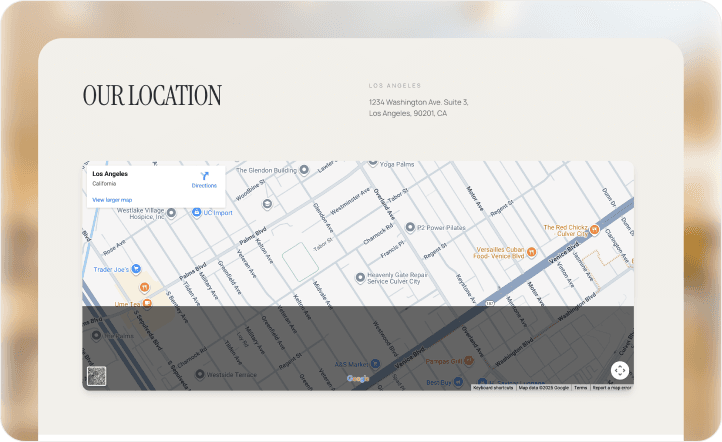
Saniyeler İçinde Oluşturmadan Canlı URL'ye
Yapay zeka destekli Bootstrap web siteniz hazır olduğunda, Yayınla'ya tıklayın. Wegic, web sitenizi kendi altyapısında barındırır; bu da istikrarlı çalışma süresi, sunucu faturaları olmaması ve profesyonel olmaya hazır olduğunuzda özel bir alan adı seçeneği sunar. Wegic'in barındırma ve plan seçeneklerini inceleyin
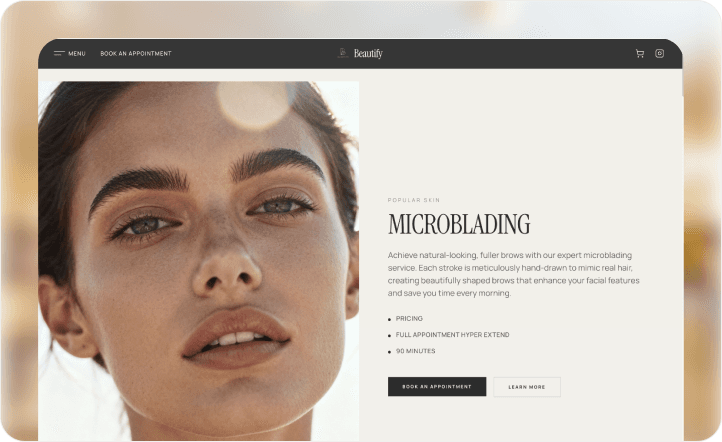
Bir Bootstrap Web Sitesi Şablonuyla Başlayın — Sonra Tamamen Kendinize Ait Hale Getirin
Gerçek İnsanlar, Yapay Zeka Destekli Bootstrap Web Sitesi Oluşturucu ile Oluşturulmuş Gerçek Siteler
Portfolyomu bir yıldır erteliyordum çünkü her Bootstrap Studio denememde, daha ana sayfam bile olmadan bileşen ayarlarında kayboluyordum. Wegic tamamen farklıydı – işimi, tarzımı ve istediğim havayı anlattım ve bana gerçekten gurur duyduğum eksiksiz bir site verdi. Üzerinde değişiklik yapmak, bir tasarımcıya mesaj atmak gibi hissettirdi, CSS hatalarını ayıklamak gibi değil. Her şey belki 45 dakika sürdü ve bir geliştiricinin yaptığı herhangi bir Bootstrap web sitesi kadar temiz görünüyordu. O zamandan beri üç serbest çalışan arkadaşıma tavsiye ettim.

Wegic'in Yapay Zeka Destekli Bootstrap Web Sitesi Oluşturucusunun Arkasındaki Tüm Özellikler
Arka planda, Bootstrap web sitesi oluşturucu yapay zekanız, çoğu oluşturucunun ayrı ayrı ücretlendirdiği veya erişmek için teknik kurulum gerektiren beş özelliği bir araya getirir.
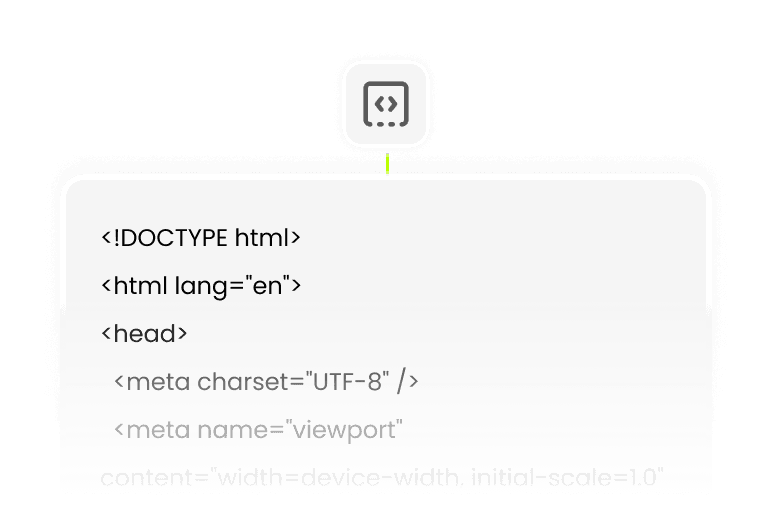
Sıfır HTML. Sıfır CSS. Tam Çıktı.
Wegic, yapay zeka destekli Bootstrap web sitenizin her satırını yazar; siz kodu değil, vizyonu sağlarsınız.

Metin, Başlıklar, Açıklamalar — Yapay Zeka Tarafından Yazıldı
Wegic sayfa metninizi de taslağını oluşturur — yer tutucu metin değil, gerçek Bootstrap site özetinize göre şekillendirilmiş içerik. Wegic'in site içeriğini nasıl oluşturduğunu öğrenin

İlk Günden İtibaren Arama Motorlarında Görünür
Yapay zeka destekli Bootstrap web siteniz, Search Console'a dokunmadan temiz sayfa başlıkları, meta etiketleri ve semantik yapıya sahip olur.

Tek Site, Birden Çok Dil
Daha geniş bir kitleye ulaşın — Wegic'in Bootstrap web sitesi oluşturucu yapay zekası, ek araçlar olmadan birden çok dilde siteler oluşturur.
Yayınla, Canlı Kal, URL'nizin Sahibi Olun
Wegic, yapay zeka destekli Bootstrap sitenizi stabil bir şekilde barındırır — özel alan adınızı bağlamak için ücretli bir plana yükseltin.
Fikirden Canlı Bootstrap Web Sitesine Üç Adım
Wegic'e Ne İstediğinizi Söyleyin
Sitenizin amacını, hedef kitlenizi, istediğiniz atmosferi sade bir dille açıklayın. AI Bootstrap web siteniz için tüm talimatlar bu kadar — form yok, anket yok.
Bootstrap Siteniz Görünür — Daha Fazla Şekillendirin
Wegic, dakikalar içinde tüm Bootstrap web sitenizi (düzen, metin ve yapı) oluşturur. Renkler, bölüm sırası, sayfa eklemeleri veya ton gibi herhangi bir detayı ayarlamak için sohbete devam edin.
Tek Tıkla. Siteniz Canlı.
Her ekran boyutunda önizleyin, ardından Yayınla'ya tıklayın. Yapay zeka destekli Bootstrap web siteniz anında Wegic'in barındırma hizmetinde yayına girer; FTP yok, alan adı yayılma sorunları yok, bekleme yok.
Sıkça Sorulan Sorular
Yapay Zeka Destekli Bootstrap web sitesi oluşturucu tam olarak nedir?
Yapay Zeka Destekli Bootstrap web sitesi oluşturucu, geleneksel olarak ön uç geliştiricilerin Bootstrap CSS çerçevesini kullanarak oluşturduğu türden, profesyonelce tasarlanmış, duyarlı web sitelerini kod yerine konuşmaya dayalı bir yapay zeka arayüzü aracılığıyla oluşturan bir araçtır. Wegic ile sitenizi basit bir dille tanımlarsınız ve HTML, CSS veya JavaScript'e dokunmadan eksiksiz, mobil öncelikli bir web sitesi elde edersiniz. "Bootstrap" kalitesi (temiz ızgaralar, duyarlı kırılma noktaları, tutarlı tipografi) yapay zekanın çıktısına otomatik olarak dahil edilir.
Wegic, geliştirici olmayanlar için bir Bootstrap Studio alternatifi midir?
Evet ve tam olarak bu noktada başarılıdır. Bootstrap Studio, Bootstrap'ın bileşen modelini zaten anlayan kişiler için tasarlanmış görsel bir düzenleyicidir; hala teknik yargı bekler. Wegic'in yapay zeka destekli Bootstrap site oluşturucusu tam tersi bir kitle için tasarlanmıştır: Bootstrap'ın sunduğu sonuçları, onları üreten aracı öğrenmeden isteyen kişiler. Ne istediğinizi tanımlarsınız; Wegic onu inşa eder.
Yapay zeka ile bir Bootstrap web sitesi oluşturmak ne kadar sürer?
Çoğu kullanıcı, Wegic'e ilk mesajlarından sonra 30-60 dakika içinde yayınlamaya hazır bir Bootstrap web sitesine sahip olur. İlk oluşturma — tam düzen, metin ve yapı — birkaç dakika sürer. İyileştirmeler, her biri anında uygulanan takip eden konuşma turlarında gerçekleşir. Geliştirme sprinti, bir serbest çalışanla ileri geri gitme ve revizyonlar için bekleme yoktur.
Wegic'in Yapay Zeka Destekli Bootstrap web sitesi oluşturucusu ücretsiz mi?
Wegic'in, ödeme bilgilerinizi girmeden yapay zeka destekli Bootstrap web sitenizi oluşturmanıza, önizlemenize ve yinelemenize olanak tanıyan ücretsiz bir planı vardır. Ücretli planlar (aylık yaklaşık 9,9 dolardan başlayan fiyatlarla) özel alan adı bağlantısı, sınırsız ziyaretçi ve Google Analytics entegrasyonu gibi özellikleri açar. Bir plana taahhütte bulunmadan önce Wegic'in tam fiyatlandırma dökümüne bakın.
Yapay zeka oluşturduktan sonra tasarımı özelleştirebilir miyim?
Tamamen. Wegic'in oluşturduğu her şey konuşma yoluyla düzenlenebilir — renk paletini değiştirmesini, bir bölümü yeniden yapılandırmasını, başlığı yeniden yazmasını veya yeni bir sayfa eklemesini söyleyin. Ayrıca Wegic'in görsel düzenleyicisini kullanarak kodlama yapmadan tek tek öğeleri sürükleyebilir, bırakabilir ve ince ayar yapabilirsiniz. Bootstrap web sitesi oluşturucu yapay zeka çıktınız bir başlangıç noktasıdır, kilitli bir şablon değildir.
Wegic'in Bootstrap oluşturucusu ile ne tür siteler oluşturabilirim?
Wegic'in yapay zeka destekli Bootstrap web sitesi oluşturucusu geniş bir kullanım alanı yelpazesinde çalışır: tasarımcılar ve fotoğrafçılar için portföyler, danışmanlar ve ajanslar için hizmet sayfaları, ürünler ve etkinlikler için açılış sayfaları, kişisel marka siteleri, yerel işletme varlıkları ve çok sayfalı işletme web siteleri. Eğer bir cümleyle tanımlayabiliyorsanız, Wegic onu inşa etmeye başlayabilir. → Wegic'in yapay zeka web sitesi oluşturucu konu rehberlerini keşfedin
Yapay zeka ile her işletme için bir web sitesi oluşturun

Ücretsiz Oluştur web sitesi oluşturucu

Tavşan web sitesi oluşturucu

Mağazadan Teslim Alın web sitesi oluşturucu

Araba Detaylandırma web sitesi oluşturucu

2nd hand web sitesi oluşturucu
