Are you focusing on your homepage hero image but completely ignoring your footer? Looking for the best website footer examples to figure out how to structure the bottom of your site? Here is a hard truth: a website footer is not a digital junk drawer for boring legal links; it is your ultimate conversion safety net. When visitors scroll to the bottom of your page without clicking "Buy," the footer is your last chance to keep them engaged. However, manually aligning 4 columns of text and ensuring they don't break on mobile screens is a notoriously frustrating task on traditional website builders. What if AI could mathematically calculate and generate the perfect footer for your specific industry in seconds? Enter Wegic. As an intelligent AI website growth system, Wegic eliminates the headache of manual grid alignment. In this guide, we reverse-engineer 6 real-world, world-class examples to show you what works, and demonstrate how to generate your own flawless footer effortlessly.
Why Your Footer is important
Many business owners treat the footer as an afterthought. But in the world of UX (User Experience) design, the bottom of the page is essential.
According to extensive scrolling behavior research by the Baymard Institute, users who scroll to the very bottom of a webpage are often "lost" and actively looking for the footer to find specific navigation options, contact info, or customer support. Most importantly 13% of the largest e-commerce websites' footer have problems. If your footer is messy or hard to read on a mobile device, that high-intent visitor will simply close the tab.
Let’s explore how the world’s top companies use the best website footer examples to capture leads and guide users.
3 Best Website Footer Examples (The "Fat Footer" for E-Commerce & SaaS)
1. Stripe
Stripe’s website footer is a massive, highly organized mega-menu that essentially acts as a secondary site map.
B2B software buyers often need to check API documentation, pricing, and compliance policies before signing up. Stripe uses a crisp, 4-column grid with clear grey headers and highly legible spacing. It prevents the user from having to scroll all the way back to the top to find what they need. If you run a business like Stripe, try to use this kind of footer example. It is one of the best website footer examples among SaaS & E-Commerce.
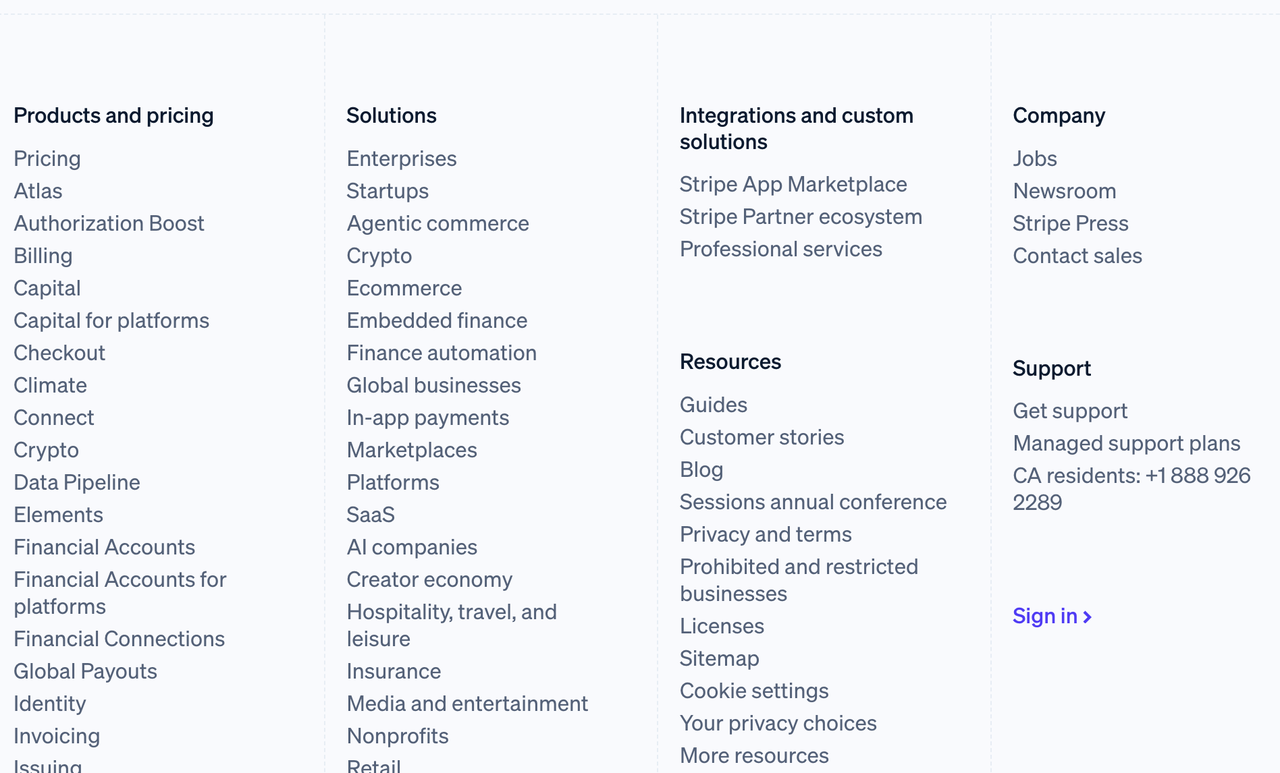
Image by Stripe
2. Allbirds
Allbirds is a highly successful sustainable shoe brand. Instead of just listing links, their footer is an active marketing tool. The very first thing you see in their footer is a prominent email signup box offering updates on new products. Below that, they clearly list "Help" and "Returns/Exchanges." For e-commerce, placing your return policy in the footer builds instant trust, removing the final hesitation before a customer makes a purchase.
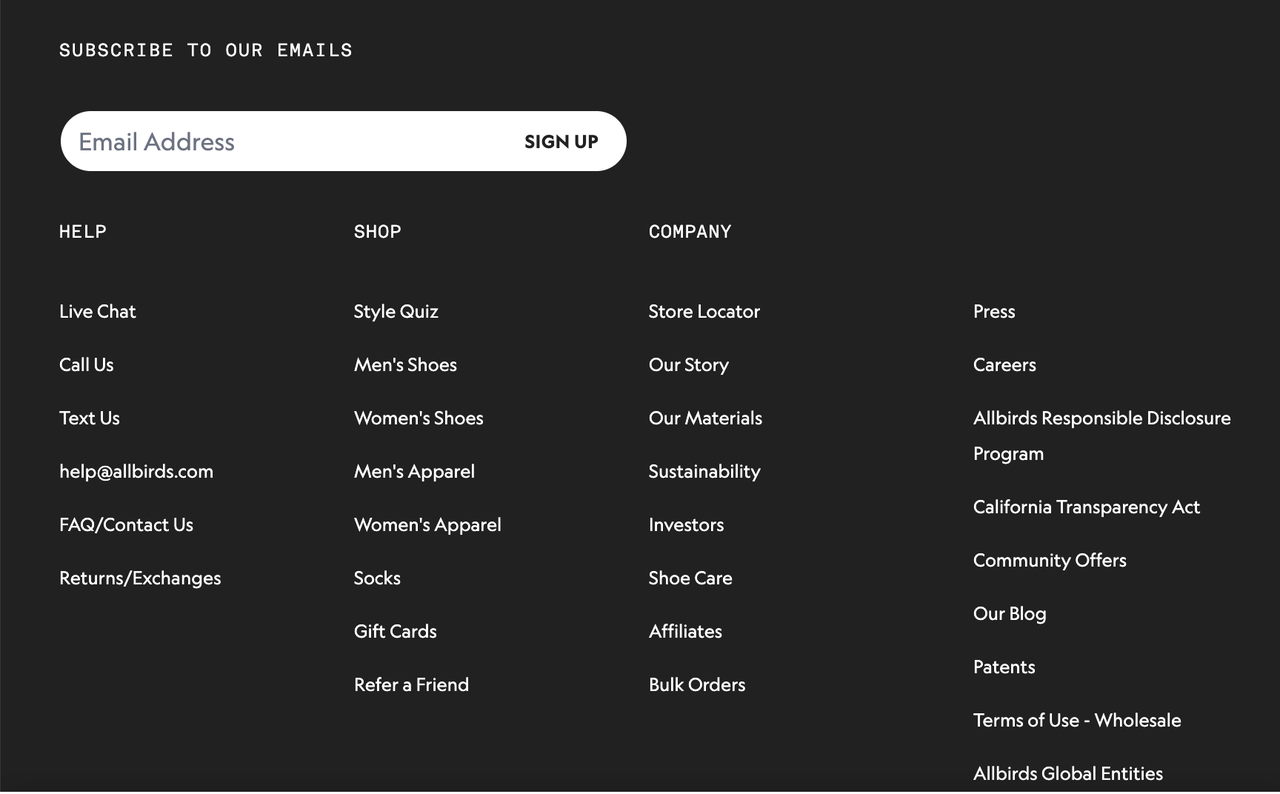
Image by Allbirds
3. Ahrefs
Ahrefs is a top-tier SEO tool. Because their marketing relies heavily on content, their footer is designed to keep users trapped in their educational ecosystem. They dedicate an entire column in their footer to "Free Tools" and "Blog Posts." If a user reaches the bottom of the page and isn't ready to buy a subscription, Ahrefs redirects them to a free tool, ensuring they don't bounce off the website entirely.
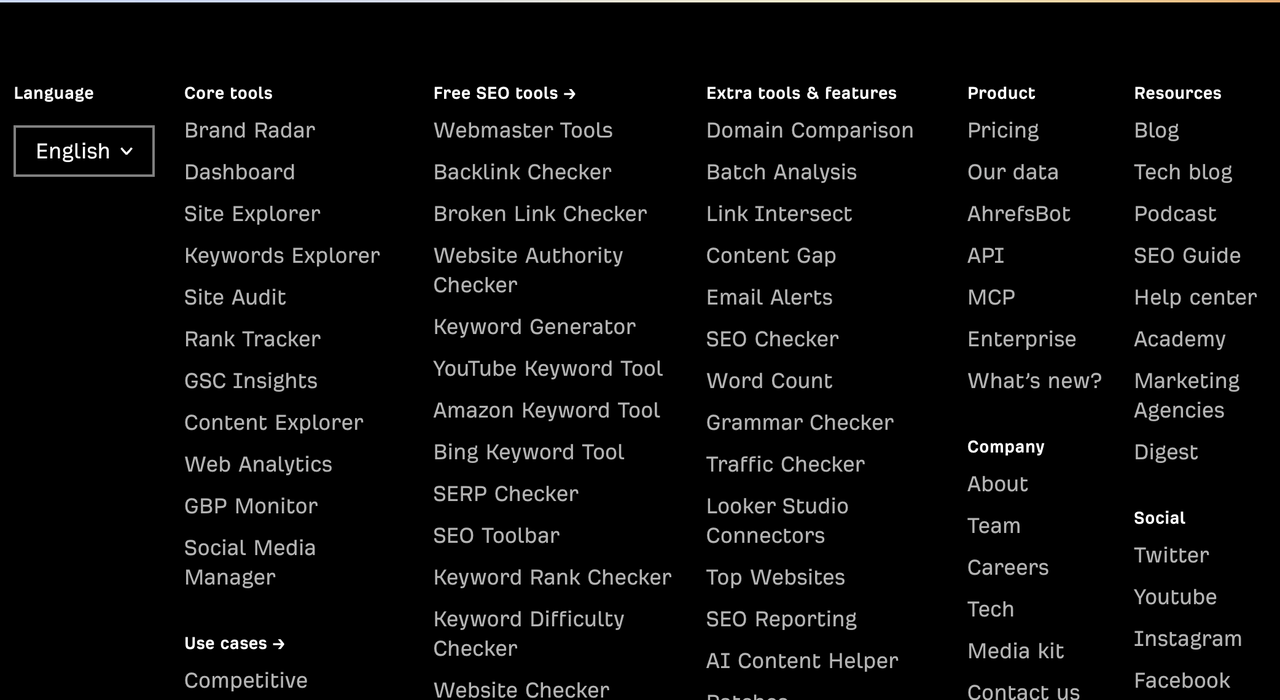
Image by Ahrefs
3 Simple Website Footer Examples (Minimalist & Clean)
For local businesses, creators, and personal portfolios, a massive "Fat Footer" is too much. You need simple website footer examples that provide closure without visual clutter.
1. Gumroad
Gumroad helps digital creators sell products. Their entire website features a quirky, highly contrasting brutalist design. Their footer abandons traditional corporate structures. Instead of a neat grid, it features a massive, ultra-bold "Start Selling" button taking up almost the entire width of the footer.
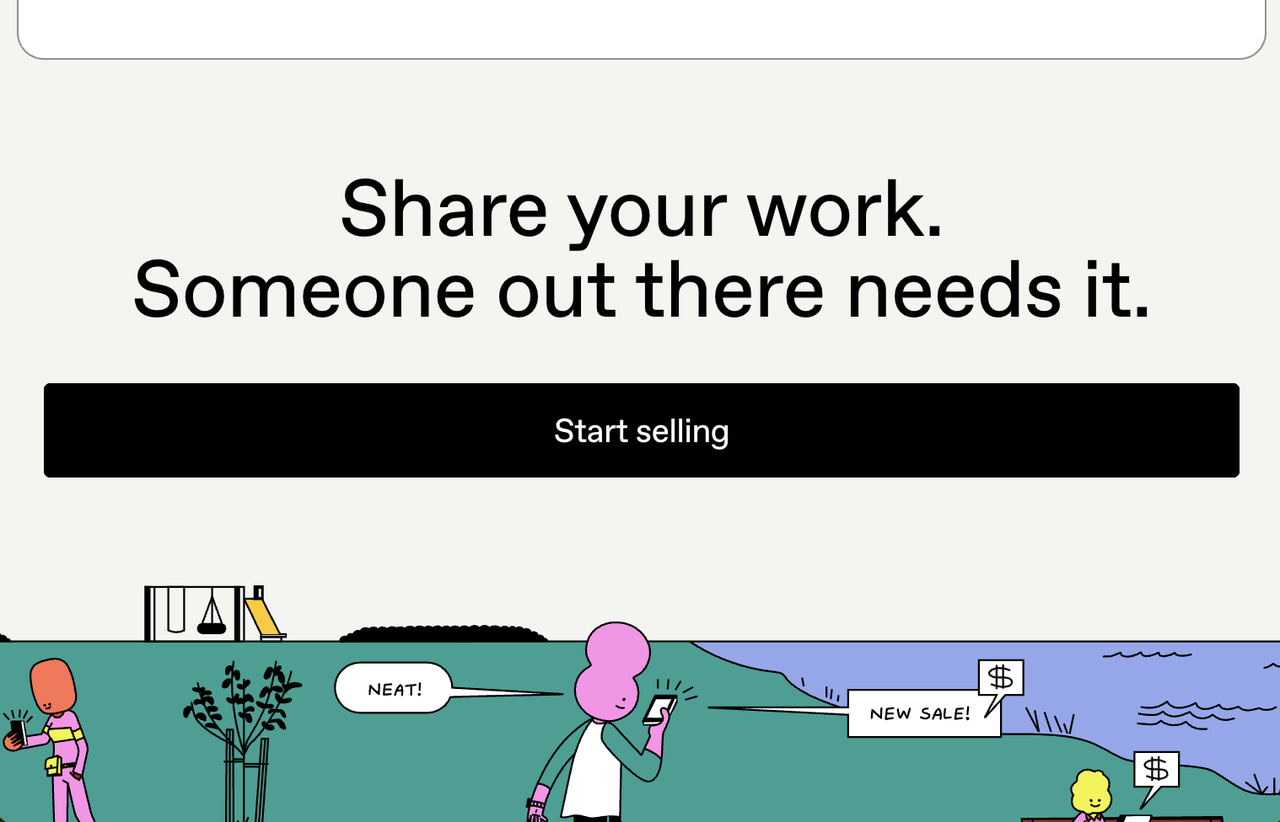
Image by Gumroad
2. Brian Lovin
Brian Lovin is a highly respected product designer. His personal portfolio footer is aggressively simple. The footer only contains three things: an introduction line, links to his X (Twitter), YouTube and GitHub, and a list of projects. For a personal brand, this is the perfect simple website footer example. It subtly directs the recruiter to his social presence.

Image by Brian Lovin
3. Notion
Notion is famous for its black-and-white minimalist aesthetic, and its footer perfectly reflects this brand identity. On a desktop, it neatly organizes dozens of links into a clean, unstyled grid without any distracting background colors or heavy dividing lines.
It proves that you don't need complex graphics to create structure. By relying purely on generous whitespace, high-contrast text, and a flawless mobile stacking logic (where columns collapse elegantly on smartphones), Notion ensures users can find templates or legal info effortlessly without visual clutter.
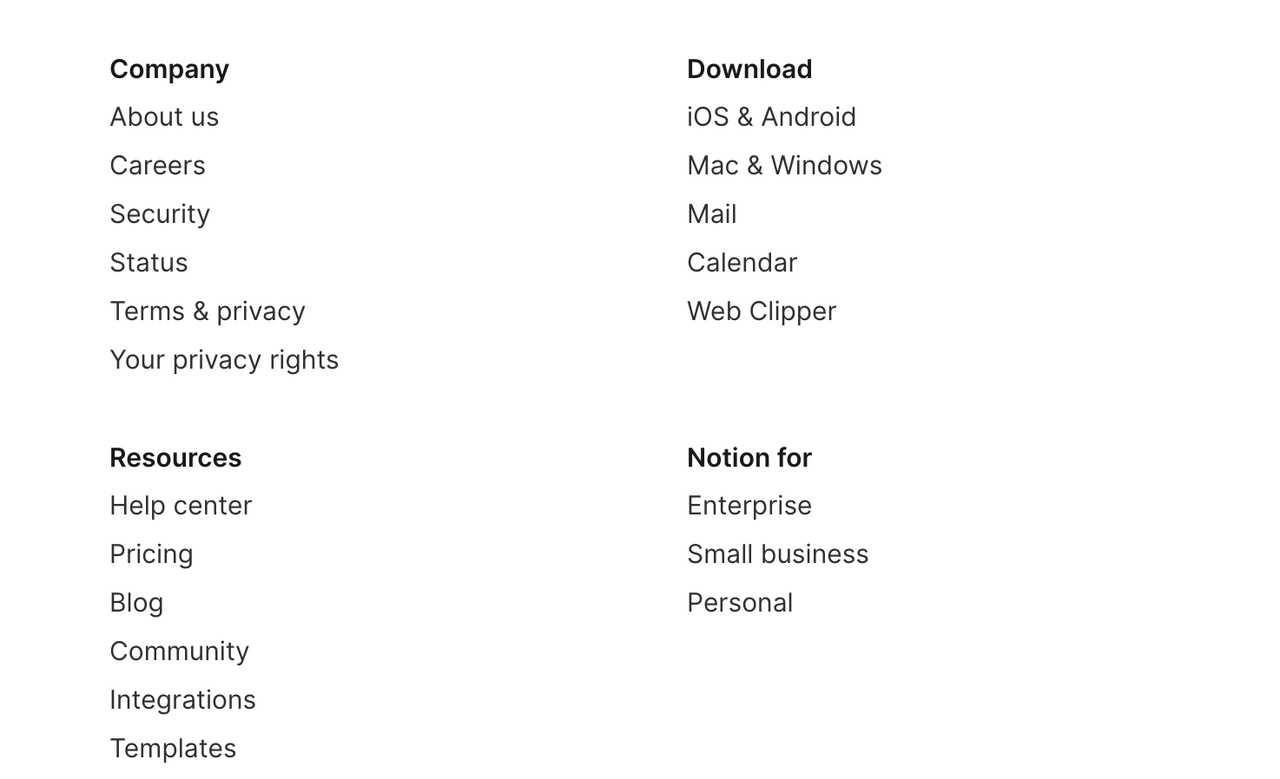
Image by Notion
Stop Wrestling with Grids: The Auto-Generated Smart Footer by Wegic
Studying these website footer examples is highly inspiring, but it also exposes a massive technical headache. In traditional drag-and-drop website builders, creating a footer is incredibly frustrating. You have to manually create columns, perfectly align them, and painstakingly link each word. Worse, when you switch to the mobile view, those columns often overlap, creating an unreadable, broken mess.
Why spend an hour formatting a footer when AI can calculate and generate it in 5 seconds?
Wegic completely changes how we build websites. As an advanced AI website growth system, Wegic doesn't just give you a blank canvas; it acts as an intelligent architect. Here is how Wegic handles the tedious work of footer design for you:
1. Context Generation
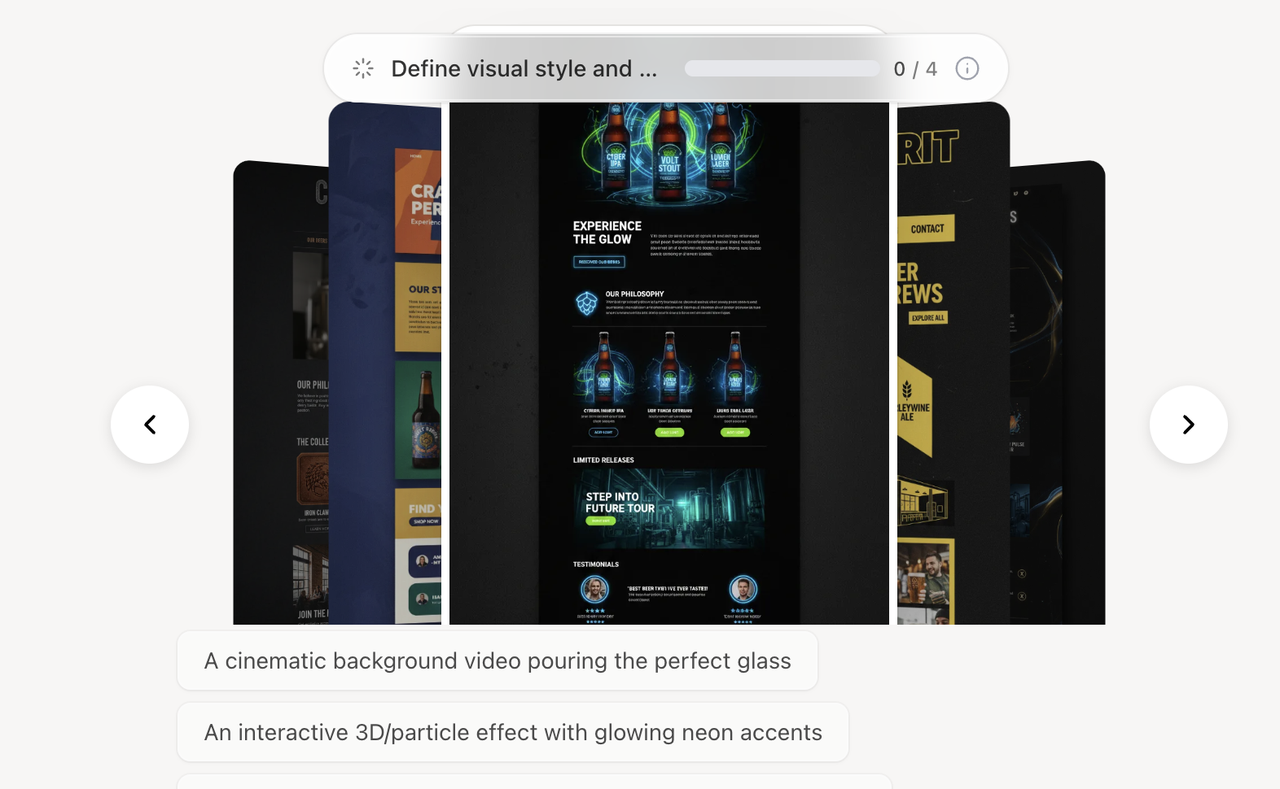
When you chat with Kimmy (Wegic's AI assistant) to build your site, the AI understands your business model. If you say you are building an E-commerce store and want a fat footer, Wegic automatically generates it for you, containing placeholders for Return Policies, Shipping Info, and a Newsletter signup. If you say you are building a Freelance Portfolio, it generates a minimalist footer with your social links. It knows exactly what you need before you even ask.
👇Click the image below to start with Wegic!

2. The Auto-Responsive Grid
This is Wegic’s superpower. You never have to worry about mobile formatting. The AI ensures that a 4-column desktop footer gracefully stacks into a readable, single-column vertical list on a smartphone, mimicking the UX perfection of brands.
3. Global AI Styling
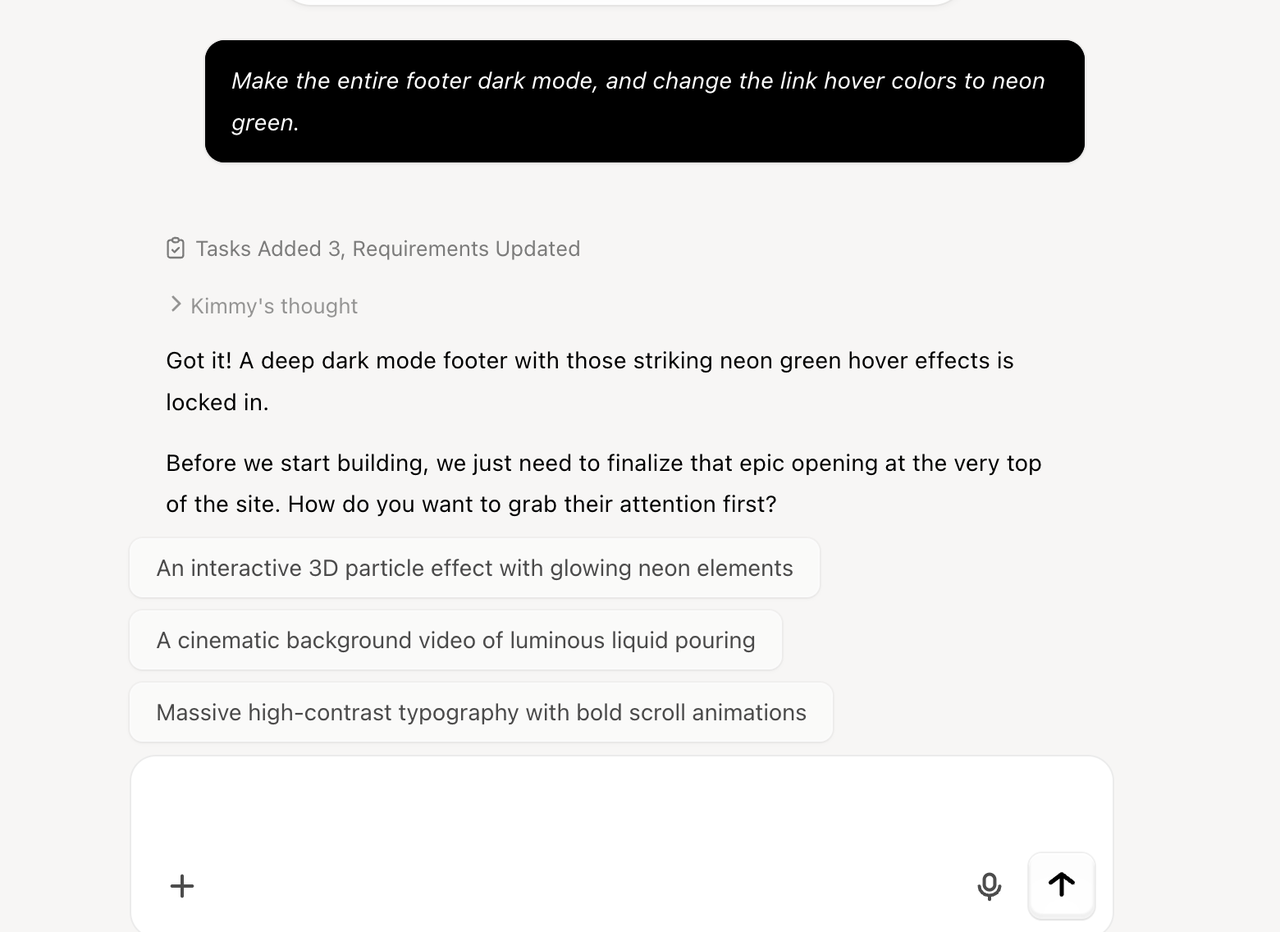
Realize your footer background color clashes with your brand? On a traditional builder, you have to manually highlight and change the background, the link colors, and the hover states. With Wegic, you simply chat:
"Make the entire footer dark mode, and change the link hover colors to neon green."
The AI updates the global styling instantly across all pages without breaking the layout.
4. Deploy Without Tech Headaches
Once your site is fully generated, clicking "Publish" is the final step. Wegic provides website hosting and handles the server infrastructure out of the box. Your site goes from a chat prompt to a live, highly professional digital business instantly.
Conclusion
The footer is important for your website. As demonstrated by these best website footer examples, a strategically designed bottom section catches lost visitors, builds legal trust, and provides a final push toward your conversion goals.
However, there is no reason to spend your valuable time manually coding grid columns or fighting with mobile layouts in 2026. By utilizing an AI website growth system like Wegic, you ensure that every part of your site—from the hero image down to the copyright text—is architecturally perfect and conversion-ready from the very first second.
Stop agonizing over layout grids. Experience Wegic’s conversational website builder today and launch a flawless digital storefront effortlessly.
FAQs
What essential links should be included in a standard website footer?
Regardless of your industry, every website footer should include a copyright notice, a link to your Privacy Policy, and your Terms of Service (to ensure legal compliance). Additionally, adding clear contact information, links to your social media profiles, and a brief site map helps users find what they need quickly.
Are simple website footer examples better than "Fat Footers"?
It entirely depends on your business model. For e-commerce stores, SaaS companies, or large blogs, a "Fat Footer" with multiple columns is necessary to organize complex navigation. However, for personal portfolios, landing pages, or local businesses, simple website footer examples are vastly superior because they reduce clutter and force the user to focus on your main Call-to-Action.
Why is it so hard to make a footer mobile-responsive on traditional builders?
Traditional drag-and-drop builders use absolute positioning or basic tables. When a screen shrinks to the size of a mobile phone, those 4 horizontal columns squeeze together or overlap, breaking the text. Modern AI builders like Wegic ensure your columns neatly stack vertically on a mobile device without any manual adjustments.