Home > Accept Payment Online

Accept payment online with Wegic


Accept payment online on your website made by Wegic. Easily make your payment solution flexible, easy, fast, and most importantly, secure.
Get Started
Setting a one-time payment price and connecting PayPal for online payments
Person tapping a credit card on a POS terminal to complete an in-store payment
「online payment 」

Set up your online payment system in minutes

Effortlessly deploy and launch an online payment system with Wegic: describe your needs, and let us easily set one up without requiring extra manual edits — no complex setup or study documents are needed for the payment tool. Wegic automates the entire process, from building to integrating your payment flow. Publish your website and start collecting payments online securely in Wegic.
Get Started
Wegic Studio interface showing AI website planning tasks alongside a fashion ecommerce homepage preview

Accept payments anytime, anywhere

Connect your website to a global payment solution like PayPal in Wegic, and receive payments without limits.
Get Started

Flexible methods

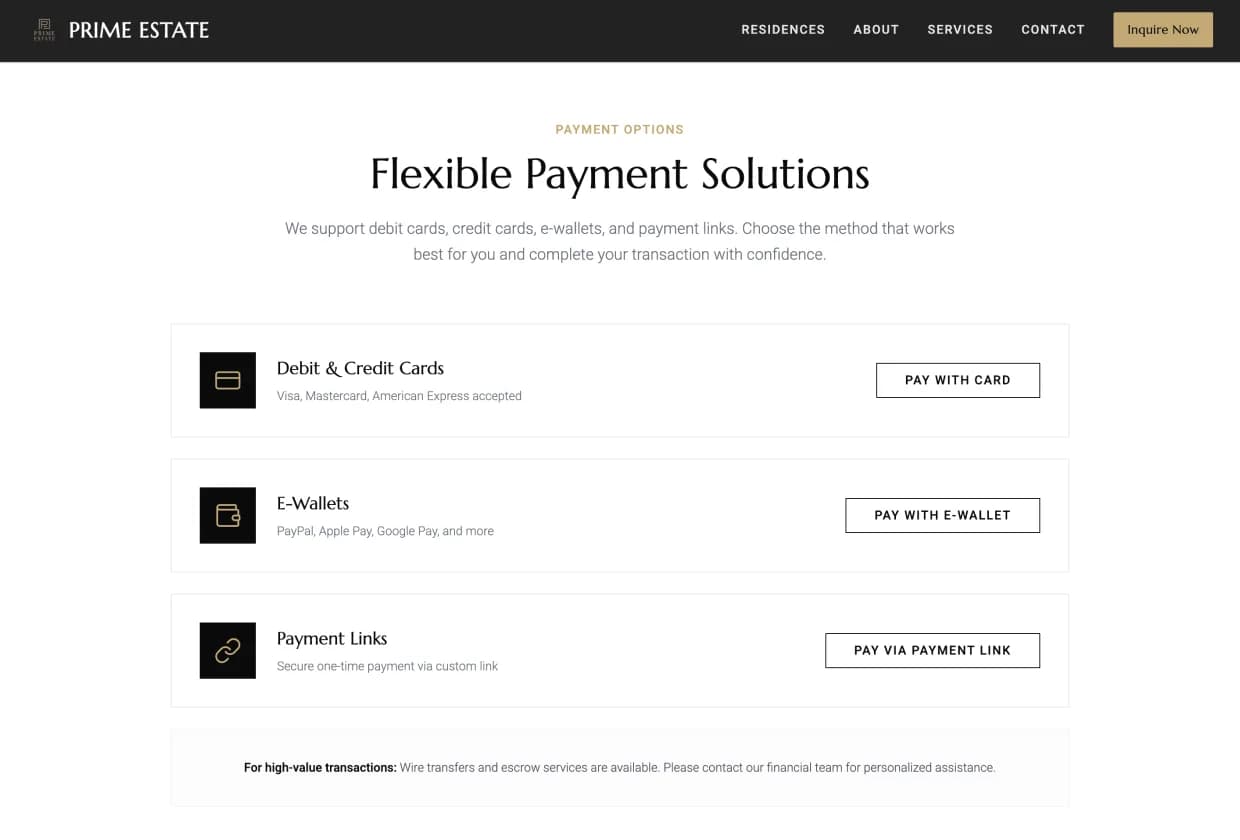
Support various payment types, including debit and credit cards, e-wallets, and payment links. Let customers decide and pay their way freely.
Website payment options section displaying debit cards, e-wallets, and payment links
Customer holding a credit card while making an online purchase on a laptop

24/7 availability

Let your website's online store never sleep with online payment, allowing customers to shop, purchase, and complete payments 24/7.
Real estate portfolio page displaying luxury properties with images, locations, and prices
Luxury retail store interior showcasing handbags and accessories on display shelves

Faster payments

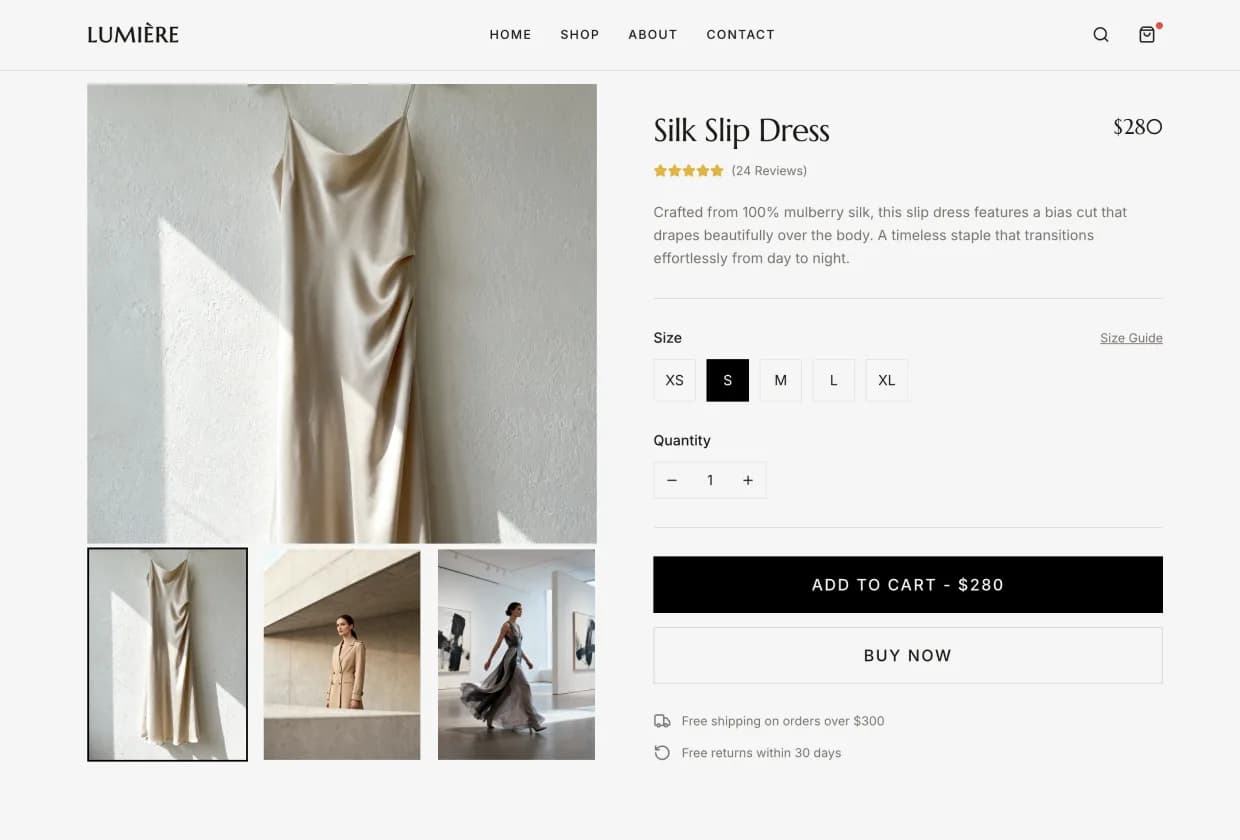
Utilize online payment to speed up the checkout process and reduce drop-offs, closing deals faster and boosting revenue.
Silk slip dress product detail page with size selection, price, and add-to-cart actions
Customer using a smartphone to make a contactless payment on a POS terminal

Wider reach

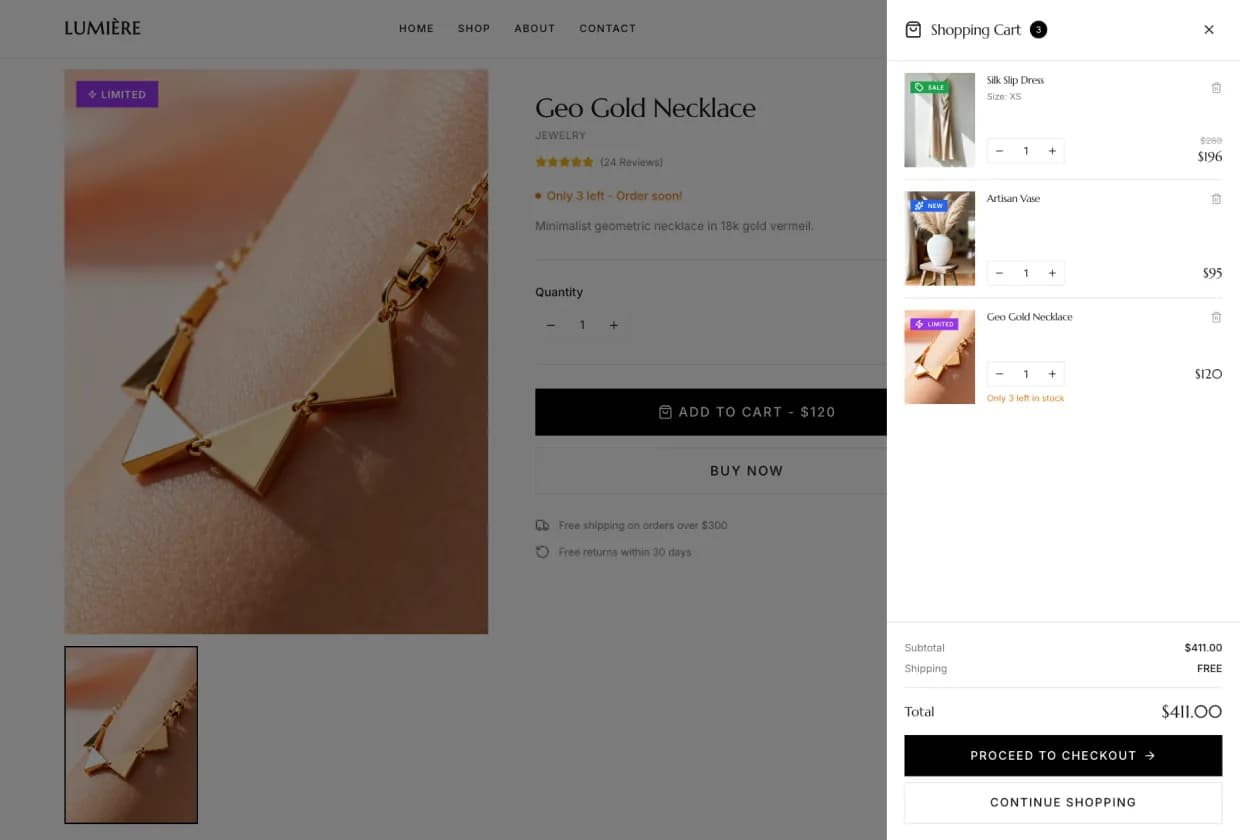
Accept online payments from both walk-in visitors and remote buyers with an online payment website made in Wegic.
Shopping cart sidebar showing selected products, quantities, and total order amount
Customer holding a credit card while completing an online checkout on a laptop

Sell more with flexible online payment support

Let an online payment system help your business boost sales and achieve smooth revenue growth, regardless of your pricing model. Wegic helps you to set up an online payment solution that operates smoothly and automatically, ensuring every payment is processed accurately.
Minimalist ecommerce collection page showing clothing, accessories, and home decor products
One-time purchase
Support simple one-time payments for instant pay-and-go purchases on your website.
Subscriptions
Empower various subscription tiers, ranging from basic to premium plans, with an auto-recurring billing process.
Memberships
Offer membership-based pricing with automatic discount application.
Product packages
Allow customers to purchase bundled products or service packages in flexible combinations.
Limited-time offers
Run promotions effortlessly with limited-time discounts, special deals, or coupon codes.

Secure online payment system made easy

The online payment system deployed on your website by Wegic ensures safe and reliable transactions and experiences.

Secure website environment

Website made in Wegic runs on a stable and secure infrastructure, ensuring every payment starts in a trusted environment.
Close-up of a code editor displaying structured source code on a dark interface

Authoritative payment providers

Wegic only helps integrate industry-trusted solutions like Stripe and PayPal, ensuring every transaction follows their certified security standards.

No access to your payment data

All payments occur directly within the third-party providers' systems. Wegic does not participate in, store, or process any transaction or personal financial information.

Zero commission fees

Wegic does not take any cuts from your payments. You receive the full amount your customers pay, with no hidden fees from us.
Close-up of U.S. dollar bills representing pricing, payments, or financial transactions

How to set up online payments in Wegic

Get Started Now
Step 1
Describe your needs for a payment system, and Wegic will automatically plan and deploy the payment system to your website.
Step 2
Set up the workflow by chatting with Wegic, and perform operations in your own PayPal or Stripe App when necessary.
Step 3
Review the workflow from checkout to payment, and publish it once it is complete and ready.

Frequently asked questions

What currencies are supported in the payment system?

The supported currencies depend on your region and the configuration of your chosen third-party payment provider. Wegic only helps you deploy the payment system, so the currency options follow the rules of PayPal, Stripe, or other providers you connect.

What are the processing fees for integrating online payment in Wegic?

Wegic does not charge any fees or commissions for deployment or transactions. Any processing fees are paid solely by your third-party payment provider.

How can I check my earnings?

Your earnings and transaction records are managed by the third-party payment provider, so you can review them directly in your PayPal, Stripe, or other connected payment dashboard.

Can my business customers have invoices?

Yes. Invoices are issued and delivered by the third-party payment platform, as long as you have enabled invoice features in your provider account.

Can I reach Wegic if I have deployment questions?

Yes. You can contact us at any time through email or our community channels, and we will be happy to assist you.

Can I change the payment provider?

Yes. You can switch to another third-party payment provider at any time. Simply update your settings and reconnect the new provider during deployment with Wegic.