In 2025, Wegic or Notion Sites for beginners are both good choices, because both tools support building a website more easily. Wegic is an AI website builder; it can create pages, layouts, and content for you automatically. It is fast, simple, and great for beginners. Notion Sites works differently. It turns your notes, documents, and pages into a public website with one click. This makes it popular for personal pages, portfolios, and simple knowledge hubs. Notion addresses a substantial $228 billion annual productivity loss due to inefficient workflows. (Source: sqmagazine, 2025)
This Wegic vs Notion Sites introduction shows why more creators, students, and small business owners compare these two platforms today. A Notion Sites vs Wegic comparison helps you understand their strengths: Wegic gives full AI help, while Notion gives a clean, document-style website. When looking at Wegic vs Notion Public Pages, it is clear that each tool fits different needs. If you want a fast personal site, Wegic vs Notion for personal website is a choice worth thinking about.
#01 How Wegic and Notion Sites Work (Fundamental Differences)
When comparing Wegic vs Notion Sites, the biggest difference is how each tool builds a website. Wegic works like a real AI website builder, while Notion Sites work more like a public page made from notes. This Notion Sites vs Wegic comparison helps beginners understand what each tool can do and who should use it.
1. What Wegic Actually Does (AI Website Builder)
Wegic is built for people who want a website created almost automatically. You simply type what you need, and Wegic’s AI creates the layout, pages, text, images, and full site structure. With studies show that
AI can reduce operational costs by up to 30% and save businesses more than 20 hours of valuable time each month. (Source: arxiv, 2025)
The platform can generate:
full multi-page websites
navigation menus
hero sections, CTAs, feature blocks
blog pages and article templates
Wegic also supports AI page rewriting, AI redesign, and AI layout adjustments, so the website keeps getting better over time. This makes the platform very friendly for people choosing Wegic or Notion Sites for beginners, because Wegic requires no design skills or coding.
You can also export the site to HTML, and future versions will support CMS, making it good for long-term business growth. Because of this, Wegic is often used for: business websites, startup landing pages, product pages, portfolios, and marketing pages.
Wegic is made for real commercial use, and Wegic vs Notion Sites pricing usually shows that Wegic has a free plan and paid upgrades that unlock more AI features and pages.
2. What Notion Sites Actually Do (Public Pages From Documents)
Notion Sites work very differently. They are not full
AI website builders. Instead, they turn your Notion documents into
public web pages. This works well if you want a simple, writing-focused site. Notion has become a powerhouse in productivity tools, reaching 100 million users globally, even surpassing several earlier milestones. (Source: sqmagazine, 2025)
Notion uses blocks—text, images, tables, toggles—and turns them into a clean public page. This makes Notion better for:
Wikis
SOPs
public notes
company handbooks
simple personal pages
resource lists
documentation
This is why many people think about Wegic vs Notion Public Pages when creating personal or simple text-based sites.
However, Notion Sites are not made for complex websites. They do not create navigation automatically, cannot design layouts with AI, and do not build multi-page website systems. Many users must rely on outside tools like Super or Fruition to make Notion look more like a real website.
#02 Design Capabilities: AI Layout vs Document Aesthetics
When looking at Wegic vs Notion Sites, one of the biggest differences is how each platform handles design. Wegic focuses on AI-generated layouts, while Notion Sites keep the simple look of a Notion document. This makes the Notion Sites vs Wegic comparison very clear for beginners trying to understand how their final website will look.
Wegic: Smart, Automatic Website Design
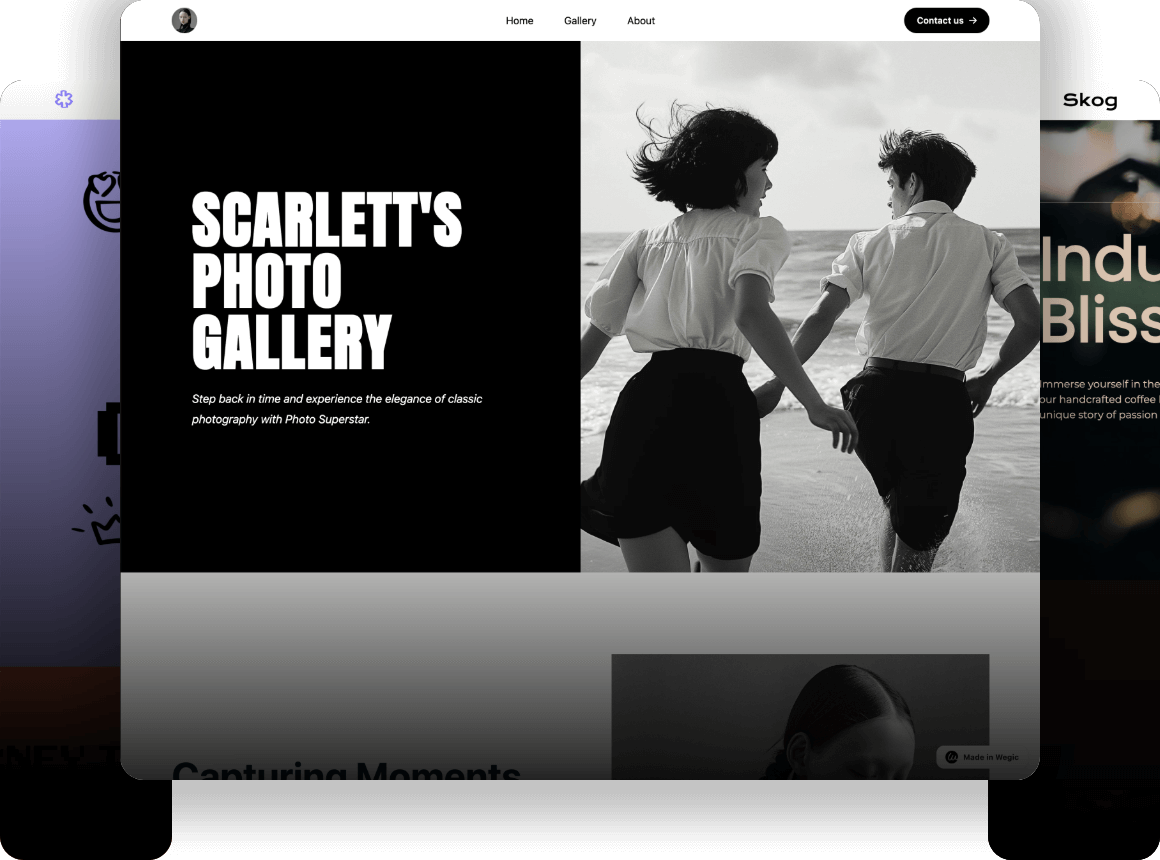
Wegic uses AI to build visual layouts that look like modern websites. Instead of starting with a blank page, Wegic creates complete sections such as hero banners, pricing tables, testimonial blocks, feature layouts, and more. The system picks colors, spacing, and structure automatically, so the website looks clean and professional right away.
Start to use Wegic to build modern websites👇
This helps people choose Wegic or Notion Sites for beginners, because Wegic removes the worry of “How should my site look?” AI does the heavy work, and users can still adjust colours, text, or layout details if they want. The style feels like real web design, not a document.
This difference makes Wegic much better for:
landing pages
brand websites
online portfolios
business homepages
As a result, many creators also compare Wegic vs Notion Public Pages when deciding how professional they want their site to appear.
Notion Sites: Simple Document-Style Layout
Notion Sites work in a more limited way. They keep the same block structure and narrow layout that Notion uses for its workspace. The design is clean and minimal, but it cannot create true website sections or flexible page widths. Everything looks like a formatted document.
This makes Notion Sites great for writing-focused pages, such as notes, guides, company wikis, or simple personal pages. But it is not ideal for building brand landing pages or marketing sites, because it lacks modern visual blocks, wide layouts, and creative design tools.
People comparing Notion vs Wegic website builder usually choose Notion only when they want the simplest possible page or when the project is mostly text.
#03 Content Creation: AI Generation vs Manual Writing
When comparing Wegic vs Notion Sites, one of the biggest differences is how each platform handles content. Wegic focuses on AI-generated writing, while Notion Sites rely completely on manual writing. This makes the Notion Sites vs Wegic comparison very clear for anyone wondering which tool saves more time or fits their writing style.
1. Wegic: Full AI Content Generation
Wegic creates almost all website content automatically. When you describe your business or goal, Wegic writes full web copy for every section—home page, about page, services,
blog layouts, and more. It fills missing information, suggests better wording, and even offers content improvements based on your goals.
This is helpful for people deciding Wegic or Notion Sites for beginners, because Wegic removes the pressure of writing everything from scratch. Users only need to review AI text, make small edits, and publish. For landing pages, product pages, marketing sites, and small business websites, this saves hours of work and gives beginners a professional tone instantly.
Wegic’s automatic content creation also makes Wegic vs Notion Public Pages very different. Wegic is built for marketing-ready content, not just simple text.
2. Notion Sites: 100% Manual Writing
Notion Sites work the opposite way. They require users to write every word by hand. There is no AI copywriting built into Notion, and all content must be typed manually. This gives users full control over their text, but it also means more work.
Notion is strong in organising complex information—tables, checklists, documentation, wikis, resources, and notes. But it is not ideal for generating large amounts of marketing copy or product descriptions. It also does not provide visual content suggestions or automatically rearrange the text in a website-style layout.
For this reason, many users comparing Notion vs Wegic website builder choose Notion only when they want a simple writing-based site.
#04 Wegic vs Notion Sites pricing
When looking at Notion Sites vs Wegic comparison, pricing is one of the biggest differences between the two platforms. Wegic vs Notion Sites pricing: Both have free options, but how you pay and what you get is very different.
1. Wegic vs Notion Sites pricing: Wegic Pricing
Wegic is an all-in-one
AI website builder. You can start for free using some trial credits, which let you test its AI features and see how it builds your website automatically. When you upgrade to a paid plan, all features are unlocked, including:
Full AI page creation
AI content generation and optimization
Multiple pages and navigation menus
Business-ready layouts for portfolios, landing pages, or brand websites
Below is the Wegic Pricing list for your quick reference.
| Plan | Price (Monthly) | AI Credits / Generation | Pages / Website | Websites Published | Key Features |
| Starter | $23.90 ($0.79/day) | 600 credits / 15 AI generations or 60 AI modifications | 10 | 1 | Basic custom design, Publish to wegic.app, Accept payments, Visitor insights, Direct customer inquiries |
| Premium | $41.90 ($1.38/day) | Unlimited AI generations & modifications | Unlimited | Unlimited | Advanced custom design, Free custom domain (1 year), Accept payments, Visitor insights, Direct customer inquiries |
This makes Wegic a good choice for businesses, creators, and anyone who wants a real website built fast. The price is clear and gives access to a complete AI-powered website system.
2. Wegic vs Notion Sites pricing: Notion Sites Pricing
Wegic vs Notion for personal website. Notion Sites work differently. Public pages are free to share, and Notion itself has free and paid plans for the full workspace. If you want a simple personal website, you can often stay in the free version.
However, Notion Sites does not have built-in website features like AI layouts orSEO tools. If you want a more professional site, wider designs, or landing-page styles, you often need third-party tools like Super or Fruition, which can cost extra.
Below is the Notion Sites Pricing list for your quick reference.
| Plan | Price (Per Member / Month) | Key Features |
| Free | $0 | Organize personal projects, basic forms, basic sites, Notion Calendar, Notion Mail, Databases with subtasks & custom properties |
| Plus | $10 | Everything in Free, unlimited collaborative blocks, unlimited file uploads, unlimited charts, custom forms & sites, basic integrations |
| Business | $20 | Everything in Plus, Notion AI Agent, Enterprise search, Beta AI meeting notes, SAML SSO, granular database permissions, private teamspaces, domain verification |
| Enterprise | Custom pricing | Everything in Business, zero data retention with LLM, user provisioning (SCIM), advanced security & controls, audit log, customer success manager, advanced integrations |
Wegic vs Notion Sites pricing shows that Wegic is a complete paid solution for AI-built websites, while Notion Sites is mostly free but may need extra subscriptions for professional-looking pages. This is an important part of any Notion Sites vs Wegic comparison.
#05 Wegic vs Notion Sites for Beginners
For beginners, choosing the right website tool can be confusing. The Wegic vs Notion Sites comparison shows that these two platforms are very different, and your choice depends on what kind of website you want to build.
1. When to Choose Wegic
Wegic is perfect if you want a complete website quickly. It is fully automatic and beginner-friendly. You don’t need to write all the text yourself because Wegic generates content for you using AI. The platform also creates layouts, pages, and sections like hero banners, pricing tables, and calls-to-action automatically.
If your goal is a
business website, a branded landing page, or a personal portfolio, Wegic saves time and effort. You can even create creative marketing pages or AI-powered content that updates over time. Beginners benefit a lot from this system because it allows fast publishing—sometimes in
just 60s. This makes Wegic or Notion Sites for beginners very different: Wegic is designed to handle the whole website for you.
2. When to Choose Notion Sites
Notion Sites work differently. They are best if you want simple, writing-based pages or need a collaborative environment. For example, Notion is great for team wikis, product documentation, or personal notes that you want to share publicly.
Notion Sites are lightweight and flexible in content, but they cannot create real websites with professional layouts. Everything looks like a document, so there is less visual design control. This makes Notion ideal for frequently updated content or small personal projects, but less suitable for business or marketing websites.
3. Key Takeaways for Beginners
For a professional site that is fast, automated, and visually complete, go with Wegic.
For collaborative writing, knowledge sharing, or a simple public page, choose Notion Sites.
Looking at Notion Sites vs Wegic comparison and Wegic vs Notion Public Pages, it is clear that Wegic focuses on automation and ready-to-publish websites, while Notion is better for lightweight pages or documentation.
If you want a personal website with a professional design, Wegic vs Notion for personal website shows that Wegic is the faster and more powerful option. Beginners who just need simple pages or a team wiki may prefer Notion. This comparison helps anyone using Notion vs Wegic website builder to pick the right tool for their skills, project type, and goals.
Conclusion
Are you still confused about how to choose Wegic vs Notion Sites? It comes down to your goal. If you want a full website with AI layouts, automatic content, and fast publishing, Wegic is the best choice. If you only need a public document or a simple page, Notion Sites works well. This Notion Sites vs Wegic comparison told us that Wegic is for beginners who want professional websites quickly. Notion is for light, collaborative pages. For anyone wondering about Wegic or Notion Sites for beginners, trying Wegic is simple and fast. Start your free Wegic trial today and build your website in the 60s!
FAQ
1. What is the main difference between Wegic and Notion Sites?
Wegic builds full websites automatically with AI, including layout and content. Notion Sites turn your notes into simple public pages, mostly for documents or small personal sites.
2. Is Wegic or Notion Sites better for beginners?
Wegic vs Notion for personal website. Wegic is easy for beginners who want a real website fast. For simple pages or notes sharing, Notion Sites are beginner-friendly too.
3. Can Wegic automatically generate website content?
Yes! Wegic uses AI to write full web pages, fill missing content, and suggest improvements. You only need to review and publish.
4. Wegic vs Notion for personal websites. Are Notion Sites suitable for professional websites?
Not really. Notion Sites are best for simple personal pages, wikis, or documentation. They don’t have full website layouts or marketing-ready features.
5. How do Wegic and Notion Sites compare in pricing and features?
Wegic has free trial credits and paid plans with full AI website features. Notion Sites are free for basic pages, but extra tools or subscriptions are needed for advanced design.