How to Start Your Own Private Website? Find Tutorial Here
Learn how to create a private, secure website with this easy step-by-step tutorial. Build your personalized site effortlessly and protect your online presence today!
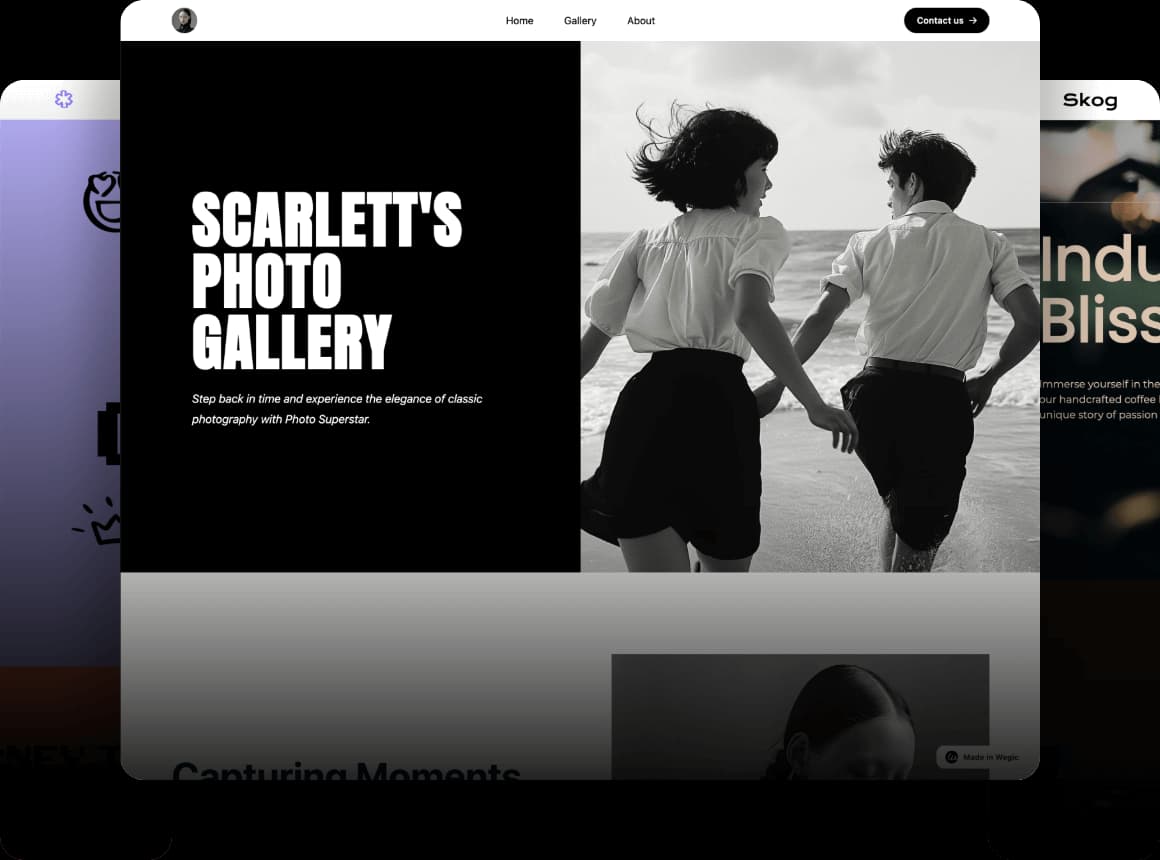
A space on the internet that’s just for you—secure, personalized, and completely under your control.
You can share what you want, with who you want, and never worry about someone else taking over your space. Perfect for a hobbyist, a small business owner, or just someone who values their privacy, a private website can be exactly what you need.
But what is a private website? Simply put, it’s a site that gives you control over what’s shared and who sees it. It's a place where you decide the rules—no more worrying about data being sold or your content being misused. It's perfect for those who want to keep their personal information safe or need a secure online space for their business, portfolio, or blog.
In this guide, you'll learn exactly how to start your own private website, step by step. You don’t need to be a tech expert or hire a designer. With tools like a free private website builder, you can create your site easily and securely. We’ll walk you through every stage: from choosing the right platform to customizing your design, making sure your website fits your needs perfectly.
So, if you’re ready to build a website that’s uniquely yours and with trustable privacy, keep reading. By the end, you'll be confident in creating a site that protects your content and helps you share your message with the right people!
What is a Private Website and Why Should You Create One?
A private website is exactly what it sounds like—a website that you control completely. Unlike regular websites where anyone can access everything, a private website allows you to set rules about who can see your content, just like having your own digital space where you can choose exactly who gets to visit and what they can see.
When you create a private website, you have the power to control access. You can make certain pages or content password-protected, meaning only the people you invite can view them; you can also decide how much personal information you want to share with the world. This makes your website more secure and gives you peace of mind knowing your data is in your hands.
Benefits of a Private Website
Privacy
-
Privacy is more important than ever. A private website lets you keep your personal information safe from strangers and unwanted ads.
Control Over Your Data
-
On a private website, you own your content. Unlike social media platforms that might sell your data or use it for ads, your private website stays yours, giving you full control.
Enhanced Security
-
With features like password protection and encrypted connections, your website will stay safe from hackers or anyone trying to misuse it.
Who Needs a Private Website?
Business Owner
-
If you’re running a business and want a secure space for clients or team members, a private website is ideal. You can share sensitive documents, communicate with employees, or even store client information without worrying about security breaches.

Personal Bloggers
-
Want to share your thoughts or experiences but only with a select group by starting your own private website? A private website lets you write and express yourself without the worry of public exposure.

Online Portfolios
-
If you’re a designer, photographer, or artist, a private website lets you showcase your work to potential clients or employers while controlling access.

Anyone Concerned with Online Privacy
-
Whether you’re sharing personal photos, creative projects, or just keeping a personal blog, a private website ensures your content stays safe and accessible only to those you choose.
Creating your own private website doesn’t have to be complicated. With a free private website builder, you can easily set up a site that fits your needs and privacy goals without any coding experience. In the next steps, we’ll show you exactly how to make your own private website, no tech skills required.
Step 1: Planning Your Private Website
Before diving into the answer to how to start your own private website, it’s important to ask yourself a few key questions to guide your decisions.

Key Questions to Ask
What’s the purpose of your website?
-
Is it a personal blog, a portfolio, or an online store? Knowing the purpose will help you make decisions about design and privacy.
Do you need password protection?
-
If you want to restrict access to certain content, consider adding password protection. This is useful for private portfolios, client information, or members-only content.
What kind of content will you showcase?
-
Will your site have images, blogs, or videos? The type of content will affect how you organize and protect it.
Choosing the Right Platform
There are several options for building a private website:
Free Website Builders:
Free platforms like Wegic can get you started easily, as Wegic offers a chat-based web-building experience, but may offer limited privacy features.
Paid Website Builders:
Paid platforms like Squarespace and Weebly give you more control over privacy settings and customization, with options like password-protected pages.
Self-Hosted Websites:
If you want full control, consider self-hosting. This requires more technical know-how but gives you complete flexibility over privacy and security.
Customization Options
Once you've chosen your platform, think about design and privacy features:
Design Flexibility:
Choose a layout that suits your content and makes navigation easy. Simpler designs often work best for private sites.
Content Management:
Organize your content to separate public and private areas. Password-protect certain pages if needed.
Privacy Settings:
Customize privacy features like password protection and members-only access. Ensure you can control who sees your content.
Step 2: Selecting the Right Hosting & Domain

After planning your website, the next step is to choose where it will live online. How to start your own private website in Step 4? Just selecting the right hosting service and domain name is crucial for both privacy and easy access.
Private Hosting Options
Here are some hosting options for your private website:
Self-Hosted Websites:
For full control over privacy, consider self-hosting. This gives you flexibility but requires some technical know-how.
Secure Shared Hosting:
Affordable and easy to use, shared hosting (like Bluehost or SiteGround) includes privacy features such as SSL certificates to keep your site secure.
Platforms with Privacy Features:
Some free website builders like WordPress offer secure hosting with built-in privacy features, ideal for those who want a simple, all-in-one solution.
Choosing a Domain
Your domain is your website’s online address. Here’s how to choose a good one:
Keep it Simple:
Choose a short, easy-to-remember name, like “MyPrivateBlog.com.”
Reflect Privacy:
Include words like “secure,” “private,” or “protected” to emphasize your site’s privacy focus.
Check Availability:
Use domain registrars like Namecheap to make sure your domain name is available before you commit.
Connecting Domain and Hosting
Once you’ve chosen your hosting and domain, you’ll need to link them:
Buy Your Domain:
Purchase through a domain registrar or hosting provider.
Choose Your Hosting Plan:
Sign up for a plan that suits your needs.
Connect the Domain:
Update the DNS settings in your domain registrar to point to your hosting provider.
Verify:
After a few hours, test your website to ensure the domain is connected correctly.
With the right hosting and domain, you’re ready to launch a private and secure website.
Step 3: Designing Your Private Website

Now that you've set up hosting and a domain, it's time to design your private website. The design should not only reflect your personal or business style but also prioritize privacy and security.
Design Basics for Privacy
A clean, clear design helps visitors navigate your site easily and feel secure:
Keep it Simple:
Focus on a straightforward layout that’s easy to use. Simple designs reduce confusion and help visitors feel more comfortable.
Privacy Features:
Integrate privacy elements like password-protected pages and secure forms for collecting sensitive information.
Customizing Design
Next, personalize your site’s look:
Themes and Layouts:
Choose a theme that fits your style—modern for a blog or compact for a business. Keep navigation easy and enjoyable.
Fonts and Colors:
Pick readable fonts and a color palette that aligns with your brand. A clean, professional font makes the site feel welcoming.
Adding Privacy Features
Add features that keep your site secure:
Password Protection:
For sensitive pages, set up password protection to control access.
Secure Forms:
Use encrypted forms for login or personal info to keep data safe.
Content Restrictions:
Restrict access to certain content by using login requirements or membership options.
Focusing on functionality, simple design, and strong privacy features will create a secure website that is also easy to navigate.
Step 4: Enhancing Privacy & Security

Building a private website isn’t just about design—it’s about ensuring your site is secure and your content stays protected. Here are three key steps to keep your site safe in this step of how to start your own private website.
SSL Certificates
An SSL certificate is like a lock for your website. It encrypts the data shared between you and your visitors, making it unreadable to hackers. Sites with SSL show a padlock icon in the address bar, giving users confidence that their information is safe. Most hosting providers offer easy SSL installation—often with just a few clicks.
Password Protection
Want to keep certain areas of your site private? Password-protected pages are a great solution. Whether it’s a family photo album, client documents, or exclusive content, you can set up passwords to control who gets access. Most platforms, including free private website builders, let you activate this feature directly in their settings.
Privacy Settings
Take control of who sees your content by adjusting your privacy settings. Many website platforms let you limit visibility to specific users, block search engines from indexing your site, or set permissions for uploaded files. For example, you might restrict a blog to only registered members or keep an online portfolio visible only to hiring managers.
Step 5: Publishing Your Private Website

After designing your private website, it’s time to bring it to life! Follow these steps to ensure a smooth launch:
Domain & Hosting Setup
Once you’ve chosen a custom domain name that suits your website, connect it to your hosting platform. Most hosting providers offer simple guides to link your domain—usually just updating a few settings. Double-check the connection by visiting your domain to confirm it displays your site correctly.
Preview & Launch
Before you go live, take a moment to preview your website. Click through each page to check its design, links, and privacy settings--always make sure features like password protection or limited access settings are working properly. It’s better to catch any mistakes now than after your site is live.
Publishing Tips
When you’re ready to launch, remember to notify anyone who should know about your site, like friends, clients, or team members. Share your link securely if privacy is crucial.
Step 6: Ongoing Maintenance and Privacy Considerations

A private website isn’t a “set-it-and-forget-it” project, so regular upkeep ensures your site remains secure and functional.
Regular Updates
-
Keep your website platform and plugins updated to fix bugs and security vulnerabilities.
-
Enable update notifications from your website builder or hosting provider.
Monitor Access
-
Regularly review who has access to your website.
-
Update or remove permissions for outdated accounts.
Adapt and Adjust
-
Periodically assess your website’s design, privacy, and security settings.
-
Add new features, redesign pages, or adjust settings as your needs evolve.
Ongoing maintenance ensures your private website stays secure, functional, and tailored to your goals.
FAQs
How do I add more security to my private website?
-
Install an SSL certificate to encrypt the connection between your site and visitors.
-
Use strong, unique passwords for all admin accounts and encourage users to do the same.
-
Regularly update your website platform and plugins to prevent vulnerabilities.
Can I change my website’s privacy settings after it’s live?
-
Yes, most platforms allow you to adjust privacy settings even after launch.
-
You can restrict access to specific pages, add password protection, or limit user permissions at any time.
-
Check your platform’s support or settings menu for detailed steps.
What should I consider when choosing a hosting service for my private website?
-
Look for hosting providers that offer features like SSL certificates, backup services, and secure data centers.
-
Consider privacy-focused hosting plans that support password-protected sites or restricted access.
-
Compare customer reviews to ensure reliable support and uptime.
What if I encounter issues connecting my domain to my hosting service?
-
Double-check your domain’s DNS settings—ensure they point to your hosting provider.
-
Use your hosting provider’s support resources or contact their customer service for troubleshooting.
-
If you're using a private website builder, look for their guides or tutorials to simplify the process.
Start Building Your Private Website Today
Now’s the time to take control of your online space! Building a private website allows you to create a secure and personal corner of the internet where you decide who gets access and how it’s used.
How to start your own private website? Well, the answer is pretty much clear if you keep reading till here. By following these simple steps—planning your vision, selecting reliable hosting, designing a customized experience, and ensuring privacy—you’re well on your way to owning a website that works exactly how you want it to.
Don’t wait to get started. Begin creating your private website today, and enjoy the freedom and confidence that comes with having your own secure digital space.
Written by
Kimmy
Published on
Mar 17, 2026
Share article
Read more
Our latest blog
Webpages in a minute, powered by Wegic!
With Wegic, transform your needs into stunning, functional websites with advanced AI
Free trial with Wegic, build your site in a click!
What kind of website do you want to build?