Steps to Creating a Website for a Small Business
Learn key steps to creating a website for a small business: goal-setting, domain choice, launch & maintenance. Get free tools, cost info, and tips for a user-friendly site boosting online presence.

I don't know if you are an entrepreneur in front of the screen? I don't know if you have your own online website? Or did you miss out on potential customers because you didn't have a website? A survey by BrightLocal shows that in this digital age, 97% of consumers will search for local merchants online before making a purchase. If you don't have a website, you are almost transparent to customers, and you also allow competitors to obtain this potential traffic for free. But today you are lucky because you saw this article! The good news is that creating a website for small businesses does not require advanced technical skills or too much budget.
This guide will gradually guide you to create a professional and powerful website to help you develop your business, even if you are starting from scratch. Whether you want to know how to create a website for small businesses for free or understand the costs involved, these steps for creating a website for small businesses will cover everything you need to know. Let's take a look at the specific operation together!
Step 1: Determine the target users of the website
The first thing you need to do before starting to design or build a website is to understand the purpose of the website. A clear goal will guide every step of the website from content to functionality. The common goals of small business websites include:
- Display products or services
- Generate potential customers (e.g. by registering through contact forms or newsletters)
- Online sales of products (e-commerce)
- Establish brand reputation
- Provide customer support or resources
Next, you need to identify your target audience. For example, are you targeting local customers, young professionals, or niche groups? For example, a local bakery may focus on showcasing daily specials and directions, while freelance graphic designers will prioritize their portfolio and customer recommendations. Understanding your audience can help customize content that resonates with them, such as blog posts or FAQs.

Professional tip: You can try creating a buyer character, a fictional representative of an ideal customer, including clearly listing their needs, pain points, and online behaviors. This will enable your website to focus on solving their problems, and they may also develop into your customers in the future.
Step 2: Choose the appropriate domain name and hosting provider
Your domain name is the address of your website (such as www.Yourbusinessname.com), and hosting is the storage location for your website files. These are the foundations of your website.
Tips for creating a domain name:
Keep it brief, memorable, and easy to spell. Avoid using complex words or hyphens.
If possible, please provide your business name (e.g. "MikesCaf é. com" represents a caf é called Mike's caf é).
If available, please use the. com extension as it is the most trusted extension by users.
Hosting options:
- Shared hosting: Affordable price (3-15/month), perfect for small websites with low traffic. Providers such as Bluehost or HostGator also have beginner-friendly plans for you to choose from.
- WordPress hosting: designed specifically for WordPress websites, with additional security and speed (e.g, WP Engine, starting at $20 per month).
- Free hosting: Platforms like Wix or Weebly offer limited free plans (great if you're learning how to create websites for small businesses for free).
Case study:
Boutique shop owner Sarah chose "SarahsBoutique NYC. com" as her domain name to include her business name and location. She started using shared hosting for $5 per month and upgraded to WordPress after increasing online sales grew.
Step 3: Choose a website builder or a suitable platform
In fact, nowadays, even if you don't understand programming and coding, you can easily build a website. A user-friendly platform makes creating a small business website accessible to everyone. Here are some options you can refer to, especially Wegic, you must give it a try!
Wegic:
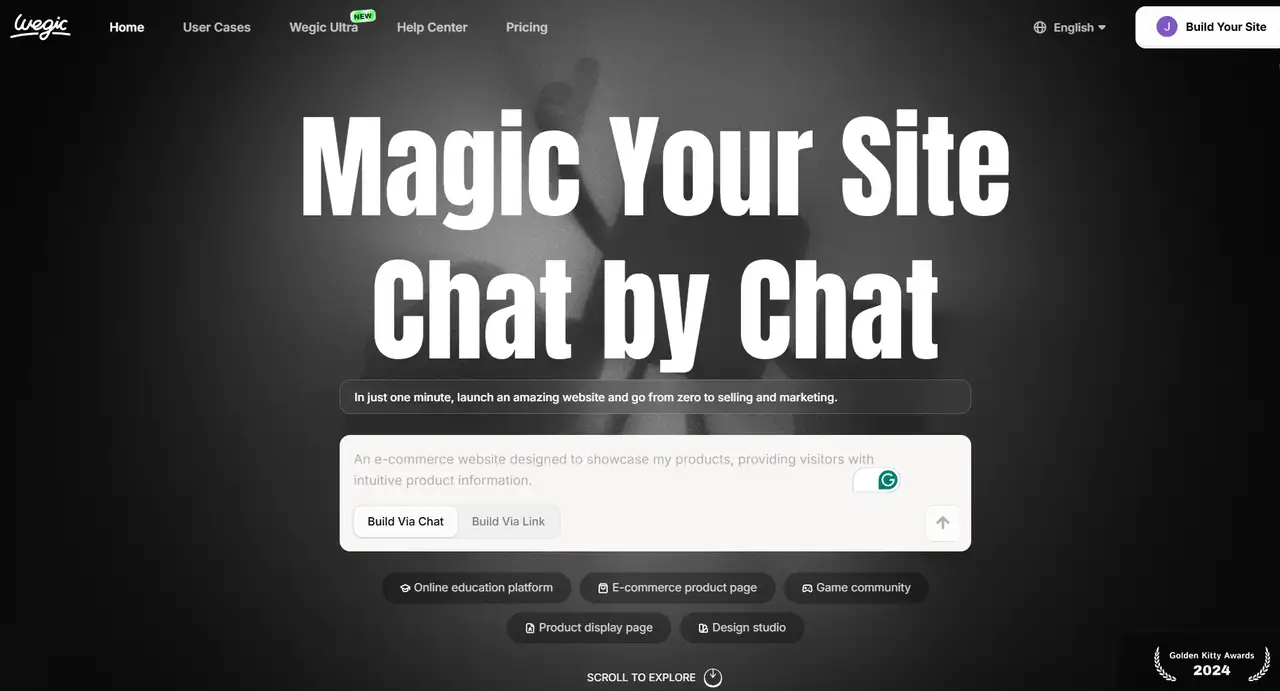
If you want to start your small business with some free websites, then Wegic is definitely your good assistant. Wegic is not only a website design tool, but also an AI-driven website growth system that can help your website go live within 1 minute, attract customers, and generate revenue from day one. And if you use it, you don't need to be very technical, because Wegic's built-in AI team can help you with design, startup, conversion, and operation. Does it sound very powerful? Especially if you have any difficulties in website design, all you need to do is tell Wegic your requirements, which can help you design a good website in one minute. So, in the field of entrepreneurship, it will definitely bring you surprises!
Double click on the image and try Wegic to help you start a business 👇
- WordPress.org: It is also currently one of the most popular website building platforms (accounting for 43% of the network according to W3Techs data). It also supports free use, but the downside is that it requires a separate host. It has thousands of themes and plugins, making it highly customizable and ideal for some businesses that expand as their business grows.
- Wix/Squarespace: This platform has a drag-and-drop builder and offers both free and paid plans. They are easy for beginners to understand and intuitively, but not as flexible as WordPress in terms of advanced features.
- Shopify :Very suitable for e-commerce entrepreneurs. Its plan starts at $29 per month, and it also includes built-in tools for inventory management and payment.
So, after reading the above content, which one do you plan to choose? If you want to have complete control and plan for expansion while also making your website smart and attractive, then Wegic is definitely your first choice. Moreover, it also comes with a free package plan, so it's really not a loss!
Step 4: Design your website for User Experience (UX)
A well-designed website will keep visitors engaged and attract user conversions (such as purchasing products or contacting you). So how can we achieve this? You can follow the following user experience principles:
- Maintain the simplicity of website pages: avoid cluttered pages. Use blank space to highlight key information such as your logo, value proposition, and Call to Action (CTA) button (e.g, "shop now" or "contact us").
- Maintain mobile responsiveness: According to Statista, over 60% of network traffic comes from mobile devices. Ensure that your website looks good and runs smoothly on both mobile and tablet devices. Most modern website builders provide this feature by default.
- Consistent brand: Use your company's colors, logo, and font on all pages to create a professional image. For example, an eco-friendly brand may use earthy tones and organic fonts, which will make users look more harmonious.
Example: The website of a local plumber adopts a simple design, with a prominent CTA ("Booking Services") at the top, contact information in the title, and a simple menu with service, recommendation, and frequently asked questions pages. So this is basically considered a comprehensive website.
Step 5: Create content that can attract users' attention
Content is the key to attracting visitors and converting them into customers. So when you are creating content, you need to focus on these key elements:
- Homepage: Start with a powerful title to convey your value (e.g. "Chicago's Affordable Landscape Services"). This includes a brief description of your business, high-quality images, and clear CTA.
- Regarding the self-introduction section: Tell your story to help users better understand you. Explain why you started your business, your mission, and what sets your product or business apart from other competitors.
- Product/Service Page: Provide a detailed description of the services you offer, including pricing (if applicable) and benefits. Use photos or videos to showcase products. According to HubSpot's data, 85% of consumers learn and research products through videos before making a purchase.
- Contact page: Make it easier for customers to reach you. If you have an actual location, please provide a form, phone number, email, address, and map.
- LSI keyword integration: Naturally incorporate terms such as "small business website content creativity" or "professional website copywriting" into your content strategy section.
Step 6: Add basic features and tools to the website
You need to use tools that improve user experience and help you track performance to enhance website functionality:
- SEO plugin: Yoast SEO (WordPress) and other tools help optimize search engine content, making it easier for customers to find you when searching for keywords such as "the best coffee shop near me". Free traffic is the best traffic!
- Analysis: Install Google Analytics to track visitor behavior, such as how many people visit, which pages they view, how long they stay on your website, and what makes them jump out quickly. Only by knowing these data can we better help you identify website issues and improve the specific features of your website.
- Social media integration: Add button links to your social media profiles (such as Facebook, Instagram) and post several posts to keep the website updated daily and stay in close contact with users.
- Recommendation/Comment: Display customer feedback to establish credibility. A study by BrightLocal found that 82% of consumers read online reviews before choosing local businesses.
Professional tip: For e-commerce websites, do not ignore features such as shopping carts, secure payment gateways (such as PayPal or Stripe), and order tracking.
Step 7: Do a good job in search engine optimization (SEO)
The importance of SEO optimization doesn't need me to say much! If you can do SEO well, your website can achieve higher rankings in search results and generate more organic traffic. The key steps are as follows:
- Keyword research: Use tools such as Google Keyword Planner to search for audience search terms (such as "affordable web design for small businesses" or "local pet grooming services").
- Page search engine optimization: Include keywords in titles, headings, and content (natural - avoid overfilling). Optimize the alt text of the image to describe what the image is (e.g. "Handmade candle in a glass jar").
- Local search engine optimization: If you are doing business in your location, please declare your location in the Google My Business list and include your location in the content (e.g. "plumber in Austin, Texas").
Example: A yoga studio in Portland may target keywords such as "Portland yoga classes" and include phrases such as "beginner friendly yoga near me" in the course description.
Step 8: Test and launch your website
Before going online, you need to test your website several times to ensure that it can run properly:
- Check functionality: Test links, forms, and buttons. Ensure that the contact form is sent correctly via email and that the e-commerce checkout process is functioning properly.
- Mobile testing: View your website on different devices and screen sizes to ensure its responsiveness.
- Loading speed: Use Google PageSpeed Insights to check the loading time. Kissmetrics' data shows that slow websites (over 3 seconds) lose 40% of their visitors. Compress images and minimize plugins to speed up.
Once everything goes smoothly, it's time to start using it normally! Announcing your website on social media, email correspondence, and business cards is the process of accumulating initial traffic to your website.
Step 9: Maintain and update your website
A website is not a project that is forgotten after being set up. Regular maintenance ensures its safety, relevance, and effectiveness:
- Update content: Refresh blog posts, product lists, and promotional activities to attract visitors to visit again.
- Security check: Install updates for your platform and plugins to prevent hacker attacks.
- Performance analysis: Use Google Analytics to see which features are effective. If the bounce rate of the page is high, then you need to modify and design new content for the page.

Conclusion
The goal of creating a website for small businesses is a powerful way to reach more customers, establish credibility, and develop a brand. By following these steps to create a website for a small business - from defining goals to launching and maintaining the website - you can establish a professional online presence without overspending. Whether you choose free tools or invest in advanced features, the most important thing is that you need to start from today. Remember, even a basic website is better than nothing, and you can constantly improve it based on the growth of your actual business. So, after reading the above content, are you ready to start? Choose one step this week to solve it, and you can have a website that suits your small business. Let's start together!
FAQs
What are the six steps for making a website?
- Step 1: Defining your site's purpose and strategy. ...
- Step 2: Planning your website structure. ...
- Step 3: Designing the website layout. ...
- Step 4: Developing the website. ...
- Step 5: Testing and launching the website. ...
- Step 6: Maintaining and updating your website.
Is it worth making a website for a small business?
Absolutely, small businesses do need websites. A website ensures your business is visible to potential customers 24/7, building credibility and trust. It serves as a central hub for all your essential information like services, hours, and contact details, making it easier for customers to find and reach you.
Can I create a website by myself?
You can use platforms like Wix or WordPress.com to create a personal website or an online portfolio for free. It's a straightforward process and generally involves choosing a template, customizing it with your content, and then publishing it.
What are the three keys to a successful website?
There are many factors that go into creating a successful website, but if we must break it down into the three main building blocks of a great site, they would be design, usability, and content. You need all three of these for a website to be successful.
What are the disadvantages of websites?
Cons:
- Initial Cost and Maintenance: Developing and maintaining a website can involve upfront costs for design, development, hosting, and ongoing maintenance. ...
- Technical Challenges: Building and managing a website requires technical knowledge or the involvement of web developers/designers.
Written by
Kimmy
Published on
Mar 17, 2026
Share article
Read more
Our latest blog
Webpages in a minute, powered by Wegic!
With Wegic, transform your needs into stunning, functional websites with advanced AI
Free trial with Wegic, build your site in a click!
What kind of website do you want to build?